URL Shortener for Twitter / X The Complete Guide
Twitter — now rebranded as X — remains one of the most link-active social platforms. Journalists, researchers, founders, marketers, politicians, creators and brands post links constantly. But X's link handling is distinctive: every URL is wrapped in a t.co short link regardless of its original length, all URLs count as 23 characters in the tweet limit, and X's own analytics provide only basic click data. Understanding how URL shortening, branded domains and link analytics work specifically on X — including how Cuttly's links interact with X's t.co wrapping — is essential for anyone using the platform professionally.
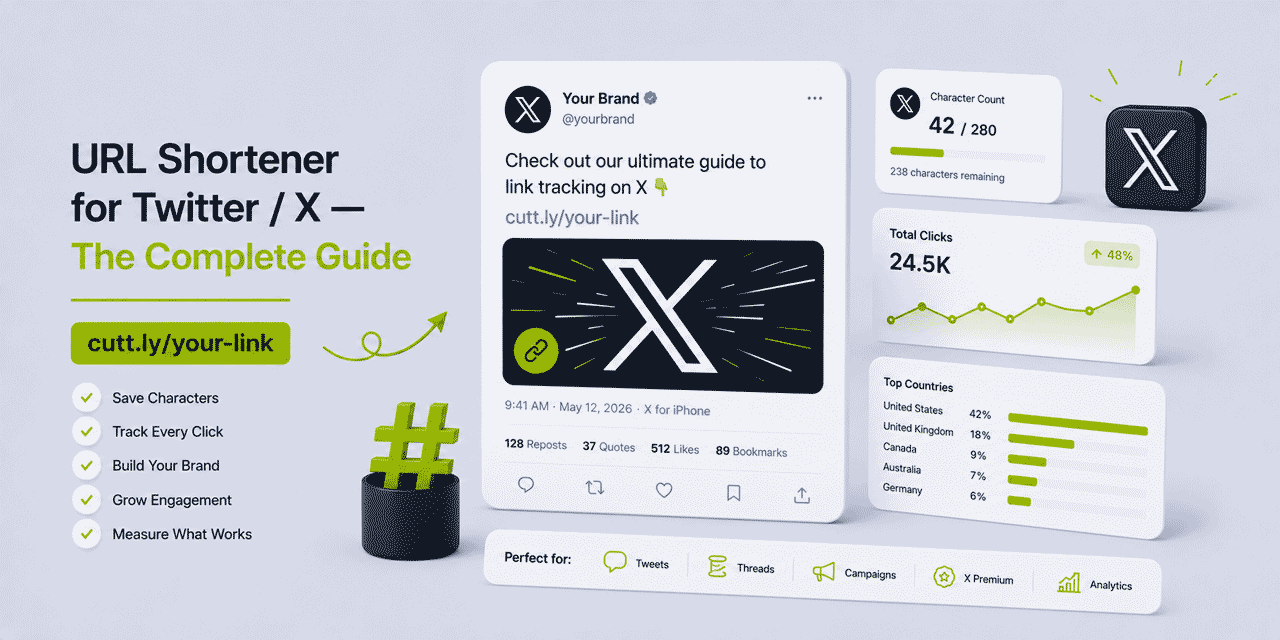
What This Guide Covers
- How X / Twitter handles links — t.co explained
- Character count: how links count toward the 280 limit
- Why branded short links still matter on X despite t.co
- Link tracking on X — what Cuttly measures independently
- Twitter bio link strategy — Link in Bio
- Thread CTAs and link placement strategy
- X Premium and link behavior
- Campaign links on X — per-campaign attribution
- UTM parameters for X traffic in GA4
- Retargeting pixels on X link clicks
- Comparing X click data to other social platforms
- Dynamic links — update tweet destinations
- Scheduling tools and Cuttly links
- Cuttly plan guide for X / Twitter users
How X / Twitter Handles Links — t.co Explained
Every URL posted on X is automatically wrapped in a t.co short link. This happens regardless of whether the URL has already been shortened — a Cuttly branded short link posted on X is wrapped in a t.co link before being displayed to followers. The displayed tweet shows the beginning of the original URL (or the Cuttly branded link) but clicking it goes through t.co's redirect before reaching the destination.
This creates a two-redirect chain for Cuttly links on X: the follower clicks the t.co link → t.co redirects to the Cuttly branded short link → Cuttly redirects to the destination URL. This sounds complicated but in practice is imperceptible — both redirects complete in milliseconds. The important implication is for analytics: X's analytics count the t.co click (the first redirect); Cuttly's analytics count the click on the Cuttly link (the second redirect). Both measurements are real; they measure slightly different things.
X's t.co wrapping cannot be opted out of — it applies to all URLs on the platform. This is why the primary value of Cuttly branded links on X is not character saving (X counts all URLs as 23 characters regardless) but brand visibility and independent analytics.
Character Count: How Links Count Toward the 280 Limit
X counts every URL — regardless of its actual length — as exactly 23 characters toward the 280-character tweet limit. A 200-character raw URL takes up 23 characters. A 24-character Cuttly branded short link takes up 23 characters. The character count is the same.
This means URL shortening on X does not free up character space in the tweet — that is not how X's character counting works. The value of using a Cuttly branded short link versus a raw URL on X comes from two other dimensions: visual presentation and independent analytics.
Visual Presentation in Tweets
Although X truncates displayed URLs in many contexts, the full URL is visible when a user hovers over or previews the link, and on some clients the URL is displayed in full in the tweet text. A branded short link — yourbrnd.link/guide — is clean, readable and brand-consistent at any display length. A raw URL — https://www.yourwebsite.com/blog/complete-guide-to-url-shortening-for-twitter-and-x-in-2026 — is visually cluttered even before truncation.
For creators and brands with established branded domains, every link in every tweet is a branded impression. Over time, followers recognize the branded domain as reliably associated with quality content — a form of link brand equity that accumulates across all posts.
Why Branded Short Links Still Matter on X Despite t.co
The t.co wrapping might suggest that branded short links are redundant on X — after all, the link users see is a t.co link anyway. This is a misunderstanding of how X displays links.
X displays the original URL (before t.co wrapping) in the tweet text and in link preview cards — the visual elements that appear when a link is included in a tweet. Followers see yourbrnd.link/campaign in the tweet text, not the t.co URL. The t.co wrapping happens at the infrastructure level and is invisible to the user in most contexts.
What followers see when a Cuttly branded link is posted on X:
- In the tweet text:
yourbrnd.link/guide— your brand, your domain - In the link preview card: the destination page's title, description and image (standard Open Graph preview)
- In the browser status bar on hover (desktop): the t.co URL — which the vast majority of users never look at
The branded domain is what followers register. The t.co layer is infrastructure. For any professional or business use of X, a branded short link is the right choice — not because it saves characters (it doesn't), but because it presents your brand consistently in the tweet text and in link card previews.
Link Tracking on X — What Cuttly Measures Independently
X's own analytics provide basic click data on links in tweets — total link clicks, impressions, engagement rate. For many use cases, this basic data is sufficient. But X's analytics have important limitations:
- No device breakdown — you cannot see whether link clicks came from mobile or desktop
- No geographic data at the link level — country-level breakdown is at the account level, not per-link
- No referrer tracking beyond X itself
- Data is locked within X's platform — no export, no API access for link-level data
- Data disappears if you delete the tweet or change your account status
Cuttly's independent analytics for the same link provide: total and unique clicks, device breakdown (mobile, desktop, tablet), OS and browser, country-level geography, click timing by hour and day, and referrer data (showing t.co as the referrer source when clicks come from X). This data is owned by you, accessible via the Cuttly dashboard and API, persistent regardless of what happens on X, and comparable across channels.
The combination — X analytics for X-specific engagement metrics, Cuttly for independent link performance data — gives a more complete picture than either provides alone.
Twitter / X Bio Link Strategy
Every X profile allows one URL in the bio. For creators and brands with multiple important destinations — a website, a newsletter, a product, a podcast, a YouTube channel, a booking page — one link is a constraint. Cuttly's Link in Bio solves this directly.
Set your X bio link to your Cuttly branded domain — yourbrnd.link. This opens a Cuttly Link in Bio page: a tracked micro landing page with multiple buttons, each pointing to a different destination and each tracked independently. Your X profile bio shows one clean branded link; followers who click it see all your important destinations with one click.
Example Link in Bio structure for a creator:
- My latest article — links to the newest blog post
- Newsletter sign-up — links to the email subscription page
- My book — links to the purchase page
- Work with me — links to the services or consultancy page
- YouTube channel — links to the channel page
Cuttly analytics show which button X followers click most — which destination your Twitter audience is most interested in. This data shapes how you structure the Link in Bio page and which destinations you promote in tweet content.
Thread CTAs and Link Placement Strategy
Twitter threads — sequential tweets forming a narrative — are one of X's most effective content formats for driving traffic. Thread link strategy matters because different placements perform differently:
The Thread-Ending CTA
The final tweet in a thread is the natural CTA placement — readers who have engaged with the full thread are the most qualified audience for a link. A clear CTA in the final tweet ("Full guide here →") with a branded Cuttly short link captures this high-intent segment. Tracking the click rate on this CTA link across different threads shows which thread topics drive the highest click-through rates — useful for deciding which topics to develop into longer content.
The Thread-Opening Link
Some creators include the full resource link in the first tweet of a thread ("Full guide at the end — thread first"). This placement captures impatient readers who want the resource immediately, while the thread retains engaged readers. Using a unique Cuttly link for the opening tweet link and a different link for the closing tweet link shows which placement drives more clicks for your specific audience.
Comparing Thread Topics by CTR
Create a unique Cuttly link per thread, all pointing to the same destination. After thirty days, compare click counts across threads. The threads with the highest click-through rates to the same destination identify which topics your X audience finds most compelling — direct data for content planning that goes beyond impression counts and likes.
X Premium and Link Behavior
X Premium (formerly Twitter Blue) introduces several features that interact with links. Longer posts (up to 25,000 characters for the highest tier) mean longer-form content with more link opportunities per post. The ability to edit tweets after posting is relevant to link management — if a tweet contains a Cuttly dynamic link, the destination can be updated via Cuttly without editing the tweet. But if the tweet text itself needs changing (a typo in the tweet, not the URL), X Premium's edit function allows this without deleting and reposting.
For X Premium subscribers posting longer content, the link placement strategy shifts slightly: links can appear at natural transition points within the longer post rather than only at the end. Multiple Cuttly links in a single long X Premium post — each pointing to a different resource and each tracked independently — provide per-link performance data within the same post.
Campaign Links on X — Per-Campaign Attribution
For brands running X as a campaign channel — product launches, content promotions, event announcements, seasonal campaigns — per-campaign link tracking provides the data to evaluate X's contribution to the campaign.
Create a unique Cuttly link for each X campaign, distinct from the links used for the same campaign on other platforms. When comparing campaign performance across channels, you see: email drove 45% of total clicks, Instagram drove 30%, X drove 15%, LinkedIn drove 10%. This channel breakdown is only possible with unique links per channel — without them, all clicks to the same destination look identical regardless of source.
For ongoing content distribution — sharing every new article or video on X — create a unique Cuttly link per piece of content rather than reusing the same link. Per-content click data shows which topics drive the most X engagement: useful for understanding your X audience's specific interests versus your audience on other platforms.
UTM Parameters for X Traffic in GA4
GA4 receives referral traffic from X as either t.co (organic posts) or x.com (various X surfaces). Without UTM parameters, distinguishing organic tweet traffic from paid X ad traffic, from thread traffic, from bio link traffic is impossible in GA4 — it all appears as t.co referral.
Adding UTM parameters to Cuttly link destinations enables GA4 to distinguish X traffic sources:
| X placement | utm_source | utm_medium | utm_campaign |
|---|---|---|---|
| Organic tweet | social-organic | campaign-name | |
| Thread CTA | thread | thread-topic | |
| Bio link | bio | always-on | |
| X paid ads | cpc | paid-campaign-name | |
| X Spaces mention | spaces | spaces-event-name |
With these UTM structures, GA4 shows: how much revenue comes from organic X posts versus paid X ads, what the conversion rate is from X bio traffic versus tweet traffic, and which tweet topics drive the highest quality sessions (longest time on site, most pages visited, most purchases).
Retargeting Pixels on X Link Clicks
Cuttly's retargeting pixel feature allows a Meta, Google, LinkedIn or other ad network pixel to fire on every click of a Cuttly link — without the user visiting your website. This is relevant for X because X's own ad targeting is primarily based on X behaviors (follows, engagements, tweet interactions). Cuttly pixel firing builds an ad retargeting audience from link clicks on X — people who clicked your link in a tweet are captured in your ad retargeting pool, even if they did not complete a purchase or sign-up.
Practical application: post a tweet with a link to a new product page using a Cuttly link with your Meta pixel attached. People who click the link from X are added to a custom audience in Meta Ads Manager. Run a Meta retargeting campaign to this audience with a follow-up ad for the same product. This cross-platform retargeting sequence — X post → Cuttly pixel → Meta retargeting ad — captures high-intent prospects who showed interest on X and re-engages them on Meta.
Scheduling Tools and Cuttly Links
Social media scheduling tools (Buffer, Hootsuite, Later, Sprout Social) can all include Cuttly branded short links in scheduled X posts. Some scheduling tools have their own built-in link shorteners (Hootsuite uses Ow.ly). Using Cuttly links in scheduled posts instead of the scheduling tool's built-in shortener provides analytics that are independent of the scheduling platform — useful because scheduling tool subscriptions can expire or change, but Cuttly analytics persist in your Cuttly account regardless.
For content teams scheduling X posts in bulk, the Cuttly API enables automated link creation as part of the scheduling workflow: a script creates a unique Cuttly link for each piece of content being scheduled, stores the links in the content management system alongside each post, and inserts the correct Cuttly link into the scheduled tweet automatically.
Comparing X Click Data to Other Social Platforms
One of the most valuable outcomes of using Cuttly branded links on X is the ability to compare X link performance directly with link performance on other platforms — using a consistent analytics framework.
Create the same content with unique Cuttly links for each platform: X, LinkedIn, Instagram, TikTok, Facebook. Share on all platforms simultaneously. After 48 hours, compare total clicks, unique clicks, device breakdown and geographic distribution across platforms. The data shows:
- Which platform drives the most traffic to your content
- Which platform's audience is most mobile-dominant
- Which platform drives traffic from which countries
- Which platform drives the most traffic outside your home market
This cross-platform comparison is only meaningful because the analytics framework is consistent — Cuttly measures the same dimensions for all platforms, making direct comparison valid. Platform-native analytics (X analytics, Instagram Insights, LinkedIn Analytics) use different methodologies and definitions, making direct comparison unreliable.
Dynamic Links — Update Tweet Destinations
X does not allow editing the links in published tweets (even with X Premium's post editing — you can edit text but the link destination behavior in X's system is complex). More practically, tweets are often screenshot and reshared widely — the link in the screenshot cannot be changed by editing the original tweet.
Cuttly's dynamic links solve this at the infrastructure level. If a tweet contains a Cuttly branded short link, the destination URL behind that link can be updated at any time from the Cuttly dashboard or via API. All clicks on the original tweet — and on any screenshot reshares of that tweet — automatically redirect to the updated destination.
Practical use cases: a tweet promotes a product launch page that later becomes a post-launch product page — update the Cuttly link destination without needing to delete and repost. A viral tweet contains a link to a landing page that is being migrated to a new URL — update the Cuttly link destination; the viral tweet continues working correctly with the new destination.
Cuttly Plan Guide for X / Twitter Users
The Free plan ($0) includes link shortening, basic analytics and QR Code generation on the cutt.ly domain. Suitable for personal X accounts and casual users who want basic click tracking on their tweets.
The Starter plan ($12/month) adds a branded custom domain — the core upgrade for any creator or brand that wants consistent brand identity in their X links. Full analytics, dynamic link destinations and Link in Bio page at the branded domain.
The Single plan ($25/month) adds retargeting pixel support — relevant for brands using X as a top-of-funnel channel and retargeting link clickers on Meta or Google. Five branded domains. Device targeting. A/B rotation testing.
The Team plan ($99/month) suits social media teams where multiple people manage X posting — shared branded domain, role-based access, aggregated campaign analytics. Suitable for agencies and in-house teams with dedicated social media roles.
Create a free Cuttly account and start tracking your X link performance today. Registration required; free plan available with no credit card needed.
Frequently Asked Questions
Does Twitter / X wrap short links in its own t.co links?
Yes. X automatically wraps all URLs in t.co short links — including Cuttly branded links. The t.co wrapping is invisible to users in most contexts; they see your branded domain in the tweet text. Cuttly analytics track clicks independently of X's t.co analytics.
How many characters does a link take up on Twitter / X?
X counts every URL — regardless of length — as 23 characters toward the 280-character limit. A Cuttly short link and a 200-character raw URL use the same character budget. The value of a shorter branded link on X is visual presentation and branding, not character saving.
Can I track link clicks from Twitter / X with Cuttly?
Yes. Cuttly tracks clicks on your branded link independently of X's analytics — with device breakdown, country data, click timing and referrer (showing t.co). Add UTM parameters to the destination URL for full GA4 attribution of X-sourced sessions and conversions.
Should I use a branded domain for Twitter / X links?
Yes, for professional and business use. A branded short link in a tweet is visually associated with your brand before anyone clicks it. Followers see your domain in the tweet text — not a generic shortener. For creators and brands building an audience on X, consistent branded links reinforce identity across every post.
What is the best way to add a link to a Twitter / X bio?
Use a Cuttly Link in Bio page at your branded domain as your X bio link. Your bio shows one branded URL — yourbrnd.link — which opens a tracked micro landing page with multiple destination buttons. Each button is tracked independently so you know which destinations your X audience is most interested in.
- Cuttly Tools
- URL Shortener Tool →
- Link in Bio Builder →
- QR Code Generator →
- Branded Domains →
- Social Media Guides
- URL Shortener for Instagram
- URL Shortener for LinkedIn
- URL Shortener for TikTok
- URL Shortener for YouTube
- URL Shortener for Facebook
- Related Guides
- Best URL Shorteners
- Branded Short Links Guide
- Link Analytics Guide
- Encyclopedia
- Branded Links
- Link in Bio
- All Industries →
- Start Here
- Create Free Account
- Plans & Pricing
URL Shortener
Cuttly simplifies link management by offering a user-friendly URL shortener that includes branded short links. Boost your brand’s growth with short, memorable, and engaging links, while seamlessly managing and tracking your links using Cuttly's versatile platform. Generate branded short links, create customizable QR codes, build link-in-bio pages, and run interactive surveys—all in one place.
Cuttly - Consistently Rated
Among Top URL Shorteners
Cuttly isn’t just another URL shortener. Our platform is trusted and recognized by top industry players like G2 and SaaSworthy. We're proud to be consistently rated as a High Performer in URL Shortening and Link Management, ensuring that our users get reliable, innovative, and high-performing tools.


