Best Linktree Alternative in 2026: Full Comparison and Honest Verdict
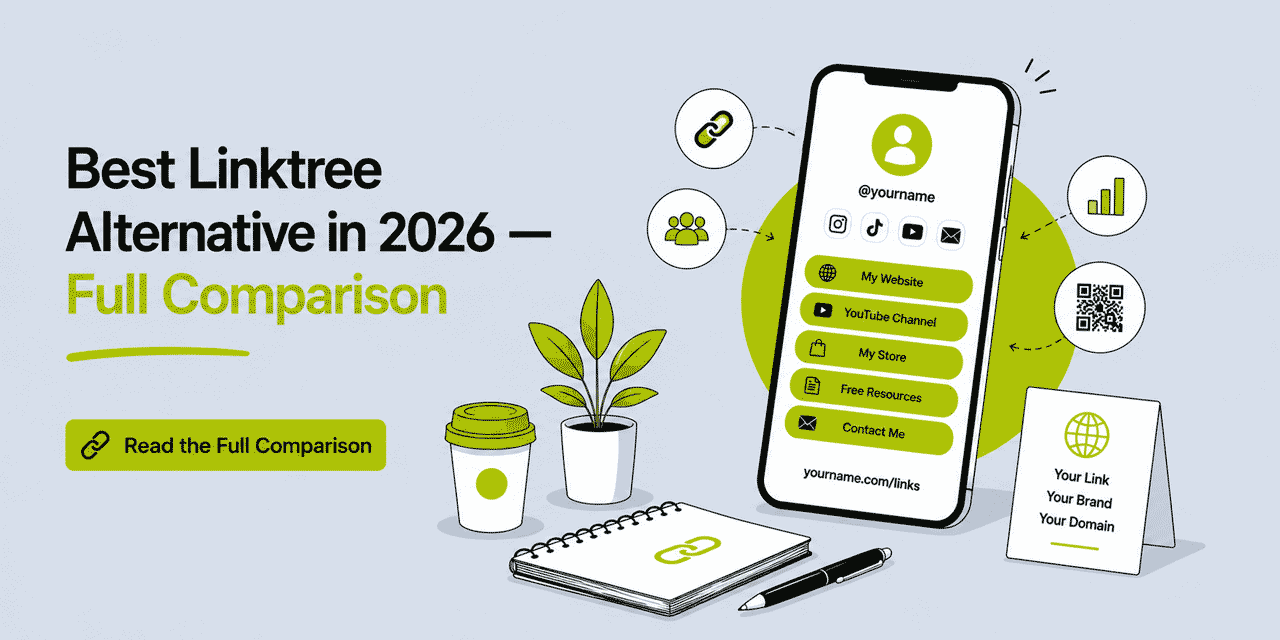
Linktree invented the Link in Bio category. When Instagram restricted clickable links in posts, Linktree gave creators and brands a simple solution: one URL in the bio, a page behind it with as many links as you need. The format worked, the category grew, and Linktree became the dominant name. But in 2026, the reasons to look beyond Linktree have accumulated. Pricing, branding limitations, the absence of a custom domain at accessible price points, and the emergence of broader platforms that include Link in Bio as part of a wider toolset — all of these have driven significant search for Linktree alternatives. This guide covers what is actually driving those searches, what a genuine replacement needs to deliver, and which platforms are worth your consideration.
If you want to see Cuttly's Link in Bio builder directly, the Link in Bio tool is available on the free plan — no credit card required. For the full comparison, read on.
What This Guide Covers
- Why people are looking for Linktree alternatives in 2026
- The criteria that actually matter when evaluating a replacement
- Cuttly as the primary all-round alternative — full feature breakdown
- Other alternatives worth knowing about
- Feature comparison: Cuttly vs Linktree side by side
- Who should stay on Linktree and who should switch
- How to migrate from Linktree to Cuttly
Why People Are Looking for Linktree Alternatives
The search for Linktree alternatives has grown consistently year over year. Understanding the specific friction points gives context for what a replacement actually needs to solve.
The Custom Domain Problem
The most frequently cited reason for leaving Linktree is the URL. On Linktree's free plan and lower paid tiers, your Link in Bio page lives at linktr.ee/yourname. For individuals and small creators, that may be acceptable. For brands, businesses, and professionals who care about brand consistency, sharing a URL that prominently features another company's name is a real problem. Your audience sees "linktr.ee" — not your brand — before they see anything you have built.
Custom domain support on Linktree has historically been restricted to higher-tier paid plans. For a brand that wants its Link in Bio to live at bio.yourbrand.com or yourbrnd.link/links, Linktree's pricing for that capability has often felt disproportionate to what is being provided. The result: brands that care about custom domains look elsewhere.
Linktree Branding on Your Page
On Linktree's free plan and standard paid tiers, the Linktree brand appears on every page you create — in the URL, in the footer, and sometimes in the visual chrome of the page. For professional use — agencies presenting client work, brands with established visual identity standards, or anyone who wants their Link in Bio to feel like their own — this is a meaningful limitation. Removing all Linktree branding requires the highest-tier plans.
Analytics That Are Actually Useful
Linktree provides click analytics — you can see which links on your page are being clicked. But the depth of that data, and how it integrates with the broader picture of your marketing performance, is limited compared to platforms built around link analytics as a core capability. Understanding not just which link was clicked but from where, on what device, at what time, from which referrer source, and how that compares to the performance of your other short links and QR Codes — that level of insight requires a platform where analytics is a first-class feature, not an afterthought.
Linktree Is a Single Tool in a Stack That Has Grown
When Linktree launched, the use case was clear and narrow: one bio link, one page, multiple destinations. That use case still exists. But the way creators and brands manage links has expanded significantly. You are now managing short links for social posts, QR Codes for print materials, campaign tracking links with UTM parameters, email newsletter links, and your Link in Bio page — all at the same time. Using Linktree for the bio page while managing everything else in separate tools creates fragmentation. Platforms that consolidate link management — short links, QR Codes, analytics, and Link in Bio — in one place have a structural advantage.
Pricing for What You Actually Get
Linktree's paid plans have been repositioned upward. The Starter tier, Pro tier, and Premium tier offer progressively more features — but the cost-to-value ratio has come under scrutiny as broader platforms have emerged offering more capability at comparable or lower price points. When a platform gives you a full URL shortener, QR Code generator, surveys, Action Pages, and Link in Bio — all in one place — for $25/month, paying a similar amount for a Link in Bio specialist feels harder to justify.
What a Linktree Alternative Needs to Deliver
Before comparing platforms, it helps to be precise about what "alternative to Linktree" actually means for your specific situation. The requirements differ significantly based on use case.
Custom Domain Support — At What Price
If your primary reason for leaving Linktree is the URL, custom domain support is the non-negotiable requirement. The key questions: at what plan tier does custom domain support become available, and how is DNS configured? A platform that supports custom domains only at $99/month has not actually solved the problem for most users. You need custom domains at an accessible mid-market price point — ideally $25/month or below.
Branding Control
Beyond the domain, the visual presence of a third-party platform on your page matters. What appears in the footer, in the page chrome, and in any metadata should be under your control. Full white-label — no platform branding anywhere — typically requires a higher-tier plan on any platform, but the platform branding should at minimum be minimal and non-intrusive at mid-tier pricing.
Analytics Depth
At minimum: click tracking per link, total page visits, click-through rate (visits versus button clicks), device breakdown, and referrer source. Ideally: geographic data, time-of-day patterns, and data history of at least 6 months at mid-tier pricing. The analytics should be integrated with whatever other link management you are doing — not siloed inside a separate dashboard.
Link Volume and Page Count
How many links can you add per page? How many Link in Bio pages can you create? These matter most for creators managing multiple profiles, brands running different campaigns, or agencies handling client accounts. A platform that caps you at 5 or 8 links per page on mid-tier plans is a real constraint for anyone with a broad content library.
Integration With the Broader Link Stack
If you are managing short links for social posts, QR Codes for print, and UTM-tagged campaign links alongside your Link in Bio, the ideal platform handles all of these in the same dashboard. This is not a requirement for everyone — a creator who only needs a bio page does not need a full URL shortener. But for marketers, businesses, and brands running multi-channel campaigns, tool consolidation is a genuine value proposition.
Cuttly: The Strongest All-Round Linktree Alternative
Cuttly is not a Linktree clone. It is a link management platform that includes a full Link in Bio builder as one of its tools — alongside a URL shortener, QR Code generator, campaign analytics, surveys, and Action Pages. That distinction matters: switching to Cuttly means consolidating multiple tools into one, not just swapping one bio page tool for another.
Link in Bio in Cuttly: How It Works
Cuttly's Link in Bio builder is available on all plans, including the free plan. You create a page, add links, customize the appearance, and share the URL. The mechanics are familiar — the differences are in what is possible at each tier and how the feature integrates with the rest of the platform.
There are three domain options for your Link in Bio page. On the Free and Starter plans, pages are hosted on the cutt.ly domain — your page URL is cutt.ly/bio/your-name. From the Single plan, you have two additional options: cutt.bio (Cuttly's dedicated Link in Bio domain, giving you a URL like cutt.bio/yourname) and your own fully branded custom domain (bio.yourbrand.com/your-name or any path structure you configure). On Team and Enterprise plans, all Cuttly branding is removed from Link in Bio pages entirely.
Link Volume and Page Count
The number of links per page scales with plan: up to 5 on Free and Starter, up to 20 on Single, up to 50 on Team, and up to 99 on Enterprise. The number of Link in Bio pages: 1 on Free/Starter, up to 3 on Single, up to 10 on Team, up to 20 on Enterprise.
For context: Linktree's free plan has historically allowed unlimited links per page but with restricted features. Cuttly's 5-link cap on the free plan is more restrictive in raw link count — but the Single plan at $25/month removes that constraint substantially (20 links per page), and the overall platform value at that price point far exceeds what Linktree's equivalent tier provides.
Customization Options
Cuttly's Link in Bio customization covers background (predefined gradient styles, custom color, or image from library — with control over attachment, position, repeat, and size), templates (link shape: Rounded, Square, or Oval; fill mode: filled dark/transparent, filled white, outline in dark/white/grey; header style: Center, Left, or Right; header text color: Light/Dark/Grey; font family), content (profile image, title, description, video, link order, add/remove links), and icon links (automatic social media platform icons when the platform detects a known service URL — displayed as icon-only or with text).
Template and background editing are available from the Starter plan. Custom back-half (alias) for the Link in Bio URL is available from the Single plan — meaning your page URL can be a memorable word rather than a random string. Video embedding (YouTube or Vimeo) is available from Single. These are not superficial additions — video on a Link in Bio page is now a standard expectation for creators who want to showcase content directly on their landing page.
Analytics
Every Cuttly Link in Bio page includes click analytics. You can see click-through rate (page visits versus button clicks), clicks per day, and referrer sources. Analytics history scales with plan — last 30 days on Free and Starter, 180 days on Single, 1 year on Team and Enterprise. All analytics data is aggregated and anonymized.
Critically, Link in Bio analytics sit within the same dashboard as your short link analytics and QR Code scan data. If you share your bio page link via a short link — which Cuttly creates automatically — and also promote it via a QR Code in print materials, you can see the full traffic picture in one place. This unified view is something Linktree, as a standalone bio page tool, structurally cannot provide.
QR Code for Your Link in Bio
Every Link in Bio page in Cuttly can have a QR Code generated for it. On the Single plan and above, that QR Code is fully customizable — colors, corner style, dot style, logo overlay, SVG export. If you are sharing your bio page at events, on business cards, in print materials, or anywhere physical, the QR Code is the bridge between the offline mention and the online page. Linktree does not natively generate customizable QR Codes for bio pages.
The Integrated URL Shortener
This is the structural difference between Cuttly and Linktree. When you use Cuttly, the URL shortener, the Link in Bio, the QR Codes, the campaign analytics, and the UTM builder are all in the same platform. Links you add to your Link in Bio page can be tracked as short links with their own analytics. You can tag links with campaign parameters. You can see which links across all your channels — not just the bio page — are driving the most engagement.
For creators who manage their own link stack, this consolidation removes the need to copy data between tools. For brands and marketers, it creates a single source of truth for link performance across email, social, print, and bio page simultaneously.
Surveys — Native, Not External
Cuttly includes a full survey builder on all plans. If you want to collect feedback, run a poll, or gather audience data through a link on your bio page, you can create the survey in Cuttly, shorten the link, and add it to your Link in Bio — all without leaving the platform. Survey responses are tracked, exportable, and encrypted. Linktree has no native survey feature.
Action Pages
Action Pages are Cuttly's standalone CTA landing pages — a focused page with title, description, background, logo, optional video, countdown timer, and a single CTA button, accessible via a short link under the /c/ namespace. Available from the Single plan (3 pages), Team (10 pages), Enterprise (20 pages). While Link in Bio pages aggregate multiple links, Action Pages focus a single call to action. Together they give you two distinct tools for different conversion goals — a portfolio page and a campaign-specific landing page — within the same platform. Linktree has no equivalent.
Pricing Summary
The Free plan ($0) includes 1 Link in Bio page on the cutt.ly domain, up to 5 links, profile image, title, basic background customization, QR Code generation, and click analytics (last 30 days). No credit card required. Registration required.
The Starter plan ($12/month) adds template editing, link titles, description, icon-only links, link reordering, and extends to 30 short links/month. Still on the cutt.ly domain for Link in Bio.
The Single plan ($25/month) unlocks cutt.bio and custom domain for Link in Bio, up to 20 links per page, up to 3 pages, custom alias, video embedding, full QR customization, 180 days of analytics history, and the full URL shortener with 5,000 links/month, 5 branded domains, A/B rotation, Action Pages, and password-protected links. This is where Cuttly becomes a genuine Linktree replacement for brand-conscious users.
The Team plan ($99/month) removes all Cuttly branding from Link in Bio pages, increases to 10 pages with up to 50 links each, and adds team workspace, Campaigns, deep links, Team API, and 2 years of analytics history. The correct plan for agencies managing Link in Bio for multiple clients, or brands wanting completely white-label bio pages.
Cuttly vs Linktree: Side-by-Side Comparison
| Feature | Cuttly Free | Cuttly Single ($25/mo) | Linktree Free | Linktree Starter (~$5/mo) |
|---|---|---|---|---|
| Link in Bio domain | cutt.ly/bio/ | cutt.bio / custom domain / cutt.ly | linktr.ee/ | linktr.ee/ (custom domain on higher tiers) |
| Links per page | 5 | 20 | Unlimited | Unlimited |
| Link in Bio pages | 1 | 3 | 1 | 1 |
| Analytics history | 30 days | 180 days | Limited | Limited |
| Custom back-half / alias | — | ✓ | ✓ (username) | ✓ |
| QR Code for bio page | Basic | Full custom (logo, SVG) | Basic | Basic |
| Video embedding | — | ✓ (YouTube / Vimeo) | ✓ | ✓ |
| Platform branding removed | — | Minimal | — | Partial |
| URL Shortener included | ✓ (30/mo) | ✓ (5,000/mo) | — | — |
| Branded short domains | 1 | 5 | — | — |
| QR Codes for short links | ✓ | ✓ Full custom | — | — |
| Surveys (native) | ✓ | ✓ | — | — |
| Action Pages (CTA landing) | — | ✓ (3 pages) | — | — |
| A/B link rotation | — | ✓ (50/50) | — | — |
| UTM builder | ✓ | ✓ | — | — |
| EU data residency | ✓ | ✓ | — | — |
| No credit card on free plan | ✓ | — | ✓ | — |
Other Alternatives Worth Knowing About
Cuttly is the recommendation for most use cases — particularly where custom domains, analytics depth, or link management consolidation matter. But other platforms serve specific scenarios.
Linkinbio by Later
Later is a social media scheduling platform and its Link in Bio tool is designed specifically for visual content — particularly Instagram grids where each post links to a separate destination. If your primary use case is creating a shoppable or content-linked Instagram grid, Later's visual bio page is tailored for this. It does not offer URL shortening, QR Codes, surveys, or campaign analytics beyond its social media context.
Beacons
Beacons is a creator-focused Link in Bio platform with strong monetization tools — tip jars, product sales, booking integrations. If you are a creator whose primary goal is selling directly through your bio page, Beacons has native commerce features that Cuttly does not. If your goal is brand-consistent link management with analytics and a custom domain, Cuttly is more relevant.
Carrd
Carrd builds simple one-page websites, not dedicated Link in Bio tools. It supports custom domains at low cost and offers significant design flexibility. If your need is a beautifully designed one-page site with custom domain rather than a functional Link in Bio page with analytics and link management integration, Carrd is worth evaluating. It has no link analytics, no QR Codes, no URL shortener, and no campaign tools.
Squarespace / Webflow Bio Pages
For creators with existing Squarespace or Webflow sites, a simple bio page built within those platforms eliminates the third-party URL entirely. The tradeoff is zero native link click analytics, no QR Code generation, and no integration with a link management stack. Suitable for static use cases where analytics are not important.
Who Should Stay on Linktree
Not every Linktree user should switch. There are situations where staying is the rational choice — at least in the short term.
If you are a creator whose audience is already familiar with your Linktree URL — it is printed on merchandise, embedded in YouTube descriptions, referenced in podcast episodes — the switching cost includes updating all those references. The benefit of a custom domain may not justify that effort if your audience volume is modest and the current setup is working.
If unlimited links per page at zero cost is your primary requirement and you have no need for custom domains, analytics beyond basic click counts, or integration with a URL shortener, Linktree's free plan continues to serve that use case adequately. The feature set is limited but the link volume per page is genuinely uncapped on the free tier.
If you are deeply invested in Linktree's commerce tools — scheduling, product links, payment integrations — and these are driving real revenue, evaluate any alternative carefully before switching. Cuttly does not have native commerce or scheduling integration in the Link in Bio builder.
Who Should Switch to Cuttly
The case for switching to Cuttly is strongest in the following situations.
You are a brand, business, or professional for whom having "linktr.ee" in your shared URL is a brand consistency problem. A Link in Bio on cutt.bio/yourbrand or bio.yourbrand.com is the professional standard, and Cuttly makes it accessible at $25/month with SSL included.
You are already managing short links, QR Codes, or UTM-tagged campaign links separately and want to consolidate. Cuttly eliminates the need for a separate URL shortener, a separate QR Code tool, and Linktree simultaneously — at a price that is comparable to or lower than running those tools separately.
You need analytics that go beyond basic click counts per link — geographic data, referrer breakdown, device types, time patterns, and data history measured in months rather than days.
You operate in the EU and EU data residency matters for your organization's data governance. Cuttly is operated by a company with servers in the EU. Linktree is an Australian-American company without EU data residency.
You are an agency managing Link in Bio pages for multiple clients and need white-label pages on client-branded domains with shared workspace management. Cuttly's Team plan handles this directly.
How to Migrate from Linktree to Cuttly
Migration from Linktree is straightforward. Your Linktree page continues to work as long as your Linktree account remains active — you are not breaking anything by creating a Cuttly account. The recommended approach is to build the new page in Cuttly, confirm it looks and works exactly as intended, then update the link in your social media bios from your Linktree URL to your new Cuttly Link in Bio URL.
Step 1: Create Your Cuttly Account
Register at cutt.ly — free, no credit card required. In the dashboard, navigate to the Link-in-Bio section and click "Create new Link-in-Bio." You can create your first page immediately on the free plan.
Step 2: Add Your Links
Add each link you currently have on your Linktree page. You can add links two ways: directly in the Link-in-Bio editor panel, or by selecting existing short links from your dashboard and converting them into a Link in Bio. The second method is the more powerful approach — it means each link on your bio page is also a trackable short link with its own analytics.
Step 3: Customize the Appearance
Set your background (gradient, color, or image), template (link shape, fill style, header alignment, font), profile image, title, and description. On the Single plan, add a custom back-half alias to make your URL memorable — cutt.bio/yourbrand instead of a random string.
Step 4: Connect Your Custom Domain (Single Plan+)
If you want your Link in Bio on your own domain, add the branded domain in your Cuttly account and configure DNS — A record pointing to Cuttly's server, TXT record for domain ownership verification. Let's Encrypt SSL is included automatically. Your Link in Bio page then lives at your domain rather than any platform-owned URL.
Step 5: Generate a QR Code
Generate a QR Code for your new Link in Bio page. On the Single plan and above, customize it with your brand colors and logo. Update any printed materials — business cards, packaging, signage — that reference your Linktree QR Code.
Step 6: Update Your Bio Links
Update the link in your Instagram bio, TikTok bio, YouTube description, Twitter/X profile, LinkedIn profile, and any other platform where you currently share your Linktree URL. Replace it with your new Cuttly Link in Bio URL. Your Linktree page can remain active as a fallback during any transition period.
Ready to start? Create a free Cuttly account — no credit card required — and build your first Link in Bio page today. Registration is required; free plan available immediately.
The Honest Verdict
Linktree is a well-built product that solved a real problem. For creators who need a simple, unlimited-link bio page at zero cost and have no requirements around custom domains, analytics depth, or integration with a broader link stack, Linktree continues to serve that use case. The free plan is genuinely capable for simple needs.
But for anyone who has grown beyond that baseline — who cares about brand consistency in their URL, who needs analytics that tell them more than click counts, who wants to consolidate link shortening and bio page management, or who is managing links professionally across multiple channels — Cuttly provides a fundamentally broader platform at a price that is comparable to or lower than Linktree's equivalent paid tiers.
The switch from Linktree to Cuttly is not just a tool swap. It is a consolidation: one platform for your short links, your QR Codes, your campaign analytics, your surveys, your Action Pages, and your Link in Bio. For most professional users, that consolidation is where the real value lies.
Frequently Asked Questions
What is the best Linktree alternative in 2026?
The best Linktree alternative depends on whether you need a custom domain. For a branded Link in Bio page on your own domain — with full analytics, no third-party branding and a built-in URL shortener — Cuttly is the strongest all-round alternative. It offers Link in Bio on cutt.bio or your own custom domain from the Single plan ($25/month), with a free plan that includes basic Link in Bio on the cutt.ly domain.
Can I use my own domain instead of Linktree?
Yes. With Cuttly, you can host your Link in Bio page on your own branded domain from the Single plan ($25/month). DNS setup uses an A record and TXT record. Let's Encrypt SSL is included automatically. Your audience sees your brand in the URL — not a third-party platform name.
Is there a free Linktree alternative?
Yes. Cuttly's free plan includes a Link in Bio page on the cutt.ly domain, with a profile image, title, up to 5 links, basic background customization and click analytics. No credit card required. Registration is required. For a branded domain or cutt.bio, upgrade to the Single plan at $25/month.
What does Linktree not have that Cuttly offers?
Cuttly offers several capabilities beyond Linktree: a full URL shortener integrated with the Link in Bio builder, QR Code generation and customization for every link, built-in Surveys, Action Pages (standalone CTA landing pages), A/B link rotation, UTM builder, TRAI SMS compliance for India, and a Team API. Linktree is a Link in Bio specialist — Cuttly is a broader link management platform that includes Link in Bio as one of its tools.
Does Cuttly remove its branding from Link in Bio pages?
Yes. On the Team plan ($99/month) and Enterprise plan ($149/month), Cuttly branding is removed entirely from Link in Bio pages. For fully white-label Link in Bio, the Team plan is the correct tier.
How many links can I add to a Link in Bio page in Cuttly?
Up to 5 links on Free and Starter, up to 20 on Single, up to 50 on Team, and up to 99 on Enterprise. The number of Link in Bio pages also scales: 1 on Free/Starter, up to 3 on Single, up to 10 on Team, up to 20 on Enterprise.
- Tools
- URL Shortener →
- Link in Bio Builder →
- QR Code Generator →
- Related Guides
- Link in Bio Without Linktree →
- Link in Bio Complete Guide →
- Link in Bio Tools Guide →
- Branded Short Links Guide →
- Related Comparisons
- All Comparisons Hub →
- Best URL Shorteners 2026 →
- Encyclopedia
- Link in Bio
- Branded Links
- Dynamic QR Codes
- Verticals Hub
- URL Shortener for Every Industry →
- Start Here
- Create Free Account
- Plans & Pricing
URL Shortener
Cuttly simplifies link management by offering a user-friendly URL shortener that includes branded short links. Boost your brand’s growth with short, memorable, and engaging links, while seamlessly managing and tracking your links using Cuttly's versatile platform. Generate branded short links, create customizable QR codes, build link-in-bio pages, and run interactive surveys—all in one place.
Cuttly - Consistently Rated
Among Top URL Shorteners
Cuttly isn’t just another URL shortener. Our platform is trusted and recognized by top industry players like G2 and SaaSworthy. We're proud to be consistently rated as a High Performer in URL Shortening and Link Management, ensuring that our users get reliable, innovative, and high-performing tools.


