URL Shortener for Hair Salons — The Complete Guide
Hair salons run on repeat business and word of mouth. A client who leaves the chair happy, looking exactly the way they wanted, is your most powerful marketing asset — but only if you make it easy for them to book again, leave a review and refer their friends. The gap between a great haircut and a new booking is often nothing more than a link that is too long to remember, too awkward to type and too generic to inspire confidence.
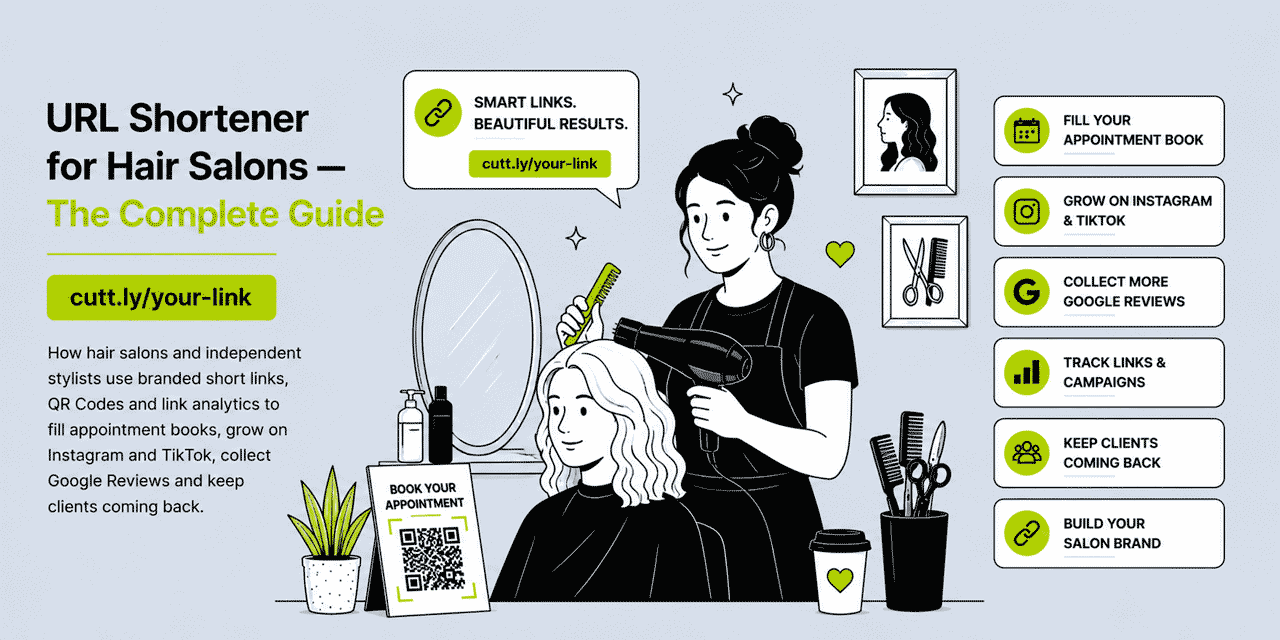
This guide covers every practical way a hair salon — from a solo stylist renting a chair to a multi-location salon group — can use branded short links, QR Codes and link analytics to fill the appointment book, build a stronger social following and win more Google Reviews. All examples use Cuttly's URL shortener, which is free to start and scales with your salon.
What This Guide Covers
- Why hair salons need short links and what makes a good one
- Booking links: filling the appointment book with less friction
- QR codes in the salon: mirrors, reception, product shelves
- Instagram and TikTok: Link in Bio strategy for stylists
- Collecting Google Reviews after every appointment
- WhatsApp and SMS: professional client communication
- Seasonal promotions and new service launches
- Loyalty programmes and referral links
- Multi-stylist salons: managing links as a team
- Cuttly plan guide for hair salons
- Frequently asked questions
Why Hair Salons Need Short Links
The hair salon industry is intensely local and intensely competitive. Within a few miles of any high street, a client typically has dozens of options. What differentiates salons is not just skill — it is reputation, convenience and the quality of every touchpoint from first discovery to post-appointment follow-up. Short branded links improve every one of those touchpoints.
Consider what happens when a satisfied client wants to recommend your salon to a friend. They might say "just search us on Google" — which relies on the friend finding the right result among competitors. Or they might share a WhatsApp message with a branded short link: yourbrnd.link/book. The second approach takes the friend directly to the booking page in one tap. The conversion rate from recommendation to booked appointment is dramatically higher when the path is that short.
Short links also unlock analytics. When you create different links for different channels — one for your Instagram bio, one for the QR code on the salon mirror, one for your business cards — Cuttly tracks how many clicks each receives. Within a few weeks you have real data on which channel is filling appointments most effectively. That data changes how you spend your marketing time and money.
Booking Links: Filling the Appointment Book with Less Friction
The single most important link for any hair salon is the booking link. Whether you use Fresha, Booksy, Vagaro, Treatwell or a custom booking form on your website, the booking page URL is almost certainly long, unmemorable and impossible to read aloud. A branded short link solves that completely.
Creating Your Salon Booking Link
In Cuttly, create a short link pointing to your booking page. Choose a slug that is descriptive and easy to remember: yourbrnd.link/book or yourbrnd.link/booking. This link then becomes your universal booking URL — the one you print everywhere, share in every message and display on every surface.
Because the link is dynamic, you can change the destination at any time without updating any of your printed materials or social profiles. If you switch from one booking platform to another, you update the link in Cuttly and every instance of the short link automatically redirects to the new destination. No reprinting. No broken links in WhatsApp messages.
Stylist-Specific Booking Links
Many booking platforms allow clients to book with a specific stylist. If yours does, create individual booking links for each stylist in your salon: yourbrnd.link/sarah, yourbrnd.link/james, yourbrnd.link/mia. Each stylist can use their personal link on their own social profiles and in their own client communications. The individual tracking data tells you which stylist is generating the most online bookings — useful for commission structures and marketing investment decisions.
Service-Specific Links
For high-value services — keratin treatments, balayage, extensions, bridal hair — create dedicated short links pointing to a landing page or booking form specific to that service. When you promote these services on Instagram or via WhatsApp, the link yourbrnd.link/balayage takes the interested client directly to the right booking option without them having to navigate your full service menu. Less friction means more conversions.
QR Codes in the Salon: Turning Every Surface into a Booking Touchpoint
A hair salon has a natural advantage over many other businesses: clients spend time sitting still, looking at their reflection, often with their phone in hand. Every minute a client sits in the chair or waits at reception is an opportunity to prompt a booking, a review or a social follow — if the right QR code is in the right place.
Salon Mirrors
A small, well-designed QR code sticker on the corner of the salon mirror, with a clear call to action, captures attention at the most positive moment of a client's visit: when they can see the finished result. The QR code can link to your Google Review form ("Love your new look? Leave us a review — it takes 60 seconds") or to your rebooking page ("Book your next appointment while you're here"). Both nudges are effective and non-intrusive.
Reception Desk and Waiting Area
Place a table card or countertop display at the reception desk with a QR code linking to your booking page. Clients waiting for their appointment — and clients paying at the end — have natural downtime that a well-positioned QR code can convert into a forward booking. A message like "Never miss your ideal appointment slot — book your next visit now" paired with a QR code is an easy upsell that requires no staff effort.
Product Shelving
If you retail hair products in the salon, QR codes on the shelving can link to product information pages or your online shop. Clients who admire a product their stylist used can scan the code and order it directly, even if they do not purchase it on the day. This works particularly well for high-margin products like professional shampoos, styling tools and treatments.
Dynamic QR Codes vs Static QR Codes
All QR codes generated in Cuttly are dynamic — the destination is stored in the cloud, not baked into the code itself. This means you can update where any QR code leads at any time without reprinting the sticker, card or display. For a salon where promotions change seasonally and booking platforms occasionally switch, this flexibility is essential. A static QR code printed on a mirror sticker in January that links to an expired promotion by March is a wasted asset; a dynamic one can be redirected to the current offer in seconds.
Cuttly's QR codes are also fully trackable. Every scan is recorded in your link analytics dashboard, showing you which physical QR codes are being used most — the mirror, the reception card, the product shelf — and at what times. This data tells you which in-salon touchpoints are actually engaging clients.
Instagram and TikTok: Social Strategy for Hair Salons
Hair is one of the most visual industries on social media. Before-and-after transformation photos, styling tutorials, colour theory breakdowns and client reaction videos all perform exceptionally well on Instagram and TikTok. The challenge for salons is converting that engagement into booked appointments — and the link strategy is where most salons fall short.
The Link in Bio Problem
Instagram and TikTok do not allow clickable links in post captions. Every call to action in a post relies on directing followers to the link in your bio. If that link goes to your homepage, followers then have to navigate to find the booking page — and most will not bother. If you change the bio link every time you post, you break the link for anyone who visits your profile between posts.
Link in Bio for Hair Salons
Cuttly's Link in Bio builder creates a simple, branded landing page accessible from a single URL that you put in your Instagram and TikTok bios permanently. The page contains multiple links — your booking page, your Google Reviews link, your price list, your current promotion, your YouTube channel if you have one. You update the links on the page at any time without changing the bio URL.
For a hair salon, a well-structured Link in Bio page might include:
- Book an appointment — links to your booking platform
- View our services & pricing — links to your services page
- Leave a Google Review — links directly to your review form
- Current promotion — updated seasonally or monthly
- Find us — links to your Google Maps listing
The page uses your branded domain, so the URL in the bio reads cutt.bio/yoursalonname or your custom domain — professional, on-brand and memorable.
Content That Drives Bookings
Hair salon content that converts well on Instagram and TikTok typically falls into a few categories: transformation reveals (before and after), process content (the colouring or cutting technique), styling tutorials for maintaining a look at home, and behind-the-scenes content that builds a connection with individual stylists. Each of these content types has a natural call to action: "Book your transformation — link in bio." The short Link in Bio URL handles the rest.
Tracking Social Performance
Create a unique short link for your Instagram bio and a different one for your TikTok bio. Both can point to the same Link in Bio page, but the separate links let you track which platform is generating more booking clicks. Over three months, this data tells you whether to invest more time in Instagram content or TikTok content — or whether a particular content format (tutorials versus transformations) drives more traffic on one platform than the other.
Google Reviews: Building the Reputation That Fills the Book
For local hair salons, Google Reviews are the most influential trust signal for potential new clients. A salon with 200 five-star reviews and a 4.9 rating dominates search results and attracts walk-in enquiries that a salon with 15 reviews simply does not. The difference is rarely the quality of the haircuts — it is the consistency and volume of review collection.
Making the Review Request Frictionless
The barrier to leaving a Google Review is not goodwill — most satisfied clients would happily leave one. The barrier is the journey: finding the salon on Google, navigating to the review form, writing something. A short link removes almost all of that friction. The client taps the link, the review form opens immediately, and they write their review without having to search for anything.
Create a dedicated review link in Cuttly — yourbrnd.link/review — pointing directly to your Google Business review form. This is the single most high-value link any hair salon can create, because more reviews compound over months and years into a permanent competitive advantage.
When and How to Ask
The ideal moment to ask for a review is when the client is in the chair looking at the finished result — satisfaction is at its peak. A stylist might say: "Really glad you love it. If you get a chance, a quick Google review means a lot to us — I'll send you the link on WhatsApp now." Then send yourbrnd.link/review via WhatsApp while they are still in the salon, when their phone is already in their hand.
Alternatively, include the review link in your post-appointment confirmation message — many booking platforms send these automatically, and you can often customize them to include a review request. A message that arrives an hour after the appointment, when the client is at home and still pleased with their hair, converts well.
Displaying the Review Link in Salon
Print the review link and a QR code on a small card at the reception desk and on the salon mirror: "Loved your visit? Tell Google: yourbrnd.link/review." Clients who want to leave a review but do not receive a WhatsApp message can use this as their path. The QR code makes it one-tap from any smartphone.
WhatsApp and SMS: Professional Client Communication
Most hair salon client communication happens via WhatsApp — appointment confirmations, rebooking reminders, responses to enquiries about availability. Every one of these interactions is an opportunity to share a clean, professional branded link rather than a raw booking URL.
Appointment Confirmation and Reminder Links
When confirming an appointment via WhatsApp, include a link to your cancellation or rescheduling policy page: "Your appointment is confirmed for Thursday at 2pm with Sarah. If anything changes: yourbrnd.link/reschedule." This sets professional expectations and reduces no-shows by giving clients a frictionless way to reschedule rather than simply not showing up.
Rebooking Reminders
Clients who do not book their next appointment before leaving the salon are at risk of going elsewhere — not because they are dissatisfied, but because booking feels like something to do later, and later never comes. A WhatsApp message sent four to six weeks after their appointment — "Hi, it's been a little while since your last cut with us! We have appointments available this week: yourbrnd.link/book" — recaptures a significant portion of lapsed clients. The branded short link makes the rebooking process one tap away.
New Client Enquiries
When a potential new client messages asking about availability, prices or services, your response sets the tone for the relationship. Replying with a wall of text or a long URL looks unprofessional. Replying with "Here's our services and pricing: yourbrnd.link/services — and you can book directly here: yourbrnd.link/book" looks considered and efficient. Two short links that answer both questions, immediately.
Seasonal Promotions and New Service Launches
Hair salons have natural seasonal rhythms: pre-Christmas colour appointments, January "new year, new you" campaigns, summer wedding and occasion season, back-to-school cuts in September. Each season is an opportunity for a focused campaign with its own short link and tracking.
Running a Seasonal Campaign
For each campaign, create a dedicated short link in Cuttly pointing to a specific landing page or offer. Tag the links using Cuttly's campaign management features so that traffic from the campaign is grouped in analytics. At the end of the campaign, you have a clear picture: how many people clicked, from which channel, and whether that correlated with an uptick in bookings.
- Pre-Christmas campaign:
yourbrnd.link/christmas— share via Instagram stories, WhatsApp status and email newsletter - New balayage service launch:
yourbrnd.link/balayage— share via Instagram post with before/after, TikTok tutorial, and WhatsApp broadcast to existing clients - January new client offer:
yourbrnd.link/january— share via local Facebook groups, Google Business posts and Nextdoor
Product Launch Links
If your salon adds new products to retail — a new professional brand, seasonal hair treatments, gift sets — create a short link for each product or collection. Share these links on Instagram stories and via WhatsApp to clients who have previously purchased products. Short links track which products generate click interest before you have sold a single unit, giving you a pre-launch demand signal.
Loyalty Programmes and Referral Links
Client retention is more cost-effective than new client acquisition, and the most effective retention tool for a hair salon is a loyalty programme. Short links make loyalty programmes significantly more accessible — both to join and to share.
Loyalty Signup Links
If you run a loyalty programme — points per visit, a stamp card, a membership discount — create a short link to the signup page: yourbrnd.link/loyalty. Display this link and its QR code at the reception desk, in your WhatsApp appointment confirmation messages and in your Instagram bio Link in Bio page. The lower the friction to join, the higher the enrolment rate.
Referral Links
A referral programme — "refer a friend and you both get 20% off your next visit" — is one of the highest-ROI marketing activities a hair salon can run. Create a short referral link: yourbrnd.link/refer. When a client is pleased with their appointment, send them the referral link via WhatsApp: "If you have a friend who needs a great cut, send them this link — you both get 20% off." The link is easy to forward, and the incentive is clear.
Track clicks on the referral link in Cuttly analytics. If you know a campaign reached 50 clients and generated 120 referral link clicks, you can estimate how actively your clients are sharing the offer — and compare that to conversions in your booking system.
Multi-Stylist Salons: Managing Links as a Team
A salon with multiple stylists, a reception team and possibly a marketing manager has link management needs that go beyond a single user account. Each stylist may want their own booking link, each campaign needs its own dedicated URL, and someone needs to be able to see analytics across all links without giving everyone access to account settings.
Team Workspaces in Cuttly
Cuttly's Team plan provides a shared workspace with role-based access. A salon manager or marketing lead can create and manage all the salon's links, QR codes and campaigns. Individual stylists can access their own booking links without seeing billing or overall account analytics. This structure keeps link management organized at scale without creating security or access control problems.
Multiple Locations
If your salon group has more than one location, the Team plan supports multiple branded domains under one account. Each location can maintain its own branded link identity — salonname-northside.link/book versus salonname-city.link/book — while all analytics are consolidated in a single dashboard. This makes it straightforward to compare performance across locations and identify which site's marketing is working best.
Link Analytics: What the Data Tells a Hair Salon
Cuttly's link analytics are aggregated and anonymized — you are not tracking individual clients, you are understanding traffic patterns across your marketing channels. For a hair salon, the most actionable data points are:
| Metric | What it tells a hair salon |
|---|---|
| Click volume by link | Which channel (Instagram, WhatsApp, QR mirror, business card) is driving the most booking intent |
| Click time of day | When clients are most likely to book — useful for timing WhatsApp campaigns and Instagram posts |
| Device type | Whether clients are clicking from mobile (almost certainly) — confirms your booking page must be mobile-optimized |
| Click trends over time | Whether seasonal campaigns generate traffic spikes — and how quickly traffic drops off after the campaign ends |
| Per-stylist booking link clicks | Which stylists are most actively promoting their own links and generating individual bookings |
The goal is not to drown in data — it is to answer one question each month: which marketing activity is actually filling appointments? After a few months of consistent link tracking, that question becomes much easier to answer.
Practical Setup: Getting Started with Cuttly as a Hair Salon
Setting up Cuttly for a hair salon takes one focused afternoon. Here is the recommended sequence:
- Step 1 — Create your Cuttly account. The Free plan lets you create short links immediately using the cutt.ly domain and test the platform before committing to a paid plan.
- Step 2 — Upgrade to Starter and connect your branded domain. Register a short custom domain that reflects your salon name and connect it in Cuttly. Setup takes around 15 minutes.
- Step 3 — Create your core links. Start with five:
/book,/review,/services,/referand one per stylist if you want individual tracking. - Step 4 — Set up your Link in Bio page. Add your booking, review, services and promotion links to a Cuttly Link in Bio page. Update your Instagram and TikTok bios with the Link in Bio URL.
- Step 5 — Generate QR codes for salon displays. Create dynamic QR codes for your mirror stickers, reception card and any printed materials. Download in high resolution.
- Step 6 — Brief your team. Make sure every stylist knows the review link, the rebooking link and how to share them via WhatsApp at the end of each appointment.
Ready to start? Create a free Cuttly account and set up your first salon short link today. Registration required; free plan available with no credit card needed.
Cuttly Plan Guide for Hair Salons
The right Cuttly plan depends on the size of your salon and how actively you want to use link analytics, QR codes and branded links.
The Free plan ($0) provides access to the URL shortener using the cutt.ly domain and basic link analytics. It is a useful starting point for testing, but the generic domain does not reinforce your salon brand — and in a visual, trust-dependent industry like hair, that matters.
The Starter plan ($12/month) adds a branded custom domain, full link analytics and QR Code generation. This is the right plan for the vast majority of hair salons — from independent stylists to small multi-stylist operations. The cost of a single recovered no-show covers it many times over.
The Single plan ($25/month) adds device targeting and expanded analytics. Device targeting is useful if you want to send mobile visitors to a different destination than desktop visitors — for example, routing mobile users directly to a WhatsApp booking flow rather than a web booking form.
The Team plan ($99/month) suits multi-stylist salons and salon groups. It provides multiple user accounts, multiple branded domains and role-based access — so each stylist, receptionist and manager has the right level of access without compromising overall account security.
Frequently Asked Questions
Why should a hair salon use a URL shortener?
A URL shortener lets a hair salon replace long, forgettable booking URLs with short branded links like yourbrnd.link/book that are easy to share on Instagram, print on salon mirrors and business cards, and send via WhatsApp. Every link also tracks clicks, giving the salon data on which channels are filling the most appointments.
How do I use a QR code in my hair salon?
Place dynamic QR codes on your salon mirrors, reception desk, product shelving and take-away business cards. Each QR code can link to your online booking page, your Google Review form, your Instagram profile or a seasonal promotion. Because Cuttly QR codes are dynamic, you can update the destination at any time without reprinting.
What is the best link to put in an Instagram bio for a hair salon?
Use Cuttly's Link in Bio feature to create a single branded page with multiple links — your booking page, your Google Reviews link, your price list and any current promotion. Update the links whenever you like without changing your Instagram bio URL.
Can I track how many bookings come from Instagram versus walk-ins?
Yes. Create a unique short link for each channel — one for your Instagram bio, one for the QR code on your salon mirror, one for your business cards. Cuttly analytics show you how many clicks each link received, so you can see which channel is driving the most appointment enquiries.
How do I get more Google Reviews for my hair salon?
Create a short branded link pointing directly to your Google Business review form — something like yourbrnd.link/review. Display it on the salon mirror, include it on your booking confirmation message and send it via WhatsApp immediately after each appointment. The fewer clicks between the client and the review form, the more reviews you will collect.
Which Cuttly plan is right for an independent stylist?
The Starter plan at $12 per month covers everything an independent stylist or small salon needs: a branded custom domain, full link analytics and QR Code generation. It is the most popular starting point for beauty and lifestyle businesses.
Can a salon with multiple stylists use one Cuttly account?
Yes. The Team plan at $99 per month provides multiple user accounts and multiple branded domains under one workspace. A salon manager can create and manage all links centrally, while individual stylists access only what they need.
- Beauty & Lifestyle
- URL Shortener Tool →
- Link in Bio Builder →
- QR Code Generator →
- Related Guides
- URL Shortener for Beauty Salons
- URL Shortener for Nail Salons
- URL Shortener for Barbers
- Similar Verticals
- URL Shortener for Spas
- URL Shortener for Pilates Studios
- Encyclopedia
- Branded Links
- Dynamic QR Codes
- Link in Bio
- Verticals Hub
- URL Shortener for Every Industry →
- Start Here
- Create Free Account
- Plans & Pricing
URL Shortener
Cuttly simplifies link management by offering a user-friendly URL shortener that includes branded short links. Boost your brand’s growth with short, memorable, and engaging links, while seamlessly managing and tracking your links using Cuttly's versatile platform. Generate branded short links, create customizable QR codes, build link-in-bio pages, and run interactive surveys—all in one place.
Cuttly - Consistently Rated
Among Top URL Shorteners
Cuttly isn’t just another URL shortener. Our platform is trusted and recognized by top industry players like G2 and SaaSworthy. We're proud to be consistently rated as a High Performer in URL Shortening and Link Management, ensuring that our users get reliable, innovative, and high-performing tools.


