URL Shortener for Online Courses — The Complete Guide
Online course creators operate in one of the most link-intensive businesses in the digital economy. A single course might be promoted simultaneously on YouTube, Instagram, a podcast, an email newsletter, a webinar replay, a guest blog post, a conference talk and a paid ad campaign. Every one of those channels needs its own trackable link — not so you can manage them administratively, but so you can answer the question that actually matters: which channel is generating the enrollments that pay for everything else?
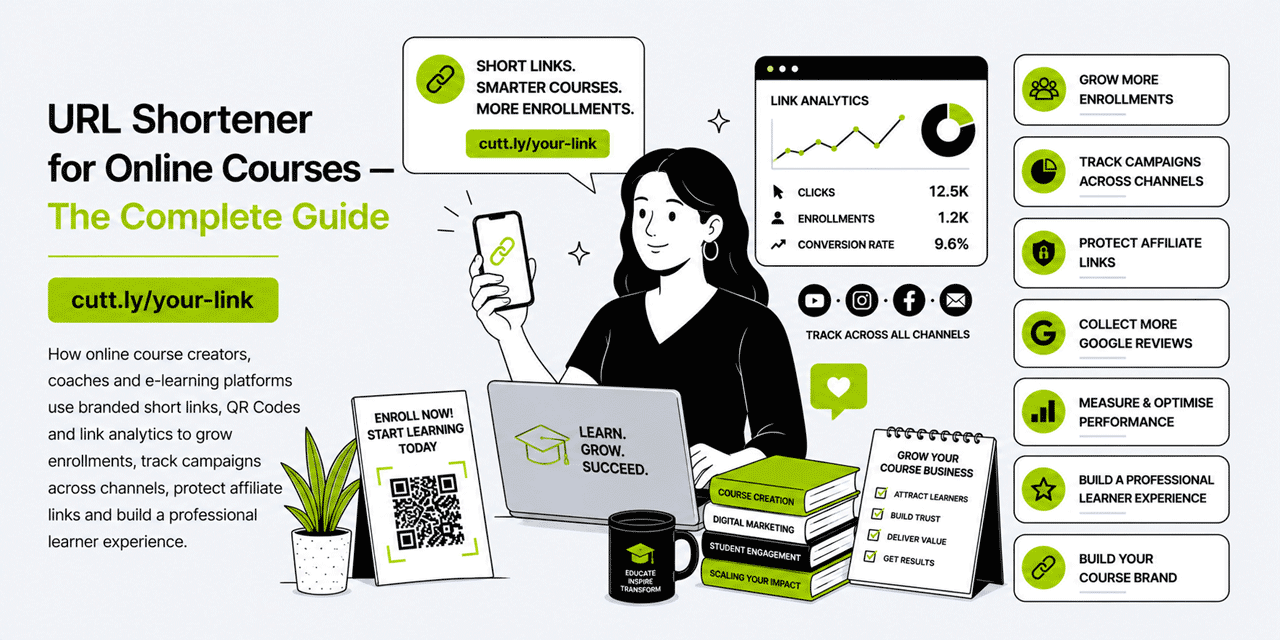
This guide covers every practical way online course creators, e-learning platforms and coaching businesses can use branded short links, QR Codes and link analytics to grow enrollments, run tighter launch campaigns, understand their audience and build a professional learner experience from the first click to the final module. All examples use Cuttly's URL shortener, which is free to start and scales with your course business.
What This Guide Covers
- Why online course creators need branded short links
- Enrollment links: the most important link in your course business
- Multi-channel tracking: YouTube, email, podcast, social, webinars
- Course launch campaigns: managing links across an open cart window
- Waitlist and pre-enrollment links
- Affiliate and partner links: clean sharing and independent tracking
- QR codes for in-person events, workshops and printed materials
- Free lesson and lead magnet links
- Link in Bio for Instagram and TikTok course creators
- Student resource links inside the course
- Multi-course creators and platform management
- Cuttly plan guide for online course creators
- Frequently asked questions
Why Online Course Creators Need Branded Short Links
Most course creators promote across five to ten channels simultaneously. The instinct is to use the same enrollment link everywhere — it is simpler, and it avoids having to manage multiple URLs. But that simplicity comes at a significant analytical cost: you cannot tell whether your YouTube audience, your email list or your podcast listeners are buying. You cannot identify which content type — a free lesson, a case study video, an email sequence — is the most effective driver of paid enrollment. You are optimizing blind.
A distinct branded short link for each channel solves that problem. The links all point to the same checkout page. But in Cuttly analytics, they are tracked separately — so you know that your email newsletter drove 340 clicks last launch, your YouTube description drove 190 and your podcast show notes drove 45. That data directly informs how you allocate your content production effort and your promotional budget for the next launch.
The brand dimension matters too. A course creator who shares yourbrnd.link/enroll communicates professionalism and intentionality. A creator who shares a long Teachable, Kajabi or Thinkific URL with session tokens and UTM parameters embedded in it communicates a business that has not yet thought carefully about its brand presentation. For a creator whose credibility is literally the product being sold, that distinction matters more than it might seem.
Enrollment Links: The Most Important Link in Your Course Business
The enrollment link — the URL that takes a prospective student to the checkout or sales page for your course — is the link that generates revenue. Every other link in your marketing ecosystem ultimately exists to route interested people to this one. Getting it right from the start has a compounding effect on every campaign that follows.
Your Primary Enrollment Link
Create a short branded link pointing to your course sales page or checkout: yourbrnd.link/enroll or yourbrnd.link/course-name. This becomes the canonical enrollment URL — the one you use as the base across all channels, modified only by the channel-specific slug when you need per-channel tracking. For a creator with a single flagship course, this is the link that appears in your email signature, your website header CTA and your social media bio.
Course-Specific Enrollment Links
For creators with multiple courses, create a dedicated enrollment link for each:
yourbrnd.link/copywriting— enrollment link for your copywriting courseyourbrnd.link/seo-course— enrollment link for your SEO courseyourbrnd.link/productivity— enrollment link for your productivity course
Track which courses generate organic interest between launch windows. If your SEO course enrollment link receives consistent clicks during non-launch periods — from YouTube descriptions, old email threads, social posts — you know there is an audience actively looking for that course. That signal tells you which course to launch next, price-test or run an evergreen funnel for.
Dynamic Destination Management Across the Sales Cycle
One of the most powerful features of dynamic short links for course creators is the ability to change the destination without changing the link. A single short link — yourbrnd.link/enroll — can serve different purposes at different stages of your sales cycle:
- Before launch: points to the waitlist or pre-enrollment page
- During open cart: points directly to the checkout page
- After cart close: points to a "you missed it — join the waitlist for the next cohort" page
- Evergreen funnel: points to a free lesson or webinar that leads into enrollment
Every time you update the destination in Cuttly, all instances of the link — in old YouTube descriptions, archived email newsletters, social posts from two years ago — automatically redirect to the new destination. Students who find your content months after a launch land on the waitlist page rather than a dead checkout link.
Multi-Channel Tracking: Knowing Which Channel Sells
The channel attribution question — where are my buyers actually coming from? — is one of the most valuable and most underexplored questions in the course creator business. Most creators have a vague sense that "email converts best" or "YouTube drives awareness but not sales," but they cannot quantify it. Short links with per-channel tracking turn that intuition into data.
YouTube
YouTube is the highest-intent discovery channel for many course creators — viewers who watch a 15-minute tutorial and then click through to the course description are significantly more qualified than social media followers who scroll past a promotional post. Create a dedicated short link for each YouTube video or video series that promotes the course:
yourbrnd.link/yt-seo-tutorial— in the description of your SEO tutorial videoyourbrnd.link/yt-copywriting— in your copywriting series playlist descriptionyourbrnd.link/yt-free-lesson— in the description of your free sample lesson
Over time, Cuttly analytics tell you which videos are driving the most clicks to your enrollment page. A video uploaded 18 months ago that still generates 30 clicks per week is a high-performing evergreen asset — worth updating with fresh content, creating a follow-up video on the same topic, or including in a paid promotion.
Email Newsletter
Email is typically the highest-converting channel for course enrollments. But not all email is equal — a launch sequence email performs differently from a weekly newsletter mention, which performs differently from a re-engagement campaign to cold subscribers. Create distinct short links for each email type:
yourbrnd.link/email-launch— used exclusively in launch sequence emailsyourbrnd.link/email-newsletter— used in regular newsletter mentionsyourbrnd.link/email-reengagement— used in re-engagement campaigns
The click data from these three links tells you which email context generates genuine purchase intent. If your launch sequence generates 400 clicks and your newsletter mentions generate 15, you know where to focus during the next launch window.
Podcast
Podcast listeners are a loyal, high-trust audience. A course mention in a podcast episode — especially your own show or a guest appearance on a relevant podcast — reaches listeners who are already engaged and predisposed to trust the speaker. Create a dedicated short link for each podcast placement:
yourbrnd.link/podcast— your own show's standard enrollment mentionyourbrnd.link/guest-podcastname— for each guest appearance on another show
Podcast links are also frequently spoken aloud — "visit yourbrnd.link/podcast for the full course" — so short, pronounceable slugs matter more here than in any other channel. A link like yourbrnd.link/learn is easy to say, easy to hear and easy to type. A raw course platform URL with a discount code embedded is none of those things.
Webinars and Live Events
A live webinar is one of the highest-conversion enrollment moments available to a course creator. Attendees have invested an hour of their time, they are actively engaged and they are at peak interest when the enrollment pitch arrives. The link you share in the webinar chat or on the final slide needs to be short, memorable and immediately clickable on mobile — because a significant portion of webinar attendees are on mobile devices even during live sessions.
Create a dedicated link for each webinar: yourbrnd.link/webinar-may or yourbrnd.link/live-enroll. Share it in the chat during the pitch and display it on the slide. Track how many attendees click through versus how many enroll — the gap between clicks and purchases in your webinar funnel is actionable intelligence for improving the sales presentation.
Instagram and TikTok
Social media drives awareness and warms audiences, but rarely converts directly to enrollment without an intermediate step. The link in your social bio — managed via Cuttly's Link in Bio builder — is the primary conversion path from social engagement to enrollment. A well-structured Link in Bio page for a course creator includes: the enrollment link for the current or upcoming course, a free lesson or lead magnet link, the webinar registration link (during launch), the podcast link and a testimonials or results page link.
Create a distinct short link for each social platform's bio — yourbrnd.link/instagram versus yourbrnd.link/tiktok — both pointing to the same Link in Bio page. Cuttly analytics show you which platform is sending more traffic to your enrollment funnel, which directly informs where you invest content production time.
Course Launch Campaigns: Managing Links Across an Open Cart Window
A course launch is the most complex link management event in a creator's calendar. Multiple channels are active simultaneously, the destination changes at cart open and cart close, urgency links point to fast-expiring bonuses, and affiliate partners are sharing their own versions of the enrollment link. A systematic short link structure prevents confusion and ensures every piece of content is pointing to the right destination at every stage of the launch.
Pre-Launch: Waitlist Links
Create a waitlist link four to six weeks before launch: yourbrnd.link/waitlist. This is the link you share in content that builds anticipation — teaser posts, "something is coming" emails, pre-launch live sessions. Track clicks on the waitlist link to gauge audience interest before the cart opens. A high click rate on the waitlist link during pre-launch is a strong leading indicator of enrollment volume.
Open Cart: Enrollment Links
On cart open day, update the waitlist link destination in Cuttly to point to the checkout page — or create a new launch-specific link: yourbrnd.link/open. Create channel-specific variants of this link so you know which channel converted most strongly during the open cart window. Deploy across all channels simultaneously and monitor Cuttly analytics in real time during the launch.
Urgency and Bonus Links
Many launches use time-limited bonuses or price increases to create urgency in the final 24 to 48 hours. Create a dedicated short link for the urgency phase: yourbrnd.link/last-chance. Update the destination during the urgency period to point to a checkout page that reflects the bonus or deadline. Track clicks on the urgency link separately — they represent a highly intent-driven segment of your audience who responded specifically to the deadline prompt.
Post-Cart Close: Waitlist Capture
After cart close, update the enrollment link destination in Cuttly to point to a waitlist capture page for the next cohort. Prospective students who find your content after the launch window — from YouTube, from shared email threads, from old social posts — land on a page that captures their interest rather than a broken or irrelevant checkout page. This passive waitlist building between launches is one of the most efficient list growth mechanisms available.
Affiliate and Partner Links: Clean Sharing and Independent Tracking
Course creators who recommend tools, platforms and resources to their students are often part of affiliate programmes. The links generated by affiliate platforms are typically long, parameter-heavy and visually unappealing — which affects click-through rates, particularly in content where trust is the primary selling point.
Wrapping Affiliate Links with Branded Short Links
Create a short branded link for each tool you recommend: yourbrnd.link/tool-name. This link redirects to your affiliate URL. The benefit is threefold: the link looks clean and intentional rather than tracking-heavy; it is memorable enough for students to type from a PDF or workbook; and Cuttly tracks clicks independently so you have your own data on link performance, separate from the affiliate platform's reporting.
This independent click tracking is particularly valuable when affiliate platform reporting has discrepancies or delays. Your Cuttly data gives you a real-time view of how many students clicked through to each recommended resource, which is useful for understanding which tool recommendations are genuinely trusted and acted on by your audience.
Course Platform Referral Links
If your course platform has a referral programme — many do — wrap the referral link in a branded short link: yourbrnd.link/platform-name. Share this in your content whenever you discuss the platform. The short link looks credible in a blog post, a YouTube description or an email in a way that a raw referral URL does not — and your Cuttly analytics tell you how many students are actually clicking through to explore the platform.
QR Codes for In-Person Events, Workshops and Printed Materials
Online course creators who also teach in-person workshops, speak at conferences or distribute printed workbooks have a QR code opportunity that is often underexploited. A QR code at exactly the right moment — at the end of a conference talk, on the cover of a workbook, on the final slide of a workshop — converts in-person attention into online enrollment immediately.
Conference and Speaking Engagement QR Codes
The final slide of a conference presentation or workshop is your highest-conversion marketing moment with that audience. Attendees are engaged, trust has been built over the session and they are holding their phones. A large, clearly labeled QR code on the final slide — "Scan to enroll in the full course — 20% off for attendees" — converts a portion of that audience immediately, before the networking drinks begin and the moment passes.
Create a conference-specific short link for the QR code: yourbrnd.link/conf-london or yourbrnd.link/summit-may. This link can point to a checkout page with an event-specific discount pre-applied, or to a landing page that acknowledges the event context. Track how many attendees scan the code in the hours after the talk — the click data tells you the real engagement rate of your speaking appearance, not just the room count.
Printed Workbook and Course Material QR Codes
If your course includes downloadable or printed workbooks, worksheet packs or physical welcome kits, include QR codes that link to supplementary content: video explanations, bonus lessons, community links or the full course enrollment page. A QR code in a PDF workbook that links to yourbrnd.link/lesson-3-video gives students an immediate path to the video companion for that module, improving the learning experience and reducing friction between the printed material and the digital content.
Because Cuttly QR codes are dynamic, you can update the destination of any workbook QR code at any time without reissuing the workbook. If you update a video or move it to a new platform, the QR code in existing workbooks still works — it just redirects to the new location.
Free Lesson and Lead Magnet Links
The free lesson — a sample module, a mini-course or a lead magnet that gives prospective students a taste of your teaching — is one of the most effective enrollment conversion tools available. The link to that free lesson is shared constantly, across all channels, often by students who enjoyed it and want to recommend it to others. It deserves the same branded, tracked treatment as the enrollment link itself.
Creating Your Free Lesson Link
Create a dedicated short link for your primary free lesson or lead magnet: yourbrnd.link/free-lesson or yourbrnd.link/sample. This link is easy to share, easy to remember and — because it is dynamic — can be updated to point to a different free lesson if you refresh your lead magnet offering. Track clicks to understand how many people are entering your funnel at the free lesson stage, and compare that to your enrollment numbers to understand the free-to-paid conversion rate across your content ecosystem.
Topic-Specific Free Content Links
For creators with multiple courses, create topic-specific free content links that align with the subject matter of each paid course:
yourbrnd.link/free-seo— free SEO mini-lesson that leads into the paid SEO courseyourbrnd.link/free-copy— free copywriting sample that leads into the paid copywriting courseyourbrnd.link/free-productivity— free productivity checklist that leads into the paid productivity course
Each free content link tracks independently. If your free SEO lesson generates 1,200 clicks per month and your free copywriting sample generates 300, the SEO audience is significantly larger — which informs which course to prioritize in the next launch cycle.
Student Resource Links Inside the Course
The learner experience does not end at enrollment — it continues through every module, every worksheet and every supplementary resource. Short links inside a course improve the learner experience and give the creator useful data on which resources students are actively engaging with.
Module Resource Links
For each module that includes external resources — a recommended tool, a supplementary reading, a template download — create a short link rather than pasting a raw URL into the course platform:
yourbrnd.link/module-1-template— downloadable worksheet for module 1yourbrnd.link/module-3-tool— recommended tool mentioned in module 3yourbrnd.link/community— link to your student community or Slack group
The click data on these module-level links tells you which resources students are actively using — which modules are generating engagement and which supplementary materials are being ignored. That data is useful for improving the course experience and deciding where to invest in additional content.
Community and Support Links
A short link for your student community — yourbrnd.link/community — is easier to share and remember than the full URL of a Circle, Slack or Facebook Group. Include this link prominently in your course welcome email, in the first module and in any course completion message. A student who joins the community is significantly more likely to complete the course, apply the material and refer others to future cohorts.
Link Analytics: Understanding Your Course Funnel
Cuttly's link analytics are aggregated and anonymized — you are not tracking individual students, you are understanding traffic patterns across your marketing channels. For a course creator, the most actionable metrics are:
| Metric | What it tells a course creator |
|---|---|
| Click volume by channel link | Which channel (YouTube, email, podcast, Instagram, webinar) drives the most enrollment intent |
| Free lesson link clicks | How many people are entering the top of your funnel — and from which channel |
| Click timing during launch | When your launch emails are generating peak response — useful for optimizing send times |
| Affiliate link click volume | Which tool recommendations your students are acting on — independent of affiliate platform reporting |
| Conference QR code scans | The real engagement rate from each speaking appearance — not just the room headcount |
| Module resource link clicks | Which course modules and resources students are actively engaging with |
Practical Setup: Getting Started with Cuttly as a Course Creator
- Step 1 — Create your Cuttly account. Register at Cuttly. The Free plan lets you test the platform immediately using the cutt.ly domain.
- Step 2 — Upgrade to Starter and connect your branded domain. Register a short custom domain that reflects your creator brand and connect it in Cuttly. Setup takes around 15 minutes.
- Step 3 — Create your core links. Start with:
/enroll,/free-lesson,/waitlist,/community,/youtube,/emailand/podcast. - Step 4 — Set up your Link in Bio page. Add your enrollment, free lesson, webinar and community links to a Cuttly Link in Bio page. Update your Instagram and TikTok bios with this single URL.
- Step 5 — Wrap your affiliate links. Create a branded short link for every tool and platform you regularly recommend. Update your YouTube descriptions, blog posts and email templates to use these links.
- Step 6 — Build launch link management into your launch plan. Before every launch, create the pre-launch waitlist link, the open cart channel links and the post-cart close redirect. Update destinations in Cuttly at each stage of the launch rather than changing links in every piece of content.
Ready to start? Create a free Cuttly account and build your first course short link today. Registration required; free plan available with no credit card needed.
Cuttly Plan Guide for Online Course Creators
The Free plan ($0) provides access to the URL shortener using the cutt.ly domain and basic link analytics. Useful for testing, but a generic domain does not reflect the professional brand that course creators depend on for trust and credibility.
The Starter plan ($12/month) adds a branded custom domain, full link analytics and QR Code generation. The right starting plan for most solo course creators — covering enrollment links, channel tracking, affiliate link wrapping, free lesson links and conference QR codes.
The Single plan ($25/month) adds device targeting and expanded analytics. Device targeting is useful for creators who want to route mobile visitors directly to a mobile-optimized checkout flow and desktop visitors to a longer sales page — particularly valuable during high-traffic launch windows.
The Team plan ($99/month) suits course businesses with a team — a marketing manager, a launch strategist, a community manager and a content producer all needing access to link management without sharing a single login. Multiple users, multiple branded domains and role-based access keep operations clean at scale.
Frequently Asked Questions
Why should an online course creator use a URL shortener?
An online course creator sells across multiple channels simultaneously — YouTube, Instagram, email newsletters, podcasts, webinars and paid ads. A URL shortener creates a distinct trackable link for each channel, so the creator knows exactly which channel is generating enrollments and where to invest more. Branded short links also look more professional and trustworthy than long platform URLs with session tokens and tracking parameters.
How do I track which marketing channel generates the most course enrollments?
Create a unique short link for each channel — one for your YouTube description, one for your email newsletter, one for your Instagram bio, one for your podcast show notes, one for your webinar replay. Cuttly analytics show how many clicks each link received and when, so you can see which channel is driving the most genuine enrollment intent.
Can I use a short link for a course launch countdown?
Yes. Create a short link — for example yourbrnd.link/launch — pointing to your waitlist or pre-enrollment page. Before launch, the link routes to the waitlist. On launch day, update the destination in Cuttly to point to the checkout page. After the enrollment window closes, update it again to a waiting list for the next cohort — all without changing the link itself or updating every place it has been shared.
How can I use short links to protect or clean up affiliate links?
Short branded links wrap affiliate URLs cleanly — instead of sharing a long affiliate URL with tracking parameters visible, you share yourbrnd.link/tool-name. The link is cleaner, more trustworthy and more likely to be clicked. Cuttly tracks clicks on each link independently, so you have your own data on affiliate link performance in addition to whatever the affiliate platform reports.
What is the best link to put in a YouTube video description for a course creator?
Create a dedicated short link for each video or video series — for example yourbrnd.link/free-lesson or yourbrnd.link/course-name. This link goes in the video description and pinned comment. Cuttly analytics show how many viewers click through from each video, which tells you which content topics drive the most course interest.
Can I use QR codes for online course marketing?
Yes — particularly for in-person events, workshops, conference talks and physical materials like workbooks or printed handouts. A QR code on a slide at the end of a conference presentation routes attendees to your course enrollment page immediately. Cuttly QR codes are dynamic, so the destination can be updated at any time.
Which Cuttly plan suits an online course creator?
The Starter plan at $12 per month provides a branded custom domain, full link analytics and QR Code generation — enough for most solo course creators to manage enrollment links, track channel performance and run launch campaigns. Creators with affiliate programmes, multiple courses or a team managing links may benefit from the Single or Team plans.
- Education & E-Learning
- URL Shortener Tool →
- Link in Bio Builder →
- QR Code Generator →
- Related Guides
- URL Shortener for Education
- Cuttly for Educators
- URL Shortener for Coaches & Consultants
- Similar Verticals
- Cuttly for Creators
- URL Shortener for Podcasters
- URL Shortener for Newsletters
- Encyclopedia
- Branded Links
- Dynamic QR Codes
- Link in Bio
- Verticals Hub
- URL Shortener for Every Industry →
- Start Here
- Create Free Account
- Plans & Pricing
URL Shortener
Cuttly simplifies link management by offering a user-friendly URL shortener that includes branded short links. Boost your brand’s growth with short, memorable, and engaging links, while seamlessly managing and tracking your links using Cuttly's versatile platform. Generate branded short links, create customizable QR codes, build link-in-bio pages, and run interactive surveys—all in one place.
Cuttly - Consistently Rated
Among Top URL Shorteners
Cuttly isn’t just another URL shortener. Our platform is trusted and recognized by top industry players like G2 and SaaSworthy. We're proud to be consistently rated as a High Performer in URL Shortening and Link Management, ensuring that our users get reliable, innovative, and high-performing tools.


