URL Shortener for Twitch Streamers The Complete Guide
A Twitch streamer operates across more platforms and more link destinations than almost any other type of content creator. There is the Twitch channel itself, the YouTube archive where VODs and highlights are uploaded, the TikTok and Shorts presence where clips drive discovery, the Twitter and Instagram where the community is kept engaged between streams, the Discord where the core audience gathers, the merchandise store where the most loyal viewers buy physical products, the donation and subscription links that generate direct revenue, and the sponsor links that represent commercial partnerships. Every one of these destinations needs a link, and the streamer needs to surface all of them to their audience across every platform simultaneously from a single, manageable link infrastructure.
This guide covers how Twitch streamers and live content creators use a URL shortener, branded custom domain, Link in Bio and click analytics across every commercial and community link use case in the modern streaming career: sponsor attribution, merch drops, community growth, cross-platform audience conversion, and the full range of link management needs for a creator who is building both a community and a business.
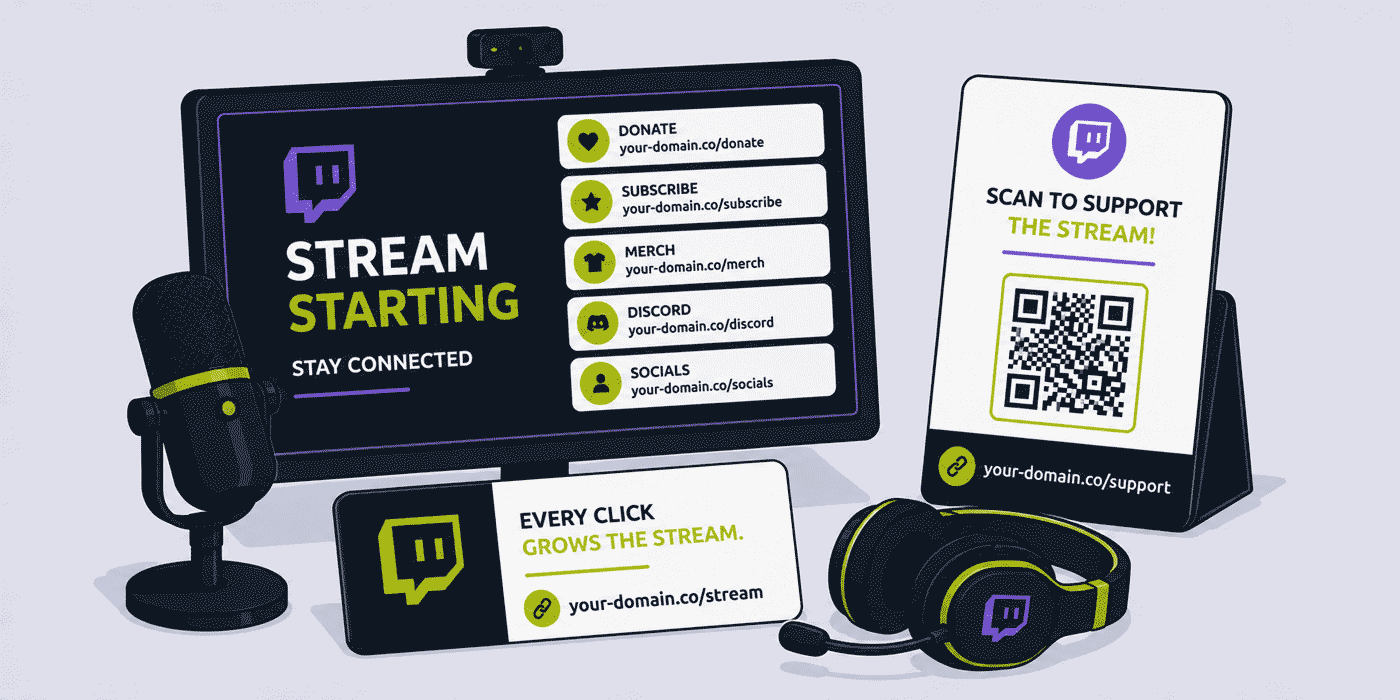
What This Guide Covers
- The streamer's multi-platform link problem — one channel, ten destinations
- Link in Bio for streamers — the branded Linktree alternative
- Sponsor and brand deal links — demonstrating and measuring value
- Merch drop links — attribution across stream, social and email
- Discord community links — the permanent invite solution
- Donation and subscription links
- Cross-platform audience growth links
- Stream panel links — what every panel should carry
- IRL streaming and event QR Codes
- YouTube and VOD archive links
- A worked example: a mid-tier streamer's full link infrastructure
- Common mistakes in streamer link management
- A Cuttly plan guide for Twitch streamers
- Frequently asked questions
The Streamer's Multi-Platform Link Problem
The fundamental link challenge for a Twitch streamer is not the complexity of any single link but the number of platforms that need to carry links simultaneously and the difficulty of keeping all of them current. A streamer who adds a new sponsor, launches a merchandise store, changes their Discord server, starts a YouTube channel, or opens a new membership tier needs to update links across Instagram bio, TikTok bio, Twitter bio, YouTube about page, Twitch channel description, Twitch stream panels, stream overlay graphics, and potentially printed materials for any convention or event appearances. That is eight to twelve places where a link change needs to be made, and each platform has its own interface for editing that information.
A well-structured link management approach reduces this multi-platform update burden to a manageable minimum. The core principle is simple: use as few link entry points as possible, with each entry point dynamically managed so that changes flow automatically to every place the link appears. The streamer's Link in Bio page is the primary implementation of this principle: one link that goes everywhere, with the actual destination list managed from a single dashboard.
Link in Bio for Streamers: The Branded Alternative
The Link in Bio page is the single most important link infrastructure investment a multi-platform content creator can make. It turns the one clickable link that most social platforms allow in a bio into a personal hub that serves every audience need simultaneously. For a Twitch streamer with a presence on five platforms, a well-designed Link in Bio page at a branded URL — your-stream.com/links or simply cutt.bio/streamername — is the single link that goes into every bio, every video description, every social post that asks viewers to "check the link."
What a Streamer's Link in Bio Page Should Contain
A streaming-focused Link in Bio page is organized around the audience's most common needs and the creator's most important commercial and community priorities. A well-structured streamer Link in Bio typically includes, in order of priority:
- Live stream / Twitch channel. The primary destination for any viewer who wants to watch live. When the streamer is live, this link goes to the live stream; when offline, it goes to the channel schedule or the latest highlight.
- Subscribe / Membership. The Twitch subscription page or Patreon. This is the highest-revenue conversion action a loyal viewer can take; it should be prominently featured.
- Merch store. The merchandise link. For streamers with an active merch programme, this is a significant revenue stream and should be consistently prominent, not buried at the bottom of the page.
- Discord server. The community hub where the most engaged viewers gather between streams. Driving Discord membership converts casual viewers into community members with significantly higher long-term loyalty.
- Active sponsor link. Any current sponsored product or service. This appears when there is an active sponsorship and is removed when the deal ends, keeping the page clean and the sponsor's exposure current.
- YouTube / VOD archive. For viewers who found the creator through a clip and want to watch more content.
- Social platforms. Twitter, Instagram, TikTok — for viewers who want to follow across platforms.
Each item on the Link in Bio page is independently tracked. Click analytics per item show the streamer which destinations their audience clicks most. Over time, this data is genuinely informative: a Link in Bio page where the Discord link consistently generates 3x more clicks than the merch link tells the streamer something about their audience's priorities that is worth knowing for content strategy and community investment decisions.
Branded vs Generic Link in Bio
Many streamers use a generic Linktree or similar service for their Link in Bio. The difference between a generic Link in Bio service and a branded one is the URL itself: linktr.ee/streamername versus your-stream.com/links or cutt.bio/streamername. For a creator who is building a personal brand, the domain in their Link in Bio URL is part of that brand. A branded domain communicates that the creator has invested in their digital identity; a generic Linktree URL is a reminder that the page is hosted on someone else's infrastructure rather than the creator's own.
For growing streamers who are beginning to pursue sponsorships and who want to present a professional identity to potential brand partners, this distinction matters. A media kit or sponsorship proposal that includes your-stream.com/links as the creator's hub URL looks significantly more professional than one that references a Linktree page.
Sponsor and Brand Deal Links
Sponsorship revenue is the most commercially significant income stream for most established streamers, and the links associated with sponsor deals are therefore among the most commercially important links a streamer manages. The quality and measurability of these links directly affects the streamer's ability to retain existing sponsors and attract new ones.
Per-Sponsor Short Links
For each sponsorship deal, the streamer creates a short link for the sponsor's product or landing page: your-stream.com/sponsor-name or a unique code-based link if the sponsor prefers a specific format. This link is mentioned verbally during streams ("check out the link in my panels"), placed in stream panels, included in the channel description, featured on the Link in Bio page during the sponsorship period, and potentially included in social media posts if the deal includes cross-platform promotion.
The commercial value of this approach is that click analytics for the sponsor link — aggregated and anonymized — give both the streamer and the sponsor a concrete engagement metric beyond viewership numbers. A streamer who can tell a sponsor that their viewers generated 4,800 clicks on the sponsor's link over a three-month deal, with an average of 160 clicks per stream, has a measurable engagement story to tell in renewal conversations. Most streamers cannot provide this data because they have not set up per-sponsor link tracking; those who can are in a meaningfully stronger commercial position.
Sponsor Link Placement Strategy
The placement of a sponsor link determines how much of the stream audience sees it. The primary placements for a sponsored link in a Twitch stream context are:
- Stream panel. A dedicated sponsor panel below the stream, visible to anyone who scrolls down on the channel page. This provides persistent visibility to anyone visiting the channel whether or not the streamer is live. Click analytics from the panel link show how many channel visitors engage with the sponsor through this placement.
- Channel description. The text description of the channel, which appears in search results and at the top of the channel page. A brief sponsor mention with the short link here captures attention from viewers who are discovering the channel for the first time.
- Verbal mention during stream. The highest-engagement placement: when the streamer mentions the sponsor during a live stream and directs viewers to "the link in my panels" or "my Link in Bio," a vocal engaged audience often clicks in real time. The spike in sponsor link clicks during and immediately after a verbal mention is measurable and tells the streamer how effective their verbal sponsor integration is.
- Overlay graphic. Some deals include a branded overlay element during the stream. If this overlay includes a short URL (readable and memorable for the viewer), it extends the sponsor's reach to viewers who do not scroll down to the channel panels.
Merch Drop Links
Merchandise launches are among the highest-engagement moments in a streamer's content calendar. A well-executed merch drop — with a compelling design, a limited availability framing, and a coordinated announcement across all platforms simultaneously — can generate significant revenue in a short window and create a sense of community participation that reinforces viewer loyalty. Managing the merch links well is essential to capturing the full commercial potential of the launch moment.
Merch Launch Link Structure
For a merch launch, the streamer creates a primary merch link and per-channel attribution variants:
your-stream.com/merch— the permanent merch store link, used everywhere year-roundyour-stream.com/new-drop— launch-specific link to the new collection, used during the launch windowyour-stream.com/merch-stream— attribution link used in stream panel during launch streamyour-stream.com/merch-twitter— attribution link used in launch announcement tweetyour-stream.com/merch-tiktok— attribution link used in TikTok launch video
All platform-specific variants point to the same merch page or collection. Click analytics per platform variant show the streamer which channel drives the most merch traffic during a launch — data that is directly useful for planning the announcement strategy for the next drop, investing more production effort in the channel that converts best.
After the launch window closes, your-stream.com/new-drop redirects to the general merch store. Viewers who bookmarked or saved the launch link during the announcement continue to reach the active store rather than a dead page.
Discord Community Links
The Discord server is the heart of most active streaming communities. It is where viewers go between streams, where the streamer can engage with their most committed audience, where community events are organised, and where viewer relationships with each other — as much as with the creator — are built over time. Growing a Discord community requires making the server easy to find and easy to join from every platform where the streamer is active.
The Permanent Discord Invite Problem
Discord invite links have a critical link management problem: they expire. A standard Discord invite link is valid for seven days by default; even a "never expires" invite link can become invalid if the server is reorganised, if the invite is revoked by a server administrator, or if the server itself moves or is recreated. A Twitch channel description that contains a raw Discord invite link is at risk of presenting a dead community link to every new viewer who tries to join.
A permanent branded short link for the Discord server — your-stream.com/discord — pointing to the current active invite (updated whenever the invite changes or a new server is created) solves this problem entirely. Every existing reference to the Discord link — in the channel description, in stream panels, in years of social media posts, in YouTube video descriptions — continues to direct new viewers to the active server automatically. The streamer updates one link destination; every historical reference to the Discord link continues to work.
Donation and Subscription Links
Donations and channel subscriptions are the two most direct viewer-to-creator revenue streams on Twitch, and making the path from "I want to support this streamer" to "I have supported this streamer" as frictionless as possible is a direct revenue optimization. Short links for these actions reduce friction by replacing long, platform-generated URLs with clean, memorable links that viewers can recall and type.
Donation Link
A short link for the donation platform — your-stream.com/donate pointing to Streamlabs, StreamElements, Ko-fi, or whichever tip jar the streamer uses — is used in stream panels, in the channel description, in verbal mentions during stream ("you can support me at your-stream.com/donate"), and in the Link in Bio page. Because donation platforms change over a streaming career — many streamers migrate from Streamlabs to Ko-fi to direct payment options as their business model evolves — a dynamic short link means the donation destination can be updated without any change to stream panels, channel descriptions, or social bios that reference it.
Subscription and Membership Links
For streamers with Twitch subscriptions, Patreon, or a creator membership programme, a short link for the membership page — your-stream.com/subscribe or your-stream.com/join — mentioned during streams and featured prominently in the Link in Bio page gives viewers a clear, low-friction path to becoming paying supporters. During sub trains, hype trains, or any moment where the streamer is promoting subscriber growth, a memorable short link that viewers can visit without leaving the stream is more effective than instructing viewers to navigate Twitch's own subscription flow independently.
Cross-Platform Audience Growth Links
Growing an audience across multiple platforms is one of the defining commercial strategies for long-term streaming career sustainability. A streamer who exists only on Twitch is entirely dependent on Twitch's algorithm, Twitch's policies, and Twitch's longevity. A streamer who has built a significant YouTube presence, an active TikTok following, and an engaged Twitter community has resilience: if any single platform changes significantly, the audience on other platforms remains.
Platform Growth Links
For driving cross-platform audience growth, short links for each destination platform give the streamer a clean CTA and analytics on how effectively cross-promotion is working:
your-stream.com/youtube— YouTube channel link, mentioned during stream when promoting highlight contentyour-stream.com/tiktok— TikTok profile, mentioned when clip-sharing activity is being promotedyour-stream.com/twitter— Twitter profile for community engagement between streamsyour-stream.com/instagram— Instagram for behind-the-scenes and lifestyle content
Click analytics on platform growth links from the Link in Bio page show the streamer which secondary platforms their audience is most interested in following them on. If the YouTube link generates consistently more clicks than the TikTok link, the streamer knows their audience has a stronger affinity for long-form content than short-form clips, which informs where to invest production time in secondary content.
Stream Panel Links
Twitch stream panels — the custom image panels displayed below the video player on a channel page — are the primary persistent link real estate on a Twitch channel. They are visible to every viewer who visits the channel whether or not the streamer is live, and they carry the links that the streamer wants to be permanently accessible: the Link in Bio, the Discord invite, the subscription page, the schedule, and any active sponsors.
The practical challenge with stream panels is that they are typically graphic files with embedded links. Changing a panel link requires updating the graphic or updating the hyperlink attached to the graphic image in the Twitch dashboard. For a streamer who changes sponsor deals every few months, or who updates their Discord, merch store, or donation platform regularly, managing panel link changes manually across every affected panel is time-consuming.
The solution is the same as for any other long-lived physical or semi-permanent link: short links for all panel link destinations. When a sponsorship ends and a new one begins, the panel's short link destination is updated; the panel graphic itself never changes. When the donation platform changes, the panel's donation short link destination is updated; no new graphic is needed. A stream panel that was designed once can serve the streamer indefinitely through dynamic short link management.
IRL Streaming and Event QR Codes
IRL (In Real Life) streaming — where the streamer takes their audience outside the gaming setup and into the physical world — and in-person event appearances at gaming conventions, creator meetups, and fan events create additional link touchpoints. A streamer at a gaming convention can carry their branded QR Code on a badge, a lanyard card, or a pop-up display at their signing table, giving fans they meet in person a direct path to their Twitch channel, Discord, and merch store.
A dynamic QR Code for in-person event use — your-stream.com/event-name-2026 pointing to a page that acknowledges the event context and surfaces the most relevant links for a fan who just met the streamer in person — is more thoughtfully designed than a generic channel link and gives the streamer useful analytics on how many of their in-person event interactions convert to digital follow actions.
A Worked Example: A Mid-Tier Streamer's Full Link Infrastructure
Consider a Twitch streamer with 8,000 followers, averaging 400 concurrent viewers, with a YouTube channel receiving 50,000 monthly views from stream highlights, using a branded domain such as your-stream.com, connected through Cuttly's custom domain setup (an A record and a TXT record — see the custom domain setup guide).
Permanent link infrastructure: The streamer sets up the following core short links, all permanent and dynamically managed: /links (Link in Bio page), /discord (Discord invite — updated once a year when the invite refreshes), /subscribe (Twitch sub page), /donate (Streamlabs tip jar), /youtube (YouTube channel), /merch (Printful-connected merch store). These six links go into the channel description, stream panels, and all social media bios.
Sponsor deal: A gaming peripheral brand offers a three-month sponsorship. The streamer creates /razer pointing to the brand's Twitch affiliate link. The sponsor link is added to the Link in Bio page and to a dedicated sponsor panel below the stream. Over three months: 6,200 clicks on the sponsor link, averaging 69 clicks per stream day. The streamer shares this data in the renewal conversation; the brand extends the deal for six months.
Merch launch: The streamer launches a limited hooded sweatshirt. Campaign links: /new-drop (primary), /merch-stream (stream panel), /merch-twitter (Twitter), /merch-tiktok (TikTok). Launch stream analytics: the stream panel link generates 340 clicks, the Twitter announcement 210 clicks, the TikTok clip 890 clicks. The TikTok clip outperforms expectations; the streamer invests in making TikTok clips of future merch launches the primary promotional format.
Link in Bio analytics over six months: Discord (31% of all Link in Bio clicks), Subscribe (24%), Merch (18%), YouTube (14%), Donate (8%), Sponsor link when active (5%). The Discord link's dominant position confirms the community-first nature of the audience; the streamer invests in Discord engagement events and perks, which drives further subscriber and merch conversion over time.
Common Mistakes in Streamer Link Management
Raw Discord Invite Links in Channel Descriptions
A raw Discord invite link in a Twitch channel description that expires is one of the most common broken links in streaming. Every new viewer who tries to join the community from the channel page hits a dead link and either gives up or has to ask in chat how to find the Discord. A permanent branded short link for the Discord invite, updated whenever the invite changes, eliminates this problem entirely and converts what was a broken community link into a frictionless community growth mechanism.
No Sponsor Link Analytics
A streamer who does not use per-sponsor short links cannot tell their sponsors how many of their viewers actually engaged with the sponsored link. In a competitive creator market, the streamers who can demonstrate measurable viewer engagement with sponsor content — specific click counts per stream, trends over the campaign period — retain sponsors more effectively and command higher rates than those who can only report viewership and impression numbers.
Generic Linktree in Sponsorship Proposals
A growing streamer who sends a media kit or sponsorship proposal with a Linktree link in their bio is presenting themselves as less professionally established than one who has their own branded domain for their Link in Bio. For a creator building a business, a branded Link in Bio on a custom domain is one of the simplest and most effective professional signals available.
Cuttly Plan Guide for Twitch Streamers
- The Free plan ($0) provides 30 short links per month, a Link in Bio page at
cutt.bio/username, full click analytics and dynamic QR Codes, with no credit card required. Sufficient for a growing streamer setting up their core Link in Bio, Discord, donation, and subscription links. - The Starter plan ($12/month) adds 300 short links per month, a branded custom domain for the Link in Bio and all channel links, and 30 custom aliases per month — practical for an established streamer with active sponsorships, regular merch launches, and per-channel attribution analytics across their multi-platform presence.
- The Single plan ($25/month) adds up to 5 branded domains (for streamers who operate multiple channel identities or who have a separate merch brand), customizable QR Codes for event and IRL streaming materials, 1,000 API-created links per month, and a full year of analytics history for sponsor deal performance comparison.
- The Team plan ($99/month) suits streaming teams, esports organisations managing multiple streamer identities, or creator agencies managing link infrastructure for a roster of streamers, with shared workspaces, Campaign tag analytics, and multiple branded domains across the creator portfolio.
Create a free Cuttly account to set up your streaming Link in Bio page, your branded Discord link, and your first sponsor attribution link. Registration is required for all plans, including free. No credit card is needed for the free plan.
Frequently Asked Questions
How do Twitch streamers use a Link in Bio page?
A Twitch streamer uses a branded Link in Bio page — your-stream.com/links or cutt.bio/streamername — that aggregates every destination: Twitch channel, Discord, merch, donate, subscribe, YouTube, social platforms, and active sponsors. This single link goes in every platform bio and is updated centrally whenever priorities change. Each destination is independently tracked, showing the streamer which their audience clicks most.
How do streamers use short links for sponsor deals?
A Twitch streamer creates a per-sponsor short link — your-stream.com/sponsor-name — mentioned verbally during streams, placed in stream panels, and featured in the channel description. Click analytics show how many viewers engaged with the sponsored content, giving the streamer concrete engagement data to share with sponsors in renewal conversations and rate negotiations.
How do Twitch streamers use short links for merch drops?
A streamer creates a launch-specific short link — your-stream.com/new-drop — plus per-channel variants for the stream panel, Twitter, and TikTok. Click analytics per platform variant show which channel drives the most merch traffic, informing which format to prioritize for future launches. After the launch, the drop link redirects to the general merch store.
How do streamers use short links to grow their Discord community?
A streamer uses a permanent short link — your-stream.com/discord — rather than a raw Discord invite that can expire. When the invite changes or the server is reorganised, only the short link destination updates. Every historical reference — years of social media posts, YouTube descriptions, stream panel graphics — continues to direct new viewers to the active server automatically.
What is the best URL shortener for Twitch streamers?
The best URL shortener for Twitch streamers combines a branded custom domain matching the channel identity, a Link in Bio page aggregating all channel destinations, per-sponsor link tracking for sponsorship management, and dynamic QR Codes for event appearances. Cuttly provides all of these from its free plan for growing streamers, with the Starter plan at $12 per month adding a custom domain and deeper analytics for established creators with active sponsorship portfolios.
- Get Started
- Create Free Account
- Plans & Pricing
- Platform Tools
- URL Shortener
- Link Analytics
- Link in Bio Builder
- Related Guides
- URL Shortener for Etsy Sellers
- URL Shortener for Influencers
- URL Shortener for YouTube Creators
- URL Shortener for Gaming Apps
- URL Shortener for Affiliate Links
- Encyclopedia
- Link in Bio
- Branded Links
- Setup Guides
- Custom Domain Setup
- Track Link Clicks
- Industry Hub
- Creators & Social Media
- All Industries →
URL Shortener
Cuttly simplifies link management by offering a user-friendly URL shortener that includes branded short links. Boost your brand’s growth with short, memorable, and engaging links, while seamlessly managing and tracking your links using Cuttly's versatile platform. Generate branded short links, create customizable QR codes, build link-in-bio pages, and run interactive surveys—all in one place.
Cuttly - Consistently Rated
Among Top URL Shorteners
Cuttly isn’t just another URL shortener. Our platform is trusted and recognized by top industry players like G2 and SaaSworthy. We're proud to be consistently rated as a High Performer in URL Shortening and Link Management, ensuring that our users get reliable, innovative, and high-performing tools.C


