URL Shortener for Event Planners The Complete Guide
Events produce an unusually dense concentration of link management challenges in a short timeframe. Before the event: registration links, promotion links per channel, speaker profile links, sponsor landing pages, venue and logistics pages. During the event: live agenda links, session resource links, polling and survey links, in-venue QR Code displays, sponsor booth links, networking app links. After the event: recording and replay links, feedback survey links, resource library links, follow-up communication links. Every one of these is a URL that needs to be short, branded, trackable and — critically — updateable without reprinting materials that may already be printed and distributed.
This guide covers every stage of the event lifecycle from a link management perspective — how professional event planners, conference organizers, venue managers and experiential marketing teams use Cuttly to manage link infrastructure across pre-event, live-event and post-event phases. See also URL Shortener for Entertainment Venues for venue-specific use cases.
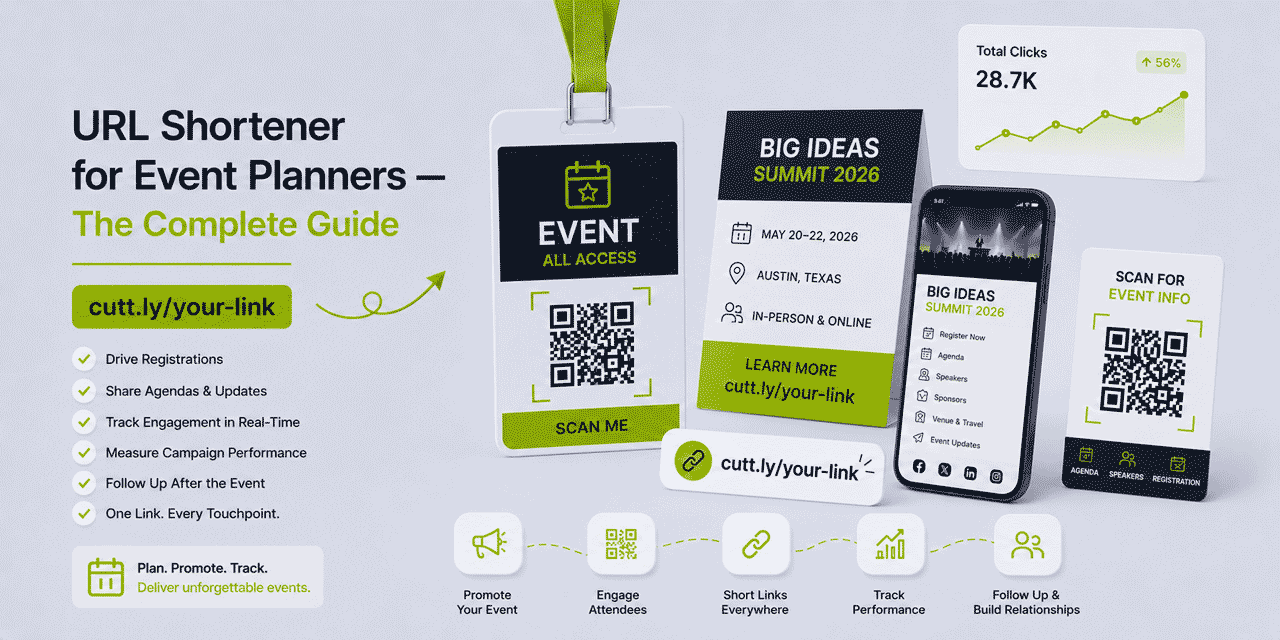
What This Guide Covers
- Why event links need to be branded, short and dynamic
- Pre-event: registration link strategy
- Pre-event: promotion channel attribution
- Pre-event: printed materials and the dynamic link advantage
- Conferences: per-session and per-speaker links
- In-venue QR Codes — strategy and placement
- Live event: real-time link updates
- Sponsor link management
- Post-event: feedback surveys, replays and follow-up
- Hybrid events: linking physical and digital attendee experiences
- Surveys at events — collecting attendee feedback via short links
- Link in Bio for event social media
- UTM parameters and registration attribution in GA4
- Cuttly plan guide for event planners
Why Event Links Need to Be Branded, Short and Dynamic
Events are one of the few contexts where URLs appear in completely non-digital environments — printed on event programmes, displayed on large-format signage, shown on slide decks, printed on lanyards, embossed on tickets, spoken aloud from a stage. In every one of these contexts, a long URL is a liability.
A URL like https://www.yourevents.com/conference-2026/registration?tier=general&ref=email&campaign=spring-launch&source=newsletter is 107 characters, unreadable at a glance, impossible to type from a lanyard and meaningless to a delegate trying to navigate to the right page on a conference stage screen.
yourbrnd.link/register is 22 characters, readable at any size, typeable in five seconds and immediately communicates its purpose. On a printed programme. On a signage banner. Spoken aloud by an MC. Shown on a slide.
The dynamic aspect is equally critical. Event materials are often printed weeks before the event — before the final agenda is published, before the speaker lineup is confirmed, before the venue app is live. Using dynamic Cuttly short links means that when any of these pages changes after printing, the destination can be updated instantly in Cuttly. The printed material continues working. No reprinting. No last-minute email corrections. No signage reprints at the venue on the morning of the event.
Pre-Event: Registration Link Strategy
The event registration link is the most important link in the pre-event phase. It needs to be: short (for social media and email), branded (for trust), tracked (to measure promotion performance) and dynamic (in case the registration platform changes or the URL needs updating).
The Canonical Registration Link
Create one canonical branded Cuttly registration link early — for example yourbrnd.link/register or event2026.link/register — and use this link everywhere the event is promoted. This link's destination can be updated if the registration platform changes or the registration URL is restructured. All promotional materials — email, social media, partner newsletters, press releases, website — use this single branded link.
The canonical registration link is also the QR Code printed on early-bird promotional flyers, sponsorship documents and event save-the-dates. Because it's a Cuttly dynamic link, its destination remains correct even if the registration platform migrates after printing.
Per-Channel Registration Links for Attribution
Alongside the canonical registration link, create per-channel variants for analytics purposes. These all point to the same registration page but have unique slugs for independent tracking:
yourbrnd.link/reg-email— email promotionyourbrnd.link/reg-linkedin— LinkedIn postsyourbrnd.link/reg-twitter— X / Twitter postsyourbrnd.link/reg-partner— partner newsletter inclusionyourbrnd.link/reg-press— press release coverageyourbrnd.link/reg-paid— paid advertising
After the event, per-channel click data shows which promotion channel drove the most registration traffic. This data directly informs the promotion strategy for the next event: double investment in the highest-performing channel, reduce or adjust the lowest-performing channel. Over multiple events, this data builds a precise understanding of where the target audience discovers and registers for events in this category.
Pre-Event: Promotion Channel Attribution
Event promotion typically spans multiple channels over several weeks — early-bird email campaigns, social media posts, partner and sponsor announcements, press coverage, paid advertising, speaker social media promotion. Each channel represents an investment of time, budget or relationship capital. Knowing which channels drive registrations is essential for optimizing that investment.
For speaker-driven promotion: provide each confirmed speaker with a unique Cuttly registration link — yourbrnd.link/reg-speaker-jan, yourbrnd.link/reg-speaker-alex. When speakers share the event with their own audiences (social media, newsletters, podcasts), their unique link tracks how many registrations each speaker's promotion drives. This data is useful for: identifying which speakers have the highest-converting audiences, informing speaker selection and fee negotiation for future events, and providing speakers with their own attribution report.
For sponsor-driven promotion: provide each sponsor with a unique registration link for their promotional materials. Sponsor attribution data — how many registrations each sponsor's promotion drives — is valuable collateral for post-event sponsor reporting and future sponsorship proposals.
Pre-Event: Printed Materials and the Dynamic Link Advantage
The timeline pressure of event print production is one of the most consistent operational challenges in event planning. Printed materials go to the printer weeks before the event. But the event website, registration page, agenda, speaker profiles and venue information often change right up to the event date. This creates a fundamental conflict: print early to meet production timelines, but risk printing URLs that will be outdated by event day.
Dynamic Cuttly links resolve this conflict entirely. Print all materials with Cuttly branded short links. The destination of every link can be updated at any time — after printing, after distribution, even after the event has started. The printed link stays constant; the destination evolves.
Common print materials that benefit from dynamic Cuttly links:
- Event programmes —
yourbrnd.link/agendalinks to the live schedule, updated when sessions are confirmed - Lanyards —
yourbrnd.link/applinks to the event app download, updated when the app is live - Banners and signage —
yourbrnd.link/wifilinks to a page with WiFi credentials, updated when venue WiFi details are confirmed - Tickets — QR Code on tickets links to the event check-in page or agenda
- Sponsor brochures —
yourbrnd.link/sponsor-pkglinks to the sponsorship package PDF, updated when package details change - Save-the-date cards —
yourbrnd.link/registerlinks to the registration page that may not be live yet when the cards are printed — the Cuttly link can redirect to a holding page until registration opens
Conferences: Per-Session and Per-Speaker Links
Multi-track conferences — where dozens or hundreds of sessions run across multiple days in multiple rooms — have complex link management requirements that benefit significantly from a structured Cuttly approach.
Per-Session Links
Create a Cuttly short link for each session's resources page, slide deck or recording. Use consistent naming: yourbrnd.link/session-101, yourbrnd.link/session-102, or descriptive slugs like yourbrnd.link/marketing-keynote. These links are displayed on the session slide template footer — every speaker's deck automatically includes the link to their session resources. Attendees can access slides and additional materials by scanning the QR Code or typing the short link during or after the session.
Per-Speaker Links
Create a Cuttly link for each speaker's bio, LinkedIn profile or personal website. These appear on the event programme and on session slides introducing the speaker. After the conference, the speaker link can be updated to point to the session recording or to the speaker's post-event content — turning a bio link into a content delivery link without reprinting any materials.
Session Feedback Links
Post-session feedback is most effective when collected immediately after the session while impressions are fresh. Cuttly's Surveys feature allows creating a survey that attendees access via a unique short link at the end of each session. The session feedback QR Code — printed on the session room's materials or displayed on the final slide — links directly to the Cuttly survey for that session. Responses are collected and viewable in real time in the Cuttly dashboard.
In-Venue QR Codes — Strategy and Placement
QR Codes have become standard infrastructure at professional events. Attendees expect to be able to scan to access information quickly. Strategic QR Code placement creates a seamless experience that reduces friction for attendees and collects engagement data for event organizers.
High-Value In-Venue QR Code Placements
- Main entrance signage — links to the event app, WiFi credentials, or the day's full agenda
- Session room entrance — links to the session resources, speaker bio or session-specific feedback survey
- Exhibition stands — each exhibitor/sponsor stand has a QR Code linking to their offer page, demo booking or contact page
- Networking area — links to the event networking app or attendee directory
- Catering areas — links to the day's programme or next session schedule
- Merchandise stands — links to the online shop for post-event merchandise purchases
- Speakers' slide templates — QR Code in the corner of every slide linking to session resources
- Toilet queues — yes, seriously — a QR Code linked to the day's agenda or the event app is appreciated by attendees during queuing time
Each QR Code placement uses a unique Cuttly link, enabling analytics per placement. Post-event scan data shows which areas of the venue generated the most QR Code engagement — useful for optimizing signage placement and exhibitor stand positioning at future events.
Live Event: Real-Time Link Updates
Events are dynamic — sessions run over time, speakers cancel at short notice, rooms change, WiFi passwords change, the registration desk moves. In traditional event link management, any change to a page or URL requires a mass communication to attendees. With Cuttly dynamic links, many changes are handled invisibly.
Live link management during a multi-day conference:
- Agenda update: session time changes or speaker substitution → update the
yourbrnd.link/agendadestination to the updated page — all printed programmes, QR Codes and digital links automatically serve the new agenda - Emergency venue change: a session moves rooms → update
yourbrnd.link/session-keynotedestination to a page with the new room information - WiFi credential change: venue WiFi resets → update
yourbrnd.link/wifidestination to a page with the new credentials - Sold-out session: a session reaches capacity → update
yourbrnd.link/session-workshopto a waitlist page instead of the registration page
These updates take seconds in the Cuttly dashboard and are applied instantly across all distributed links, QR Codes and printed materials. The operational advantage — compared to mass communications, manual updates across multiple systems and inevitable confusion when some attendees see old information — is significant.
Sponsor Link Management
Sponsors are paying for visibility and leads at your event. Professional link management for sponsors is a part of the event experience that reflects on your competence as an organizer. Disorganized sponsor links — broken URLs on sponsor materials, links that lead to the wrong page, no click data to report back to sponsors — undermine the value proposition of event sponsorship.
Sponsor-Branded Short Links
For premium sponsors, creating Cuttly branded short links using your event domain (event2026.link/sponsor-name) or the sponsor's own branded domain (if they provide it) provides a professional, branded experience. Each sponsor gets their unique tracked link for their stand, printed materials and sponsor slot in the programme.
Sponsor Click Reports
After the event, provide each sponsor with a click report from Cuttly — total clicks, unique clicks, device breakdown, peak click times, geographic data. This data demonstrates the traffic value your event delivered to each sponsor's link — a tangible metric that strengthens the sponsor relationship and justifies renewal of sponsorship for future events.
Lead Capture via Link in Bio for Sponsors
For sponsors whose primary event goal is lead capture, a Cuttly Link in Bio page at the sponsor's dedicated event URL provides multiple tracked buttons: "Download our whitepaper", "Book a demo", "Register for our webinar", "Get our pricing guide". Each button is tracked independently, showing which offer the event audience engaged with most — data that helps sponsors evaluate the quality of event leads versus other lead generation channels.
Post-Event: Feedback Surveys, Replays and Follow-Up
The post-event phase is where link management continues to deliver value long after the event itself is over. The primary post-event link assets:
Post-Event Feedback Survey
A post-event survey link — sent via email to all attendees within 24 hours of the event's close — is most effective as a branded Cuttly short link. Attendees who received the event confirmation email, the event programme and in-venue materials all from the same branded domain are more likely to trust and click a post-event survey link from the same domain than a raw survey platform URL.
Cuttly's native Surveys feature allows creating the survey directly in Cuttly and distributing it via a branded Cuttly short link. Survey responses are collected in the Cuttly dashboard alongside the link analytics — you see both how many people clicked the survey link and how many completed the survey, giving a response rate calculation without switching between platforms.
Session Replay Links
For conferences that record and publish session recordings, create a Cuttly short link for each session's replay. These can use the same slug structure as the pre-event session links — yourbrnd.link/session-keynote — with the destination updated from the pre-event resources page to the post-event recording page. All attendees who bookmarked or saved the session link during the event automatically land on the recording after the destination update. No new links required; no re-communication to attendees.
Post-Event Resource Library
A single branded link — yourbrnd.link/resources — pointing to the post-event resource hub (slide decks, recordings, speaker notes, whitepapers) provides a clean single entry point for all post-event content. This link can be shared in post-event emails, social media follow-up posts and sponsor thank-you communications. Its click data shows post-event content engagement: how many attendees accessed post-event resources, which resources were most popular.
Hybrid Events: Linking Physical and Digital Attendee Experiences
Hybrid events — where some attendees are physically present and others attend remotely — require link infrastructure that serves both audiences simultaneously. The physical audience uses QR Codes and printed short links to access digital resources. The remote audience uses emailed or messaged short links to access the same resources.
With Cuttly device targeting (from the Single plan), the same short link can route mobile users to the mobile-optimized version of the event app or resource page, and desktop users to the full desktop experience. This is particularly useful for session resource links — a desktop viewer watching the live stream sees the full slide deck; a mobile attendee in the room sees a mobile-optimized version of the same materials.
For hybrid event analytics, Cuttly's geographic and device data shows the split between physical attendees (typically mobile, local geography) and remote attendees (desktop, diverse geography). This audience composition data informs future hybrid event production decisions: whether to invest more in the in-room experience or the remote experience, which sessions drove the most remote engagement versus in-room engagement.
Surveys at Events — Collecting Attendee Feedback via Short Links
Event feedback collection has traditionally been one of the most friction-heavy parts of event management — paper forms (slow to process), complex survey platform URLs (hard to type), low response rates (attendees leave before filling anything in). Cuttly's native survey tool addresses each of these friction points.
Creating a session feedback survey in Cuttly takes minutes. The survey is accessible via a branded short link — yourbrnd.link/feedback — which can be displayed as a QR Code on the session room screens, printed on the session handout, or shared via the event app. Attendees scan or type the short link, complete the survey on mobile in under 90 seconds, and results are available in real time in the Cuttly dashboard.
For a multi-day conference: create one feedback survey per session, distribute via per-session QR Codes, and review aggregate results each evening to identify any sessions or logistics issues that need addressing before the following day.
Link in Bio for Event Social Media
Event social media accounts — Instagram, TikTok, LinkedIn — are active in the weeks before the event and during the event itself. The bio link changes constantly as the most important destination changes: first to early-bird registration, then to full registration, then to the event app, then to the live stream, then to post-event resources.
A Cuttly Link in Bio page eliminates this constant bio link updating. Set the social media bio link once to yourbrnd.link. The Link in Bio page contains all current relevant buttons — updated as the event timeline progresses — without requiring the bio link itself to change.
Pre-event Link in Bio structure:
- Register now → registration page
- View speakers → speaker lineup page
- Sponsor the event → sponsorship enquiry page
- Event programme → agenda page (updated when programme is published)
During-event Link in Bio structure (updated on event morning):
- Join the live stream → live stream link
- Today's agenda → live agenda page
- Event app → app download
- Give us feedback → survey link
Post-event Link in Bio structure (updated day after event):
- Watch session recordings → replay library
- Download resources → resource hub
- Complete feedback survey → post-event survey
- Register for next year → early registration page
UTM Parameters and Registration Attribution in GA4
Event registration conversion is the primary goal of pre-event promotion. Understanding which promotion channels converted to registrations — not just clicks — requires UTM parameters in GA4.
Recommended UTM structure for event promotion:
| Channel | utm_source | utm_medium | utm_campaign |
|---|---|---|---|
| Email invitation | event-2026-invite | ||
| LinkedIn organic | social-organic | event-2026-promo | |
| Partner newsletter | partner-name | newsletter | event-2026-promo |
| LinkedIn paid | cpc | event-2026-paid | |
| Speaker social | speaker-name | influencer | event-2026-promo |
| Press release | press | pr | event-2026-pr |
GA4 attribution with these UTM parameters shows: which channel drove the most completed registrations, the cost per registration by paid channel, the conversion rate from click to registration by channel, and the demographic profile (country, device) of registrants by source.
Cuttly Plan Guide for Event Planners
The Free plan ($0) includes link shortening, basic analytics and QR Code generation. Suitable for small personal events or event planners just beginning to build a link management practice.
The Starter plan ($12/month) adds a branded custom domain, full analytics and dynamic link destinations — the minimum recommended plan for any professional event planner. A dedicated event domain (event2026.link) gives every link and QR Code a consistent, event-branded identity. Dynamic destinations mean materials never need reprinting due to URL changes.
The Single plan ($25/month) adds device targeting, retargeting pixels, A/B rotation and five branded domains — suitable for event planners managing multiple recurring events (each with their own domain) or running paid advertising alongside organic event promotion.
The Team plan ($99/month) suits event agencies and in-house event teams where multiple people manage links across multiple simultaneous events. Ten branded domains, role-based access, shared Campaigns dashboard for cross-event analytics and the Team API for automated link creation workflows.
The Enterprise plan ($149/month) is for large event agencies, conference series organizers and enterprise events teams managing dozens of events per year with complex multi-domain link infrastructure.
Create a free Cuttly account and build your first event link structure today. Registration required; free plan available with no credit card needed.
Frequently Asked Questions
How do event planners use URL shorteners?
Event planners use URL shorteners to create branded, trackable short links for registration pages, agenda and schedule pages, speaker profiles, sponsor pages, venue information, post-event surveys and session resources. Branded short links appear on printed materials, in email invitations, in social media and on in-venue QR Code displays.
Are QR Codes useful for events?
Yes — QR Codes bridge printed event materials and digital content. A QR Code on an agenda links to the live schedule; a QR Code on a speaker badge links to their bio; a QR Code at a sponsor stand links to their offer page. Cuttly generates a tracked, dynamic QR Code for every short link — each scan is counted as a click with full analytics.
How do I track which event promotion channels drove the most registrations?
Create a unique Cuttly short link per promotion channel — email, LinkedIn, Twitter, paid ads, partner newsletter, speaker social. All links point to the same registration page. Cuttly analytics show clicks per channel; UTM parameters provide GA4 registration conversion attribution per channel.
Can I change the event link destination after printing materials?
Yes — if you used Cuttly branded short links. Cuttly links are dynamic: the destination can be updated at any time from the dashboard or API. Printed materials, QR Codes and distributed links all automatically redirect to the updated destination. No reprinting required.
How do I use a URL shortener for a multi-day conference?
Create branded Cuttly short links for the conference infrastructure using consistent naming — eventname.link/agenda-day1, eventname.link/speaker-name. Tag all links to the conference campaign in Cuttly for aggregated analytics. Dynamic links allow schedule updates between days without reprinting any materials.
- Cuttly Tools
- URL Shortener Tool →
- Link in Bio Builder →
- QR Code Generator →
- Surveys →
- Branded Domains →
- Related Industries
- URL Shortener for Events
- URL Shortener for Venues
- URL Shortener for Nonprofits
- URL Shortener for Marketing Teams
- URL Shortener for Agencies
- Related Guides
- Short Links for Print & Offline
- Branded Short Links Guide
- Link Analytics Guide
- Encyclopedia
- Dynamic QR Codes
- Branded Links
- All Industries →
- Start Here
- Create Free Account
- Plans & Pricing
URL Shortener
Cuttly simplifies link management by offering a user-friendly URL shortener that includes branded short links. Boost your brand’s growth with short, memorable, and engaging links, while seamlessly managing and tracking your links using Cuttly's versatile platform. Generate branded short links, create customizable QR codes, build link-in-bio pages, and run interactive surveys—all in one place.
Cuttly - Consistently Rated
Among Top URL Shorteners
Cuttly isn’t just another URL shortener. Our platform is trusted and recognized by top industry players like G2 and SaaSworthy. We're proud to be consistently rated as a High Performer in URL Shortening and Link Management, ensuring that our users get reliable, innovative, and high-performing tools.


