How to Set Up UTM Parameters with a URL Shortener: The Complete Setup Guide
UTM parameters and URL shorteners are two of the most widely used tools in digital marketing — and they are almost always used together. But a surprising number of marketers set them up in the wrong order, use inconsistent naming conventions that corrupt their data, or misread the relationship between short link click counts and GA4 session numbers. This guide covers the complete setup: what UTM parameters do, how they survive URL shortening, how to build them correctly in Cuttly, how to read the dual layer of data you get from Cuttly analytics and GA4 simultaneously, and the naming conventions that keep your campaign data clean and queryable at scale.
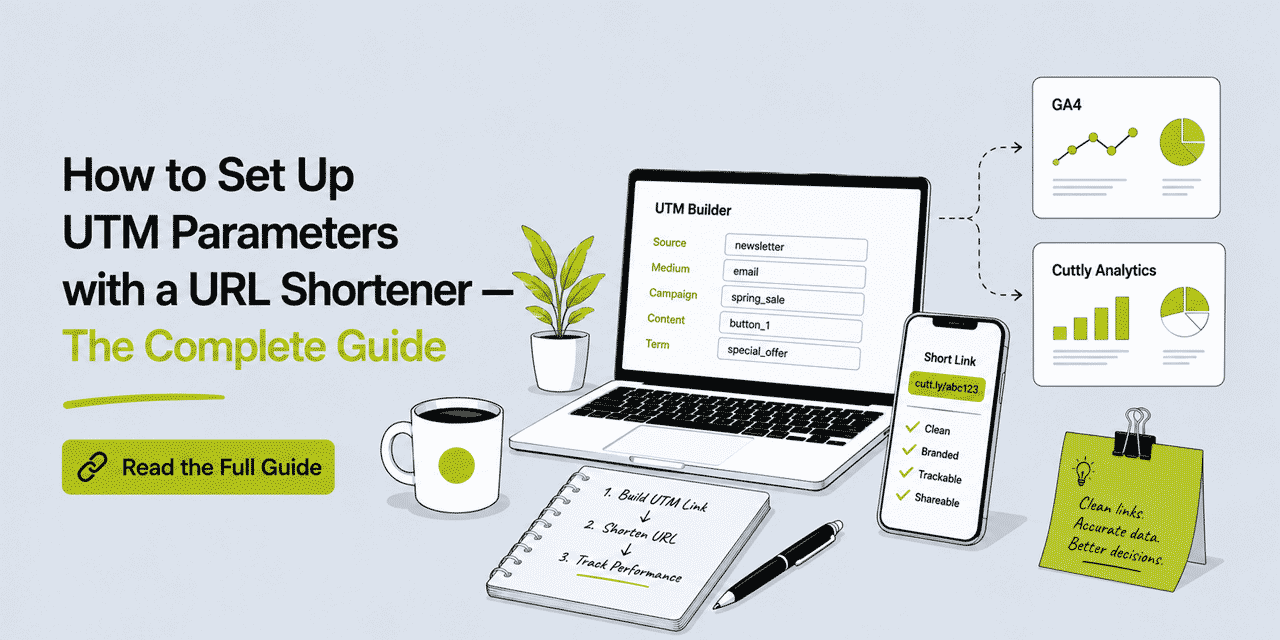
What This Guide Covers
- What UTM parameters are and what each one does
- How UTM parameters survive URL shortening
- The correct order: UTM first, then shorten
- How to set UTM parameters in Cuttly — two methods
- Naming conventions that keep data clean
- Reading dual-layer data: Cuttly analytics + GA4
- UTM parameters on branded short links
- Common mistakes and how to avoid them
- UTM strategy for multi-channel campaigns
What UTM Parameters Are and What Each One Does
UTM stands for Urchin Tracking Module — a naming convention inherited from a web analytics company Google acquired in 2005. The format has remained standard across every major analytics platform since. A UTM parameter is a query string appended to a URL that tells your analytics platform where a visitor came from, what brought them, and which specific piece of content or campaign drove the click.
There are five standard UTM parameters. Three are required for GA4 to create a proper campaign attribution record; two are optional but useful for granular analysis.
utm_source (required)
Identifies the platform or publisher sending the traffic. This is the answer to "where did this visitor come from?" Examples: newsletter, instagram, linkedin, google, partner-site-name. Use a consistent, lowercase, hyphenated format — email-newsletter and Email Newsletter will appear as two separate sources in GA4.
utm_medium (required)
Identifies the marketing channel or type of traffic. This is the answer to "how did they get here?" Examples: email, social, cpc, organic, print, qr, sms. Medium is the grouping level above source — if source is instagram, medium is social. If source is mailchimp, medium is email.
utm_campaign (required)
Identifies the specific campaign, promotion, or initiative. This is the answer to "which campaign drove this?" Examples: spring-sale-2026, product-launch-june, black-friday, onboarding-sequence. Campaign names should be consistent across all links belonging to the same campaign — one campaign, one campaign name, used identically on every channel.
utm_term (optional)
Originally designed for paid search keyword tracking. Used to identify the keyword that triggered a paid ad. In non-search contexts, it is sometimes repurposed to tag audience segments, A/B test variants, or specific targeting parameters. Example: retargeting-cart-abandoners, lookalike-audience.
utm_content (optional)
Used to differentiate between multiple links within the same campaign and medium — particularly useful for A/B testing creative variants or identifying which specific element (button, image link, text link) drove the click. Examples: header-cta-button, footer-text-link, variant-a, variant-b.
A fully tagged URL looks like this: https://yourdomain.com/landing-page?utm_source=instagram&utm_medium=social&utm_campaign=spring-sale-2026&utm_content=story-swipe-up. This URL is 120+ characters — exactly the kind of URL that benefits from shortening before distribution.
How UTM Parameters Survive URL Shortening
This is the most common area of confusion and it is worth being precise. When you shorten a UTM-tagged URL with Cuttly, the short link itself contains no UTM parameters — the short link is something like cutt.ly/aBcDeF or yourbrnd.link/spring-sale. The UTM parameters are stored in the destination URL that Cuttly redirects to.
When someone clicks the short link, Cuttly performs a redirect to the full destination URL including all UTM parameters. The user's browser requests the destination URL, and GA4 (or any other analytics platform with its tracking script on the destination page) receives the full UTM string as part of that request. GA4 records the session and attributes it to the correct source, medium, and campaign — exactly as if the user had clicked the long URL directly.
The short link is transparent to GA4. It does not see the short link — it sees the destination URL with the UTM parameters. This means UTM attribution is fully preserved through the Cuttly redirect, on every plan including the free plan.
The one scenario where UTM parameters can break is if you shorten the URL without including the UTM parameters in the destination — for example, if you paste https://yourdomain.com/landing-page into the shortener and then forget to add UTM parameters before shortening. The short link then redirects to the plain destination URL with no UTM data. This is a setup error, not a technical limitation of URL shortening.
The Correct Order: UTM First, Then Shorten
The rule is simple: build your UTM-tagged destination URL first, then shorten it. Never shorten first and try to add UTM parameters to the short link itself — that does not work and will break attribution.
In practice this means: before you paste anything into Cuttly's URL shortener, your destination URL should already include all five (or three) UTM parameters you need. The Cuttly shortener then takes that complete URL — long as it is — and wraps it in a short, clean link. The UTM parameters are stored in Cuttly's database as part of the redirect destination.
The alternative is to use Cuttly's built-in UTM builder, which handles this order correctly by design — you can add UTM parameters to an existing short link and Cuttly automatically appends them to the destination URL. More on this in the next section.
How to Set UTM Parameters in Cuttly: Two Methods
Method 1: Paste the Pre-Tagged URL Into the Shortener
Build your full UTM-tagged URL externally — using Google's Campaign URL Builder, a spreadsheet, or any tool you prefer. The result is something like:
https://yourdomain.com/offer?utm_source=linkedin&utm_medium=social&utm_campaign=product-launch-june&utm_content=carousel-post
Copy this full URL. In the Cuttly dashboard, paste it into the URL shortener input field. Optionally set a custom alias (e.g. launch-linkedin). Click Shorten. Cuttly creates a short link — cutt.ly/launch-linkedin or on a branded domain yourbrnd.link/launch-linkedin — that redirects to the full UTM-tagged destination URL. All five UTM parameters are preserved in the redirect.
This method is best for batch link creation where you have pre-built all your tracking URLs in a spreadsheet or UTM management tool, or for CSV bulk import where each row already contains the full tagged destination URL.
Method 2: Use Cuttly's Built-in UTM Builder
Cuttly's UTM builder is available on all plans including free. It lets you add or edit UTM parameters for any short link directly in the dashboard without leaving the platform.
To use it: log in to your Cuttly account and go to the list of short links in your dashboard. Find the link you want to tag, or create a new one first. Click the UTM parameters edit button (the UTM icon next to the link). The UTM parameters form opens — enter values for utm_source, utm_medium, utm_campaign, and optionally utm_term and utm_content. Save. Cuttly automatically appends the UTM parameters to the destination URL stored for that short link. From that point forward, every click on the short link redirects to the destination URL with the full UTM string.
This method is best for adding UTM parameters after the fact to an already-created short link, for one-off link creation where you build the UTM data inside Cuttly rather than externally, and for teams who prefer a single tool for both shortening and UTM management.
You can also update UTM parameters on an existing short link at any time — for example if a campaign is extended or renamed. Changes apply to all future clicks on that link immediately.
Naming Conventions That Keep Your Data Clean
UTM data is only as useful as it is consistent. A common outcome of ad hoc UTM management is a GA4 Source/Medium report that contains dozens of variations of the same thing: Email, email, e-mail, EMAIL, Newsletter, newsletter — all representing the same channel, none queryable together because GA4 treats them as distinct values.
Establish a naming convention before your first campaign and enforce it consistently. The following rules eliminate most data quality problems:
Always lowercase. GA4 is case-sensitive for UTM values. Instagram and instagram are different sources. Use lowercase for all UTM parameters without exception.
Use hyphens, not spaces or underscores. Spaces in UTM parameters are URL-encoded as %20 or +, which creates inconsistency in some analytics tools. Underscores work but are harder to read in URLs. Hyphens are the standard: spring-sale-2026, not spring sale 2026 or spring_sale_2026.
Be specific but not granular to the point of fragmentation. utm_source=instagram is better than utm_source=instagram-stories — the Stories-specific detail belongs in utm_content, not utm_source. Source should identify the platform; content should identify the placement.
Define a fixed vocabulary for medium. Pick 5 to 8 medium values and use only those: email, social, cpc, organic, print, qr, sms, partner. Every link your team creates uses one of these values — nothing else. This keeps the Channel Grouping in GA4 clean and reportable.
Campaign names should be agreed before launch. One campaign, one name, used identically on every link, every channel. If the campaign is called summer-drop-2026 in the Instagram links, it should be summer-drop-2026 in the email links and the paid search links — not summer-2026 in one place and summer-drop in another.
Document your conventions. A simple shared spreadsheet with your approved source values, medium values, and active campaign names is sufficient. Refer to it before creating any new tracking link. This is especially important for teams where multiple people create links.
Reading Dual-Layer Data: Cuttly Analytics and GA4 Side by Side
When you use Cuttly with UTM parameters, you have two data sources tracking the same link: Cuttly's native click analytics and GA4's session data. Understanding what each measures — and why the numbers differ — is essential for interpreting your campaign performance correctly.
What Cuttly Analytics Measures
Cuttly records a click every time someone requests the short link URL. This happens at the redirect layer — before the user's browser loads the destination page. Cuttly analytics captures: total clicks, unique clicks (deduplicated by device/IP within a session window), geographic location (country and city), device type (desktop, mobile, tablet), operating system, browser, referrer source, and time-of-day and day-of-week patterns. Bot filtering runs automatically — crawler and bot traffic is excluded from click counts on all plans. Analytics data is aggregated and anonymized.
Cuttly analytics does not depend on JavaScript. It does not depend on cookies. It does not depend on the destination page loading successfully. A click is recorded the moment the redirect request is made — regardless of what happens afterwards.
What GA4 Measures
GA4 records a session when its tracking script fires on the destination page — which requires the page to load fully enough for the script to execute, and requires the user not to be blocking GA4 via a browser extension, privacy tool, or strict tracker-blocking setting. GA4 attributes the session to the UTM source, medium, and campaign passed in the URL parameters. GA4 then tracks everything the user does after arriving: pages viewed, events triggered, conversions, engagement time.
Why the Numbers Differ
Cuttly click counts will typically be higher than GA4 session counts for the same link. This is expected and correct — not a sign of a tracking problem. The gap is explained by: users who click the link but close the page before GA4 fires, users with ad blockers or privacy tools that block GA4, users in browsers with aggressive tracking prevention (Safari's ITP, Firefox's ETP), and any technical errors that prevent the destination page from loading. In some markets and audiences — particularly tech-savvy users — the gap can be significant.
The practical interpretation: use Cuttly analytics for top-of-funnel click volume and channel distribution — how many people clicked and from where. Use GA4 for on-site behavior — what those visitors did after they arrived. Neither number is wrong; they measure different things.
Where to Find UTM Data in GA4
In GA4, go to Reports → Acquisition → Traffic acquisition. The default view groups sessions by Session default channel group. To see UTM-level detail, change the primary dimension to Session source / medium or Session campaign. You will see your utm_source and utm_medium values combined (e.g. instagram / social) and your campaign names. Apply secondary dimensions for additional breakdown — for example, adding Session source/medium as a secondary dimension when viewing by campaign lets you see which channel drove the most traffic to each campaign.
For utm_content analysis, go to Explore → create a Free Form report with Session content as a dimension. This lets you compare performance across creative variants — which specific post, button, or placement drove the most engaged sessions.
UTM Parameters on Branded Short Links
Branded short links — links that use your own domain rather than cutt.ly — and UTM parameters work together seamlessly. The UTM parameters are in the destination URL that the branded short link redirects to; they are not visible in the short link itself. This means your branded links remain clean and readable: yourbrnd.link/spring-sale rather than yourbrnd.link/spring-sale?utm_source=email&utm_medium=email&utm_campaign=spring-sale-2026.
This is one of the core value propositions of combining branded short links with UTM tracking. Your audience sees a clean, branded URL. Your analytics platform receives full campaign attribution. The short link is the bridge between the two — readable for humans, invisible for analytics tools.
Branded domains are available on all Cuttly plans including the free plan (1 domain). From the Single plan ($25/month), up to 5 branded domains are supported with SSL via Let's Encrypt included. Configure your domain in any paid plan or start with the free plan to test the setup.
UTM Strategy for Multi-Channel Campaigns
A campaign that runs across email, social media, SMS, and print requires a different short link for each channel — each with its own UTM parameters — even if all links point to the same destination page. This is not optional; it is the only way to understand which channel drove which portion of the traffic and conversions.
Here is a practical example. You are running a product launch campaign in June 2026. The destination is yourdomain.com/product-launch. You are promoting across four channels: email newsletter, Instagram organic posts, LinkedIn sponsored content, and a print flyer with a QR Code.
You create four short links, each with distinct UTM parameters:
| Channel | utm_source | utm_medium | utm_campaign | Short link alias |
|---|---|---|---|---|
| Email newsletter | newsletter | product-launch-june | yourbrnd.link/launch-email | |
| Instagram organic | social | product-launch-june | yourbrnd.link/launch-ig | |
| LinkedIn sponsored | cpc | product-launch-june | yourbrnd.link/launch-li | |
| Print flyer QR Code | flyer-june | product-launch-june | yourbrnd.link/launch-print |
All four links point to the same destination page. All four have the same utm_campaign value — product-launch-june — which lets you see total campaign traffic in GA4 by filtering on campaign name. Each has a distinct utm_source and utm_medium, which lets you break down that total by channel. And each has a distinct alias in Cuttly, so you can also see click volume, device type, and geographic breakdown per channel in Cuttly analytics — without needing to cross-reference GA4.
The print flyer QR Code is worth calling out specifically. QR Code scans register as clicks on the yourbrnd.link/launch-print short link in Cuttly analytics. The UTM medium print passes through to GA4. This means your print channel — traditionally unmeasurable in digital analytics — now appears as a distinct traffic source in your GA4 acquisition reports. This is how offline attribution works in practice.
Common UTM Mistakes and How to Avoid Them
Shortening the URL before adding UTM parameters. If you shorten yourdomain.com/landing and then try to add UTM to the short link afterwards, the redirect points to the untagged destination. Use the Cuttly UTM builder to add parameters after the fact — or always start with a tagged URL.
Inconsistent capitalization. Email and email are different values in GA4. Always lowercase, every time.
Using spaces in parameter values. spring sale becomes spring%20sale in URLs. Use hyphens: spring-sale.
Using the same link for multiple channels. One link used across email and social means you cannot distinguish which channel drove the traffic. Always create a separate link per channel, even if the destination is identical.
Tagging internal links. UTM parameters on internal links (links from one page of your site to another) overwrite the original session source in GA4, making all subsequent pageviews appear to have come from your UTM-tagged internal link rather than the actual external source. Never add UTM parameters to links within your own website.
Omitting utm_campaign. GA4 uses utm_campaign to group traffic into campaigns. Without it, GA4 attributes the traffic to source and medium but cannot group it by campaign name. If you are running a named campaign, utm_campaign is required — not optional.
Comparing Cuttly clicks to GA4 sessions directly. These measure different things. Cuttly clicks ≠ GA4 sessions. The gap is expected. Use each for what it measures: Cuttly for click volume and distribution, GA4 for on-site behavior.
Frequently Asked Questions
Do UTM parameters still work after shortening a URL?
Yes — UTM parameters survive URL shortening because they are encoded in the destination URL, not the short link itself. When someone clicks a Cuttly short link, they are redirected to the full destination URL including all UTM parameters. GA4 receives the UTM data exactly as if the user had clicked the long URL directly.
What is the correct order to set UTM parameters and shorten a URL?
Always add UTM parameters to your destination URL first, then shorten the resulting long URL. In Cuttly, you can also create the short link first and add UTM parameters using the built-in UTM builder in the dashboard — Cuttly appends them to the destination URL automatically.
What UTM parameters does Cuttly support?
Cuttly's built-in UTM builder supports all five standard UTM parameters: utm_source, utm_medium, utm_campaign, utm_term, and utm_content. The UTM builder is available on all plans including the free plan.
What is the difference between UTM data in GA4 and click data in Cuttly analytics?
Cuttly analytics tracks every click at the redirect layer — independent of JavaScript, cookies, or destination page load. GA4 records sessions only when its tracking script fires on the destination page. Cuttly click counts are typically higher than GA4 session counts. Both are correct — they measure different things. Use Cuttly for click volume and distribution; GA4 for on-site behavior.
Should I use UTM parameters on branded short links?
Yes — UTM parameters on branded short links give you dual-layer attribution. The short link appears in Cuttly analytics with device, geography and referrer data. The UTM parameters pass campaign attribution into GA4. The two layers complement each other: Cuttly shows who clicked and from where; GA4 shows what those visitors did after they arrived.
Can I add UTM parameters to a short link I already created?
Yes. In your Cuttly dashboard, find the existing short link and click the UTM parameters edit button. Enter or update your parameters and save. Changes apply immediately to all future clicks on that short link.
- Tools
- URL Shortener Tool →
- Link Analytics →
- Related Guides
- What Is UTM Tracking? →
- UTM Parameters Complete Guide →
- Clean Campaign Tracking →
- Link Attribution Guide →
- URL Shortener for Email →
- Encyclopedia
- Branded Links
- Start Here
- Create Free Account
- Plans & Pricing
URL Shortener
Cuttly simplifies link management by offering a user-friendly URL shortener that includes branded short links. Boost your brand’s growth with short, memorable, and engaging links, while seamlessly managing and tracking your links using Cuttly's versatile platform. Generate branded short links, create customizable QR codes, build link-in-bio pages, and run interactive surveys—all in one place.
Cuttly - Consistently Rated
Among Top URL Shorteners
Cuttly isn’t just another URL shortener. Our platform is trusted and recognized by top industry players like G2 and SaaSworthy. We're proud to be consistently rated as a High Performer in URL Shortening and Link Management, ensuring that our users get reliable, innovative, and high-performing tools.


