URL Shortener for Banks and Retail Banking The Complete Guide
Retail banking operates in one of the most trust-sensitive communication environments of any consumer-facing industry. A customer who receives a link from their bank is simultaneously checking it against their awareness of phishing threats, evaluating it as a signal of the bank's digital professionalism, and deciding whether it is worth the friction of clicking, reading, and potentially beginning an application or onboarding process. Every link decision a retail bank makes — what domain it appears on, how long it is, where it points, and whether it survives a website redesign six months from now — carries more weight than the equivalent decision in almost any other consumer marketing context.
This guide covers how retail banks — high street banks, challenger banks, neo-banks, building societies operating as banks, and banks with significant retail product ranges — use a URL shortener, branded custom domain, dynamic QR Codes and click analytics to manage product campaign links, branch and print advertising materials, mobile banking app promotion, mortgage and loan product communications, and multi-channel acquisition attribution — while maintaining the brand consistency, phishing awareness, and communication professionalism that banking customers expect and regulators require. Throughout this guide, click analytics are described as aggregated and anonymized; banks considering any link management approach should obtain appropriate compliance and information security sign-off for their specific regulatory context before deployment.
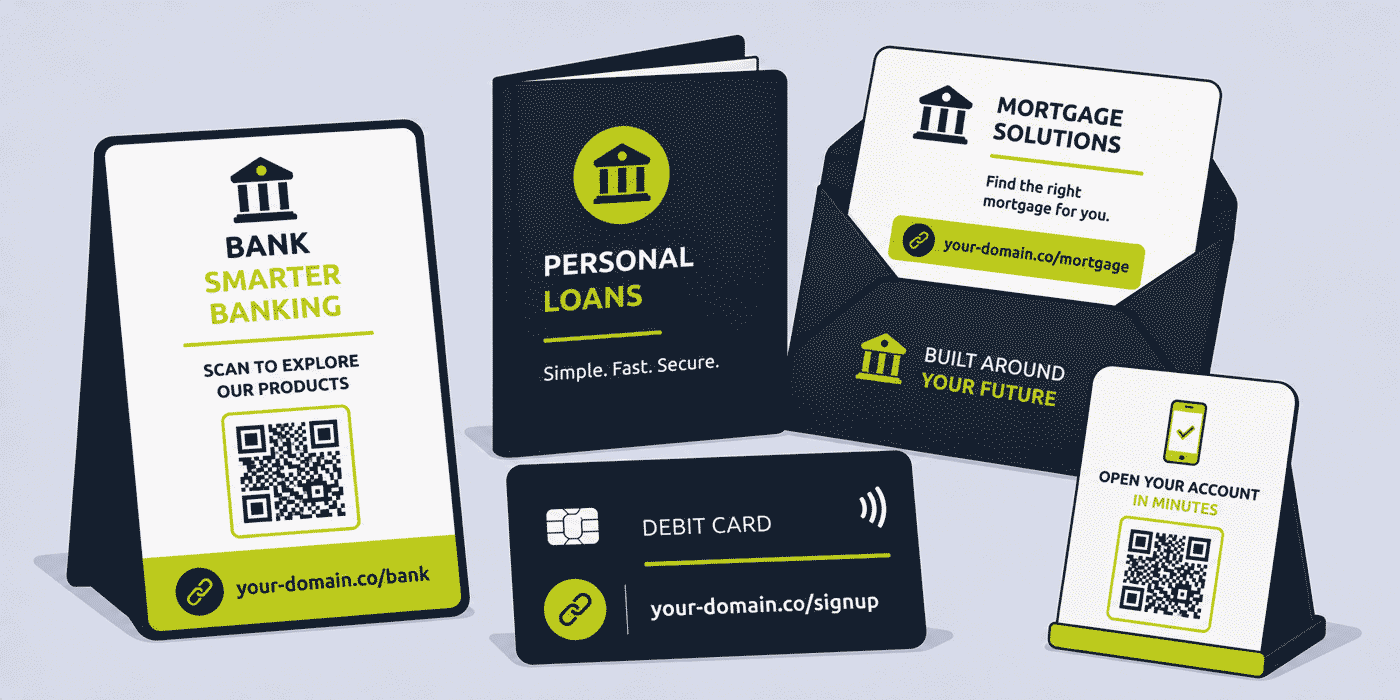
What This Guide Covers
- The unique trust and phishing awareness context that shapes all bank link management decisions
- Product campaign links — personal loans, mortgages, savings accounts and current accounts
- Branch QR Codes — waiting area and counter display digital engagement
- Print advertising and direct mail links
- Mobile banking app onboarding and smart redirect links
- Per-channel acquisition attribution across multi-channel campaigns
- Online banking and account management links in customer service communications
- Financial education and content marketing links
- Phishing awareness and branded domain policy for bank communications
- A worked example: a retail bank's link stack across a current account acquisition campaign
- Common mistakes in retail bank link management
- A Cuttly plan guide for retail banks
- Frequently asked questions
The Trust and Phishing Context That Shapes Every Bank Link Decision
No other consumer-facing industry faces the phishing threat in the way that retail banking does. Phishing — the use of fraudulent links and fake websites to steal banking credentials and financial information — is directed almost exclusively at financial institutions and their customers. A bank customer who has been educated about phishing is rightly suspicious of any unexpected link in a communication claiming to be from their bank. A bank that sends links to customers that are inconsistent, unbranded, or appear to come from unfamiliar domains is actively undermining its own phishing awareness programme.
This reality shapes every link management decision a retail bank makes. The most fundamental principle is that every customer-facing link a bank sends must be on the bank's own domain or on a domain that the bank has clearly established as part of its brand identity. A link reading your-bank.com/apply is recognizable as belonging to the bank. A link reading cutt.ly/x7Qz3m looks exactly like a phishing link to any customer who has received security awareness training. For a bank, the use of unbranded generic shortener domains in customer communications is not a minor aesthetic issue — it is a security risk and a compliance concern.
A branded custom domain for all externally shared links — configured using an A record and a TXT record at the domain registrar — ensures that every link the bank shares, whether in an email campaign, a branch leaflet, a direct mail piece, or a social media post, carries the bank's own domain. This consistency makes legitimate communications recognizable and distinguishes them from phishing attempts that cannot replicate the bank's own domain. It is both a brand decision and a security decision.
A secondary consideration is that banks may have internal information security policies, regulatory compliance frameworks (FCA guidelines in the UK, CFPB frameworks in the US, ECB regulatory technical standards in the EU), and brand governance rules that affect which link management approaches are permissible. This guide covers general link management principles applicable to retail banking; individual banks should obtain appropriate compliance and information security sign-off for any specific link management deployment before using it in customer-facing channels.
Product Campaign Links
Retail banking product campaigns — promoting personal loans, mortgages, savings accounts, current accounts, credit cards, ISAs, investment products, and insurance — are among the most regulated and most scrutinized marketing activities in any consumer industry. Every campaign must be compliant with financial promotion regulations; every claim must be accurate and appropriately caveated; and every link in the campaign must lead to a page that meets the same standards.
Within this regulatory framework, short links for product campaigns serve the same practical functions as in any other sector: they are shorter and more readable than long platform-generated URLs, they provide click analytics, and they can be updated if the destination changes without invalidating materials that have already been distributed. For a bank with multiple active campaigns across different product lines and multiple channels simultaneously, a well-organized short link library makes campaign management more efficient and campaign measurement more complete.
Per-Product Campaign Link Structure
A consistent product link naming convention gives the marketing team a navigable, predictable link library organized around the bank's product structure:
your-bank.com/personal-loan— current personal loan product information and applicationyour-bank.com/mortgage— mortgage product range and enquiryyour-bank.com/savings— savings account products and ratesyour-bank.com/current-account— current account products and switching informationyour-bank.com/credit-card— credit card products and applicationyour-bank.com/isa— ISA or tax-advantaged savings products
Each of these permanent product links is used in all communications about that product throughout the year. When rates change, when products are updated, or when the bank's website is restructured, the short link destination is updated in the dashboard. Every piece of previously distributed material — branch leaflets, direct mail packs, email campaigns, social media posts — that referenced the product short link continues to direct customers to the current, accurate product information.
Campaign-Specific Links
In addition to permanent product links, specific campaigns — a summer ISA promotion, a mortgage switching incentive, a new current account launch with a switching bonus — may have their own campaign-specific links pointing to dedicated landing pages. A campaign link such as your-bank.com/switch-now or your-bank.com/isa-season is used exclusively within the campaign's active period and updated or deactivated after the campaign closes. Keeping campaign-specific links separate from permanent product links prevents the accumulation of dead campaign links in the permanent product link library.
Branch QR Codes: Waiting Area and Counter Display Engagement
Bank branches receive significant physical foot traffic from existing customers who are there for counter transactions, ATM use, and face-to-face service. This foot traffic represents a high-quality engagement opportunity: existing customers who are physically present in a branch are demonstrably engaged with the bank and are in a context where financial product information is relevant and expected. Branch QR Codes on waiting area and counter displays convert this dwell time into digital engagement.
Waiting Area Product QR Codes
A bank waiting area typically displays promotional materials for several products simultaneously: a savings rate display, a mortgage enquiry invitation, a personal loan calculator link, and a mobile banking app download prompt might all appear in the same waiting area. Each of these should carry a QR Code generated from a dynamic short link on a branded domain, pointing to the product's current information page.
The practical value of dynamic QR Codes in this context is significant. Bank product rates change regularly — savings rates in particular move in response to base rate decisions — and the landing pages for these products are updated to reflect current rates. If a waiting area poster carries a QR Code that encodes the destination URL directly, the poster must be reprinted whenever the product page URL changes. If the QR Code uses a dynamic short link, the destination is updated in the dashboard when the product page changes; the physical poster remains in place.
For banks operating many branches, the operational value of this flexibility is considerable. A national branch network with 500 locations cannot quickly reprint and redistribute branch materials every time a product rate changes. Dynamic QR Codes decouple the physical installation from the digital content, allowing the marketing team to update all 500 branches' QR Code destinations from a single dashboard change, immediately, without any physical logistics.
ATM Surround and Counter Display QR Codes
ATM surrounds — the branded panels and displays around an ATM unit in a branch or in a retail partner location — are high-visibility surfaces that can carry QR Codes linking to product information or the mobile banking app download. A customer using an ATM who is prompted to scan a QR Code for the bank's mobile app is in a directly relevant context: they are already engaged in a banking transaction and the prompt to do it more conveniently through the app is immediately relevant to their experience.
Click analytics from ATM surround QR Codes — aggregated and anonymized — give the bank's branch marketing team data on how many customers engage with the ATM display, which is currently invisible to most banks that use static ATM surround graphics. Over time, comparing QR Code engagement across different ATM locations gives the team a sense of which branch environments generate the most physical display engagement, informing where to prioritize digital display investment.
Print Advertising and Direct Mail Links
Retail banks remain significant investors in print advertising — newspaper and magazine advertising, outdoor billboard campaigns, bus shelter advertising, and direct mail — particularly for product campaigns targeting older customer demographics who engage more heavily with print media. Managing links in print advertising requires the same consideration of long-term stability that applies to any printed material: a URL printed in a newspaper advertisement or sent in a direct mail pack needs to remain valid and correctly directed for the duration of the campaign, and any direct mail piece that remains in a recipient's home for weeks or months after arrival needs its links to continue working.
Print and Direct Mail Link Strategy
For print advertising, the link printed in the advertisement needs to be short enough to type easily and descriptive enough to communicate where it leads. A link reading your-bank.com/switch in a current account switching advertisement tells the reader both where the link goes and whose bank it is, in seven characters of slug plus the bank's own domain. A link reading your-bank.com/personal-loan-apply-now-q3 is too long for a print context where the reader must transcribe it manually.
For direct mail — where the reader has the printed piece in their hands and can scan a QR Code directly with their smartphone — QR Codes are more effective than typed URLs and should be the primary digital action mechanism. A direct mail piece that carries both a short typed URL and a QR Code (the QR Code for scanners, the text URL for those who prefer to type) covers the full range of recipient behaviour and maximizes the proportion who can engage with the digital destination from the physical piece.
Because direct mail pieces often remain in recipients' homes for weeks after arrival — placed on a desk to consider later, kept in a pile of papers, or retained as a reference for a product the recipient is considering — the links in a direct mail piece need to remain valid for the full consideration period. A dynamic short link whose destination can be updated if the product page changes ensures this validity regardless of how long the piece remains in the recipient's possession.
Mobile Banking App Onboarding and Smart Redirect Links
Mobile banking app adoption is a strategic priority for most retail banks, both because the mobile app is where the majority of routine banking now takes place and because mobile app users tend to be more engaged customers with higher product holding rates than branch-only or online-only customers. Promoting the mobile app consistently across every customer touchpoint — from branch materials to onboarding emails to statement inserts — is a standard part of most retail bank digital strategy.
Smart Redirect App Links
A smart redirect short link for the mobile app — your-bank.com/app — configured to detect the customer's device and direct iOS users to the App Store and Android users to Google Play, provides a single, consistent app promotion link across every channel. This link can appear on branch posters, in onboarding emails to new account holders, in customer service chat responses, on the bank's website, in statement inserts, and in any other touchpoint where app adoption is being promoted.
The single-link approach is more operationally efficient than maintaining separate App Store and Play Store links in different contexts, and provides unified click analytics across all app promotion touchpoints. When the bank's app is updated and the App Store or Play Store listing URLs change — which can happen when a major version update changes the app's store identifier — updating the single short link destination covers all contexts simultaneously.
New Account Holder Onboarding Links
A customer who has just opened a new current account, savings account, or credit card receives an onboarding communication in the days following account opening. This onboarding communication typically includes links to: the mobile app download, the online banking registration page, the bank's financial guidance content, and relevant add-on products or services the customer might consider as a new account holder.
A structured onboarding link set, consistent across all onboarding emails, gives new customers a reliable digital entry point to everything they need in the early weeks of their relationship with the bank. When any of these destinations changes — when online banking registration moves to a new platform, when the app updates its store listing, or when guidance content is moved to a new section of the website — updating the short link destinations means every future onboarding email automatically contains correct links, without requiring an update to the email template itself.
Per-Channel Acquisition Attribution
Multi-channel bank marketing campaigns typically run across email, branch materials, direct mail, outdoor advertising, digital display, and social media simultaneously. Each of these channels has its own analytics platform, which reports on its own metrics in its own format. A bank marketing team trying to compare the performance of branch QR Codes against direct mail against email campaigns is typically comparing data from three or four different systems, measured on different bases, with no common metric.
Per-channel short links for the same product application page provide exactly this common metric: a click on a short link is the same signal regardless of which channel the customer was using when they clicked it. By creating a channel-specific short link for each campaign channel — all pointing to the same product application page — the marketing team gets a single, consistent click measurement across every channel simultaneously.
Per-Channel Link Structure for a Product Campaign
For a current account switching campaign running across five channels:
your-bank.com/switch-email— email campaign to existing customers with other productsyour-bank.com/switch-branch— branch waiting area QR Codeyour-bank.com/switch-mail— direct mail pack QR Codeyour-bank.com/switch-outdoor— outdoor billboard and bus shelter QR Codeyour-bank.com/switch-social— social media posts
All five links point to the same switching application page. Click analytics per channel, aggregated and anonymized, show which channel drives the most application page traffic. Combined with actual account opening completion data from the bank's own CRM, the marketing team has a per-channel click-to-application and click-to-completion picture that is impossible to construct from any single channel's own analytics.
For a bank that has historically allocated campaign budget between email, branch, direct mail, and outdoor advertising based on historical precedent or general industry benchmarks rather than actual per-channel performance data, this measurement is directly actionable. If outdoor advertising consistently drives 3x the application page clicks per pound spent compared to direct mail for a specific product, the budget allocation decision for the next campaign cycle has an evidence base that did not exist before.
Online Banking and Account Management Links in Customer Service
Bank customer service interactions — via telephone, web chat, email, and secure messaging within the mobile app — regularly involve sharing links with customers: links to online banking login pages, to specific account management functions, to product information, to regulatory disclosure documents, and to complaint and escalation procedures. Each of these is a link that needs to be professional, correctly labelled, and stable enough to remain valid throughout the customer's reference to it.
A customer service agent who shares a link to the bank's online banking login page or to a specific account management function should be sharing a link on the bank's own domain, not a raw platform URL or an unbranded shortener link. A branded short link — your-bank.com/online-banking or your-bank.com/manage-account — in a customer service chat or email is more professional, more recognizable as belonging to the bank, and more resistant to being mistaken for a phishing link by a security-conscious customer.
Customer Service Link Library
A core set of branded short links for the most frequently needed customer service destinations — online banking login, complaint procedure, regulatory disclosure documents, product rate information, branch locator — gives customer service agents a consistent, professional set of links to share in any customer interaction. These links can be standardized across all customer service channels (phone, chat, email, secure message) and updated centrally when destinations change, rather than relying on individual agents to maintain accurate bookmarks of frequently changing platform URLs.
Financial Education and Content Marketing Links
Most retail banks invest in financial education and content marketing as a customer engagement and brand building strategy: guides to saving for a house deposit, explainers on ISA allowances, articles on mortgage affordability, and calculators for personal loan repayments. This content is distributed through email newsletters, social media, partner websites, and the bank's own blog or knowledge centre. Each piece of content has a link, and how that link performs across channels is a useful measure of content engagement.
Short links for financial education content — your-bank.com/savings-guide, your-bank.com/mortgage-calculator, your-bank.com/isa-explained — that are consistent, branded, and tracked give the bank's content team a picture of which content generates the most engagement across its distribution channels. Over time, content topics that consistently generate high click-through from social media but low engagement from email suggest a mismatch between content format and audience; content that drives high email engagement but low social engagement may be better suited to a newsletter format than a social post.
Financial education content links have a relatively long shelf life compared with product campaign links: a guide to ISA allowances is relevant for years and may be referenced in articles, social media posts, and customer service interactions long after it was first published. A permanent, dynamic short link for each significant content piece ensures that every historical reference remains valid even after the bank restructures its knowledge centre or updates its content management system.
Phishing Awareness and Branded Domain Policy
The phishing threat in retail banking is acute enough that it deserves its own dedicated section in any guide to bank link management. Phishing attacks targeting bank customers have become increasingly sophisticated, and the links they use have become increasingly difficult to distinguish from legitimate bank communications by appearance alone. A bank that maintains a rigorous branded domain policy for all customer-facing links creates a meaningful defensive line: customers who are trained to expect bank links on the bank's own domain have a clear signal for distinguishing legitimate communications from phishing attempts.
What a Branded Domain Policy for Links Means in Practice
A branded domain policy for bank links means:
- No unbranded shortener domains in any customer communication. Any link sent to a customer via email, SMS, push notification, or secure message should be on the bank's own domain or on a domain the bank has clearly communicated as its own. A generic shortener domain in a bank communication is indistinguishable from a phishing link to a customer who has been told "check the domain before you click."
- Consistent use of the same branded short domain. If the bank uses a dedicated short domain for its links (for example, a short version of its own domain, or a branded companion domain), this domain should be used consistently across all channels and clearly communicated to customers as one of the bank's legitimate link domains.
- Internal communication of the policy to customer service staff. Customer service agents should know which domains the bank uses for customer-facing links and should be able to explain to concerned customers why a link in a communication uses a specific domain.
- Customer education that includes link domains. Bank security communications that educate customers about phishing should include the bank's own legitimate link domains as examples of what to look for, alongside general guidance about domain inspection.
A Worked Example: A Retail Bank's Current Account Acquisition Campaign
Consider a regional retail bank running a current account switching campaign, using a branded domain such as your-bank.com, connected through Cuttly's custom domain setup (an A record and a TXT record — see the custom domain setup guide). The bank's compliance and information security teams have reviewed and approved the use of the branded domain for short links in customer-facing channels.
Campaign setup: The bank creates five channel-specific links for the switching campaign, all pointing to the switching application page: /switch-email, /switch-branch, /switch-mail, /switch-outdoor, and /switch-social. A sixth link, /switch, is created as the general switching page link for use in contexts where per-channel attribution is not needed (customer service references, website navigation).
Branch deployment: Branch waiting area posters carry QR Codes using /switch-branch. Because the QR Codes are dynamic, the branch team can update the destination to the new switching offer when the bank revises the switching bonus mid-campaign, without physically replacing any posters. The branch marketing coordinator makes the update across all 45 branches simultaneously through the link management dashboard in under ten minutes.
Campaign month 2: Click analytics show /switch-email generating 4,200 clicks in the first month, /switch-branch generating 1,840 clicks, /switch-mail generating 890 clicks, and /switch-outdoor generating 340 clicks. Social generates 620 clicks. The marketing team notes that branch QR Code engagement is running at approximately 40 clicks per branch per month, representing approximately 2% of estimated monthly branch visitor footfall for the relevant demographic. This is the first time the bank has had any quantitative measurement of branch display engagement beyond foot traffic counts.
Post-campaign analysis: The bank combines per-channel click data with actual current account opening completions from its CRM. The analysis shows that direct mail drives the highest click-to-completion conversion rate at 23% (lower click volume but higher quality intent), while social media drives the lowest at 6%. The next campaign cycle allocates more of the direct mail budget to a targeted prospect list while reducing broad social media spend on the switching campaign specifically.
Common Mistakes in Retail Bank Link Management
Using Unbranded Generic Shortener Domains in Customer Emails
A bank that sends a customer email containing a generic shortener domain link is creating a phishing awareness conflict: the bank's own security training tells customers to be suspicious of unexpected short links from unknown domains, while the bank's own communications contain exactly these links. This inconsistency undermines both the customer's security awareness and their trust in the bank's communications. A branded domain for all customer-facing links is a non-negotiable requirement in the banking sector.
Hardcoding Product Page URLs in Print Materials
A bank that prints a product application URL directly in a branch leaflet or direct mail piece creates an update problem: every time the product page URL changes (and bank product pages change frequently with website updates, product relaunches, and rate changes), every piece of existing printed material containing that URL needs to be reprinted. Short links eliminate this problem by separating the printed link from the destination URL.
No Per-Channel Attribution for Multi-Channel Campaigns
A bank running the same application page URL across email, branch, direct mail, and outdoor advertising simultaneously has no way of comparing which channel drives more application page traffic. This is the most common and most commercially costly missing data gap in bank marketing measurement. Per-channel short links are the simplest possible solution and require only one additional link per channel per campaign to implement.
Inconsistent Link Domains Across Departments
A bank where different departments — retail banking, mortgage, credit card, and digital — each manage their own links using different tools and different domains presents an inconsistent experience to customers and an audit challenge for compliance. A centralized link management infrastructure with a consistent branded domain policy across all departments is both a better customer experience and a cleaner compliance position.
Cuttly Plan Guide for Retail Banks
- The Free plan ($0) provides 30 short links per month, one branded custom domain, full click analytics and dynamic QR Codes, with no credit card required. Suitable for a very small bank or building society setting up core product links and a branch QR Code programme at a limited scale.
- The Starter plan ($12/month) adds 300 short links per month and 30 custom aliases per month — practical for a mid-size bank managing multiple simultaneous product campaigns with per-channel attribution links, branch QR Codes, and regular new campaign link creation.
- The Single plan ($25/month) adds up to 5 branded domains, fully customizable QR Codes with the bank's brand identity for professional branch and print materials, 1,000 API-created links per month, and a full year of analytics history — relevant for banks with multiple product divisions each requiring their own branded domain, or banks wanting long-term campaign analytics for strategic marketing planning.
- The Team plan ($99/month) suits larger retail banks with marketing, product, digital, and branch teams sharing link management, Campaign tag analytics for aggregated multi-product campaign reporting, multiple branded domains for different product lines or regional operations, and shared workspaces for cross-functional teams with appropriate access controls per department.
- The Enterprise plan ($149/month) is for large national banks with complex multi-brand, multi-channel link management requirements, high-volume API access for automated link generation across product systems, and enterprise-level team management across multiple business units.
Create a free Cuttly account to set up your bank's first branded product campaign link, your branch waiting area QR Code and your mobile app smart redirect link. Registration is required for all plans, including free. No credit card is needed for the free plan.
Frequently Asked Questions
How do banks use short links in marketing campaigns?
A retail bank creates a separate branded short link for each product campaign — your-bank.com/personal-loan, your-bank.com/savings-account — included in every channel where that product is promoted. Click analytics per link, aggregated and anonymized, show how many potential customers engaged with the campaign across every channel. Per-channel variants of the same link provide attribution data that most bank marketing teams cannot access from a single source.
How do retail banks use QR Codes in branches?
A retail bank places QR Codes on branch counter displays, waiting area posters, and ATM surround materials, all generated from dynamic short links on the bank's own branded domain. These link to product application pages, the mobile app download, or appointment booking. Because the QR Codes are dynamic, branch display destinations update when products change or campaigns rotate without reprinting physical materials.
Are short links safe to use in bank customer communications?
A short link redirects to whatever destination the bank chooses and does not process customer financial data. Click analytics record aggregated and anonymized data comparable to standard web analytics. Banks should use their own branded domain for all customer-facing short links (not generic shortener domains) for phishing awareness and brand trust reasons, and should obtain appropriate compliance and information security sign-off before deploying any link management approach in customer-facing channels.
How do banks use short links for mobile banking onboarding?
A retail bank promotes its mobile app using a smart redirect short link — your-bank.com/app — that directs iOS users to the App Store and Android users to Google Play from a single link. This link appears on branch materials, in onboarding emails, on statements, and in customer service communications. Per-channel click analytics track which touchpoint drives the most app download interest.
How do banks use short links to reduce phishing risk in customer communications?
A bank that uses its own branded domain for all customer-facing short links makes its legitimate communications more recognizable and distinguishable from phishing attempts. Customers trained to expect bank links on the bank's own domain have a clear signal for spotting fraudulent communications. A consistent branded domain policy reinforces security awareness rather than undermining it.
How do banks track which marketing channel drives the most current account openings?
A bank creates a separate short link per channel for the current account application page — your-bank.com/switch-email, your-bank.com/switch-branch, your-bank.com/switch-mail. Click analytics per channel show which source drives the most application page traffic. Combined with actual account opening completion data from the bank's CRM, the marketing team has a per-channel click-to-completion picture unavailable from any single channel's own analytics.
- Get Started
- Create Free Account
- Plans & Pricing
- Platform Tools
- URL Shortener
- Link Analytics
- QR Code Generator
- Campaign Analytics
- Related Guides
- URL Shortener for Credit Unions
- URL Shortener for Financial Services & Fintech
- URL Shortener for Financial Advisors
- URL Shortener for Insurance Agents
- URL Shortener for Mortgage Brokers
- Short Links for Offline Campaigns
- Encyclopedia
- Branded Links
- Dynamic QR Codes
- Setup Guides
- Custom Domain Setup
- Track Link Clicks
- Industry Hub
- Banking & Financial Services
- All Industries →
URL Shortener
Cuttly simplifies link management by offering a user-friendly URL shortener that includes branded short links. Boost your brand’s growth with short, memorable, and engaging links, while seamlessly managing and tracking your links using Cuttly's versatile platform. Generate branded short links, create customizable QR codes, build link-in-bio pages, and run interactive surveys—all in one place.
Cuttly - Consistently Rated
Among Top URL Shorteners
Cuttly isn’t just another URL shortener. Our platform is trusted and recognized by top industry players like G2 and SaaSworthy. We're proud to be consistently rated as a High Performer in URL Shortening and Link Management, ensuring that our users get reliable, innovative, and high-performing tools.C


