URL Shortener for Corporate Training and L&D Teams The Complete Guide
Corporate learning and development sits at an unusual intersection: it is a function that must simultaneously sell its value internally — persuading employees and managers that training is worth their time — and deliver that value effectively once employees engage. Both of these challenges involve links. The link in a training launch email determines whether an employee clicks through to the learning portal or files the email away for later. The link in a manager's briefing determines whether the manager champions the programme with their team or passively notes it. The QR Code at the bottom of a workshop handout determines whether a participant actually completes the pre-reading before arriving.
This guide covers how corporate L&D teams — internal learning and development functions, HR teams with training responsibilities, talent development departments, and external corporate training providers — use a URL shortener, branded custom domain, dynamic QR Codes and click analytics to distribute learning content effectively, manage LMS access communications, support compliance training programmes, track engagement across departments, and connect the in-person workshop experience with digital learning resources.
What This Guide Covers
- LMS access and training portal links — the foundation of L&D digital infrastructure
- New employee onboarding training links
- Compliance and mandatory training links
- Per-department training attribution and completion analytics
- Microlearning and nudge content links for managers and teams
- QR Codes at in-person workshops and blended learning events
- Manager enablement and learning champion links
- External training vendor and course provider links
- Leadership development programme links
- L&D reporting and impact measurement using link analytics
- A worked example: a global company's L&D link stack across a compliance campaign
- Common mistakes in corporate training link management
- A Cuttly plan guide for corporate L&D teams
- Frequently asked questions
LMS Access and Training Portal Links
The LMS login page is the most frequently linked-to destination in any corporate L&D team's communications. Every training launch email, every compliance reminder, every onboarding communication, every manager briefing, and every learning nudge eventually directs employees to the LMS. The link to that portal therefore appears in more internal communications than almost any other URL in the organisation's digital ecosystem — which makes its stability, professional presentation, and trackability more commercially important than most L&D teams recognise.
The LMS Migration Problem
Most large organisations change their LMS platform at least once every five to eight years, and many change more frequently as the learning technology market evolves. Each platform migration changes the LMS URL, which means every email template, every onboarding document, every printed induction pack, and every internal intranet page that references the LMS login link immediately becomes incorrect.
A branded short link for the LMS — company.com/learn or company-learning.com/login — provides a stable, consistent portal reference that can be updated in the link management dashboard when the LMS migrates, without requiring any updates to the hundreds of email templates, documents, and communications that reference it. The migration becomes invisible to employees: the link they have always used to access learning continues to work, now pointing to the new platform.
Programme-Specific LMS Links
Beyond the general LMS login, L&D teams benefit from programme-specific short links that take employees directly to the relevant learning content rather than to the LMS homepage:
company.com/health-safety— health and safety compliance modulecompany.com/data-protection— GDPR and data protection trainingcompany.com/leadership-programme— this year's leadership development cohortcompany.com/new-starter-induction— new employee onboarding learning pathcompany.com/skills-hub— the general learning recommendations hub
Each of these links takes the employee directly to the specific content they have been directed to complete, eliminating the navigation friction of logging into the LMS homepage and then finding the right module. Reducing the number of clicks between a training communication and the learning content directly improves completion rates for every programme the link is used in.
New Employee Onboarding Training Links
The new employee onboarding period is the most important window for establishing learning habits and demonstrating the organisation's commitment to employee development. An onboarding experience that seamlessly connects welcome communications, manager introductions, HR process information, and learning content through well-organised, accessible links sets a positive tone for the employee's entire relationship with the organisation's L&D function.
Onboarding Learning Pack Links
A structured onboarding learning link set, referenced in the welcome email and the onboarding schedule:
company.com/day-one-learning— the day-one orientation and culture modulescompany.com/week-one-compliance— mandatory compliance modules to complete in the first weekcompany.com/role-learning-path— the role-specific learning path (with per-role variants)company.com/tools-training— systems and tools training for the employee's specific tech stack
Click analytics on each onboarding link — aggregated and anonymized at the cohort level — show the L&D team where new employees are engaging with the onboarding learning programme and where they are not. If a high proportion of new starters are not clicking the compliance module link in their first week, the L&D team knows to flag this with managers before the compliance deadline passes rather than discovering it at the compliance audit.
Compliance and Mandatory Training Links
Compliance training is the highest-stakes category in corporate L&D: non-completion has direct legal and regulatory implications for the organisation, and evidence of compliance training completion is an audit requirement for most regulated industries. The links through which compliance training is distributed and accessed need to be reliable, professionally presented, and — for the compliance audit evidence they support — traceable.
Annual Compliance Campaign Links
For annual mandatory compliance refreshers — health and safety, fire safety, GDPR, anti-bribery and corruption, code of conduct, information security awareness — a dedicated short link per compliance module, with a year-suffix convention: company.com/gdpr-2026, company.com/infosec-2026. The year suffix serves two purposes: it gives the L&D team clean analytics per compliance cycle (clicking year-on-year completion link performance without mixing data from different years), and it ensures employees who saved last year's link do not access outdated content.
A parallel permanent link — company.com/gdpr-training pointing to the current year's GDPR module — is used in any permanent documentation, intranet pages, or longer-term communications where a year-specific link would be awkward. This permanent link is updated each year to point to the new module; the year-specific links remain as historical records of each year's compliance campaign.
Urgency and Deadline Links
Compliance training campaigns typically need a sequence of escalating reminder communications with increasing urgency as a completion deadline approaches. Each reminder email's link can include a per-reminder-round suffix — company.com/gdpr-reminder-1, company.com/gdpr-reminder-final — allowing the L&D team to see not only how many employees completed the training after each reminder but how many clicked the link in each reminder before completing (or before the deadline passed without completing). If the final reminder generates the highest single-day click volume of the campaign, the L&D team knows that a single consolidated final-week push may be more effective than the current distributed multi-reminder approach.
Per-Department Training Attribution and Completion Analytics
One of the most operationally valuable applications of short link analytics in corporate L&D is per-department training engagement measurement. Most LMS platforms report completion at the individual employee level and at the organisation-wide level, but the level at which L&D teams most frequently need to take action is the department or team level: which business units are engaging with training actively, and which need additional encouragement, manager support, or structural changes to their training delivery approach?
Per-Department Link Structure for Training Campaigns
For a company-wide training programme where department managers are responsible for encouraging their team's completion, a per-department short link provides click analytics at exactly the level where action is taken:
company.com/training-sales— link sent in the sales team's manager communicationcompany.com/training-operations— link sent in the operations team's manager communicationcompany.com/training-technology— link sent in the technology team's manager communicationcompany.com/training-finance— link sent in the finance team's manager communication
All four links point to the same LMS module. Click analytics per department link — aggregated and anonymized — show which departments' employees are clicking through to the training content within a given timeframe after the campaign launch. If the technology team's link generates 80% click-through in the first week while the operations team's link generates only 35%, the L&D team can have a targeted conversation with the operations manager about barriers to participation before the completion deadline creates a compliance problem.
This per-department click data is distinct from, and complementary to, the LMS's completion data. The LMS shows completions — which employees finished the module. The short link analytics show access — which employees clicked the link but may not have completed. The gap between access and completion, visible at the department level through per-department link analytics combined with LMS completion data, reveals where the training content itself may be causing dropout rather than where the problem is purely promotional.
Microlearning and Nudge Content Links
Microlearning — short, focused learning content distributed at the point of need rather than in scheduled formal training sessions — has become a central L&D strategy for many organisations. A three-minute video on a negotiation technique sent to a sales team's Slack channel on Monday morning, a quick reference guide on a new regulatory requirement distributed via email to a compliance team, or a scenario-based practice exercise sent to a customer service team ahead of a difficult period — each of these requires a link that gets clicked, and the click rate on that link is one of the few measurable signals about whether the microlearning nudge is actually being consumed.
Microlearning Content Links in Internal Channels
A short link per microlearning asset — company.com/micro-negotiation, company.com/micro-gdpr-update, company.com/micro-customer-service-tip — distributed in Slack, Microsoft Teams, email, and internal newsletters is more clickable and more professional than a long SharePoint or LMS URL. Click analytics on each microlearning link show the L&D team how many employees engaged with each nudge, allowing comparison of which microlearning content formats and topics generate the most voluntary engagement.
Over time, the pattern of which microlearning content types generate the highest voluntary click rates in which departments builds into a picture of the organisation's learning culture and appetite: what topics employees are genuinely curious about, which teams are the most proactive learners, and which content formats (video, article, interactive exercise, podcast) work best for which audiences within the organisation.
QR Codes at In-Person Workshops and Blended Learning Events
Blended learning — the combination of in-person workshop sessions with digital pre-work, post-work, and ongoing learning resources — is the dominant delivery model for most leadership development, management skills, and change management programmes. The QR Code is the bridge between the physical workshop environment and the digital learning ecosystem, and using it well requires the same dynamic short link approach that applies to any long-lived printed material.
Pre-Workshop QR Codes
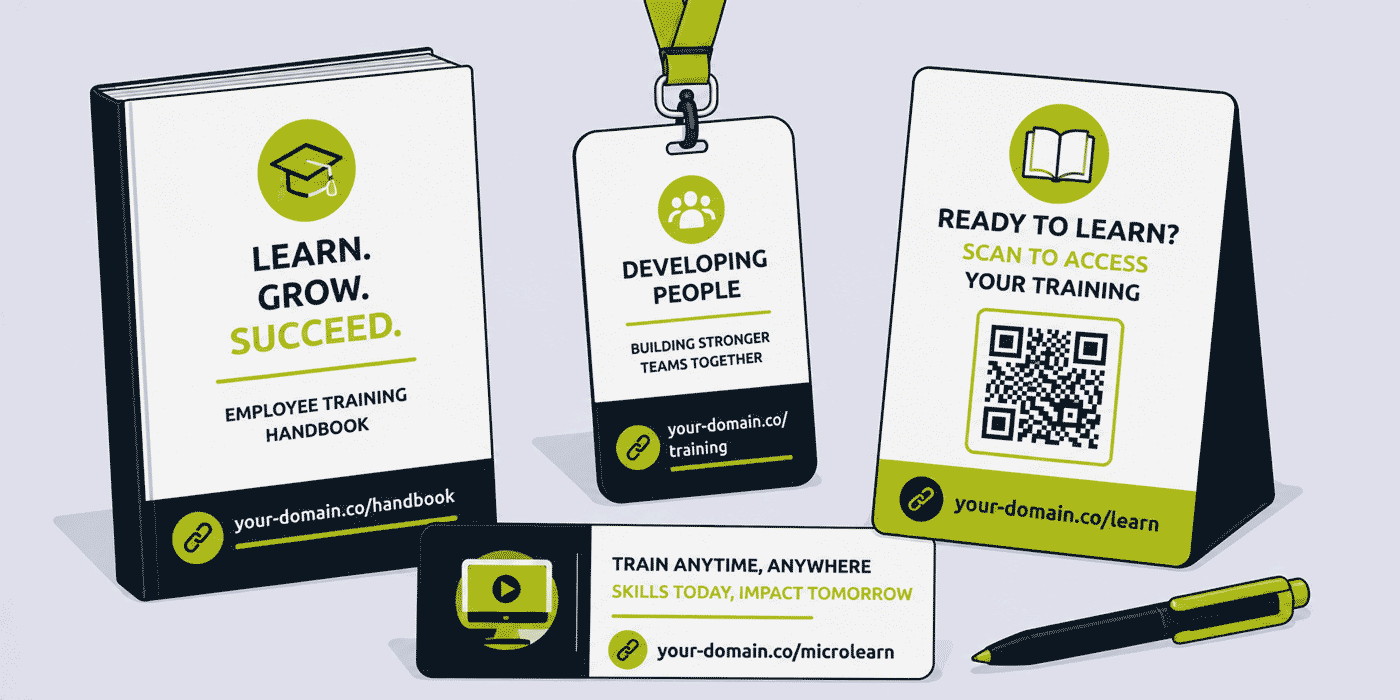
A workshop invite or confirmation email that includes a pre-work QR Code or short link — company.com/workshop-prework-session-date — pointing to the pre-reading, pre-workshop diagnostic, or pre-session video gives participants a clear, easy-to-access path to prepare for the in-person session. Click analytics on pre-work links, aggregated at the cohort level, show facilitators and L&D managers what proportion of participants completed the pre-work, which directly affects their ability to pitch the in-person session at the right level.
In-Room Workshop QR Codes
Physical QR Codes placed on workshop materials and displayed on the room's facilitator screen or flip chart serve multiple purposes during an in-person session:
- Live polls and real-time feedback. A QR Code linking to a live polling tool or a feedback survey allows facilitators to gather participant input in real time without requiring participants to download an app or remember a URL.
- Workshop resource access. A QR Code linking to the workshop's digital resource pack — case study materials, reference guides, supporting reading — lets participants access these materials on their phones during the session without a paper handout.
- Group exercise tools. For collaborative exercises that require participants to access a shared document, a digital whiteboard, or an online tool, a QR Code is faster and less error-prone than dictating a URL.
Because all workshop QR Codes are generated from dynamic short links, the same printed room cards and facilitator materials can be reused across multiple deliveries of the same workshop programme, with the digital resource destinations updated for each cohort's specific materials without any physical reprint.
Post-Workshop Follow-Up QR Codes
A QR Code on the workshop completion certificate or closing handout — linking to a post-workshop reflection exercise, a peer learning community, or a 30-day practice challenge — extends the learning impact of the in-person session into the weeks that follow. Click analytics on post-workshop follow-up links show the L&D team how many participants engage with post-session resources, which is one of the strongest predictors of whether the learning transfers to on-the-job behaviour change.
Manager Enablement and Learning Champion Links
Manager support is one of the strongest predictors of training completion and learning transfer in any organisation. Managers who actively encourage their teams to prioritise training, who ask about learning in one-to-ones, and who create space for employees to apply new skills see significantly higher training completion rates and more visible behaviour change than managers who are passive or neutral about their team's learning.
A dedicated short link for the manager's learning toolkit — company.com/manager-learning-guide or company.com/learning-champion — pointing to a resource page with practical guidance on how to support their team's learning, conversation prompts for learning one-to-ones, and the current month's learning recommendations for managers to promote, gives people managers a clear, accessible entry point to their enablement role in the learning programme.
External Training Vendor and Course Provider Links
Most corporate L&D teams use a combination of internally produced learning and externally provided content from training vendors, course libraries, professional development platforms, and specialist training companies. Managing access links for multiple external providers — each with their own platform URLs, login paths, and content library structures — creates a link maintenance challenge that short links can significantly simplify.
A short link per external provider — company.com/provider-name pointing to the provider's platform login or the organisation's specific content library within that platform — gives employees a consistent, company-branded access point to each external learning resource. When a provider changes their platform URL or the organisation renegotiates its access configuration, only the short link destination needs to update. The HR intranet page that lists all the company's learning resources, the onboarding guide that tells new employees which external platforms to access, and any manager briefing that has referenced the provider all continue to work correctly.
L&D Reporting and Impact Measurement Using Link Analytics
L&D teams face ongoing pressure to demonstrate the business impact of learning investment — a challenge that is particularly acute because the relationship between learning activity and business outcome is mediated by many factors that L&D cannot control. Short link click analytics provide a new category of L&D measurement data that most teams currently lack: pre-completion engagement metrics that show how employees are interacting with learning content before, during, and after formal completion.
What Link Analytics Add to L&D Reporting
The data available from short link analytics, added to a standard L&D reporting framework, includes:
- Training launch engagement rate. What proportion of employees clicked the training launch link within a defined period after the communication was sent? This shows the L&D team how effectively the launch communication drove initial engagement, independently of how many eventually completed the training.
- Microlearning consumption rate. What proportion of employees clicked each microlearning nudge link? This is a proxy measure for voluntary learning engagement that complements the mandatory completion metrics most LMS reports focus on.
- Pre-work engagement for blended programmes. What proportion of workshop participants engaged with pre-work content? This predicts the level at which facilitators can pitch the in-person session and is a useful input to facilitator preparation.
- Post-workshop follow-through. What proportion of workshop participants engaged with post-session resources? This is the leading indicator most correlated with learning transfer that most L&D teams currently have no way of measuring.
- Per-department engagement comparison. Which departments are engaging most actively with learning communications? This reveals learning culture variation across the organisation and identifies where manager enablement investment is most needed.
A Worked Example: A Global Company's L&D Link Stack Across a Compliance Campaign
Consider a financial services company with 4,000 employees across five departments, running its annual mandatory data protection and information security compliance training, using a branded domain such as company-learning.com, connected through Cuttly's custom domain setup (an A record and a TXT record — see the custom domain setup guide).
Campaign launch: The L&D team creates five department-specific links: /gdpr-2026-retail, /gdpr-2026-risk, /gdpr-2026-ops, /gdpr-2026-tech, /gdpr-2026-finance — all pointing to the same LMS compliance module. A general campaign link /gdpr-2026 is used in the all-company email. Manager briefing emails go to department heads with their specific department link.
Week one: Click analytics show the retail banking division with 74% click-through rate (managers actively promoting), the risk and compliance division at 88% (team lead culture of immediate compliance engagement), and operations at only 31% (largest department, most distributed workforce, historically lowest engagement). The L&D manager contacts the COO directly to request a manager prompt email from the COO to the operations management team. The operations link rate increases to 58% by the end of week two following the escalation.
Week three — final reminder: The /gdpr-2026-reminder-final link goes to all employees who have not yet completed. Click analytics on the final reminder show 340 additional click-throughs on the day of the reminder, confirming a classic last-week deadline effect. This data is included in the post-campaign report to the compliance committee as evidence that the reminder sequence was effective and that the deadline pressure drove the final completion push.
Post-campaign: The L&D team presents aggregate per-department click analytics alongside LMS completion rates. The technology department shows the highest ratio of link clicks to completions (87% click, 91% complete — over-performing on completion relative to click-through), while the operations department shows a lower ratio (58% click, 64% complete). The L&D team uses this to argue for a blended learning intervention for operations — a short in-person session component to supplement the digital module for deskless workers.
Common Mistakes in Corporate Training Link Management
Hardcoding LMS URLs in Permanent Documentation
An organisation that embeds the LMS's native URL in its employee handbook, its management development framework documentation, and its induction programme materials creates a maintenance liability at every LMS migration. A single branded short link for the learning portal, used consistently in all permanent documents, eliminates this liability and the update cost it generates.
No Per-Department Attribution for Compliance Campaigns
An L&D team that launches a compliance campaign with a single link for all departments cannot identify which departments are underperforming on engagement until LMS completion data is reviewed at campaign end — often too late to intervene before the compliance deadline. Per-department links provide the mid-campaign engagement signal that enables timely escalation and intervention.
Static QR Codes on Workshop Handouts
A workshop facilitator who prints QR Codes from static URLs on handout cards must reprint those cards if the resource URL changes between deliveries of the same programme. Dynamic QR Codes on workshop materials allow the L&D team to reuse the same printed materials across multiple cohorts while updating the digital resource destinations between sessions, reducing printing costs and environmental impact.
Cuttly Plan Guide for Corporate L&D Teams
- The Free plan ($0) provides 30 short links per month, one branded custom domain, full click analytics, dynamic QR Codes and a survey tool, with no credit card required. Suitable for a small L&D team or HR function setting up core LMS access, compliance training, and workshop QR Code links for a single programme or location.
- The Starter plan ($12/month) adds 300 short links per month and 30 custom aliases per month — practical for a growing L&D function running multiple simultaneous training programmes with per-department attribution, microlearning nudge links, and workshop QR Code sets across several active programmes.
- The Single plan ($25/month) adds up to 5 branded domains, customizable QR Codes with company branding for professional workshop materials, 1,000 API-created links per month for automated per-department or per-cohort link generation, and a full year of analytics history for annual compliance campaign comparison.
- The Team plan ($99/month) suits larger L&D functions with multiple L&D specialists and HR business partners sharing link management, Campaign tag analytics for aggregated programme portfolio reporting, multiple branded domains for different company brands or regional learning platforms, and shared workspaces for L&D teams across multiple geographies.
Create a free Cuttly account to set up your organisation's first LMS access link, your compliance training campaign link, and your first workshop QR Code. Registration is required for all plans, including free. No credit card is needed for the free plan.
Frequently Asked Questions
How do L&D teams use short links for LMS access?
A corporate L&D team creates a branded short link for the LMS login page — company.com/learn — included in every training communication. Because the link is dynamic, it remains valid if the organisation migrates to a new LMS platform without requiring updates to any email templates, onboarding documents, or printed materials.
How do corporate training teams use short links for compliance training?
A compliance training programme uses a dedicated per-year short link — company.com/gdpr-2026 — distributed through HR communications. Click analytics show how many employees accessed the training page, providing a pre-completion engagement signal. Per-department variants allow comparison of compliance access rates across different business units.
How do L&D teams use QR Codes at in-person training workshops?
A corporate training team places QR Codes from dynamic short links on workshop materials linking to pre-work, in-session resources, and post-workshop reflection exercises. Because the QR Code is dynamic, the same physical materials can be reused across multiple deliveries with destinations updated per cohort. Click analytics show how many participants engage with digital resources around the in-person session.
How do corporate L&D teams measure training programme engagement using short links?
A corporate L&D team uses per-department short links for training campaigns — all pointing to the same LMS module. Click analytics per department link show which departments are accessing training most actively, enabling mid-campaign intervention where engagement is low rather than discovering poor completion rates after the deadline has passed.
How do L&D teams use short links for microlearning content distribution?
A corporate L&D team uses a branded short link per microlearning asset — company.com/micro-negotiation-skills — distributed in Slack, Teams, and email digests. Click analytics on microlearning links show how many employees voluntarily engaged with each nudge, revealing which content topics and formats generate the most voluntary learning engagement across different teams.
- Get Started
- Create Free Account
- Plans & Pricing
- Platform Tools
- URL Shortener
- Link Analytics
- QR Code Generator
- Survey Tool
- Related Guides
- URL Shortener for E-Learning Platforms
- URL Shortener for Education
- URL Shortener for Universities
- URL Shortener for Coding Bootcamps
- URL Shortener for HR Teams
- Setup Guides
- Custom Domain Setup
- Track Link Clicks
- Industry Hub
- Education
- All Industries →
URL Shortener
Cuttly simplifies link management by offering a user-friendly URL shortener that includes branded short links. Boost your brand’s growth with short, memorable, and engaging links, while seamlessly managing and tracking your links using Cuttly's versatile platform. Generate branded short links, create customizable QR codes, build link-in-bio pages, and run interactive surveys—all in one place.
Cuttly - Consistently Rated
Among Top URL Shorteners
Cuttly isn’t just another URL shortener. Our platform is trusted and recognized by top industry players like G2 and SaaSworthy. We're proud to be consistently rated as a High Performer in URL Shortening and Link Management, ensuring that our users get reliable, innovative, and high-performing tools.C


