URL Shortener for Developers: API Integration, Webhooks and Automation
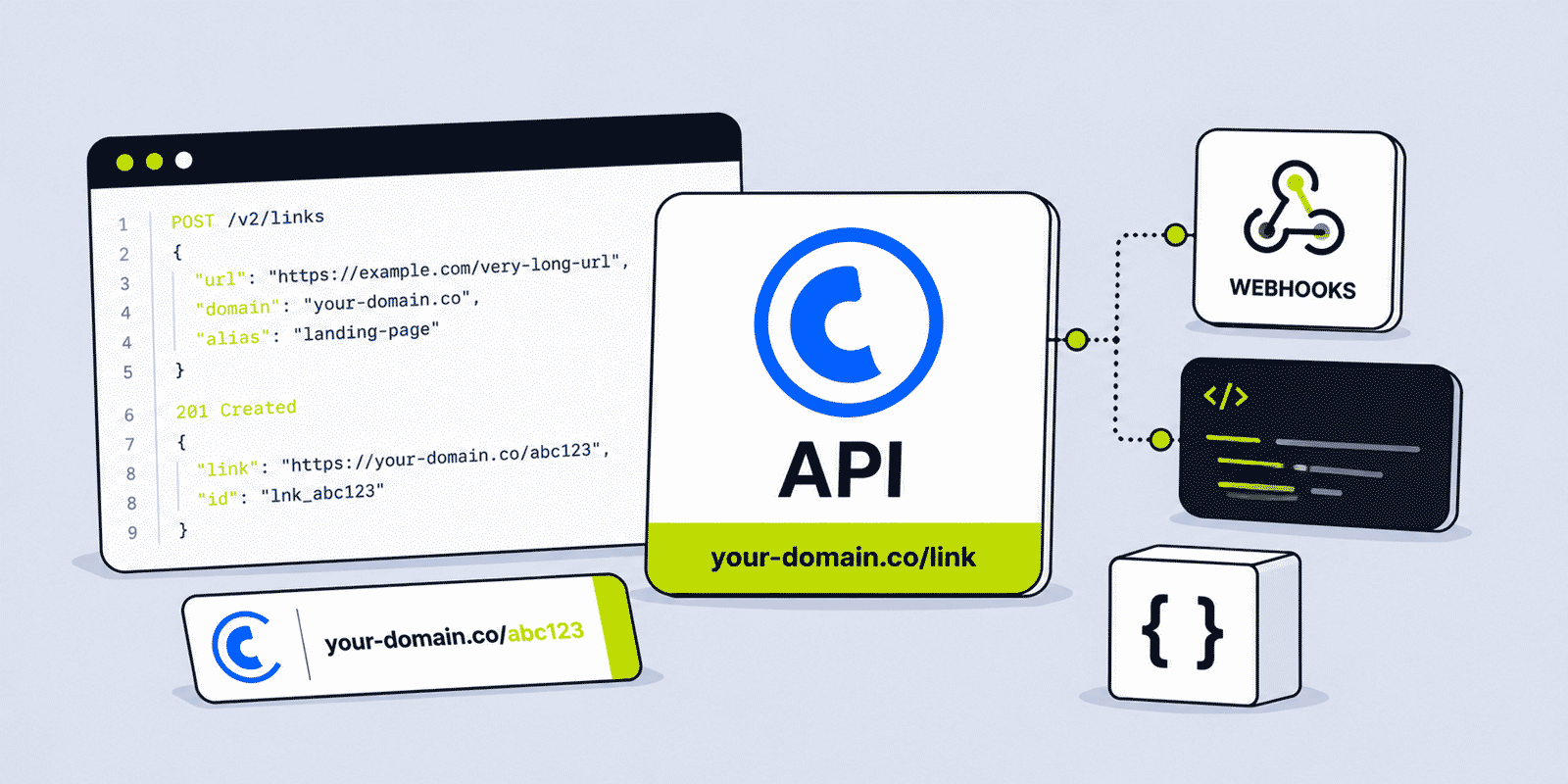
A URL shortener used through a dashboard is a manual tool. A URL shortener integrated into application infrastructure is an automated capability — one that creates, manages, and tracks links programmatically at volumes, speeds, and consistency levels that manual workflows cannot approach. This guide is specifically for the developer context: how to make sound architectural decisions about where and how to integrate a URL shortener API, how the edge cases that distinguish production integrations from quickstart demos are handled, and how the patterns that work well in real software development environments differ from what the basic documentation describes.
This guide covers architecture and integration patterns. For the full parameter reference and endpoint specifications, see the Regular API documentation and Team API documentation. For a detailed breakdown of every available API capability, see the URL Shortener API Developer Guide.
What This Guide Covers
- The architectural argument for API integration over manual link creation
- Regular API vs Team API — the production architecture decision
- Where URL shortening belongs in application architecture
- Synchronous vs asynchronous link creation patterns
- Webhook-driven link creation and the acknowledge-first pattern
- Idempotency: making link creation safe for at-least-once delivery
- Rate limit architecture: queuing, backoff, and throughput planning
- Branded domain links at scale
- Retrieving and processing link analytics in applications
- Environment management: dev, staging, and production API keys
- API key security in application code and deployment pipelines
- Graceful degradation for API failures
- Monitoring and alerting for link creation failures
- Integration patterns by application type
The Architectural Argument for API Integration
Every team eventually reaches the point where manual link creation becomes either a bottleneck or a source of inconsistency — usually both at the same time. The manual process looks like this: a product ships, an article publishes, a new client is added to a CRM, a campaign launches — and someone has to remember to go to the URL shortener dashboard, create the link with the correct alias, the correct UTM parameters, the correct branded domain, and the correct tag, then copy the result back into whatever system needs it. When the volume is low, this is manageable. When it is not, the process creates delays, mistakes, and missed links.
API integration removes the human from the loop entirely. When a new product is created in the database, a background job calls the URL shortener API and stores the short link in the product record automatically. When a new article is published, the CMS calls the API and attaches the short link to the article metadata. When a new client is added to the CRM, a webhook handler creates a tracked short link for the client's proposal page and stores it on the deal record. No one has to remember to create the link. The alias follows the naming convention because the naming convention is in the code. The UTM parameters are always correct because the code always builds them the same way. The branded domain is always used because the API call always specifies it.
This is the core argument: API-based URL shortening is not about developer convenience. It is about operational consistency and reliability at a scale and precision level that manual workflows cannot sustain. The dashboard remains useful for one-off link creation, campaign monitoring, and account management. The API handles everything that should happen automatically.
Regular API vs Team API: The Production Decision
The single most important architectural decision for any production URL shortener integration is whether to use a personal API key (Regular API) or a workspace-level API key (Team API). This distinction is not about features — both APIs support branded domains, custom aliases, analytics retrieval, and link editing. The distinction is about ownership, resilience, and organizational fit.
A Regular API key is tied to the Cuttly account of whichever person generated it. If that person leaves the company and their account is cancelled, the key is immediately revoked and every integration using it fails simultaneously — without any warning, and potentially at the worst possible moment for the business. For solo developers or individuals running personal projects, this is entirely acceptable: the person and the integration are the same entity. For any organizational integration, it creates an invisible dependency on a specific individual's continued employment and active Cuttly account.
A Team API key is tied to a Cuttly Team workspace. It is not attached to any individual. It persists as long as the team exists. Any Team Owner or Admin can regenerate it when needed, without coordinating access to a specific person's account settings. This is the correct foundation for any integration that the company depends on — it survives personnel changes, provides shared access control through the team's role system, and can be managed independently of any individual's Cuttly account.
The decision rule: if any of the following applies, use the Team API. The integration runs on behalf of an organization rather than an individual. The integration creates links that belong to the company's brand. More than one person needs to manage or rotate the API key. The integration is in production code that affects customer-facing workflows. The Team API is available from the Team plan ($99/month). The Team API vs Personal API architectural guide covers the differences in greater depth.
Where URL Shortening Belongs in Application Architecture
URL shortening is a side-effect operation. It enriches an entity — a product, an article, a deal, a notification message — with a short link, but it is not itself a core transaction that must complete for the primary operation to succeed. This is the key distinction for deciding where to place the API call in the application architecture.
Synchronous Integration
A synchronous integration calls the URL shortener API as part of the same request that creates the entity. The short link is available immediately and can be returned in the response. This approach is only appropriate when the short link URL is genuinely required in the immediate synchronous response — for example, an API endpoint that creates a campaign link and must return its URL to the client immediately so the client can display it.
The risk is that the URL shortener API's latency and availability directly affect the primary operation. If the API is slow, the user's request is slow. If the API is unavailable, the primary operation fails. Synchronous integration creates a hard dependency on a third-party service in the critical path of a user-facing operation. This is acceptable when the short link is genuinely required immediately; it is not acceptable when the short link is simply useful to have at some point after the operation.
Asynchronous Integration
An asynchronous integration dispatches a background job to create the short link after the primary operation completes. The entity is created immediately with a null or pending short link value; the background job creates the short link and updates the entity when it completes. This is appropriate for most integrations — the short link is needed soon, but not at the instant the entity is created.
Asynchronous integration is the recommended default. The primary operation's performance and availability are fully decoupled from the URL shortener API. If the API is temporarily unavailable, the job queue retries automatically without the user experiencing any failure. The short link appears in the application within seconds to minutes depending on job queue latency — which is typically perfectly acceptable. Users do not generally notice or care whether a short link was created in 200ms or 20 seconds, as long as it is present when they need it.
Event-Driven Integration
An event-driven integration listens for events from an event bus or message queue and creates short links in response. A product.created event triggers short link creation for the product. An article.published event triggers short link creation for the article. This is the cleanest architectural pattern for systems already built on event-driven architecture — it keeps the URL shortening concern fully decoupled from the producing service, and the integration is easy to add, modify, or disable without touching the core product code.
Webhook-Driven Link Creation
Many integrations are triggered by webhooks from external platforms rather than by internal application events. A CRM sends a webhook when a new deal is created. A CMS sends one when an article is published. An e-commerce platform sends one when a new product is added. The integration creates a short link in response to the external event and stores the result.
Acknowledge First, Then Process
The most important pattern for webhook handlers that call external APIs: return the acknowledgment response to the webhook sender immediately, then perform the processing asynchronously. Webhook senders typically expect a response within a few seconds — the exact timeout varies by platform, but it is rarely more than 10–30 seconds. An outbound API call to a third-party service may itself take several seconds, and if the processing completes but the acknowledgment arrives after the sender's timeout, the sender marks the delivery as failed and retries.
The pattern is: receive the webhook, immediately respond with HTTP 200 and a confirmation body, then hand the actual processing off to a background queue or async function. If the link creation fails in the background, it is retried from the queue without the webhook sender ever knowing there was a delay.
Storing the API Key
In a webhook handler or any server-side function that calls the Cuttly API, the API key must be read from an environment variable or secrets manager — never stored in the function's source code or configuration files that could be committed to version control. In serverless environments, environment variables or platform-native secret stores (AWS Secrets Manager, Vercel Environment Variables, Cloudflare Workers Secrets) are the standard approach. In containerized environments, Kubernetes Secrets or Vault injections are appropriate. The key should be treated with the same care as a database password: if it is in the source code, it will eventually end up somewhere it should not be.
Idempotency: Safe Link Creation in At-Least-Once Environments
Webhooks are not guaranteed to be delivered exactly once. Network failures, sender-side retries, and at-least-once delivery guarantees in message queues mean a webhook handler or event consumer may receive the same event multiple times. If each invocation creates a new short link with a randomly generated alias, multiple events produce multiple short links for the same entity — fragmented analytics and a polluted link inventory.
The solution is deterministic custom aliases. Derive the alias from the entity's stable, unique identifier — the deal ID, the product SKU, the article slug. If the same event triggers link creation twice, the second attempt requests the same alias. The API returns status 3 in the Regular API (alias taken), which the integration treats as confirmation that the link already exists — the goal has been achieved, no further action is needed. This makes link creation idempotent: multiple invocations with the same input produce the same result without side effects.
Idempotency also simplifies retry logic significantly. A failed link creation can be retried without risk of creating a duplicate — if the first attempt partially succeeded (the link was created but the database write to store it failed), retrying will return status 3, and the integration can reconstruct the expected short link URL from the domain and alias it originally requested.
Rate Limit Architecture
The Cuttly API rate limits define the maximum sustainable throughput for the integration: 60 calls per 60 seconds on the Single plan, 180 on Team, 360 on Enterprise. These limits apply to the account across all integrations — multiple services sharing a single API key compete for the same rate limit budget.
Token Bucket and Request Queuing
The standard approach to API rate limit management is the token bucket pattern. The integration maintains a counter that tracks available call capacity within the current window. Each API call decrements the counter. The counter refills as time passes at the rate of the plan limit. When the counter is empty, incoming requests are queued and wait for capacity to refill rather than being dropped or failing immediately.
Most API client libraries and HTTP middleware in common frameworks include rate limiting utilities that implement this pattern. The important behavior to ensure is queuing rather than dropping: a rate-limited request should wait and eventually complete, not fail silently. Silent failures mean missing links with no record of what was supposed to be created.
Exponential Backoff for 429 Responses
When a request exceeds the rate limit and the API returns HTTP 429, the integration should not retry immediately — doing so under a sustained load just sends another request that will also be rejected. The correct approach is exponential backoff with jitter: wait before retrying, double the wait time with each subsequent retry, and add a small random component (jitter) to prevent multiple processes from synchronizing their retries and creating a spike.
After three or four retries without success, the request should be moved to a dead-letter queue for manual review rather than retried indefinitely. Indefinite retries create resource exhaustion and make it harder to identify genuine problems with the integration.
Throughput Planning for Batch Operations
Before running a large batch operation — importing a product catalogue, migrating a historical link inventory, creating links for a large campaign — calculate the required throughput against the plan's rate limit to understand how long the operation will take and whether the plan limit is sufficient.
At 60 calls per minute on the Single plan, a batch of 5,000 links takes roughly 83 minutes. If those 5,000 links need to be created in a 10-minute window, the required rate is 500 links per 10 minutes — within the Single plan's 60 calls per minute. If the window shrank to 2 minutes, the required rate of 2,500 per minute would exceed even the Enterprise plan's 360 calls per minute, requiring a different approach — pre-generating links, breaking the batch into multiple scheduled runs, or reconsidering the window constraint. Planning this before the batch runs avoids discovering the constraint at runtime.
Branded Domain Links at Scale
For production integrations, customer-facing short links on the organization's own domain rather than the platform's generic domain are often a hard requirement — a branded short link in a transactional email, SMS, or marketing campaign is more professional and more trusted than a generic short link.
In the Regular API, branded domain links are created by setting userDomain=1 in the request. This activates the custom domain marked as active in the account settings — the domain choice is made in the dashboard, not per API call. In production integrations, the active domain should be set and verified before the integration goes live, and any dashboard-level change to the active domain will affect all subsequent API calls using userDomain=1.
In the Team API, the domain is passed directly as a parameter. This enables more flexible multi-domain integrations where different API calls create links on different branded domains within the same team workspace — for example, an agency managing multiple client brands, or a company with separate branded domains for different product lines. Each domain must be added to the team by the Team Owner before it can be used in API calls.
Monthly branded domain link limits apply separately from total link limits. Integrations that create a high ratio of branded links to total links should verify that the branded domain monthly limit is sufficient for the integration's expected volume, particularly on lower plans where the branded domain limit is more restrictive than the total link limit.
Retrieving Link Analytics in Applications
The Cuttly API stats endpoint enables applications to pull click analytics data programmatically and incorporate it into internal reporting, dashboards, or data pipelines — rather than requiring teams to read analytics from the Cuttly dashboard manually.
What the Stats Endpoint Returns
For any short link in the account, the stats endpoint returns total clicks, breakdown by social network (Facebook, Twitter, LinkedIn), referrer domains with click counts, geographic breakdown by country, device type breakdown, and bot click count. The response also includes the link's metadata: title, full destination URL, and short link URL. These fields map directly to common analytics use cases — geographic reporting, device mix, referrer attribution, and traffic source analysis.
Incremental Analytics Sync with Date Filtering
For analytics pipelines that pull data for a large inventory of links on a regular schedule, querying the full lifetime data for every link on every run is inefficient. The date_from and date_to parameters (available on Team plan for the Regular API, and on the Team API) enable date-range filtering — the response covers only clicks within the specified period. A daily sync job uses yesterday's date for both parameters, fetching only the previous day's clicks. The data is appended to the internal store, building a complete historical record without redundant full-history requests on every run.
Analytics Pull Rate Limiting
Stats requests count against the same rate limit as link creation requests. A sync job pulling analytics for 1,000 links consumes 1,000 API calls from the account's rate limit budget. On the Single plan (60 calls per minute), syncing 1,000 links takes roughly 17 minutes. On the Team plan (180 calls per minute), the same sync takes about 6 minutes. Scheduling analytics sync jobs outside peak link creation windows prevents the sync from competing with real-time link creation for rate limit capacity.
Environment Management
Production applications operate across multiple environments — typically development, staging, and production — each with its own configuration. URL shortener integrations raise specific environment questions: do development and staging environments create real links? Do they use the production branded domain? Do test links pollute the production analytics?
The recommended approach is to use separate Cuttly accounts or separate teams for different environments. Development uses a development account or team with its own API key — or link creation is disabled entirely in development since there is usually no need to create real short links during local development. Staging uses a staging team with a staging-specific branded domain or the default cutt.ly domain. Production uses the production team with the real branded domain and the production Team API key.
This separation has several benefits: test runs do not consume the production account's monthly link quota; test clicks do not appear in production analytics; staging link aliases do not conflict with production aliases; and the production API key is never used in non-production environments where it could be exposed through less secure logging or monitoring configurations.
Environment-specific configuration is managed through environment variables. The API key, branded domain, and whether link creation is enabled at all are all environment-level settings rather than hardcoded values. A development environment sets link creation enabled to false by default — link creation only runs in staging and production environments.
API Key Security
API keys must never appear in application source code, version control repositories, client-side JavaScript, mobile application binaries, build logs, or any other location accessible to unauthorized parties. The risk is straightforward: a leaked API key allows anyone to create, edit, and delete links on behalf of the account, consuming monthly link quota and potentially disrupting active campaigns.
The correct storage location for the API key is a secrets manager or environment variable system: AWS Secrets Manager, HashiCorp Vault, Vercel Environment Variables, Heroku Config Vars, Cloudflare Workers Secrets, or equivalent. The key is injected into the runtime environment and read by the application at startup — it never touches the file system, build artifacts, or source code.
For Team API keys in organizational settings: store the key as a shared organizational secret accessible to all deployments and CI/CD pipelines that need it, without depending on any individual's personal access. This ensures continuity when team members change — the key lives in the infrastructure, not in anyone's personal configuration.
Key Rotation
Rotate the Team API key when a team member with Admin access leaves the organization, or on a regular schedule as part of security hygiene. Rotation generates a new key in Team Settings, immediately invalidating the previous one. The procedure: generate the new key, update the secrets manager entry with the new key, and trigger redeployment of any services that read the key at startup. Services that read the key on each request will pick it up immediately from the secrets manager without redeployment.
Coordinating rotation across multiple integrations that share the same key requires a brief window where either the old or new key works — some secrets managers support a transition period with two active versions. If that is not available, schedule the rotation during a low-traffic period and ensure all dependent services are updated and verified within a short window to minimize any disruption.
Graceful Degradation for API Failures
A URL shortener integration should never be a single point of failure for critical application workflows. Short links are valuable; they are not irreplaceable. If the Cuttly API is temporarily unavailable — a transient network issue, a service maintenance window, a rate limit spike during an unexpected traffic surge — the application should continue to function, ideally with a fallback that preserves the core operation.
The standard graceful degradation pattern: attempt the short link creation; on failure (network error, HTTP 429, HTTP 5xx, rate limit exceeded), fall back to using the full destination URL; log the failure with the destination URL for later retry; return the full URL to whatever downstream system needs it. The user or downstream system receives a functional URL — the unshortened destination — and the integration creates the proper short link when the API is available again via a retry queue.
Never design an integration where the absence of a short link causes a workflow to fail entirely. A notification that was supposed to contain a branded short link but falls back to a full URL is a minor degradation. A notification that fails to send because the short link could not be created is a meaningful operational failure. The hierarchy of severity should inform the design: short link creation failure is tolerable; dependent workflow failure is not.
Monitoring and Alerting
Production URL shortener integrations benefit from a small set of targeted monitoring measures. The goal is not to instrument every API call exhaustively, but to catch the failure modes that cause real operational problems before they become large issues.
Error rate alerting: alert when the percentage of failed link creation attempts exceeds a threshold over a rolling window (for example, more than 5% of attempts failing in a 15-minute window). A sudden spike in errors usually indicates either an API-side issue or a problem with the integration's input data.
Monthly volume tracking: track the cumulative link creation count against the plan's monthly limit. Alert when the count reaches 80% of the limit, giving time to upgrade the plan or investigate unexpected volume before the limit is reached and automated link creation stops mid-month. For the Single plan (5,000 links/month), an integration creating 200 links per day reaches 80% capacity by day 20.
Retry queue depth: if the integration uses a queue for failed link creation retries, monitor the queue depth. A growing retry queue that is not draining indicates a persistent API-side issue or a configuration problem — not a transient failure that will resolve itself.
Rate limit hit frequency: log every HTTP 429 response. Occasional 429s are normal during burst operations; frequent or sustained 429s indicate that the integration's throughput planning is misaligned with the plan's rate limit and either the pacing logic or the plan level needs adjustment.
Integration Patterns by Application Type
SaaS Products: Per-User or Per-Content Share Links
SaaS products frequently need shareable URLs for user-generated content — a shared dashboard, a public report, a portfolio page, a collaboration workspace. An API integration creates a branded short link for each shareable resource at creation time and stores it as an attribute of the resource. When the user shares the resource, the short link is available immediately without a separate step. Every click on every share link is tracked — the product team can see which resources are being shared, through which channels, to which geographies, across all users — without any instrumentation beyond what the URL shortener already provides.
E-Commerce: Per-Product Marketing Links
An e-commerce platform creates a branded short link for each product at listing time, with an alias derived from the product SKU, and tags the link with the product category. The short link is stored on the product record and used in all marketing distributions — email campaigns, SMS notifications, social media posts, affiliate partnerships — consistently across all channels. When the product URL changes (a new page structure, a redesigned site), the edit endpoint updates the destination without breaking any existing shares of the original short link. Analytics per product link provides direct attribution of marketing clicks to specific products independent of site analytics.
CRM: Per-Deal or Per-Contact Tracked Links
A CRM integration creates a unique tracked short link for each deal or contact — a personalized URL to a proposal page, a meeting scheduler, or a specific landing page. The alias is derived from the deal or contact ID. The link is stored on the record and included in outreach messages. Click data on the link indicates engagement with the outreach — whether the prospect clicked the link, when, from what device, and from what geography — providing sales context that a standard email open or click metric does not. Because aliases are deterministic, the integration is safe against duplicate webhook deliveries.
Notification Systems: Tracked CTAs in Transactional Messages
A transactional notification system creates a branded short link for every call-to-action in every transactional message — order confirmations, shipping notifications, appointment reminders, password resets. Links are tagged by notification type. Aggregated analytics by tag reveal which notification types drive the highest CTA engagement, which device types are most common for each notification type, and how click rates vary over time. This data informs decisions about notification copy, timing, and channel selection — insights that are only accessible when link analytics are systematically collected across the notification inventory.
Content Platforms: Auto-Generated Article Short Links
A publishing platform creates a branded short link for each article at publication time, with the alias derived from the article slug. The short link is stored as article metadata and used in all editorial distribution — social media posts, email digests, partner syndication feeds, RSS. Analytics per article link shows channel-level performance independently of site analytics: how many clicks came from email versus social, which social platform drove the most traffic to a specific article, which countries engaged with which content. This data complements pageview analytics with attribution that the site's own analytics cannot provide for off-site sharing.
Which Plan Fits Which Integration
The Free plan ($0) includes API access with 3 calls per 60 seconds and 30 cutt.ly domain links per month. The only practical use is testing the integration locally before committing to a paid plan.
The Single plan ($25/month) provides 60 calls per 60 seconds, 5,000 links per month, 1,000 branded domain links per month, and full link editing capabilities. This covers most individual developer integrations at moderate volume — a small CMS, a personal SaaS product, or a CRM integration for a small team.
The Team plan ($99/month) provides the Team API with 180 calls per 60 seconds, 20,000 links per month, date-range analytics filtering, and workspace-level key management. This is the appropriate plan for any organizational integration — a company's production CRM, CMS, or e-commerce system — where the API key should belong to a workspace, not an individual.
The Enterprise plan ($149/month) provides 360 calls per 60 seconds, 50,000 links per month, and the noTitle parameter for faster responses in high-throughput bulk creation. This is appropriate for integrations creating tens of thousands of links per month or requiring sustained high call rates.
Create a free Cuttly account to start testing the integration. The API key is available immediately after registration. Registration required; free plan available with no credit card needed.
Frequently Asked Questions
Why use an API instead of the dashboard?
For scale, consistency, and integration. Applications may create thousands of short links automatically per day — impractical manually. API integration ensures every link follows the same naming conventions, UTM parameters, branded domain, and tags without human error, and delivers the short link directly into whatever system needs it without a manual copy-paste step between dashboard and application.
Should I use the Regular API or Team API for an organizational integration?
Team API. A Regular API key is tied to an individual's account — if they leave, all integrations using that key break. A Team API key is tied to a workspace, persists through personnel changes, and is manageable by any Owner or Admin. For any integration the company depends on, the Team API is the correct choice. Available from the Team plan ($99/month).
Can I use the Cuttly API in serverless functions and webhook handlers?
Yes. The Cuttly API is a standard HTTPS endpoint callable from any environment with outbound HTTP capability — Lambda, Vercel, Cloudflare Workers, Express webhook handlers, background jobs. For webhook handlers, always acknowledge the webhook (return HTTP 200) before making the API call, then process asynchronously, to avoid delivery timeouts.
How do I prevent duplicate short links from repeated webhook deliveries?
Use deterministic custom aliases derived from the entity's stable ID (deal ID, product SKU, article slug). If the same event triggers link creation twice, the second attempt receives status 3 (alias taken) — treat this as confirmation the link exists. This makes link creation idempotent and safe for at-least-once delivery environments.
How should production integrations handle API failures?
Graceful degradation: attempt the API call, fall back to the full destination URL on failure, log the failure for retry, and never let a shortening failure block a critical workflow. URL shortening is enhancement — a fallback to the full URL is acceptable. A complete workflow failure because a short link could not be created is not.
- Tools
- URL Shortener →
- Link Analytics →
- QR Code Generator →
- API Documentation
- Regular API Reference →
- Team API Reference →
- API Overview →
- Related Guides
- API Developer Guide 2026 →
- URL Shortener in Google Sheets →
- Team API vs Personal API →
- API-First URL Shorteners →
- Branded Short Links Guide →
- Cuttly for Developers →
- URL Shortener Best Practices →
- Encyclopedia
- Branded Links
- Dynamic QR Codes
- Link in Bio
- Start Here
- Create Free Account
- Plans & Pricing
URL Shortener
Cuttly simplifies link management by offering a user-friendly URL shortener that includes branded short links. Boost your brand’s growth with short, memorable, and engaging links, while seamlessly managing and tracking your links using Cuttly's versatile platform. Generate branded short links, create customizable QR codes, build link-in-bio pages, and run interactive surveys—all in one place.
Cuttly - Consistently Rated
Among Top URL Shorteners
Cuttly isn’t just another URL shortener. Our platform is trusted and recognized by top industry players like G2 and SaaSworthy. We're proud to be consistently rated as a High Performer in URL Shortening and Link Management, ensuring that our users get reliable, innovative, and high-performing tools.


