URL Shortener for Driving Schools — The Complete Guide
Learning to drive is one of the most significant milestones in a young person's life — and one of the most referral-driven purchasing decisions a family makes. When a parent asks another parent "who taught your son to drive?", the answer is often the start of a new booking. When a student passes their test and posts about it on Instagram, friends who are approaching driving age take notice. The driving school industry runs on reputation, word of mouth and local visibility — and every one of those channels becomes measurably more effective when you use branded short links and trackable QR codes to connect your physical presence to your digital booking flow.
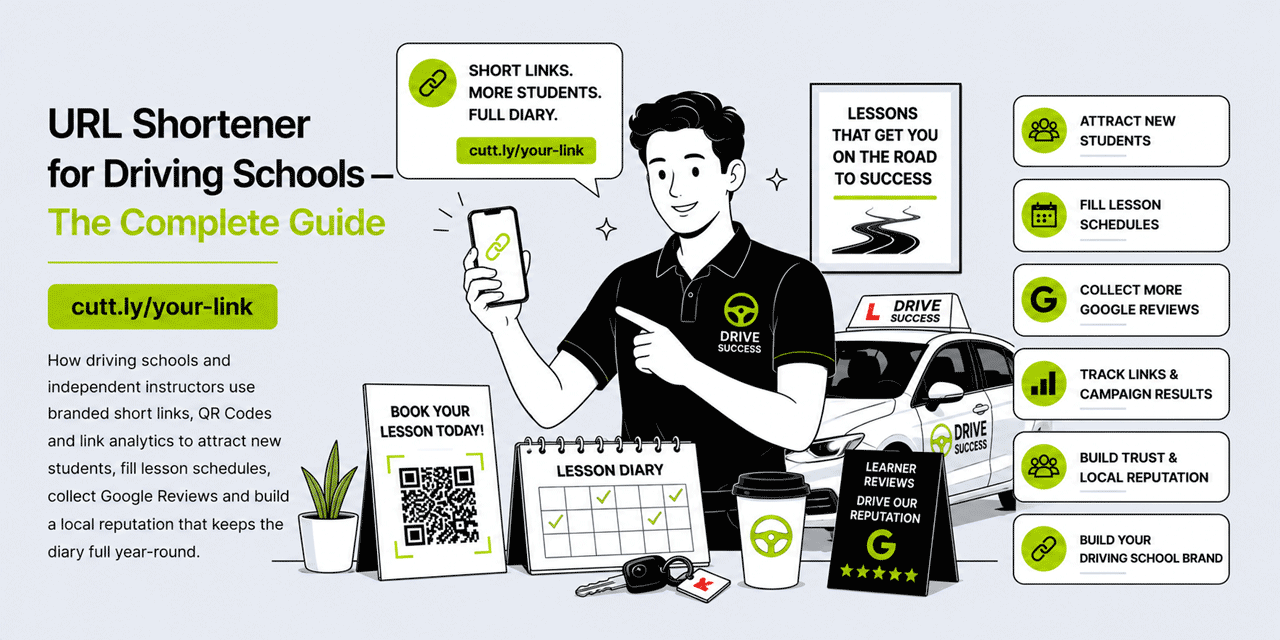
This guide covers every practical way a driving school or independent instructor can use branded short links, QR Codes and link analytics to fill the lesson schedule, collect Google Reviews, run referral programmes and build the kind of local reputation that keeps a waiting list running year-round. All examples use Cuttly's URL shortener, which is free to start and scales with your driving school.
What This Guide Covers
- Why driving schools benefit from branded short links
- Lesson booking links: filling the schedule with less admin
- Car signage and vehicle magnets: turning every journey into a lead
- QR codes for driving schools: cars, business cards, school noticeboards
- Google Reviews: capturing the pass-test moment
- WhatsApp communication with learner drivers and parents
- Referral programmes: turning passed students into an introduction engine
- Theory test resources: building trust with educational content links
- Intensive course and package links
- Social media and Link in Bio strategy for instructors
- Multi-instructor driving schools: managing links across a team
- Cuttly plan guide for driving schools
- Frequently asked questions
Why Driving Schools Need Short Links
Driving instruction is a hyper-local business. You are competing for students within a specific radius — the area your car can reasonably cover for pick-ups and drop-offs. Within that radius, a student's choice of instructor is driven almost entirely by three factors: online reviews, personal recommendation and how easy you are to contact and book. Short branded links improve all three.
The booking link is the most immediate application. Most driving schools and instructors have a website, a booking system or at minimum a contact form. The URL for that booking page is almost certainly long, unmemorable and impossible to print legibly on a car door magnet. A branded short link — yourbrnd.link/book — is readable, memorable and professional. Printed on a car door magnet alongside a QR code, it turns every parking spot, every traffic queue and every school pickup zone into a passive marketing channel.
The analytics layer matters because driving schools typically run several marketing activities simultaneously — car signage, leaflets at schools and colleges, Facebook advertising, Google Business profile, word of mouth — without any clear way to measure which is working. Distinct short links per channel give you clean, reliable data on which activities are generating genuine student enquiries.
Lesson Booking Links: Filling the Schedule with Less Admin
The lesson booking flow is the most friction-prone part of a driving school's operations. A prospective student finds you online or via a recommendation, visits your website, tries to figure out how to book and — if the path is unclear or the URL they were given does not work — moves on to a competitor. Every unnecessary step between interest and booking is a potential drop-off point.
Your Primary Booking Link
Create a short branded link pointing to your lesson booking page: yourbrnd.link/book or yourbrnd.link/lessons. This is your primary marketing link — the one that appears everywhere your business is represented. Car magnets, business cards, school noticeboard flyers, Facebook page, Google Business profile, Instagram bio. Wherever a potential student encounters your name, this link should be one of the first things they see.
Because the link is dynamic, if you switch booking systems — from a manual diary to an online booking platform, or from one platform to another — you update the destination in Cuttly once. Every instance of the short link redirects to the new system automatically. No broken links on printed materials, no confusion for students who have saved the old URL.
Instructor-Specific Booking Links
For driving schools with multiple instructors, create individual booking links for each: yourbrnd.link/john, yourbrnd.link/sarah, yourbrnd.link/mike. Each instructor uses their personal link on their own social profiles, their car magnet and in their personal WhatsApp communications. The individual click tracking tells the school owner which instructor is generating the most online booking interest — useful data for understanding capacity, workload distribution and marketing effectiveness at the individual level.
Course and Package Links
If your school offers different packages — hourly lessons, block booking discounts, intensive courses, pass plus — create a dedicated short link for each:
yourbrnd.link/hourly— standard hourly lesson bookingyourbrnd.link/block— block booking discount packagesyourbrnd.link/intensive— intensive course enquiry or bookingyourbrnd.link/pass-plus— post-test Pass Plus course booking
When promoting a specific package on social media or via WhatsApp, link directly to the relevant page rather than your homepage. A student who clicks a post about intensive courses should land on the intensive course page, not navigate from a general homepage. The click data on each package link also tells you which offerings generate the most interest — useful for pricing decisions and promotional investment.
Car Signage and Vehicle Magnets: Every Journey is a Lead
A driving school car is the most visible marketing asset in the business. It moves through the target area for hours every day — visible to parents at school gates, to young people on main roads, to neighbours in residential streets where lessons take place. The signage on that car is working constantly, at zero marginal cost, in exactly the right geographic area.
The Right Link for Car Signage
Most driving school cars display a phone number, a website and possibly a social handle. Adding a short branded link — readable at a glance from a following vehicle or a pavement — adds a direct booking path to that passive advertising. The link needs to be short enough to read from a moving or parked vehicle, memorable enough to type later and professional enough to build immediate trust. drivewell.link/book or yourbrnd.link/lessons satisfies all three criteria where a long website URL does not.
QR Code on Vehicle Magnets and Rear Decals
A QR code on the rear of the vehicle — where following cars can scan it at a junction or in traffic — gives smartphone users a one-scan path to your booking page. Position it alongside the short link and a clear call to action: "Scan to book your first lesson." Because Cuttly QR codes are dynamic, if you change your booking system the QR code destination updates without reprinting the magnet.
Car door magnets are a practical option for independent instructors — they can be removed from a personal vehicle when not in use and reapplied for lessons. A well-designed magnet with a short link and QR code turns a personal car into a professional marketing asset during working hours without permanent modification.
Per-Car Tracking
For schools with multiple vehicles, assign a unique short link to each car's signage — even if all links go to the same booking page. yourbrnd.link/car1, yourbrnd.link/car2 or area-based names. The individual tracking data tells you which vehicles are generating the most passive enquiry traffic — useful when deciding where to route cars geographically for maximum marketing impact.
QR Codes for Driving Schools: Where to Place Them
QR codes complement short links at every physical touchpoint in a driving school's marketing ecosystem. They give potential students a one-scan path to the booking page without needing to type anything — particularly useful for young people who are already comfortable scanning codes from social platforms and product packaging.
School and College Noticeboards
Secondary schools and sixth-form colleges are the primary recruiting ground for learner drivers. A well-designed A5 flyer on the noticeboard — with a QR code linking to your booking page and a short link printed below it — reaches 16 and 17-year-olds at exactly the point in their lives when they are beginning to think about learning to drive. The QR code makes the action immediate; a student who scans it in a corridor can have a lesson booked before they reach their next class.
Business Cards
Driving instructors hand out a significant number of business cards — at schools, via parents, through referrals, at community events. A business card with a short link on one side and a QR code on the other gives the recipient two easy paths to your booking page. Print the cards with your permanent branded domain; because the links are dynamic, you can update the destination without reprinting if your booking system changes.
Letterbox Flyers in Target Neighbourhoods
Targeted letterbox flyers in residential areas near secondary schools and in neighbourhoods with a high proportion of 16-to-20-year-old residents are a cost-effective student acquisition channel. Include a QR code on the flyer and a short link below it. Create a unique link for each distribution area to track which postcodes respond to flyer drops — the same geo-tracking strategy that works for cleaning businesses applies here too.
Google Reviews: Capturing the Pass-Test Moment
The moment a student passes their driving test is one of the most emotionally charged, positive moments in a young person's life. The elation is immediate and intense — and it is directly attributable to the instructor who taught them. This is the single best moment in the entire student relationship to ask for a Google Review, and it is an opportunity that most driving schools consistently underutilize.
A student who has just passed their test and is still sitting in the car with their instructor, or who receives a WhatsApp message in the hour after the test, is in a uniquely receptive state. The goodwill is at its peak, the sense of gratitude is genuine and the motivation to share the news is high. A short review link captures that goodwill before it fades into the routine of daily life.
The Pass-Test Review Workflow
Establish a standard pass-test review workflow:
- Immediately after the test result: Congratulate the student warmly and — while still in the car or at the test centre — mention the review: "I'm so proud of you. If you have 60 seconds, a Google review would mean the world to me — I'll send you the link now."
- WhatsApp within 30 minutes: "Congratulations again on passing today! Here's the review link if you get a moment:
yourbrnd.link/review— thank you so much." - Congratulations card (optional): A handwritten card with the review link and QR code, posted in the week after the test, for instructors who want to make the gesture more personal.
Running this workflow consistently for every passed student generates a review rate that, over a year, transforms a driving school's Google Business ranking and organic search visibility — the primary channel through which new learner drivers discover instructors in their area.
Asking Parents for Reviews
For younger learners, parents are often the primary decision-makers and the most motivated reviewers. A parent who has watched their child go from nervous beginner to confident driver over six months has a genuinely powerful story to tell. Send the review link to the parent as well as the student — via the WhatsApp thread through which you have been communicating throughout the lessons. Parent reviews are often longer, more detailed and more persuasive to other parents researching driving schools than brief student reviews.
WhatsApp Communication with Learner Drivers and Parents
WhatsApp is the default communication channel between driving instructors and their students. Lesson scheduling, pick-up time adjustments, theory test tips and pass congratulations all happen there. Every message is an opportunity to share a clean, professional branded link rather than a long URL that looks uncertain and hard to trust on a small screen.
Initial Enquiry Responses
When a new student messages to ask about lessons — via WhatsApp, Facebook Messenger or Instagram DM — your response sets the tone for the relationship. Rather than sending a wall of text about prices and availability, send a short, professional reply with a branded link to your pricing and booking page: "Thanks for getting in touch! Here's our lesson packages and pricing: yourbrnd.link/pricing — and you can book your first lesson here: yourbrnd.link/book." Two short links. Immediate, professional, low-friction.
Theory Test Resource Links
Many driving instructors share theory test practice resources with their students — official test apps, hazard perception practice sites, revision guides. Create a short link to a curated resource page on your website or a simple external resource: yourbrnd.link/theory. Sharing this link via WhatsApp early in the student relationship positions you as a helpful, thorough instructor who supports learning beyond the practical lessons — a trust-building gesture that differentiates you from instructors who focus only on the car time.
Lesson Confirmation and Schedule Links
If you use an online booking or scheduling system that gives students a view of their upcoming lessons, create a short link for that page: yourbrnd.link/schedule. Include this link in lesson confirmation messages — "Your lessons are confirmed. You can view your upcoming schedule here: yourbrnd.link/schedule." Students who can easily check their schedule are less likely to miss lessons, which reduces wasted time and last-minute cancellations.
Referral Programmes: Turning Passed Students into an Introduction Engine
Every student who passes their test is a potential introduction source. They have friends, siblings and cousins approaching driving age. They are active in social communities where the topic of learning to drive comes up regularly. A structured referral programme — communicated clearly and made easy to participate in via a short link — turns each passed student into an ongoing source of new enquiries.
Your Referral Link
Create a short link for your referral programme page or form: yourbrnd.link/refer. The referral offer should be simple and clearly valuable — "Refer a friend who completes their first lesson and you both get a free lesson" or "Refer someone who passes and receive a £20 voucher." Send this link to every student who passes their test, alongside the review request: "Now you've passed, if you know anyone who wants to learn, here's my referral programme: yourbrnd.link/refer — you'd both benefit!"
Track clicks on the referral link in Cuttly analytics. Over three months, the data tells you how actively your passed students are engaging with the referral programme and which cohort of students (by age, area or course type) generates the most referral interest.
School and College Peer Referrals
Young learners are socially connected. A student at a particular school who learns with you, passes and talks about it to their friends creates a cluster of referrals from that school. Create a school-specific referral link — yourbrnd.link/school-name — that you can share with students from a particular school as a group discount or priority booking offer. "If you go to [School Name], mention this link when you book and get 10% off your first block: yourbrnd.link/school-name." Track clicks to see which schools generate the most referral interest.
Intensive Courses: A High-Value Product with Its Own Link Strategy
Intensive driving courses — crash courses that compress weeks of learning into a single intensive period — are a high-value, high-demand product with a specific buyer profile. The student is typically older, often in their 20s or 30s, with a specific reason for needing a licence quickly: a new job, a house move, a life change. They are searching with urgency and are more price-insensitive than a typical weekly lesson student. They deserve their own dedicated marketing approach.
Intensive Course Landing Page and Link
Create a dedicated short link for intensive course enquiries: yourbrnd.link/intensive. This link should point to a page that speaks directly to the intensive course buyer — why an intensive course works, how it is structured, what the pass rate looks like, and how to enquire. This page needs to answer different questions than your standard lesson booking page, and the dedicated link lets you track how much organic and paid traffic is reaching it from each channel.
Promote this link specifically on Facebook and Instagram — where the target audience for intensive courses (adults in their 20s and 30s) is more active than the 17-year-old learner demographic. A Facebook post or targeted ad that links to yourbrnd.link/intensive reaches a different audience than your school noticeboard flyer.
Social Media and Link in Bio Strategy for Driving Instructors
Social media for driving schools is often overlooked — many instructors maintain a basic Facebook page but do not use it actively. The reality is that the target audience for driving lessons (16-to-25-year-olds) is highly active on Instagram and TikTok, and parents researching instructors for their children use Facebook. A consistent social presence with clear booking links generates enquiries at a low cost relative to paid advertising.
Link in Bio for Instagram and TikTok
Cuttly's Link in Bio builder creates a branded page with multiple links accessible from a single URL in your social bio. For a driving school, a useful Link in Bio page might include:
- Book your first lesson — links to your booking page
- View packages & pricing — links to your pricing page
- Intensive courses — links to your intensive course page
- Theory test resources — links to your theory resource page
- Leave a Google Review — links to your review form
- Refer a friend — links to your referral programme
Content That Works for Driving Schools
Content that performs well for driving schools on social media includes: student pass celebrations (with permission and a tag), driving tips for new learners (theory and practical), myth-busting posts about common learner fears, behind-the-scenes content about the instructor's day, and local road knowledge content relevant to the test area. Each content type can include a call to action that routes to a specific short link via the bio.
TikTok in particular has become a significant channel for driving school content — short videos showing common driving test mistakes, parallel parking tips or "what examiners actually look for" content reach large, relevant audiences organically. A TikTok account with a well-structured Link in Bio converts that awareness into genuine enquiries.
Multi-Instructor Driving Schools: Managing Links Across a Team
A driving school with five or ten instructors has link management needs that go beyond a single account. Each instructor may need their own booking link, each geographic area may need its own tracking link, and the school owner or administrator needs to manage everything centrally without giving every instructor access to billing or overall analytics.
Team Workspaces in Cuttly
Cuttly's Team plan provides a shared workspace with role-based access. The school owner or administrator creates and manages all the school's links, QR codes and branded domain. Individual instructors can access their own booking links and review links without visibility of the full account analytics or other instructors' data. This keeps link management centralized while respecting individual instructor autonomy.
Area-Based Link Structure
For schools covering multiple towns or neighbourhoods, organize links by area as well as by instructor. A link like yourbrnd.link/northtown or yourbrnd.link/eastside attributes enquiries to a specific geographic coverage zone, making it easy to understand which areas of your coverage are generating organic demand and which need more targeted marketing.
| Link | Purpose | Where to deploy |
|---|---|---|
yourbrnd.link/book |
Primary lesson booking | Car magnet, Google Business, social bios, business cards |
yourbrnd.link/review |
Google Review request | Post-pass WhatsApp, congratulations card, business card |
yourbrnd.link/intensive |
Intensive course enquiry | Facebook, Instagram, adult-targeted leaflets |
yourbrnd.link/theory |
Theory test resources | WhatsApp to current students, Instagram bio |
yourbrnd.link/refer |
Referral programme | Post-pass WhatsApp, congratulations card |
yourbrnd.link/car |
Vehicle signage tracking | Car door magnet QR code only |
Link Analytics: Understanding Which Channels Fill Your Lesson Diary
Cuttly's link analytics are aggregated and anonymized — you are not tracking individual students, you are understanding patterns across your marketing channels. For a driving school, the most actionable metrics are:
| Metric | What it tells a driving school |
|---|---|
| Click volume by link | Which channel (car magnet, school flyer, Instagram, Google Business) generates the most booking intent |
| Click time of day | When prospective students are searching — afternoon and evening peaks for young learners, morning for adult intensive enquiries |
| Device type | Confirms near-total mobile dominance among the 17-to-25 demographic — booking and contact forms must be fully mobile-optimized |
| Review link click rate | Whether your post-pass review workflow is converting student gratitude into Google Reviews |
| Referral link engagement | How actively passed students are engaging with the referral programme |
Practical Setup: Getting Started with Cuttly as a Driving School
- Step 1 — Create your Cuttly account. Register at Cuttly. The Free plan lets you test the platform and create short links using the cutt.ly domain immediately.
- Step 2 — Upgrade to Starter and connect your branded domain. Register a short custom domain that reflects your driving school brand — something like
drivepro.linkorpassfast.link— and connect it in Cuttly. Setup takes around 15 minutes. - Step 3 — Create your core links. Start with:
/book,/review,/intensive,/theory,/referand/carfor vehicle signage tracking. - Step 4 — Generate QR codes for physical materials. Create dynamic QR codes for your car door magnets, business cards, school noticeboard flyers and any other printed materials. Download in high resolution for print.
- Step 5 — Set up your Link in Bio page. Add your booking, pricing, intensive course, theory resources and review links to a Cuttly Link in Bio page. Update your Instagram and TikTok bios with this single URL.
- Step 6 — Build the review request into your post-pass routine. Make sending the review link via WhatsApp a standard part of every passed-test celebration. This single habit, run consistently, is the highest-return marketing activity a driving instructor can establish.
Ready to start? Create a free Cuttly account and build your first driving school short link today. Registration required; free plan available with no credit card needed.
Cuttly Plan Guide for Driving Schools
The Free plan ($0) provides access to the URL shortener using the cutt.ly domain and basic link analytics. Useful for testing the platform, but a generic domain does not project the professionalism that builds trust with parents and students evaluating instructors for the first time.
The Starter plan ($12/month) adds a branded custom domain, full link analytics and QR Code generation. This is the right starting plan for the vast majority of independent driving instructors and small driving schools. Booking links, car magnet QR codes, post-pass review links and referral programme links are all covered.
The Single plan ($25/month) adds device targeting and expanded analytics. Device targeting lets you route mobile visitors to a different destination than desktop visitors — for example, sending mobile users directly to a WhatsApp contact rather than a web booking form, which works well in markets where students expect to message before booking.
The Team plan ($99/month) suits established driving schools with multiple instructors. Multiple user accounts, multiple branded domains and role-based access mean each instructor has their own links and tracking data, managed centrally by the school owner or administrator.
Frequently Asked Questions
How can a driving school use a URL shortener?
A driving school can use a URL shortener to create short branded links for lesson booking pages, theory test resources, pricing pages and Google Reviews. These links are easy to print on car door magnets and business cards, share via WhatsApp with learner enquiries and include on social media — while tracking which channels are generating the most new student enquiries.
What short links should a driving school or instructor create first?
Start with five core links: a lesson booking link, a Google Review link, a pricing and packages link, a theory test resources link and a referral programme link. Together these cover the main student acquisition, retention and reputation-building touchpoints for a driving school.
How do I get more Google Reviews for my driving school?
Create a short branded link pointing directly to your Google Business review form — for example yourbrnd.link/review. Send this link to a student via WhatsApp immediately after they pass their test, when satisfaction is at its absolute peak. Include it on a congratulations card, display a QR code for it in your vehicle and make the review request part of your standard post-test follow-up process.
Can I use a QR code on my driving school car?
Yes. A QR code on the rear of your vehicle or on a car door magnet gives people who spot the car while parked or stationary a frictionless way to visit your booking page or enquiry form. Cuttly QR codes are dynamic, so you can update the destination at any time without replacing the magnet or decal.
How can a driving school track which marketing channel generates the most student enquiries?
Create a unique short link for each marketing channel — one for the car magnet, one for your leaflets, one for your Facebook page, one for your Instagram bio. Cuttly analytics show how many clicks each link received, so you can see which channel is generating the most genuine student enquiries and where to focus future marketing spend.
Which Cuttly plan is right for an independent driving instructor?
The Starter plan at $12 per month provides a branded custom domain, full link analytics and QR Code generation — everything an independent instructor needs to track enquiry sources, share professional booking links and collect Google Reviews consistently.
Can a driving school with multiple instructors use one Cuttly account?
Yes. The Team plan at $99 per month provides multiple user accounts, multiple branded domains and role-based access — suited to driving schools with several instructors who each need their own booking links and tracking, managed centrally by the school owner or administrator.
- Education & Training
- URL Shortener Tool →
- Link in Bio Builder →
- QR Code Generator →
- Related Guides
- URL Shortener for Schools & Universities
- URL Shortener for Online Courses
- Short Links for Offline Campaigns
- Similar Verticals
- URL Shortener for Local Businesses
- URL Shortener for Plumbers
- Encyclopedia
- Branded Links
- Dynamic QR Codes
- Link in Bio
- Verticals Hub
- URL Shortener for Every Industry →
- Start Here
- Create Free Account
- Plans & Pricing
URL Shortener
Cuttly simplifies link management by offering a user-friendly URL shortener that includes branded short links. Boost your brand’s growth with short, memorable, and engaging links, while seamlessly managing and tracking your links using Cuttly's versatile platform. Generate branded short links, create customizable QR codes, build link-in-bio pages, and run interactive surveys—all in one place.
Cuttly - Consistently Rated
Among Top URL Shorteners
Cuttly isn’t just another URL shortener. Our platform is trusted and recognized by top industry players like G2 and SaaSworthy. We're proud to be consistently rated as a High Performer in URL Shortening and Link Management, ensuring that our users get reliable, innovative, and high-performing tools.


