URL Shortener for Schools and Universities — The Complete Guide
Educational institutions communicate with more distinct audiences than almost any other type of organization. A university marketing team is simultaneously trying to reach prospective students browsing course options, current students navigating their studies, parents seeking information, academic staff sharing resources, alumni staying connected and partner organizations accessing programme information. Each of these audiences encounters your institution through different channels — printed prospectuses, campus signage, email newsletters, SMS alerts, social media and in-person events. A long, unmemorable portal URL does not work reliably in any of them. A branded short link works in all of them.
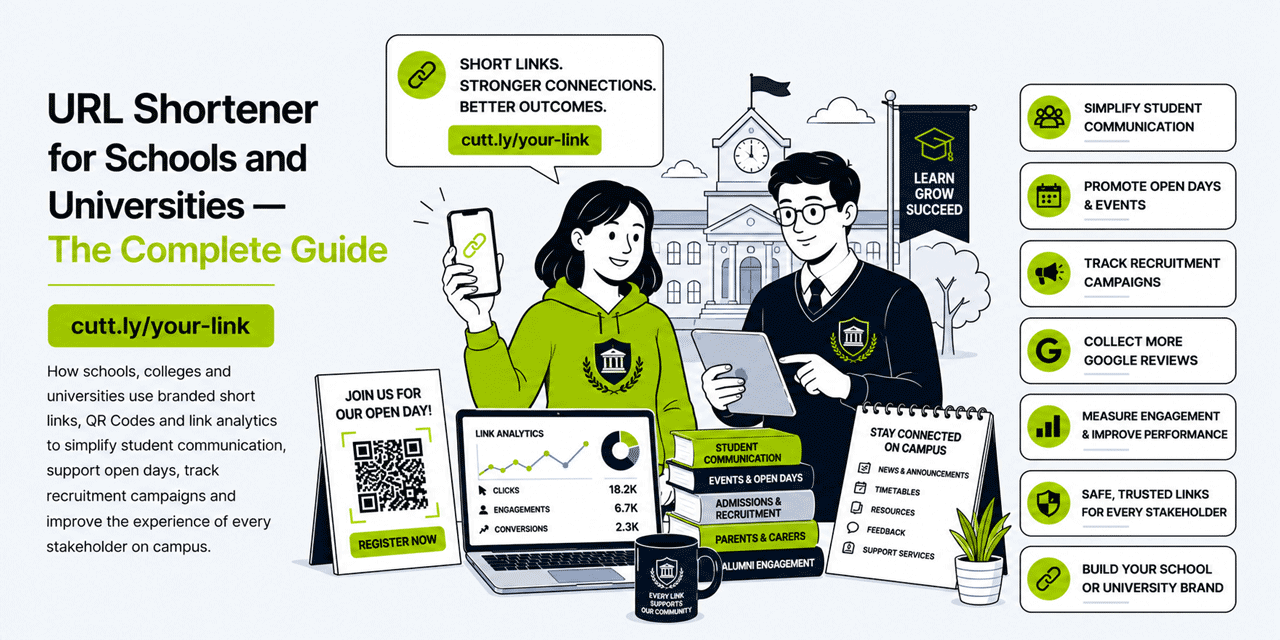
This guide covers practical, specific ways that schools, colleges and universities can use branded short links, QR Codes and link analytics to improve student communication, support open day and recruitment campaigns, simplify resource sharing on campus and track which marketing investments are generating genuine applicant interest. All examples use Cuttly's URL shortener, which is free to start and scales across departments and institutions.
What This Guide Covers
- Why educational institutions benefit from branded short links
- Student communication: replacing portal URLs in every format
- QR codes on campus: from library to lecture theatre
- Open days and applicant events: tracking and converting prospective students
- University recruitment campaigns: print, digital and social
- Printed prospectus and admissions materials
- Staff and internal communication links
- Library, IT and student services resource links
- Alumni communication and fundraising links
- Multi-department link management
- Cuttly plan guide for schools and universities
- Frequently asked questions
Why Educational Institutions Need Branded Short Links
Universities and schools communicate in a format that creates a specific and persistent problem: print. Prospectuses, course handbooks, assignment briefs, event flyers, campus signage and student letters are all printed with URLs in them. A long VLE portal URL, a learning management system link or an admissions application URL printed in a prospectus is difficult to type, easy to mistype and — when the underlying system changes — broken in every physical copy that has already been distributed.
A branded short link solves all three problems simultaneously. university.link/apply printed in a prospectus is easy to type, impossible to mistype and — because the link is dynamic — can be redirected to a new application portal URL without reprinting a single copy. The same logic applies to campus signage, lecture handouts and student letter templates.
The analytics layer adds a dimension that most educational institutions have not yet fully exploited. Universities spend significant budgets on recruitment — prospectus printing, open day events, digital advertising, social media content. Without link tracking, it is impossible to know which of these investments is generating genuine applicant interest. Short links with per-channel tracking give the marketing team evidence-based data on what is working and where to invest next year's budget.
Student Communication: Replacing Portal URLs in Every Format
The most immediate and highest-volume application of short links in an educational institution is student communication. Students receive dozens of communications per year — welcome emails, timetable announcements, assessment briefs, registration deadlines, welfare support information — and most of these contain links to portal pages, forms or resources.
Core Student-Facing Links
Create a set of permanent short links for the resources students access most frequently. These links can be distributed once — in the student handbook, in the welcome email, on the student noticeboard — and maintained dynamically without further communication when the underlying URLs change:
university.link/portal— the main student VLE or learning management systemuniversity.link/timetable— the timetable or scheduling systemuniversity.link/library— the library catalogue or digital resource portaluniversity.link/it-help— the IT helpdesk or support portaluniversity.link/welfare— student wellbeing and counselling servicesuniversity.link/careers— the careers and employability portal
When any of these underlying systems change — as they do with every LMS migration or portal upgrade — only the Cuttly destination needs to be updated. Every printed handbook, every old email, every noticeboard poster still works because the short link is permanent even when the destination is not.
Assessment and Submission Links
Assessment briefs distributed to students — whether printed or as PDFs — often contain links to submission portals, plagiarism checkers, grading rubric pages and module resources. These links are used by students under time pressure, often on a mobile device, sometimes in a library or study space where typing is inconvenient. A short link in a printed brief — university.link/submit-essay or university.link/rubric-2026 — is faster to type, easier to remember and works reliably regardless of whether the underlying URL has changed since the brief was printed.
Module-specific resource links — university.link/psych-101, university.link/law-readings — give students a permanent, pronounceable URL to the reading list or resource page for a specific module. Lecturers can share these links verbally in class and know students can type them from memory.
QR Codes on Campus: From Library to Lecture Theatre
A university campus is one of the richest environments for QR code deployment anywhere. Students carry smartphones everywhere, are comfortable scanning codes and move between physical spaces — lecture theatres, libraries, cafeterias, sports facilities, accommodation blocks — where digital signage is not always practical but printed signage is ubiquitous. A well-placed QR code on the right surface at the right moment eliminates the friction between a student's physical location and the digital resource they need.
Library and Resource Room QR Codes
Place QR codes at library study stations and subject-specific shelving areas, linking to the digital catalogue for that subject area, the e-journal database or the reading list for the module most associated with that section. A student browsing the psychology section who scans a QR code is taken directly to the digital psychology journal collection — eliminating the need to navigate the full catalogue.
Because Cuttly QR codes are dynamic, the librarian can update the destination each semester — routing to the current semester's recommended reading lists rather than maintaining a new QR code for each update.
Lecture Theatre and Seminar Room QR Codes
A QR code at the front of each lecture theatre — on the lectern card, on the screen border, or on a small plaque — can route students to the attendance registration system, the in-session polling tool, the session notes upload or the module VLE page. Lecturers who display a QR code on their opening slide for attendance registration remove the administrative friction of paper sign-in sheets without requiring students to navigate the full portal on a small screen.
Student Services and Welfare QR Codes
Welfare and student services QR codes placed in accommodation common rooms, the student union, the campus medical centre and counselling waiting areas give students a discreet, immediate path to support resources without needing to search or ask. A QR code poster in a university bathroom that links quietly to university.link/welfare or a mental health support page reaches students at a moment when they may need the resource but might not feel comfortable asking for it directly. This application of QR codes requires no marketing framing — it is a student welfare tool.
Equipment and Room Booking QR Codes
Equipment booking systems for studios, labs, media suites and specialist rooms are often navigated via complex portal paths that students find frustrating. A QR code on or next to the equipment — pointing directly to the booking page for that specific item or room — eliminates the navigation problem entirely. The student scans, lands on the right booking page and completes the reservation in seconds. Create a distinct QR code for each bookable resource so that analytics show which equipment is generating the most booking interest.
Open Days and Applicant Events: Converting Prospective Students
Open days are among the highest-investment marketing events that universities run. They require significant logistics, staff time and cost — and they target prospective students who are making decisions with long-term consequences. The link strategy at an open day should be as carefully considered as any other element of the event.
Open Day Registration Links
Create a dedicated short link for each open day event: university.link/open-day-june or university.link/open-day-autumn. Include this link in all pre-event marketing — printed flyers sent to schools, email campaigns to prospective student lists, social media posts and the university website. Track clicks to understand how many prospective students registered via each channel.
During the Open Day: QR Codes at Every Station
During the event itself, QR codes at each department stand, campus tour stopping point and information desk give visiting prospective students immediate access to relevant content without requiring them to remember a URL or wait for a brochure:
- Department stands: QR code linking to the course page, entry requirements and module breakdown
- Campus tour route markers: QR codes linking to a campus map, facility details or the student life page
- Accommodation display: QR code linking to the accommodation booking page or virtual tour
- Finance information desk: QR code linking to the scholarships, bursaries and tuition fee calculator
Because Cuttly QR codes are dynamic, all of these can be prepared in advance and updated if the destination URLs change before the event. The same physical QR code display can serve multiple open days with different destination pages.
Post-Open Day Follow-Up Links
After the open day, the follow-up email to attendees should include clearly labeled short links for the next steps: university.link/apply, university.link/ask-question, university.link/virtual-tour. Track clicks on these post-event links to measure how many open day attendees are progressing to the next stage of the application journey. This click data is a leading indicator of conversion that arrives weeks before the application deadline.
University Recruitment Campaigns: Print, Digital and Social
University recruitment operates across a wider range of channels than most businesses — school visits, UCAS fairs, printed prospectuses, email campaigns, paid digital advertising, organic social media and alumni word of mouth all run simultaneously during peak recruitment periods. Without per-channel link tracking, it is impossible to allocate recruitment budget intelligently across these channels.
Per-Channel Tracking Structure
Create a distinct short link for each recruitment channel, all pointing to the same application or course enquiry page:
| Channel | Short link | What the data tells you |
|---|---|---|
| Printed prospectus | university.link/prospectus |
How many prospectus recipients visit the application page |
| UCAS fair leaflet | university.link/ucas-fair |
How many fair attendees follow up after collecting the leaflet |
| School visit handout | university.link/school-visit |
Which school visit locations generate the most follow-through |
| Email newsletter | university.link/email-apply |
How many email recipients progress to the application stage |
| Instagram bio | university.link/instagram |
How much Instagram engagement converts to application interest |
| TikTok bio | university.link/tiktok |
Whether TikTok content is generating genuine applicant intent |
After a full recruitment cycle, this click data gives the marketing team evidence-based input for next year's budget allocation. If the school visit handout generates 40 clicks per visit and the UCAS fair leaflet generates 8 per fair, the ROI calculation becomes considerably more grounded than comparing headcounts and gut feelings.
Subject-Specific Recruitment Links
For universities with distinct marketing for individual faculties or programmes — medicine, law, arts, engineering — create subject-specific short links: university.link/medicine, university.link/law, university.link/engineering. These links route prospective students directly to the relevant course page rather than the general homepage, reducing navigation friction and improving the conversion rate from marketing contact to course page engagement.
Printed Prospectus and Admissions Materials
The printed prospectus is one of the most expensive and most permanent marketing materials a university produces. It is distributed to thousands of prospective students, parents and school advisors — and the URLs printed in it need to work for the entire validity period of that edition, which may be one to three years.
The Dynamic Prospectus Link
The most important application of dynamic short links in university marketing is the prospectus. Print university.link/apply in the prospectus rather than the full application portal URL. When the portal changes — as it does with every CRM upgrade or admissions system migration — update the Cuttly destination. Every prospectus in circulation immediately redirects correctly. Without this, a prospectus printed with a raw portal URL becomes partially broken every time a system changes.
The same principle applies to every other URL in the prospectus: scholarship pages, accommodation bookings, virtual tour links, open day registration. Each should be a dynamic short link that the marketing team controls, not a raw URL that depends on the underlying system remaining stable.
QR Codes in the Prospectus
Modern prospectuses increasingly include QR codes alongside or instead of printed URLs. A QR code in the prospectus — next to a campus photograph, next to a course description or on the back cover — gives the reader an immediate digital entry point without needing to type anything. Dynamic QR codes from Cuttly can be updated if the destination changes, and track how many prospective students are scanning the prospectus rather than just receiving it.
Staff and Internal Communication Links
Staff communication in a university or school generates exactly the same link problems as student communication — long HR portal URLs in email footers, complex IT system links in printed staff handbooks, policy document links that change with every annual review. Short links serve internal audiences as effectively as external ones.
Core Staff-Facing Links
Create a set of permanent short links for frequently accessed staff resources:
university.link/hr-portal— the HR self-service systemuniversity.link/staff-email— the webmail or email client loginuniversity.link/policies— the current staff policy document libraryuniversity.link/cpd— the continuing professional development booking systemuniversity.link/room-booking— the room and resource booking system
These links can be distributed in a laminated quick-reference card for staff desks, in the staff handbook and in induction materials for new employees. Because they are dynamic, they remain accurate regardless of system migrations or URL changes — without requiring reprinting or re-communication.
Meeting and Event Links
For recurring staff meetings, committee sessions or department briefings that use video conferencing, a persistent short link — university.link/dept-meeting — is more reliable and more memorable than sharing a video conferencing URL in every calendar invite. Staff can type the link directly without hunting through email history for the join link. If the video platform changes, update the Cuttly destination and the link continues to work.
Library, IT and Student Services Resource Links
The library, IT helpdesk and student services teams each manage a set of resources that students need to access reliably and repeatedly. These departments are often independent of the central marketing function — but they benefit from exactly the same short link approach.
Library Resource Links
The library can maintain a set of short links for its most frequently accessed digital resources — journal databases, e-book collections, interlibrary loan request forms, reading list tools. These links can be shared via QR codes at library study stations, in printed course reading lists and in the library's regular student newsletter. Because they are dynamic, the library team updates destinations when database providers change login portals or reorganize their content structure — without needing to update every communication in which the link has appeared.
IT Helpdesk Links
The IT helpdesk can create short links for the most common support requests: password reset portals, VPN download pages, software licensing pages and IT ticket submission forms. Including these short links in automated email responses, in the student portal and on campus signage near computer labs reduces inbound ticket volume by routing students to self-service resources they can actually find and use.
Alumni Communication and Fundraising Links
Alumni relations is a long-term communication challenge — former students may be reached only infrequently, via postal mail, email newsletters and social media, often years after graduation. Short links make every alumni communication more effective by replacing long development office URLs with branded, memorable links that work in print, email and digital formats simultaneously.
Alumni Giving Links
Create a dedicated short link for alumni giving or donation campaigns: university.link/give or university.link/donate. Include this link in the annual fund mailing, the alumni magazine, email campaigns and social media posts. Track clicks by channel to understand whether postal fundraising or email appeals generate more engagement — information that directly informs how to allocate the alumni relations budget.
Alumni Event and Reunion Links
Alumni reunion events, homecoming weekends and networking dinners require registration links that work reliably in postal invitations — a format that is still widely used in alumni communications for older graduate cohorts. A short link like university.link/reunion-2026 in a printed invitation is significantly more effective than a long event registration URL, and tracks how many postal recipients actually follow up online.
Alumni Newsletter and Magazine Links
An alumni magazine — printed or digital — contains numerous links to stories, research highlights, giving pages and event registrations. Short branded links throughout the magazine are cleaner in print and trackable in both formats. A printed alumni magazine with QR codes next to feature articles gives readers an immediate path to the full online story, the researcher's profile page or the related giving opportunity — turning a static print product into a multi-channel engagement tool.
Multi-Department Link Management
A large university may have dozens of departments — faculties, student services, the library, IT, HR, careers, alumni relations, the student union — each with their own communication needs and their own staff managing content. Coordinating link management across all of these without creating chaos or inconsistency requires a platform that supports multiple users and controlled access.
Cuttly Team Plan for Universities
Cuttly's Team plan provides a shared workspace with role-based access and multiple branded domains. A central marketing team manages the institution-wide branded domain and can set the overall link naming conventions. Individual departments — library, admissions, careers, student services — each have users who can create and manage links within their area without accessing other departments' data or the central account settings.
Branded Domains per Faculty or Service Area
For universities where different faculties or service areas have distinct brand identities — a medical school, a business school, an art college operating under the same university umbrella — separate branded domains can be registered and managed under the same Cuttly Team account. The medical school uses medschool.link/apply; the business school uses bizschool.link/mba; the central institution uses university.link/open-day. All are managed in one place with consolidated analytics.
Link Analytics: Understanding Student and Applicant Engagement
Cuttly's link analytics are aggregated and anonymized — individual student behavior is not tracked, only aggregate traffic patterns across marketing channels and communication materials. For a university, the most actionable metrics are:
| Metric | What it tells an educational institution |
|---|---|
| Clicks by recruitment channel link | Which channel (prospectus, school visit, social, email) generates the most prospective student engagement |
| Open day QR code scans | Which stands and information points attract the most interest during open day events |
| Student resource link clicks | Which student-facing resources are genuinely being accessed — useful for identifying under-utilized services |
| Alumni giving link clicks | Whether postal mail or email appeals generate more response — informs the fundraising channel mix |
| Click timing | When students and applicants are engaging with communications — useful for optimizing email send times and open day scheduling |
Practical Setup: Getting Started with Cuttly in a School or University
- Step 1 — Create your Cuttly account. Register at Cuttly. The Free plan lets you test the platform immediately using the cutt.ly domain.
- Step 2 — Choose your plan and connect a branded domain. For most institutions, the Team plan at $99 per month is the right choice — it provides multiple users, multiple domains and role-based access. Register a short branded domain and connect it in Cuttly.
- Step 3 — Inventory your highest-priority URLs. Start with the ten URLs that appear most frequently in student communications, recruitment materials and campus signage. Replace each with a short branded link in Cuttly.
- Step 4 — Generate QR codes for priority campus locations. Create dynamic QR codes for the library, student services noticeboard, open day stands and any printed materials currently in circulation. Download in high resolution for print.
- Step 5 — Set up department user accounts. Add users from admissions, library, student services, careers and any other department with active communication needs. Set appropriate access permissions for each user role.
- Step 6 — Integrate into the next printed materials cycle. When the prospectus, student handbook or any other printed material is next due for reprinting, replace all raw URLs with dynamic short links. This is the moment of maximum return on the investment.
Ready to start? Create a free Cuttly account and build your institution's first short links today. Registration required; free plan available with no credit card needed.
Cuttly Plan Guide for Schools and Universities
The Free plan ($0) provides access to the URL shortener using the cutt.ly domain and basic link analytics. Useful for a single department testing the platform before a wider rollout.
The Starter plan ($12/month) adds a branded custom domain, full link analytics and QR Code generation. Suitable for a small school, a single university department or an individual faculty managing its own communications independently.
The Single plan ($25/month) adds device targeting and expanded analytics. Useful for institutions that want to route mobile visitors — the majority of students — to mobile-optimized versions of portals and resource pages, while desktop users reach the full version.
The Team plan ($99/month) is the right plan for most schools and universities as an institution-wide deployment. Multiple users, multiple branded domains and role-based access support the complexity of multi-department link management while maintaining central oversight of brand consistency and analytics.
Frequently Asked Questions
Why would a school or university use a URL shortener?
Schools and universities communicate with students, parents, staff and prospective applicants across many channels — printed letters, email, SMS, social media, campus signage and presentations. A URL shortener creates short branded links that work reliably in all of these formats, replacing long portal URLs that are difficult to type from print, easy to mistype and impossible to remember.
How can QR codes be used in a school or university?
QR codes on campus are useful in dozens of contexts: library resources linked from noticeboard posters, assignment submission portals linked from printed brief sheets, open day registration linked from prospectus materials, event registration from printed flyers, and equipment or room booking systems accessible from a door sign. Cuttly dynamic QR codes can be updated at any time without reprinting, which is particularly valuable for resources that change each semester.
Can a university track which recruitment campaign generates the most applicant interest?
Yes. Create a unique short link for each recruitment channel — one for the printed prospectus, one for the open day leaflet, one for the email campaign, one for social media. Cuttly analytics show how many prospective students clicked each link and when, making it possible to compare the effectiveness of print versus digital recruitment channels and allocate future budget accordingly.
Are short links appropriate for sharing with students?
Yes, provided the destination content is appropriate for the age group and the link is branded and clearly labeled. A branded short link — for example school.link/library or university.link/portal — looks trustworthy and professional to students and parents alike. The institution controls the destination and can update it at any time.
Can a university use short links in printed prospectus materials?
Yes — and this is one of the clearest use cases. A printed prospectus with a short link like university.link/apply or university.link/open-day gives prospective students a direct, memorable path to the application or event registration page. Because the link is dynamic, the destination can be updated each year without reprinting the prospectus.
Which Cuttly plan is right for a school or university?
The Starter plan at $12 per month suits individual departments or small schools managing their own link needs. Larger universities with multiple departments, multiple campaigns and a central marketing team typically benefit from the Team plan at $99 per month, which provides multiple users, multiple branded domains and role-based access.
Can different university departments use Cuttly independently?
Yes. The Team plan supports multiple users with role-based access under one workspace and multiple branded domains. A central marketing team can manage the institution-wide domain while individual departments — admissions, library, careers, student services — manage their own links within the same account, each with appropriate access permissions.
- Education & Higher Education
- URL Shortener Tool →
- Link in Bio Builder →
- QR Code Generator →
- Related Guides
- URL Shortener for Education
- Cuttly for Educators
- URL Shortener for Online Courses
- Similar Verticals
- URL Shortener for Nonprofits
- URL Shortener for HR & Internal Comms
- Encyclopedia
- Branded Links
- Dynamic QR Codes
- Link in Bio
- Verticals Hub
- URL Shortener for Every Industry →
- Start Here
- Create Free Account
- Plans & Pricing
URL Shortener
Cuttly simplifies link management by offering a user-friendly URL shortener that includes branded short links. Boost your brand’s growth with short, memorable, and engaging links, while seamlessly managing and tracking your links using Cuttly's versatile platform. Generate branded short links, create customizable QR codes, build link-in-bio pages, and run interactive surveys—all in one place.
Cuttly - Consistently Rated
Among Top URL Shorteners
Cuttly isn’t just another URL shortener. Our platform is trusted and recognized by top industry players like G2 and SaaSworthy. We're proud to be consistently rated as a High Performer in URL Shortening and Link Management, ensuring that our users get reliable, innovative, and high-performing tools.


