URL Shortener for Email Marketing The Complete Guide
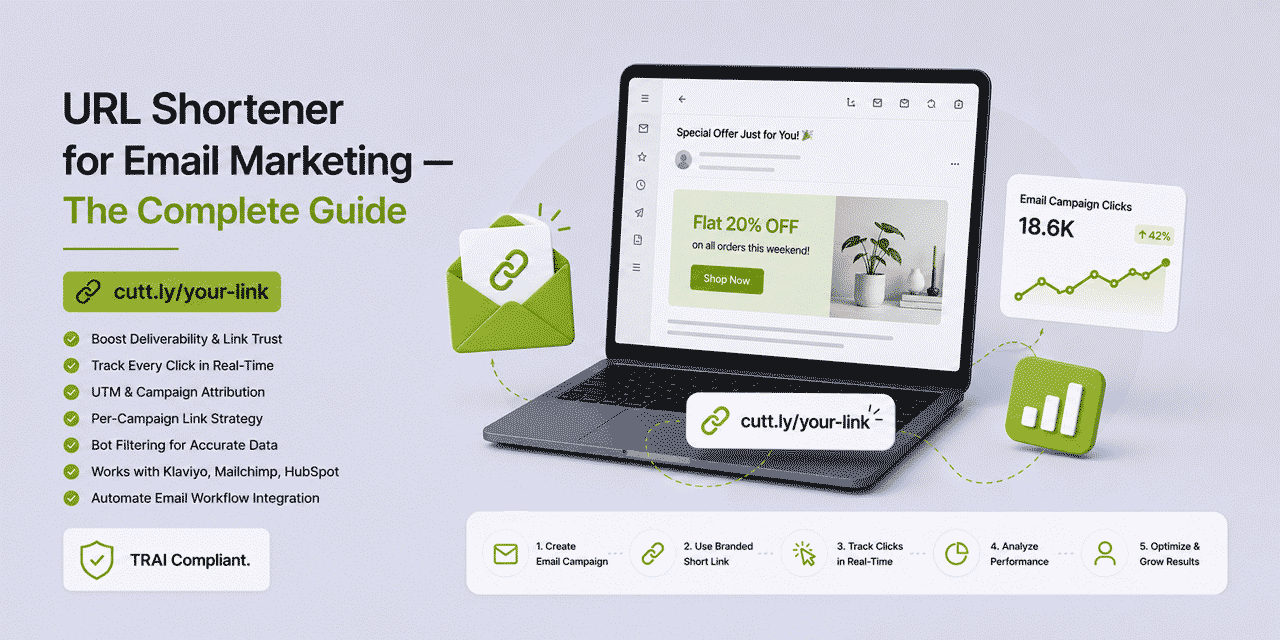
Email is where most marketers spend the most time managing links — multiple CTAs per campaign, complex UTM parameter structures, concerns about deliverability, inflated click rates from security bots, and the challenge of maintaining consistent analytics across dozens of campaigns per month. A URL shortener solves several of these challenges simultaneously — but only when used correctly. Using a generic shortener domain in email can actively hurt deliverability. Using a branded custom domain short link with proper UTM parameters and bot-filtered analytics improves every dimension of email link management.
What This Guide Covers
- Should you use a URL shortener in email? The honest answer
- Generic shorteners vs branded domains — deliverability impact
- Cuttly click tracking vs email platform tracking
- Bot click inflation — what it is and how Cuttly filters it
- UTM parameters for email — setup and naming conventions
- Per-campaign link strategy — how many links, which slugs
- Newsletter link management
- Transactional email links
- Lifecycle email sequences — link tracking across the funnel
- Klaviyo + Cuttly workflow
- Mailchimp + Cuttly workflow
- HubSpot + Cuttly workflow
- Dynamic links in email — update after sending
- A/B testing email links
- Email link analytics in practice
- Cuttly plan guide for email marketers
Should You Use a URL Shortener in Email? The Honest Answer
The answer depends entirely on which type of short link you use.
Generic shortener domains in email = deliverability risk. Email security systems — spam filters, security gateways — recognize these domains as high-risk and flag messages containing them. Using a generic shortener in your email campaigns can measurably reduce deliverability and inbox placement rates.
Branded custom domain short links in email = safe and beneficial. A branded short link using your own domain — yourbrnd.link/spring-sale — is treated by email security systems identically to a full URL on your own domain. It is your domain; it carries your sending reputation; it is not associated with generic shortener spam patterns. Branded short links in email provide clean presentation, independent analytics and UTM parameter delivery with no deliverability risk.
The practical implication: if you are considering using Cuttly short links in email, use them with a branded custom domain (Starter plan and above) — never with the generic cutt.ly domain. This one distinction determines whether URL shortening in email is a liability or an asset.
Generic Shorteners vs Branded Domains — Deliverability Impact
Email deliverability is determined by dozens of signals that inbox providers (Gmail, Outlook, Apple Mail, Yahoo) and corporate spam filters evaluate for each incoming message. URL domains in the message body are one of these signals. Here is how different URL types are evaluated:
| URL type | Example | Spam filter signal | Recommended for email? |
|---|---|---|---|
| Full destination URL | yoursite.com/page?utm_source=... | Neutral — your domain | Yes, but messy |
| Generic shortener | cutt.ly/x7Qz3m | Elevated risk — shared domain | No |
| Branded short link | yourbrnd.link/spring-sale | Neutral — your domain | Yes — recommended |
| Email platform tracking link | click.klaviyo.com/... | Recognized — ESP domain | Handled automatically |
The deliverability issue with generic shorteners is not theoretical. Spam filter databases are updated continuously as new phishing campaigns use generic shortener URLs. A legitimate email containing a generic shortener link can trigger a spam filter that was updated yesterday because yesterday's phishing wave used the same shortener domain. Your domain reputation is irrelevant — the shared shortener domain's reputation is what matters to the filter. A branded custom domain has no shared reputation risk.
Apple Mail Privacy Protection
Apple Mail Privacy Protection (MPP), introduced in iOS 15 and macOS Monterey, pre-fetches all email content including links — effectively pre-clicking every link in every email opened in Apple Mail. This inflates open rates (the pre-fetch registers as an open) and click rates (the pre-fetch registers as a click). For email platforms that report click rates, MPP can make campaign performance appear significantly higher than the genuine human engagement rate.
Cuttly's bot filtering automatically identifies and excludes Apple MPP pre-fetches from click analytics — distinguishing genuine human clicks from automated pre-fetch activity. This provides a more accurate engagement rate than email platform reporting for audiences with high Apple device penetration.
Cuttly Click Tracking vs Email Platform Tracking
Every major email marketing platform — Klaviyo, Mailchimp, HubSpot, Omnisend, Campaign Monitor, ActiveCampaign — wraps links in their own tracking redirects. When a subscriber clicks a link in your email, the click goes through the ESP's tracking URL before reaching the destination. This is how the ESP reports click data.
Cuttly and email platform tracking are complementary, not competing. Here is what each provides:
| Dimension | Email platform (Klaviyo etc.) | Cuttly |
|---|---|---|
| Per-subscriber click data | Yes — which subscriber clicked which link | No — aggregate data only |
| Total and unique clicks | Yes | Yes — with bot filtering |
| Device breakdown | Limited | Full — type, OS, browser |
| Geographic data | Limited | Country level |
| Click timing heat map | Some platforms | Yes — hourly |
| Bot filtering | Varies — often poor | Automatic on all plans |
| Cross-channel comparison | Email only | All channels in one view |
| Data persistence | Tied to ESP subscription | Persists in Cuttly account |
| API access to data | Varies — often limited | Full API access |
The most important practical difference: Cuttly's click data persists in your Cuttly account regardless of whether you switch email platforms. If you move from Mailchimp to Klaviyo, your Mailchimp click history stays in Mailchimp. Your Cuttly click history stays in Cuttly — a consistent analytics record across all email platforms and all channels you have ever used.
Bot Click Inflation — What It Is and How Cuttly Filters It
Email security bots — corporate spam gateways, malware scanners, Apple MPP, Microsoft SafeLinks, Google Safe Browsing checks — automatically click links in emails to verify that destinations are not malicious. These automated clicks are counted as real clicks by most email platforms, inflating reported click rates by 20-60% depending on the audience's email client mix.
For email marketers, bot click inflation creates two problems: it overstates campaign performance, leading to falsely optimistic interpretation of results; and it contaminates behavioral data used for segmentation — subscribers marked as "highly engaged" because of bot clicks may not actually be engaged at all.
Cuttly filters bot clicks automatically using multiple signals: click timing patterns (security bots typically click all links in a message simultaneously within seconds of delivery), user agent strings (bots identify themselves in their user agent), IP address patterns (known bot IPs and security gateway IPs), and behavioral anomalies (a single IP clicking thousands of different links). Filtered clicks are excluded from your Cuttly analytics, providing a count that more closely reflects genuine human engagement.
For email marketers comparing Cuttly click data with email platform click data: Cuttly's count will typically be lower — this is the intended behavior. Cuttly's count is the more accurate estimate of genuine human clicks. The difference between the two numbers is an estimate of bot click volume in your email audience — useful information for calibrating how much to trust your email platform's reported click rates.
UTM Parameters for Email — Setup and Naming Conventions
UTM parameters are the primary mechanism for attributing email-driven sessions and conversions in GA4. Without UTM parameters, email traffic appears in GA4 as "direct" — indistinguishable from someone typing your URL directly into a browser. With UTM parameters, GA4 shows exactly which email campaign drove each session, with full conversion attribution.
Cuttly's built-in UTM builder generates tagged destination URLs without manual string construction. The short link remains clean — yourbrnd.link/spring-sale — while the destination URL carries the full UTM parameter string through the redirect.
Recommended Email UTM Convention
| Parameter | Value convention | Example |
|---|---|---|
utm_source | email (always for email) | email |
utm_medium | email type — newsletter, promotional, transactional, lifecycle | newsletter |
utm_campaign | campaign name — slug format, no spaces | spring-sale-2026 |
utm_content | CTA identifier within the email | hero-cta, second-cta, footer-link |
utm_term | segment identifier (optional) | vip-segment, new-subscribers |
The utm_content parameter is particularly valuable in email — it distinguishes between multiple CTAs within the same email. If your campaign email has three buttons (hero CTA, secondary CTA, footer link), each with a unique utm_content value and a unique Cuttly link, GA4 shows which CTA position drove the most sessions and conversions. This data directly informs email template design — where to place the primary CTA for maximum conversion impact.
Consistent UTM Naming Across the Team
UTM parameter values are case-sensitive in GA4 — email, Email and EMAIL appear as three separate sources. For teams where multiple people create email links, establishing and enforcing a UTM naming convention prevents data fragmentation in GA4. Document the convention (lowercase, hyphens not underscores in campaign names, standard medium values) and enforce it through Cuttly's link creation workflow — the UTM builder in Cuttly can be used as the team's standard link creation interface, ensuring consistent UTM structure across all email campaigns.
Per-Campaign Link Strategy
The question most email marketers face is how granular to be with link creation — one link per email, one per CTA, or even more granular than that. Here is a practical framework:
Minimum: One Link Per Campaign
If all CTAs in an email lead to the same destination, a single Cuttly link (with unique UTM parameters for the campaign) provides campaign-level click data — total clicks from the email campaign, device breakdown, timing. This is the minimum useful level of link tracking for email.
Standard: One Link Per CTA
If an email has multiple CTAs leading to different destinations — "Shop the sale", "View new arrivals", "Read the blog post" — each CTA gets a unique Cuttly link with unique UTM content parameters. After the campaign, per-CTA click data shows which content blocks and destinations generated the most engagement. This is the standard recommended approach for promotional emails.
Advanced: One Link Per Segment Per CTA
For segmented email sends — VIP subscribers receive a different email than general subscribers — create unique Cuttly links per segment per CTA. Four segments × three CTAs = twelve unique links for one campaign send. The resulting analytics show per-segment engagement per content block — a rich dataset for understanding what resonates with each audience segment. This level of granularity is appropriate for high-value campaigns with significant send volumes.
Newsletter Link Management
Weekly or monthly newsletters typically contain multiple links — featured articles, sponsored content, product recommendations, social follow buttons, event announcements. Managing these links well creates a cumulative analytics asset that grows more valuable over time.
Best practices for newsletter link management with Cuttly:
- Consistent slug naming. For recurring newsletter sections — the featured article is always
yourbrnd.link/nl-feature-[date], the sponsor link is alwaysyourbrnd.link/nl-sponsor-[date]— the naming convention makes link libraries searchable and analytics comparable across issues. - Campaign tagging per issue. Tag all links from a newsletter issue to a single campaign in Cuttly. The Campaigns dashboard shows the total click performance of each newsletter issue — total clicks across all links, not just the most-clicked individual link.
- Archive links remain trackable. Newsletter archives published on the web contain the same Cuttly links. Clicks from archived newsletters — which can drive traffic months or years after publication — are captured in the same Cuttly analytics, distinguishable from live newsletter clicks by their timing pattern.
- Forwarded newsletter attribution. When subscribers forward your newsletter, recipients who click links in the forwarded email click the Cuttly branded link. Cuttly tracks these clicks; the email platform typically does not (forwarded clicks are outside the ESP's tracking). This provides visibility into forwarding-driven engagement that email platforms cannot capture.
Transactional Email Links
Transactional emails — order confirmations, shipping notifications, password resets, account activations, booking confirmations — are the highest-open-rate emails in any email programme. Open rates of 60-80% are typical, compared to 20-30% for promotional emails. This makes the links in transactional emails some of the most-viewed links in your entire email operation.
Yet transactional email links are the least tracked. Most order confirmation emails contain a raw URL to the order status page. Most shipping notifications contain a raw carrier tracking URL. Most password reset emails contain a complex reset token URL. None of these are typically tracked with UTM parameters or branded short links.
Applying Cuttly branded short links and UTM parameters to transactional emails transforms them from functional messages into analytics-generating touchpoints. Tracking which links in transactional emails are clicked — order details, delivery tracking, "you might also like" recommendations — provides data on post-purchase engagement that most email programmes completely miss.
For ecommerce transactional emails specifically: a "You might also like" section in an order confirmation email, with Cuttly tracked links to related products, generates measurable cross-sell data. Over time, this data shows which product combinations are most likely to generate repeat purchases — information that feeds back into both product recommendations and email personalization.
Lifecycle Email Sequences — Link Tracking Across the Funnel
Lifecycle email sequences — welcome series, onboarding sequences, nurture flows, win-back campaigns — contain links at every stage of the customer journey. Tracking these links with Cuttly provides a multi-stage engagement picture:
Welcome sequence: Which email in the welcome sequence drives the most clicks to the product or service? Is it Email 1 (immediately after sign-up, high intent), Email 3 (follow-up after no purchase, re-engagement), or Email 5 (final welcome offer)? Per-email Cuttly link data answers this directly.
Onboarding sequence: Which feature introduction email drives the most clicks to the feature? For SaaS products with multi-feature onboarding sequences, identifying which features generate the most engagement from new users informs both the sequence order and the product development priority.
Win-back campaign: A five-email win-back sequence for lapsed customers uses a different Cuttly link in each email — tracking which email in the sequence re-engages the most lapsed subscribers. This data shows the optimal number of win-back emails and the most effective message in the sequence.
Klaviyo + Cuttly Workflow
Klaviyo is the leading email marketing platform for ecommerce. It provides per-subscriber click tracking, revenue attribution and behavioral segmentation. Cuttly complements Klaviyo by adding independent aggregate analytics, bot-filtered click data and cross-channel comparison.
The Klaviyo + Cuttly workflow:
- Create Cuttly branded short links for each CTA in the Klaviyo email template — using the Cuttly UTM builder to add Klaviyo-consistent UTM parameters
- Use the Cuttly short link as the href in the Klaviyo template button — Klaviyo wraps it in its own tracking redirect on top
- Send the campaign through Klaviyo as normal
- Monitor: Klaviyo for per-subscriber click data and revenue attribution; Cuttly for aggregate bot-filtered click data, device breakdown and timing
For Klaviyo flows (automated sequences), create a unique Cuttly link per flow email per CTA — tagged to a Cuttly campaign matching the flow name. Flow performance data in Cuttly shows which flow emails drive the most engaged clicks over time, independent of Klaviyo's flow reporting.
Automation via Zapier: when a new Klaviyo campaign is created, a Zapier automation can trigger Cuttly link creation for the campaign's primary CTA — automatically generating a campaign-tagged branded short link and storing it for insertion into the Klaviyo template.
Mailchimp + Cuttly Workflow
Mailchimp is the most widely used email platform globally. Its click tracking wraps all links in its own mcusercontent.com tracking domain. Using Cuttly branded short links within Mailchimp provides branded link presentation (rather than mcusercontent.com appearing in link previews) and independent analytics.
In Mailchimp's campaign builder, replace raw destination URLs with Cuttly branded short links in button and text link elements. Mailchimp will still wrap these in its own tracking — but recipients see your branded domain in the link text and Cuttly tracks the clicks independently.
For Mailchimp users who also use Make or Zapier: a Make scenario can automatically create Cuttly links for each new Mailchimp campaign based on campaign name and UTM parameters defined in the scenario — reducing manual link creation to zero for teams with consistent campaign structures.
HubSpot + Cuttly Workflow
HubSpot's email marketing module tracks clicks within HubSpot's CRM context — associating clicks with contact records, deal stages and lifecycle stages. This contact-level attribution is HubSpot's primary analytics value. Cuttly's aggregate analytics complement HubSpot by providing device and timing data that HubSpot's email reporting does not prioritize.
For HubSpot marketing email, the Cuttly workflow is identical to Klaviyo and Mailchimp — Cuttly branded short links as the href values in HubSpot email templates, with HubSpot's own tracking layered on top. The combination gives: HubSpot's contact-level attribution (which deal progressed after which email); Cuttly's aggregate engagement quality data (device breakdown, timing, bot filtering).
HubSpot + Zapier + Cuttly: HubSpot workflows can trigger Zapier automations — for example, when a HubSpot deal moves to a new stage, Zapier creates a Cuttly short link for the relevant follow-up email asset and stores it in HubSpot as a contact property. The follow-up email template uses this stored short link, ensuring each contact receives a uniquely tracked link for their stage-specific content.
Dynamic Links in Email — Update After Sending
Once an email is sent, the links in it cannot be changed. But with Cuttly branded short links, the destinations of those links can be updated at any time — including after sending. This dynamic link capability has several practical applications in email:
- Sale ends early — an email promoting a 72-hour flash sale is sent. The sale sells out in 24 hours. Update the Cuttly link destination from the sale page to a "sale ended — see new arrivals" page. Recipients who click the email after the sale ends land on useful content rather than a confusing expired promotion.
- Page URL changes — a destination page is migrated during a website rebuild. Update the Cuttly link destinations across all previously sent emails in one operation via the Cuttly dashboard or API. All historical email links continue working.
- Content update — a resource linked in a newsletter is updated to a new version at a new URL. Update the Cuttly link destination — all subscribers who saved the email and click the link later receive the updated content.
- Event registration closes — an event email links to a registration page. When registration closes, update the Cuttly link to redirect to a waitlist page rather than a "registration closed" error. Latecomer clicks become waitlist additions rather than dead ends.
A/B Testing Email Links
Cuttly's A/B rotation feature allows a single short link to split traffic between two destination URLs — 50% to version A, 50% to version B. For email A/B testing of landing pages (rather than email content), this approach distributes traffic without needing the email platform to manage the split:
Create one Cuttly A/B link pointing 50% of clicks to landing page variant A and 50% to variant B. Use this single link in the email. All subscribers receive the same email with the same link — but half arrive at variant A and half at variant B. Compare GA4 conversion data for both variants after the campaign. Unlike email platform A/B testing (which splits the send list), this approach tests the landing page rather than the email content — giving a cleaner signal about which landing page converts better.
Cuttly Plan Guide for Email Marketers
The Free plan ($0) provides link shortening and basic analytics on the cutt.ly domain. Not recommended for email — the cutt.ly domain in email links carries deliverability risk. Only use the free plan for testing Cuttly's interface before upgrading.
The Starter plan ($12/month) adds a branded custom domain — the minimum recommended plan for email marketing. With a branded domain, short links in email are safe and beneficial. Full analytics, bot filtering, dynamic link destinations and 300 links per month.
The Single plan ($25/month) adds link expiration (useful for time-limited promotional links), A/B rotation testing, retargeting pixels and five branded domains. Suitable for email marketers running multiple brands or managing A/B tests on landing pages via email traffic.
The Team plan ($99/month) suits email marketing teams where multiple people manage campaigns across multiple brands — shared branded domains, campaign tagging, role-based access and the Team API for automated link creation in email template workflows.
Create a free Cuttly account and upgrade to Starter to start using branded short links in your email campaigns safely. Registration required; free plan available with no credit card needed.
Frequently Asked Questions
Should I use a URL shortener for email marketing?
Yes — but only with a branded custom domain. Generic shortener domains in email can trigger spam filters and hurt deliverability. A branded short link (yourbrnd.link/campaign) is treated identically to a full URL on your own domain — safe, professional and fully tracked.
Do short links in email hurt deliverability?
Generic shortener domain links can hurt deliverability because they are associated with spam and phishing. Branded custom domain short links do not carry this risk — your brand domain's reputation is determined by your own sending behavior, not by other users of a shared domain.
What is the difference between email platform click tracking and Cuttly click tracking?
Email platforms provide per-subscriber click data — which specific subscriber clicked which link. Cuttly provides aggregate click data — total clicks, unique clicks, device breakdown, country data, bot-filtered click count. Both are useful; they measure different dimensions. Cuttly's data persists regardless of email platform changes and is comparable across all channels.
How do I use UTM parameters with email short links?
Add UTM parameters to the destination URL before creating the Cuttly short link. The short link stays clean; the destination carries utm_source=email, utm_medium=newsletter, utm_campaign=campaign-name and utm_content=cta-position through the redirect. Use Cuttly's built-in UTM builder to generate tagged destination URLs without manual string construction.
What is bot click inflation in email marketing?
Email security tools automatically click links in emails to check for malicious destinations before displaying the message. These automated clicks inflate reported click rates by 20-60%. Cuttly applies automatic bot filtering to all link analytics, excluding non-human clicks and providing a more accurate measure of genuine human engagement.
- Cuttly Tools
- URL Shortener Tool →
- Link Analytics →
- Branded Domains →
- Campaigns →
- Integrations
- Zapier →
- Make →
- All Integrations →
- Related Guides
- Track Links in Email Campaigns
- URL Shortener for SMS
- URL Shortener for Newsletters
- URL Shortener for Ecommerce
- Link Analytics Guide
- Branded Short Links Guide
- Encyclopedia
- Branded Links
- All Industries →
- Start Here
- Create Free Account
- Plans & Pricing
URL Shortener
Cuttly simplifies link management by offering a user-friendly URL shortener that includes branded short links. Boost your brand’s growth with short, memorable, and engaging links, while seamlessly managing and tracking your links using Cuttly's versatile platform. Generate branded short links, create customizable QR codes, build link-in-bio pages, and run interactive surveys—all in one place.
Cuttly - Consistently Rated
Among Top URL Shorteners
Cuttly isn’t just another URL shortener. Our platform is trusted and recognized by top industry players like G2 and SaaSworthy. We're proud to be consistently rated as a High Performer in URL Shortening and Link Management, ensuring that our users get reliable, innovative, and high-performing tools.


