URL Shortener for Mobile Apps The Complete Guide
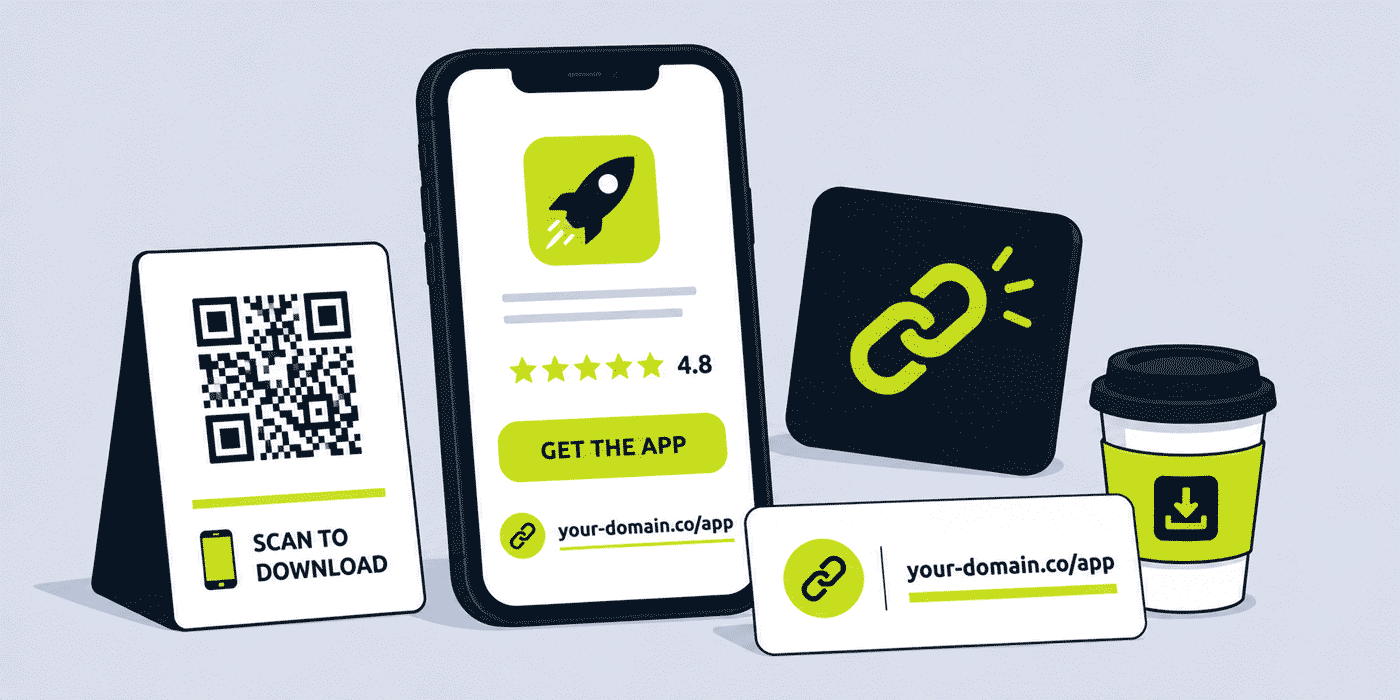
A mobile app's growth depends on getting the right user to the right store page with as little friction as possible. Every additional step in the path from a user's first encounter with an app — in a social media post, a podcast mention, an out-of-home advertisement, an influencer video, a press article — to opening the app store and tapping Install reduces the conversion rate. A well-structured short link removes several of those steps simultaneously: it sends the user to the correct store for their device, provides click analytics independent of any single platform's tracking, and presents a branded, trustworthy appearance rather than a long platform-generated URL that reveals nothing about the product behind it.
This guide covers how mobile app companies — consumer apps, productivity tools, gaming apps, health and fitness apps, fintech apps, and any other app seeking to grow its user base — use a URL shortener, branded custom domain, dynamic QR Codes and click analytics across user acquisition, influencer campaigns, out-of-home advertising, re-engagement and app store optimization contexts.
What This Guide Covers
- App store smart redirects — one link for iOS and Android
- Per-channel download link attribution
- Influencer and creator campaign links
- QR Codes in out-of-home and print advertising
- App launch and pre-launch campaign links
- Re-engagement and win-back campaign links
- In-app referral programme links
- Press kit and media links for app launches
- The relationship between short links and deep links
- A worked example: a consumer app's link stack across a user acquisition campaign
- Common mistakes with app download links
- A Cuttly plan guide for mobile app companies
- Frequently asked questions
App Store Smart Redirects
The most fundamental link management challenge for any app with both iOS and Android versions is that there are two separate store listings, on two separate platforms, with two separate URLs. Every piece of marketing content that promotes a download needs to decide: do we link to the App Store, to Google Play, or to both?
Linking to both requires either two separate links (cluttering the caption or mention) or a landing page that shows both options (adding a step). Neither is ideal when the goal is to minimize friction between encountering the app and installing it.
A short link configured to detect the user's operating system and redirect accordingly — iOS users to the App Store, Android users to Google Play, desktop users to a web landing page or a page showing both options — handles this automatically. A single link such as your-app.com/download or cutt.ly/app-name can appear everywhere, and every user lands on the correct store for their device without any additional decision or click.
Setting Up the Smart Redirect
The smart redirect destination for a mobile app short link is typically a page that includes device detection logic, either on the app's own website or via a link management platform's redirect configuration. The short link points to this detection page or uses the link management platform's built-in device targeting. The result is a single short link that correctly handles every device type without any additional infrastructure.
The practical benefit extends beyond user convenience: because every download campaign uses the same single short link, all click analytics for that campaign are consolidated in one place regardless of which operating system the user clicked from. The team can see total clicks, total iOS clicks and total Android clicks in the same dashboard, rather than managing two separate links with two separate analytics views.
Per-Channel Download Link Attribution
Most mobile app growth teams already use mobile measurement partners (MMPs) such as Adjust, AppsFlyer or Branch to track install attribution at the campaign level. Short links provide a complementary top-of-funnel measurement layer: clicks on a short link show how many people were interested enough to click through to the store listing, before any install decision has been made. Comparing click-to-install conversion rates across channels gives the growth team a picture of audience quality that install numbers alone cannot provide.
Per-Channel Link Structure
For any significant user acquisition campaign, creating a separate short link per channel gives independent click analytics per source:
your-app.com/dl-instagram— Instagram bio and story linksyour-app.com/dl-tiktok— TikTok bioyour-app.com/dl-email— email newsletter and lifecycle campaignsyour-app.com/dl-podcast— podcast ad readsyour-app.com/dl-pr— press coverage and review sitesyour-app.com/dl-ooh— out-of-home QR Codes (see below)
All of these point to the same smart redirect destination. Click analytics per channel, aggregated and anonymized, show which source drives the most interest in downloading. Over multiple campaigns, this data builds into a reliable picture of which channels attract the most engaged potential users for that specific app — a picture that is more reliable than industry benchmarks because it is specific to the app's actual audience.
Influencer and Creator Campaign Links
Influencer and creator partnerships are a significant user acquisition channel for many consumer apps. A creator with a relevant audience can drive meaningful install volumes from a single piece of content — but measuring the actual contribution of each creator requires per-creator attribution data that most app stores and social platforms do not provide by default.
Per-Creator Link Structure
For each creator partnership, the app team creates a short link pointing to the app store smart redirect: your-app.com/creator-name or your-app.com/username. This link is shared with the creator to include in their bio, in video descriptions, in story links, and in any other placement agreed in the partnership brief.
Click analytics for each creator's link — aggregated and anonymized — show how many viewers clicked through from that creator's content to the store listing. This data complements whatever download attribution an MMP provides for the same campaign, adding a click-level signal that shows top-of-funnel engagement with each creator's audience before the install decision.
For creators who include a spoken mention in video content — "use my link in the description" or "go to your-app.com/creator-name" — the spoken format of the link matters in the same way it does for radio: short, descriptive, unambiguous when heard rather than read. A creator link that reads and sounds like your-app.com/username is more effective spoken than your-app.com/dl-username-campaign-q3.
QR Codes in Out-of-Home and Print Advertising
Out-of-home advertising — billboards, bus shelters, transit cards, underground or metro advertising, poster sites — is an effective channel for consumer app awareness but notoriously difficult to measure. A QR Code generated from a dynamic short link and printed on OOH materials provides a direct measurement layer for physical advertising that standard outdoor reach measurement cannot replicate.
OOH QR Code Design and Function
A QR Code on a transit card or underground poster is scanned by a commuter on a mobile device, which means it should resolve to the app store directly — the scanning device is already a smartphone, so the smart redirect to the correct store happens immediately after the scan. This is one of the highest-friction-free paths from OOH exposure to app store visit available to an app marketer.
Because the QR Code is dynamic, the destination can be updated when a campaign ends. A launch campaign QR Code that pointed to a "now live in the App Store" landing page can be redirected to the standard app store listing once the launch period is over, so any poster or card that remains in circulation after the campaign ends still sends the scanner to a useful destination rather than a dead page.
Per-Placement OOH Attribution
For app companies running OOH campaigns across multiple placements or formats, separate short links per placement type — your-app.com/dl-billboard, your-app.com/dl-transit, your-app.com/dl-underground — allow the team to compare engagement across different OOH formats. Underground advertising in a commuter context typically generates higher QR Code scan rates than roadside billboards because commuters have time and attention during their journey; transit card advertising benefits from very close reading distance. Per-placement click data confirms or challenges these assumptions with actual performance data.
App Launch and Pre-Launch Campaign Links
An app launch follows a predictable sequence of link needs: a pre-launch waitlist or notification page, a launch-day App Store and Play Store listing, a press coverage and review page, and a post-launch user acquisition phase. Each phase benefits from a consistent short link structure that can be updated as the launch progresses rather than requiring new links to be shared for each phase.
Pre-Launch Waitlist Links
A short link pointing to the pre-launch waitlist or beta sign-up page — your-app.com/early-access or your-app.com/waitlist — is shared across social media profiles, in press coverage, and in any early marketing content during the pre-launch period. When the app goes live, this same link is updated to point to the app store listing, so every previous mention of the pre-launch link automatically converts to a download link on launch day without any new content needing to be created.
Press Kit Links for App Launches
A short link for the app's press kit — your-app.com/press — containing screenshots, app descriptions, founder bios, demo video links and review access details gives journalists and review sites a single, stable access point for all press materials. When materials are updated between a press preview period and the public launch, the short link destination is updated; journalists who bookmarked or saved the press link always access the current version.
Re-Engagement and Win-Back Campaign Links
Not all mobile app links are for user acquisition. Re-engagement campaigns — targeting users who installed the app but have not opened it recently — and win-back campaigns targeting churned users both use links as the primary call to action in push notifications, email re-engagement sequences, and retargeting ads.
For email re-engagement campaigns, a short link in the email body — pointing to the app's web presence or to a deep link that opens the app directly on relevant content — provides click analytics showing how many inactive users engaged with the re-engagement email. Comparing re-engagement click rates across different email creative approaches gives the growth team data to optimize the re-engagement sequence without needing to wait for full in-app engagement metrics, which take longer to accumulate.
In-App Referral Programme Links
Referral programmes — where existing users share a link that gives new users a benefit on sign-up, and gives the referring user a reward when the new user installs and takes a qualifying action — are a significant growth mechanism for many consumer apps. The referral link is the primary mechanism through which word-of-mouth growth is captured and measured.
While most referral systems generate unique per-user referral URLs natively, wrapping these in short links gives the referring user a cleaner, more shareable link to send to friends — and gives the app team a consistent link format across the entire referral programme rather than the diverse, platform-generated URL formats that different referral systems produce. A short link that resolves to a referral landing page also ensures the referral works whether the recipient already has the app installed or not, directing app users to in-app content and new users to the app store.
The Relationship Between Short Links and Deep Links
A common point of confusion in mobile app link management is the distinction between short links and deep links, and how they work together. They solve different problems and are used in different contexts, but are often combined in a single link flow.
A short link redirects a user to a web destination — typically an app store page, a landing page, or a web version of app content. It is device-agnostic and works in any context where a URL can be shared: social media bios, email, SMS, printed QR Codes, podcast show notes.
A deep link is a URL that opens a specific screen or piece of content within an installed mobile app. Deep links work only for users who already have the app installed; for users who do not have the app, a deep link either fails silently or opens a browser to a web fallback page.
In a combined flow, a short link serves as the outer layer: the URL that is shared publicly, tracked for clicks, and smart-redirected by device. When the short link is clicked on a device that already has the app installed, the redirect can trigger a deep link to open the app at the relevant content. When clicked on a device without the app installed, the redirect sends the user to the app store. This combined approach — short link as the tracking and routing layer, deep link as the in-app destination for existing users — provides both acquisition tracking and re-engagement depth in a single link.
A Worked Example: A Consumer App's Link Stack
Consider a consumer productivity app launching with a branded domain such as your-app.com, connected through Cuttly's custom domain setup (an A record and a TXT record — see the custom domain setup guide).
Pre-launch: /waitlist points to the early access sign-up page. This link goes into the founding team's LinkedIn profiles, press outreach, and a Product Hunt "coming soon" page. Four hundred people click it in the first two weeks; 68% are on iOS, 32% on Android, giving the team a device split to inform app store optimization priority.
Launch day: /waitlist is redirected to the smart redirect page. /press is updated with final screenshots and the App Store link. Five tech review sites click the press link in the first 48 hours; click analytics show all five access the press pack, but only three click through to the store from it — useful data for the PR team about which reviewers are actively progressing toward coverage.
Post-launch user acquisition: the growth team runs creator campaigns with five creators. Each gets their own link: /cr-creator1 through /cr-creator5. Two weeks in, creator3 has driven 3x the clicks of the next best performer despite having a smaller audience, leading the team to book a second campaign with creator3 and investigate what specifically in their content format is driving higher click-through.
OOH campaign: an underground advertising buy runs for four weeks. /dl-underground is the QR Code destination on 200 transit cards. After the campaign ends, the QR Code is redirected from the campaign landing page to the standard app store listing. Total QR Code clicks: 4,200 — approximately 21 clicks per card, a measurable figure that the marketing team can present as evidence of OOH channel performance in the next budget review.
Common Mistakes With App Download Links
Using Two Separate Links for iOS and Android
Sharing a separate App Store link and a separate Google Play link in every piece of marketing content doubles the link count, fragments analytics between two separate links, and requires the user to choose the correct store themselves. A smart redirect short link eliminates all three problems from a single URL.
No Per-Creator Attribution for Influencer Campaigns
Running creator campaigns without per-creator short links means the only attribution data available is whatever the app store or MMP provides, which typically cannot distinguish between two creators who posted in the same week targeting similar audiences. A link per creator costs one additional short link per creator and provides the per-creator click data that makes influencer campaign ROI measurable.
Static QR Codes in OOH Advertising
A QR Code on a billboard or transit card that encodes the App Store or Play Store URL directly cannot be updated if the store URL changes, cannot be redirected when the campaign ends, and cannot be differentiated from other channels in analytics. A dynamic short link behind every OOH QR Code costs nothing extra and provides campaign flexibility and measurement that a static QR Code cannot.
Cuttly Plan Guide for Mobile App Companies
- The Free plan ($0) provides 30 short links per month, one branded custom domain, full click analytics and dynamic QR Codes, with no credit card required. Suitable for a solo developer or small team in pre-launch, setting up core waitlist and press links.
- The Starter plan ($12/month) adds 300 short links per month and 30 custom aliases per month — practical for a growth team running multiple creator campaigns, per-channel acquisition tracking and regular new campaign link creation each month.
- The Single plan ($25/month) adds up to 5 branded domains, customizable QR Codes with app logo and brand colors for professional OOH creative, 1,000 API-created links per month and a full year of analytics history — relevant for apps running large-scale creator programmes needing API-generated per-creator links, or for app companies with multiple apps needing separate branded domains per product.
- The Team plan ($99/month) suits larger app companies with growth, marketing and product teams sharing link management, Campaign tag analytics for aggregated acquisition channel reporting, and multiple branded domains across a portfolio of apps.
Create a free Cuttly account to set up your app's smart redirect download link, press kit link and first creator campaign link. Registration is required for all plans, including free. No credit card is needed for the free plan.
Frequently Asked Questions
How do app companies use short links to redirect users to the correct app store?
A short link configured as an app store smart redirect detects the operating system of the device clicking the link and sends iOS users to the App Store and Android users to Google Play, from a single shared URL. This means a single link — your-app.com/download — can appear in every marketing channel, with every user landing on the correct store automatically.
How do mobile app marketers track which channel drives the most installs?
A mobile app team creates a separate short link for each marketing channel — your-app.com/dl-instagram, your-app.com/dl-email, your-app.com/dl-podcast — each pointing to the same smart redirect. Click analytics per link show which channel drives the most traffic to the store listing, complementing MMP install attribution with top-of-funnel click measurement.
How do app companies use QR Codes in out-of-home advertising?
A QR Code generated from a dynamic short link and printed on a billboard, bus shelter or transit card directs the scanning device to the appropriate app store. Because the QR Code is dynamic, the destination can be updated when the campaign ends without reprinting. Click analytics from the OOH QR Code provide measurement for physical advertising that most out-of-home campaigns lack entirely.
What is the difference between a short link and a deep link for mobile apps?
A short link redirects to a web destination — typically an app store page or landing page. A deep link opens a specific screen within an installed app. In a combined flow, a short link serves as the routing and tracking layer: sending new users to the app store and existing users into the app at the relevant content. Short links and deep links are complementary tools, not alternatives.
How do app companies use short links for influencer campaigns?
An app team assigns each creator their own short link — your-app.com/creator-name — pointing to the app store listing or a creator-specific landing page. Click analytics per creator link show how many viewers clicked through from that creator's content, giving the growth team per-creator attribution data that complements install numbers from the app store or MMP.
- Get Started
- Create Free Account
- Plans & Pricing
- Platform Tools
- URL Shortener
- Link Analytics
- QR Code Generator
- Related Guides
- URL Shortener for Mobile Gaming Apps
- URL Shortener for Dating Apps
- URL Shortener for SaaS Companies
- URL Shortener for Developers
- URL Shortener for Streaming Services
- Short Links for Offline Campaigns
- Setup Guides
- Custom Domain Setup
- Track Link Clicks
- API Documentation
- Industry Hub
- Apps & Digital Products
- Marketing, Sales & SaaS Teams
- All Industries →
URL Shortener
Cuttly simplifies link management by offering a user-friendly URL shortener that includes branded short links. Boost your brand’s growth with short, memorable, and engaging links, while seamlessly managing and tracking your links using Cuttly's versatile platform. Generate branded short links, create customizable QR codes, build link-in-bio pages, and run interactive surveys—all in one place.
Cuttly - Consistently Rated
Among Top URL Shorteners
Cuttly isn’t just another URL shortener. Our platform is trusted and recognized by top industry players like G2 and SaaSworthy. We're proud to be consistently rated as a High Performer in URL Shortening and Link Management, ensuring that our users get reliable, innovative, and high-performing tools.C


