URL Shortener for Senior Care and Care Homes The Complete Guide
The decision to place a parent or partner in a care home is among the most emotionally significant decisions a family can make. The research process that precedes that decision — visiting multiple care homes' websites, reading reviews, requesting brochures, booking tours, asking about fees — is conducted primarily by adult children who are often simultaneously managing their own careers, families, and the emotional weight of their parent's declining health. Every friction point in that research process has a cost; every link that doesn't work, every brochure with an outdated fee schedule, every tour booking form that leads to a broken page, erodes the family's confidence in the care home before they have even visited.
This guide covers how residential care homes, nursing homes, assisted living facilities, memory care homes, and home care providers use a URL shortener, branded custom domain, dynamic QR Codes and click analytics to manage family-facing enquiry and tour booking communications, printed brochure QR Codes, care home group multi-location link management, Google Review generation, staff recruitment links, and the multi-channel family acquisition journey from first awareness to admissions decision.
What This Guide Covers
- The emotional and practical context of the care home family enquiry journey
- Enquiry and tour booking links — from first contact to booked visit
- Printed brochure QR Codes — the care home's highest-longevity printed material
- Virtual tour and care environment links for remote family evaluation
- Google Review and testimonial links for reputation building
- Care home group multi-location link management
- Admissions and fee information links
- Family communication links during residency
- Staff recruitment and caregiver application links
- Home care provider link management — differences from residential care
- A worked example: a care home group's link stack across an admissions campaign
- Common mistakes in care home link management
- A Cuttly plan guide for senior care providers
- Frequently asked questions
The Family Enquiry Journey in Senior Care
Families researching care homes are typically conducting their search under time pressure and emotional strain. A parent who has been assessed as needing care may need to move within weeks; a partner's condition may have deteriorated quickly, compressing a decision that the family expected to have more time for. In this context, the ease or difficulty of the digital research process has an unusually direct impact on admissions decisions: a care home whose online enquiry and tour booking process is frictionless has a competitive advantage that is often underestimated relative to the more obvious differentiators of quality ratings and inspection reports.
The research journey typically involves: discovering the care home through a directory listing, a recommendation, a GP referral, or a local search; visiting the care home's website; requesting a brochure; booking a tour; speaking to the admissions team; visiting the home; checking inspection and quality ratings; and ultimately making a reservation decision. Each of these steps involves a link, and the reliability and professionalism of those links is a signal — conscious or unconscious — about the reliability and professionalism of the care home itself.
Link management in the care home sector is therefore not only an operational efficiency consideration but a reputation and trust consideration. A family who encounters a broken link in a care home's brochure or a tour booking form that leads to an error page does not typically think "this is a technology problem"; they think "is this home as organised as they should be to care for my parent?"
Enquiry and Tour Booking Links
The enquiry form and tour booking page are the primary conversion points in the care home admissions funnel. A family who fills in an enquiry form or books a tour has made a significant commitment of time and trust; a family who finds the enquiry link or tour booking link broken or confusing may simply move on to the next care home on their list. Managing these links carefully — ensuring they are always current, always branded, and always correctly directed — is one of the most direct improvements a care home can make to its admissions performance.
Core Enquiry and Booking Links
A care home should maintain branded short links for its core enquiry destinations, used consistently across all marketing materials:
your-care-home.com/enquire— the general admissions enquiry formyour-care-home.com/book-tour— the tour booking page or calendaryour-care-home.com/fees— the fee schedule and funding information pageyour-care-home.com/virtual-tour— the video or 360 virtual tour of the home
These links appear in all care home directory listings (carehome.co.uk, carehome.com, local authority care directories), in responses to email enquiries, in printed brochures, and on the care home's website. When the admissions system changes platform — when the home moves from a paper-based booking system to an online one, or when it migrates between care management software platforms — only the short link destinations need to be updated. Every existing directory listing, every previously distributed brochure, and every email ever sent with these links continues to work correctly.
Per-Channel Enquiry Attribution
For care homes investing in multiple marketing channels simultaneously — local Google advertising, care home directory advertising, local newspaper print advertising, printed leaflet distribution, and GP surgery information placements — per-channel enquiry links allow the admissions team to understand which source is generating the most active family enquiry interest:
your-care-home.com/enquire-google— Google advertisingyour-care-home.com/enquire-directory— care home directory listingsyour-care-home.com/enquire-leaflet— printed leaflet QR Codeyour-care-home.com/enquire-gp— GP surgery information display
Click analytics per channel, aggregated and anonymized, show which marketing activity drives the most family enquiry engagement. For a care home spending a limited marketing budget, knowing that GP surgery referral materials generate twice the enquiry link clicks per pound spent compared with local newspaper advertising is actionable data for the next budget cycle.
Printed Brochure QR Codes
The care home printed brochure is one of the most longevity-sensitive pieces of printed material in any service sector. A care home brochure is typically produced in a print run that is intended to last twelve to twenty-four months, distributed through GP surgeries, hospital discharge units, local authority social care offices, Citizens Advice offices, and handed directly to families during enquiries and tours. A brochure in a GP surgery leaflet rack may remain there for twelve months and then be taken home by a family and kept for several more months before a care need arises. The total lifespan of a care home brochure in active circulation may be two to three years.
Any QR Code in a care home brochure must remain functional for this entire period. A static QR Code encoding a specific URL becomes a dead link the first time the care home changes its website, updates its fee schedule page, or migrates its booking system — all of which happen regularly in a sector where technology investment in care management systems has been significant over the past decade. Dynamic short links behind all brochure QR Codes ensure that the brochure's digital touchpoints remain current and functional for its entire distribution life.
What Brochure QR Codes Should Link To
A care home brochure typically needs three or four QR Codes, each serving a specific family information need:
- Virtual tour QR Code. Links to a video walkthrough of the home, showing rooms, communal spaces, dining areas, gardens, and activities. For families who have picked up a brochure but cannot immediately visit in person, the virtual tour is the most important digital extension of the physical brochure.
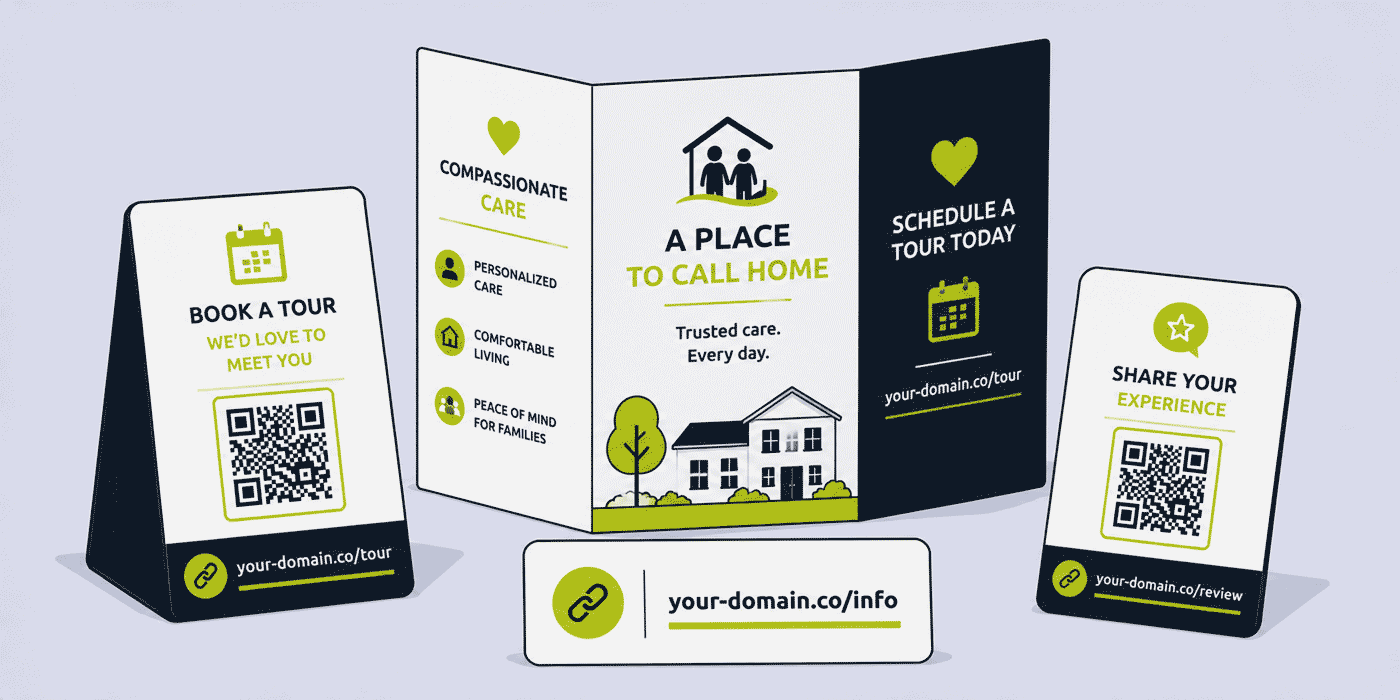
- Tour booking QR Code. Links directly to the tour booking page or contact form. A family who has read the brochure and wants to visit should be able to initiate that process with a single scan.
- Fees and funding information QR Code. Links to current fee information and guidance on funding options (self-funding, local authority funding, NHS Continuing Healthcare, attendance allowance). Fee information in a printed brochure becomes outdated quickly; a QR Code linking to the current fees page is always accurate.
- Testimonials and reviews QR Code. Links to a page featuring family testimonials, the latest CQC or equivalent inspection rating, and Google Reviews. Social proof is one of the most influential factors in care home selection decisions, and a QR Code linking to the current review picture is more useful than printed quotes that may be outdated.
Virtual Tour and Care Environment Links for Remote Family Evaluation
Many families begin their care home search from a distance: an adult child who lives in a different city from their parent, or who is managing the search alongside a job and their own family responsibilities, may not be able to visit multiple care homes in person before making an initial shortlist. Virtual tours, video walkthroughs, and photo galleries accessible through short links play a critical role in this remote evaluation phase.
A well-produced virtual tour video, accessible through your-care-home.com/virtual-tour, can convert a family's initial online discovery of a care home into a shortlist placement and an in-person visit booking, without requiring any physical visit in the research phase. For a care home that has invested in producing a high-quality virtual tour, making it as accessible as possible — through a clean, branded, memorable short link used consistently across all marketing materials — maximises the return on that production investment.
Google Review and Testimonial Links for Reputation Building
Online reviews have become one of the primary decision factors for families choosing care homes. Google Reviews are the most visible and most trusted review source for most care home searches, and a care home with a high number of positive recent reviews has a significant competitive advantage over one with fewer or older reviews, regardless of the relative quality of the physical environments.
Generating Google Reviews requires families and residents' relatives to navigate to the care home's Google Business Profile and complete a review. For most families, the navigation journey to a Google Review submission is not immediately obvious, and many well-intentioned reviewers do not complete the review because the process requires more steps than they expected. A short link that leads directly to the review submission page — your-care-home.com/review or your-care-home.com/leave-review — eliminates this navigation friction entirely.
This review link can be shared in post-visit thank-you emails, in annual family satisfaction communications, in anniversary cards to residents' families, and as a QR Code in the home's reception area and visitor common rooms. Because the Google Business Profile review link is stable and can be wrapped in a permanent short link, the review request can be embedded in any ongoing communication without needing to update the link each time.
Care Home Group Multi-Location Link Management
A care home group operating multiple homes across a region or nationally faces a link management challenge similar to any other multi-location service business: how to maintain brand consistency across all locations while allowing each home to have its own clearly identified digital presence that local families can distinguish from the group's other homes.
Group-Level and Location-Level Link Structure
A two-tier link structure works well for most care home groups:
- Group-level links:
your-group.com/about-us,your-group.com/our-approach,your-group.com/careers,your-group.com/find-a-home— used consistently across all group-level marketing and communications - Location-level links:
your-group.com/home-name,your-group.com/home-name-tour,your-group.com/home-name-fees,your-group.com/home-name-review— specific to each individual home and used in that home's local marketing
Click analytics per location allow the group's marketing team to compare how each home is performing in terms of digital family engagement. A home that generates high website traffic from its local area but low tour booking link clicks may have a strong awareness but a weak enquiry conversion — a different problem from one that generates low traffic overall. Per-location link analytics make this distinction visible in a way that aggregate group website analytics cannot.
Admissions and Fee Information Links
Fee information is among the most frequently sought and most rapidly outdated information that families need when researching care homes. Care home fees change regularly, typically annually or sometimes more frequently in response to cost pressures. A brochure printed with a specific weekly fee rate may be outdated within months; an email sent with a specific fee link may lead to outdated information if the fee page has not been updated.
A dynamic short link for fee information — your-care-home.com/fees — pointing to the care home's current fee schedule page ensures that every family who follows this link, regardless of when they received it, accesses the current pricing. When fees are updated, the fee schedule page is updated and the short link continues to point to the current information. This is particularly important for fee information distributed through long-lived channels: care home directory listings that may not be updated promptly, brochures in GP waiting rooms, and emails sent to enquiring families who may return to the link weeks or months after their initial enquiry.
Family Communication Links During Residency
Once a resident is admitted to a care home, the ongoing communication with their family is a critical part of the care relationship. Families who feel well-informed and well-connected with their relative's care are more satisfied, more likely to recommend the home to others, and more likely to leave positive reviews. Digital communication tools — family portals, care update apps, secure messaging platforms — are increasingly used to provide this ongoing connection, and the links through which families access these tools need to be stable, branded, and clearly communicated.
A short link for the family portal — your-care-home.com/family-portal — provided in the admission pack and repeated in regular family communications provides a consistent, professional access point that remains valid if the family portal platform changes. Click analytics from the family portal link give the home's management team a picture of how actively families are engaging with the digital communication tool, which can inform decisions about training and support for families who are not using the portal regularly.
Staff Recruitment and Caregiver Application Links
Recruiting and retaining skilled care staff is one of the most significant operational challenges for care homes across most English-speaking markets. A care home that manages its recruitment link strategy well — ensuring that recruitment advertising, job boards, community job fairs, and local advertising all carry consistent, branded, trackable links to the care home's recruitment page — presents itself as an organised employer and makes it as easy as possible for potential caregivers to apply.
A short link for care home careers — your-care-home.com/careers or your-care-home.com/join-our-team — used consistently across all recruitment advertising, job board listings, social media recruitment posts, and local community advertising gives the care home a single, trackable recruitment link that remains valid across any changes to the recruitment platform or applicant tracking system. Click analytics for the recruitment link, aggregated and anonymized, show how much traffic different recruitment channels are driving to the application page, which helps the HR team allocate recruitment advertising budget toward the channels that actually generate applicants.
Home Care Provider Link Management
Home care providers — companies that provide caregiver support in a person's own home rather than in a residential facility — have a different link management context from residential care homes. The primary audience is still typically adult children researching care options for an aging parent, but the service being offered and the information needed are different: geographic service area coverage, caregiver profiles and training, care package options, and assessment booking processes are the key information categories rather than room details, communal facilities, and inspection ratings.
Service Area and Assessment Links
A home care provider uses short links for its primary family-facing conversion points: your-homecare.com/areas-we-cover for the service area map or postcode checker, your-homecare.com/book-assessment for the home care assessment request form, and your-homecare.com/care-packages for information on available care package types and pricing.
For home care providers covering multiple local authority areas, per-area links — your-homecare.com/area-name pointing to an area-specific landing page — support local SEO and digital advertising targeting, ensuring that families in specific geographic areas reach content that is immediately relevant to their location rather than a general service overview.
A Worked Example: A Care Home Group's Admissions Campaign
Consider a care home group operating six homes across a regional area, using a branded domain such as your-care-group.com, connected through Cuttly's custom domain setup (an A record and a TXT record — see the custom domain setup guide).
Each of the six homes has its own per-location link set: /home-name (information page), /home-name-tour (tour booking), /home-name-fees (fee schedule), /home-name-review (Google Review submission). Group-level links include /find-a-home (the home selector tool on the group website) and /careers (group-wide recruitment page).
A new printed brochure is produced for the group, with four QR Codes per home section: virtual tour, tour booking, fee information, and reviews. Because all four are dynamic short links, the group's marketing manager updates the fee information destinations across all six homes' links simultaneously when fees are revised in April — a fifteen-minute task. The brochures, which were printed in January with a planned eighteen-month run, continue to serve families accurately through the fee update without any reprint.
The group's Google Review programme is rolled out across all six homes. The review link QR Code is placed in each home's reception area and included in a quarterly family newsletter. Over six months, the group's average Google Review count per home increases from 14 to 31, with an average rating improvement from 4.1 to 4.6. The admissions team notes that enquiry volume from Google Search increases by 28% over the same period, which they attribute in part to the improved review visibility in local search results.
One of the six homes experiences a lower-than-expected tour booking rate from its directory listing. Comparing per-channel click analytics for /home-name-tour shows that the directory listing is generating comparable click volume to the Google advertising, but the tour booking conversion rate from directory traffic is 30% lower. An investigation finds that the directory listing's featured photography was significantly outdated; updated photography is provided to the directory and the conversion gap closes within eight weeks.
Common Mistakes in Care Home Link Management
Static QR Codes in Printed Brochures
A care home brochure with static QR Codes encoding specific URLs will generate dead links the first time the care home's website is updated, its fee page is restructured, or its booking system is changed. Given that brochures are intended to remain in circulation for twelve to twenty-four months, and that care home digital infrastructure changes regularly, a static QR Code in a brochure is nearly guaranteed to become a dead link within the planned brochure lifecycle. Dynamic short links are the only reliable solution.
No Review Generation Link
A care home that relies on families to independently find and navigate to the Google Review submission page is generating far fewer reviews than its satisfaction levels would otherwise support. The friction of navigating to the review page without a direct link is significant enough that many families who would leave a positive review simply do not. A branded short link directly to the Google Review submission page, shared consistently in post-visit and anniversary communications, converts existing family goodwill into visible social proof with minimal additional effort.
No Per-Location Analytics for Multi-Home Groups
A care home group that manages all its homes' links through a single undifferentiated link cannot compare how each home is performing in terms of family enquiry generation. Per-location short links are the minimum structure needed to understand which homes in a group are converting their marketing exposure into family enquiries, and which may need different marketing approaches or additional investment to improve their admissions performance.
Cuttly Plan Guide for Senior Care Providers
- The Free plan ($0) provides 30 short links per month, one branded custom domain, full click analytics, dynamic QR Codes and a survey tool, with no credit card required. Suitable for a single care home setting up core enquiry, tour booking, fee information and Google Review links.
- The Starter plan ($12/month) adds 300 short links per month and 30 custom aliases per month — practical for a care home managing multiple per-channel enquiry links, a family communication link set, a recruitment link, and periodic brochure QR Code updates throughout the year.
- The Single plan ($25/month) adds up to 5 branded domains, fully customizable QR Codes with the care home's branding for professional brochures and display materials, 1,000 API-created links per month, and a full year of analytics history — most relevant for care homes wanting branded QR Codes in printed materials and multi-year analytics for admissions planning.
- The Team plan ($99/month) suits care home groups with marketing, admissions, and HR teams sharing link management, per-location link sets for all group homes, Campaign tag analytics for aggregated group admissions campaign reporting, and multiple branded domains for different care home brands or regional group identities.
Create a free Cuttly account to set up your care home's enquiry link, tour booking link and Google Review link. Registration is required for all plans, including free. No credit card is needed for the free plan.
Frequently Asked Questions
How do care homes use short links for family enquiries and tour bookings?
A care home creates branded short links for its tour booking page — your-care-home.com/book-tour — and general enquiry form — your-care-home.com/enquire. These links appear in directory listings, printed brochures, and email enquiry responses. Dynamic links remain valid if the care home changes its booking system or website platform.
How do care home groups manage links across multiple locations?
A care home group uses per-location short links — your-care-group.com/home-name, your-care-group.com/home-name-tour — alongside shared group-level links. Click analytics per location allow comparison of how each home is performing in terms of family enquiry generation, informing where to prioritize marketing investment across the portfolio.
How do care homes use QR Codes in printed brochures?
A care home prints QR Codes from dynamic short links in its brochure, linking to the virtual tour, tour booking form, fee schedule, and reviews page. Because the QR Codes are dynamic, the brochure does not need reprinting when any destination changes. Families who pick up the brochure months later always reach current information.
How do care homes use short links to generate Google Reviews?
A care home creates a short link pointing directly to its Google Review submission page — your-care-home.com/review — shared in thank-you emails, anniversary communications, and as a QR Code in the reception area. This removes the navigation friction that prevents many well-intentioned families from completing a review, converting existing goodwill into visible social proof.
How do home care providers use short links differently from residential care homes?
A home care provider's link management focuses on geographic service area pages, care package information, assessment booking, and caregiver recruitment, rather than room tours and inspection ratings. Per-area short links support local SEO and advertising targeting, ensuring families in specific locations reach immediately relevant content. QR Codes on local community materials link to the relevant service area page for that community.
- Get Started
- Create Free Account
- Plans & Pricing
- Platform Tools
- URL Shortener
- Link Analytics
- QR Code Generator
- Survey Tool
- Related Guides
- URL Shortener for Telehealth
- URL Shortener for Healthcare & Wellness
- URL Shortener for Hospices
- URL Shortener for Funeral Homes
- Short Links for Offline Campaigns
- Encyclopedia
- Branded Links
- Dynamic QR Codes
- Setup Guides
- Custom Domain Setup
- Track Link Clicks
- Industry Hub
- Healthcare & Medical
- All Industries →
URL Shortener
Cuttly simplifies link management by offering a user-friendly URL shortener that includes branded short links. Boost your brand’s growth with short, memorable, and engaging links, while seamlessly managing and tracking your links using Cuttly's versatile platform. Generate branded short links, create customizable QR codes, build link-in-bio pages, and run interactive surveys—all in one place.
Cuttly - Consistently Rated
Among Top URL Shorteners
Cuttly isn’t just another URL shortener. Our platform is trusted and recognized by top industry players like G2 and SaaSworthy. We're proud to be consistently rated as a High Performer in URL Shortening and Link Management, ensuring that our users get reliable, innovative, and high-performing tools.C


