How to Build a UTM Strategy for Your Entire Marketing Stack
Most marketing teams use UTM parameters. Far fewer have a UTM strategy. The difference is the gap between having messy, partially-useful campaign data and having a clean, queryable attribution system that reliably connects marketing activity to business results. A UTM strategy is not about the parameters themselves — it is about the conventions, governance, tooling, and audit processes that make those parameters consistent across every channel, every campaign, and every person on your team. This guide builds that strategy from the ground up: channel mapping, naming architecture, governance framework, link creation workflow, audit cadence, and the specific reports in GA4 that become meaningful once your data is clean.
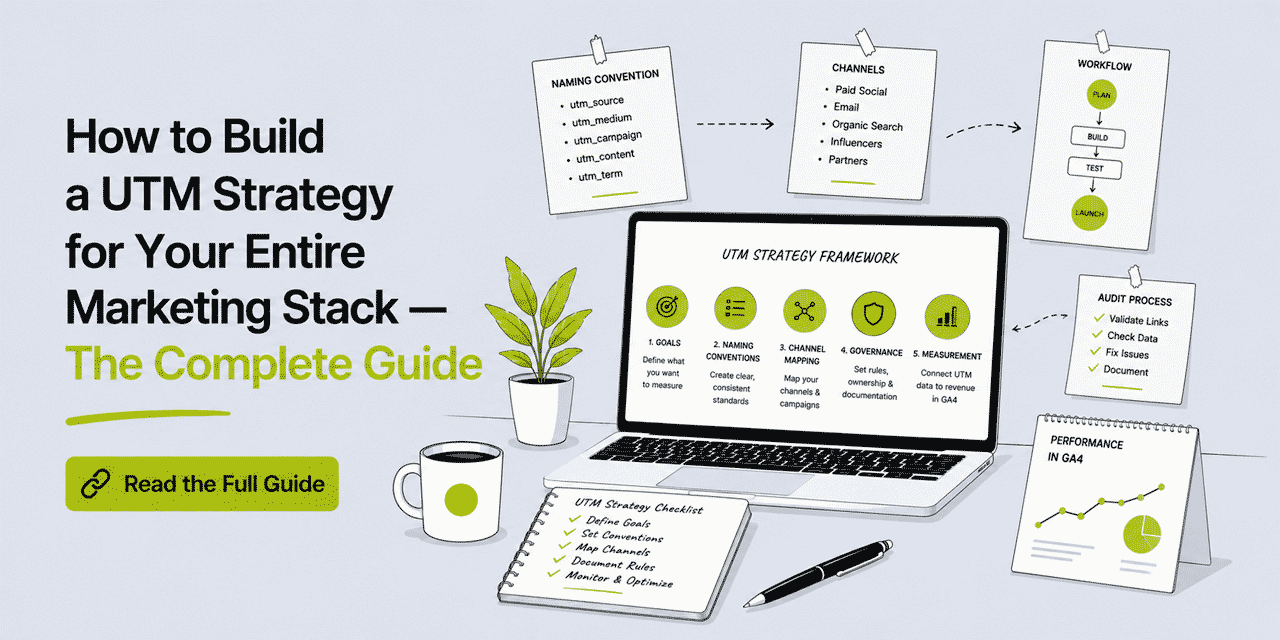
What This Guide Covers
- Why most UTM implementations fail — and what distinguishes a strategy from ad hoc tagging
- Step 1: Map your marketing channels to a fixed medium vocabulary
- Step 2: Define your source taxonomy
- Step 3: Build your campaign naming architecture
- Step 4: Define utm_content rules for A/B testing and placement tracking
- Step 5: Create your Master UTM Reference document
- Step 6: Build the link creation workflow into your stack
- Step 7: Handle auto-tagging tools — email platforms, social schedulers, ad platforms
- Step 8: Connect UTM data to revenue in GA4
- Step 9: Run a monthly UTM audit
- Scaling UTM strategy across teams and agencies
Why Most UTM Implementations Fail
The typical outcome of an informal UTM approach is a GA4 Source/Medium report that is effectively unreadable. You see instagram, Instagram, IG, ig-organic, instagram-feed — all representing the same channel, none queryable together. You see campaign names that differ between the email and social versions of the same campaign. You see (direct) / (none) capturing 30% of your traffic because someone forgot to add UTM parameters to a major email send. And because the data is unreliable, it gets ignored — which means UTM parameters become busywork that nobody trusts.
The root cause is not technical. It is organizational. UTM parameters require consistent human decisions, made consistently across multiple people, over months and years. That consistency does not emerge naturally — it requires a documented system, visible to everyone who creates links, with a governance process that catches deviations before they corrupt the data.
A UTM strategy is that system. It turns the five UTM parameters from a tool each person uses differently into a shared data infrastructure that produces reliable, actionable attribution.
Step 1: Map Your Channels to a Fixed Medium Vocabulary
The first and most important decision in a UTM strategy is your utm_medium vocabulary. Medium is the highest-level grouping in your attribution data — it is what GA4 uses to assign traffic to channel groups. If your medium values are inconsistent, every downstream analysis is wrong.
Define a fixed list of medium values and commit to it. Every link your organization creates uses a value from this list — nothing outside it. Here is a starting framework:
| Medium value | When to use it | Example sources |
|---|---|---|
email |
Any link sent in an email — newsletter, transactional, nurture, cold outreach | newsletter, welcome-series, klaviyo, hubspot |
social |
Organic social media posts — unpaid, creator-owned | instagram, tiktok, linkedin, facebook, twitter-x, youtube, pinterest |
cpc |
Paid advertising — any paid placement where you pay per click or impression | google, meta, linkedin-ads, tiktok-ads, youtube-ads |
sms |
SMS and WhatsApp marketing messages | sms-campaign-name, whatsapp-broadcast |
print |
Any link accessed via a QR Code, printed URL, or physical medium | flyer-q2, packaging-product-name, billboard-london, business-card |
affiliate |
Links distributed through affiliate or partner programs | partner-name, affiliate-id |
push |
Browser push notifications or mobile app push | web-push, app-push |
referral |
Links placed on other websites — guest posts, PR, directories | publication-name, directory-name |
Eight values covers nearly every marketing channel for most organizations. Add values only when a channel genuinely does not fit any existing category — not as a shortcut to avoid thinking about where a link belongs. The discipline of mapping every link to this vocabulary is what makes the medium dimension meaningful.
One specific decision to make clearly: QR Codes. QR Codes in physical materials use print as the medium — not qr. The medium describes the channel (print advertising, physical collateral), not the delivery mechanism (the QR Code is just how the URL is accessed). A QR Code in a digital context — an email, a website — uses the medium of that digital context: email or referral, not qr.
Step 2: Define Your Source Taxonomy
utm_source identifies the specific origin within each medium. The guiding principle: source should be the proper noun that answers "exactly which platform, publication, or list did this visitor come from?"
For most channels, the source values are straightforward and should be consistent: instagram, tiktok, linkedin, facebook, twitter-x, youtube, google, newsletter. The areas where source taxonomy breaks down — and requires explicit rules — are:
Email lists and sequences. If you send multiple distinct email types — a weekly newsletter, a post-purchase sequence, a re-engagement campaign, a cold outreach sequence — each should have a distinct source value. Using newsletter for all email is too broad if the behavior of newsletter subscribers differs materially from welcome sequence recipients. A useful rule: if you would make a different business decision based on whether traffic came from source A or source B, they should be different sources. If you would not, combine them.
Print and physical media. For print sources, use a descriptive identifier for the physical piece: flyer-spring-2026, packaging-product-x, billboard-times-sq, business-card. The source should let you identify which specific physical piece drove the scan when you review it six months later.
Partner and affiliate sources. Use the partner or affiliate name: partner-acme-co, affiliate-123. Consistent, identifiable, and queryable by partner in GA4 when you filter by medium = affiliate.
Step 3: Build Your Campaign Naming Architecture
utm_campaign is the dimension that lets you view cross-channel campaign performance in GA4. For this to work, every link associated with a campaign must use exactly the same campaign name — across email, social, paid, print, and any other channel running that campaign simultaneously.
Campaign naming architecture answers three questions: what naming format will you use, who decides the campaign name, and how is it communicated to everyone creating links for that campaign.
Naming Format
The recommended format is [campaign-type]-[descriptor]-[period] — all lowercase, hyphens, no spaces. Examples:
sale-summer-2026— a promotional sale campaignlaunch-product-name-q2— a product launch campaignawareness-brand-h1— a brand awareness campaign in the first half of the yearretention-winback-june— a customer win-back campaignevent-conference-name-2026— an event promotion campaign
The period component (month, quarter, or half-year) is optional but useful for campaigns that recur annually — it prevents last year's campaign data from being mixed with this year's when both are named sale-summer.
Who Decides and How It Is Communicated
The campaign name should be decided by whoever owns the campaign brief — typically the campaign manager or marketing lead — before any links are created. It should be documented in the campaign brief, the Master UTM Reference (covered in Step 5), and any project management or campaign planning tool the team uses. Anyone creating a link for that campaign copies the name from the reference — they do not invent their own version.
This single governance decision eliminates the most common source of UTM data corruption: one person names it summer-sale and another names it summer-sale-2026 and a third names it Summer Sale. Three campaign names, one campaign, zero cross-channel visibility.
Step 4: Define utm_content Rules for A/B Testing and Placement Tracking
utm_content is optional but powerful when used consistently. It answers "which specific creative, placement, or variant drove this click?" within the context already established by source, medium, and campaign.
Define rules for when utm_content is required and what format it uses. A practical approach:
Require utm_content for email links to distinguish between different links within the same email. A newsletter might have a header CTA button, an inline text link, a footer banner, and a product image link — each pointing to the same destination but placed differently. utm_content differentiates them: header-cta, inline-text, footer-banner, product-image. Without utm_content, you cannot tell which element drove the click.
Require utm_content for A/B tests where you are testing creative variants. If you are testing two different ad creatives, two email subject lines, or two landing page CTAs: variant-a and variant-b, or more descriptively headline-short and headline-long. The utm_content values should be descriptive enough that you can identify what each variant actually was when you review the data months later.
Make utm_content optional for single-link contexts — a social post with one link, an SMS with one URL, a billboard with one QR Code. The source and medium already identify these precisely enough that utm_content adds no meaningful distinction.
Step 5: Create Your Master UTM Reference Document
The Master UTM Reference is the single source of truth for UTM conventions in your organization. It is a shared document — accessible to everyone who creates marketing links — that contains your approved medium vocabulary, source guidelines, active campaign names, utm_content format rules, and examples for common scenarios.
It does not need to be sophisticated. A shared Google Sheet or Notion page with four sections is sufficient:
Section 1 — Approved medium values: the table from Step 1, with definitions and example sources for each medium.
Section 2 — Source guidelines: the approved source values for each channel, with any specific rules (e.g. how to name print sources, how to name email sequences).
Section 3 — Active campaigns: a live table of current campaign names with the exact utm_campaign value to use for each. Updated whenever a new campaign launches. Archived (not deleted) when a campaign ends, so historical reference is available.
Section 4 — Examples: five to ten worked examples of complete UTM parameter sets for common scenarios — email newsletter link, Instagram post link, Google ad link, print flyer QR Code, partner referral link. Anyone creating a new link should be able to find an example close to their scenario and use it as a template.
The Master UTM Reference is only useful if it is consulted before creating links. Build this habit explicitly: your link creation process — whatever tool or workflow you use — should include a step that says "check the Master UTM Reference for the correct campaign name and medium value."
Step 6: Build the Link Creation Workflow Into Your Stack
A UTM strategy that exists in a document but is not embedded in the link creation workflow will be ignored under pressure. The goal is to make correct UTM application the path of least resistance — the default behavior rather than an additional step.
Cuttly's built-in UTM builder achieves this by making UTM parameters part of the link creation interface. When someone creates a short link in Cuttly, the UTM fields are visible in the same workflow — source, medium, campaign, content, term — populated from the values in the Master UTM Reference. The short link, the UTM parameters, and the branded domain alias are all configured in one place, in one step.
This matters practically because it eliminates the workflow step where someone creates a link in one tool and then separately tries to remember to add UTM parameters before sharing it. The UTM builder is on all Cuttly plans including the free plan — accessible immediately after creating an account.
For teams creating links in volume — for example, agencies managing multiple client campaigns — Cuttly's bulk CSV import (Single plan: 100 links/month; Team: 2,000/month; Enterprise: 5,000/month) allows pre-built link lists with UTM parameters already in the destination URLs to be imported in one operation. This is the most efficient approach for high-volume link creation.
For development teams creating links programmatically via API, the Cuttly API accepts UTM parameters as part of the link creation call — they are appended to the destination URL server-side, ensuring consistent application without depending on individual human judgment.
Step 7: Handle Auto-Tagging Tools Correctly
Several tools in a typical marketing stack attempt to add UTM parameters automatically — email platforms, social media schedulers, ad platforms. These auto-tagging features are often well-intentioned but problematic for UTM strategy, because they apply their own naming conventions rather than yours.
Email Platforms (Mailchimp, Klaviyo, HubSpot, etc.)
Most email platforms offer auto-UTM tagging that applies utm_source, utm_medium, and utm_campaign based on the campaign's settings in that platform. The problem: the generated values often do not match your naming convention — they might use the email's internal name as the campaign value, or append the platform name as the source. The recommendation: disable auto-UTM in your email platform and apply your own parameters to every link in the email, either manually or via Cuttly's UTM builder before shortening the links.
If your team insists on using the platform's auto-tagging for efficiency, audit the output carefully against your Master UTM Reference and correct any deviations — before the campaign sends, not after.
Google Ads — Auto-Tagging with GCLID
Google Ads uses its own auto-tagging system (GCLID — Google Click ID) for attribution within GA4 when the Google Ads account is linked. GCLID-based attribution is separate from and more accurate than UTM-based attribution for Google Ads traffic — it passes through more information about the specific ad, keyword, and match type. Leave Google Ads GCLID auto-tagging enabled. Do not add manual UTM parameters to Google Ads final URLs — doing so can conflict with GCLID attribution and create double-counting issues.
Social Media Schedulers
Tools like Buffer, Hootsuite, Later, or Sprout Social often offer auto-UTM tagging for links in scheduled posts. As with email platforms, the generated values may not match your convention. The safer approach: create the short link with your UTM parameters in Cuttly first, then paste the Cuttly short link into your scheduler. The scheduler posts the short link — which already contains your UTM parameters — and you maintain full control of the attribution data.
Step 8: Connect UTM Data to Revenue in GA4
UTM tracking only generates business value when it is connected to outcomes — not just traffic, but conversions, revenue, and customer lifetime value. This requires GA4 conversion tracking to be set up correctly alongside your UTM implementation.
Mark Your Key Events as Conversions
In GA4, go to Admin → Events. Find the events that represent meaningful business outcomes — purchase, lead_form_submit, sign_up, free_trial_start, book_appointment — and mark them as conversions. Once marked, GA4 will include conversion counts alongside session data in all acquisition reports, including the Source/Medium report where your UTM data appears.
The Campaign Performance Report
In GA4 → Reports → Acquisition → Traffic acquisition, change the primary dimension to Session campaign. You will see each utm_campaign value listed with: sessions, engaged sessions, engagement rate, conversions, and conversion rate. This is the core campaign performance view — it shows which campaigns generated not just traffic but actual business outcomes.
Add Session source / medium as a secondary dimension to break each campaign down by channel. This shows you not just how each campaign performed in total, but which channel within each campaign was the most efficient converter. The email channel for campaign X might generate fewer sessions than paid social, but a higher conversion rate — meaning email should receive proportionally more budget or creative attention for that campaign type.
Revenue Attribution (E-commerce)
For e-commerce businesses with GA4 e-commerce tracking configured, the Traffic acquisition report also shows Purchase revenue and ROAS (Return on Ad Spend) per source/medium and per campaign. With clean UTM data, you can answer questions like: "which campaign generated the highest revenue per session?", "which channel has the lowest customer acquisition cost?", and "which utm_content variant had the highest revenue conversion rate?" These are the decisions that UTM strategy exists to support.
Step 9: Run a Monthly UTM Audit
UTM data degrades over time without maintenance. New team members join and apply their own conventions. Platforms change their auto-tagging behavior. A campaign launches under time pressure and someone skips the Master UTM Reference. A monthly audit catches these issues before they accumulate into quarters of corrupted data.
The monthly audit takes 15 to 20 minutes. Here is the process:
Check the Source/Medium report (Reports → Acquisition → Traffic acquisition, dimension = Session source / medium). Look for any unexpected values — sources that do not match your approved vocabulary, medium values that are not in your list, or obvious typos. Note any deviations and trace them back to their origin (which link, which campaign, which team member).
Check the Campaign report (same report, dimension = Session campaign). Look for campaign names that are not in your Master UTM Reference active campaign table, or variants of existing campaign names (summer-sale vs summer-sale-2026 vs summersale2026). Note all deviations.
Check (direct) / (none) volume. Filter the Source/Medium report for (direct) / (none). A consistent baseline of direct traffic is normal — some traffic genuinely has no referrer. But a sudden spike in (direct) / (none) often means a high-volume link (a major email send, a social post that went viral) went out without UTM parameters. If the volume is unexpectedly high relative to your campaign activity, investigate which links were distributed in that period without tagging.
After each audit: correct any deviations in new links, update the Master UTM Reference if a new campaign launched without being documented, and add any new team members or agencies to your UTM governance briefing.
Scaling UTM Strategy Across Teams and Agencies
As organizations grow, UTM governance becomes harder. Multiple teams, multiple agencies, multiple freelancers — each creating links with varying degrees of adherence to the convention. Here is how to scale without losing consistency.
One Master Reference, Multiple Stakeholders
The Master UTM Reference should be the single document — not one per team or per agency. Every internal team and every external agency working on campaigns should use the same document. Make it read-only for most users; only campaign managers and the marketing operations lead can update the active campaign table. This prevents well-intentioned additions that fragment the data.
UTM Governance in Campaign Briefs
Every campaign brief should include a UTM section: the exact utm_campaign value to use, the approved utm_medium values for this campaign's channels, and a note pointing to the Master UTM Reference for source conventions. Anyone receiving the brief — internal or external — gets the UTM specification alongside the creative brief. They do not need to look it up; it is in the brief.
Cuttly Teams for Shared Link Creation
Cuttly's Team plan provides a shared workspace where multiple users create links under the same account, with the same branded domains and the same UTM builder interface. This means external agencies and internal teams can create links within a single Cuttly workspace — maintaining consistent domain, consistent alias naming, and consistent UTM application — rather than creating links in disparate tools and trying to reconcile the data afterwards.
The Team API extends this to programmatic link creation at scale — useful for agencies managing dozens of clients or campaigns simultaneously, where manual link creation would be the bottleneck.
Frequently Asked Questions
What is a UTM strategy?
A UTM strategy is a documented system for how your organization consistently applies UTM parameters across all marketing links — covering naming conventions, channel definitions, campaign naming rules, governance, tooling, and the process for auditing and maintaining clean attribution data over time.
Why do most UTM strategies fail?
Most UTM strategies fail because they are informal — no documented convention, no enforcement, no audit process. Individual team members use different capitalization, spelling, or parameter interpretations. The fix is a documented, enforced convention and a regular audit cycle — not better tools.
How many UTM medium values should I use?
Six to ten maximum. Common values: email, social, cpc, print, sms, affiliate, referral, push. Every link uses one of these values — nothing outside the list. Keeping the list short is what makes channel-level analysis meaningful.
How do I handle email platforms that auto-tag UTM parameters?
Disable auto-tagging in your email platform and apply your own parameters to every link manually or via Cuttly's UTM builder before shortening. Auto-tagged values from email platforms rarely match your naming convention, corrupting your Source/Medium data.
How often should I audit my UTM data?
Monthly. Check the Source/Medium report for unexpected values, the Campaign report for naming variants, and (direct) / (none) traffic volume for spikes indicating missed UTM tagging. A monthly audit takes 15 to 20 minutes and prevents months of corrupted attribution data.
URL Shortener
Cuttly simplifies link management by offering a user-friendly URL shortener that includes branded short links. Boost your brand’s growth with short, memorable, and engaging links, while seamlessly managing and tracking your links using Cuttly's versatile platform. Generate branded short links, create customizable QR codes, build link-in-bio pages, and run interactive surveys—all in one place.
Cuttly - Consistently Rated
Among Top URL Shorteners
Cuttly isn’t just another URL shortener. Our platform is trusted and recognized by top industry players like G2 and SaaSworthy. We're proud to be consistently rated as a High Performer in URL Shortening and Link Management, ensuring that our users get reliable, innovative, and high-performing tools.


