How to Redirect a URL Without Losing SEO: Complete 2026 Guide
"Does redirecting a URL hurt SEO?" is one of the most frequently asked questions in technical SEO. The short answer is no — when done correctly. The complete answer requires understanding what "correctly" means across several dimensions: which redirect type to use, how link equity actually flows through redirects, what redirect chains are and why they cause real problems, how Google treats different redirect signals, what role canonical tags play alongside redirects, and where URL shorteners fit into a clean redirect architecture. This guide covers all of it with the depth that the topic requires — grounded in how search engines have documented their behavior in 2025 and 2026, with practical guidance for every common redirect scenario: site migrations, domain changes, page consolidations, branded short link implementations, and campaign URL management.
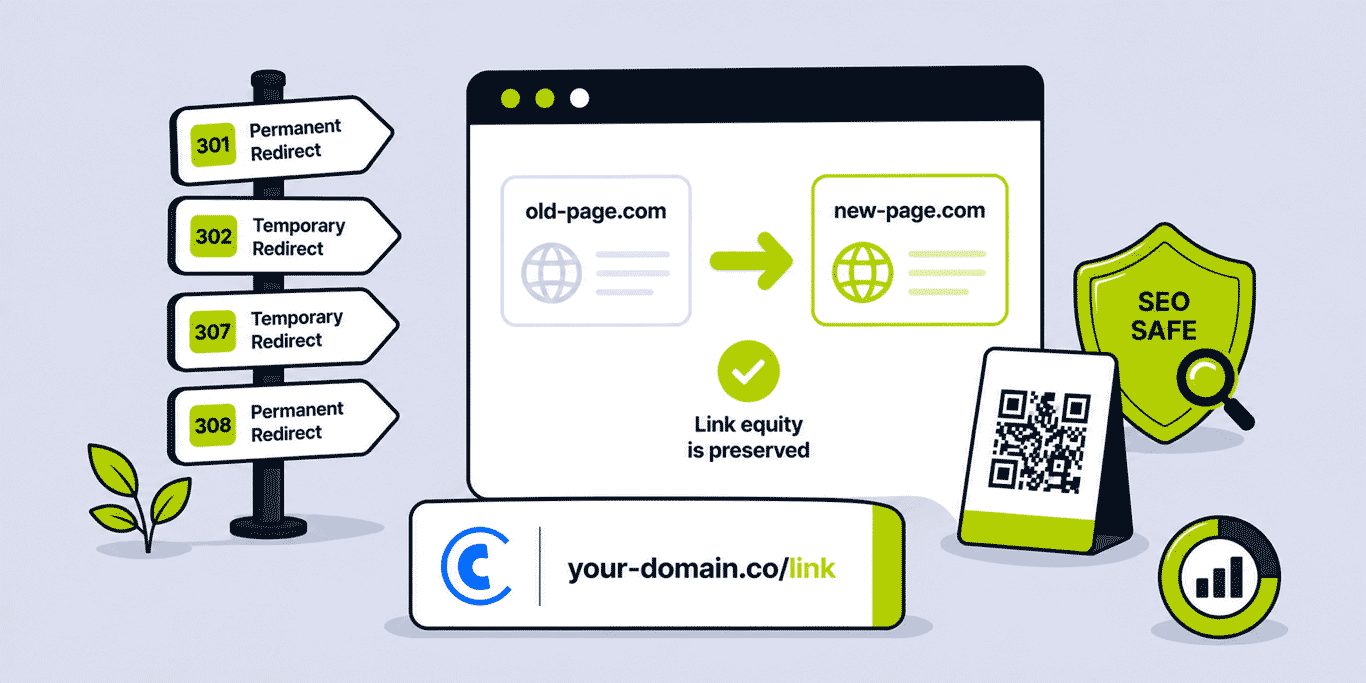
What This Guide Covers
- What "losing SEO" through redirects actually means — the mechanisms
- HTTP redirect types: 301, 302, 307, 308 — differences and when to use each
- How link equity passes through 301 redirects — what Google has said
- Redirect chains: why they matter and how to detect and eliminate them
- Redirect loops: detection and resolution
- JavaScript redirects: when they work for SEO and when they don't
- Meta refresh redirects: the SEO case for avoiding them
- Canonical tags alongside redirects: complementary or conflicting?
- Site migration: the complete SEO-preserving redirect strategy
- Domain changes and rebranding: maintaining equity through the transition
- Deleted and consolidated pages: the right redirect approach
- URL shorteners and SEO: how short link redirects interact with rankings
- Branded short domains vs generic shortener domains: the equity difference
- How to audit your redirect implementation
- Common redirect mistakes and how to fix each one
What "Losing SEO" Through Redirects Actually Means
When practitioners talk about "losing SEO" through redirects, they are typically referring to one or more of the following: loss of accumulated backlink equity (the ranking signal value carried by inbound links to the old URL), loss of search engine indexing status (the old URL remains indexed instead of the destination, or neither URL is indexed), and loss of crawl priority (the destination URL receives less crawl attention than the old URL had).
The mechanisms by which these losses occur are specific and avoidable. They do not occur simply because a redirect exists — they occur because of implementation errors: the wrong redirect type was used, the redirect went through multiple hops before reaching the destination, the redirect pointed to a non-canonical URL, or the redirect was implemented in a way that search engine crawlers could not reliably follow (JavaScript redirects in certain contexts, meta refresh tags, server-side redirects that return an incorrect HTTP status code).
Understanding that redirect-related SEO loss is a product of implementation errors — not an inherent property of redirects — is the foundational understanding needed to implement redirects correctly. A properly implemented 301 redirect from an old URL to a new URL is, according to Google's own documentation, SEO-neutral for the destination page over time: the equity consolidates and the destination benefits from the same ranking signals the old URL accumulated.
HTTP Redirect Types: 301, 302, 307, 308
The HTTP specification defines several redirect status codes. For SEO purposes, four are relevant:
301 Moved Permanently
The 301 redirect is the standard SEO-safe redirect for permanent URL changes. It signals to both browsers and search engines that the requested URL has permanently moved to the specified destination. Google treats 301 redirects as instructions to consolidate the redirecting URL's indexing status, cached content, and link equity to the destination URL. The consolidation is not instantaneous — it takes time (weeks to months for heavily indexed pages) for Google to fully transfer ranking signals — but the direction is clear and the outcome is intended equity preservation at the destination.
When to use 301: permanent URL restructuring, domain changes, page consolidation, canonical URL enforcement, eliminating www vs non-www inconsistency, eliminating HTTP vs HTTPS inconsistency, replacing a deleted page with a permanent alternative.
302 Found (Temporary Redirect)
The 302 redirect signals a temporary move — the original URL should remain in the index because the redirect is not permanent. Browsers follow the redirect to the destination, but search engines may continue to index the original URL and may defer equity consolidation to the destination.
In practice, Google has documented that it will eventually treat frequently followed 302 redirects as de facto 301s if the redirect persists for an extended period — but this is unreliable behavior to count on. For any URL change that is genuinely permanent, use 301. Reserve 302 for: A/B testing (where both variants are temporary), maintenance redirects with a specific return date, geographic or language-based dynamic routing where the original URL remains canonical.
The most common SEO error with 302 redirects: using them for permanent changes because they were easier to implement in a specific server or CMS configuration than 301s, or because the developer did not appreciate the SEO distinction.
307 Temporary Redirect
307 is the HTTP/1.1 successor to 302 for temporary redirects. It adds the guarantee that the request method (GET, POST) is preserved through the redirect — a technical distinction primarily relevant for form submissions and API endpoints. From an SEO perspective, 307 behaves similarly to 302: the original URL may remain indexed and equity consolidation is deferred. Use 307 where temporary redirect semantics and method preservation are both required (rare in standard content contexts, more relevant in application development).
308 Permanent Redirect
308 is the HTTP/1.1 successor to 301 — it signals a permanent redirect while also preserving the request method. For SEO purposes, Google has documented treating 308 similarly to 301 in terms of equity consolidation. In practice, 308 has lower adoption and implementation support than 301, and there is no SEO advantage to using 308 over 301 for standard content redirects. Stick with 301 unless your specific application context requires method preservation in a permanent redirect scenario.
How Link Equity Passes Through 301 Redirects
Google's Webmaster Guidelines have confirmed that 301 redirects pass "PageRank" (link equity, ranking signals) from the redirecting URL to the destination URL. The historical claim (widely repeated but never officially confirmed by Google) that a small percentage of equity is "lost" in each redirect hop has been addressed directly: Google's Gary Illyes confirmed in 2016 that 301 and 302 redirects do not cause significant link equity loss. The more meaningful concern is redirect chains — multiple sequential redirects — rather than a single redirect hop.
The practical understanding: a 301 redirect from old-page.com/article to new-page.com/article effectively tells Google that any link equity built up at the old URL should now be credited to the new URL. Over time — as Google re-crawls the old URL, follows the redirect, and updates its index — the destination URL accumulates the ranking signals from the redirected URL.
This equity transfer takes time and is not perfectly lossless in the short term — there is a transition period during which the destination may not fully benefit from the old URL's accumulated signals. This transition period is why major site migrations often show a temporary dip in rankings before recovery. The dip is not permanent; with correctly implemented 301 redirects, the equity consolidates and rankings recover.
Important nuance: equity passes from pages that have accumulated it (pages with inbound links). A redirect from an unlinked page generates no equity transfer — there is nothing to transfer. The significance of redirect equity transfer scales with how well-linked the old URL was.
Redirect Chains: Detection and Elimination
A redirect chain occurs when a URL redirects to a second URL which redirects to a third URL (or more) before reaching the final destination. Each hop in the chain adds latency and introduces potential equity dilution.
Example of a three-hop chain: old-domain.com/page → 301 → intermediate-domain.com/page → 301 → new-domain.com/page. This commonly occurs during sequential site migrations where each migration added a new redirect layer on top of the existing ones, without cleaning up the previous redirects.
Why redirect chains cause SEO problems: Googlebot has a documented crawl budget — a finite amount of crawl resources allocated to a site. Following redirect chains consumes more crawl budget per URL than a direct single-hop redirect. For large sites with many redirected URLs, chains can cause crawl exhaustion before all destination pages are discovered and indexed. Additionally, each hop is a potential failure point — if any link in the chain returns an error (404, 500), the entire chain breaks.
The documented guidance from Google: keep redirect chains to a maximum of 3 to 5 hops total. Shorter is better. The ideal is a direct single-hop redirect from every old URL to its final destination. This is described in detail in the Cuttly article on single-hop redirect architecture.
How to detect redirect chains: use a crawler tool (Screaming Frog, Sitebulb, or an online redirect checker). Crawl your old URL list and check the final destination. Any URL that requires more than one hop to reach its destination has a chain. Export a list of all chained redirects for remediation.
How to eliminate chains: update each old URL's redirect to point directly to the final destination URL, bypassing intermediate hops. For a chain A → B → C, update A's redirect to point directly to C. Verify that B also has a direct redirect to C (it may be linked from elsewhere). After updating, re-crawl to confirm all chains are resolved.
Short links and redirect chains: a short link redirect from go.brand.com/link → 301 → destination.com/page is a single-hop redirect — SEO clean. A short link from a platform that itself uses a redirect (shortener.com/link → go.brand.com/link → destination.com/page) is a two-hop chain. This is one reason why branded short links at the domain root (rather than through a third-party platform that adds its own redirect layer) are preferable for any link that may appear in contexts where SEO matters.
Redirect Loops: Detection and Resolution
A redirect loop occurs when a series of redirects eventually leads back to the original URL — creating an infinite cycle that browsers and crawlers cannot resolve. The browser displays a "too many redirects" error; crawlers abandon the URL entirely.
Common causes: a 301 redirect from A to B where B also has a 301 redirect back to A (mutual redirect); a CMS or server configuration that adds a www redirect while another rule adds a non-www redirect for the same URL; an HTTPS redirect rule that applies to URLs already on HTTPS; or a plugin or module that adds redirect rules that conflict with existing server-level rules.
Detection: browser test ("too many redirects" error message), redirect checker tool (shows circular arrow or infinite chain), server log analysis (repeated requests for the same URL within a single session).
Resolution: audit all redirect rules at every layer (server configuration, CDN rules, CMS settings, plugin/module rules). Identify the conflicting rule pair and remove or modify one to break the loop. Re-test after each modification. Where multiple redirect sources exist (server + CMS + CDN), document each layer's rules explicitly to prevent future conflicts.
JavaScript Redirects: When They Work and When They Don't
JavaScript redirects — implemented via window.location.href = 'destination' or similar in client-side JavaScript — work reliably for users in modern browsers. Their reliability for search engine crawlers is more variable.
Google has confirmed that Googlebot executes JavaScript and can follow JavaScript redirects. However, JavaScript rendering is deferred in Google's crawl pipeline — the crawler first fetches and indexes the raw HTML, then queues the page for JavaScript rendering in a second crawl wave. This means a JavaScript redirect may create a delay of days to weeks between the original crawl and the equity-passing redirect being followed.
For SEO-sensitive redirects — site migrations, domain changes, canonical URL enforcement — server-side HTTP 301 redirects are always preferable to JavaScript redirects. Server-side redirects are followed in the first crawl wave, with no rendering queue delay. JavaScript redirects should only be used as a fallback or in contexts where server-side redirect implementation is not possible (certain third-party platforms with limited server access).
Other crawlers — Bing, Apple, social media scrapers — may not execute JavaScript at all. A JavaScript-only redirect from an old URL that has inbound links from social media or other crawled contexts may not pass equity through these crawlers. Server-side 301 is universally crawlable.
Meta Refresh Redirects: Avoid for SEO
A meta refresh redirect is implemented via an HTML meta tag: <meta http-equiv="refresh" content="0; url=https://destination.com">. The content="0" sets the delay in seconds before the redirect fires — 0 means immediate.
Meta refresh redirects are unreliable for SEO equity passing. Google may treat them as 301-equivalent in some cases, but the behavior is inconsistent and the documentation does not provide the same confidence as server-side 301 behavior. Additionally, meta refresh redirects require the page's HTML to be loaded before the redirect fires — slower than a server-side 301, which redirects before any page content is sent to the client.
Avoid meta refresh for any SEO-sensitive redirect. If a meta refresh is currently in place (common legacy implementation), replace it with a server-side 301.
Canonical Tags and Redirects: Complementary Signals
A canonical tag (<link rel="canonical" href="preferred-url" />) tells search engines which URL is the preferred version of a page when multiple URLs serve identical or very similar content. A 301 redirect tells search engines that a URL has permanently moved. These are complementary signals used in different contexts.
Canonical tags are for pages that exist and are accessible: if both example.com/page and www.example.com/page serve the same content, a canonical tag on both pointing to the preferred version consolidates ranking signals without redirecting one URL away. Both URLs remain accessible; the canonical signals which one to credit.
Redirects are for pages that should no longer be directly accessible: if old-domain.com/page has moved permanently to new-domain.com/page, a 301 redirect ensures visitors and crawlers are delivered to the new URL. The old URL is no longer accessible.
A conflict arises when a URL redirects to a destination that has a canonical tag pointing back to the old URL. Example: old.com/page 301 redirects to new.com/page, but new.com/page has a canonical tag pointing to old.com/page. These signals conflict — the redirect says "old is gone, credit new"; the canonical says "new is secondary, credit old." Google will attempt to resolve the conflict, but the outcome is unpredictable. Always ensure the destination of a redirect has a canonical tag pointing to itself or to the correct canonical URL.
Site Migration: The SEO-Preserving Redirect Strategy
Site migration — moving a website to a new domain, a new URL structure, a new CMS, or from HTTP to HTTPS — is the highest-stakes redirect scenario for SEO. A poorly managed migration can cause significant, lasting ranking losses. A well-managed migration with correct 301 redirects should result in temporary disruption followed by full recovery.
Pre-Migration: Map Every URL
Before migration, create a complete URL mapping document: every old URL and its corresponding new URL. For a site with hundreds of pages, crawl the old site with a tool like Screaming Frog to generate a complete URL list. Map each old URL to its new destination — either a matching content URL on the new domain or, for pages without equivalents, the most relevant category or homepage.
Prioritise the mapping for high-value URLs: pages with the most inbound backlinks, the most organic traffic, and the most indexed keywords. These URLs carry the most equity and deserve accurate individual mappings rather than blanket redirects to a category page.
Implement 301 Redirects at the Server Level
Implement redirects at the server level (Apache .htaccess, Nginx configuration, CDN redirect rules, or cloud hosting platform redirect settings). Server-level 301 redirects are the fastest and most reliable — they redirect before any page content is served, minimising latency and ensuring crawlers receive the 301 signal immediately.
Avoid implementing migration redirects via CMS plugins alone — CMS redirects are slower (they require the CMS application to process the request before returning the redirect) and create a dependency on the CMS application being functional. Server-level redirects work even if the CMS application is down.
Post-Migration: Monitor and Verify
After migration: monitor Google Search Console for crawl errors, coverage issues, and indexing status of destination URLs. A successful migration shows the destination URLs being indexed and the old URLs being removed from the index over subsequent weeks. Ranking fluctuations in the first 2 to 8 weeks post-migration are normal; sustained decline beyond 8 weeks without recovery warrants redirect audit and correction.
Update your XML sitemap to include only the new URLs. Submit the updated sitemap to Google Search Console to accelerate discovery and indexing of destination pages. Remove old URLs from the sitemap — they should not appear because they now redirect rather than serving content.
URL Shorteners and SEO: How Short Link Redirects Interact with Rankings
URL shorteners are a specific redirect architecture: a short URL (the short link) redirects via HTTP 301 to a destination URL. Understanding how this fits into SEO requires distinguishing between two different use cases: inbound links to your content through short links, and outbound links from your content using short links.
Inbound Links Through Short Links
When someone links to your content using a short link — a social media post with a shortened URL linking to your article — the short link is the referring URL. Googlebot follows the short link, receives the 301 redirect to your destination, and credits the equity to your destination URL. The short link itself does not accumulate domain authority; it is a transparent conduit.
The SEO health of this scenario depends on: the short link platform's domain reputation (Googlebot is more willing to follow links from established, clean domains), the redirect type being 301 (not 302 or JavaScript), and the absence of redirect chains (the short link goes directly to the destination in one hop). Cuttly uses 301 redirects.
Branded short links on your own domain pass equity more reliably than short links on generic platform domains. A link through go.yourbrand.com/article follows a redirect on a domain that is part of your established domain ecosystem — a trust signal consistent with normal internal or subdomain redirect behavior. A link through a third-party shortener's shared domain passes through a domain with different reputation dynamics.
Outbound Links from Your Content Using Short Links
If you embed short links in your content pointing to external destinations — affiliate links, campaign links, partner links — the SEO consideration is different. Search engines crawl outbound links from your content; the short link redirect is followed to the destination. The equity flow from your page goes to the destination, not to the short link itself. This is equivalent to a standard link with an intermediate redirect.
For affiliate links specifically: using rel="nofollow" or rel="sponsored" on outbound affiliate short links is appropriate Google guidance — these attributes signal to Googlebot that the linked URL is a commercial relationship, not an editorial endorsement. Cuttly short links can have rel attributes applied in the HTML where the link appears, independent of the redirect behavior.
How to Audit Your Redirect Implementation
A redirect audit should verify: all intended redirects return 301 (not 302, 307, or 200), no redirect chains exceed 2 hops, no redirect loops exist, all destination URLs are canonical, and no live traffic URLs return 404 that should have a redirect.
Tools for redirect auditing:
- Screaming Frog SEO Spider: crawls your site and shows redirect chains, status codes, and final destinations for all URLs. The "Redirect Chains" report specifically identifies multi-hop redirects.
- Google Search Console — Coverage report: shows which URLs are indexed, which are redirected, and which return errors. "Redirect Error" reports identify redirect loops and chains that prevent indexing.
- Online redirect checkers: for quick single-URL redirect chain auditing without a full crawl tool. Enter a URL and see the full redirect chain with each hop's status code.
- Server logs: 3xx response codes in server logs identify all redirect events, including those from crawlers and users. Useful for finding redirect patterns that site-level audits may miss.
Common Redirect Mistakes and How to Fix Them
Using 302 for permanent changes: replace with 301. In Apache .htaccess: change Redirect 302 to Redirect 301. In CMS redirect plugins: look for a "permanent" checkbox or option. In Nginx: change return 302 to return 301.
Unresolved redirect chains from previous migrations: map the final destination for each chained URL and update the original redirect to point directly to the final destination. For a chain A → B → C: update A's redirect to point to C, verify B also points to C.
HTTP to HTTPS redirect not implemented or conflicting: implement a server-level 301 from all HTTP URLs to their HTTPS equivalents. Verify no conflicting rules exist at CDN, application, or CMS level. The canonical tag on HTTPS pages should point to the HTTPS version.
www vs non-www inconsistency: choose one canonical form (www or non-www) and implement a server-level 301 redirect from the other. Update Google Search Console's preferred domain setting. Ensure all internal links use the canonical form. As covered in the technical redirect pitfalls guide, this inconsistency is one of the most common and most consistently overlooked SEO issues in redirect implementations.
Destination URL has a canonical tag pointing elsewhere: update the canonical tag on the destination page to point to itself (or to the correct canonical URL if the destination is a variant). A destination that self-canonicalises correctly sends consistent signals to Google about where equity should accumulate.
Redirecting to a soft 404: a soft 404 is a page that returns HTTP 200 but serves content indicating the content does not exist ("page not found" message, thin/empty content). Redirecting to a soft 404 — rather than to relevant content — fails to pass equity meaningfully and may cause Google to eventually drop the destination from the index. Ensure redirect destinations are substantive, relevant pages with real content.
Domain Changes and Rebranding: Maintaining Equity Through the Transition
Domain changes — including full rebrands from one domain to another — are among the most disruptive SEO events a site can undergo. The equity built up at the old domain must transfer to the new domain through redirects, and the timeline for that transfer is measured in months, not days.
Best practices for domain change SEO preservation: implement 301 redirects for every old URL to its corresponding new URL (not a blanket redirect to the new homepage), keep the old domain live with redirects active for a minimum of 12 months (some practitioners recommend 24 months for heavily linked domains), update the sitemap and submit to Google Search Console for the new domain, announce the domain change in Google Search Console using the "Change of Address" tool, and update all high-value external links to point to the new domain directly (contact site owners of major linking domains and request link updates).
Branded short links on a dedicated short domain add a layer of resilience to domain changes. If your marketing materials use branded short links rather than direct website URLs — go.brand.com/campaign rather than yourdomain.com/campaign — the short link destination can be updated when the domain changes. Every printed material, social media post, and shared link that points to the short link continues to work and routes to the new domain. This is particularly valuable for long-running printed materials (packaging, signage, published articles) that contain links you cannot retroactively update.
Deleted and Consolidated Pages: The Right Redirect Approach
When a page is permanently deleted, the question is not whether to redirect but where. The options: redirect to the most topically relevant surviving page, redirect to the parent category, redirect to the homepage (least preferred), or return a 410 Gone status (appropriate when there is genuinely no relevant destination and the old URL carried no meaningful equity).
Best practice hierarchy for deleted page redirects:
- Most relevant surviving page: if the deleted page covered Topic A and another live page covers Topic A comprehensively, redirect to that page. Equity transfers to a thematically aligned destination — the most natural consolidation of ranking signals.
- Parent category page: if the deleted page covered a specific product or topic and the parent category page covers the broader topic, redirect to the category. Less specific but topically coherent.
- Homepage: only as a last resort, and only for pages with minimal inbound equity. Redirecting many deleted pages to the homepage can trigger Google's "soft 404" detection — if the homepage has no topical relationship to the deleted content, Google may treat the redirect as a soft 404 rather than a genuine equity-passing redirect.
- 410 Gone: appropriate for pages that had no inbound equity, should never be re-created, and have no meaningful equivalent on the site. A 410 tells Google to remove the URL from the index definitively. Do not use 410 for pages with significant inbound links — use 301 to preserve their equity.
For page consolidation — merging multiple thematically similar pages into one comprehensive page — redirect all merged URLs to the consolidated page with 301 redirects. All backlinks pointing to the old URLs will transfer their equity to the consolidated page. The consolidated page should use a canonical tag pointing to itself and should be the definitive, highest-quality treatment of the topic.
International and Multi-Language Redirects
International sites with multiple language or country versions — using hreflang implementation — face specific redirect considerations. Geo-based redirects that automatically route users to a country-specific version of the site (a UK visitor to example.com/en-gb/, a US visitor to example.com/en-us/) should use 302 redirects rather than 301, because the underlying canonical URL is the same for all users — it is the user's geographic context that is temporary, not the URL's content.
Using 301 for geo-based redirects can cause Google to follow the redirect and index the country-specific version as the canonical URL for all users, losing the international URL structure. 302 preserves the original URL as the indexed canonical while still routing users to the appropriate local version. This is one of the legitimate and documented use cases for 302 redirects in SEO.
Hreflang implementation alongside redirects: ensure that the hreflang annotations on each language/country version correctly reference all alternates. A 301 redirect from an old URL structure to a new structure in an internationalised site must update the hreflang annotations for all versions simultaneously — failing to update hreflang after a URL change breaks international search signal coherence.
How Long Do Redirect Equity Transfers Take?
A practical question that every SEO practitioner needs a realistic answer to: after implementing a 301 redirect, how long does it take for the destination URL to benefit from the old URL's equity?
The honest answer is that it varies significantly based on the old URL's crawl frequency, the number of inbound links, and Google's reassessment cycle for the affected keywords. Observed patterns from documented site migrations and URL changes:
- First crawl of redirect: minutes to days after implementation for frequently crawled URLs, weeks for low-crawl-frequency URLs
- Initial indexing of destination URL: days to a few weeks after the redirect is crawled
- Equity consolidation and ranking recovery: weeks to months — commonly 4 to 12 weeks for standard pages, potentially 3 to 6+ months for high-equity pages with many inbound links
- Full equity normalisation: for domain changes, 12 to 24 months for comprehensive equity transfer and ranking stabilisation
The implication: do not remove redirect infrastructure prematurely. Old domain names should maintain redirects for 12 to 24 months minimum. Old URL redirect configurations should remain active permanently (they have negligible server overhead and removing them risks 404 errors for any link to the old URL that still circulates). The cost of keeping redirects active is near zero; the cost of removing them prematurely is broken links and lost equity.
Frequently Asked Questions
Do URL redirects hurt SEO?
No, when implemented correctly. A properly implemented 301 redirect passes link equity to the destination. What hurts SEO is implementation errors: redirect chains, redirect loops, 302 used where 301 is correct, JavaScript redirects with delayed crawl rendering, and redirects to soft 404 pages.
What is the difference between 301 and 302 redirects for SEO?
301 signals a permanent move — Google consolidates equity to the destination. 302 signals temporary — Google may keep the original indexed and defer equity consolidation. Use 301 for all permanent URL changes. Use 302 only for genuinely temporary redirects (A/B testing, maintenance pages with a fixed return date, geographic routing).
Do short link redirects affect SEO?
Reputable URL shorteners using 301 redirects pass link equity to the destination. Branded short links on your own domain pass more reliably than generic shortener domains. The short link URL itself does not rank — it is a transparent redirect conduit. Avoid redirect chains (short link → another redirect → destination) for any link where SEO matters.
How do I check if my redirects are passing SEO equity correctly?
Use Google Search Console Coverage report (checks indexing of destination URLs), Screaming Frog's Redirect Chains report (identifies multi-hop chains), and an online redirect checker for individual URLs. Verify: 301 status code returned, no chain exceeding 2 hops, no redirect loop, destination has correct canonical tag.
- Tools
- URL Shortener →
- Branded Domains →
- Link Analytics →
- Related Guides
- URL Shortener SEO Guide →
- When Redirects Break SEO →
- Single-Hop Architecture Guide →
- Redirect Chains Explained →
- Branded Short Links Guide →
- How to Create a Branded Short Link →
- UTM Parameters Guide →
- Start Here
- Create Free Account
- Plans & Pricing
URL Shortener
Cuttly simplifies link management by offering a user-friendly URL shortener that includes branded short links. Boost your brand’s growth with short, memorable, and engaging links, while seamlessly managing and tracking your links using Cuttly's versatile platform. Generate branded short links, create customizable QR codes, build link-in-bio pages, and run interactive surveys—all in one place.
Cuttly - Consistently Rated
Among Top URL Shorteners
Cuttly isn’t just another URL shortener. Our platform is trusted and recognized by top industry players like G2 and SaaSworthy. We're proud to be consistently rated as a High Performer in URL Shortening and Link Management, ensuring that our users get reliable, innovative, and high-performing tools.


