What Is a Branded Short Link? Complete Explainer 2026
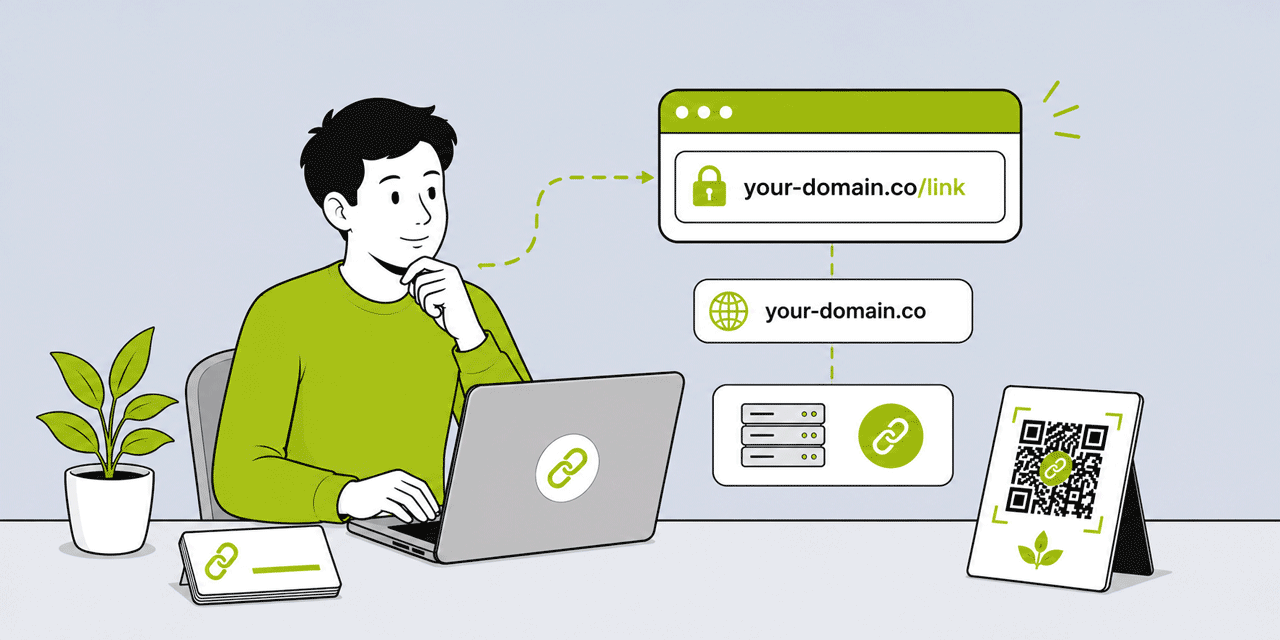
A branded short link is a shortened URL that uses your own custom domain instead of a platform-owned shortener domain. The difference is visible in the URL itself: cutt.ly/aBcDeF is a regular short link — it uses Cuttly's domain. go.yourbrand.com/spring-offer is a branded short link — it uses your brand's domain. Both point to the same destination. Both are short, shareable, and trackable. But one carries your brand's identity in every context where it appears, and the other carries a platform's. This explainer covers everything you need to understand about branded short links: the exact definition, how they work technically, why they outperform generic short links on trust and click-through rate, what domain you need, how the DNS and redirect infrastructure works, what analytics they provide, and how to create one today.
What This Guide Covers
- The precise definition — what makes a link "branded"
- Branded vs regular short link — the key differences
- Anatomy of a branded short link — domain, separator, alias
- How a branded short link works technically — DNS, redirect, analytics
- Why branded links improve trust in every sharing context
- Click-through rate: what the evidence shows
- Email deliverability and branded links
- SMS: where the trust advantage is most pronounced
- Social media and print: how branded links present across channels
- What domain you need and what your options are
- DNS configuration: A record, TXT record, no CNAME required
- Analytics: what every branded link click tells you
- The alias: how to choose the back-half of a branded link
- Branded links vs vanity URLs — the distinction
- Who uses branded short links and for what
- How to create a branded short link with Cuttly
The Precise Definition
A branded short link is a shortened URL that uses a custom domain owned by or associated with the brand distributing the link, rather than a domain owned by the link management platform.
The term "branded" refers specifically to the domain component of the URL. A link is branded when the domain — the part between https:// and the first forward slash — is the brand's own domain, not a third-party platform's domain. Everything else about the link — how it was created, how it tracks clicks, how it redirects — can be identical between branded and generic short links. The branding is in the domain.
Examples of generic short links (platform domain):
cutt.ly/aBcDeF— Cuttly's domain
Examples of branded short links (custom domain):
go.acme.com/spring-sale— Acme's subdomainyourbrnd.link/campaign-2026— dedicated short domainlinks.thefirm.co.uk/consultation— firm's subdomainamzn.to/product-name— Amazon's own short domain
The destination is the same regardless of which link type is used. The tracking is the same. The redirect speed is the same. What differs is whose domain appears in the URL — and that difference has measurable consequences for trust, click-through rate, deliverability, and brand perception.
Anatomy of a Branded Short Link
A branded short link has three components:
The domain: the custom domain associated with the brand — go.yourbrand.com, yourbrnd.link, or links.yourbrand.co.uk. This is the branded component. It is what distinguishes a branded link from a generic one. The domain is configured in Cuttly by connecting your own domain through a DNS setup.
The separator: the forward slash (/) between the domain and the alias. Not a choice; always present.
The alias (back-half or slug): the descriptive or identifier portion after the slash — spring-sale, book-now, q2-campaign, james-white. The alias can be set manually (a custom alias) or generated randomly (a random string). For branded links, a custom, readable alias is standard — the entire point of a branded link is that it is recognizable and trustworthy, and a random string alias undermines that goal.
The full branded short link: go.yourbrand.com/spring-sale. Everything before the slash is branded; everything after is the alias. Both components should be intentional.
How a Branded Short Link Works Technically
The technical mechanism behind a branded short link is identical to a generic short link — it is a URL redirect managed by a link management platform. What differs is the domain layer.
DNS Layer: Pointing Your Domain to Cuttly
To use your own domain for branded short links, you configure two DNS records at your domain registrar or DNS provider:
An A record pointing your subdomain (or apex domain) to Cuttly's server IP address. This tells the internet's DNS system that traffic for go.yourbrand.com should be directed to Cuttly's servers.
A TXT record containing a domain ownership verification string provided by Cuttly. This confirms to Cuttly that you are the legitimate owner of the domain, preventing unauthorized use of your domain in the platform.
No CNAME record is required in Cuttly's DNS configuration. This is important because CNAME records cannot be used on apex domains (the bare domain without a subdomain, e.g. yourbrnd.link without any prefix) due to a limitation in the DNS standard. Using A records enables apex domain branded short links — so yourbrnd.link/alias rather than only go.yourbrnd.link/alias.
SSL Certificate
Every branded short link must be served over HTTPS — the secure protocol that encrypts the connection between the user's browser and the server. Without HTTPS, browsers display security warnings that immediately undermine the trust a branded link is supposed to build.
On Cuttly's Single plan and above, Let's Encrypt SSL is provisioned automatically for every verified branded domain. No certificate management, no CDN configuration, no manual setup. SSL is live as soon as the domain is verified. On the Free and Starter plans, you configure SSL through your own provider — Cloudflare's free SSL tier is the standard approach for self-managed SSL on a branded short domain.
The Redirect
When someone clicks a branded short link, their browser makes an HTTP request to your branded domain — go.yourbrand.com/spring-sale. This request is routed to Cuttly's servers (via the A record DNS configuration). Cuttly's server looks up the alias (spring-sale) in its database, retrieves the associated destination URL, records the click analytics, and returns a redirect response (HTTP 301 or 302) pointing to the destination. The browser follows the redirect and loads the destination page.
The entire process takes milliseconds. From the user's perspective, clicking the branded link appears as a direct navigation to the destination. The intermediate redirect is invisible.
Analytics Recording
The analytics recording happens at the redirect layer — before the redirect response is sent. Cuttly records: the timestamp of the click, the requesting device's IP address (from which geographic location is derived), the User-Agent header (from which device type, OS, and browser are identified), the Referer header (from which referrer source is identified when available), and whether the request is from a human or an automated bot (bot filtering is automatic on all plans).
This analytics recording happens before the user's browser reaches the destination — it is independent of JavaScript, cookies, or the destination page's own analytics instrumentation. Every click on a branded short link generates a Cuttly analytics record regardless of what happens at the destination.
Why Branded Links Improve Trust
The trust improvement from branded links operates through a mechanism that is both psychological and practical: recognition.
When a person receives a link — in an email, an SMS, a social media post, a physical material — they make an implicit assessment of whether the link is trustworthy before clicking. This assessment is largely subconscious and fast. The primary input to that assessment is the domain: is this a domain I recognize and associate with the sender?
A generic short link domain (cutt.ly) is not a domain the recipient associates with the sender. It is a third-party platform name. The link looks like what it is: something created with an external tool. This is not inherently alarming, but it introduces a fractional moment of doubt that the recipient must overcome before clicking.
A branded short link domain — go.acmecorp.com — is the sender's own domain. A recipient who has done business with Acme Corp, received emails from acmecorp.com, or visited www.acmecorp.com recognizes the domain. The link is immediately associated with the trusted entity. There is no fractional doubt to overcome.
This trust mechanism is most pronounced in three contexts where link safety concerns are highest:
Email: Recipients are trained to be suspicious of links in emails — phishing via email links is the most common form of online fraud. A branded link on a recognized domain passes the visual trust check; a generic short link fails it, or at minimum requires a more deliberate decision to click.
SMS: SMS phishing (smishing) is widely publicized, and recipients are actively suspicious of links in text messages. A branded link from a company the recipient has an existing relationship with is recognized; a generic short link in an SMS from an organization the recipient knows is indistinguishable visually from a smishing attempt.
Financial, healthcare, and legal communications: In sectors where fraud and impersonation are documented risks, the domain of a link is a direct trust signal. Branded links from recognized professional domains are trusted; generic links introduce doubt that is particularly costly in high-stakes communications.
Click-Through Rate: What the Evidence Shows
The click-through rate advantage of branded links over generic short links has been observed consistently across email marketing benchmarks, SMS marketing studies, and social media link performance analyses. The magnitude of the improvement varies significantly by industry, audience, and channel — but the directional finding is consistent.
In email marketing, the trust recognition mechanism is the primary driver. Emails with branded links in their CTAs generate higher click-through rates than equivalent emails with generic short links or raw long URLs. The improvement is most pronounced in transactional and relationship-based email (where the recipient has an established relationship with the sender) and most significant for mobile email recipients (who have less context to assess link safety from hovering over the link before clicking).
In SMS campaigns, the trust mechanism is even more significant. SMS click-through rates for branded links in markets with high smishing awareness (UK, US, Australia, much of continental Europe) are consistently higher than for generic short links in comparable campaigns. This is a direct consequence of the recognition mechanism: a recipient who receives an SMS from a company they do business with, containing a link on that company's domain, is reassured. The same SMS with a generic short link triggers caution.
In print materials and QR Codes, the readable branded URL printed below the QR Code serves as both a fallback for non-scanners and a trust signal for scanners. A QR Code accompanied by go.yourbrand.com/offer is more likely to be scanned than one accompanied by a generic short URL or no URL at all.
Email Deliverability and Branded Links
Email deliverability — whether an email reaches the inbox or is diverted to spam — is influenced by multiple factors, and link domain reputation is one of them. Email spam filters assess link domains in email bodies; domains with established positive reputations contribute positively to deliverability scoring.
A branded short domain used exclusively for your organization's email communications carries your organization's reputation. It is not shared with any other sender. Your email engagement history — open rates, click rates, spam complaint rates — directly reflects in your branded domain's reputation.
A generic short link domain, by contrast, is shared among thousands to millions of senders. The domain's reputation reflects the collective behavior of all senders using it, including those who send spam or phishing emails. While reputable link management platforms actively monitor for abuse and maintain healthy domain reputations, the shared nature of generic domains means that reputation fluctuations from other senders can affect your deliverability.
For organizations that send significant email volumes — particularly transactional email, retention campaigns, or high-frequency newsletters — branded short links provide a deliverability advantage that compounds over time as the branded domain builds its own positive reputation with ISPs and spam filters.
What Domain You Need
Creating branded short links does not require purchasing a special type of domain. Any domain you own can be used. The choice of which domain to use involves a practical balance between brand recognition and brevity.
Option 1: A Subdomain of Your Existing Domain
The most common approach: use a subdomain of a domain you already own. go.yourdomain.com, links.yourdomain.com, l.yourdomain.com, or any other prefix that makes sense. This leverages the existing brand recognition of your primary domain without requiring a new domain registration. The setup requires adding an A record for the subdomain in your DNS settings — the same DNS provider you already use for your primary domain.
Subdomain approach is appropriate for most organizations. It is the lowest cost option (no new domain registration), the fastest to set up (DNS modification on an existing domain), and the most immediately recognizable to audiences already familiar with your primary domain.
Option 2: A Dedicated Short Domain
Many brands register a dedicated short domain specifically for branded short links — a shorter domain than their primary website domain, optimized for brevity and readability. Examples: Amazon uses amzn.to; The New York Times uses nyti.ms; many brands use .link, .io, .co, or country-code TLDs for short domains.
A dedicated short domain produces the most compact branded short links. If your primary domain is northwoodstudiodesign.com, a branded short link using a subdomain would be go.northwoodstudiodesign.com/alias — still fairly long. A dedicated short domain like nwsd.link produces nwsd.link/alias — significantly shorter and more printable.
Short domain registration costs approximately $10 to $20 per year for most TLDs. The .link TLD is particularly popular for branded short domains — it is available at standard registration prices, available in short 4 to 8 character combinations, and semantically appropriate for a link shortening use case.
Option 3: Apex Domain (Root Domain)
Using the root domain itself — yourbrnd.link/alias rather than go.yourbrnd.link/alias — produces the shortest possible branded short link. Cuttly's A record DNS configuration (no CNAME required) enables apex domain branded short links. This works well for dedicated short domains registered specifically for this purpose, where the root domain has no separate website use.
Do not use your primary website's apex domain for branded short links if your website uses that domain for its root (most do). Pointing the root domain to Cuttly's servers would break your website. Use a subdomain for your primary domain, and an apex domain only for dedicated short domains.
The Alias: Choosing the Back-Half
The alias is the part of the branded short link after the domain and slash. It is the component that makes the link readable, descriptive, and memorable. For branded links, the alias should almost always be set manually rather than generated randomly.
Principles for alias design:
Descriptive over opaque. go.brand.com/spring-sale tells the recipient and any analytics reviewer exactly what the link is about. go.brand.com/x7Q2m tells neither. Descriptive aliases improve click confidence (the recipient knows what they are clicking) and simplify dashboard management (the analyst knows what each link represents months later).
Short and typeable. For links that will appear in print contexts — business cards, QR Code fallback URLs, printed ads — the alias should be short enough to type comfortably. 2 to 15 characters is the range where typing is practical. Longer aliases should be reserved for digital-only distribution where they are always clicked rather than typed.
Lowercase, hyphens not underscores. Lowercase aliases are easier to read and type. Hyphens between words are more readable than underscores (spring-sale vs spring_sale) and are the web standard for URL readability.
Campaign-consistent. For a campaign that runs across multiple channels — email, social, print, QR Code — each channel gets its own alias (for analytics attribution), but the aliases should follow a consistent naming pattern: spring-email, spring-instagram, spring-print. Consistent naming makes the analytics dashboard readable and campaign-level aggregation in Cuttly Campaigns (Team plan+) straightforward.
Stable for permanent links. A link that will appear on a business card or product packaging — and therefore in circulation for months to years — should use a stable, timeless alias rather than a date-specific one. go.brand.com/book is stable; go.brand.com/book-march-2026 is date-specific. The stable alias works for the full lifetime of the card or packaging; the date-specific one looks outdated after the month passes.
In Cuttly, custom aliases are available from 3 per month on the free plan, 30 per month on Starter, and unlimited on Single and above.
Analytics: What Every Branded Link Click Tells You
Every click on a Cuttly branded short link generates an analytics record with the following data:
Click count: total clicks (every request to the short link) and unique clicks (deduplicated by device within a session window).
Geographic location: country and city, derived from IP geolocation. For campaigns distributed in a specific region, geographic data confirms distribution reach and identifies where the most engaged audience is located.
Device type: mobile, tablet, or desktop. For most branded link campaigns, the majority of clicks are mobile — relevant for destination page optimization.
Operating system: iOS, Android, Windows, macOS, and others. Relevant for campaigns with app-specific destinations.
Browser: Chrome, Safari, Firefox, Samsung Internet, Edge, and others.
Referrer source: the platform or URL that the click came from, when available. Social media platforms, email clients that pass referrer data, and web-based contexts provide referrer information. Direct navigation, most SMS clients, and some social apps do not pass referrer data.
Time patterns: hour-of-day and day-of-week distributions. Reveals when the campaign's audience is most active, informing optimal send times for email and SMS campaigns.
Bot filtering runs automatically on all plans. All data is aggregated and anonymized. Analytics history retention: 30 days on Free/Starter, 1 year on Single, 2 years on Team/Enterprise.
Individual link analytics pages can be set to public — shareable with clients or stakeholders without requiring dashboard access. PDF report export is available for structured delivery of link performance data.
Branded Links vs Vanity URLs
Branded short links and vanity URLs are sometimes used interchangeably but describe slightly different things. A vanity URL is any memorable, readable URL associated with a brand — it may or may not be a short link. yourbrand.com/contact is a vanity URL (readable and branded) but it is not a short link (it is a full path on the primary website).
A branded short link is specifically a shortened URL on a branded domain, managed through a link management platform that handles the redirect, the tracking, and the destination management. go.yourbrand.com/contact is both a vanity URL (readable and branded) and a branded short link (it is a shortened redirect managed by Cuttly).
The practical distinction matters: a vanity URL on your primary website is fixed — changing its destination requires a developer or a website update. A branded short link's destination can be changed in Cuttly's dashboard in seconds, without touching the website. This makes branded short links more operationally flexible than vanity URLs for marketing use cases.
Who Uses Branded Short Links and For What
Branded short links are used by any organization that shares links professionally and cares about how those links are perceived.
Marketing teams use branded short links for campaign tracking — a unique branded short link per channel (email, social, print, SMS) pointing to the same landing page, each generating separate analytics that attribute traffic to each channel. The branded domain maintains brand consistency across every channel while the alias identifies each specific campaign and channel instance.
Professional services firms (lawyers, accountants, financial advisors, insurance brokers) use branded short links in client communications to maintain the professional trust standard that generic links undermine. Client portal links, booking page links, and resource links on the firm's branded domain reinforce the firm's professional identity in every communication.
E-commerce brands use branded short links in email marketing, SMS campaigns, and influencer partnerships to maximize click-through rate, maintain brand identity in shared links, and track which specific campaigns and channels drive the most purchases.
Creators and personal brands use branded short links in their bios, content, and partner links to present professionally and track what their audience is engaging with.
Developers and product teams use branded short links in product notifications, deep links into apps, and API-generated communications that require branded, trackable URLs at scale.
How to Create a Branded Short Link with Cuttly
Step 1 — Create a Cuttly account. Go to cutt.ly/register. Free plan available with 1 branded domain — no credit card required. Registration takes under two minutes.
Step 2 — Add your branded domain. In Settings → Branded Domains, click Add domain. Enter your domain or subdomain. Cuttly provides the A record and TXT record values to enter in your DNS provider. Once both records are set and propagated (typically 15 minutes to a few hours), Cuttly verifies the domain. SSL is provisioned automatically on the Single plan.
Step 3 — Create your branded short link. In the URL shortener, paste your destination URL. Select your branded domain from the dropdown. Set a custom alias. Click Shorten. Your branded short link is live — go.yourdomain.com/your-alias — immediately tracking every click with full analytics.
Step 4 — Add UTM parameters (optional). Open the UTM builder in the dashboard for the new link. Add utm_source, utm_medium, utm_campaign to pass campaign attribution through to your website analytics platform alongside Cuttly's click-level data.
Step 5 — Generate a QR Code (optional). Click the QR Code icon next to the short link. On the Single plan, customize with your brand colors, dot style, and logo. Download SVG for print. Every scan is tracked in the same analytics dashboard as link clicks.
Your branded short link infrastructure — domain connected, SSL active, links tracked, QR Codes generated — is complete. Every link you create from this point on carries your brand's domain in every context where it appears.
Frequently Asked Questions
What is a branded short link?
A branded short link is a shortened URL that uses your own custom domain rather than a platform-owned domain. Instead of cutt.ly/aBcDeF, a branded link looks like go.yourbrand.com/campaign. The domain is yours; the alias is readable and descriptive; the link carries your identity in every context.
What is the difference between a branded short link and a regular short link?
A regular short link uses a platform-owned domain (cutt.ly, bit.ly, tinyurl.com). A branded link uses your own custom domain. Both shorten URLs and track clicks. The difference is in the domain: branded links show your brand; regular short links show the platform's brand. Branded links build higher trust, improve CTR, and create consistent brand recognition.
Do I need a special domain to create a branded short link?
No. Use a subdomain of your existing domain (go.yourdomain.com), a dedicated short domain (yourbrnd.link), or your primary domain on a subdomain. Configure with an A record and TXT record — no CNAME required in Cuttly. SSL included automatically from the Single plan.
Does a branded short link improve click-through rate?
Yes — consistently across email, SMS, social media, and print contexts. The improvement is most pronounced in SMS (where link trust concerns are highest), healthcare and financial communications, and any high-stakes context where recipients are trained to be cautious about clicking unknown links.
How much does a branded short link cost?
A domain costs $10 to $20 per year. Cuttly includes 1 branded domain on the free plan at $0, no credit card required. The Single plan ($25/month) includes up to 5 branded domains with SSL auto-included, 5,000 links/month, and full analytics history.
Are branded short links better for SEO?
Branded short links use 301 redirects which pass link equity to the destination. The short URL itself does not directly rank. Indirectly, branded links improve CTR on shared content and reinforce brand authority — both signals that support organic search performance over time.
- Tools
- URL Shortener Tool →
- Link Analytics →
- QR Code Generator →
- Branded Domains →
- Related Guides
- Branded Short Link — Definition & Benefits →
- How to Create a Branded Short Link →
- Branded Short Links Complete Guide →
- UTM Parameters Setup Guide →
- Link Analytics Guide →
- What Is UTM Tracking? →
- Dynamic vs Static QR Codes →
- Encyclopedia
- Branded Links
- Link in Bio
- Dynamic QR Codes
- Comparisons
- Cuttly vs Bitly →
- Cuttly vs Rebrandly →
- Start Here
- Create Free Account
- Plans & Pricing
URL Shortener
Cuttly simplifies link management by offering a user-friendly URL shortener that includes branded short links. Boost your brand’s growth with short, memorable, and engaging links, while seamlessly managing and tracking your links using Cuttly's versatile platform. Generate branded short links, create customizable QR codes, build link-in-bio pages, and run interactive surveys—all in one place.
Cuttly - Consistently Rated
Among Top URL Shorteners
Cuttly isn’t just another URL shortener. Our platform is trusted and recognized by top industry players like G2 and SaaSworthy. We're proud to be consistently rated as a High Performer in URL Shortening and Link Management, ensuring that our users get reliable, innovative, and high-performing tools.


