How to Use Short Links in Email Newsletters: Deliverability and Tracking Guide
Email deliverability is one of the most carefully managed variables in newsletter marketing. Sender reputation scores, spam filter assessments, engagement rate signals, authentication protocols — newsletter operators invest significant effort in keeping their emails reaching inboxes rather than spam folders. Into this carefully managed environment, short links introduce specific technical interactions that most newsletter operators do not fully understand: how ESP link wrapping interacts with short link redirects, how spam filters assess link domains in email bodies, how bot filtering affects click analytics, what "domain reputation" actually means for the links in your emails, and how to build a two-layer tracking setup that gives you complete data without creating deliverability risk. This guide covers all of it from the ground up, with the technical specificity that the topic requires and the practical implementation detail that makes the knowledge actionable.
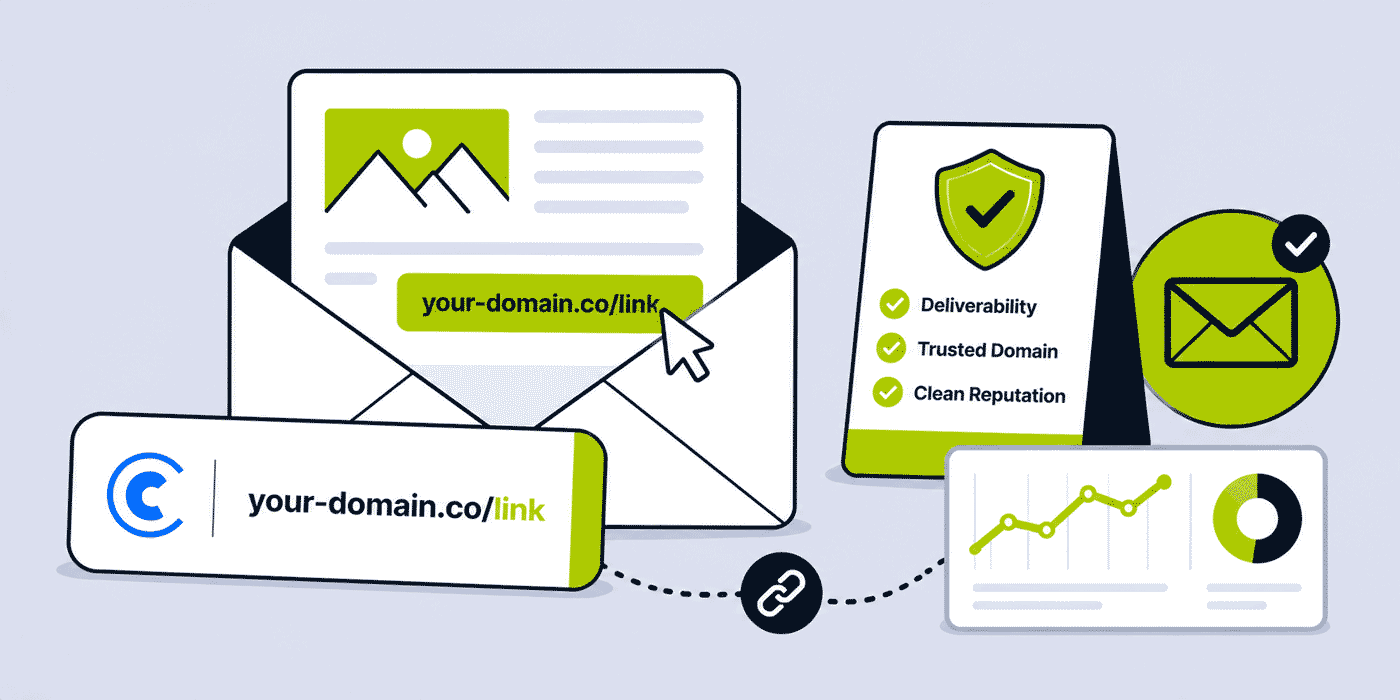
What This Guide Covers
- How email spam filters assess link domains — what they check and why it matters
- Generic shortener domains vs branded domains: the deliverability difference
- Domain reputation for email: what it is and how short link domains affect it
- ESP link wrapping: what it is, how it interacts with short links, and the redirect chain
- Should you use Cuttly short links alongside ESP tracking — or instead of it?
- Bot clicks in email analytics: security scanners, pre-click checking, and filtering
- The two-layer tracking architecture: Cuttly + GA4 + UTM for complete attribution
- Unique click tracking vs total clicks: what the difference reveals
- How to set up short links in different newsletter platforms (Mailchimp, Klaviyo, Substack, Beehiiv, ConvertKit)
- Link placement in emails: above/below fold, CTA button vs text link, number of links
- Link-to-image ratio and its effect on deliverability
- What to do if your newsletter links end up in spam
- Building a link naming convention for newsletter campaigns
How Email Spam Filters Assess Link Domains
Email spam filters — whether operated by Gmail, Outlook, Yahoo, Apple Mail, or corporate gateway solutions like Proofpoint and Mimecast — use link domain reputation as one of the signals in their spam scoring systems. This assessment happens at two levels: the sending domain reputation (the domain in the From address and authenticated by SPF/DKIM/DMARC) and the link domain reputation (the domains embedded in the email body's links).
Link domain checking is typically done against a combination of: real-time blacklists (RBLs) maintained by services like Spamhaus, SURBL, and URIBL that flag domains associated with spam or malicious content; Google Safe Browsing and equivalent browser-based threat databases; the filter's own proprietary domain reputation database built from historical spam reports and engagement signals; and, for large providers like Gmail and Outlook, analysis of how recipients behave when receiving emails containing that domain — do they click through or report as spam?
A domain that appears on any major RBL will cause emails containing links to that domain to be flagged or blocked — regardless of the sending domain's own reputation. This is why a generic shortener domain with a poor-reputation tenant can damage deliverability for legitimate senders using that same domain: the RBL flag applies to the entire shared domain, not just to the specific bad actor's links.
Branded short links on your own domain are not shared with other senders. Their reputation is entirely determined by your own link practices. If your domain has a clean email reputation (consistent with good sending practices, no spam complaints, proper authentication), your branded short link domain is assessed within that context. It benefits from your domain's established trust with spam filters and inbox providers.
Generic Shortener Domains vs Branded Domains: The Deliverability Difference
The deliverability difference between generic shortener domains and branded domains in email is structural, not marginal. It reflects the fundamental difference between shared infrastructure and owned infrastructure.
A generic shortener domain (bit.ly, cutt.ly, tinyurl.com) is used by millions of senders simultaneously. The domain's reputation in spam filter databases is an aggregate of all users' link practices. Reputable URL Shortener platforms actively police their platforms against spam and abuse — Cuttly operates Cuttly Safe Redirecting and monitors for policy-violating links. But no platform can prevent all abuse, and any reputation impact from policy violations by other users can affect the shared domain's deliverability score.
Major email providers (Gmail, Outlook) have detailed reputation models for the most commonly used shortener domains — they know that similar platforms are widely used by legitimate senders and weight their filtering accordingly. The practical deliverability impact of using generic shortener domains in newsletters from a trusted sender is typically low to moderate for established senders with good track records. But it is never zero, and it is always higher than using your own branded domain.
Your own branded short domain has one sender: you. Its reputation is entirely under your control. A branded domain that has been used exclusively for legitimate newsletter links, with high engagement rates and no spam complaints, has an entirely positive domain reputation profile. It cannot be affected by any other sender's behaviour. From a spam filter's perspective, a link on go.yournewsletter.com is a link on a subdomain of yournewsletter.com — a domain whose sending and engagement history the filter has assessed as part of evaluating your overall email reputation.
For newsletter operators who have invested in building domain reputation through consistent sending practices, proper authentication, and high engagement rates, using a branded short domain is the logical extension of that investment into the link layer. Using a generic shortener domain introduces a reputation dependency outside your control.
Domain Reputation for Email: What It Is and Why It Matters
Email domain reputation is the score that inbox providers maintain for a sending domain, informed by: spam complaint rates (the proportion of recipients who mark the email as spam), engagement rates (the proportion of recipients who open, click, or otherwise interact positively with emails from that domain), authentication signals (whether SPF, DKIM, and DMARC are properly implemented), blacklist status (whether the domain appears on major RBLs), and sending history (the age and consistency of the domain's sending behaviour).
For short links specifically: the link domain reputation is an extension of the overall domain reputation. A branded short domain on a subdomain of your main sending domain (go.yournewsletter.com where yournewsletter.com is your authenticated sending domain) benefits from the parent domain's established reputation in most major spam filter implementations. Adding a subdomain does not reset the parent domain's reputation.
A new branded short domain — particularly a completely separate domain not related to your sending domain, like a dedicated short domain (yourbrnd.link) — has no history initially. Spam filters treat new, unestablished domains with higher suspicion than established ones. For dedicated short domains used in email, a warm-up period (building history gradually) is analogous to the IP and domain warm-up process used for new sending infrastructure. Using the new domain's links in low-volume campaigns initially, then scaling as positive engagement history builds, is the appropriate approach.
ESP Link Wrapping: What It Is and How It Interacts with Short Links
Every major email service provider (ESP) — Mailchimp, Klaviyo, Campaign Monitor, ConvertKit, Beehiiv, Substack (with tracking), ActiveCampaign, HubSpot, and others — wraps the links in your email in their own tracking redirect before sending. This wrapping process replaces your link URL with an ESP-specific redirect URL (like click.mailchimp.com/track/click/...) that records when a recipient clicks, then redirects them to your actual link destination.
When you embed a Cuttly short link in your newsletter, the ESP wraps the Cuttly short link in its redirect. The link the recipient sees when hovering in a desktop email client is the ESP's tracking URL — not your short link. When the recipient clicks: their browser goes to the ESP's tracking URL (click recorded by ESP), which redirects to your Cuttly short link (click recorded by Cuttly), which redirects to your final destination page. This is a two-hop redirect chain.
From an SEO perspective, a two-hop redirect chain is acceptable. From a deliverability perspective, the ESP's tracking domain (not your short link domain) is what spam filters see in the email body — the Cuttly short link is only encountered after the ESP redirect fires. This means: using Cuttly short links alongside ESP tracking does not directly add a new domain to the email body that spam filters assess. The domain spam filters see is still the ESP's tracking domain.
However: if you use the Cuttly short link as the raw destination URL in your email (bypassing ESP tracking), the short link's domain is visible in the email body and is assessed by spam filters directly. This is the configuration where branded domain choice most directly affects deliverability.
The practical implication: whether you use Cuttly short links with or without ESP tracking, the branded domain choice matters — either for the direct domain assessment (when used raw) or for the recipient's trust impression when the link is visible in the email before clicking.
Should You Use Cuttly Links Alongside ESP Tracking, or Instead of It?
This is one of the most common practical questions for newsletter operators integrating a URL shortener. The answer depends on what you want to measure and how you want to manage the redirect chain.
Using Cuttly Alongside ESP Tracking (Both Active)
Using Cuttly short links with ESP tracking active gives you two independent data sources for each link click. The ESP records clicks in its campaign analytics. Cuttly records clicks in its analytics dashboard. Both operate independently — the data is not duplicated in a single system but exists in parallel.
The advantage: cross-validation. If your ESP shows 340 link clicks and Cuttly shows 280, the gap (60 clicks) is likely explained by Cuttly's bot filtering — Cuttly removes automated non-human clicks (security scanners, pre-click checking bots) from its count, while some ESPs count these as clicks. The higher Cuttly number being lower than the ESP number is therefore the more accurate human-click figure.
The disadvantage: a two-hop redirect chain (ESP → Cuttly → destination). For high-traffic newsletters or recipients with slow connections, the additional redirect adds latency. It is typically milliseconds — imperceptible to most recipients — but worth being aware of.
Using Cuttly Instead of ESP Tracking
Some newsletter operators disable ESP link tracking and use Cuttly short links as their sole click tracking mechanism. The advantages: single-source click data, cleaner redirect chain (Cuttly → destination, single hop), and the Cuttly short link URL visible to recipients when hovering — rather than the ESP's tracking URL, which can look concerning to security-aware recipients who hover over links before clicking.
The disadvantage: losing the ESP's campaign-level analytics consolidation — ESPs typically show click rates as a percentage of sends or opens, aggregated per campaign, in their analytics dashboards. Removing ESP click tracking means manually calculating click rates from Cuttly's absolute click data divided by your campaign's send count.
For newsletter operators using Cuttly as a standalone tracking layer: ensure UTM parameters are added to every short link. The UTM parameters pass through the redirect to your destination page's GA4, giving you session-level behavior data alongside Cuttly's click-level data. The combination covers both what the ESP's built-in analytics would show (campaign-level engagement) and what Cuttly provides (link-level click behavior with geographic, device, and time data).
The Recommended Configuration for Most Newsletter Operators
Use Cuttly short links with ESP tracking active for the primary newsletter CTA links. Add UTM parameters to every Cuttly short link. Keep ESP link tracking enabled for its campaign-level aggregation. Compare Cuttly's bot-filtered click count to the ESP's click count to understand your genuine human engagement rate. Use Cuttly's analytics for cross-campaign link performance data and geographic/device insights that ESPs typically do not provide.
Bot Clicks in Email Analytics: Detection and Filtering
Bot clicks are one of the most significant sources of data distortion in email newsletter analytics. Understanding what they are, where they come from, and how to interpret your data with bot filtering in mind is essential for making good decisions based on email link performance data.
What Causes Bot Clicks in Email
Security scanning bots: corporate email gateways and enterprise security software (Proofpoint, Mimecast, Barracuda, Microsoft Defender for Office 365, and others) pre-scan every link in incoming emails by automatically clicking them in a sandboxed environment to check for malicious content. This pre-clicking happens before the email is delivered to the recipient's inbox. The result: your link analytics record a click from the corporate security scanner, not from a human reading the email. These bot clicks are often the first clicks recorded for a campaign — they fire within seconds of delivery, before human recipients have had time to read the email.
Spam filter verification: some spam filters click links to verify they resolve to legitimate destinations. These generate similar patterns to security scanning bot clicks.
Preview rendering bots: some email clients pre-render links when generating a preview of the email. These may generate link requests that look like clicks.
How to Identify Bot Clicks
Bot click patterns have recognisable signatures in analytics data: clicks that occur within seconds of email delivery (before any human could reasonably have read the email), clusters of clicks from the same IP address across many links in the same email simultaneously, geographic clustering in data centres rather than consumer IP ranges, and device/OS signatures consistent with server infrastructure rather than consumer devices.
Cuttly's automated bot filtering identifies and excludes non-human requests from click counts. The Cuttly analytics dashboard (Single plan+) includes a bot clicks panel showing the filtered-out automated traffic separately from the human click count — allowing you to see both the raw request volume and the bot-filtered human click estimate.
Interpreting Email Link Data with Bot Filtering
When comparing Cuttly's bot-filtered click count to your ESP's reported click count, expect a gap. The ESP may count all link requests including bot clicks; Cuttly filters them. A Cuttly click count that is 20% to 40% lower than your ESP's click count is not unusual — it represents the bot click proportion being filtered out. Neither number is "wrong" — they measure different things. The Cuttly number is closer to actual human engagement.
From the Single plan, Cuttly's link analytics provide a unique click count (deduplicated by device within a session window) alongside the total click count. In email contexts, the unique click count is typically more meaningful than total clicks — it represents distinct individuals who clicked, filtering out the same person clicking the same link multiple times in one session.
The Two-Layer Tracking Architecture
The complete email newsletter tracking architecture combines three data sources: Cuttly click-level analytics, ESP campaign-level analytics, and GA4 session-level analytics via UTM parameters. Each layer answers different questions and the three together provide complete attribution from email delivery through to on-site behaviour and conversion.
Layer 1 — Cuttly click analytics: total clicks on each link (bot-filtered), unique clicks, click timeline (hourly distribution showing when during the day and week clicks cluster), geographic distribution, device type breakdown (mobile vs desktop — in email, mobile typically accounts for 50–70%+ of opens and clicks), referrer data. This layer answers: which links in the email were clicked, when, by whom in geographic and device terms.
Layer 2 — ESP campaign analytics: sends, deliveries, open rate, CTOR (click-to-open rate), total click rate, unsubscribes. This layer answers: how did the overall campaign perform in terms of engagement relative to sends and opens.
Layer 3 — GA4 via UTM parameters: sessions generated by the newsletter (attributed to the correct campaign via UTM), pages visited after arriving from the newsletter link, events triggered (product views, form submissions, purchases), conversions and revenue attributed to newsletter traffic. This layer answers: what did the people who clicked the newsletter links do after arriving on the website?
Setting up the three-layer architecture: create Cuttly short links for every CTA in the newsletter, add UTM parameters to each (utm_source=newsletter-name, utm_medium=email, utm_campaign=issue-number-or-name), and keep ESP link tracking enabled. Review all three layers together when analysing newsletter performance.
The insight that comes from combining all three layers: not just "how many people clicked the link" (Cuttly) or "what was the click rate" (ESP) but "what did the people who clicked this specific link do after arriving, and how much revenue can be attributed to this issue's traffic" (GA4 + UTM). This is the conversion funnel picture from newsletter delivery to revenue that no single layer provides alone. See the link attribution guide for a deeper treatment of multi-layer attribution architecture.
Setting Up Short Links in Different Newsletter Platforms
Mailchimp
Mailchimp wraps all links in its click.mailchimp.com tracking redirect by default when link tracking is enabled in campaign settings. To use Cuttly short links: create your short links with UTM parameters in Cuttly, paste the Cuttly short link as the link URL in the email editor. Mailchimp will wrap the Cuttly URL in its tracking redirect. Click data appears in both Mailchimp's campaign reports (recording the Mailchimp tracking URL click) and Cuttly analytics (recording the Cuttly short link click after the Mailchimp redirect fires).
If you prefer to disable Mailchimp link tracking and use only Cuttly: go to Campaign Settings → Tracking → uncheck "Click Tracking." All links are then used as-is without wrapping. Cuttly short links become the sole tracking mechanism. Note: disabling Mailchimp click tracking removes click data from Mailchimp's campaign reports, affecting your CTOR calculation within the platform.
Klaviyo
Klaviyo wraps links similarly to Mailchimp. UTM parameters added to Cuttly short links are preserved through Klaviyo's tracking wrapper — they arrive at the destination page intact and are captured by GA4. Cuttly click data and Klaviyo click data operate independently. Klaviyo's analytics shows click performance at the campaign and flow level; Cuttly shows individual link performance with geographic and device data.
Substack
Substack does not offer per-link click tracking in its native analytics (it shows post views and subscriber counts, not individual link click data). Using Cuttly short links in Substack newsletters is the primary mechanism for per-link click tracking. Create short links with UTM parameters, paste them in the Substack editor. Cuttly records every click on the short link. UTM parameters carry attribution through to GA4 or the destination's analytics. Substack does not wrap links in its own tracking redirect, so the Cuttly short link is the direct link the reader sees and clicks.
Beehiiv
Beehiiv provides basic click analytics within its platform. Using Cuttly short links in Beehiiv newsletters adds a second analytics layer with geographic, device, and time data that Beehiiv's native analytics may not provide. UTM parameters are preserved through Beehiiv's handling. The configuration is the same as Mailchimp: paste Cuttly short links in the editor, UTM parameters pass through, both Beehiiv and Cuttly record clicks independently.
ConvertKit / Kit
ConvertKit wraps links in its own click tracker. Using Cuttly short links creates the same two-hop configuration as Mailchimp. ConvertKit's analytics shows campaign-level click performance; Cuttly shows individual link performance with enriched data. For ConvertKit users who want to avoid the double-wrap: disable ConvertKit link tracking per campaign and rely solely on Cuttly + UTM for tracking.
Link Placement and Deliverability Best Practices
Beyond domain reputation and tracking configuration, link placement and quantity in a newsletter email affect deliverability through engagement signals. Emails with many links — particularly many unique domains — may be assessed more harshly by spam filters than emails with fewer, more purposeful links.
Link-to-text ratio: email spam filters have historically assessed the ratio of clickable links to text content. An email that is mostly links with minimal text context can be flagged as promotional or spam. A well-structured newsletter with substantial text content and a small number of purposeful CTA links presents a clean link-to-text ratio. This is not primarily about short links specifically — it applies to all links in the email.
Number of unique domains in links: emails that contain links to many different domains are associated with certain spam patterns. A newsletter with all links pointing to branded short links on your own domain (or to your own website) presents a cleaner domain profile than one with links to dozens of different external domains. Where external links are necessary (affiliate links, sponsor links, external resources), using Cuttly short links to wrap them routes all link destinations through your branded domain in the email body.
Primary CTA above the fold: the most important link in your newsletter should appear early in the email — above the fold for the majority of mobile recipients. In email analytics, links that appear earlier in the email body consistently generate higher click rates. Beyond analytics, early link placement reduces the risk that a recipient who does not scroll far through the email misses the primary call to action.
Unsubscribe link: always include a clearly accessible unsubscribe link in every newsletter. This is legally required in most markets (CAN-SPAM, GDPR, CASL) and has direct deliverability impact — a recipient who cannot easily unsubscribe is more likely to report the email as spam. Use your ESP's native unsubscribe link mechanism for this, not a Cuttly short link — unsubscribe links need to function even if your Cuttly account is unavailable.
What to Do If Your Newsletter Links End Up in Spam
If recipients report that your newsletter is landing in spam, and link domains are a contributing factor, a diagnostic process helps isolate the cause:
Check link domains against major RBLs. Use an online RBL checking tool (MXToolbox or similar) to check whether any domain used in your newsletter links appears on major blacklists. If a linked domain (your branded short domain or a destination domain) is on an RBL, it needs to be delisted — contact the RBL operator with evidence of the issue and remediation steps.
Verify your branded short domain is not on the spam blocklists. A newly registered short domain may have no reputation history — some filters treat new domains conservatively. If using a new branded short domain in email, consider warming it up gradually over several weeks before using it in high-volume newsletter sends.
Check whether the destination domains are the issue. Spam filters assess destination domains as well as the domains visible in the email body. A short link on your clean branded domain that routes to a destination on a blacklisted domain may still cause deliverability issues.
Review sender authentication. SPF, DKIM, and DMARC authentication failures are a primary cause of spam folder delivery, often more significant than link domain issues. Check your authentication records are correctly configured and passing before investigating link domains as the root cause.
Building a Link Naming Convention for Newsletter Campaigns
A consistent alias naming convention for newsletter links makes the analytics dashboard readable and enables cross-campaign comparison. A simple convention: [newsletter-slug]-[issue-number]-[link-position]. For a newsletter called "Growth Weekly," issue 47, primary CTA: gw-047-cta1. Secondary link in the same issue: gw-047-resource1.
This convention produces: all issue 47 links groupable by searching gw-047 in the Cuttly dashboard, all CTA1 links across all issues groupable by searching cta1 for cross-issue CTA performance comparison, and a naming system that makes dashboard review faster and more reliable.
Tags in Cuttly add a second organisation layer: tag all links from each issue with the issue identifier (gw-issue-047). Cuttly Campaigns (Team plan+) aggregates all tagged links' analytics for the issue — showing total click volume across all links in that newsletter issue in a single campaign view, rather than requiring per-link click aggregation.
Ready to implement short link tracking in your newsletter? Create a free Cuttly account — no credit card required, 1 branded domain included. Create your first newsletter short links with UTM parameters in under 10 minutes. Registration required; free plan available immediately.
Authentication and Short Links: SPF, DKIM, DMARC Context
Email authentication — SPF (Sender Policy Framework), DKIM (DomainKeys Identified Mail), and DMARC (Domain-based Message Authentication, Reporting and Conformance) — is the foundation of email deliverability. These authentication systems verify that an email claiming to come from your domain was actually sent by an authorised sender. Authentication passes or fails based on the sending infrastructure configuration, not on the links in the email body.
Short links in the email body do not directly affect SPF, DKIM, or DMARC authentication — these systems operate on email headers and signing mechanisms, not on body link content. However, the relationship between authentication and deliverability is important context for understanding why link domain issues may or may not be the root cause of a specific deliverability problem.
If your newsletter is landing in spam, always check authentication first: verify your SPF, DKIM, and DMARC records are correctly configured and passing using a tool like MXToolbox or Google Postmaster Tools. Authentication failures are a primary deliverability issue that often outweighs link domain concerns. A newsletter with a failing DMARC policy and generic short links has two problems; the same newsletter with a failing DMARC policy and branded short links still has one significant problem. Fix authentication first.
Google Postmaster Tools (free, for Gmail deliverability specifically) shows your domain reputation, DMARC authentication rates, spam rates, and IP reputation. If your newsletter has high Gmail deliverability issues, Postmaster Tools is the diagnostic starting point. The data shows whether the issue is authentication, sender reputation, spam complaint rate, or some combination — rather than guessing at link domain issues before eliminating these more fundamental causes.
Transactional vs Newsletter Emails: Different Deliverability Contexts
Transactional emails (order confirmations, password resets, account notifications, shipping updates) and newsletter/marketing emails operate in different deliverability contexts. Transactional emails have significantly higher expected open and click rates — a recipient who has just placed an order expects and reads the order confirmation. This high engagement rate contributes positively to the sender domain's reputation for transactional email sending.
Newsletter emails, particularly to large audiences, have more variable engagement rates. Inactive subscribers who never open or click represent a potential negative signal — inbox providers use inactivity as a signal of unwanted email. List hygiene (removing inactive subscribers, using confirmed opt-in to maintain a willing audience) is the most significant newsletter deliverability practice — more impactful than link domain choice.
For branded short links: using the same branded short domain across both transactional and newsletter emails can be appropriate (both are branded communications from your organisation), but ensure the domain's reputation is not compromised by lower-engagement newsletter segments being associated with the same domain as high-trust transactional links. Some high-volume organisations use separate subdomains for transactional and marketing email link traffic (links.yourdomain.com for newsletters, secure.yourdomain.com for transactional) to maintain separate reputation profiles.
Engagement Signals and Short Link Placement: The Analytics-Deliverability Connection
The engagement rate your newsletter generates — the proportion of recipients who open and click — is a direct deliverability signal. Inbox providers (particularly Gmail and Outlook) use engagement data as a significant factor in inbox vs spam folder placement. A newsletter that generates consistently high engagement from its subscriber list is a newsletter that inbox providers are incentivised to deliver to inboxes. A newsletter that sends to many unengaged recipients who delete without opening is a newsletter that inbox providers may begin routing to spam.
The connection to short links: because short link click data is the most granular per-link engagement metric available, it enables the content and link optimisation that drives engagement improvement. A newsletter operator who can see, via Cuttly analytics, that Issue 47's primary CTA generated 340 clicks while Issue 48's identical-format CTA generated 210 clicks has specific data to investigate: was the offer less compelling? Was the link placement less prominent? Did the link label change? This optimisation cycle — informed by per-link analytics rather than campaign-level totals — is how newsletter click rates improve over time.
And because click rate is a deliverability signal, improving click rates through link-level analytics optimisation has a direct positive effect on deliverability over time. The analytics value and the deliverability value of well-implemented short link tracking are mutually reinforcing: better data → better link optimisation → higher engagement → better deliverability. Short link analytics are not just a measurement tool — they are part of the feedback loop that keeps your newsletter performing well in inboxes.
Frequently Asked Questions
Do short links hurt email deliverability?
Not when using branded domains. Generic shortener domains with shared reputation can negatively affect deliverability. Branded short links on your own domain carry your organisation's reputation — entirely under your control and assessed by spam filters as part of your broader domain trust.
Does my ESP's link tracking interfere with Cuttly's short link tracking?
Both track independently. ESP wraps the Cuttly link, recording its click before redirecting to Cuttly, which records its click before redirecting to the destination. Two-hop chain, two independent data sources. Compare the two to see the bot-filtered human click gap between ESP totals and Cuttly's filtered count.
How do I filter out bot clicks from newsletter link analytics?
Cuttly automatically filters bot clicks (security scanners, pre-click checking bots) from its analytics. The Single plan shows both total clicks and bot-filtered human clicks separately. Compare Cuttly's filtered count to your ESP's click total to calibrate your understanding of genuine human engagement rates.
Should I use a branded domain or Cuttly's domain for newsletter links?
Always your own branded domain. Generic shortener domains share reputation across all users — any bad actor can affect your deliverability. Your branded domain's reputation is entirely determined by your sending practices. Cuttly provides 1 branded domain free with no credit card required.
- Tools
- URL Shortener →
- Link Analytics →
- Branded Domains →
- Related Guides
- Short Links for Email Marketing →
- URL Shortener for Newsletters →
- Track Links in Email Campaigns →
- Best URL Shortener for Email →
- Short Links Going to Spam →
- Link Attribution 2026 →
- UTM Parameters Guide →
- What Is a Branded Short Link? →
- URL Shortener Security →
- Start Here
- Create Free Account
- Plans & Pricing
URL Shortener
Cuttly simplifies link management by offering a user-friendly URL shortener that includes branded short links. Boost your brand’s growth with short, memorable, and engaging links, while seamlessly managing and tracking your links using Cuttly's versatile platform. Generate branded short links, create customizable QR codes, build link-in-bio pages, and run interactive surveys—all in one place.
Cuttly - Consistently Rated
Among Top URL Shorteners
Cuttly isn’t just another URL shortener. Our platform is trusted and recognized by top industry players like G2 and SaaSworthy. We're proud to be consistently rated as a High Performer in URL Shortening and Link Management, ensuring that our users get reliable, innovative, and high-performing tools.


