URL Shortener for TV Stations and Broadcasters The Complete Guide
Television broadcasting operates across more link surfaces than almost any other medium: an on-screen lower-third graphic, a QR Code displayed during a live programme, an end-card after a commercial break, a social media post promoting a catch-up episode, a competition entry page linked from a presenter's verbal CTA, a sponsor's click-through destination from a branded segment, and a streaming app download prompt shown at the end of a series finale. Each of these is a link, and each carries a different design requirement depending on how a viewer encounters it and how much time they have to act on it.
This guide covers how TV stations and broadcasters — commercial channels, public service broadcasters, regional stations, streaming-first TV brands and multi-channel network groups — use a URL shortener, branded domain, dynamic QR Codes and click analytics across every broadcast and digital touchpoint. Whether the goal is driving viewer competition entries, sending audiences to catch-up platforms, reporting on sponsor performance, or understanding which digital channels actually convert viewers into registered users, link management is the measurement layer that sits underneath every one of these goals.
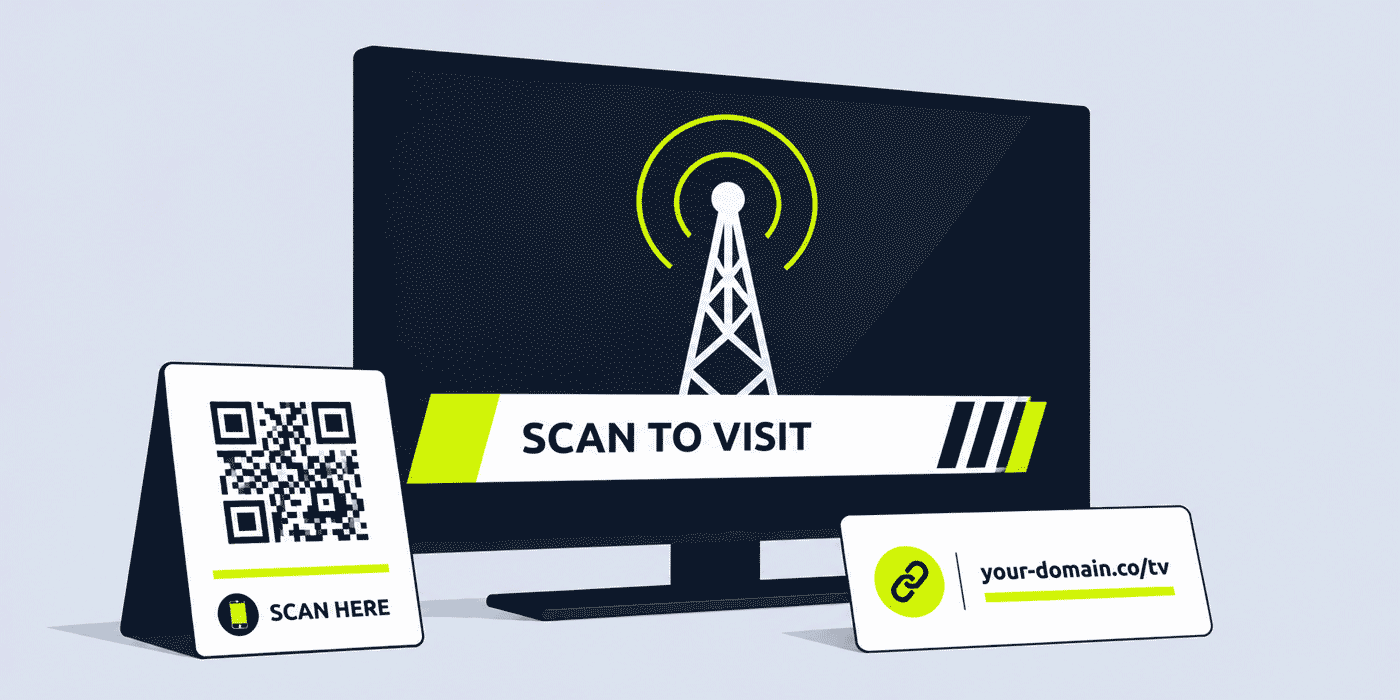
What This Guide Covers
- The different link surfaces available in TV broadcasting — on-screen, social, print, digital
- On-screen link design — lower thirds, end cards, and QR Codes in graphics
- QR Codes on television — how they work, when to use them, and display best practices
- Viewer competition and voting links — structure, tracking and close strategy
- Sponsor and advertiser links — per-sponsor attribution and post-campaign reporting
- Catch-up and on-demand CTAs — driving streaming platform engagement from broadcast
- Programme and series promotion links
- Social media and second-screen links
- Cross-platform campaign tracking for multi-channel broadcasters
- A worked example: a commercial broadcaster's link stack across a prime-time series
- Common mistakes with broadcast link design and sponsor tracking
- A Cuttly plan guide for TV stations and broadcasters
- Frequently asked questions
The Link Surfaces Available to TV Broadcasters
Television broadcasting has a more varied set of link surfaces than radio, because the medium is visual. A radio listener can only hear a link; a television viewer can read it on screen, scan a QR Code displayed in a graphic, follow a link on social media while watching, or tap a notification sent while a live programme is on air. This variety is an opportunity — but it also means that the design requirements for links differ significantly depending on which surface is in use.
- On-screen lower thirds. Text overlaid on live or recorded content during a programme. Viewers must read and remember or type. Display time is typically five to fifteen seconds. Design priority: short, readable, clear.
- End cards and full-screen graphics. Full-screen or large-format graphics at the end of a programme, commercial break or segment. More time on screen than lower thirds, allowing slightly more information. Design priority: clear hierarchy, paired QR Code if possible.
- On-screen QR Codes. Scannable codes displayed within a graphic for a set duration. Viewers scan with a smartphone camera rather than reading and typing. Design priority: high contrast, large enough to scan, displayed for minimum five seconds.
- Social media. Posts, stories and profile links associated with programmes, characters, shows and channels. Viewers interact on a separate device. Design priority: descriptive, trackable per platform.
- Digital out-of-home and print. Promotional materials for programmes and channels in physical locations, TV guides, magazine advertising. Viewers encounter these off-screen. Design priority: QR Code preferred, short text link as fallback.
- Email newsletters and app notifications. Direct communications to registered viewers and subscribers. Tappable links rather than typed. Design priority: descriptive, per-content tracked.
On-Screen Link Design: Lower Thirds, End Cards and Graphics
The on-screen link is the most visible and highest-stakes link surface in television. It appears to a viewer who is engaged with a programme, who may have a smartphone nearby, and who has a defined window — typically five to thirty seconds — in which to read, remember and act on it. Getting the design right makes a significant difference to conversion rates.
Link Length and Format
An on-screen link should be as short as a radio spoken link, for the same reason: the viewer is being asked to hold the link in working memory while they pick up their phone and open a browser. A link that reads your-channel.tv/vote can be read and memorized in two seconds. A link that reads your-channel.tv/vote-for-your-favourite-contestant-series-four cannot.
The standard format for on-screen TV links is: station or programme branded domain, forward slash, one descriptive word or two short words. All lowercase, no hyphens in the slug if avoidable, no special characters. The domain extension should be familiar — .tv, .com, .co, or a national domain — rather than an obscure extension that viewers may not know how to type.
Pairing Text Links with QR Codes
For any on-screen CTA displayed for more than five seconds, pairing a text link with a QR Code in the same graphic significantly increases the proportion of viewers who act on it. A viewer who is watching alone and has their smartphone on the arm of the couch can scan a QR Code in two seconds. A viewer who needs to pick up their phone, navigate to a browser and type a link takes fifteen to thirty seconds — time during which the graphic may have already been replaced by programme content.
The QR Code displayed on screen should be generated from a dynamic short link, not from the destination URL directly. This ensures the QR Code remains valid if the destination changes, and allows the broadcaster to redirect the on-screen QR Code to different content after a programme has aired — for example, redirecting a voting QR Code to a results page after voting closes, or redirecting a catch-up CTA to the next episode when a new episode becomes available.
Display Duration and Placement
The minimum display duration for a text-only on-screen link is five seconds; eight to ten seconds is preferable for any link a broadcaster wants a significant proportion of viewers to act on. For QR Codes, the minimum is five seconds, but the optimal duration is ten to fifteen seconds, as this accounts for viewers who need time to pick up their phone and launch their camera app before the code disappears.
Placement matters too. A lower-third link that overlaps with a key moment in programme content — a dramatic reveal, a presenter speaking, an important graphic — competes for viewer attention and is less likely to be read carefully. End-of-segment placement, during music beds, during credits, or during commercial breaks are all contexts where viewers are more likely to give full attention to an on-screen CTA.
Viewer Competition and Voting Links
Viewer voting, competitions and interactive elements are among the highest-engagement features of live broadcast television. A vote that decides who stays in a competition, a prize draw that a viewer enters by going to a link, or a poll that shapes programme content — each of these uses a link as the primary interaction mechanism, and the analytics on that link are among the most operationally important data points a broadcaster has.
Live Voting Link Strategy
A live voting link displayed on-screen during a broadcast — your-channel.tv/vote — is the primary CTA for some of the most-watched broadcast television events of the year. The design requirements are identical to any on-screen link, with the addition of urgency: voting windows are typically time-limited, and the link needs to be both immediately actionable and clearly communicated.
For programmes with multiple voting rounds over several weeks — talent shows, reality competitions, awards votes — the permanent voting link (your-channel.tv/vote) updated each week to the current vote form is the simplest approach for viewers. Alongside this, the broadcaster can track total engagement per episode by monitoring click volume on the permanent link per broadcast period, creating a week-by-week engagement curve for the series.
Post-Vote Redirect Strategy
When a voting window closes, the vote link should redirect to a results page or a "voting has now closed" page, rather than to an error or an expired form. For a link that may be displayed in replays, in social media clips, and in catch-up viewing of the episode, this redirect strategy keeps the CTA functional across every context in which the programme content might be seen, long after the original broadcast date.
Sponsor and Advertiser Links
Television sponsorship and advertising represent substantial investment from brands, and the ability to provide concrete digital engagement metrics alongside traditional audience measurement is an increasingly important part of the broadcaster's commercial proposition. A per-sponsor short link is the simplest mechanism for providing this engagement data.
Per-Sponsor Attribution
For each sponsored programme, segment or branded content partnership, the broadcaster creates a short link for the sponsor's designated destination: your-channel.tv/sponsor-brand or your-channel.tv/campaign-name. This link appears in on-screen graphics associated with the sponsorship, in social media promotion of sponsored content, and in any digital materials the broadcaster produces in connection with the sponsorship.
Click analytics for this link — aggregated and anonymized — show how many viewers followed up on the sponsorship by visiting the destination. This engagement metric, comparable to digital advertising click-through rates, supplements the audience measurement data broadcasters provide to sponsors. For broadcasters whose sponsors are active digital advertisers comparing television against social media and search channels, the ability to present engagement data in the same format as digital channels is a meaningful commercial advantage.
Sponsor Reporting and Renewal
At the end of a sponsorship campaign, the broadcaster can provide the sponsor with a performance report that includes click analytics for the sponsor's short link alongside the standard audience delivery report. This report shows total clicks, peak engagement periods (which episodes or broadcast times drove the most viewer action), device breakdown, and day-by-day engagement curves — all aggregated and anonymized.
Over multiple campaigns, this dataset builds into a track record of viewer engagement performance that the broadcaster's commercial team can use in renewal negotiations and in pitching new sponsors who want to understand what television sponsorship delivers beyond reach alone.
Catch-Up and On-Demand CTAs
For broadcasters operating both a live linear channel and a streaming or catch-up platform, driving viewers from live broadcast to on-demand viewing is a central audience development goal. A viewer who watches live and then also catches up on missed episodes, or who shares a catch-up link with someone who didn't watch live, extends both the audience of the programme and the broadcaster's relationship with that viewer.
Per-Programme and Per-Series Catch-Up Links
A dedicated short link for each programme's catch-up page — your-channel.tv/programme-name — is the most flexible approach for broadcasters with a large programme portfolio. The destination behind this link can be updated each week to point to the latest episode's catch-up page, or maintained as a link to the series hub on the streaming platform where all episodes are available.
Displaying the catch-up link on-screen at the end of a programme — alongside a QR Code for immediate scanning — gives viewers an immediate path to continued engagement with the content, before the moment of intent (the end of a compelling episode) has passed. Click analytics on the catch-up link per programme give the broadcaster a measure of catch-up demand that is independent of the streaming platform's own viewing statistics, and which can be compared across programmes to understand which content drives the most catch-up intent.
Streaming App and Registration Links
For broadcasters promoting their own streaming app or viewer registration platform, the app download link and registration link are high-priority permanent links. A branded short link — your-channel.tv/app — using a device-detection smart redirect to send iOS users to the App Store and Android users to Google Play gives the broadcaster a single, stable link for app promotion across every channel: on-screen graphics, social media profiles, email newsletters and out-of-home advertising.
Social Media and Second-Screen Links
Television viewing is increasingly a second-screen experience: a significant proportion of viewers use a smartphone or tablet while watching TV, switching between the programme and social media, messaging apps, and search. This second-screen behaviour is an opportunity for broadcasters to use social media links to extend the broadcast experience, provide additional content, and drive registration or platform engagement while viewer intent is highest — during or immediately after the broadcast.
Live Social Posting During Broadcasts
Broadcasters posting on social media in real time during a live broadcast — sharing behind-the-scenes content, promoting the viewer vote, linking to a competition entry form — are reaching an audience that is actively watching and engaged with the programme at that moment. Social media links posted during a live broadcast have a shorter engagement window than links posted outside broadcast periods, and should be treated as time-sensitive CTAs rather than evergreen social posts.
Per-platform tracking — using separate short links for the same destination posted on Instagram, X/Twitter and Facebook simultaneously — allows the broadcaster to see which social platform drives the most immediate viewer action during a live broadcast. This data complements the broadcaster's own social media analytics and provides a cross-platform engagement picture that individual platform analytics cannot provide. See the complete guide to short links in social media for the full breakdown by platform.
Cross-Platform Campaign Tracking for Multi-Channel Groups
Broadcasting groups operating multiple channels — a main channel, a +1 channel, a youth channel, a news channel, a regional channel — face a link management challenge that mirrors the multi-brand challenge of any large media organization: how to maintain brand clarity and consistent link quality across a portfolio of channels that may have different audiences, different presenters, different link surfaces and different commercial relationships.
A shared link management infrastructure — with separate branded domains per channel but a shared dashboard for all channel teams — gives the group visibility across all channels in a single view. Campaign tag analytics allow the group to aggregate performance across all channels for a campaign that runs across the whole portfolio, while per-channel link analytics show each channel's individual contribution to total campaign engagement.
A Worked Example: A Commercial Broadcaster's Link Stack Across a Prime-Time Series
Consider a commercial broadcaster launching a new prime-time competition series. The broadcaster uses a branded domain — your-channel.tv — connected through Cuttly's custom domain setup (an A record and a TXT record — see the custom domain setup guide).
Before the series launches, the broadcaster creates: /show-name pointing to the series hub on their streaming platform, /vote pointing to the voting form (updated each week during the live vote window), and /app pointing to their streaming app download. These three links are included in all pre-launch promotional materials: outdoor advertising, social media profiles, TV guide advertising, email to registered viewers.
During each episode, a lower-third graphic displays your-channel.tv/vote alongside a scannable QR Code during the voting segment. The QR Code is generated from the same short link, so both the text link and the QR Code point to the same destination and share the same analytics. After each episode's vote closes, the destination behind /vote is redirected to a "Results coming soon" page, then to the results reveal clip on the streaming platform.
The series title sponsor has their own link: your-channel.tv/sponsor-brand, displayed in the opening and closing sponsor credit graphics each week. Click analytics over the series run show which episodes generated the most sponsor link engagement — with the series finale generating 4.2x the click volume of a typical mid-series episode. The commercial team shares this data with the sponsor as part of the series performance report, and uses it in discussions about series two sponsorship pricing.
Post-series, /show-name remains active and points to the full series catch-up archive on the streaming platform. Social media posts promoting the catch-up series use the same link with a per-platform parameter structure that allows the digital team to compare how much catch-up traffic is driven by Instagram versus X versus Facebook posts in the weeks after the finale.
Common Mistakes in TV Broadcast Link Management
Displaying Links for Too Short a Duration
A lower-third link displayed for two or three seconds is essentially invisible to most viewers. A viewer watching at normal distance, engaged with programme content, will typically not divert attention to a lower-third graphic until it has been on screen for three to four seconds. Displaying it for only two seconds gives a viewer who does notice it no time to read and remember it. Five seconds is a minimum; eight to ten seconds is the effective threshold for meaningful viewer action rates.
Using Full Destination URLs in On-Screen Graphics
Long destination URLs displayed in on-screen graphics — even attractive, well-designed graphics — are almost never acted on. A URL that reads www.your-channel.tv/competitions/summer-2026/enter-now-for-a-chance-to-win cannot be read, memorized and typed by a viewer in any reasonable on-screen display time. Every on-screen link in broadcast television should be a short, branded link, and the graphic template should be designed to accommodate this format rather than trying to display a full URL.
No Measurement Layer for Sponsor Engagements
Broadcasters who deliver sponsorship without any digital engagement measurement are leaving a significant commercial tool unused. A sponsor who knows their television sponsorship drove a measurable number of viewers to their website or landing page — in addition to reaching their stated audience — is in a different conversation about value, renewal and expansion than one who receives only audience delivery figures. A per-sponsor short link costs nothing to create and provides the measurement layer that supports this conversation.
Cuttly Plan Guide for TV Stations and Broadcasters
- The Free plan ($0) provides 30 short links per month, one branded custom domain, full click analytics, dynamic QR Codes and a Link in Bio page, with no credit card required. Suitable for a small digital channel or regional broadcaster setting up core permanent links and a handful of programme or competition links.
- The Starter plan ($12/month) adds 300 short links per month and 30 custom aliases per month — practical for a commercial broadcaster running multiple programme-specific links, several active sponsor links and regular social media promotion of catch-up content simultaneously.
- The Single plan ($25/month) adds up to 5 branded domains, fully customizable QR Codes with channel logos and brand colors, 1,000 API-created links per month and a full year of analytics history — relevant for broadcasters producing branded QR Code graphics packages, managing multiple programme brands under one account, or wanting historical analytics for multi-series sponsor reporting.
- The Team plan ($99/month) suits multi-channel broadcasting groups with shared link management infrastructure, Campaign tag analytics for aggregated cross-channel performance reporting, multiple branded domains per channel, and shared workspaces for programming, digital, and commercial teams.
Create a free Cuttly account to set up your channel's core on-screen links, your first competition or voting link and your streaming app CTA. Registration is required for all plans, including free. No credit card is needed for the free plan.
Frequently Asked Questions
How do TV stations display short links on screen?
TV stations display short links as lower-third graphics overlaid on live or recorded content, as full-screen end-cards at the end of a segment or programme, as on-screen QR Codes in graphics packages, and as text within presenter-to-camera segments or programme credits. On-screen links need to be displayed for a minimum of five to eight seconds in large, high-contrast typography that remains legible on different screen sizes and viewing distances.
What is the best format for a TV screen short link?
The best format for a TV screen short link is a branded station domain with a short, descriptive slug displayed in all-lowercase: your-channel.tv/vote or your-channel.tv/win. For links that will be on screen for less than ten seconds, pairing the text link with a QR Code in the same graphic significantly increases the proportion of viewers who can act on it immediately, as a viewer with a smartphone can scan the QR Code rather than having to type and remember the text link.
How do TV broadcasters track sponsor link performance?
A broadcaster creates a separate short link for each sponsored segment — for example your-channel.tv/sponsor-name — pointing to the sponsor's designated landing page. Click analytics for each link, aggregated and anonymized, show how many viewers followed up on the sponsorship. This data supplements standard audience measurement and helps position broadcast sponsorship in cross-channel advertising effectiveness conversations.
Can a QR Code work on a TV screen?
Yes. QR Codes displayed on a TV screen can be scanned by a smartphone camera from normal viewing distances, provided the QR Code is displayed at a large enough size — typically occupying at least a quarter of the screen height — and for a minimum of five seconds, at high contrast against a clear background without animation or transparency effects.
How do broadcasters use short links for catch-up and on-demand content?
A broadcaster can create a short link for each programme or series that points to the catch-up or on-demand version on their streaming platform: your-channel.tv/show-name. This link can be displayed on-screen at the end of a live broadcast, included in programme trailers and social posts, and used in email newsletters. Click analytics show how many viewers act on the catch-up CTA from each placement, independent of the streaming platform's own viewing statistics.
- Get Started
- Create Free Account
- Plans & Pricing
- Platform Tools
- URL Shortener
- Link Analytics
- QR Code Generator
- Link in Bio Builder
- Survey Tool
- Related Guides
- URL Shortener for Radio Stations
- URL Shortener for Streaming Services
- URL Shortener for Magazines
- Short Links for Social Media
- Short Links for Offline Campaigns
- Encyclopedia
- Branded Links
- Dynamic QR Codes
- Setup Guides
- Custom Domain Setup
- Track Link Clicks
- Industry Hub
- Media & Broadcasting
- All Industries →
URL Shortener
Cuttly simplifies link management by offering a user-friendly URL shortener that includes branded short links. Boost your brand’s growth with short, memorable, and engaging links, while seamlessly managing and tracking your links using Cuttly's versatile platform. Generate branded short links, create customizable QR codes, build link-in-bio pages, and run interactive surveys—all in one place.
Cuttly - Consistently Rated
Among Top URL Shorteners
Cuttly isn’t just another URL shortener. Our platform is trusted and recognized by top industry players like G2 and SaaSworthy. We're proud to be consistently rated as a High Performer in URL Shortening and Link Management, ensuring that our users get reliable, innovative, and high-performing tools.C


