What Is Link in Bio? Complete Guide for Creators and Brands
"Link in bio" is one of the most used phrases on social media, appearing in millions of posts every day as a call to action directing followers to click a profile URL. But what it actually is — what a Link in Bio page is, why it exists, how it works, and how to use it effectively — is less commonly explained. This guide covers the complete picture: the origin of the term, the technical mechanism, what belongs on a Link in Bio page, how creators and brands use it differently, the role of custom domains, how analytics work, and how Cuttly's Link in Bio builder handles all of it in one platform.
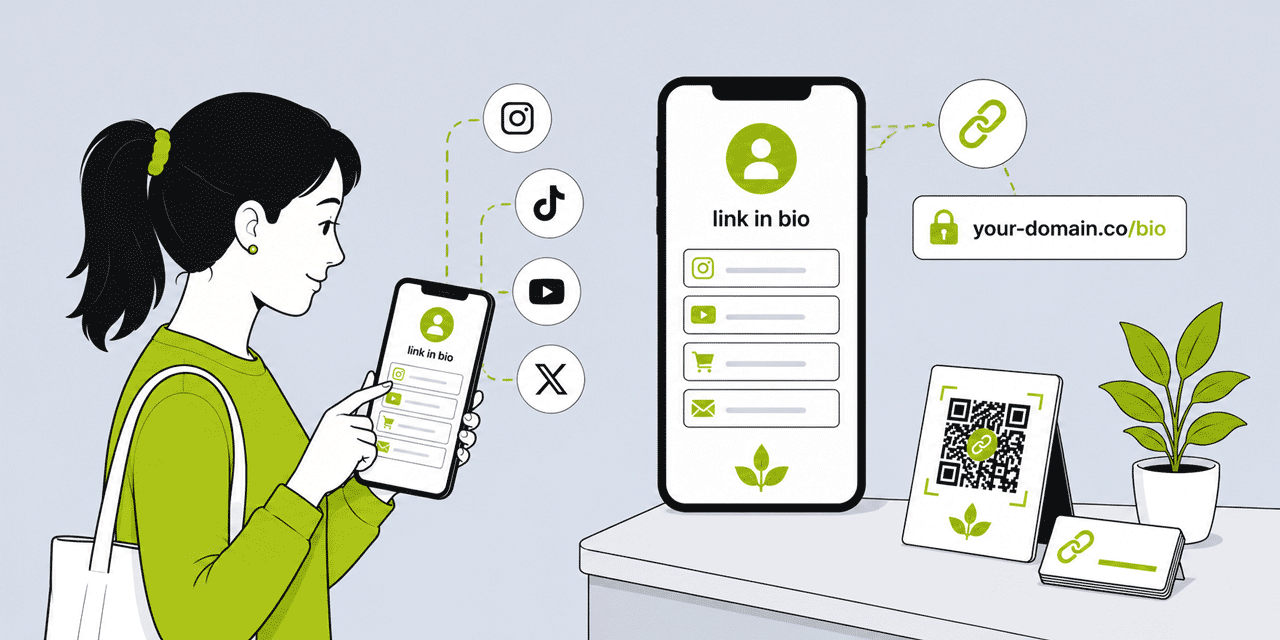
What This Guide Covers
- The origin of "link in bio" — why the phrase exists
- What a Link in Bio page is and how it works
- The platforms where Link in Bio matters
- What to put on a Link in Bio page — for creators vs brands
- How many links to include and in what order
- Custom domain vs platform domain — the difference and when it matters
- Customization: backgrounds, templates, video, profile image
- Analytics: what a Link in Bio page tracks
- Link in Bio vs a website — the distinction
- Link in Bio for businesses, professionals, and service providers
- Common mistakes and how to avoid them
- How Cuttly's Link in Bio builder works
The Origin of "Link in Bio" — Why the Phrase Exists
The phrase "link in bio" emerged from Instagram's specific link restrictions. When Instagram launched, it prohibited clickable URLs in post captions — a deliberate design choice to keep users within the app rather than navigating away to external websites. The only exception was the profile biography, which allowed one clickable URL.
For creators and brands who wanted to direct their Instagram audience to specific content — a blog post, a product, a YouTube video, a news article — the profile bio URL became the only available exit point. A creator who published a new YouTube video would change the bio link to the video URL, then caption the post "link in bio." A brand launching a product would change the bio link to the product page.
The problem: you can only have one bio link at a time. Changing it for each new post means the previous post's "link in bio" destination is broken for anyone who comes back to it. Followers who see a post from three weeks ago and tap "link in bio" land on whatever the current bio link points to — not what the post referenced.
The solution that emerged: instead of linking the bio directly to each new destination, link it to a page that aggregates all current destinations. The bio URL becomes permanent — it points to the Link in Bio page. The Link in Bio page is updated with new destinations as content is published. Every post's "link in bio" call to action reliably leads to a page where the relevant content is accessible alongside everything else.
This is the origin of the Link in Bio format. It is a workaround for Instagram's one-link restriction that evolved into a standard content distribution tool used across all social platforms by creators, brands, businesses, and professionals worldwide.
What a Link in Bio Page Is
A Link in Bio page is a simple, mobile-optimized landing page that sits behind the single URL in a social media profile bio. It contains a vertical list of buttons — typically 3 to 8 — each linking to a distinct destination. A profile image and name at the top identify who the page belongs to. A brief description may appear below the name. The buttons are the primary content.
The page is designed specifically for the context in which it will be seen: a mobile phone screen, accessed from a social media app, by someone who tapped a profile link. It is not a website with navigation, subpages, and complex content. It is a focused, scannable list of "here is where you can go next" options.
The URL of a Link in Bio page can be: a platform-owned domain (like cutt.bio/yourname — Cuttly's dedicated Link in Bio domain), a generic short link on a shortener domain, or a custom branded domain (bio.yourbrand.com or yourbrnd.link/yourname). The domain choice affects how professional and consistent the page feels as part of the creator's or brand's overall digital identity.
How It Works Technically
The mechanism is simple. The creator or brand creates a Link in Bio page using a builder — Cuttly's Link in Bio builder, Linktree, or similar tools. They add buttons with labels and destination URLs. They customize the visual appearance. They publish the page, which has a stable URL.
That stable URL is placed in the social media profile bio. When a follower taps the bio link, their browser navigates to the Link in Bio page. They see the list of destinations and tap the button most relevant to them. Their browser navigates to that button's destination URL.
Cuttly's Link in Bio builder tracks two layers of analytics for every page: page-level data (how many people visited the page, from which referrer sources, at what times) and button-level data (how many times each individual button was clicked and the resulting click-through rate — visits to the page versus button clicks). This analytics data reveals not just how many people arrive from the social profile but what they do on the page and which destinations they are most interested in.
The Platforms Where Link in Bio Matters
The Link in Bio concept originated on Instagram but applies to every social platform that limits outbound links in a profile.
Instagram allows one clickable URL in the profile bio. Post captions do not allow clickable links (the text appears but is not hyperlinked). Stories allow link stickers for all users. The bio link is the primary organic outbound link mechanism, making Link in Bio essential for anyone using Instagram to drive traffic to external destinations.
TikTok allows one clickable URL in the profile bio for accounts that meet the minimum follower threshold (which has varied over time and by region). Post captions and video descriptions do not support clickable links. Link in Bio is the standard outbound link mechanism for TikTok creators.
Twitter / X allows one website URL in the profile. Post bodies allow clickable URLs, which reduces the urgency of the bio link compared to Instagram and TikTok — but Link in Bio is still used to aggregate multiple destinations behind the single profile website field.
LinkedIn allows one website URL in the profile contact information. Post bodies allow clickable URLs. LinkedIn profiles often benefit from a Link in Bio page aggregating professional destinations — particularly for individual professionals who want to point connections to their website, booking page, portfolio, published articles, and other professional resources simultaneously.
YouTube allows website links in the channel description and in video descriptions. The channel description link is the closest equivalent to a bio link, and some creators use a Link in Bio page as the primary channel link — giving YouTube viewers access to all platforms and destinations from one URL.
Pinterest allows one website URL in the profile. Instagram Threads allows a bio link. Most emerging social platforms similarly allow one profile link — making the Link in Bio page format relevant across the platform landscape rather than just Instagram.
What to Put on a Link in Bio Page
The content of a Link in Bio page should answer one question: what does the person who just arrived from my social profile most want to do or see? The answer depends on the nature of the account and the intent of the audience arriving from it.
For Content Creators
A content creator's Link in Bio page typically aggregates their most important content channels and conversion destinations. The button order reflects priority — what the creator most wants visitors to do.
Common buttons for creators: latest YouTube video or content piece (most topical, most likely to be clicked by someone who just saw the post), newsletter signup (high-value for audience ownership and monetization), merchandise or product shop, Patreon or membership page, podcast on Spotify or Apple Podcasts, personal website or portfolio, most important secondary social platform (e.g. Instagram pointing to TikTok, or vice versa). Optional: brand partnership page, press kit, speaking or collaboration enquiry.
The key principle for creators: keep the list focused. A Link in Bio page with 12 buttons does not serve the visitor better than one with 6 — it overwhelms them. Decision paralysis is real. More buttons = more friction. Start with the 4 to 6 most important destinations and remove any link that has not been clicked in the last 30 days of analytics.
For Brands and Businesses
A brand's Link in Bio page serves a different function from a creator's: it is less about content discovery and more about directing different audience intents to the appropriate destination efficiently. A person who arrives at a clothing brand's Link in Bio page from Instagram might want to shop, find the nearest store, check the returns policy, or follow the brand's other social profiles. The page should serve all of these intents simultaneously.
Common buttons for brands: primary shop or product catalogue, new arrival or current campaign, store locator or booking page, customer service or contact, about the brand, newsletter signup, and secondary social profiles (TikTok, YouTube, Pinterest). For service businesses: appointment booking (first and most prominent), services overview, testimonials or reviews, contact, and any current promotion.
For Professionals
Lawyers, doctors, consultants, financial advisors, therapists, accountants, and other professionals use Link in Bio pages to aggregate their professional destinations in the one allowed bio link. Typical buttons: consultation booking or contact (most prominent), professional profile or firm website, LinkedIn profile, client portal, recent article or publication, and specific service pages most relevant to the social profile's audience.
How Many Links and in What Order
The optimal number of buttons on a Link in Bio page is generally 4 to 7. Below 4, the page may not serve the full range of the audience's intents. Above 8 to 10, the page creates decision fatigue and the most important actions receive proportionally less attention.
Button order follows a priority hierarchy. The most important action — the one you most want visitors to take — belongs at the top. On mobile, the first button is the most visible and receives the highest click-through rate. Buttons further down the page receive progressively fewer clicks, following a pattern consistent with any list of options on a mobile screen.
Review your Link in Bio analytics monthly. Buttons that consistently receive zero or near-zero clicks should be removed or repositioned. Buttons that receive high click-through relative to other buttons are the ones your audience finds most valuable — reinforce this with content that drives more of the same intent.
Cuttly's Link in Bio supports up to 5 buttons on the free plan, up to 20 on Single, up to 50 on Team, and up to 99 on Enterprise. For most use cases, the free or Starter plan's 5-button limit is restrictive — the Single plan's 20 buttons provides comfortable room for any professional or brand use case without requiring aggressive pruning.
Custom Domain vs Platform Domain
The URL of a Link in Bio page is itself a brand signal. There is a meaningful difference between:
linktr.ee/yourbrand— Linktree's domain, not yourscutt.bio/yourbrand— Cuttly's dedicated Link in Bio domainbio.yourbrand.com— your own branded domain
For individuals and small creators where audience recognition of the brand domain is minimal, the platform domain (cutt.bio/yourname) is typically adequate. It is clean, purpose-built, and recognizable as a Link in Bio destination.
For businesses, professional practices, and personal brands with established domain recognition, a custom branded domain produces a more consistent professional impression. The bio link URL — which appears in the profile, in shared screenshots, in QR Codes on printed materials, and potentially in the URL bar as visitors share or bookmark the page — carries the brand's domain identity rather than a platform's.
Cuttly's Single plan ($25/month) unlocks both cutt.bio/yourname and custom branded domain options. DNS configuration uses an A record and TXT record — no CNAME required. SSL is provisioned automatically. The Link in Bio page is fully functional either way; the domain choice is about brand consistency, not functionality.
On the Team and Enterprise plans, Cuttly branding is removed entirely from Link in Bio pages — the page appears as entirely yours, with no platform attribution visible to visitors.
Customization: What You Can Control
A Link in Bio page should reflect the creator's or brand's visual identity — the same colors, tone, and aesthetic that the social profile presents. A Link in Bio page that looks generic or inconsistent with the brand's visual identity creates a small but real discontinuity in the experience.
Cuttly's Link in Bio builder provides the following customization options:
Background: solid color (any hex value), predefined gradient sets (basic on all plans, extended on Single and above), or a custom background image (upload with control over position, repeat, and size). For brand-consistent pages, the background color or gradient should align with the brand's primary palette.
Template: controls the visual style of the entire page — button shape (Rounded, Square, Oval), button fill mode (Filled Dark, Filled White, Outline Dark, Outline White, Outline Grey), header alignment (Center, Left, Right), header text color (Light, Dark, Grey), and font family. Template editing is available from the Starter plan.
Profile image: upload a square image (appears as a circle at the top of the page). This is the same image used on the social profile — maintains visual consistency from profile to Link in Bio page.
Title and description: the name and one or two lines of bio text that appear below the profile image. Should match the social profile's display name and bio tone.
Video embedding: available from the Single plan. A YouTube or Vimeo video embedded directly on the page — visitors can play it without navigating away. Effective for creators who want to feature their latest video, or for brands who want to embed a product demo or brand film.
Icon buttons: Cuttly automatically detects known social media platform URLs and offers to display them as icon-only buttons (platform logo) rather than text buttons. Available from the Starter plan. Icon buttons are visually clean for social platform links and match the audience's expectations for those destinations.
Custom alias: available from the Single plan. Sets the back-half of the Link in Bio URL — cutt.bio/yourname or bio.yourdomain.com/yourname — to a memorable, branded term rather than a random string.
Analytics: What a Link in Bio Page Tracks
Cuttly's Link in Bio analytics provide two levels of measurement:
Page-level analytics: total page visits, referrer sources (which platforms are sending traffic to the page), and time patterns (when the page receives the most visits). Page visits tell you how many social profile followers are tapping the bio link — the raw reach of the Link in Bio as a distribution mechanism.
Button-level CTR: clicks per individual button (how many times each destination button was clicked), and overall click-through rate (page visits divided by total button clicks). A page with 1,000 visits and 400 button clicks has a 40% CTR — meaning 40% of visitors took at least one action on the page.
What CTR tells you: the gap between page visits and button clicks is the engagement rate of the page. A low CTR indicates that visitors are arriving on the page but not finding anything compelling enough to click — which may mean the button labels are unclear, the most important action is not prominent enough, or the page visual design is not creating the right immediate impression. A high CTR indicates the page is effectively converting profile views into destination visits.
Per-platform referrer data: if the same Link in Bio URL is shared across multiple social platforms, referrer data shows which platform is sending the most visitors. Instagram versus LinkedIn versus TikTok contribution to Link in Bio traffic is directly visible in the analytics. This data informs which platform's audience is most engaged and where content investment is most productive.
Analytics history: 30 days on Free and Starter, 180 days on Single, 1 year on Team and Enterprise. Available from the Single plan: full CTR analytics. On Free and Starter plans, basic click-by-days and referral analytics are available.
Link in Bio vs a Website
A Link in Bio page is not a replacement for a website. It is a different tool for a different purpose, and understanding the distinction prevents misuse of both.
A website serves the full range of a brand's or creator's digital needs: comprehensive content, product catalogues, blog archives, contact forms, terms and conditions, portfolio galleries, and all the information a visitor might look for in any context. It is navigated through menus, subpages, and internal links. It is indexed by search engines. It serves visitors who arrive via search, direct type-in, or referral as well as social media.
A Link in Bio page serves one specific use case: providing a social media follower with quick, mobile-optimized access to a curated set of destinations from a single bio link. It does not replace website content. It complements it by providing a focused entry point for a specific audience in a specific context — the social media follower who tapped the profile link.
The Link in Bio page is one of the buttons in the Link in Bio page, pointing to the full website. The website is the destination; the Link in Bio page is the curated directory.
Link in Bio for Businesses and Professional Services
Link in Bio pages have moved beyond their creator origin into widespread use by businesses of all types. For any business with an active social media presence, a Link in Bio page is the standard mechanism for converting social media followers into customers, clients, or contacts.
Retail and e-commerce: Link in Bio aggregates the primary shop, current sale, new arrivals, and loyalty programme. Product-specific Links in Bio for TikTok content that features a specific item are increasingly common — pointing directly to the product page from a bio dedicated to that content series.
Service businesses: For salons, therapists, personal trainers, photographers, and similar service businesses, the Link in Bio's most important button is the booking page. Everything else serves awareness; the booking page drives revenue. Analytics on the booking button click-through rate tells the business how effectively the social media presence is converting interest into appointments.
Restaurants and food businesses: Link in Bio aggregates the menu (digital or PDF), reservation booking, ordering (delivery or click and collect), loyalty programme, and current seasonal offer. For restaurants active on Instagram and TikTok, the Link in Bio is the primary digital bridge between visual content and transactional action.
Professional services: Lawyers, financial advisors, consultants, and similar professionals use Link in Bio pages on LinkedIn and Instagram to aggregate their professional profile, booking or contact page, key publications, and professional directory listings. For professionals whose social content attracts potential clients, the Link in Bio is the conversion mechanism.
Common Mistakes and How to Avoid Them
Too many buttons. Every additional button dilutes the attention given to the most important ones. More than 8 buttons on a Link in Bio page is almost always counterproductive. Review analytics monthly and remove buttons that receive no clicks.
Generic button labels. "Website," "Shop," "Click here" are vague. "Shop the New Collection," "Book Your Consultation," "Watch My Latest Video" tell the visitor exactly what they get and why it is worth tapping. Specific labels consistently outperform generic ones.
Most important action not at the top. The top button receives the most clicks. If the primary conversion goal is a booking, the booking button belongs first — not fourth after three social platform links.
Not checking analytics. A Link in Bio page without analytics review is a missed optimization opportunity. Monthly review of page visits, per-button CTR, and referrer source data takes 5 to 10 minutes and generates actionable insights about what the audience values and where to focus content effort.
Never updating the page. A Link in Bio page that has not been updated in 6 months may have outdated links, expired promotions, and missing destinations for recent content. It should be a living document — updated when new content is published, when campaigns change, and when analytics reveal that low-performing buttons should be replaced with higher-value ones.
Platform domain when brand domain matters. For brands with established domain recognition, a bio link on a platform-owned domain is a small but real inconsistency in the brand experience. If your audience knows your domain and trusts it, the bio link should reflect it.
How Cuttly's Link in Bio Builder Works
Cuttly's Link in Bio builder is available on all plans including the free plan — no credit card required. Create an account, navigate to Link-in-Bio in the dashboard, click Create new Link-in-Bio. Add buttons with destination URLs and labels. Customize the background and template. Set a profile image, title, and description. Publish. The page is live immediately.
On the free plan: 1 page, up to 5 buttons, hosted on the cutt.ly domain. On the Starter plan: same page limit but with template editing and icon buttons. On the Single plan: up to 3 pages, up to 20 buttons, cutt.bio domain or custom branded domain, video embedding, custom alias, full QR customization, and 180 days of analytics history. On Team: up to 10 pages, up to 50 buttons, no Cuttly branding, 1 year of analytics. On Enterprise: up to 20 pages, up to 99 buttons.
Every Link in Bio page automatically generates a QR Code. On the Single plan, the QR Code is fully customizable — brand colors, logo, SVG export for print. Anyone who scans the QR Code on a business card, a printed flyer, or an event material lands on the same Link in Bio page as anyone who taps the social media bio link. The page and its analytics work identically for both access methods.
Frequently Asked Questions
What does "link in bio" mean?
"Link in bio" refers to the clickable URL in a social media profile biography, particularly on Instagram which restricts links in post captions. Because only the bio allows a clickable link, creators and brands place a single URL there leading to a page aggregating all their important destinations. The phrase is also used as a call to action in posts directing followers to click the profile link.
What is a Link in Bio page?
A Link in Bio page is a simple mobile-optimized landing page containing a list of buttons, each linking to a different destination. It sits behind the single bio URL and provides permanent access to multiple destinations — website, shop, booking, newsletter, latest content — from the one allowed link in a social media profile.
What should I put on my Link in Bio page?
3 to 8 focused buttons linking to your most important destinations. Prioritize the action you most want visitors to take — put it first. Review analytics monthly and remove buttons no one clicks. Specific button labels ("Book Your Consultation") outperform generic ones ("Contact").
Can I use my own domain for a Link in Bio page?
Yes. With Cuttly's Single plan ($25/month), you can host your Link in Bio page on your own branded domain — bio.yourbrand.com or yourbrnd.link/your-name. DNS setup uses an A record and TXT record. SSL included automatically. Your audience sees your brand, not a platform's.
Is Link in Bio only for Instagram?
No. While the term originated on Instagram, Link in Bio pages are used across all social platforms that allow one profile link: TikTok, Twitter/X, LinkedIn, YouTube, Pinterest, and others. Anywhere a single profile URL is all that's available, a Link in Bio page makes that single URL serve multiple destinations.
How is a Link in Bio page different from a website?
A Link in Bio page is a single focused page with a list of links — no navigation, no subpages, no complex content. Its purpose is to aggregate multiple destinations for social media followers. A website serves the full range of digital needs. The Link in Bio page complements a website — one of its buttons typically links to the full website.
- Tools
- Link in Bio Builder →
- URL Shortener Tool →
- QR Code Generator →
- Related Guides
- Link in Bio Complete Guide 2026 →
- Link in Bio Without Linktree →
- Best Linktree Alternative 2026 →
- Link in Bio Tools Guide →
- What Is a Branded Short Link? →
- What Is CTR? →
- Encyclopedia
- Link in Bio
- Branded Links
- Verticals Hub
- URL Shortener for Every Industry →
- Start Here
- Create Free Account
- Plans & Pricing
URL Shortener
Cuttly simplifies link management by offering a user-friendly URL shortener that includes branded short links. Boost your brand’s growth with short, memorable, and engaging links, while seamlessly managing and tracking your links using Cuttly's versatile platform. Generate branded short links, create customizable QR codes, build link-in-bio pages, and run interactive surveys—all in one place.
Cuttly - Consistently Rated
Among Top URL Shorteners
Cuttly isn’t just another URL shortener. Our platform is trusted and recognized by top industry players like G2 and SaaSworthy. We're proud to be consistently rated as a High Performer in URL Shortening and Link Management, ensuring that our users get reliable, innovative, and high-performing tools.


