How to A/B Test Links: Split Testing Short URLs for Better Conversions
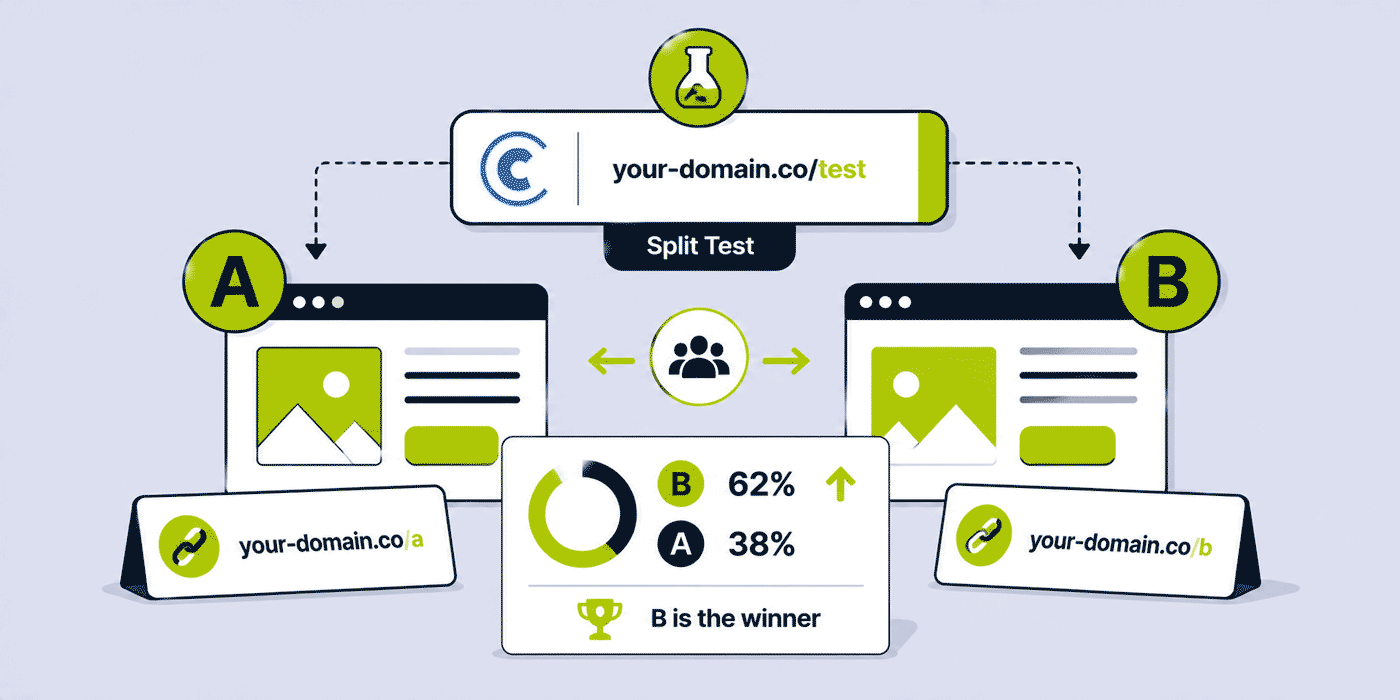
A/B testing is the most direct mechanism available to marketers for making evidence-based decisions about what converts better. Instead of deciding between two landing pages based on instinct, design preference, or stakeholder opinion, an A/B test shows which page actually converts better with real visitors making real decisions. The challenge: most A/B testing infrastructure requires either a dedicated testing platform, changes to the website's codebase, or both. Short link rotation — distributing traffic between two (or three) destination URLs through a single short link — is a lightweight alternative that works without touching the website's code, works across any channel (email, social, SMS, print), and requires no integration with the destination pages. This guide covers everything about A/B testing with short link rotation: how Cuttly's link rotation feature works, how to set it up, how to design a valid test, what to test, how to interpret the results, and when link-level rotation is and is not the right tool for the testing question.
What This Guide Covers
- What link rotation (A/B testing) is in a URL shortener context
- How Cuttly's A/B test (link rotation) feature works
- Setting up an A/B test in Cuttly — step by step
- Split ratios: when to use 50/50 vs unequal splits
- What you can and cannot test with link rotation
- Designing a good A/B test: one variable, clear hypothesis
- Statistical validity: how many clicks you actually need
- How Cuttly's analytics tracks A/B test performance
- The three-variant A/B/C test (Enterprise plan)
- When to stop a test — and how to interpret results
- Common A/B test mistakes and how to avoid them
- Practical test scenarios: email campaigns, landing pages, offer variants
- Link rotation vs dedicated A/B testing platforms
- Which Cuttly plan includes A/B link testing
What Link Rotation (A/B Testing) Is in a URL Shortener Context
Link rotation — Cuttly's implementation of A/B testing at the link level — is a feature that assigns multiple destination URLs to a single short link. When a visitor clicks the short link, the redirect infrastructure routes them to one of the configured destination URLs according to the configured split ratio. Visitor A gets destination URL A; the next visitor gets destination URL B; and so on, cycling through the configured variants according to the split.
The key characteristic of link-level A/B testing: it is transparent to the visitor and independent of the destination pages. The visitor clicks one short link and arrives at one destination page — they never know that another version exists. The destination pages do not need any modification, any JavaScript injection, or any integration with a testing platform. The only requirement is that the two (or three) destination pages exist and are accessible via URL.
This simplicity has both advantages and limitations. The advantage: link rotation can be set up in minutes for any two pages, in any channel, without developer involvement. The limitation: link rotation randomises traffic at the click event — it does not account for user characteristics, session history, or demographic targeting. Every visitor has an equal probability of seeing each variant (in a 50/50 split), regardless of who they are.
Understanding what this feature is called in Cuttly's interface: the feature is called Link Rotation — A/B/C Test in the support documentation and A/B test or A/B/C test depending on the plan level. In the dashboard, it is accessed via the A/B test icon next to any short link.
How Cuttly's A/B Test Feature Works — Plan by Plan
The specific capabilities of the link rotation feature differ by plan:
| Plan | Variants | Split configuration | Click counting |
|---|---|---|---|
| Free | Not available | — | — |
| Starter | Not available | — | — |
| Single | A and B (2 variants) | Fixed 50/50 only | Normal or unique (same setting applies to both A and B) |
| Team | A and B (2 variants) | Configurable % (e.g. 70/30, 80/20) | Normal or unique |
| Team Enterprise | A, B, and C (3 variants) | Configurable % for all three | Normal or unique |
The destination URL of the original short link (A) is set when the link is created. Variant B (and variant C if using Enterprise) is configured in the link rotation settings. The split ratio determines what percentage of visitors are routed to each variant.
Click counting applies equally to all variants. If unique click counting is enabled for the short link, both the A destination link and the B destination link track unique clicks using the same deduplication logic. This is important for test validity — consistent click counting across both variants ensures the comparison is apples-to-apples.
Setting Up an A/B Test in Cuttly — Step by Step
Step 1: Create Both Destination Pages
Before configuring the link rotation, both destination pages must exist and be accessible. These pages are entirely your own — hosted on your website, on a landing page platform, on a marketing automation tool's landing page builder, or anywhere else accessible via URL. Cuttly routes traffic to them but does not host them.
Name the pages clearly to avoid confusion: /landing-page-v1 and /landing-page-v2, or /offer-a and /offer-b. The naming makes it easier to identify which page is which variant in analytics.
Step 2: Create or Identify the Short Link
The A/B test is configured on an existing Cuttly short link. The link's current destination URL becomes Variant A. If you are creating a new short link specifically for the test, create it with the Variant A destination URL, assign a meaningful alias (test-landing-may, not a random string), and add the campaign tag.
Set the slug with the test in mind: since both variants share the same short link, the slug should reflect the campaign, not a specific variant. go.brand.com/spring-offer is appropriate; go.brand.com/spring-offer-original implies variant specificity that the slug-level link rotation does not have.
Step 3: Configure the Link Rotation
In the Cuttly dashboard, find the short link and click the A/B test icon (displayed as an AB icon in the link action buttons row).
A side panel opens with the link rotation configuration:
- The current destination URL is shown as Variant A (the main link)
- An input field for Variant B's destination URL
- A slider to set the split ratio (Single plan: fixed at 50/50; Team plan: adjustable by dragging the slider; Enterprise plan: three-way split with two sliders)
Enter Variant B's destination URL. Set the split ratio. Click Save.
The link rotation is now active. Every click on the short link will be distributed between Variant A and Variant B at the configured ratio. The test runs until you manually change the configuration — there is no automatic end date, though you can combine link rotation with link expiration (a short link with rotation active and an expiration date stops routing altogether at the expiration date).
Step 4: Configure Conversion Tracking
Link rotation in Cuttly tracks clicks per variant (how many visitors were routed to A, how many to B). It does not track what those visitors did after arriving at the destination — whether they converted, purchased, signed up, or bounced. Conversion tracking requires either a Cuttly retargeting pixel (if the conversion event is a page view on the destination) or UTM parameters passing to GA4 on the destination pages.
UTM setup for A/B link testing: add UTM parameters to both destination URLs that distinguish the variants. Add utm_content=variant-a to Variant A's URL and utm_content=variant-b to Variant B's URL. Since both variants are accessed through the same short link, you cannot set different UTM parameters at the short link level — you must embed them in the destination URLs themselves before entering them into the link rotation configuration.
With UTM-tagged destination URLs: when a visitor arrives from the short link and completes a conversion on the destination page, GA4 records the session attributed to the UTM-tagged source, with utm_content distinguishing Variant A from Variant B. Comparing conversion rates per utm_content value in GA4 shows which variant produced the better conversion outcome.
Split Ratios: When to Use 50/50 vs Unequal Splits
The default and most statistically efficient split for an A/B test is 50/50 — equal traffic to both variants maximises the statistical power of the test for a given total click volume. With equal traffic, both variants accumulate data at the same rate, reaching statistical significance faster than with an unequal split.
However, equal splits are not always appropriate. The Team plan's configurable percentage split is useful for several scenarios:
Risk-averse testing of a new variant: if Variant B is a significantly different page and there is concern it might underperform significantly, starting with a 90/10 split (10% to the new variant) limits the exposure to the potentially underperforming variant while still accumulating data to evaluate it. Once early data suggests the variant is not dramatically worse, the split can be adjusted toward 50/50.
Ramp-up testing: introducing a new variant gradually (20/80 → 40/60 → 50/50 over successive periods) allows progressive evaluation before full exposure. This is particularly useful for high-stakes landing pages (checkout flows, donation pages) where a poorly performing variant could have significant revenue impact.
Post-test winner validation: after a test identifies a winner (say, Variant B), the split can be adjusted to 90/10 in favour of Variant B while the result is validated against a small continued Variant A holdout. This provides statistical confidence that the result is consistent, not a sample anomaly.
Multi-arm bandit testing: a simplified version of multi-arm bandit optimisation can be approximated with configurable splits — allocating more traffic to the currently better-performing variant while still sending some traffic to the control. This is not statistically equivalent to formal bandit algorithms, but it provides a pragmatic approach when test duration is constrained.
What You Can and Cannot Test with Link Rotation
What Link Rotation Tests Well
Landing page variants: two versions of the same landing page — different headlines, different hero images, different CTA text, different page layouts, different offer structures. The test question: which page version produces more conversions (tracked via UTM + GA4)?
Offer and pricing variants: two pages presenting the same product or service at different price points, with different promotional offers, or with different bundle configurations. The test question: which offer structure produces more purchases or sign-ups?
Destination page type: a direct-to-product-page versus a category overview page; a registration form page versus a product information page with a secondary CTA; a checkout-start page versus a social proof/testimonials page with a purchase CTA. The test question: which destination type produces the best downstream conversion outcome?
Channel experience: when combined with device analytics from Cuttly, link rotation can reveal whether different audience segments (mobile vs desktop, as indicated by device analytics) respond differently to each variant. If Variant A outperforms on desktop but Variant B outperforms on mobile, separate links per device type (not link rotation — Cuttly's deep linking for mobile, separate desktop links) may be the correct architecture.
What Link Rotation Does Not Test Well
Email subject line or message content: link rotation tests what happens after the click — it cannot test what drives the click. Testing email subject lines or social post copy requires split-sending different messages to different audience segments (available in most ESPs' A/B test features). Link rotation assumes the click has already happened.
Changes within a page (element-level testing): if you want to test whether a green button performs better than a blue button on the same page, or whether a specific headline variant outperforms another, you need an on-page testing tool (Google Optimize's successor, VWO, Optimizely, or a built-in testing feature in your landing page platform). Link rotation tests full page variants, not element-level variations within a shared page.
Personalised testing by user segment: link rotation distributes traffic randomly — it does not know who the visitor is, where they came from, or what their characteristics are. A/B tests that should target specific user segments (return visitors versus new visitors, subscribers versus non-subscribers, mobile versus desktop) require targeting-aware testing platforms.
Tests requiring very large sample sizes: for high-precision tests (detecting small percentage improvements, testing on low-conversion-rate pages), the traffic volume required for statistical significance may be beyond what any single short link can accumulate in a reasonable timeframe. Professional testing platforms with continuous statistical monitoring are more appropriate for these precision contexts.
Statistical Validity: How Many Clicks You Need
The most common A/B testing mistake is ending a test too early — when a variant appears to be winning with insufficient data. A result that looks decisive after 50 clicks per variant may reverse entirely after 500 clicks per variant. Statistical significance requires a minimum sample size that depends on the baseline conversion rate, the minimum detectable effect size, and the desired confidence level.
The core statistical concept: a confidence level of 95% means that if there is actually no difference between the variants, you would see a result this extreme by chance only 5% of the time. A 95% confidence threshold is the standard minimum for actionable business decisions.
Practical sample size guidelines for 95% confidence, two-tailed test:
| Baseline conversion rate | Minimum detectable effect (relative) | Clicks needed per variant | Total clicks needed |
|---|---|---|---|
| 2% | 50% improvement (to 3%) | ~1,700 | ~3,400 |
| 5% | 20% improvement (to 6%) | ~3,600 | ~7,200 |
| 5% | 30% improvement (to 6.5%) | ~1,600 | ~3,200 |
| 10% | 20% improvement (to 12%) | ~1,700 | ~3,400 |
| 20% | 10% improvement (to 22%) | ~2,400 | ~4,800 |
These numbers reveal a practical reality: for short links with low-to-moderate click volumes (100 to 500 clicks), statistically significant A/B test results require unrealistically long test windows unless the conversion rate difference between variants is very large. A short link receiving 200 clicks per week testing a landing page with a 5% conversion rate will take approximately 16 to 36 weeks to reach statistical significance — an impractically long window for most campaign contexts.
The practical implication: use link rotation A/B testing with confidence for high-traffic links (campaigns that will generate thousands of clicks in a few weeks). For lower-traffic links, treat the test as directional evidence (larger pattern of results suggesting a likely winner) rather than statistically proven evidence.
How Cuttly Analytics Tracks A/B Test Performance
Cuttly tracks both variants of a link rotation test — the main link (Variant A) and the alternative link (Variant B) — independently. The analytics dashboard shows click data for the main short link's destination (Variant A). Variant B's click data is separately accessible. The same analytics dimensions apply to both: total clicks, unique clicks (if unique counting is enabled), device breakdown, geographic distribution, OS/browser, referrer, and time patterns.
Reading A/B test results in Cuttly:
- Volume confirmation: verify both variants have received approximately the expected traffic proportion (50/50 test should show approximately equal clicks within normal statistical variation)
- Device and geographic distribution: confirm both variants are receiving comparable audience profiles — if one variant has a significantly different mobile-to-desktop ratio, it may indicate a selection bias in how the link was distributed rather than a genuine variant performance difference
- Time patterns: confirm both variants' traffic occurred in similar time windows — traffic concentrations at very different times of day may indicate that the test ran across periods with different audience characteristics (weekday vs weekend traffic, for example)
Cuttly click analytics answers the question "how many people clicked through to each variant." For the conversion question ("which variant converted better"), the UTM-tagged GA4 data provides the conversion attribution that Cuttly analytics cannot — the downstream behaviour after the click.
The A/B/C Three-Variant Test (Enterprise Plan)
The Team Enterprise plan extends link rotation to three variants — A, B, and C — with configurable percentage splits across all three. A three-variant test allows simultaneous comparison of three distinct approaches without running sequential two-way tests.
Three-variant tests have a statistical implication: testing three variants simultaneously with a given total traffic volume provides less data per variant than a two-way test. To maintain adequate statistical power across three variants, the required total sample size increases by approximately 50% compared to a two-way test at the same confidence level and minimum detectable effect.
Practical use cases for three-variant testing: comparing three distinct landing page designs (control, iterative improvement, radical redesign); testing three pricing structures simultaneously; testing three offer variants in a campaign; or running a "champion-challenger-exploration" structure where one variant is the established winner, one is a refined challenger, and one is an exploratory radical alternative.
Three-variant tests are most valuable when traffic volumes are high enough to support the larger required sample size, when three genuinely distinct hypotheses need simultaneous evaluation, and when the time to run three sequential two-way tests would create unacceptable competitive or commercial delay.
Designing a Good A/B Test: One Variable, Clear Hypothesis
The most important A/B test design principle: change one variable between variants. If Variant A has a different headline, different hero image, different CTA colour, and different page layout from Variant B, a significant difference in conversion rate tells you that "something is different" — but not which element drives the difference. One variable changed = interpretable result.
Formulate a specific hypothesis before the test: not "let's see which page does better" but "we hypothesise that a headline focused on price savings ('Save 30% this summer') will produce higher conversion than a headline focused on product features ('Discover our summer collection') because our audience data shows price sensitivity as the primary purchase driver." The hypothesis specifies: what is being changed, what direction of effect is expected, and why. A test that confirms or refutes a specific hypothesis provides actionable strategic insight. A test without a hypothesis produces a data point but not a decision framework.
Examples of single-variable tests appropriate for link rotation:
- Headline test: Variant A has headline "Start your free trial today" / Variant B has "Join 50,000 teams already using [Product]." One variable: social proof vs direct CTA.
- Offer structure test: Variant A leads with a free tier / Variant B leads with a limited-time discount on the paid tier. One variable: acquisition model framing.
- CTA test: Variant A's primary button says "Get Started" / Variant B says "See Plans." One variable: intent expression in CTA copy.
- Social proof test: Variant A has no testimonials above the fold / Variant B has three testimonials above the fold. One variable: social proof placement.
Common A/B Test Mistakes and How to Avoid Them
Stopping too early (peeking): checking results daily and stopping when a variant appears to lead is the most common mistake. Early results are highly variable. Run the test until the predetermined sample size is reached, not until one variant looks like it is winning. Use an A/B test duration calculator (widely available free online tools) to set a planned end date before the test starts.
Testing too many variants simultaneously: running 5 variants simultaneously with 50,000 total clicks provides only 10,000 clicks per variant — often insufficient for reliable conclusions. For link-level A/B testing with the traffic volumes typical of most short links, two variants (occasionally three) is the practical maximum.
Testing during unrepresentative periods: a test run during a promotional event, a holiday period, or immediately after a major external news event may produce results that do not generalise to normal conditions. Test during normal operations whenever possible, or account for seasonal context when interpreting results.
Changing the test mid-run: modifying either variant's destination page during the test — even a minor change — invalidates the test from that point forward. Changes to the destination pages must wait until the test completes and a decision is made. If a critical page change is urgently needed, end the test before making the change rather than running a contaminated test.
Testing without conversion tracking: measuring only clicks (how many people arrived at each variant) without measuring conversions (what they did after arriving) produces only half the picture. Always configure UTM-based conversion tracking in GA4 before starting a test that aims to improve conversion rates.
Using different UTM parameters per variant incorrectly: as noted in the setup section, UTM parameters must be embedded in the destination URLs (not in the short link itself, which is shared across both variants). Not adding UTM differentiation to the destination URLs means GA4 cannot distinguish variant A traffic from variant B traffic for conversion attribution.
Practical A/B Test Scenarios
Email Campaign: Testing Two Landing Pages
A B2B SaaS company sends an email campaign promoting a new feature. They have two landing page variants: one focused on the feature's technical specifications (for developer-buyer personas) and one focused on business impact (for executive-buyer personas). They expect a mixed-persona email list.
Setup: create a short link with the technical specs page as the destination. Configure link rotation 50/50 with the business impact page as Variant B. Add utm_content=tech-specs to the technical specs page URL and utm_content=business-impact to the business impact page URL. Distribute the single short link to the entire email list. After the campaign, compare GA4 conversion rates per utm_content value — and check if device analytics from Cuttly show a device distribution difference between variants (if one variant shows disproportionately more mobile clicks, the audience who received it may have a different device mix than anticipated).
Nonprofit Fundraising: Testing Two Donation Form Approaches
A charity tests two versions of its donation landing page in a direct mail QR Code campaign: Variant A leads with a specific programme impact story ("Your £10 provides school meals for a child for a week"), Variant B leads with a general mission statement and the organisation's overall impact numbers. Hypothesis: specific programme impact drives higher average gift size.
Setup: print QR Codes routing to the shared short link with link rotation configured 50/50. Track donations per UTM variant in the donation platform's analytics. Measure both conversion rate (percentage of page visitors who donate) and average gift size (the impact-story approach may convert fewer donors but produce larger average gifts — a higher-value outcome).
E-Commerce: Testing Checkout Entry Points
An online retailer tests whether linking a product promotion directly to the checkout with the product pre-added (Variant A) outperforms linking to the product page with a standard "Add to Cart" flow (Variant B). Hypothesis: removing a step from the purchase journey increases conversion, even at the cost of browse discovery.
This test has high commercial stakes — use a more conservative split if concerned about the impact of a worse-performing variant. Starting at 80/20 (80% to the standard product page, 20% to the direct checkout) limits risk while accumulating data on the direct checkout path.
Link Rotation vs Dedicated A/B Testing Platforms
Cuttly's link rotation and dedicated A/B testing platforms (Google Optimize successors, VWO, Optimizely, AB Tasty, and equivalent tools) serve overlapping but distinct use cases.
Use Cuttly link rotation when: you want to test two fully different page designs or architectures; you need testing that works across channels without page-level implementation; the destination pages are on different platforms or domains; you want lightweight testing without a dedicated testing tool; or you need a quick directional test before investing in a more rigorous study.
Use a dedicated A/B testing platform when: you need element-level testing (button colour, headline copy, form field changes) within a single page; you need targeting-based test allocation (test only for returning visitors, for a specific device type, for a specific geographic segment); you need continuous statistical monitoring with stopping rules; or you need more than three variants in complex multi-variant tests.
Link rotation is particularly useful for tests that span multiple traffic channels simultaneously — a test running on email, social media, and print QR Codes simultaneously, all routing to the same short link with rotation, accumulates traffic from all channels into a single test. A dedicated page-level testing platform typically only captures traffic arriving directly at the page, missing traffic routed through short links from other channels.
When to Stop a Test and How to Act on Results
Knowing when to stop an A/B test is as important as knowing how to start one. Three principles govern the decision:
Principle 1: Stop when the predetermined sample size is reached. Before the test starts, calculate the sample size required for your desired confidence level and minimum detectable effect. When both variants have accumulated that many clicks (or conversions, if measuring downstream), the test has run long enough. Do not stop before this point because one variant appears to be winning — and do not extend indefinitely hoping for a clearer result if the sample size has been reached.
Principle 2: Stop if a variant is catastrophically underperforming. If one variant is generating near-zero conversions while the other is performing normally, and there is a clear technical reason (a broken page, a misrouted destination, a form that does not work on mobile), stop the test and fix the issue. Catastrophic underperformance that is not a genuine variant effect is not useful data — it is a measurement failure.
Principle 3: Run the test for at least one full business cycle. For most businesses, a "business cycle" is one week — capturing both weekday and weekend traffic patterns. A test run only on weekdays may reflect weekday audience behaviour that differs significantly from the combined weekday-weekend pattern. Minimum test duration: one full week for most use cases; two to four weeks for higher-confidence decisions or when traffic is lower.
When the test concludes with a clear winner: implement the winner as the default destination for the short link (configure the winning variant as the main destination URL), end the link rotation, and document the test result — what was tested, what the hypothesis was, what the result was, and what the confidence level was. This documentation becomes part of the organisation's conversion optimisation knowledge base.
When the test concludes without a clear winner (no statistically significant difference): this is also a result — it means the two variants are functionally equivalent for the measured outcome at the tested traffic levels. Options: accept that either variant is fine and deploy either; increase the test power by running for longer with more traffic; or investigate whether the lack of difference indicates a measurement problem (conversion tracking not working correctly) or a genuine equivalence.
Iterative Testing: Building on Each Result
The most productive use of link rotation A/B testing is not as a one-off exercise but as a systematic iterative process. Each test produces a result (winner, loser, or equivalent); the winner becomes the new control for the next test; and the next hypothesis is informed by what was learned in the previous test.
Example iterative sequence for a landing page optimisation programme using short link rotation:
Test 1: headline focus — programme impact story vs feature list. Winner: programme impact story (confirmed higher conversion rate). New control: programme impact story landing page.
Test 2: CTA button text on the programme impact story page — "Donate Now" vs "Give Today." Winner: "Give Today" (marginal improvement, borderline significance). New control: programme impact story + "Give Today" CTA.
Test 3: social proof placement on the best current page — testimonials above the fold vs below the primary CTA. Winner: above the fold (significant improvement). New control: programme impact story + "Give Today" + above-fold testimonials.
Each iteration produces a specifically better page, informed by evidence. After three rounds of testing, the landing page may be converting at 15% to 25% higher than the original version — a compounding improvement driven by systematic, hypothesis-driven A/B testing with short link rotation.
The Cuttly analytics history (1 year on Single plan, 2 years on Team) makes this iterative testing programme sustainable — historical test results and their associated click data remain accessible for comparison and reference, supporting a continuous learning cycle rather than isolated point-in-time experiments.
Which Cuttly Plan Includes A/B Link Testing
Single plan ($25/month): A/B test with two variants (A and B), fixed 50/50 split. Appropriate for most A/B testing needs — equal traffic distribution maximises statistical efficiency and the 50/50 split is the statistically optimal default.
Team plan ($99/month): A/B test with two variants, configurable percentage split (e.g. 70/30, 90/10). The configurable split is the key differentiator — essential for risk-averse variant introduction, ramp-up testing, and post-test winner validation at scale.
Team Enterprise plan ($149/month): A/B/C test with three variants, configurable percentage splits across all three. For organisations with high-traffic links running simultaneous multi-hypothesis tests.
A/B testing with short link rotation is available from Cuttly's Single plan. Create a free account to get started — link rotation is activated for existing links from the dashboard with no additional setup. Registration required; free plan available immediately (link rotation not available on free plan; upgrade to Single to access the feature).
Frequently Asked Questions
How does link rotation (A/B testing) work in Cuttly?
Cuttly's A/B test (link rotation) assigns multiple destination URLs to a single short link and distributes traffic between them at the configured split. Single plan: two variants, fixed 50/50. Team plan: two variants, configurable %. Enterprise plan: three variants (A/B/C), configurable %. Click analytics track each variant independently. Note: click counting settings apply equally to all variants.
What can you A/B test with short link rotation?
Full page variants: different landing page designs, offer structures, CTAs, pricing presentations, and checkout flow entry points. Not appropriate for element-level tests (button colour, within-page copy) or targeting-based tests (segment-specific allocation) — use a dedicated testing platform for those.
Which Cuttly plan includes A/B link testing?
Single ($25/month): A/B, fixed 50/50 split. Team ($99/month): A/B, configurable percentage split. Team Enterprise ($149/month): A/B/C, three variants with configurable percentage splits. Not available on Free or Starter plans.
How many clicks do you need for a valid A/B link test?
For 95% confidence: typically 1,600 to 7,200 clicks per variant depending on baseline conversion rate and the size of the difference you are trying to detect. Lower-traffic links will struggle to reach statistical significance quickly. Use an online sample size calculator before starting the test to set a planned end date based on your expected traffic volume.
URL Shortener
Cuttly simplifies link management by offering a user-friendly URL shortener that includes branded short links. Boost your brand’s growth with short, memorable, and engaging links, while seamlessly managing and tracking your links using Cuttly's versatile platform. Generate branded short links, create customizable QR codes, build link-in-bio pages, and run interactive surveys—all in one place.
Cuttly - Consistently Rated
Among Top URL Shorteners
Cuttly isn’t just another URL shortener. Our platform is trusted and recognized by top industry players like G2 and SaaSworthy. We're proud to be consistently rated as a High Performer in URL Shortening and Link Management, ensuring that our users get reliable, innovative, and high-performing tools.


