Link Tracking 101: How to Track Every Click from Every Channel
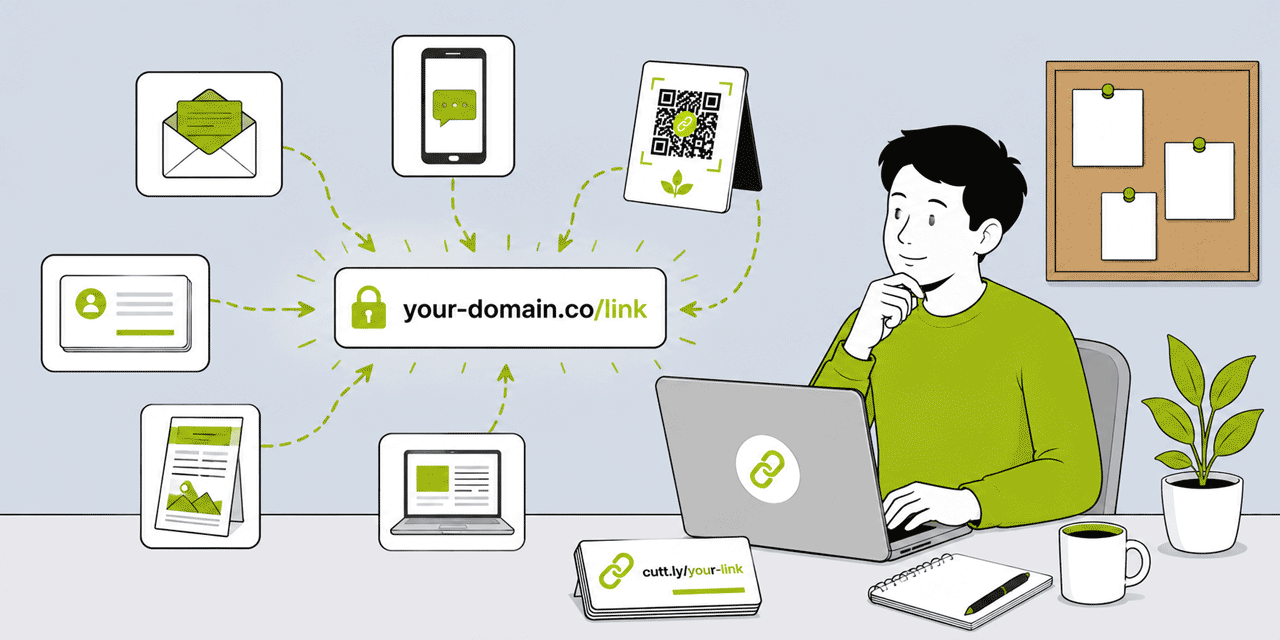
Most marketers and business owners share links without knowing what happens after they are shared. The email goes out, the post is published, the flyer is distributed — and then silence. No visibility into whether anyone clicked. Which channel generated more traffic. What device people used. Where in the world the audience was. Whether the QR Code on the business card is actually being scanned. This guide is for anyone who wants to change that. It covers link tracking from scratch: what it is, how it works technically, how to set it up for every channel you use, what data you get, how to interpret it, and how to use it to make better marketing decisions. No prior analytics knowledge assumed.
What This Guide Covers
- What link tracking is and why most marketers are not doing it properly
- How link tracking works technically — the redirect layer
- The foundation: one short link per channel
- Setting up tracking for email marketing
- Setting up tracking for social media (Instagram, LinkedIn, TikTok, Twitter/X, Facebook)
- Setting up tracking for SMS campaigns
- Setting up tracking for print and QR Codes
- Setting up tracking for paid advertising
- UTM parameters: the bridge between Cuttly tracking and GA4
- What data you get from Cuttly analytics
- How to read link analytics and what questions it answers
- The two-layer approach: Cuttly + GA4 together
- Common link tracking mistakes and how to avoid them
- Building a simple link tracking system from scratch
What Link Tracking Is and Why Most Marketers Are Not Doing It Properly
Link tracking is the practice of measuring every click on a shared URL — recording who clicked it (device, location, browser), when, from which referral source, and how many unique individuals clicked versus how many total clicks occurred. It is implemented by routing shared links through a short link service that records every request to the short link as a data event before redirecting the visitor to the destination.
The gap between what most marketers do and what link tracking actually enables is significant. Most marketers look at website analytics (GA4, Google Analytics) and assume that shows them the full picture. It does not. Website analytics shows what happened on the website after people arrived. It does not reliably show where they came from (referrer data is missing or unreliable for many channels), how many people clicked a link before arriving (versus how many were deterred by the link itself), or anything about audiences who clicked and immediately left before the analytics script fired.
More specifically, most marketers share the same URL — or a generic short link — across multiple channels simultaneously, with no way to distinguish which channel drove the traffic. The email campaign, the Instagram post, the LinkedIn article, and the flyer with a QR Code all point to the same page. The website analytics shows sessions from various sources but cannot reliably attribute each session to the exact channel because referrer data is missing for email traffic, stripped by some social apps, and absent for QR Code scans.
The solution is straightforward. Create a separate short link for each channel. Each link points to the same destination but generates its own independent analytics. The email link shows how many people clicked from the email. The Instagram link shows how many clicked from Instagram. The QR Code link shows how many people scanned. You now have complete, reliable, channel-level click attribution without depending on referrer data or website analytics.
How Link Tracking Works Technically
Understanding the technical mechanism demystifies link tracking and clarifies why it works even when other analytics approaches fail.
When you create a short link in Cuttly, you are creating a redirect: a URL (go.yourbrnd.link/campaign) that, when requested, records the request event and redirects the requester to the destination URL. The recording happens at the redirect layer — at Cuttly's server, before the destination page is loaded.
When a person clicks the short link, their browser makes an HTTP request to Cuttly's server. Cuttly's server receives the request and immediately records: the timestamp, the requesting device's IP address (from which geographic location is derived), the User-Agent header (device type, operating system, browser), and the Referer header (from which the source platform is identified when available). Cuttly then returns a redirect response — HTTP 301 — pointing the browser to the destination URL. The browser follows the redirect and loads the destination.
This recording happens before the destination page loads, before any JavaScript runs, before any analytics script fires. It does not depend on the destination page having any analytics installed. It does not depend on the visitor's browser settings or extensions. It does not depend on the visitor staying on the destination page for any length of time. Every click on the short link is recorded. Period.
Bot filtering runs automatically on all Cuttly plans — automated crawler traffic, link health checkers, and other non-human requests are identified and excluded from click counts. The numbers you see in Cuttly analytics represent genuine human clicks.
The Foundation: One Short Link Per Channel
This is the single most important practice in link tracking, and it is the one most commonly skipped. The principle is simple: create a unique short link for each channel or source where you share a URL, even when all those links point to the same destination.
Consider a product launch campaign. You promote the product page across five channels: an email newsletter, an Instagram post, a LinkedIn post, an SMS to your customer list, and a leaflet with a QR Code. If you use the same short link in all five channels, you see one combined click count in analytics. You cannot distinguish email-driven clicks from Instagram-driven clicks from QR Code scans.
If you create five separate short links — one per channel — each pointing to the same product page, you see five independent click counts. Email: 340 clicks. Instagram: 87 clicks. LinkedIn: 52 clicks. SMS: 210 clicks. QR Code flyer: 38 clicks. You now know which channel drove the most traffic, which drove the least, and how to allocate effort in the next campaign.
In Cuttly, creating multiple short links to the same destination takes less than two minutes. The naming convention for aliases: use descriptive, channel-specific names. go.yourbrnd.link/launch-email, go.yourbrnd.link/launch-instagram, go.yourbrnd.link/launch-sms, go.yourbrnd.link/launch-flyer. The destination is identical. The tracking is independent per channel.
Setting Up Tracking for Email Marketing
Email is the channel where link tracking is most frequently done incorrectly — because most email platforms provide their own link tracking that creates a false sense of having the data covered.
Email platform click tracking works by replacing every link in your email with a platform-specific redirect URL — click.mailchimp.com/track/click/... or similar. When a recipient clicks, they are tracked by the email platform before reaching your destination. This provides email-level click data within the platform's analytics dashboard.
The limitation: email platform tracking only tells you about clicks within that email platform. If the same destination is shared on Instagram, you cannot compare email click performance to Instagram click performance because the data lives in separate systems. And email platform tracking typically does not survive link forwarding — if a recipient forwards the email and the forwarded recipient clicks, the tracking may fail or misattribute.
The Cuttly approach: use Cuttly-branded short links for every CTA link in your email. Your email platform may also track these links (it will track the click on the Cuttly short link URL), but the Cuttly analytics provide consistent, cross-channel comparable data that is not siloed within the email platform's dashboard.
Setup: create a short link for each email campaign with an email-specific alias. go.yourbrnd.link/campaign-email-june. Add UTM parameters: utm_source=newsletter, utm_medium=email, utm_campaign=campaign-june-2026. Place this short link in the email CTA. Track clicks in Cuttly analytics and compare to other channels' links.
For emails with multiple links — a header CTA button, an inline text link, a footer banner — create separate short links for each placement. The alias naming: campaign-email-header, campaign-email-inline, campaign-email-footer. Analytics show which email element drives the most clicks. This is the data that informs which email design patterns work for your specific audience.
Setting Up Tracking for Social Media
Social media link tracking is where the one-link-per-channel principle produces the most immediately useful insights — because organic social media analytics are famously unreliable on link click attribution.
Instagram does not allow clickable links in post captions. The bio link is the primary outbound mechanism. For Instagram link tracking: create a unique short link for the Instagram bio (using Link in Bio if you need multiple destinations, or a direct short link if routing to a single page). Every click from the Instagram bio routes through this link. Analytics show Instagram bio traffic volume, device breakdown (almost entirely mobile), and geographic distribution.
For Instagram Stories (which allow link stickers): create separate short links per story for high-priority campaigns. If a story promotes a specific product and you want to know how many story viewers clicked through, a unique story link gives you that data independently from the bio link.
LinkedIn allows clickable links in post bodies. Create a unique short link for each LinkedIn post that includes a CTA. go.yourbrnd.link/linkedinpost-article-june. LinkedIn analytics within the platform shows impressions and engagement; Cuttly analytics shows actual click-through to the destination. Comparing the two reveals what percentage of LinkedIn impressions on a post convert to actual destination clicks — a more meaningful ROI signal than LinkedIn's own engagement metrics.
TikTok
TikTok allows one bio link (for eligible accounts). Create a unique short link for TikTok bio — separate from the Instagram bio link. Over time, comparing Instagram bio traffic to TikTok bio traffic reveals which platform is driving more actual destination visits from a comparable posting effort.
Twitter / X
Twitter/X allows clickable links in post bodies. Create unique short links for significant posts and campaigns. Twitter/X automatically wraps all links in t.co tracking URLs — this does not prevent Cuttly tracking, since the t.co redirect resolves to the Cuttly short link which then tracks the click before redirecting to the final destination. Both Twitter/X's click data and Cuttly's click data are available independently.
Facebook page posts and groups allow clickable links. Create unique short links per campaign or per content type for Facebook. Facebook organic analytics show reach; Cuttly shows actual clicks to destination — again, the comparison reveals conversion rate from reach to action, which is the signal that matters.
Setting Up Tracking for SMS Campaigns
SMS is the channel where link tracking provides some of its highest-value data — because SMS achieves very high open rates, making click-through data directly indicative of offer relevance rather than open rate issues.
For SMS campaigns, branded short links are not just a tracking tool — they are a prerequisite for reasonable click-through rates. Recipients of SMS messages are the most suspicious of unfamiliar link domains. A generic short link in an SMS from a brand the recipient knows is indistinguishable from a smishing attempt. A branded short link on the sender's own domain passes the trust check immediately.
Setup: create a unique short link for each SMS campaign. Use a clean, branded alias: go.yourbrnd.link/offer-june-sms. Include UTM parameters for GA4 attribution: utm_source=sms-june, utm_medium=sms, utm_campaign=campaign-june-2026. Send the branded short link in the SMS message. Analytics show SMS-specific click volume, timing patterns (SMS clicks often cluster within the first 15 minutes of delivery for most campaigns), and geographic distribution.
For Indian market SMS campaigns, Cuttly's TRAI-compliant link format — 2s.ms/{HEADER}/{alias} or custom domain with Tracking Header — ensures regulatory compliance while maintaining full click analytics.
Setting Up Tracking for Print and QR Codes
Print and QR Code tracking is link tracking's most powerful application for measuring channels that have traditionally been unmeasurable. A flyer, a business card, a product packaging QR Code, or a billboard — none of these have traditionally generated any measurable data about how many people saw them and took action. Dynamic QR Codes from Cuttly change this entirely.
The mechanism: a QR Code generated from a Cuttly short link encodes that short link URL in the QR matrix. When someone scans the QR Code, their device requests the short link URL from Cuttly's server. Cuttly records the scan event exactly as it records a regular link click — with timestamp, device, OS, and location. The scan is tracked before the redirect to the destination.
Setup: create a unique short link per printed material. A business card gets one short link; a flyer gets another; a product packaging QR Code gets another; a banner at a trade event gets another. All may point to the same destination — or to different destination pages appropriate to each physical context. Each generates its own scan analytics.
The alias for print materials should be stable and neutral: go.yourbrnd.link/card for a business card, go.yourbrnd.link/flyer-june for a June flyer campaign, go.yourbrnd.link/product-x for a specific product's packaging. The QR Code is downloaded in SVG format from Cuttly for professional print production. The destination can be updated at any time in Cuttly without reprinting the physical material.
Print tracking analytics answer questions that have historically been unanswerable: Did anyone actually use the QR Code on the business cards distributed at the conference? Which of the three flyer designs (tested by distributing each in different neighborhoods with different QR Code aliases) generated the most scans? Is the packaging QR Code being used — and if so, by customers in which regions?
Setting Up Tracking for Paid Advertising
Paid advertising platforms (Google Ads, Meta Ads, LinkedIn Ads, TikTok Ads) have their own click tracking — they count ad clicks and report them in their platforms. Using branded short links in paid ads adds a second layer of click data that is independent of the ad platform's own reporting.
The primary value for paid advertising: landing page attribution and cross-channel comparison. Cuttly's click data for a paid campaign link can be compared to the same campaign's organic social data and email data, all in the same analytics dashboard. Paid advertising clicks are also tracked independently of any ad platform measurement gaps — discrepancies between ad platform reported clicks and website sessions (common due to click fraud filtering, tracking prevention, and bot filtering differences) become visible when you have Cuttly's independent click data alongside the ad platform's.
For Google Ads: do not add UTM parameters manually to Google Ads destination URLs when auto-tagging (GCLID) is enabled — this can cause measurement conflicts. Use Cuttly branded short links as the final URL but leave Google's auto-tagging to handle GA4 attribution. Cuttly tracks the raw clicks; GA4 attributes the sessions via GCLID.
UTM Parameters: The Bridge Between Cuttly and GA4
Cuttly link tracking and UTM parameters serve complementary purposes and should be used together for any campaign where on-site behavior matters alongside click volume.
Cuttly tracks: every click at the redirect layer — independent of the destination, independent of JavaScript, independent of cookies. What device, where in the world, from what platform. It records the click event before the destination page loads.
UTM parameters pass: attribution data from the short link through to the destination page's analytics platform (GA4). The UTM parameters (utm_source, utm_medium, utm_campaign) are appended to the destination URL stored in Cuttly. When the visitor arrives at the destination, GA4 reads those parameters and records: this visitor came from source X, via medium Y, as part of campaign Z. GA4 then tracks everything the visitor does on the website — pages viewed, events triggered, conversions, revenue.
The two-layer picture: Cuttly shows you 340 people clicked the email campaign link, on mobile, predominantly from London, mostly between 9am and 11am. GA4 shows you that 280 of those 340 arrivals generated sessions (accounting for the gap from users who clicked and immediately closed the page, or who blocked GA4), 45 of those 280 sessions resulted in a product page view, and 12 of those 45 converted into a purchase. The Cuttly data covers the top-of-funnel click picture; the GA4 data covers the on-site conversion picture. Together they give you the full funnel from distribution channel to revenue.
Setting up UTM parameters in Cuttly: in the dashboard, find the short link and click the UTM parameters edit button. Enter utm_source, utm_medium, and utm_campaign (and optionally utm_content and utm_term). Save. Cuttly appends these parameters to the destination URL automatically. No manual URL construction needed.
What Data You Get from Cuttly Analytics
Every Cuttly short link, on every plan including free, generates the following analytics data automatically:
Total clicks: every request to the short link. The raw click count — useful for absolute volume comparisons between campaigns and channels.
Unique clicks (Single plan+): deduplicated by device within a configurable session window (15 minutes to 24 hours). More accurately represents distinct individuals who clicked, filtering out the same person clicking multiple times in a session.
Geographic location: country and city breakdown, derived from IP geolocation. For geographically targeted campaigns, confirms whether the distribution is reaching the intended audience.
Device type: mobile, tablet, desktop. For most marketing campaigns, mobile is the majority device. The split informs mobile-first optimization priorities for the destination page.
Operating system: iOS, Android, Windows, macOS, other. The iOS/Android split is particularly relevant for campaigns that link to app store pages or app-specific content.
Browser: Chrome, Safari, Firefox, Samsung Internet, Edge, other. Useful for destination page compatibility testing and for understanding the technical profile of the audience.
Referrer source: social media platform, email client, or referrer domain when available. Note: referrer data is absent for email traffic (most email clients do not pass a referrer header) and for QR Code scans (the scanner app does not pass a referrer). Per-link attribution (one link per channel) is more reliable for channel attribution than referrer data alone.
Click timeline: clicks distributed over days and hours. Shows the click velocity pattern — a sharp spike followed by rapid decay is typical for email campaigns; a sustained low-volume pattern is typical for always-on content links; a series of spikes correlates to social posting activity.
Hourly Heat Map (Single plan+): a visual grid showing click volume by day of week and hour of day. Reveals when the specific audience engages — data that should directly inform campaign send time and posting schedule decisions.
Bot clicks (Single plan+): a separate chart showing automated, non-human click traffic that has been filtered out of the main analytics. Useful for auditing traffic quality and understanding what proportion of raw requests are bot activity.
Analytics history: 30 days on Free and Starter, 1 year on Single, 2 years on Team and Enterprise.
How to Read Link Analytics and What Questions It Answers
Raw analytics data becomes useful when it is read in the context of specific questions. Here are the questions link tracking is designed to answer, and how to find the answers.
"Which channel is driving the most traffic to this destination?" Compare the click counts on each channel-specific short link for the same campaign. The link with the highest click count indicates the most productive channel. This is the primary channel attribution question that per-link tracking uniquely answers.
"Is my QR Code on the packaging actually being used?" Check the click analytics for the packaging QR Code short link. Total scan count and scan timeline show whether the QR Code is generating engagement. Geographic distribution shows which markets or regions are scanning — useful for understanding regional audience engagement with the packaging.
"What time should I send my next email campaign?" Look at the hourly heat map for previous email campaign links. The hours that generated the highest click density are when your specific audience is most responsive to email. Apply this to the next campaign's send time.
"Is my audience primarily mobile or desktop?" Check the device type breakdown for your most important links. If 85% of clicks are mobile, the destination page's mobile experience is far more important than the desktop experience. Invest accordingly.
"Is the direct mail campaign generating any response?" Check the click count on the direct mail QR Code link in the days and weeks following the mailing date. A flat line with zero scans means the QR Code is either not visible, not compelling, or not scanning reliably. A detectable spike confirms the mailing is generating responses.
"Which referral partner is actually sending traffic?" Each referral partner has a unique short link. The partner whose link generates consistent monthly click traffic is actively referring. The partner whose link generates zero clicks is not — regardless of what they claim in conversations.
Common Link Tracking Mistakes
Using one link for all channels. The most common and most costly mistake. Without channel-specific links, you have total click volume but no channel attribution. Fix: one link per channel, every time.
Using generic short links instead of branded ones. Generic short links appear untrustworthy in SMS and email, reducing click-through rate before any tracking benefit is achieved. Fix: connect a branded domain on the free plan and use it for all campaign links.
Comparing Cuttly clicks to GA4 sessions and expecting them to match. They measure different things. Cuttly counts every request to the short link. GA4 counts sessions where its script fired on the destination page. The gap is expected and explained by bounce rates, ad blockers, and privacy settings. Neither number is wrong; they are different measurements.
Not adding UTM parameters. Cuttly's click data tells you who clicked the link. UTM parameters pass campaign attribution to GA4 so it can tell you what those visitors did after arriving. Both layers together give the complete picture. Without UTM, the on-site behavior is not attributable to the specific campaign.
Never reviewing the analytics. Creating short links with tracking enabled and then never looking at the data is the most widespread failure mode. Schedule a monthly link analytics review — 20 minutes, every month. Look at which channels generated the most clicks, which campaigns performed above or below expectation, and which QR Codes are or are not being used. The data is only valuable when it informs decisions.
Static QR Codes on printed materials. A static QR Code cannot be updated after printing and cannot track scans. Every QR Code on printed materials should be dynamically generated from a Cuttly short link. Fix: always generate QR Codes from Cuttly short links — they are dynamic and tracked by default.
Building a Simple Link Tracking System from Scratch
A complete link tracking system does not require sophisticated tools or technical expertise. It requires consistent practices applied to every campaign. Here is the complete setup.
Step 1 — Create a Cuttly account and connect a branded domain. Register at cutt.ly (free, no credit card). Add your branded domain in Settings → Branded Domains. Add the A record and TXT record in your DNS provider. SSL is provisioned automatically on the Single plan.
Step 2 — Establish a naming convention. Decide how you will name short link aliases. A simple convention: [campaign]-[channel]. For the June product launch: launch-june-email, launch-june-instagram, launch-june-sms, launch-june-flyer. Use this convention consistently so the dashboard remains readable as the link library grows.
Step 3 — Create channel-specific links before each campaign. Before any campaign launches, create a separate short link for each channel in the campaign. Set the alias using the naming convention. Add UTM parameters using Cuttly's built-in UTM builder. Confirm the destination URL is correct by clicking each link.
Step 4 — Use branded short links everywhere. Replace any raw URLs or generic short links in email, social posts, SMS messages, and print materials with the channel-specific branded short links created in Step 3.
Step 5 — Generate QR Codes for print materials. For any channel involving physical materials, open the QR Code editor for the relevant short link. Customize with brand colors. Download SVG. Deliver to the print designer or use directly in your design file.
Step 6 — Review analytics monthly. On the first working day of each month, spend 20 minutes in the Cuttly dashboard reviewing the previous month's link performance. Compare channel click volumes. Note which campaigns overperformed or underperformed. Check whether print QR Codes are generating scans. Record any insights that should influence the next month's campaign strategy.
That is the complete system. Six steps, consistent application, monthly review. No advanced analytics tools required. No developer involvement. No complex setup. Just reliable, per-channel click data flowing from every link you share — and the habit of reading it regularly and letting it inform your decisions.
Frequently Asked Questions
What is link tracking?
Link tracking is the practice of measuring every click on a shared URL — recording who clicked, when, from what device, from which location, and from which referral source. It is implemented by routing shared links through a short link infrastructure (like Cuttly) that records a click event for every request before redirecting the visitor to the destination.
How do I track links from every channel?
Create a separate short link for each channel where you share a destination URL — one for email, one for Instagram, one for SMS, one for each QR Code on printed materials. All pointing to the same destination, each generating independent analytics. Monthly review of per-channel click counts reveals which channels drive the most traffic.
Can I track links without a website?
Yes. Cuttly link tracking operates at the redirect layer — records every click before the visitor reaches the destination. No website analytics, no pixel, no code on the destination page required. If linking to a third-party destination (YouTube, Spotify, a booking platform), Cuttly still tracks every click on your short link before the redirect.
What is the difference between link tracking and UTM tracking?
Link tracking (Cuttly) records data at the click/redirect layer — device, location, referrer — regardless of what happens at the destination. UTM tracking passes parameters to GA4 and records session-level on-site behavior after the click. Both are complementary: Cuttly shows who clicked; GA4 with UTM shows what those visitors did after arriving.
Is link tracking free with Cuttly?
Yes. Cuttly's free plan includes link tracking on all short links — total clicks, geographic location, device type, OS, browser, and referrer — with 30 days of analytics history. No credit card required. Advanced features (1 year history, Hourly Heat Map, unique click tracking, public analytics pages) are available from the Single plan ($25/month).
- Tools
- URL Shortener →
- Link Analytics →
- QR Code Generator →
- Related Guides
- Link Analytics Complete Guide →
- How to Track Link Clicks →
- UTM Parameters Setup Guide →
- What Is UTM Tracking? →
- UTM Strategy Guide →
- How to Track QR Code Scans →
- Marketing ROI with Link Analytics →
- What Is CTR? →
- Encyclopedia
- Branded Links
- Dynamic QR Codes
- Start Here
- Create Free Account
- Plans & Pricing
URL Shortener
Cuttly simplifies link management by offering a user-friendly URL shortener that includes branded short links. Boost your brand’s growth with short, memorable, and engaging links, while seamlessly managing and tracking your links using Cuttly's versatile platform. Generate branded short links, create customizable QR codes, build link-in-bio pages, and run interactive surveys—all in one place.
Cuttly - Consistently Rated
Among Top URL Shorteners
Cuttly isn’t just another URL shortener. Our platform is trusted and recognized by top industry players like G2 and SaaSworthy. We're proud to be consistently rated as a High Performer in URL Shortening and Link Management, ensuring that our users get reliable, innovative, and high-performing tools.


