Online Surveys with a URL Shortener The Complete Guide
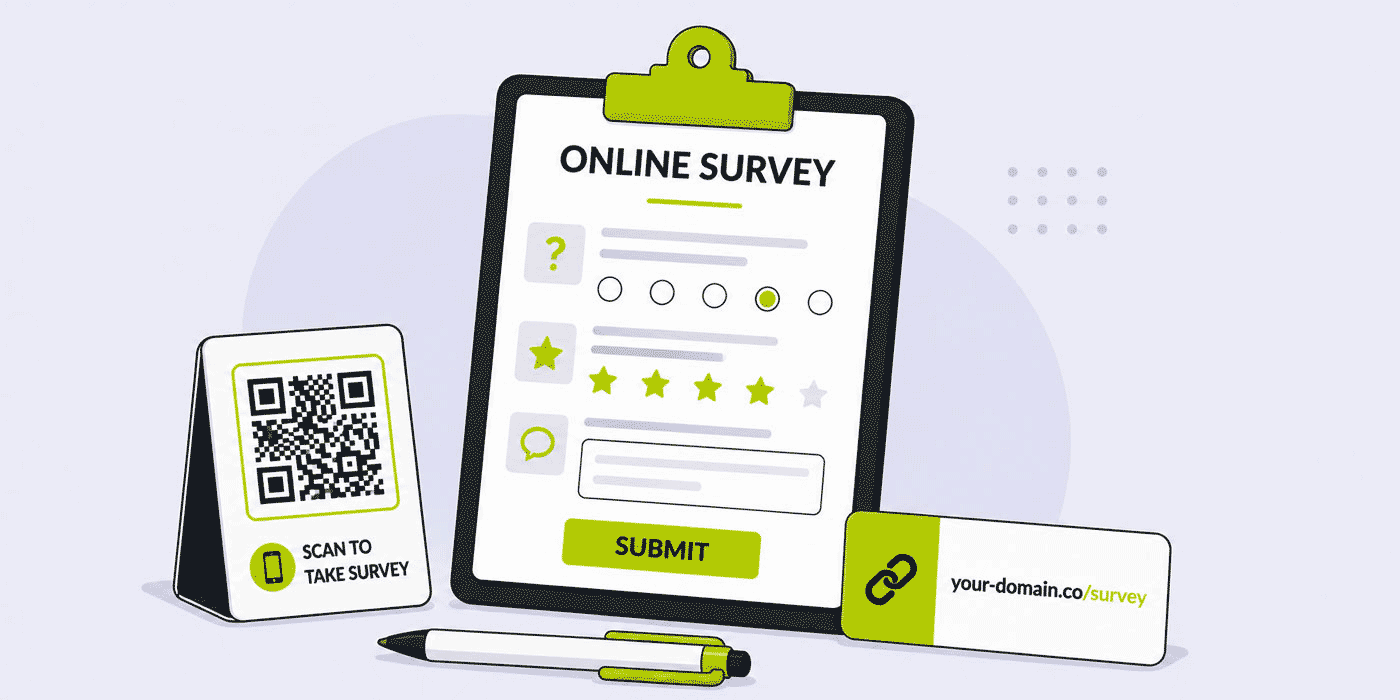
A survey lives or dies on its link. You can write perfect questions, design a clean layout and pick exactly the right moment to ask — and still collect almost nothing, because the address you shared looked like a tracking string, broke when pasted into a text message, or led to a form nobody trusted enough to open. The link is the front door of every survey, and most survey tools treat it as an afterthought. Cuttly treats it as the core of the product: every survey you build ships with a short link you control, a QR Code you can print, and analytics that tell you where responses actually came from.
This guide walks through the entire workflow of running online surveys on top of a URL Shortener: how Cuttly Surveys works, what every plan includes, how to shape the survey link itself, how to collect responses offline with QR Codes, how to protect sensitive answers, and how to read and export the results once they arrive. Everything described here reflects what the platform actually does — no more, no less.
What This Guide Covers
- Why the survey link decides your response rate before anyone sees a single question
- What Cuttly Surveys includes on every plan — and what changes as you upgrade
- Survey limits by plan: number of surveys, responses, questions, answer options and active days
- One-page surveys vs multi-step surveys, and when each format works better
- Custom back-halves and branded survey links that people recognize and open
- QR Codes for surveys: collecting feedback from tables, posters, receipts and packaging
- Password protection, 256-bit encrypted open answers and your own privacy policy link
- Design and localization: templates, fonts, backgrounds, transitions and 16 button languages
- Distributing survey links across email, SMS, social media and Link in Bio
- Reading results: the dashboard Survey summary and PDF, XLS and CSV exports
- A plan-by-plan guide for choosing the right Cuttly tier for your survey volume
Why Surveys and Short Links Belong Together
Think about the last survey invitation you ignored. There is a good chance the decision happened in under a second, and it happened at the link — not at the questions, which you never saw. A long, parameter-heavy URL in an email or a text message signals "machine-generated" to most readers. A raw form address from a generic survey tool signals "template". Neither says "this comes from a company I know, and it will take two minutes."
A short link changes that first impression. An address like cutt.ly/feedback reads as deliberate: someone chose those words, which means someone cares about the answer. A branded address like your-domain.co/s/survey goes further — it carries your name into the invitation itself, so the request for feedback arrives from you, not from an anonymous form host. Respondents decide whether to tap based on what the link tells them, and a short, readable, branded link tells them the right things.
There is also a purely mechanical argument. Survey invitations travel through channels that are hostile to long URLs: SMS messages with hard character limits, printed posters where every extra character makes the address harder to type, social posts where a wall of parameters looks like spam, spoken invitations at a checkout counter or the end of a support call. A short link survives all of these. A QR Code — generated from the same survey — covers the situations where nobody wants to type anything at all.
Most survey platforms bolt a shortener on as an integration, or leave you to shorten the form URL in a separate tool, splitting your link management and your survey data across two dashboards. Cuttly approaches it from the opposite direction: Surveys is a feature of the link management platform, so the survey, its short link, its QR Code and its response data live in one account, under one login, on one dashboard.
What Cuttly Surveys Includes on Every Plan
Before looking at limits, it is worth being clear about what does not change between plans, because the list is longer than most people expect. Cuttly does not gate the core survey experience behind higher tiers. On every plan — including Free — a survey you build includes:
- Steps or one-page layout — present the whole survey on a single page, or break it into steps the respondent moves through one at a time.
- Custom back-half for the survey link — replace the random alias with a phrase you choose.
- Custom Start and Finish pages — a start screen with your own logo or image, a title and a description, and a closing screen with your own end text.
- Editable transition effects between steps — fade, blind, bounce, clip, drop, explode, fold, highlight, puff, pulsate, scale, shake, size and slide.
- Selectable button language — 16 languages for the survey's interface buttons: English, Polish, Arabic, German, Spanish, French, Hindi, Italian, Japanese, Korean, Dutch, Portuguese, Russian, Turkish, Ukrainian and Chinese.
- Customizable background — gradients, a custom color, or a selectable background image.
- Customizable template — accent color and buttons, star rating style, the type of Next/Previous buttons, input style, layout style, layout orientation and text color.
- Customizable fonts — separate font choices for the header/question, the description and the question answers.
- Your own privacy policy link — optionally attach your organization's privacy policy so respondents can review it before answering.
- Encrypted answers for open questions — free-text responses are encrypted with 256-bit encryption before being saved to the database.
- QR Code for the survey — generate a scannable code that opens the survey directly.
- Password protection — require a password before the survey opens at all.
- Response export — download answers as PDF, XLS or CSV.
- Dashboard Survey summary — Survey Analytics and Survey answers, visible in your Cuttly dashboard.
What the plans actually control is volume: how many surveys you can run, how many responses each can collect, how many questions and answer options you can add, and how long a survey stays active. That structure matters for how you should think about upgrading — you are never paying to unlock the survey builder itself, only to scale how much you can do with it.
Survey Limits by Plan
Here is the full picture of how survey capacity scales across Cuttly's plans:
| Limit | Free | Starter | Single | Team | Team Enterprise |
|---|---|---|---|---|---|
| Surveys | 1 | 3 | 5 | 20 | 50 |
| Responses per survey | 10 | 30 | 100 | 2,000 | 5,000 |
| Questions per survey | 5 | 10 | 20 | 30 | 50 |
| Multiple choice options per question | 3 | 5 | 10 | 20 | 50 |
| Active period (days) | 7 | 15 | 30 | 60 | 90 |
Two of these limits deserve more attention than they usually get. The response limit is the one that catches teams by surprise: a survey shared with a large mailing list or printed on hundreds of receipts can hit a low response ceiling quickly, and every response after the ceiling is feedback you asked for but cannot collect. If you are planning a campaign rather than a quick pulse check, size the plan to the expected response volume, not to the number of surveys.
The active period is the quieter constraint. A survey on the Free plan runs for up to 7 days; on Team Enterprise, up to 90. For a post-event questionnaire sent the morning after, 7 days is plenty. For a QR Code printed on packaging that sits on a shelf for a quarter, it is not — the code outlives the survey behind it. Match the active window to the lifespan of the surface carrying the link, and if the surface is print, assume it will live longer than you planned.
Building Your First Survey
Start With the Question Budget
Every plan gives you a fixed number of questions, and treating that number as a budget — rather than a ceiling to fill — produces better surveys. Five questions, answered by many people, tell you more than twenty questions abandoned halfway by most of them. Before opening the builder, write down the one decision this survey should inform. Then keep only the questions whose answers would change that decision. A question that would be "interesting to know" but would not change anything you do is a question costing you completion rate for nothing.
The multiple choice option limit works the same way. Three options on Free, up to fifty on Team Enterprise — but a question with fifty options is rarely a good question. Long option lists push respondents toward the first plausible answer rather than the accurate one. If you find yourself needing more than a handful of options, consider whether an open question — where Cuttly encrypts the free-text answer with 256-bit encryption before storing it — would capture the truth better than an exhaustive list.
One Page or Steps
Cuttly lets you present a survey as a single page or as a sequence of steps, and the right choice depends on where the respondent is standing. A one-page layout shows the full scope upfront: the respondent sees it is short, scrolls once, and finishes. That transparency works well for quick feedback forms of three to five questions, especially on desktop.
Steps work better on mobile and for anything longer. One question per screen keeps the interface calm on a small display, and each tap forward is a small commitment that makes abandoning the survey feel like losing progress. Cuttly's editable transition effects — from a plain fade to slide, fold or bounce — control how each step hands over to the next. Use them with restraint: a subtle fade or slide reads as polish; an explode effect between every question reads as a distraction. The transition should be felt, not noticed.
Start and Finish Pages Do Real Work
The custom Start page — your logo or image, a title and a description — is not decoration. It is where the respondent decides whether the survey is legitimate and worth two minutes. A Start page that names who is asking, why, and how long it will take removes the three doubts that kill response rates. Combined with a branded short link in the invitation, it means your identity is confirmed twice before the first question appears: once in the address, once on the opening screen.
The Finish page, with your own end text, is your only guaranteed moment with someone who just did you a favor. At minimum, thank them specifically — "thanks for helping us fix the checkout flow" lands better than "thank you for your feedback". If there is a natural next step, name it. Do not waste the screen on a generic goodbye.
Working With Question Formats
Cuttly Surveys supports several question formats, and the three you will reach for most often are multiple choice questions, open free-text questions, and star ratings — each with a distinct job. The full, current list of formats is documented in the support article on question types in Cuttly Surveys; what follows is how to decide between the main ones.
Multiple Choice: Structure for Comparable Data
Multiple choice is the workhorse when you need answers you can count and compare. Its strength is also its constraint: respondents can only tell you what you thought to ask. Write options that are mutually exclusive and cover the realistic ground, and remember the option limit on your plan — 3 on Free, scaling to 50 on Team Enterprise. When you cannot realistically predict the answers, that is not a reason for a longer option list; it is a signal you need an open question instead.
Open Questions: Depth, Encrypted at Rest
Open questions are where respondents surprise you — the complaint you did not anticipate, the feature request nobody on the team suggested, the compliment that becomes a testimonial. They cost more effort to answer and more effort to read, so ration them: one or two per survey, placed after the structured questions have built momentum. Because the free-text answers are the most sensitive content a survey collects, Cuttly encrypts them with 256-bit encryption before storage on every plan — worth mentioning in the question's description when you are asking about anything personal, because respondents who know their words are protected write more candidly.
Star Ratings: The Fastest Honest Answer
A star rating takes one tap and produces a number you can track over time, which makes it the natural opener for feedback surveys: it eases the respondent in, and even people who abandon the survey after question one still leave you a usable data point. Cuttly's template customization includes the star rating style among its settings, so the stars can match the rest of your survey's look. The classic pattern — a star rating first, then "what would have made this five stars?" as an open follow-up — combines the countable and the candid in two questions flat.
Creating a Survey, Step by Step
The build itself is quick once the questions are decided. The detailed click-by-click walkthrough lives in the support article on how to create Cuttly Surveys, and surveys remain editable after creation — the editing guide covers that side. At the level of workflow, the sequence that produces the fewest revisions looks like this:
- 1. Decide the decision. Write down the single decision this survey informs. Every question must serve it.
- 2. Draft questions against your plan's budget. Count questions and multiple choice options against your tier's limits before you fall in love with the draft.
- 3. Choose the format. One page for three-to-five quick questions on desktop audiences; steps for mobile audiences and anything longer.
- 4. Build the Start and Finish pages. Logo, title, honest time estimate on the Start page; a specific thank-you on the Finish page.
- 5. Style once, then stop. Accent color, fonts, background — enough to be recognizably yours.
- 6. Set the survey's main settings. Active period, button language, password if the audience is closed, your privacy policy link if your organization requires one. The main settings article maps every option.
- 7. Shape the link. Set the custom back-half; put the survey on your branded domain if your plan includes one.
- 8. Generate the QR Code if any distribution surface is physical.
- 9. Test on a phone. Open the link on the smallest screen your audience uses, answer every question, and read your own Finish page. Fix what annoyed you.
- 10. Duplicate the link per channel. Separate back-halves for email, print and social turn click analytics into channel attribution from day one.
The test step is the one teams skip and regret. A survey that behaves perfectly in the editor can still read badly on a phone held one-handed on a bus — which is where a meaningful share of your respondents will be. Two minutes of testing on real hardware catches the issues no preview will.
The Survey Link Itself: Back-Halves and Branded Domains
Custom Back-Halves on Every Plan
Every Cuttly plan lets you change the survey link's back-half — the part after the slash. This is the single highest-leverage edit you can make to a survey's performance, and it takes ten seconds. Compare what a respondent sees:
cutt.ly/s/aBcDeF — functional, anonymous, tells the reader nothing.
cutt.ly/s/store-feedback — names the purpose before the tap.
A descriptive back-half sets expectations, and met expectations are what make people finish surveys rather than open and abandon them. It also makes the link speakable and typeable — relevant the moment your survey leaves the screen and appears on a poster, a receipt or in a radio spot. Choose back-halves the way you would choose a headline: short, concrete, honest about what is behind them.
Surveys on Your Own Domain
Cuttly supports serving surveys on your own branded domain, so the address in the invitation can be your-domain.co/s/feedback rather than a generic short link. Custom branded domains are available from the Starter plan upward. For organizations that survey customers regularly, this is the difference between asking as yourself and asking through an intermediary: the domain in the link is the same one on your storefront, your email signature and your packaging. If you have not set up a branded domain yet, the guide on custom domains for short links covers the process end to end, and the support article on creating surveys with your own domain covers the survey-specific details.
One practical note on consistency: once a branded domain carries your surveys, keep using it. Respondents who saw your-domain.co/s/feedback in March will trust your-domain.co/s/summer-survey in July without thinking about it. Trust in a link accumulates on the domain, and every consistent use compounds it.
QR Codes for Surveys: Feedback Where the Experience Happens
The best moment to ask for feedback is the moment the experience is still fresh — which is usually a moment when the person is nowhere near your email. They are standing at a table, holding a receipt, walking out of an event, looking at your packaging. A QR Code closes that gap: Cuttly generates one for your survey on every plan, and a scan takes the respondent straight from the physical moment into the questions.
Where Survey QR Codes Earn Their Place
- Table tents and counters — restaurants, cafes and service desks can ask about the visit while the visit is still happening. Pair the code with a one-line promise: "2 minutes, 5 questions."
- Receipts and invoices — the transaction is complete, the details are fresh, and the paper is already in the customer's hand.
- Event exits and badges — a code at the door catches attendees before impressions fade overnight. Keep the active period in mind: a 7-day window comfortably covers a post-event survey.
- Packaging and inserts — product feedback from the people who actually opened the box. Here the survey's active period matters most, because packaging outlives campaigns; on higher plans the window extends to 60 or 90 days.
- Posters and waiting areas — anywhere people have idle minutes and a phone in hand.
QR Customization by Plan
On Free and Starter, survey QR Codes are generated in PNG, JPG and WEBP formats. From the Single plan upward, codes become fully customizable — colors, dot styles, quality settings and your logo in the center — and SVG export is added, which matters for print work where a designer needs a vector file. A branded code with your logo does for the scan what a branded domain does for the tap: it tells the person, before they commit, whose survey this is. For the broader technique, the guides on QR Code best practices and dynamic vs static QR Codes go deeper; the support article on creating a QR Code for your survey covers the exact steps.
Private and Protected Surveys
Password Protection
Every plan lets you require a password before the survey opens. This turns a public link into a controlled channel, which is exactly what some surveys need: internal employee feedback where the link might leak beyond the company, research limited to a specific customer group, a beta program where only invited testers should answer, or a paid community whose input should not be diluted by outsiders. Share the link publicly if you like — without the password, the questions stay closed.
A practical pattern: distribute the survey link broadly (it is short and easy to include anywhere) and the password narrowly, through the channel that defines your audience — the internal newsletter, the customer email, the community post. The link handles reach; the password handles eligibility.
Encrypted Open Answers
Open questions collect the most sensitive material in any survey — the complaint written in frustration, the honest comment about a manager, the detail a customer would not want forwarded. Cuttly encrypts answers to open questions with 256-bit encryption before they are saved to the database, on every plan. This is not a checkbox you enable; it is how open answers are stored, period.
Your Privacy Policy, Attached
You can optionally attach your own privacy policy link to a survey, so respondents can review how your organization handles their answers before they type a word. For surveys run by companies with GDPR or other privacy obligations, this keeps the survey consistent with the rest of your communication. Cuttly itself is operated by a company with servers in the EU, and the platform's link analytics are aggregated and anonymized — the same data posture that applies across the whole service applies to your survey links. The support article on privacy policy integration shows where the setting lives.
Design and Localization: Making the Survey Yours
Templates, Backgrounds and Fonts
A survey that looks like your brand gets treated like your brand. Cuttly's customization covers the pieces that matter for that impression, on every plan: the background (a gradient, a flat custom color, or a background image), the template (accent color and buttons, star rating style, the type of Next/Previous buttons, input style, layout style, layout orientation and text color), and fonts — set separately for the header and questions, the descriptions, and the answers.
The useful discipline here is the same as with transitions: pick the settings that make the survey recognizably yours, then stop. Your accent color on the buttons, your logo on the Start page, a background that does not fight the text — that is a branded survey. Ten fonts and a busy background image is a survey people squint at. Design decisions should reduce friction, and every one that adds friction is working against your response rate no matter how good it looks in the editor.
Sixteen Button Languages
Survey interface buttons can be displayed in 16 languages — English, Polish, Arabic, German, Spanish, French, Hindi, Italian, Japanese, Korean, Dutch, Portuguese, Russian, Turkish, Ukrainian and Chinese — on every plan. This matters more than it first appears. You write the questions, so you control their language already; the buttons are the part of the interface the platform renders, and a Spanish-language survey with English "Next" and "Previous" buttons reads as half-translated. Matching the buttons to the question language makes the survey feel native to the respondent, which is one less reason to abandon it. For teams surveying across markets, the pattern is simple: one survey per language, each with matching buttons, each with its own descriptive back-half — cutt.ly/s/feedback-es, cutt.ly/s/feedback-de — so the analytics for each market stay separate by construction.
Distributing the Survey Link
A survey with a short link is a survey that travels well. The distribution playbook depends on the channel, and each channel rewards slightly different handling:
Email remains the highest-volume survey channel for most organizations. Place the link early — in the first two sentences — and once more at the end; state the time cost next to it. A descriptive back-half earns its keep here, because many email clients display the URL on hover and a readable address reassures. The guide on short links in email marketing covers deliverability details that apply directly to survey invitations.
SMS
SMS is where short links stop being a nicety and become a requirement — character limits leave no room for long URLs, and a compact address like cutt.ly/s/visit-survey fits alongside a full sentence of context. For businesses sending SMS campaigns in India, Cuttly's 2s.ms domain supports TRAI-compliant links with headers, in the format 2s.ms/HEADER/short-alias; the TRAI compliance guide covers the requirements in full.
Social Media and Link in Bio
On social platforms, the survey link competes with everything else in the feed, so the post around it has to do the persuading — the link's job is only to look trustworthy and not get cut off. For audiences that live on Instagram or TikTok, adding the survey to your Link in Bio page gives it a persistent home that every post can point to, instead of a one-time link that scrolls away.
Print and Physical Spaces
In print, run the QR Code and the short link together, always. The code serves people who scan; the printed address — short, descriptive, branded — serves people who prefer to type, and doubles as a legibility check: if the printed link looks trustworthy enough to type, the whole invitation is working.
Reading the Results
The Dashboard Survey Summary
Responses land in your Cuttly dashboard under the Survey summary, which brings together Survey Analytics and the Survey answers themselves. This is where the one-dashboard architecture pays off: the same account that manages your short links shows how each survey is filling, without exporting anything or switching tools. The support articles on the survey summary and viewing responses walk through each view.
Because the survey travels through a Cuttly short link, you also get the platform's link analytics on the distribution side — click data that is aggregated and anonymized, consistent with how Cuttly handles analytics across the service. The practical use: if you give each channel its own short link to the same survey — one back-half for email, one for the poster, one for the receipt — the per-link click counts tell you which channel actually drove respondents, before you even open the answers.
Exports: PDF, XLS, CSV
Every plan exports survey responses in three formats, and each has a natural job. CSV is for processing — pivot tables, scripts, imports into other systems. XLS is for the colleague who wants to open results directly in a spreadsheet and start filtering. PDF is for sharing upward — a fixed, readable report you can attach to an email or drop into a meeting without anyone needing access to the dashboard. Export at the survey's end date as a matter of routine, so results are archived even after the survey's active period closes.
Playbooks: Four Surveys Worth Copying
The Post-Visit Pulse (Restaurants, Salons, Local Services)
Five questions or fewer, one-page layout, QR Code on the table tent or receipt, back-half like cutt.ly/s/visit-feedback. The 7-day window of even the Free plan covers it, though response limits will push active venues to a paid tier quickly. Works alongside everything in the restaurant guide.
The Post-Event Debrief (Conferences, Workshops, Meetups)
Sent the morning after by email, mirrored by a QR Code at the exit the night before. Steps layout, since attendees answer on phones. Custom Start page with the event's visual identity confirms this is the official follow-up. Pairs with the tactics in the events and conferences guide.
The Internal Check-In (HR, Team Leads)
Password-protected, password shared only in the internal channel. Open questions carry the weight here, and their 256-bit encryption at rest is the argument that convinces employees to be candid. Attach the company privacy policy link. More internal patterns in the HR and internal communications guide.
The Multi-Market Product Survey (E-commerce, SaaS)
One survey per market, buttons localized to each language, back-halves suffixed by market, all pointing from packaging inserts via customized QR Codes. Team-tier response limits (2,000 per survey) are sized for this; the 60-day window covers a packaging run. Per-link analytics separate the markets automatically.
Timing: When You Ask Decides How Many Answer
Survey timing gets less attention than survey design, and it deserves more. The same five questions sent at the right moment and the wrong moment produce very different response counts, because willingness to answer is a function of how fresh the experience is and how convenient the moment is — neither of which your question wording can fix.
The reliable principle is proximity: ask as close to the experience as the channel allows. A QR Code on the table asks during the visit. A receipt asks at the moment of completion. A next-morning email asks while the event is still the most recent thing that happened. Every day of distance between the experience and the invitation costs both response volume and answer quality, because people substitute their general impression for the specific memory you actually wanted.
Cuttly's active period limits interact with this in a useful way: they force an end date, and an end date is a feature. A survey that closes creates a reason to answer now, and it gives your team a defined moment to export results and act on them. The anti-pattern is the perpetual feedback form that has been "collecting responses" for a year that nobody has read. Set the window to match the campaign — 7 days for a post-event pulse, 30 for a monthly customer check, 60 or 90 for packaging and long print runs — export at close, and treat each survey as a finished unit of learning rather than an open drawer.
Cadence matters too. Surveying the same audience too often trains them to ignore you; the response rate you burn on a low-stakes survey is not available next quarter for the one that matters. A practical ceiling for most customer audiences is one survey per quarter, with transactional micro-surveys — the post-visit pulse — exempt because they attach to events the customer initiated.
Why Run Surveys Inside a URL Shortener at All?
It is a fair question: dedicated form tools exist, and some are very capable. The answer is not that a link management platform replaces every specialized research suite — it is that for the surveys most organizations actually run, the separation between "the form tool" and "the link tool" creates work without creating value.
Consider what the typical stack looks like without integration. The survey lives in one product. Its unwieldy URL gets pasted into a shortener — a second product — to become shareable. The QR Code comes from a third. Click data sits in the shortener's dashboard, response data in the form tool's, and nobody's dashboard shows the whole funnel from scan to submission. Three logins, three subscriptions to justify, and a channel-attribution question ("did the poster or the email drive more responses?") that requires manually stitching two exports together.
Cuttly collapses that stack. The survey, its short link with a custom back-half, its branded domain, its QR Code, its click analytics and its responses are one object in one account. When you duplicate the link per channel, attribution is automatic. When the survey closes, the export is two clicks away in the same interface where you will build the next one. And the trust layer — the branded domain your audience already recognizes from every other link you share — extends to surveys without any additional setup, because it is the same domain infrastructure.
This is the same logic that applies across the platform: links, QR Codes, Link in Bio pages and surveys are more useful as one system than as four tools, because they share the assets that matter — your domain, your analytics, your account. For teams already managing links in Cuttly, surveys are not a new tool to adopt; they are a capability the existing account already has.
Common Mistakes That Cost Responses
- Sharing the random alias. The custom back-half is free on every plan and takes seconds. A survey invitation with
cutt.ly/s/x7Qz3mwherecutt.ly/s/checkout-surveywas available is leaving trust on the table. - Ignoring the response ceiling. Sending to 5,000 customers on a plan capped at 100 responses means the survey closes to new answers while invitations are still being opened. Size the plan to the send, not the other way around.
- Printing a code that outlives the survey. Match the active period to the print surface's lifespan. A poster is weeks; packaging is months.
- Filling the question budget because it is there. Twenty allowed questions is not a target. Every question past the ones that change your decision costs completion rate.
- Mismatched language. Questions in one language, buttons in another. The 16-language button setting exists for exactly this; use it.
- One link for every channel. Separate back-halves per channel cost nothing and turn your link analytics into channel attribution.
- A generic Finish page. The default goodbye is a wasted screen. Thank people specifically and tell them what happens with their answers.
Cuttly Plan Guide for Survey Creators
The Free plan ($0) provides one survey with up to 5 questions, 3 multiple choice options per question, 10 responses and a 7-day active period — alongside link shortening, basic analytics and the cutt.ly domain. It is a complete environment for testing the workflow: build a real survey, style it, generate its QR Code, collect a first round of answers and export them, all before paying anything. Registration is required; no credit card is needed.
The Starter plan ($12/month) adds a branded custom domain — so surveys can live at your-domain.co/s/feedback — plus full link analytics and QR Codes, and raises survey capacity to 3 surveys, 10 questions, 5 options, 30 responses and 15 active days. This is the natural tier for a small business running occasional customer feedback under its own name.
The Single plan ($25/month) adds device targeting and expanded analytics on the link side, and — decisively for print use — full QR Code customization with logo, colors, dot styles and SVG export. Survey capacity grows to 5 surveys, 20 questions, 10 options, 100 responses and 30 active days. For a solo professional or small team putting survey QR Codes on physical materials, this is the tier where the codes start looking like the brand.
The Team plan ($99/month) suits organizations where surveys are a program rather than an occasional ask: 20 surveys, 30 questions, 20 options, 2,000 responses per survey and a 60-day window, combined with multi-user access, multiple domains and role-based permissions, so the people writing surveys, the people managing domains and the people reading results can share one account safely.
The Team Enterprise plan ($149/month) is for large organizations running surveys at scale — 50 surveys, 50 questions, 50 options, 5,000 responses per survey and 90-day active periods, with the highest limits available across the platform's features.
Start where the volume is today — create a free Cuttly account, build your first survey and put its link in front of real respondents. Registration required; free plan available with no credit card needed.
Frequently Asked Questions
Can I create a survey on the Cuttly free plan?
Yes. The Free plan includes 1 survey with up to 5 questions, 3 multiple choice options per question, up to 10 responses and a 7-day active period. Registration is required, and no credit card is needed. Every paid plan raises all of these limits, up to 50 surveys with 5,000 responses each on Team Enterprise.
Can I change the survey link after publishing it?
You can set a custom back-half for your survey link on every Cuttly plan, so the address reads as a clear phrase — like cutt.ly/s/store-feedback — instead of a random string. Descriptive back-halves are one of the simplest ways to raise the share of recipients who actually open a survey.
Are survey answers secure?
Answers to open questions are encrypted with 256-bit encryption before being saved to the database, on every plan. You can also password-protect the entire survey so only people with the password can open it, and attach your own privacy policy link so respondents can review it before answering. Cuttly is operated by a company with servers in the EU, and its link analytics are aggregated and anonymized.
Can I collect survey responses offline with a QR Code?
Yes. Every plan generates a QR Code for your survey, so respondents can scan a code on a table tent, receipt, poster, badge or packaging and land directly in the questions. On the Single plan and above, QR Codes are fully customizable — colors, dot styles, quality and your logo — with SVG export for print production.
In which formats can I export survey responses?
PDF, XLS and CSV, on every plan. CSV suits further processing and imports, XLS suits direct spreadsheet work, and PDF produces a fixed report you can share with people who do not have dashboard access.
Can survey buttons be displayed in other languages?
Yes — the interface buttons can be set to any of 16 languages on every plan: English, Polish, Arabic, German, Spanish, French, Hindi, Italian, Japanese, Korean, Dutch, Portuguese, Russian, Turkish, Ukrainian and Chinese. For multi-market research, create one survey per language with matching buttons and a market-specific back-half.
How long can a survey stay active?
The active period depends on the plan: up to 7 days on Free, 15 on Starter, 30 on Single, 60 on Team and 90 on Team Enterprise. Match the window to the surface carrying the link — a post-event email needs days, while a QR Code printed on packaging needs the longest window your plan allows.
- SURVEYS
- URL Shortener →
- Link in Bio Builder →
- QR Code Generator →
- Related Guides
- QR Code Best Practices
- Custom Domains for Short Links
- Short Links in Email Marketing
- Password-Protected Short Links
- Similar Verticals
- Restaurants
- Events & Conferences
- HR & Internal Comms
- Encyclopedia
- Branded Links
- Dynamic QR Codes
- Link in Bio
- Verticals Hub
- URL Shortener for Every Industry →
- Start Here
- Create Free Account
- Plans & Pricing
URL Shortener
Cuttly simplifies link management by offering a user-friendly URL shortener that includes branded short links. Boost your brand’s growth with short, memorable, and engaging links, while seamlessly managing and tracking your links using Cuttly's versatile platform. Generate branded short links, create customizable QR codes, build link-in-bio pages, and run interactive surveys—all in one place.
Cuttly More Than Just a URL Shortener
Cuttly is a comprehensive, ever-evolving platform for link shortening that combines innovation and user-friendliness to deliver a seamless experience in managing and shortening URLs.


