URL Shortener for IT Companies and MSPs The Complete Guide
An IT services company or managed service provider communicates through links constantly — client portal access links in service emails, documentation links in onboarding packs, helpdesk ticket confirmation links, marketing campaign links for lead generation, software download links for client deployments, cybersecurity awareness links for staff training, and partner ecosystem links for technology vendor relationships. Most of these links use whatever URL the underlying platform generates, which is typically long, unbranded, and structurally fragile in the face of platform migrations.
This guide covers how IT service companies and managed service providers — from small local IT support businesses to large national MSPs managing hundreds of client accounts — use a URL shortener, branded custom domain and click analytics to improve client communications, manage documentation links, track marketing performance and present a more professional digital identity across every touchpoint in their client and prospect relationships.
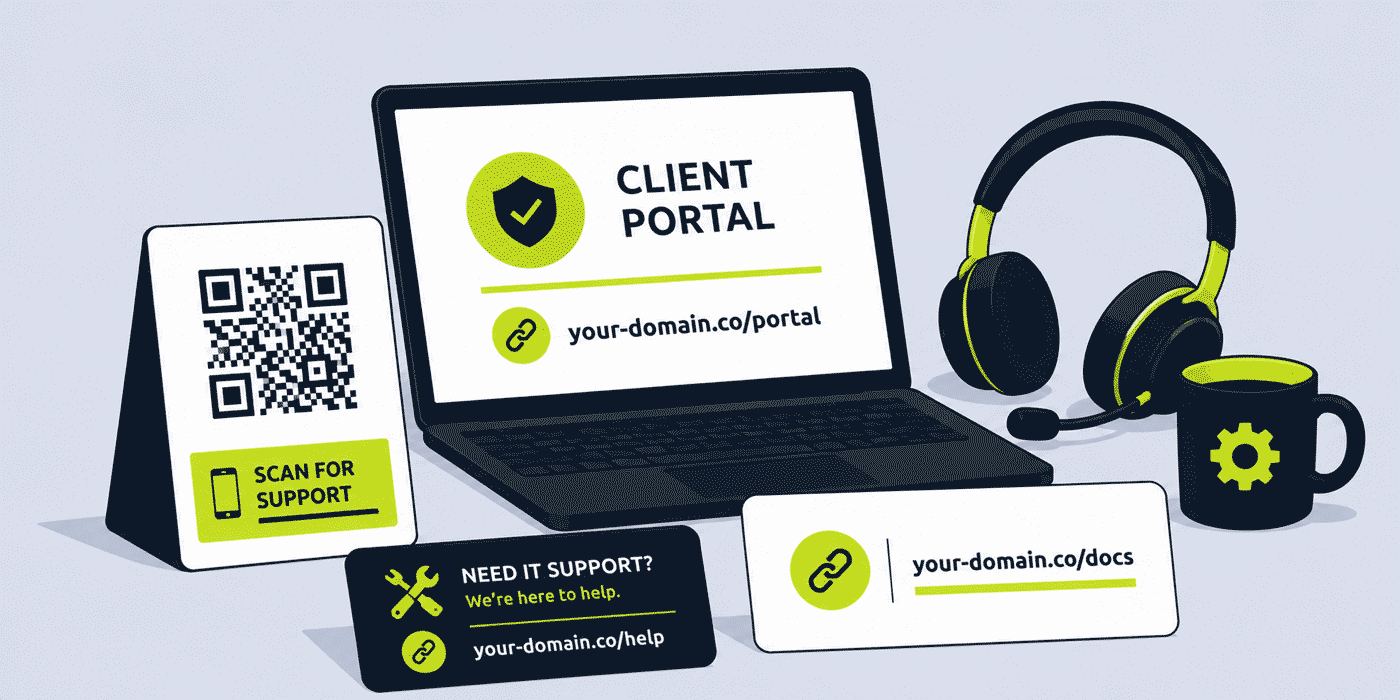
What This Guide Covers
- Client portal and helpdesk links — professional branded access points
- Service documentation and knowledge base links
- Onboarding and new client welcome links
- Marketing and lead generation link strategy for IT companies
- Per-client attribution — tracking which clients engage with which communications
- Cybersecurity awareness campaign links
- Partner and vendor ecosystem links
- Internal IT team links — runbooks, escalation procedures and tooling
- A worked example: an MSP's link stack across client operations and business development
- Common mistakes in IT company link management
- A Cuttly plan guide for IT companies and MSPs
- Frequently asked questions
Why IT Companies and MSPs Need Link Management
IT service businesses face a link management challenge that is partly a client communication problem and partly a marketing problem. On the client communication side, they routinely share access links, documentation links, ticket references and portal URLs with non-technical users — typically the business owners, finance managers and operations staff at their client companies — who are not equipped to troubleshoot broken or confusing URLs and who associate link quality directly with the IT company's professional competence. A long, unbranded helpdesk URL in a service email is a small but persistent signal that the IT company's own digital house is not in order.
On the marketing side, IT companies — particularly MSPs competing for SME clients in a geographically concentrated market — often invest in LinkedIn, email marketing, webinars, referral programmes and trade events, but have limited visibility into which of these activities actually generates client enquiries. A per-channel link structure gives the business development team the attribution data they need to invest marketing budget where it demonstrably works, rather than continuing to spread it across activities whose contribution to new client acquisition is unmeasured.
Client Portal and Helpdesk Links
The client portal and helpdesk links are the most frequently shared external links for any MSP or IT service company. A client who needs to raise a support ticket, check their service status, download a report, or access their cloud management dashboard typically does so through a link the IT company has shared — in an email, in a welcome pack, in a contract document, or on a business card.
Branded Portal Access Links
A branded short link for the helpdesk or client portal — your-it-company.com/helpdesk or your-it-company.com/portal — is more professional and more memorable than the auto-generated URL of a ConnectWise, Autotask, Freshdesk or Zendesk instance. More importantly, it is stable: when the MSP migrates between helpdesk platforms — a common occurrence as IT businesses scale and their tool stack evolves — the short link destination is updated in the dashboard. Every existing reference to the portal link in every email template, every welcome pack, every contract appendix, and every client company's bookmarks continues to work without any client-facing disruption.
Per-Client Portal Links
For MSPs managing many client accounts, a per-client portal link — your-it-company.com/client-name pointing to that specific client's portal view or dedicated onboarding page — personalizes the client experience and gives the account management team click analytics showing how frequently each client is actively engaging with their portal, independent of the portal platform's own session tracking. A client who has not clicked their portal link in three months may be at churn risk; a client with high weekly engagement with documentation links may be ready for an upsell conversation.
Service Documentation and Knowledge Base Links
IT companies produce and maintain large volumes of service documentation: acceptable use policies, cybersecurity policies, backup procedures, disaster recovery plans, software installation guides, printer setup instructions, VPN configuration guides, and password management procedures. These documents are shared with clients regularly — during onboarding, after incidents, during security reviews, and as part of ongoing service delivery.
Documentation URLs have a particularly short effective lifespan in IT businesses because the tools and platforms that host documentation change frequently. Moving from a SharePoint-hosted knowledge base to Confluence, from Confluence to Notion, from one version of a document management system to another — each migration changes the URLs of every document. Any email, contract or template that referenced the old URL is now pointing to a broken link.
A short link in front of every externally shared document — your-it-company.com/backup-policy, your-it-company.com/aup, your-it-company.com/dr-plan — means that document migrations are invisible to clients. The IT company updates the destination in the dashboard after migrating a document; every existing reference remains functional. For compliance-sensitive documents that clients need to acknowledge and reference regularly, this stability is a practical service quality differentiator.
Onboarding and New Client Welcome Links
Client onboarding is the period of highest engagement and highest attention in any client relationship. A new client is actively reading every communication, clicking every link, and forming their initial impression of the IT company's operational professionalism. Onboarding links — to the client portal, to setup guides, to the first security policy acknowledgment form, to the helpdesk — set the standard for the entire relationship.
A branded onboarding hub link — your-it-company.com/welcome or your-it-company.com/get-started pointing to a dedicated new client welcome page — provides a single, clean entry point for all onboarding resources. The welcome page itself can be customized per client using parameters, or a per-client onboarding link can be created: your-it-company.com/welcome-clientname pointing to a page that greets the specific client by name and presents their specific onboarding checklist.
Click analytics on onboarding links give the account team visibility into where clients are in the onboarding process without requiring the client to report their progress manually. A client who has not clicked the first security policy acknowledgment link within the first week of onboarding can be followed up proactively; a client who has clicked every resource link in the first three days is likely ready for their first service review call.
Marketing and Lead Generation for IT Companies
IT services marketing is primarily relationship and trust-driven. Prospective SME clients are choosing a company they will rely on for business-critical systems; the marketing content that works best demonstrates expertise, reliability and understanding of the specific challenges the prospect faces. Short links with clear, professional branded domains contribute to this trust signal — a discovery call booking link that reads your-it-company.com/book-call conveys professionalism in a way that a Calendly URL or a random-character short link does not.
Discovery Call and Contact Links
The discovery call or initial consultation link is the primary conversion point in most IT company marketing. A branded short link for this destination — your-it-company.com/book-call or your-it-company.com/contact — can be used consistently across every marketing channel, with per-channel variants for attribution:
your-it-company.com/call-linkedin— LinkedIn profile and postsyour-it-company.com/call-email— cold outreach and newsletteryour-it-company.com/call-referral— referral partner and accountant introductionsyour-it-company.com/call-event— local business networking and events
Comparing click totals across these variants shows which channel drives the most interest in an initial conversation, without needing a CRM integration or a dedicated attribution platform. For many IT companies, this simple per-channel click comparison is the first time they have had any visibility into which marketing activity actually generates leads.
Content and Thought Leadership Links
IT companies investing in content marketing — cybersecurity guides, technology buying guides, IT health check tools, compliance checklists — use short links to share this content professionally across LinkedIn, email and partner ecosystems. A branded short link for each content piece — your-it-company.com/cyber-guide, your-it-company.com/it-health-check — is more shareable and more memorable than a long blog URL, and provides click analytics showing which content is attracting the most interest from prospects.
Cybersecurity Awareness Campaign Links
Many IT companies and MSPs run cybersecurity awareness programmes for their clients — either as a billable service or as part of a managed security offering. These programmes typically involve training resources, phishing simulation links, policy acknowledgment forms and security awareness newsletters. Link management for cybersecurity communications requires particular care, because the clients receiving these links are being educated specifically to be suspicious of unfamiliar or unexpected URLs.
A branded short link from the IT company's own domain — your-it-company.com/security-training rather than an unfamiliar third-party training platform URL — is inherently more trustworthy to a client's staff who have been taught to look at the domain before clicking. The training platform behind the link can change without any change to the link the client's staff has been taught to recognize and trust.
For phishing simulation programmes, the situation is more nuanced: a link that is too obviously branded as the IT company's own may undermine the simulation's effectiveness. IT companies running phishing simulations should assess whether to use branded or unbranded links for simulation emails separately from their general communication link strategy, and should review their simulation methodology with their security framework requirements.
Partner and Vendor Ecosystem Links
Most IT companies and MSPs operate within a vendor and partner ecosystem — Microsoft, AWS, Google Cloud, Cisco, Dell, HP, cybersecurity vendors, and others — where they share co-branded content, partner portal links, training resources and customer-facing vendor materials as part of their service delivery and business development. A consistent branded short link structure for vendor-related communications separates vendor partner content from the IT company's own content in link analytics, and keeps the IT company's brand identity front and centre even when the ultimate destination is a vendor's portal or resource library.
A Worked Example: An MSP's Link Stack
Consider a mid-size MSP with 85 SME client accounts, using a branded domain such as your-it-company.com, connected through Cuttly's custom domain setup (an A record and a TXT record — see the custom domain setup guide).
Every new client receives a welcome email with three links: /welcome-clientname (their onboarding page), /helpdesk (the support portal), and /aup (the acceptable use policy to acknowledge). Click analytics for these three links show the account team that 94% of clients click the helpdesk link in their first week, 71% access the onboarding page, and only 48% click the AUP link — prompting a redesign of the welcome email that now features the AUP acknowledgment as the first action rather than the third.
When the MSP migrates from ConnectWise to a new PSA platform, the helpdesk URL changes entirely. Updating /helpdesk in the dashboard takes three minutes. No client receives a broken link; no email templates need to be updated; no support tickets are raised because clients cannot access their portal.
For business development, the managing director shares /call-linkedin in their LinkedIn profile and posts. The business development manager uses /call-email in cold outreach sequences. Three months of data show LinkedIn driving 2.1x the click volume of email outreach on the same call-booking page, leading the team to invest more time in LinkedIn content rather than cold email. A referral from an accountancy partner generates 11 clicks on /call-referral in a single week, all from one introductory email the accountant sent — the highest-converting single referral the team has ever been able to measure.
Common Mistakes in IT Company Link Management
Sharing Unbranded Platform URLs in Client Communications
An IT company that sends clients a helpdesk link reading https://app.mspplatform.com/tickets/client/companyname12345 is prioritizing operational convenience over client experience and platform stability. A branded short link costs nothing additional and provides stability through platform migrations that saves more time than it costs every time a platform change occurs.
No Marketing Attribution Across Channels
Most IT companies invest in multiple marketing channels simultaneously without any way of measuring which one generates the most new client enquiries. Per-channel short links for the discovery call or contact page cost three additional links to set up and provide the channel attribution data that most IT company marketing budgets need to be allocated rationally.
Hardcoding Documentation URLs in Long-Term Documents
Service contracts, acceptable use policies, data processing agreements and other long-term documents that reference specific documentation URLs become outdated the first time any of those URLs change. A short link per document, with the document URL as the destination, means the contracts and agreements never need to be reissued when documentation is updated or migrated — only the destination in the link dashboard changes.
Cuttly Plan Guide for IT Companies and MSPs
- The Free plan ($0) provides 30 short links per month, one branded custom domain, full click analytics and dynamic QR Codes, with no credit card required. Suitable for a small IT company setting up core helpdesk, documentation and contact links.
- The Starter plan ($12/month) adds 300 short links per month and 30 custom aliases per month — practical for a growing MSP managing per-client onboarding links, a full documentation library and regular marketing campaigns.
- The Single plan ($25/month) adds up to 5 branded domains, 1,000 API-created links per month and a full year of analytics history — useful for MSPs wanting to programmatically generate per-client links via API, or for IT groups operating multiple branded identities for different service lines.
- The Team plan ($99/month) suits larger MSPs with account management, business development, operations and marketing teams sharing link management, Campaign tag analytics for aggregated client engagement reporting, and multiple branded domains for different service divisions or white-label client operations.
Create a free Cuttly account to set up your helpdesk link, your first onboarding link and your discovery call booking link. Registration is required for all plans, including free. No credit card is needed for the free plan.
Frequently Asked Questions
How do IT companies use branded short links for client portals?
An IT company creates a branded short link for each client's portal access point — your-it-company.com/helpdesk — included in every client-facing email, onboarding document and service report. Because the link is dynamic, the destination can be updated if the portal platform changes without requiring updates to any existing client documentation or email templates.
How do MSPs track which marketing channels generate the most leads?
An MSP creates a separate short link for each marketing channel — your-it-company.com/call-linkedin, your-it-company.com/call-email, your-it-company.com/call-referral — each pointing to the same contact or booking page. Click analytics show which channel drives the most prospects, giving the business development team channel attribution data without a separate analytics platform.
Can IT companies use short links to distribute software documentation?
Yes. A short link for each major document — your-it-company.com/backup-policy, your-it-company.com/aup — maintains stable, professional references regardless of where documentation is hosted. When documentation is updated or moved to a new platform, only the short link destination changes; every existing reference in client emails, contracts and onboarding packs continues to work.
How do IT service companies use short links for cybersecurity awareness campaigns?
A branded short link — your-it-company.com/security-training — is more trustworthy to client staff who have been educated to check domains before clicking, compared to an unbranded third-party training platform URL. The training platform behind the link can change without any change to the link clients recognize and trust.
Is a URL shortener safe to use for IT company client communications?
A short link redirects to whatever destination the IT company chooses — the link management platform itself does not process client data passed through the redirect. Click analytics record aggregated and anonymized data about clicks in the same way as any web analytics tool. IT companies should review their own data processing obligations with a qualified advisor when considering analytics tools for client communications.
- Get Started
- Create Free Account
- Plans & Pricing
- Platform Tools
- URL Shortener
- Link Analytics
- QR Code Generator
- Survey Tool
- Related Guides
- URL Shortener for SaaS Companies
- URL Shortener for Developers
- URL Shortener for B2B Marketing
- URL Shortener for Agencies
- URL Shortener for PDF Sharing
- Setup Guides
- Custom Domain Setup
- Track Link Clicks
- API Documentation
- Industry Hub
- Marketing, Sales & SaaS Teams
- All Industries →
URL Shortener
Cuttly simplifies link management by offering a user-friendly URL shortener that includes branded short links. Boost your brand’s growth with short, memorable, and engaging links, while seamlessly managing and tracking your links using Cuttly's versatile platform. Generate branded short links, create customizable QR codes, build link-in-bio pages, and run interactive surveys—all in one place.
Cuttly - Consistently Rated
Among Top URL Shorteners
Cuttly isn’t just another URL shortener. Our platform is trusted and recognized by top industry players like G2 and SaaSworthy. We're proud to be consistently rated as a High Performer in URL Shortening and Link Management, ensuring that our users get reliable, innovative, and high-performing tools.C


