URL Shortener for Agencies: Client Links, White-Label Domains and Reporting
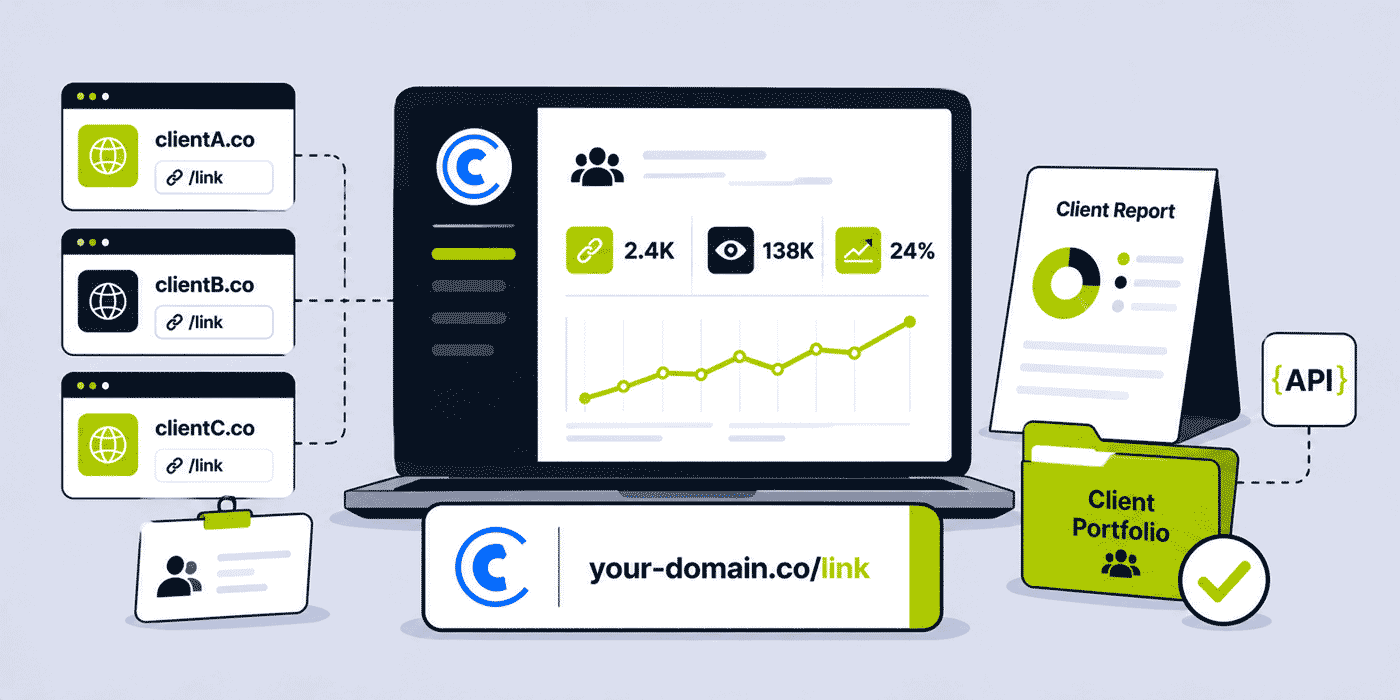
Managing URL shortener infrastructure for multiple clients is fundamentally different from managing it for a single organisation. A solo brand manages one set of branded links, one analytics dashboard, one set of UTM conventions, and one team. A digital agency manages all of these per client — simultaneously, across potentially dozens of client accounts, with strict data isolation requirements (Client A cannot see Client B's analytics), white-label branding requirements (every client link uses their own domain, not the agency's), and reporting requirements (campaign performance data must be presentable in client reports, not just visible in an internal dashboard). This guide covers the agency-specific architecture for URL shortener management: how to structure the workspace and domain infrastructure per client, how to build a reportable link analytics framework, how to automate link creation at scale, and how to manage the link lifecycle across a large, evolving client portfolio without operational chaos.
What This Guide Covers
- The agency link management problem: isolation, white-labelling, and reportability
- Workspace architecture: per-client workspaces vs shared workspace models
- White-label branded domains: connecting each client's domain to their workspace
- Team roles and access control: who sees what across agency and client
- Campaign tagging: the foundation of reportable link analytics
- Cuttly Campaigns: building per-campaign reports for clients
- Shareable public analytics pages: client-facing link performance without dashboard access
- CSV export and formal reporting workflows
- API automation: generating links at scale for large campaign portfolios
- UTM convention governance across client campaigns
- Link lifecycle management: what happens to links when a client offboards
- Bulk link creation for new client onboarding
- QR Code consistency and brand presets per client
- Which Cuttly plan supports an agency's client portfolio
The Agency Link Management Problem
When an agency first starts using a URL shortener for client work, the default approach is usually to add all client links to a single shared account. One account, all clients' links in one dashboard, one branded domain (typically the agency's own). This works for a handful of clients and a modest volume of links — but it creates three problems that compound quickly as the client roster grows.
No data isolation. All clients' link analytics are visible in the same dashboard. Any team member with dashboard access can see performance data for every client. If a client ever asks for a dashboard login, they can see other clients' data. This is not just a professional concern — for agencies managing clients in competitive industries (two retail clients, two financial services clients), the data isolation failure is a meaningful breach of the commercial relationship.
No white-label domain per client. Using the agency's own branded domain for all client links means every link the agency creates for Client A (go.agencyname.com/client-a-campaign) is on the agency's domain — the agency brand, not the client brand. The client's audience sees the agency's domain. The agency is inserting its own brand into the client's marketing infrastructure. Most clients, when they understand this, find it professionally inappropriate.
No reportable campaign view. A dashboard with links from 20 clients creates a filtering and navigation problem when trying to produce a campaign performance report for any specific client. Without structured tagging, campaign aggregation, and per-client data isolation, campaign reporting requires manual data extraction and compilation — time-consuming, error-prone, and not scalable.
The solution to all three is a structured workspace architecture — one workspace per client, each with its own branded domain, its own access control, and its own campaign tagging discipline.
Workspace Architecture: Per-Client Workspaces
Cuttly's Team feature allows the creation of multiple teams (workspaces) within a single Cuttly account. Each team is a separate workspace with its own: links (isolated from other teams), analytics (separate per team), branded domains (each team has its own domain or domains), API key (team-level, not tied to any individual), and access control (team members with specific roles).
The agency architecture: one team per client. Each client's short links are created within their team workspace. The analytics for Client A are entirely within Client A's workspace — Client B cannot see them. The domain connected to Client A's workspace is Client A's own branded domain. The access control for Client A's workspace can include Client A's own team members at appropriate role levels, without them seeing any other client's data.
Setting up a new client workspace: create a new team in Cuttly, name it with the client identifier, connect the client's branded domain to the team, add the agency team members who will manage that client's links, and optionally add the client's own staff at Viewer or User role if they need access. The workspace is operational in under 5 minutes.
The number of teams an agency can create is not directly limited in Cuttly's plan structure — the constraint is the number of branded domains per workspace (10 on Team plan, 99 on Enterprise) and the total monthly link volume per workspace (20,000 on Team, 50,000 on Enterprise). An agency that uses a separate workspace per client can have as many client workspaces as needed, with each workspace operating within its own plan limits.
White-Label Branded Domains: Connecting Each Client's Domain
The white-label client experience depends on each client having their own branded short domain connected to their workspace. Every link created in Client A's workspace uses Client A's domain. Every QR Code generated from Client A's links is on Client A's domain. The entire link infrastructure is branded as the client's, not the agency's.
Domain setup per client: the client (or the agency on the client's behalf, if the agency manages the client's DNS) adds a subdomain or dedicated short domain to the client's DNS with the Cuttly A record and TXT record. The domain is then added to the client's workspace in Cuttly. The DNS configuration process is described in the branded short link setup guide.
Common agency approaches to client domain setup:
Client manages their own domain DNS: the agency provides the DNS configuration instructions (A record value and TXT verification string from Cuttly) and the client's IT team or web manager configures the records. The agency handles the Cuttly-side setup (adding the domain to the workspace). This keeps DNS management within the client's control — appropriate for clients with their own IT infrastructure.
Agency manages client's DNS: for clients who have delegated DNS management to the agency (common for full-service digital agencies), the agency configures both the DNS records and the Cuttly workspace setup. This is faster but creates a dependency — the agency must update DNS whenever the client changes domain providers.
Domain selection guidance: when helping a client choose a branded short domain, apply the principles from the branded short link setup guide — a subdomain of their existing domain (go.clientdomain.com) is the simplest starting point and requires no new domain registration. A dedicated short domain (clientbrand.link) provides maximum brevity for clients whose primary domain is long. The choice depends on the client's printing requirements — if the short link will appear on business cards and packaging, brevity matters more than simplicity.
Team Roles and Access Control: Agency and Client Visibility
Cuttly's role system within a team workspace allows precise control over who can see and do what within each client's workspace. The roles: Owner, Admin, Moderator, User, Viewer.
Agency team member roles per client workspace:
- Account manager or campaign lead: Admin role — can create and edit links, manage domain settings, generate the Team API key, and invite/remove team members
- Junior campaign executives: User role — can create and manage links but cannot access team settings, API key, or domain management
- Reporting analyst: Viewer role — can see all links and analytics without creating or modifying links
Client roles per their own workspace:
- Client marketing manager (if given direct access): User role — can see their links and analytics, create links if appropriate, but cannot access API key or team settings
- Client stakeholder requiring read-only visibility: Viewer role — can view links and analytics without any modification capability
The principle: client access to their own workspace should be at the minimum role level necessary for their function. Most clients who want to "see the analytics" are best served by the Viewer role or by shareable public analytics page links (see below) rather than by direct workspace access — the Viewer role still gives them full dashboard visibility, including the ability to see all team members and settings. For clients who only need periodic performance data, shareable links to specific link analytics pages require no Cuttly account at all.
Campaign Tagging: The Foundation of Reportable Analytics
The ability to generate meaningful campaign reports from a URL shortener depends entirely on the tagging discipline applied when links are created. Without consistent tags, per-campaign analytics aggregation requires manual filtering through the dashboard or export and spreadsheet manipulation. With consistent tags, Cuttly Campaigns (Team plan+) aggregates all tagged links' analytics automatically.
The recommended tagging structure for agencies: every link is tagged with at minimum two tags — the client identifier and the campaign identifier. Example: client-acme and campaign-spring-2026. This enables filtering by client (all Acme links), by campaign (all spring 2026 Acme links), and by campaign across clients (all spring 2026 campaigns across all clients — useful for internal performance comparison).
Additional tag dimensions agencies commonly use: channel (channel-email, channel-instagram, channel-sms), content type (type-video, type-blog, type-offer), and campaign type (type-seasonal, type-always-on, type-product-launch). Multiple tags per link — up to the platform's limit — allow multi-dimensional filtering without duplication.
Tag governance: establish the tagging taxonomy before the first link is created for a new client. Document it in the campaign brief template. Make it part of the link creation checklist for every campaign. Inconsistent tags — some links tagged client-acme, some tagged acme, some tagged Acme — fragment the analytics aggregation and produce incomplete campaign reports.
Cuttly Campaigns: Per-Campaign Reports for Clients
Cuttly Campaigns (available from the Team plan) aggregates analytics for all links sharing a specific tag, providing a campaign-level analytics view that covers: total clicks across all links in the campaign, unique clicks, click timeline (hourly heat map showing when during the campaign window engagement peaked), device breakdown (mobile vs desktop split for the campaign audience), geographic distribution of clicks, and referrer source breakdown.
For agency reporting, the Campaigns view provides the data that clients actually want to see in a campaign performance review: "the summer launch campaign generated X clicks across all its promotional links, with Y% from mobile, peaking on Z days." This is more meaningful to most clients than individual link-level data — and it is available without manual aggregation once the tagging discipline is in place.
Building a client campaign report workflow using Campaigns:
- At campaign creation, establish the campaign tag (e.g.,
campaign-summer-launch-2026) and document it in the brief - All links created for this campaign — across all channels — receive this tag at creation time
- During the campaign, monitor Campaigns view for the campaign tag to see real-time aggregate performance
- At reporting time, open Campaigns view, filter by the campaign tag, and screenshot or note the aggregated metrics
- For individual link performance detail (which specific links performed best), use the tag-filtered link list to see per-link click counts alongside the aggregate
- Export the data (CSV export from dashboard, Single plan+) for inclusion in a formatted client report
The total reporting time for a well-tagged campaign, once the Campaigns view is populated: 5 to 10 minutes of data extraction and interpretation, rather than 45 to 60 minutes of manual link-by-link aggregation from an untagged dashboard.
Shareable Public Analytics Pages: Client Reporting Without Dashboard Access
For clients who want to see link performance data but do not need ongoing workspace access, Cuttly's shareable public analytics pages (available from the Single plan) allow the agency to share a public URL for any specific link's analytics — viewable by anyone with the URL, without requiring a Cuttly account.
A public analytics page shows: total clicks, click timeline, device breakdown, geographic distribution, OS and browser breakdown, and referrer sources — the full per-link analytics without revealing any account credentials, other links, or workspace settings. The client receives a URL to their campaign's primary link analytics page; they can bookmark and check it at any time.
For campaign reporting, the agency can share public analytics pages for the most important links alongside the Campaigns aggregate data. The client sees both the campaign-level picture (from the Campaigns export) and the individual link-level detail (from public analytics pages for key links). This combination covers both the summary stakeholder needs and the detailed execution performance needs within the same client report.
Public analytics pages also serve a proactive transparency function: for campaigns where clients are particularly engaged with performance data, providing live analytics page links means they can monitor performance in real time without requesting status updates from the agency. This reduces administrative overhead for the account management team while improving the client's sense of visibility and control.
API Automation: Link Creation at Scale
For agencies running high-volume campaigns — generating hundreds of links per month across multiple clients — manual link creation in the dashboard is a bottleneck. The Cuttly Team API enables programmatic link creation: automated generation of short links from campaign brief data, CRM integrations that create links when new campaigns are set up, and batch link creation for large product catalogue or content calendar deployments.
The Team API key for each client workspace is separate — each client's API key generates links only within that client's workspace, with that client's tagged domain. This isolation is maintained at the API level: automations built for Client A cannot inadvertently create links in Client B's workspace.
Common agency API automation patterns:
Campaign brief processing: when a new campaign brief is finalised in the agency's project management tool (Asana, Monday, Notion), a Zapier or Make automation triggers link creation for the standard campaign link set — one per channel — with the campaign tag and UTM parameters pre-populated from the brief's fields. The created short links are written back to the brief as a links section. Campaign setup that previously required 20 minutes of manual link creation in the Cuttly dashboard takes under 60 seconds. For the full Zapier/Make integration approach, see the automation guide.
Content calendar link generation: an e-commerce client's content calendar with 30 social posts per month each requiring a tracked link is processed by an automation that reads the calendar (from Airtable, Google Sheets, or Notion), generates the appropriate Cuttly short link for each post's destination URL, and writes the short link back to the calendar for the social media team to use. No manual link creation by account managers or social media teams.
Product catalogue deployment: a new client onboarding with 500 products requiring a short link per product is handled by a CSV import (via Cuttly's Link Importer, available from the Single plan — 100 links/month; Team plan — 2,000 links/month) or via API batch processing for higher volumes. The import creates all links in a single operation, each tagged with the client and product category identifiers.
UTM Convention Governance Across Client Campaigns
UTM parameters — passed through short links to the client's GA4 installation — are the bridge between Cuttly's click data and the client's on-site behavior analytics. For agencies managing GA4 reporting for clients, consistent UTM naming conventions across all campaigns are essential for clean, reliable attribution data.
The problem with inconsistent UTM naming across an agency's client work: GA4 Attribution reports treat differently-formatted UTM values as distinct sources. utm_source=email and utm_source=Email and utm_source=email-newsletter are three different sources in GA4 — they do not aggregate unless queries are written to normalise case and variant. An agency that has five account managers creating UTM parameters without a shared convention produces GA4 data that cannot be reliably compared across campaigns.
Solution: document a shared UTM naming convention at the agency level, applied consistently across all client campaigns. Recommended structure: all lowercase, hyphens (not underscores or spaces), standardised source values per channel type, and campaign names that include the client identifier and date. The Cuttly UTM builder (available in the link creation interface on all plans) makes it easy to fill in standardised UTM fields without constructing URLs manually.
For agencies whose clients use GA4 accounts managed by the agency: the UTM convention governs how the attribution data appears in every client's GA4 reports. For clients who manage their own GA4: provide them with the UTM convention documentation so their internal teams understand the attribution framework and can run queries correctly.
Link Lifecycle Management: Client Offboarding and Link Continuity
When a client relationship ends, the link infrastructure created for that client during the engagement has a lifecycle that must be managed. The options depend on what the client needs and what the agency has contractually committed to.
Option A: Transfer the workspace to the client. The client creates their own Cuttly account, the agency transfers ownership of the client's workspace to the new account, and the client continues managing their links independently. This is the cleanest offboarding option — the client retains full continuity of their link history, analytics data, and active links. The agency's team members are removed from the workspace; the client manages it going forward.
Option B: Archive the workspace but maintain redirects. The client does not want to take over link management but has printed materials with active QR Codes or published links that still route through Cuttly. The agency maintains the workspace in read-only status (no new links created, no analytics review), keeping the redirect infrastructure active so existing links continue to work. The cost is the minimal ongoing plan fee for the workspace.
Option C: Export data and delete the workspace. All analytics data is exported to CSV before the workspace is deleted. The client receives their historical link performance data in a deliverable. All links in the workspace are deleted — existing short links stop working. This is appropriate only if there are no live printed materials or published links pointing to the client's short links, and if the client has confirmed they do not need link continuity.
Critical warning: deleting a Cuttly workspace deletes all links, all analytics, and all QR Codes associated with it. This is permanent and irreversible. Always export analytics data to CSV before workspace deletion, and always audit whether any active printed materials (business cards, packaging, signage) or published links (website, articles, social media posts) contain short links from that workspace before deletion.
Document the offboarding decision in the client offboarding checklist and ensure the responsible account manager confirms the decision with the client before any deletion action is taken.
QR Code Consistency and Brand Presets Per Client
For agencies that manage print and physical marketing alongside digital, QR Code visual consistency across a client's materials is a brand standard requirement. A QR Code on a client's business card, exhibition display, product packaging, and branded leaflet should share consistent visual styling — the same dot style, the same colour, the same logo treatment.
Cuttly's Global QR Code Presets (Single plan+) allow saving a QR Code style configuration — dot style, dot color, corner style, background color — and applying it to every new QR Code created within a workspace. For a client workspace with the client's QR Code preset configured, every QR Code generated for that client inherits the correct visual style automatically. Junior team members creating QR Codes for the client cannot inadvertently use incorrect styling.
All QR Codes generated for client print materials should be downloaded in SVG format — vector format that scales to any print size without quality degradation. SVG files should be delivered to the client's designer or print service directly, not converted to raster formats before delivery. The QR Code best practices guide provides the print specifications (minimum size, quiet zone, surface finish guidance) that should be communicated to client print teams.
New Client Onboarding: The First 48 Hours of Link Infrastructure
The link infrastructure setup for a new client should be part of the standard onboarding checklist — completed before the first campaign launches, not after the first campaign is already live and links are being created ad hoc. An onboarding process that establishes the workspace, domain, tagging taxonomy, UTM convention, and QR Code preset before any campaign work begins produces clean, consistent data from the first link. An onboarding that skips this setup produces a mix of untagged links, inconsistent UTM values, and missing branded domain associations that takes weeks to untangle.
A practical new client link onboarding checklist:
- Create client workspace in Cuttly — name it with client identifier, add relevant agency team members at appropriate roles
- Agree branded domain with client — subdomain of existing domain or new dedicated short domain; document the choice
- Configure DNS — provide client IT team or configure directly if agency manages DNS; add A record and TXT record
- Connect domain to workspace — add in Cuttly after DNS propagation; configure SSL (Let's Encrypt on Single/Team+)
- Configure root and 404 redirects — root → client website homepage; 404 → client website homepage or custom error page
- Set QR Code preset — configure client's brand colour, dot style, and logo if applicable; test scan
- Document tag taxonomy — client identifier tag, campaign tag format, channel tags; include in campaign brief template
- Document UTM convention — sources, mediums, campaign naming format; share with client's GA4 analyst if applicable
- Create foundation links — client website homepage, key campaign landing pages, social profile links — as initial branded short link library
- Generate Team API key if automation integration is planned; store securely in project management system
This onboarding takes 2 to 3 hours end-to-end (including DNS propagation wait time), mostly waiting rather than active work. Completing it before the first campaign launch means the first campaign produces clean, attributed, well-tagged link data from day one.
Contractual and Data Ownership Considerations
Agencies managing link infrastructure for clients should address link data ownership in the service agreement. Key questions: who owns the link analytics data — the agency or the client? What happens to the links and data when the engagement ends? Does the client have a right to take the link infrastructure with them if they switch agencies?
Industry standard practice: client data (including link analytics generated during the engagement, since it relates to the client's campaign performance) belongs to the client. The agency manages the infrastructure on the client's behalf. The service agreement should confirm that the client has the right to receive an export of all link analytics data at any time during the engagement, and that the agency will facilitate workspace transfer or data export upon engagement termination.
Branded domain ownership is clearer: the domain belongs to the client (assuming it was registered in the client's name). The agency manages the DNS records on the client's behalf during the engagement. Upon termination, the agency should provide the client with instructions for updating the DNS records to remove the Cuttly A record (so the domain no longer routes to Cuttly infrastructure) and optionally transfer workspace access to the client.
Practical data protection note: Cuttly's analytics are aggregated and anonymised — no personally identifiable information about individual link clickers is stored or accessible. This is relevant for GDPR compliance contexts where the agency must be able to confirm to clients that the link tracking infrastructure does not collect personal data in violation of data protection regulations.
Scaling the Agency Infrastructure: From 5 Clients to 50
The architecture described in this guide scales from a 5-client boutique to a 50-client mid-size agency without structural change — it is additive, not requiring rearchitecting at scale. Each new client adds one workspace, one domain configuration, and one tag taxonomy entry to the existing structure. The operations team handles the same onboarding process for the 50th client as for the 5th.
What does change at scale: the total volume of links and analytics data managed across all client workspaces, the complexity of the API automation layer (more integrations, more data flows), and the reporting workload (more monthly campaign reports). Each of these scales with team capacity rather than with the platform architecture.
For agencies that have grown to 50+ active clients with high link volumes, the Cuttly Enterprise plan or a direct enterprise arrangement provides the volume and API throughput needed. The operational model — per-client workspace, per-client branded domain, Campaigns for reporting, Team API for automation — remains consistent regardless of the scale tier.
Turning Link Management into a Differentiating Agency Service
For most agencies, URL shortener management is invisible infrastructure — something that enables campaigns but is not itself presented as a service. An opportunity exists to reframe it. Agencies that can offer clients: their own branded short domain on their own identity, per-campaign analytics that go beyond what the ESP or social platform provides, geographic and device attribution data that the client's own marketing stack does not capture, and transparent link performance data viewable at any time via public analytics pages, are offering something that most agencies cannot match.
A client pitch that includes "every campaign link we create is on your own branded domain, every click is tracked and attributed, and you have live access to link performance data at any time" is a meaningful differentiation point against agencies using generic link infrastructure. The marginal cost of this offering — the Cuttly Team plan — is a fraction of the value it communicates in the client relationship. Building it into the agency's standard service delivery, not as an add-on but as a baseline of professional campaign management, elevates the agency's perceived quality in every client interaction where links appear.
That is every campaign. Which is every engagement. The investment is one onboarding process. The return is a visible, consistent signal of professional rigour across the entire client portfolio.
Which Cuttly Plan Supports an Agency Portfolio
The Single plan ($25/month) is adequate for very small agencies managing up to 3 to 5 clients with modest link volumes. It provides up to 5 branded domains, 5,000 links/month, 1 year of analytics history, full QR customization, CSV export, shareable public analytics pages, and bulk CSV import (100/month). It does not include Cuttly Campaigns (which requires Team plan), limiting campaign-level reporting to manual aggregation.
The Team plan ($99/month) is the standard plan for active digital agencies. 10 branded domains per workspace (enough for most client configurations), 20,000 links/month, 2 years of analytics history, Cuttly Campaigns for campaign-level reporting, Team API for automation integrations, shared workspace with role-based access control, CSV import at 2,000 links/month, and unlimited surveys. Multiple team workspaces (one per client) are available within the same Cuttly account on the Team plan.
The Enterprise plan ($149/month) is appropriate for agencies managing clients with very large link volumes (up to 50,000/month per workspace), clients requiring more than 10 branded domains in a single workspace, or agencies requiring the highest API rate limits (360 calls/60s). The Enterprise plan also provides an A/B/C testing split and enhanced analytics access.
For agencies managing very large client portfolios with specialised requirements — custom SLAs, dedicated support, or volume pricing — Cuttly's direct sales team handles bespoke configurations outside the standard plan tiers.
Start setting up your agency's link infrastructure with Cuttly's free plan — no credit card required. Create your first client workspace, connect their branded domain, and build the campaign tagging structure before starting your first campaign. Upgrade to Team when your client roster requires Campaigns reporting and API integration. Registration required; free plan available immediately.
Frequently Asked Questions
How do agencies manage branded short links for multiple clients?
One team workspace per client, each with the client's own branded domain connected. All links created within a client's workspace use their domain; analytics are isolated per workspace; access is role-based (agency team members and optionally client staff with minimum necessary access).
Can agencies provide clients with a white-label branded link experience?
Yes. Each client's workspace uses their own branded domain — a subdomain of their domain or a dedicated short domain. Every link, QR Code, and analytics page the client sees is on their own domain. No agency domain or Cuttly domain branding appears in the client's link infrastructure from the Enterprise plan.
How do agencies build campaign performance reports for clients?
Tag all links for a campaign with a campaign-specific tag at creation time. Use Cuttly Campaigns (Team plan+) to aggregate all tagged links' analytics into a single campaign view. Share public analytics pages for individual key links. Export CSV data for inclusion in formatted reports. Well-tagged campaigns reduce reporting time from manual aggregation to 5–10 minutes of data extraction.
Which Cuttly plan do agencies typically need?
Most active agencies use the Team plan ($99/month): 10 branded domains per workspace, 20,000 links/month, 2 years analytics history, Cuttly Campaigns for reporting, Team API for automation, shared workspace with role control. Enterprise ($149/month) for higher volumes or more domains. Free plan for initial setup and testing.
- Tools
- URL Shortener →
- Link Analytics →
- Branded Domains →
- Related Guides
- URL Shortener for Agencies 2026 →
- How to Create a Branded Short Link →
- Zapier & Make Automation →
- URL Shortener API Developer Guide →
- Bulk URL Shortening Guide →
- UTM Strategy Guide →
- Link Tracking 101 →
- QR Code Best Practices 2026 →
- Team API vs Personal API →
- API Documentation
- Team API Reference →
- Start Here
- Create Free Account
- Plans & Pricing
URL Shortener
Cuttly simplifies link management by offering a user-friendly URL shortener that includes branded short links. Boost your brand’s growth with short, memorable, and engaging links, while seamlessly managing and tracking your links using Cuttly's versatile platform. Generate branded short links, create customizable QR codes, build link-in-bio pages, and run interactive surveys—all in one place.
Cuttly - Consistently Rated
Among Top URL Shorteners
Cuttly isn’t just another URL shortener. Our platform is trusted and recognized by top industry players like G2 and SaaSworthy. We're proud to be consistently rated as a High Performer in URL Shortening and Link Management, ensuring that our users get reliable, innovative, and high-performing tools.


