URL Shortener for Manufacturers The Complete Guide
A manufacturing company's communications span an unusually wide range of contexts: a QR Code on a machine plate in a factory, a dealer portal link in a B2B email, a product catalog URL spoken at a trade show, a safety data sheet address printed on a chemical container, a firmware update notification sent to thousands of registered devices. Each of these is a link, and each carries a specific risk if it stops working, looks unprofessional, or cannot be tracked.
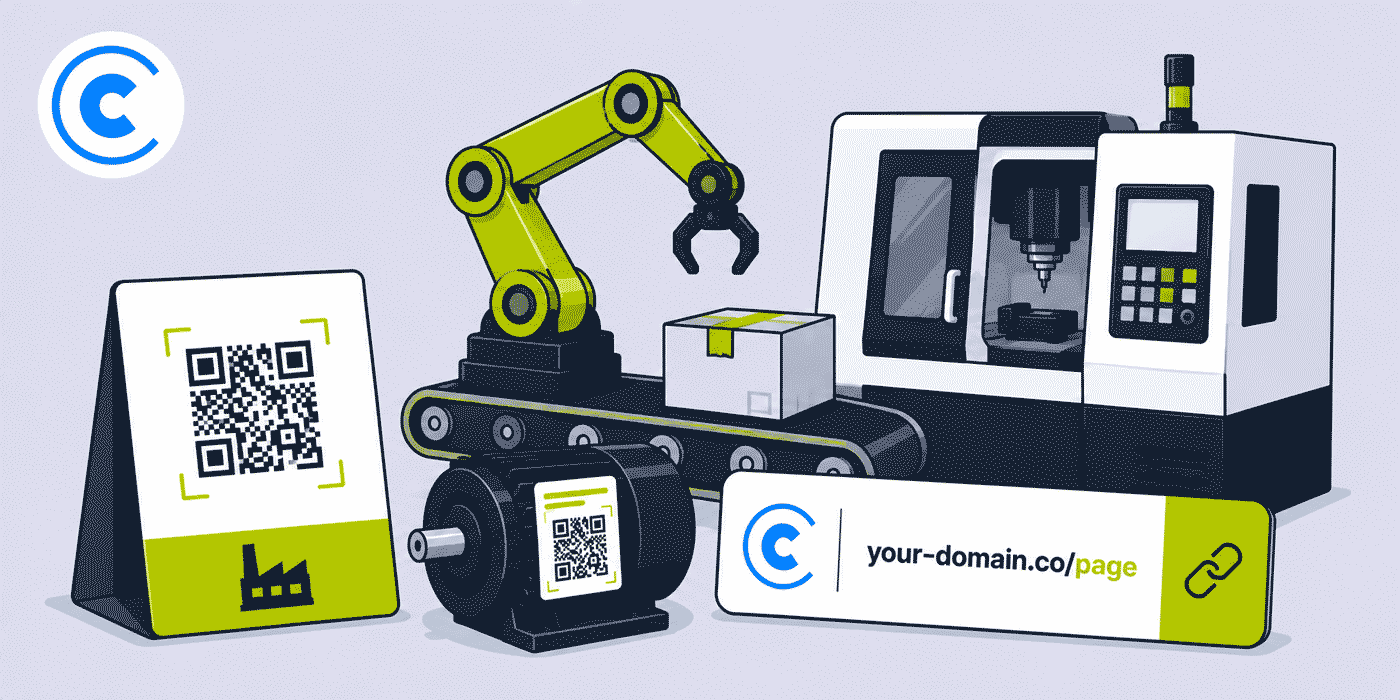
This guide covers how manufacturing companies — from component suppliers and industrial equipment makers to consumer goods producers and contract manufacturers — use a URL shortener, branded custom domain, dynamic QR Codes and click analytics to manage every link across every part of their operation. The challenges are different from almost every other category in this hub: manufacturing links often live on physical objects for years, serve audiences ranging from assembly line workers to procurement managers, and frequently need to be updated without any ability to change the printed material they appear on.
What This Guide Covers
- Why manufacturing creates link management challenges that most other industries do not face
- QR Codes on product labels, machinery plates and packaging — how dynamic links solve the reprint problem
- Dealer and distributor portal links — per-partner tracking and branded communications
- Technical documentation, safety data sheets and compliance links
- Trade show and exhibition link strategy for manufacturers
- API integration for manufacturers managing high volumes of product-linked URLs
- Supply chain and logistics notification links
- Internal communications — factory floor QR Codes, training resources and process documentation
- A worked example: a mid-size industrial equipment manufacturer's complete link stack
- Common mistakes with printed QR Codes and B2B portal links
- A Cuttly plan guide for manufacturers
- Frequently asked questions
Why Manufacturers Have Unique Link Management Challenges
Most industries deal with links that live on screens — in emails, on websites, in social media posts. These are easy to update: if a URL changes, you edit the post, resend the email, update the webpage. The link ecosystem for a manufacturer is fundamentally different because a significant proportion of their links are printed on physical objects that cannot be easily changed.
A QR Code printed on a machine's rating plate, a product data label, a packaging box, or a safety instruction card may remain in service for five, ten, or twenty years. If the destination URL behind that QR Code changes — because the company migrated to a new website, rebranded, changed document hosting providers, or restructured their product information architecture — the QR Code on every existing product or piece of equipment in the field stops working at once, with no practical way to update it.
A dynamic short link solves this entirely. The printed QR Code always encodes the same short URL — your-domain.co/m-7800-manual, for example — and that short URL can be redirected to any new destination at any time through the link management dashboard. The physical object never needs to change. This is the single most important reason why a manufacturer should never print a QR Code that encodes a destination URL directly.
The second challenge is audience breadth. A manufacturer's links are used by procurement managers evaluating products in a buyer portal, by distributors accessing dealer pricing and stock information, by end customers downloading installation guides, by factory maintenance teams scanning equipment QR Codes for service procedures, by quality control teams accessing compliance certificates, and by trade show visitors browsing a product catalog. Each audience uses links differently, on different devices, in different contexts, and a link management system that gives visibility into who is accessing what — even at an aggregated, anonymized level — provides genuinely useful operational intelligence.
QR Codes on Product Labels, Machinery and Packaging
The most immediate use case for link management in manufacturing is the product label QR Code. This single application has the highest long-term value because it solves a problem that every manufacturer with printed materials will eventually encounter.
Product Labels and Packaging
Consumer goods manufacturers, industrial component suppliers and specialty chemical producers all need to link from product packaging to product information — specifications, safety data sheets, certification documents, usage instructions, warranty registration pages or reorder portals. A QR Code generated from a dynamic short link can carry all of these destinations across a product's packaging lifecycle. When a company rebrands, moves their documentation to a new system, or updates a product's specification sheet, the link behind the QR Code is updated in the dashboard in seconds, and every existing package with that QR Code printed on it immediately redirects to the current destination.
For regulated products — chemicals, pharmaceuticals, food products, medical devices — where safety data sheets and compliance documents must be current and accessible, this is not just a convenience but a practical risk management tool. Directing all label QR Codes through a managed short link means the manufacturer always controls where those QR Codes go, even after millions of units have been printed and distributed.
Machinery and Equipment Plates
Industrial machinery often carries a data plate or rating plate that includes product information, serial numbers, electrical ratings and safety warnings. Increasingly, this plate also carries a QR Code linking to the product's maintenance manual, spare parts catalog, safety instructions, or service registration portal. This QR Code may be the primary way a service technician in the field accesses documentation for a machine they are working on — which makes it one of the highest-value links a manufacturer can create.
Using a dynamic short link for a machinery QR Code means the manufacturer can redirect that specific machine's QR Code to different destinations over the product's service life — from the installation guide during initial setup, to the operational manual during service, to spare parts ordering during maintenance, to decommissioning procedures at end of life. A single QR Code, once printed on the machine, serves every stage of the asset's lifecycle without ever needing to be replaced.
Per-Product and Per-Batch Link Structure
Manufacturers with large product ranges face an additional challenge: link organization at scale. A company producing 500 distinct SKUs cannot practically manage 500 separate link destinations through an unstructured link list. A consistent slug convention — your-domain.co/p-{product-code} or your-domain.co/m-{model-number} — makes the link library navigable and predictable, and allows the team managing links to find, update and report on any product's link without searching through an unsorted dashboard.
For manufacturers creating large numbers of links programmatically — generating a unique QR Code and short link for each individual serial-numbered unit, for example — the Cuttly API supports automated link creation at scale, with each link's analytics available individually. This approach is covered in the API and integration section below.
Dealer and Distributor Portal Links
Most manufacturers do not sell directly to end customers — they sell through a network of dealers, distributors, resellers and agents. Managing communications with this network is one of the more underserved link management use cases in manufacturing, because the links shared with dealer networks are often long, unmemorable internal portal URLs that look and feel like internal IT tools rather than professional business communications.
Per-Partner Attribution
A manufacturer can create a separate short link for each dealer or distributor in their network, each pointing to the same dealer portal or product catalog page. A link structured as your-domain.co/dealer-northside or cutt.ly/partner-abc gives the manufacturer independent analytics on how engaged each partner is with shared materials, which products each partner accesses most frequently, and when each partner last used their portal link — all as aggregated, anonymized click data, without needing to build per-user tracking into the portal itself.
This is particularly useful during product launches and new catalog releases. When a manufacturer sends a new product announcement to their dealer network, the per-dealer link structure shows which dealers engaged with the announcement immediately, which followed up later, and which have not yet accessed the new product information — giving the sales team a prioritized list for follow-up calls without relying on email open tracking, which is increasingly unreliable.
Dealer-Facing Campaign and Promotional Links
Manufacturers running co-op marketing programmes, dealer incentive campaigns, or product launch promotions typically share links to landing pages, promotional toolkits or campaign registration forms. A branded short link — your-domain.co/q3-promo or your-domain.co/launch-kit — is more professional than a long internal URL, more memorable in a dealer email, and provides the click analytics that show whether a campaign communication actually reached and engaged the partner network it was sent to.
Technical Documentation, Safety Data Sheets and Compliance Links
Technical documentation is one of the highest-traffic link categories for any manufacturer, and one of the most logistically complex to manage. Product manuals, installation guides, safety data sheets (SDS/MSDS), CE declarations of conformity, calibration certificates, test reports and approval documents all need to be accessible to different audiences across different channels, often in multiple languages, and the documents themselves are updated regularly as products evolve.
Managing Document Destination Changes
Every time a manufacturer revises a product manual, updates a safety data sheet to reflect a formulation change, or uploads a new version of a compliance declaration, the document typically gets a new URL — whether because it is stored in a document management system with version-controlled paths, hosted on a product information management platform with its own URL conventions, or simply because the file has been renamed. Any QR Code that encoded the old URL directly now points to a dead link or an outdated document.
With a dynamic short link in between, the manufacturer updates the destination in the link dashboard whenever a document URL changes. Every QR Code on every existing product, every printed catalog, every existing brochure, every existing email that referenced that link now automatically points to the current version of the document, without any changes to the physical or digital materials that carry the QR Code or link.
Compliance and Regulatory Considerations
For manufacturers in regulated industries, short link analytics are aggregated and anonymized — Cuttly records total clicks, device type, browser, country and referrer in aggregate, not individual user identities or access records. This means that using a short link in front of a compliance document does not create a personal data collection obligation simply from the redirect itself. Manufacturers should review their own regulatory obligations with a qualified advisor when deciding how compliance documentation is accessed and recorded overall, but the link redirect layer itself does not introduce new data collection beyond aggregated click statistics.
Trade Show and Exhibition Link Strategy
Trade shows represent one of the highest-cost, highest-stakes marketing investments for most manufacturers. A booth at a major industrial trade show can cost tens of thousands of dollars before travel and logistics, and the ROI is notoriously difficult to measure because most of the leads generated at a trade show are captured as business cards, badge scans or handwritten sign-up sheets rather than trackable digital interactions.
A well-structured link and QR Code strategy at a trade show does not replace these lead capture methods, but adds a parallel layer of digital measurement. QR Codes on booth displays, demonstration units, product data sheets, brochure handouts and branded merchandise each generate independently trackable click data. A manufacturer attending five trade shows in a year can compare booth traffic, product interest and material engagement across every show on the same metrics, making year-over-year comparisons possible and allowing the sales and marketing team to see which shows drive the most product-specific engagement rather than just the most general footfall.
Per-Product and Per-Show Link Structure
The simplest effective trade show link structure uses two levels of organization: per-product and per-show. A manufacturer attending three trade shows with five key products creates fifteen short links — one per product per show — each pointing to that product's landing page or data sheet. After each show, the per-product engagement data across shows gives a clear picture of which products generated the most interest at which shows, independently of how many general visitors the booth received.
A simpler approach uses a single show-specific link on all materials — your-domain.co/hannover-2026 — pointing to a show-specific landing page that itself links to individual products. This reduces the number of links to manage but loses the per-product breakdown. Which approach to use depends on how many products are being presented and how granular the post-show analysis needs to be.
QR Codes on Booth Materials
All booth materials — pull-up banners, counter displays, demonstration unit data plates, brochure racks, product sample tags — should carry QR Codes generated from dynamic short links rather than direct URLs. This ensures that if a product page URL changes between shows, or if the manufacturer wants to redirect the same QR Code from a show landing page to a post-show follow-up page after the event ends, the printed materials remain valid without reprinting.
For the paid plans that allow customized QR Codes with a company logo and brand colors, the QR Code itself becomes a branded element of the booth presentation — visually consistent with the manufacturer's identity rather than a generic black-and-white code that looks like it belongs to a generic service.
API Integration for High-Volume Link Creation
Manufacturers managing large product catalogs, serialized products, or automated documentation workflows often need to create short links programmatically rather than manually through a dashboard. The Cuttly API supports this use case directly, allowing link creation to be integrated into existing product information management (PIM) systems, ERP platforms, document management workflows, or production line tracking systems.
Automated QR Code Generation for Serialized Products
A manufacturer producing serialized products — where each individual unit carries a unique serial number — can use the API to create a unique short link for each serial number at the point of manufacture, pointing to that specific unit's registration page, service history portal, or warranty documentation. The QR Code for each unit's short link is generated automatically and printed on the unit's label or data plate as part of the production workflow, without any manual link creation step.
This approach gives the manufacturer a complete, auditable link for every unit ever produced, with independent click analytics per unit. A spike in clicks on a specific unit's QR Code — perhaps because a batch of units was recently installed and users are scanning for documentation — is visible in aggregate analytics. The manufacturer can also update the destination for an entire batch of serial numbers at once if, for example, a recall or service bulletin applies to units in a specific production range.
Integration with PIM and ERP Systems
Many manufacturers already manage product URLs centrally within a product information management system. Integrating the Cuttly API into a PIM workflow means that every time a new product is created in the PIM system, a corresponding short link is automatically generated and the dynamic short link's URL — rather than the PIM system's own URL — is what gets printed on labels and included in documentation. When the PIM system's URLs change during a platform migration, only the short link destinations need to be updated, not any of the physical or distributed digital materials.
Supply Chain and Logistics Notification Links
Manufacturers with complex supply chains use email and SMS notifications to communicate with suppliers, logistics partners, freight forwarders, and customers awaiting delivery. Including a short link in a delivery notification, a shipment status alert, or a goods received confirmation is a small but practical improvement over including a long tracking URL or leaving the recipient to navigate to a portal themselves.
A branded short link in a supplier or customer notification — your-domain.co/shipment-ref-12345 or simply your-domain.co/track pointing to the relevant logistics portal — looks more professional than a raw tracking URL from a logistics platform, is shorter and more likely to be clicked in an email or SMS context, and provides the manufacturer with aggregated click analytics showing how many recipients engaged with the notification. This last point is more useful than it might initially seem: a notification that generates almost no clicks may indicate a delivery communication that is not reaching its intended recipients, while a spike in clicks on a specific shipment link may correlate with a delivery delay or customer query.
Internal Communications: Factory Floor QR Codes and Training Resources
Link management is not only relevant for external-facing communications. Within a manufacturing operation, QR Codes on factory floor equipment, workstations, safety stations and process documentation boards serve the same function as product label QR Codes: they link physical spaces and objects to digital information that needs to be kept current.
Equipment and Workstation QR Codes
A QR Code on a workstation linking to the current version of a work instruction, a machine QR Code linking to the current operating procedure, or a safety station QR Code linking to the current emergency response plan all benefit from being generated from dynamic short links rather than direct URLs. When work instructions are revised, when operating procedures are updated, or when an emergency response plan is reissued, the update is made to the link destination in the dashboard and every QR Code in the factory immediately points to the new version.
This approach is particularly valuable in ISO-certified manufacturing environments where document version control is audited. The short link provides a stable, permanent access point for a document whose actual URL may change with each revision, and the click analytics for each QR Code provide a record — at an aggregated level — of how frequently each work instruction or operating procedure is accessed, which can inform training assessments and quality management reviews.
Training and Onboarding Resources
Manufacturing operations with high staff turnover or frequent shift changes often need to make onboarding and training resources accessible quickly and reliably. A short link such as your-domain.co/onboarding or your-domain.co/safety-training, posted at workstations or included in new-hire materials, gives every new employee a consistent access point for training content regardless of where that content is hosted or how its URL may change over time.
A Worked Example: A Mid-Size Industrial Equipment Manufacturer
Consider a mid-size manufacturer of industrial pumps and flow measurement equipment, using a branded domain such as your-domain.co, connected through Cuttly's custom domain setup (an A record and a TXT record — see the custom domain setup guide).
Each product model has its own short link: your-domain.co/p-7800, your-domain.co/p-9200, and so on, pointing to that model's product page on the company's website. These links are printed on every unit's data plate as QR Codes. When the company migrated their website to a new CMS and all product URLs changed, the team spent two hours updating 200 short link destinations in the dashboard. Every data plate on every pump already in the field continued working without any physical change.
Each model also has a documentation link: your-domain.co/p-7800-docs, pointing to the documentation folder for that model. When a revised installation manual is uploaded, the documentation link is updated to point to the new version. Field technicians who have the QR Code on the unit they are servicing always access the current documentation without needing to know which version is current.
For their dealer network, the manufacturer creates a link per region: your-domain.co/dealer-eu, your-domain.co/dealer-apac, each pointing to the regional dealer portal. When a new product launch email goes to the full dealer network, the email includes both the regional portal link and a launch-specific link your-domain.co/launch-q2 pointing to the new product's dedicated landing page. After the campaign, click analytics on your-domain.co/launch-q2 show which dealer regions engaged most with the launch, informing where to focus the sales team's follow-up effort.
At their annual trade show, the booth carries four QR Codes — one per product family — each pointing to a show-specific version of the product landing page with a show-specific inquiry form. Post-show, comparing click totals across the four QR Codes shows which product family attracted the most booth visitor interest, which informs both the next year's booth layout and which products to prioritize in post-show follow-up communications.
Common Mistakes With Manufacturing Links and QR Codes
Printing QR Codes That Encode Destination URLs Directly
The most common and most costly mistake in manufacturing link management is generating a QR Code directly from a destination URL — using a free static QR Code generator, for example — and printing it on product labels, machinery plates, or packaging. A static QR Code cannot be redirected. If the destination URL changes for any reason, the QR Code on every existing printed item breaks permanently. Generating QR Codes from dynamic short links costs no more than using a static generator, and eliminates this risk entirely across the entire printed product estate.
Using Generic Short Links for Branded B2B Communications
A short link that reads cutt.ly/aBcDeF in a dealer email or on a trade show brochure does not communicate anything about the manufacturer's brand or the destination the link leads to. A branded domain such as your-domain.co/product-catalog is immediately recognizable as belonging to the manufacturer, descriptive enough that the recipient understands what they are about to see, and consistent with the professional presentation that B2B manufacturing relationships require. The setup for a branded domain is a one-time task using an A record and a TXT record at a domain registrar.
No Per-Product or Per-Partner Link Structure
Many manufacturers who do use short links default to a single general link for all communications — one link for the whole product catalog, one link for the dealer portal — which mixes all click traffic into a single undifferentiated total. A link structure that separates product families, dealer regions, documentation types and trade show appearances costs only a few additional links to set up, and is the difference between knowing that the dealer network clicked something and knowing which dealers engaged with which product communication, which is the data that actually drives sales decisions.
Seasonal and Calendar Patterns in Manufacturing
Manufacturing marketing often follows industry trade show calendars, product launch cycles, and regulatory review periods rather than consumer seasonal patterns. Link strategy should be organized around these cycles. A product launch campaign has a distinct pre-launch phase (specifications shared with distributors, press briefings), a launch phase (trade show presence, dealer announcements, press coverage) and a post-launch phase (customer support documentation, reorder links, after-sales communications) — and each phase can use a distinct set of links with distinct analytics to measure engagement at each stage.
Annual trade show participation creates a natural opportunity to review and update QR Codes on booth materials. Rather than reprinting entirely new materials each year, a manufacturer using dynamic short links can update the destinations behind existing QR Codes to reflect the current product range, current pricing, or current year's promotional landing pages, and reuse the printed materials themselves. This is particularly valuable for high-quality printed materials — large-format graphics, metal product plaques, embossed brochure covers — where the print cost makes annual reprinting expensive.
Feature Priority for Manufacturers
| Feature | Use Case | Priority |
|---|---|---|
| Dynamic QR Codes | Product labels, machinery plates, packaging, booth displays | High — core use case |
| Branded custom domain | Dealer communications, trade show materials, B2B emails | High — professionalism and trust |
| Click analytics | Dealer engagement, trade show ROI, documentation access | High — operational intelligence |
| API access | Serialized product links, PIM integration, automated workflows | High for scale operations |
| Customized QR Codes | Branded booth materials, product packaging, premium brochures | Medium — brand presentation |
| Multiple branded domains | Multiple product brands, regional domains, different business units | Medium for multi-brand manufacturers |
| Campaign tag analytics | Aggregated trade show reporting, product launch campaign tracking | Medium for marketing teams |
| Link in Bio | LinkedIn and social media manufacturer presence | Low to medium |
Cuttly Plan Guide for Manufacturers
The right plan for a manufacturing operation depends primarily on link volume, whether the manufacturer needs API access for automated link creation, and how many distinct branded domains the operation requires.
- The Free plan ($0) provides 30 short links per month, one branded custom domain, full click analytics and dynamic QR Codes, with no credit card required. This is sufficient for a small manufacturer or a single product line getting started with dynamic QR Codes and dealer links.
- The Starter plan ($12/month) adds 300 short links per month and 30 custom aliases per month — useful for manufacturers managing multiple product lines or running regular dealer communications that require new links each month.
- The Single plan ($25/month) adds up to 5 branded domains, fully customizable QR Codes with logos and colors, 1,000 API-created links per month and a full year of analytics history — the most relevant tier for manufacturers needing branded QR Codes on product packaging, API integration for automated workflows, or multiple domains for different product brands or regional operations.
- The Team plan ($99/month) suits larger manufacturing organizations with dedicated marketing, sales and technical documentation teams that need shared workspaces, multiple branded domains for different divisions, higher API link volumes and Campaign tag analytics for aggregated reporting across product launches, trade shows and dealer campaigns.
- The Enterprise plan ($149/month) is for large manufacturing groups with complex multi-brand, multi-region requirements, high-volume API needs and enterprise-level link management across distributed teams.
Create a free Cuttly account to set up your first product label QR Code and dealer portal link. Registration is required for all plans, including free. No credit card is needed for the free plan.
Frequently Asked Questions
How do manufacturers use QR Codes on product labels?
Manufacturers print QR Codes generated from short links directly onto product labels, packaging or machinery plates. Because the QR Code is dynamic, the destination behind it — a product specification sheet, a safety data sheet, a maintenance manual or a warranty registration page — can be updated at any time without changing the printed label. This means a single label design can serve the product across its entire lifespan, even if documentation URLs change when a manufacturer updates their website or switches document hosting providers.
What is the best URL shortener for B2B manufacturing?
The best URL shortener for B2B manufacturing combines a branded custom domain, dynamic QR Codes for product labels and machinery, click analytics that track which documents and pages are accessed most, and API access for integrating link creation into product information management or ERP workflows. Cuttly provides all of these from its paid plans, with a free plan available for smaller teams getting started.
How can a manufacturer track which dealers or distributors click their links?
A manufacturer can create a separate short link for each dealer or distributor in their network — for example your-domain.co/dealer-north or your-domain.co/dealer-south — each pointing to the same catalog or portal page. Click analytics for each link, aggregated and anonymized, show how engaged each partner is with shared materials, independent of any dealer management system the manufacturer uses.
Can short links be used in industrial SMS or email notifications?
Yes. Manufacturers using SMS or email for service reminders, recall notices, firmware update alerts or supply chain notifications can include a branded short link in each message. A short link such as cutt.ly/recall-notice or your-domain.co/firmware-update is shorter than a full URL, loads the same destination, and provides click analytics showing how many recipients engaged with the notification.
Is a URL shortener free for manufacturers?
The free plan includes 30 short links per month, full click analytics, dynamic QR Codes and one branded custom domain, with no credit card required. For manufacturers needing QR Codes on multiple product lines, API access for automated link creation, or customized QR Code designs with a company logo, the Single plan at $25 per month or Team plan at $99 per month provide the additional capacity and features most manufacturing operations require.
How do manufacturers use short links at trade shows?
At trade shows, manufacturers use QR Codes on booth displays, product demonstration units, printed brochures and catalog handouts — each linking to a product landing page, a spec sheet download, a dealer locator, or a follow-up form. A separate short link per product or per trade show gives the marketing team independent analytics on which products generated the most engagement at each event, comparable across multiple shows over time.
- Get Started
- Create Free Account
- Plans & Pricing
- Platform Tools
- URL Shortener
- Link Analytics
- QR Code Generator
- Link in Bio Builder
- Survey Tool
- Related Guides
- URL Shortener for Distributors & Wholesalers
- URL Shortener for Logistics & Supply Chain
- URL Shortener for B2B Marketing
- URL Shortener for Trade Shows
- Short Links for Offline Campaigns
- URL Shortener for PDF Sharing
- API Documentation
- Encyclopedia
- Branded Links
- Dynamic QR Codes
- Setup Guides
- Custom Domain Setup
- Track Link Clicks
- Industry Hub
- Manufacturing & Industrial B2B
- All Industries →
URL Shortener
Cuttly simplifies link management by offering a user-friendly URL shortener that includes branded short links. Boost your brand’s growth with short, memorable, and engaging links, while seamlessly managing and tracking your links using Cuttly's versatile platform. Generate branded short links, create customizable QR codes, build link-in-bio pages, and run interactive surveys—all in one place.
Cuttly - Consistently Rated
Among Top URL Shorteners
Cuttly isn’t just another URL shortener. Our platform is trusted and recognized by top industry players like G2 and SaaSworthy. We're proud to be consistently rated as a High Performer in URL Shortening and Link Management, ensuring that our users get reliable, innovative, and high-performing tools.C


