URL Shortener for Distributors and Wholesalers The Complete Guide
Distribution and wholesale sits in an unusual position in the supply chain: you are the link between manufacturers and the retailers, dealers or end-customers who actually sell or use the product. That means your communications span the full breadth of both worlds — you are managing supplier relationships upstream and retailer relationships downstream, often across hundreds of SKUs, dozens of supplier brands, and a geographically dispersed network of buyers who interact with your catalogs, pricing pages, order portals and promotional materials through every channel from email to trade show floor to printed flyer.
This guide covers how distributors and wholesalers use a URL shortener, branded custom domain, dynamic QR Codes and click analytics to manage catalog links, retailer communications, promotional campaigns, trade show presence and order portal access — across every part of a wholesale distribution operation.
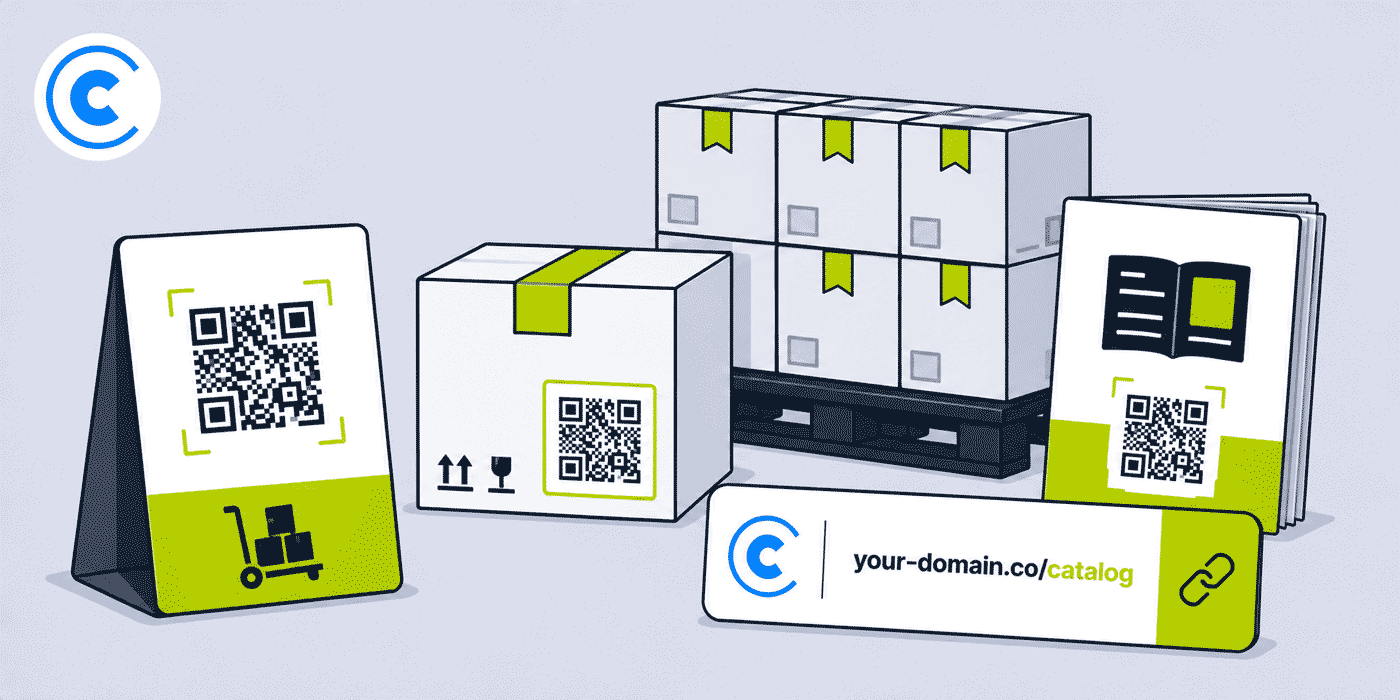
What This Guide Covers
- Why distribution and wholesale creates specific link management challenges across the supply chain
- Catalog and product range links — managing large SKU libraries and supplier brand pages
- Retailer and dealer communications — per-tier, per-region and per-account link tracking
- Promotional campaigns — seasonal offers, clearance events and new range launches
- Trade show and exhibition strategy for distributors
- Order portal and online catalog access links
- Supplier and vendor-facing communications
- QR Codes on printed catalogs, price lists and sample packs
- API integration for high-volume and automated link workflows
- A worked example: a mid-size distributor's complete link stack
- Common mistakes with wholesale catalog and promotional links
- A Cuttly plan guide for distributors and wholesalers
- Frequently asked questions
Why Distribution and Wholesale Has Distinct Link Management Needs
A retailer's link management challenge is primarily customer-facing: the links go to product pages, checkout flows and campaigns that drive consumer purchases. A manufacturer's challenge is product-focused: the links go to technical documentation, dealer portals and physical product labels. A distributor's challenge is both of these simultaneously, because you are managing outbound communications to retailers that feel like B2C marketing — promotional emails, new range announcements, seasonal campaigns — while also managing a supply chain relationship with manufacturers that involves technical catalogs, specification documents and co-op marketing materials.
The second distinctive challenge for distributors is scale. A typical distributor may carry thousands of SKUs across dozens of supplier brands. Their catalog is not a single document or website but an aggregated collection of supplier catalogs, product databases, availability systems and pricing structures that changes continuously as new products are added, prices are updated, and discontinued lines are removed. Managing links across this kind of dynamic catalog requires either automated workflows or a disciplined link naming convention that makes the link library navigable without constant maintenance.
The third challenge is audience segmentation. A distributor serves multiple types of buyers: small independent retailers, large national chains, online-only retailers, trade buyers, institutional buyers, and in some cases direct consumers. Different audiences need different access to different parts of the catalog, different pricing tiers, and different promotional communications. A link management system that can separate these audiences — giving different groups different links to different pages, and providing click analytics per group — gives the sales team intelligence that a generic "catalog link" cannot provide.
Catalog and Product Range Links
The product catalog is the central document in any wholesale distribution relationship. Whether it is a printed annual catalog, a regularly updated PDF, an online product database, or a combination of all three, the catalog is what retailers use to discover, evaluate and order products. Managing catalog links well — so they are stable, branded, accessible and trackable — is the foundational link management task for any distributor.
Supplier Brand and Category Links
A distributor carrying fifty supplier brands has fifty separate sections of their catalog that need to be linked to separately. A link structure organized by supplier brand — your-domain.co/brand-name for each supplier — gives retailers a memorable, stable way to access any specific brand's range, and gives the distributor analytics on which brands' catalog pages are accessed most frequently, by whom, and when.
Within a supplier brand, category-level links add a second layer of organization: your-domain.co/brand-name-tools, your-domain.co/brand-name-safety — each pointing to that brand's relevant category page within the distributor's catalog or ERP. This level of granularity is most useful for distributors carrying broad-range suppliers where different buyer types are interested in different parts of the same brand's offering.
Printed Catalog QR Codes
Many distributors still produce printed catalogs — either annually or seasonally — and these represent some of the longest-lived printed materials in any business context. A printed catalog from a major distributor may be referenced by a retailer's purchasing team for twelve to eighteen months. Any QR Code printed in that catalog needs to remain valid for the full lifecycle of the printed edition.
Using dynamic short links for all catalog QR Codes means that if the destination URL changes — because the distributor relaunched their website, moved to a new e-commerce platform, or reorganized their product database — every QR Code in every printed copy of the catalog continues to work. The destination is updated in the link dashboard; the printed code itself never changes.
For distributors that produce catalogs in multiple formats — a general trade catalog, a premium range catalog, an industrial supplies catalog — each catalog can have its own set of tracked links, so the distributor can see which catalog sections are driving the most web traffic and use that data to inform the layout and emphasis of the next edition.
Retailer and Dealer Communications
The email, portal communication and printed material that goes out to a distributor's retailer network is the most frequent and highest-volume link context in the business. New product announcements, price list updates, seasonal promotional offers, out-of-stock notifications, restocking alerts and trade terms updates all typically include links to relevant pages, documents or forms.
Per-Tier and Per-Region Link Tracking
A distributor that segments their retailer network into tiers — platinum accounts, standard accounts, new accounts — or into regions can create separate short links for each segment and include these in tier-specific or region-specific communications. A platinum account email that links to your-domain.co/platinum-new-range and a standard account email that links to your-domain.co/standard-new-range both point to the same destination initially, but give independent click analytics per tier. Over time, comparing engagement across tiers shows the distributor's sales team which accounts are most actively engaged with new range communications and which may need additional outreach.
For regional teams managing their own communications, a per-region link structure — your-domain.co/north-promo, your-domain.co/south-promo — means regional managers have independent visibility into their network's engagement with their specific communications, without needing access to national-level analytics that may include commercially sensitive data about other regions' accounts.
Named Account Links
For large named accounts that represent significant revenue, a per-account short link — your-domain.co/account-abc pointing to a dedicated account page or pricing portal — gives the account manager independent analytics on how that account is engaging with the distributor's digital materials. This is particularly useful for large national chain accounts where the buying team may include multiple people accessing the same links, and where the volume of engagement is a useful indicator of purchase intent or upcoming order timing.
Promotional Campaigns and Seasonal Offers
Wholesale distribution follows clear promotional cycles: end-of-season clearances, new season range launches, supplier co-op promotions, volume discount windows and holiday buying periods. Each of these represents a campaign with a defined start and end date, a specific audience within the retailer network, and a distinct set of products or offers being communicated.
Campaign Link Structure
The most effective promotional link structure for a distributor uses a consistent naming convention per campaign: your-domain.co/summer-2026, your-domain.co/clearance-q3, your-domain.co/range-launch-autumn. Each campaign link points to a landing page or catalog section specific to that campaign. Click analytics per campaign link show how many retailers engaged with the promotion and when — providing data that is comparable across campaigns and useful for planning future promotional timing and communication frequency.
After a campaign ends, the link can be redirected to a "view current offers" page rather than a dead or outdated campaign page. Retailers who saved the campaign link — in a favorites folder, in an email thread, or in a printed internal reference — and access it after the campaign has ended still land on something relevant rather than a 404 page, which is a small but consistent source of retailer frustration in distribution businesses that don't manage link destinations after campaign end dates.
Printed Promotional Materials
Printed promotional materials — flyers, shelf edge strips, promotional posters sent to retailers for in-store display, sample packs with product cards — all benefit from QR Codes generated from dynamic short links for the same reasons as printed catalogs: the link remains valid regardless of what happens to the destination URL, and the destination can be changed if the promotion is extended, modified, or replaced by a more current offer.
For distributors who include QR Codes on materials sent to retailers for in-store display — pointing consumers to a product page or brand website — the dynamic link layer is even more important, because the distributor has no control over how long a retailer displays the material in their store. A promotional display that remains up in a small independent retailer for six months after the campaign it was designed for has ended will continue to send consumers somewhere relevant if the QR Code points to a dynamic short link that has been redirected, rather than to an expired campaign page.
Trade Show and Exhibition Strategy for Distributors
Trade shows are a central business development activity for most wholesale distributors. Whether attending as exhibitors presenting their supplier brands to retailers, or attending as buyers to discover new suppliers, distributors use trade shows to initiate and develop relationships that translate into order volumes over the following months.
Exhibiting at Buyer Trade Shows
When a distributor exhibits at a trade show attended by their retailer network — a regional trade fair, a sector-specific buyers' show, a national distribution expo — their booth materials need to communicate across multiple supplier brands simultaneously. A QR Code strategy that gives each major supplier brand or product category its own code — each generated from a dynamic short link — lets the distributor see which brands attracted the most buyer interest at the show, independent of how many people visited the booth overall.
For order forms and catalog request cards handed out at trade shows, a QR Code linking to an online order registration form or catalog request page is significantly more likely to be completed than a printed form, particularly for buyers who are collecting materials from multiple exhibitors and are unlikely to complete and post a physical form after the event. A single tracked QR Code on a trade show handout that links to a registration form can give the distributor a cleaner picture of conversion from booth visit to registered interest than any other measurement approach available at a trade show.
Attending Supplier and Industry Events
Distributors attending supplier events, product launch presentations and industry conferences use links differently: the primary audience is the supplier, not the retailer. Short links in presentation materials, in follow-up communications after a supplier meeting, or on business cards and printed materials shared at industry events help the distributor present consistently and professionally across their supplier relationships, in the same way that branded links support their retailer communications.
Order Portal and Online Catalog Access
Most established distributors operate an online ordering portal or B2B e-commerce platform where retailers place orders, check availability, view pricing and manage their accounts. The links to this portal are among the most frequently shared and most important links in the distributor's entire operation — yet they are often long, unmemorable platform-generated URLs that do nothing to reinforce the distributor's brand or the professionalism of their retailer relationships.
A branded short link for the order portal — your-domain.co/order or your-domain.co/trade-portal — is more memorable, more professional in communications, and crucially remains stable even if the distributor switches ordering platforms. When a distributor migrates from one B2B e-commerce platform to another, all the printed materials, email templates, website pages and retailer bookmarks that reference the short link continue working. Only the destination behind the short link needs to be updated in the dashboard — a change that takes seconds rather than the multi-week project of updating every place the old URL appeared.
New Retailer Onboarding Links
For distributors who regularly onboard new retailers or dealers into their network, a dedicated onboarding link — your-domain.co/trade-register — pointing to the account registration form or new trader application page is a useful permanent link that appears consistently in new retailer welcome communications, trade show registration cards, sales team follow-up emails and the distributor's website. Click analytics for this link give the business development team a sense of how many potential new retailers are showing interest in registering, independent of how many actually complete the registration form.
Supplier and Vendor-Facing Communications
A distributor's link needs are not only downstream — toward retailers — but also upstream, toward the suppliers whose products they distribute. Supplier communications include forecasting and demand planning documents, sell-through reports, co-op marketing claim submissions, new product range evaluations, and performance reporting. While these communications are typically more structured and less frequent than retailer communications, the links they contain follow the same logic: branded links look more professional, tracked links provide useful intelligence, and dynamic links remain valid if the underlying document or page moves.
For distributors reporting sell-through data to suppliers as part of their distribution agreements, a consistent short link structure for data sharing — your-domain.co/supplier-abc-report-q2 — organizes the link library by supplier and reporting period, making it possible to maintain a navigable record of supplier-facing communications over time without needing a separate document management system.
API Integration for High-Volume Wholesalers
Distributors managing thousands of SKUs, frequent catalog updates, or automated retailer communication workflows often benefit from integrating link creation into their existing business systems through the Cuttly API. Rather than manually creating short links for each new product, each new supplier brand page, or each promotional landing page, the distributor's e-commerce or ERP system can generate short links automatically whenever a new product or page is created.
A common integration pattern for large distributors is: when a new product is added to the ERP system and a product page is created in the online catalog, the system automatically calls the Cuttly API to generate a short link for that product page, stores the short link alongside the product record, and uses that short link in all subsequent communications about that product — retailer emails, catalog exports, trade show materials, supplier reports. The short link then serves as the stable, permanent reference for that product across all channels, regardless of how the underlying URL may change over time.
A Worked Example: A Mid-Size Consumer Goods Distributor
Consider a regional consumer goods distributor supplying approximately 800 independent retailers across multiple product categories, using a branded domain such as your-domain.co, connected through Cuttly's custom domain setup (an A record and a TXT record — see the custom domain setup guide).
The distributor's trade portal lives at your-domain.co/order. This link appears on every invoice, every email footer, every printed price list, and every trade show handout. When the distributor migrated from their legacy ordering system to a new B2B platform eighteen months ago, updating this single short link in the dashboard was the only change needed to redirect the entire retailer network to the new platform. No emails needed to be resent, no printed materials reprinted, no website links updated.
For their annual printed catalog, the distributor uses a separate QR Code for each of their twelve product categories. Each QR Code links to that category's section in the online catalog. When the distributor relaunches their website mid-year, all twelve QR Code destinations are updated in the dashboard in a single session. The printed catalog remains in active use with accurate links for the full twelve months.
For their summer promotional campaign, the distributor creates your-domain.co/summer-sale and distributes it by email to their full retailer network, by printed flyer to their top 200 accounts, and via a QR Code on their trade show booth. After the campaign, click analytics show that the email drove 60% of total link clicks in the first 48 hours, the trade show QR Code drove a further 25% over the show's three days, and the printed flyer drove the remaining 15% gradually over three weeks. This breakdown directly informs the budget split for the following year's summer campaign between digital, trade show and print channels.
For new retailer onboarding, the distributor's sales team shares your-domain.co/trade-register with every prospective new account at trade shows and during sales calls. Monthly click analytics on this link give the business development manager a simple proxy for pipeline activity — a month with high clicks on the registration link, followed by two weeks of lower clicks as new accounts work through the application process, is a predictable pattern that the team has learned to read as a leading indicator of upcoming new account activations.
Common Mistakes in Distribution and Wholesale Link Management
Using Long Platform-Generated URLs in Retailer Emails
Most B2B e-commerce platforms and ordering systems generate long, complex URLs for product pages, category pages and order forms — URLs that include session tokens, tracking parameters, product database IDs and other internal identifiers that mean nothing to the retailer receiving them. Including these raw URLs in a retailer email or promotional PDF makes the communication look technical and difficult to read, and means the link breaks entirely if the platform changes its URL structure. A branded short link over the top of any platform-generated URL solves both problems at once.
No Campaign Attribution Across Channels
Distributors who run the same promotional campaign across email, printed flyers and trade show presence typically cannot tell which channel drove the most retailer engagement, because they use the same link in all three. Creating a separate short link for each channel — same destination, different slug — is the minimum structure needed to see which communication method actually drives the most response. This costs three links instead of one, and provides the channel attribution data that most distributor marketing communications currently lack entirely.
Letting Promotional Link Destinations Expire
A promotional link that led to a seasonal campaign page and now leads to a 404 error is a friction point for any retailer who saved the link or accesses it from an old email. After each campaign ends, redirecting the campaign's short link to a current offers page, a general catalog section, or a "this promotion has ended" page that links to current alternatives takes less than a minute in the dashboard and eliminates a persistent source of dead links in the distributor's retailer-facing ecosystem.
Seasonal and Cycle Patterns in Distribution
Wholesale distribution follows predictable seasonal patterns that vary by product category but tend to be more structured and foreseeable than many other industries. A seasonal buying calendar — new season range launches in January and July, peak promotional periods before major retail events, clearance windows at season end — gives a distributor a consistent framework within which to plan their link and campaign structure for the year.
Planning link structures in advance of each cycle — creating campaign slugs before a season begins so they can be included in print artwork, setting up catalog section links before a new range launches so they are already stable when the announcement emails go out — reduces the operational pressure during peak communication periods and ensures that every piece of communication that goes out during a busy promotional season carries a properly structured, trackable link rather than a hastily created one.
Feature Priority for Distributors and Wholesalers
| Feature | Primary Use Case | Priority |
|---|---|---|
| Branded custom domain | All retailer communications, catalogs, trade show materials | High — core professional requirement |
| Dynamic QR Codes | Printed catalogs, trade show booth displays, promotional flyers | High — protects printed investment |
| Click analytics | Campaign attribution, dealer engagement, portal access tracking | High — operational intelligence |
| Multiple custom aliases | Per-supplier, per-campaign, per-tier, per-channel links | High — link library organization |
| API access | Automated link creation for new products, ERP integration | Medium to high for large operations |
| Customized QR Codes | Premium printed catalogs, trade show display materials | Medium — brand presentation |
| Campaign tag analytics | Aggregated campaign reporting across channels and regions | Medium for marketing-driven operations |
| Multiple branded domains | Separate brands for different product divisions or trade names | Medium for multi-brand distributors |
Cuttly Plan Guide for Distributors and Wholesalers
- The Free plan ($0) provides 30 short links per month, one branded custom domain, dynamic QR Codes and full click analytics, with no credit card required. This is sufficient for a small distributor or new operation setting up their first trade portal link, catalog QR Code and seasonal campaign link.
- The Starter plan ($12/month) adds 300 short links per month and 30 custom aliases per month — practical for distributors running regular promotional campaigns across a sizeable retailer network with multiple supplier brand and category links to maintain.
- The Single plan ($25/month) adds up to 5 branded domains, fully customizable QR Codes with logos and colors, 1,000 API-created links per month and a full year of analytics history — the most relevant tier for distributors carrying multiple trade brands, producing premium printed catalogs with branded QR Codes, or integrating link creation into their ERP or e-commerce platform.
- The Team plan ($99/month) suits larger distribution businesses with regional sales teams, multiple buying categories managed by different teams, Campaign tag analytics for aggregated seasonal campaign reporting, and multiple branded domains for different product divisions or trade brands.
- The Enterprise plan ($149/month) is for large wholesale groups with complex multi-brand, multi-region or multi-division requirements, high API volumes for automated link generation, and enterprise-level link management across distributed sales teams.
Create a free Cuttly account to set up your first catalog link, trade portal short link and promotional campaign QR Code. Registration is required for all plans, including free. No credit card is needed for the free plan.
Frequently Asked Questions
How do distributors use short links for product catalogs?
A distributor can create a short link for each major catalog section or supplier range — for example your-domain.co/cat-electronics or your-domain.co/cat-tools — and distribute these in emails, printed materials and trade show handouts. When a new catalog edition is released or a supplier updates their range, the short link destination is updated in the dashboard, and every printed or distributed material carrying that link automatically points to the current catalog. Click analytics show which catalog sections attract the most retailer or dealer interest.
What is the best URL shortener for wholesale businesses?
The best URL shortener for wholesale businesses provides a branded custom domain so that dealer and retailer communications look professional and consistent, dynamic QR Codes for printed catalogs and trade show materials, per-retailer or per-channel link tracking, and API access for integrating link creation into order management or ERP systems. Cuttly provides all of these, with plans suitable for operations of every size.
How do wholesalers track which retailers engage with their promotions?
A wholesaler can create a separate short link for each promotional communication — for example your-domain.co/promo-june or your-domain.co/seasonal-sale — and include it in retailer emails and printed flyers. Click analytics for each link, aggregated and anonymized, show how many retailers engaged with the promotion and when, providing a baseline for comparing promotional effectiveness across campaigns without relying on email open rates alone.
Can a distributor use different short links for different retailer tiers?
Yes. A distributor can create separate short links for platinum, gold and standard retailer tiers — each pointing to tier-appropriate pricing pages, exclusive ranges or training resources. Click analytics for each tier link show how engaged each group is with the content provided, which can inform decisions about how to structure retailer communications and what content is most useful to each segment.
Is a URL shortener free for distributors and wholesalers?
The free plan includes 30 short links per month, one branded custom domain, dynamic QR Codes and full click analytics, with no credit card required. Most wholesale and distribution operations handling regular promotional communications, multiple supplier ranges and a sizable retailer network will benefit from the Starter or Single plan, which add higher link volumes, multiple branded domains and API access for integration with order management systems.
How do distributors use QR Codes at trade shows?
Distributors at trade shows use QR Codes on booth displays, sample products, printed order forms and brochure racks — each linked through a dynamic short link so the destination can be updated after the show or redirected to a post-show follow-up page. Separate links per supplier range or per product category give the sales team independent analytics on which ranges attracted the most buyer interest at each show, comparable across events year over year.
- Get Started
- Create Free Account
- Plans & Pricing
- Platform Tools
- URL Shortener
- Link Analytics
- QR Code Generator
- Survey Tool
- Campaign Analytics
- Related Guides
- URL Shortener for Manufacturers
- URL Shortener for Logistics & Supply Chain
- URL Shortener for B2B Marketing
- URL Shortener for Trade Shows
- Short Links for Offline Campaigns
- URL Shortener for Ecommerce
- Encyclopedia
- Branded Links
- Dynamic QR Codes
- Setup Guides
- Custom Domain Setup
- Track Link Clicks
- Industry Hub
- Manufacturing & Industrial B2B
- All Industries →
URL Shortener
Cuttly simplifies link management by offering a user-friendly URL shortener that includes branded short links. Boost your brand’s growth with short, memorable, and engaging links, while seamlessly managing and tracking your links using Cuttly's versatile platform. Generate branded short links, create customizable QR codes, build link-in-bio pages, and run interactive surveys—all in one place.
Cuttly - Consistently Rated
Among Top URL Shorteners
Cuttly isn’t just another URL shortener. Our platform is trusted and recognized by top industry players like G2 and SaaSworthy. We're proud to be consistently rated as a High Performer in URL Shortening and Link Management, ensuring that our users get reliable, innovative, and high-performing tools.C


