URL Shortener for Open Source Projects The Complete Guide
An open source project communicates across more platforms simultaneously than almost any other type of digital community: GitHub issues and pull requests, a project Discord or Slack, a documentation site, a blog, a Twitter or Mastodon presence, a newsletter, conference talks, Stack Overflow answers, Reddit threads, Hacker News discussions, YouTube tutorials, and more. Every link the project shares across these platforms needs to be accurate, stable, and — for a project that wants to be taken seriously as a sustainable, professionally maintained piece of infrastructure — consistent with a coherent project identity. A generic shortener domain in a conference talk slide or a README file tells a potential contributor something subtle but meaningful: this project has not invested in its own digital identity beyond GitHub.
This guide covers how open source projects — independent developer tools, community frameworks, foundation-backed libraries, developer infrastructure projects, and any software released and maintained under an open licence — use a URL shortener, branded custom domain and click analytics to manage documentation links, release announcements, contributor onboarding, sponsorship communications, conference presence, and community engagement across the full multi-platform landscape of the modern open source project.
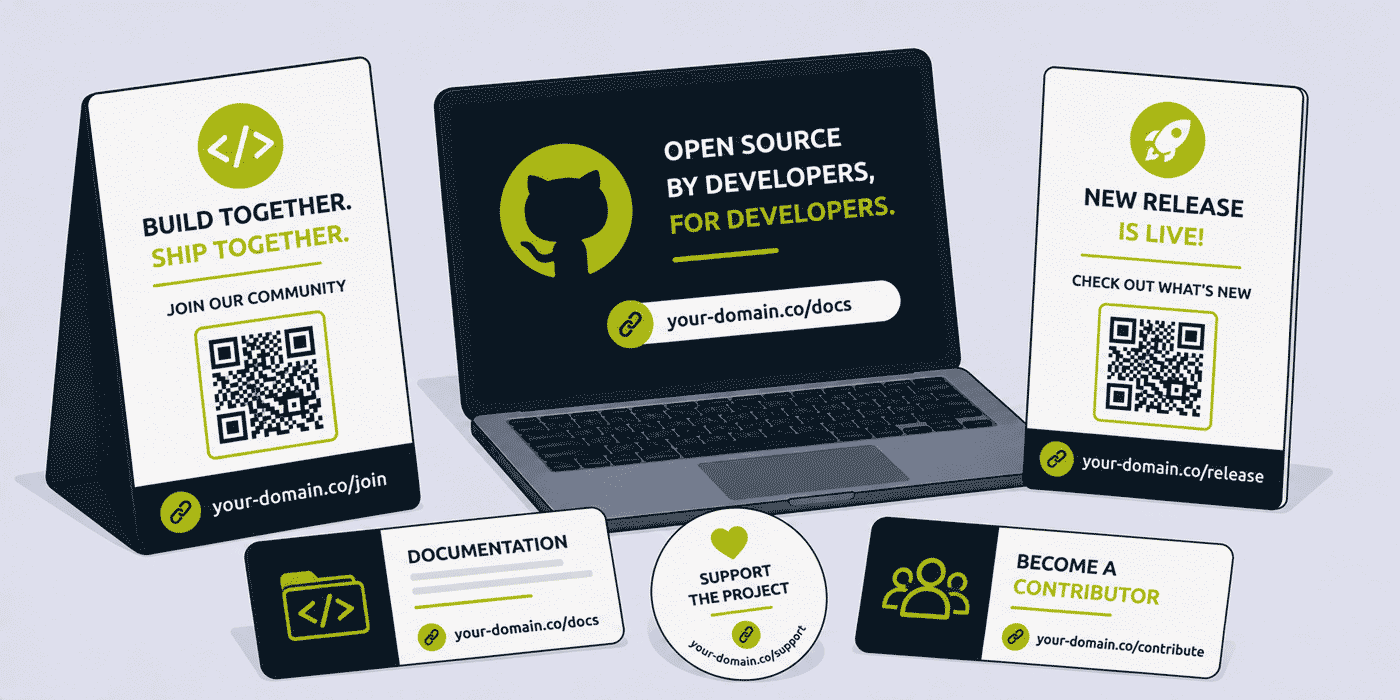
What This Guide Covers
- The open source project's distinctive multi-platform link management challenge
- Documentation links — stability across platform migrations and restructurings
- README and repository links — what belongs in a project README
- Release announcement links — per-channel distribution attribution
- Contributor onboarding links — making it as easy as possible to contribute
- Sponsorship and funding links — from GitHub Sponsors to OpenCollective
- Conference talk and presentation links
- Community platform links — Discord, Slack, forums, and beyond
- Third-party integration and ecosystem links
- Per-channel engagement analytics for open source maintainers
- A worked example: a developer tool project's link stack across a v2 release
- Common mistakes in open source project link management
- A Cuttly plan guide for open source projects
- Frequently asked questions
The Open Source Project's Multi-Platform Link Challenge
Most commercial products manage their digital communications from a relatively small number of owned channels: a website, an email list, a social media presence, and perhaps a blog. An open source project, by contrast, is present in every forum where its potential users and contributors gather — and those forums are enormously diverse. A project README on GitHub contains links. The project's documentation site contains links. The Discord server pinned messages contain links. The Hacker News Show HN post contains links. The conference talk slides contain links. The Stack Overflow answers in a popular thread about the library contain links. The newsletter sent to subscribers contains links. Each of these links needs to be correct, stable, and consistent with the project's identity.
The specific challenge of open source link management is that many of these links are placed in contexts that are extremely difficult to update. A GitHub README is straightforward to update, but a link in a two-year-old Stack Overflow answer, a conference talk video on YouTube, or a blog post on an external developer's personal website is effectively permanent: the author has moved on, the content is archived, the link is static. If the destination behind that link changes — if the documentation moves to a new platform, if the project website is restructured, if the community Discord replaces the previous Slack — the link in every external reference becomes a dead end.
This is the core reason dynamic short links are valuable for open source projects specifically. A short link from a branded project domain, placed in a README, a conference slide, a Stack Overflow answer, or any other permanent-in-practice reference, can be updated to reflect the project's current state indefinitely, without any change to the reference itself. The answer on Stack Overflow from 2022 that includes your-project.dev/docs continues to direct developers to the current documentation in 2026, regardless of how many times the documentation has moved between platforms in the intervening years.
Documentation Links: Stability Across Platform Migrations
Documentation platform migration is one of the most common and most disruptive events in an open source project's lifecycle. Projects commonly move their documentation from a GitHub wiki to ReadTheDocs, from ReadTheDocs to GitBook, from GitBook to Docusaurus, from Docusaurus to a custom documentation site, and back again, as the project grows, as the tooling landscape evolves, and as contributor preferences and hosting availability change. Each migration changes the URLs of every documentation page.
Without short links, a documentation platform migration requires a significant effort to update every external reference: the README, the GitHub repository description, the website, the documentation itself, every community forum answer that mentioned a specific docs URL, every conference talk slide that displayed a documentation link, and every third-party tutorial, blog post, or comparison article that linked to the documentation. Most of this is impossible: external content cannot be edited by the project maintainers.
With a branded short link for each major documentation entry point, a documentation platform migration requires updating exactly as many short link destinations as there are documentation entry points — typically between five and fifteen links for a well-organized project — and nothing else. Every external reference continues to work automatically.
Core Documentation Short Links
A well-organized open source project maintains branded short links for its primary documentation entry points:
your-project.dev/docs— the documentation home pageyour-project.dev/quickstart— the getting started or quickstart guideyour-project.dev/api— the API referenceyour-project.dev/examples— code examples and sample projectsyour-project.dev/changelog— the project changelog or release notesyour-project.dev/roadmap— the project roadmap or future plansyour-project.dev/faq— frequently asked questions
These seven links cover the primary documentation entry points that developers reference in community discussions, tutorials, and comparisons. They appear in the README, in every community response to "where can I find the docs?", in conference talks about the project, and in any third-party content about the library. Once established and distributed, they need never change, even as the underlying documentation infrastructure changes repeatedly over the project's lifetime.
Version-Specific Documentation Links
Projects that maintain versioned documentation — where docs for v1 and v2 are available simultaneously because a significant portion of the user base is still on v1 — benefit from version-specific short links alongside the current version's main documentation link:
your-project.dev/docs-v1— v1 documentation (legacy, maintained for existing users)your-project.dev/docs-v2— v2 documentation (current)your-project.dev/migration-v2— migration guide from v1 to v2
These version-specific links are particularly valuable in community forums and Stack Overflow answers, where the questioner's project version matters for the relevance of the answer. An answer that includes your-project.dev/docs-v1 is unambiguously directing a v1 user to the correct docs, rather than sending them to the current version docs where APIs may have changed incompatibly.
README and Repository Links
The GitHub repository README is the most widely read document associated with any open source project. It is the first thing a developer sees when they navigate to the project, the reference point developers return to when they need a link to share, and the document that most influences a developer's initial decision about whether to invest time in evaluating the project. Every link in the README therefore receives more exposure than links in any other part of the project's communications.
What Belongs in a README as Short Links
A well-organized README uses short links for destinations that are likely to change, that are used in many places beyond the README itself, or that are long and would look unwieldy in a markdown document. The primary README links that benefit from being short links rather than raw URLs are:
- Documentation. The documentation home and quickstart links should always be short links, because documentation is the single most frequently migrated component of any open source project.
- Community. The Discord server invitation link, the Slack workspace link, or the forum URL should be short links, because community platform migrations are common (particularly from Slack to Discord, from Discord to Zulip or Matrix, or from proprietary platforms to self-hosted alternatives). A Discord invite link that expires is particularly problematic; a short link for the community entry point that is updated when the invite regenerates or when the platform changes keeps the README's community link permanently valid.
- Sponsorship. The GitHub Sponsors, OpenCollective, or Patreon link for the project. Funding platform changes are common; a short link for the sponsorship destination remains valid regardless of which platform the project uses.
- Contributing guide. The contribution guidelines and contributor setup link. Contribution processes evolve significantly as projects grow; a short link ensures every developer who finds the README at any point in the project's history reaches the current contribution guidance.
The Specific Problem of Discord Invite Links in READMEs
Discord invite links are one of the most common dead-link problems in open source READMEs. Discord invite links can expire (if set to have an expiry), can be revoked (if the server is reorganised), or can become invalid (if the project moves to a different Discord server). A README that was committed three years ago with a Discord invite link that has since expired is a dead community link in one of the most visible documents in the project.
A dynamic short link for the community platform entry point — your-project.dev/community pointing to the current, active Discord invite or to a landing page that explains the community options — is updated whenever the invite changes. The README is committed once and never needs to be updated for community platform changes; the short link destination handles every transition transparently.
Release Announcement Links
A significant open source release — a major version, a new feature set, a security patch with advisory, or a performance improvement with benchmark results — is a community event. The announcement is distributed across multiple channels simultaneously: the GitHub Releases page, the project blog, the community Discord or Slack, Twitter or Mastodon, Hacker News, Reddit developer communities, the project newsletter, and any other channel where the project has an audience. Each of these channels benefits from a clean, trackable link to the release announcement or changelog.
Per-Release Short Links
A short link per major release — your-project.dev/v2-0 or your-project.dev/release-2026-03 — pointing to the release blog post or changelog entry gives the project a permanent, shareable reference for that release that remains valid in tutorials, comparison articles, and community discussions written about that version for years after the release.
A parallel permanent link — your-project.dev/latest always pointing to the most recent release — is used in any context where a developer wants to know about the current state of the project rather than a specific historical release. Tutorials and documentation that say "see the latest release at your-project.dev/latest" remain accurate indefinitely; tutorials that link to a specific version become outdated as the project evolves.
Per-Channel Release Attribution
For projects with significant distribution across multiple channels, per-channel variants of the release announcement link give the maintainer click analytics showing where the release announcement generates the most engagement:
your-project.dev/v2-hn— Hacker News Show HN postyour-project.dev/v2-twitter— Twitter/X announcement threadyour-project.dev/v2-mastodon— Mastodon announcementyour-project.dev/v2-newsletter— project newsletteryour-project.dev/v2-discord— Discord server announcement
Click analytics per channel, aggregated and anonymized, show the maintainer which platforms generate the most release announcement engagement. Over multiple releases, the pattern builds into a clear picture of where the project's most engaged community lives online, which informs where to invest in growing community presence and which platforms to prioritize for time-sensitive announcements.
Contributor Onboarding Links
Growing a contributor community is one of the most important and most difficult challenges for any open source project. The path from "I want to contribute to this project" to "I have submitted and merged a pull request" involves multiple steps, each of which represents an opportunity for friction to cause a potential contributor to abandon the process. Links that make each step as clear and accessible as possible directly affect how many interested developers make it through the full contribution journey.
The Contributor Funnel Link Set
A contributor-focused short link set covers every stage of the contribution journey:
your-project.dev/contribute— the primary contribution guide, covering how to set up a development environment, how to find issues to work on, how to submit a pull request, and what the review process looks like. This is the single link to give any developer who says "I want to contribute to your project."your-project.dev/good-first-issues— the project's curated list of issues labelled as good for first-time contributors. This link is particularly valuable when shared in community forums, in conference talks, and in developer community posts where potential contributors are being actively recruited.your-project.dev/dev-setup— the local development environment setup guide. Many potential contributors are blocked at the first practical step of getting the project running locally; a direct link to the setup guide reduces this friction point.your-project.dev/coc— the project's code of conduct. This link is increasingly important both for contributor confidence and for showing that the project takes community health seriously, which is a significant factor in whether senior engineers choose to invest time in a project.
Click analytics on contributor-focused links give the maintainer visibility into where in the contribution funnel potential contributors are engaging and where they are dropping off. If /contribute generates high click volume but /dev-setup generates significantly fewer, the contribution guide may not be directing first-time contributors clearly enough to the setup documentation.
Sponsorship and Funding Links
Open source sustainability has become one of the most discussed challenges in the developer community. Projects that critical infrastructure depends on are maintained by volunteers or small teams with limited resources; the gap between the commercial value extracted from open source software and the funding provided to maintain it is substantial. Sponsorship links in README files, documentation, and project communications are the primary mechanism through which individual and corporate sponsors connect with projects that need support.
Sponsorship Platform Link Management
The open source funding landscape involves multiple platforms: GitHub Sponsors, OpenCollective, Patreon, Buy Me a Coffee, LiberaPay, and corporate-specific sponsorship arrangements. A project may use multiple of these simultaneously for different sponsor types, and may migrate between platforms as the project's sustainability model evolves. A dynamic short link for the project's sponsorship entry point — your-project.dev/sponsor — provides a stable reference that can be updated when the platform changes, without requiring updates to the README, the documentation footer, the release announcement boilerplate, or any other place where the sponsorship link appears.
Click analytics on the sponsorship link give the project's maintainers a picture of how much interest the funding call to action generates, which informs decisions about how prominently to feature the sponsorship link and whether the current sponsorship messaging is effective. A project that generates 50,000 npm downloads per week but only 12 clicks per week on its sponsorship link may have a visibility problem with its funding call to action, not necessarily a community unwillingness to sponsor.
Conference Talk and Presentation Links
Conference talks are one of the highest-impact community-building activities available to open source project maintainers. A talk about a project at a developer conference reaches hundreds of developers directly and potentially thousands more through the recorded video. The links displayed and mentioned in a conference talk are therefore among the most widely seen links in the project's entire communications history — and they are embedded in contexts (slides, recording thumbnails, conference programme descriptions) that cannot be retroactively updated.
The Conference Talk Short Link Standard
Every open source conference talk that promotes a project should display at minimum the following short links on the opening and closing slides:
your-project.dev/docs— where to find the documentationyour-project.dev/contribute— how to get involved as a contributoryour-project.dev/sponsor— how to support the project financiallyyour-project.dev/talk-confname-2026— the specific talk's slides or resources
The talk-specific link is particularly important. A developer watching the recorded talk six months or two years after it was recorded who wants to access the speaker's slides, code examples, or any resources mentioned in the talk should be able to do so through a link that still works. A branded short link for the talk materials — mentioned verbally and displayed on slides — remains valid indefinitely and can be updated to point to the final published slides if they were not available at the time of the recording.
Additionally, a short link in a conference talk is the most favourable context for verbal mention: "you can find the slides at your-project.dev/talk-jsconf" is memorable and typeable, whereas "the slides are at docs.myproject.io/talks/2026/jsconf/introduction-to-project/slides" is neither.
Community Platform Links
The community platforms where open source projects operate — Discord, Slack, Matrix, Zulip, Discourse forums, Reddit subreddits, GitHub Discussions — change over the lifetime of a project more frequently than most maintainers anticipate. The developer community has migrated from IRC to Slack to Discord over the past decade, with many projects in the process of migrating or already having migrated multiple times. Future platform migrations to federated or self-hosted alternatives are a plausible trajectory for many projects as the open source community's relationship with proprietary platforms evolves.
A short link for the project's community platform — your-project.dev/community or your-project.dev/chat — pointing to a landing page that explains the community options (and provides the active invite or access link for each) gives the project a stable community entry point that survives every platform migration. When the project moves from Slack to Discord, the short link destination is updated; the README, the documentation, and three years of Stack Overflow answers that mentioned "join our community at your-project.dev/community" continue to work.
Third-Party Integration and Ecosystem Links
Open source projects that have an ecosystem of integrations, plugins, or extensions — where third-party developers have built additional functionality on top of the core project — benefit from a curated ecosystem or integrations page that helps users discover the most useful additions. A short link for the ecosystem page — your-project.dev/ecosystem or your-project.dev/plugins — is used in documentation, in responses to feature requests that are better addressed by a third-party integration than by the core project, and in any context where the project's broader community is referenced.
For projects with package manager registry entries (npm, PyPI, RubyGems, Cargo, and so on), short links for these registry pages — your-project.dev/npm, your-project.dev/pypi — give the project a branded entry point to its distribution channels that is independent of the registry's own URL structure.
Per-Channel Engagement Analytics for Open Source Maintainers
Open source maintainers are typically time-constrained volunteers who need to prioritize their community-building efforts carefully. Understanding which channels generate the most documentation reads, the most contributor enquiries, and the most release announcement engagement helps maintainers make better decisions about where to invest their limited time for community growth.
Click analytics on the project's short links — aggregated and anonymized — provide this picture across the project's documentation, release, contributor, and sponsorship links simultaneously. A maintainer who discovers that their Hacker News posts generate three times more documentation click-through than their Twitter posts, or that their conference talk slides generate more ongoing contributor sign-ups than their newsletter, has actionable data to prioritize their community engagement time.
This analytics value is accessible at the free plan level — a solo maintainer managing a community-driven project can implement the full short link infrastructure and gain per-channel analytics without any cost beyond the initial setup time.
A Worked Example: A Developer Tool Project's v2 Release Link Stack
Consider an open source developer CLI tool with 12,000 GitHub stars, 45,000 weekly npm downloads, and an active community of 800 Discord members, using a branded domain such as your-project.dev, connected through Cuttly's custom domain setup (an A record and a TXT record — see the custom domain setup guide).
Permanent infrastructure links established at project start: /docs, /quickstart, /api, /contribute, /good-first-issues, /community, /sponsor. These seven links appear in the README, in the documentation, and in any community communication. Over the project's three-year history, the documentation has migrated from ReadTheDocs to Docusaurus (one destination update per link, invisible to users), and the community has moved from Slack to Discord (one update to /community, invisible to every historical reference).
v2.0 release preparation: Two weeks before the release, the maintainer creates: /v2-0 (pointing to the pre-release blog post draft, then updated to the published post at release), /migration-v2 (migration guide from v1 to v2), and per-channel attribution links: /v2-hn, /v2-twitter, /v2-newsletter, /v2-discord.
Release day: The Hacker News Show HN post goes live at 9am UTC using /v2-hn. The Twitter thread goes live simultaneously using /v2-twitter. The newsletter send at 10am uses /v2-newsletter. The Discord announcement uses /v2-discord. Within 24 hours: HN generates 3,400 clicks (highest engagement with the technical audience that uses HN), newsletter generates 890 clicks at the highest click-to-contributor-enquiry conversion rate (newsletter subscribers are the most committed community members), Twitter generates 1,200 clicks, Discord generates 340 (the Discord community already knew about the release from earlier teasing).
Six months later: A JavaScript tutorial blog post about building tooling mentions the project and links to /docs. The maintainer sees a spike in documentation link clicks from an unfamiliar referrer. Investigating the referrer analytics leads to the tutorial. The maintainer comments on the post thanking the author, which generates further community goodwill. None of this would have been visible without short link analytics on the documentation entry point.
Conference talk at JSConf: The maintainer presents "Building the Future of Developer Tooling" and displays /contribute, /sponsor, and /talk-jsconf-2026 on the closing slide, mentioning all three verbally. The talk is recorded. Over the six months following publication of the recording, /talk-jsconf-2026 accumulates 1,200 clicks from developers who discovered the project through the recording — demonstrating the long tail value of conference content for open source community growth.
Common Mistakes in Open Source Project Link Management
Discord Invite Links in README Files
Raw Discord invite links in README files are one of the most common dead-link patterns in the open source ecosystem. Discord invites expire, get revoked when servers are reorganised, and become invalid when projects migrate to new servers. A dynamic short link for the community platform entry point is the most important single link management investment any open source project can make in its README.
No Version-Stable Documentation Links
An open source project that uses its documentation platform's native URLs in all external references creates a migration debt that grows with every year the project exists and every external article, tutorial, and forum answer that mentions its documentation. Short links for documentation entry points, established at the start of the project and maintained through every platform migration, eliminate this debt entirely.
No Per-Channel Release Attribution
A maintainer who posts release announcements to five platforms simultaneously and uses the same link on all five has no visibility into which platform actually drives community engagement with releases. Per-channel release links cost one additional short link per channel and provide the maintainer with real data about where their community lives and how to prioritize future announcement effort.
Forgetting Conference Slides in the Recording Long Tail
Conference talks are watched by orders of magnitude more people through recordings than attended live. A talk slide that displays a static, non-branded link may have a URL that is no longer valid or relevant by the time the recording generates its peak viewership six to twelve months after the event. A dynamic short link on conference slides, pointing initially to the live slides and updated to the recording once published, remains useful throughout the recording's full viewership lifecycle.
Cuttly Plan Guide for Open Source Projects
- The Free plan ($0) provides 30 short links per month, one branded custom domain, full click analytics and dynamic QR Codes, with no credit card required. Sufficient for a solo maintainer or small project team establishing the full permanent infrastructure link set and per-release short links across a year's development cycle.
- The Starter plan ($12/month) adds 300 short links per month and 30 custom aliases per month — practical for an active project with multiple releases per year, an active contributor community, a regular conference schedule, and per-channel release attribution links across each announcement cycle.
- The Single plan ($25/month) adds up to 5 branded domains for projects that operate multiple sub-projects or branded tools under a common organisation, customizable QR Codes for conference materials, 1,000 API-created links per month for automated per-contributor or per-release link generation, and a full year of analytics history for community growth analysis.
- The Team plan ($99/month) suits larger open source organisations, foundations, or multi-maintainer projects with dedicated community, developer relations, and communications roles sharing link management, Campaign tag analytics for aggregated release and community campaign reporting, and multiple branded domains for different projects within the organisation's portfolio.
Create a free Cuttly account to set up your project's documentation links, community platform link, contribution guide link, and sponsorship link. Registration is required for all plans, including free. No credit card is needed for the free plan.
Frequently Asked Questions
How do open source projects use short links for documentation?
An open source project creates branded short links for its primary documentation entry points — your-project.dev/docs, your-project.dev/quickstart, your-project.dev/api — used in README files, community answers, conference slides, and tutorials. Because documentation platforms are frequently migrated, a dynamic short link ensures every historical reference continues to resolve correctly after any platform change.
How do open source maintainers use short links for release announcements?
A maintainer creates a per-release short link — your-project.dev/v2-0 — used in the GitHub release, the project blog, the community Discord, and social media posts. Per-channel variants show which platforms generate the most release engagement, building over multiple releases into a picture of where the project's most engaged community lives online.
How do open source projects use short links to attract contributors?
A project uses a dedicated contributor short link — your-project.dev/contribute — mentioned in conference talks, in community forums, and in developer community posts about the project. Click analytics show how many developers engage with the contribution call to action from each channel, and whether click-through on the good-first-issues link is proportional to the project's overall traffic.
How do open source projects use short links for sponsorship and funding?
A project creates a permanent short link — your-project.dev/sponsor — for its primary funding platform. When the project changes funding platforms, only the short link destination changes. Click analytics show how much engagement the funding CTA generates relative to the project's total traffic, informing decisions about sponsorship link prominence in README and documentation.
How do open source conference speakers use short links for talk materials?
A speaker creates a talk-specific short link — your-project.dev/talk-jsconf-2026 — displayed on opening and closing slides and mentioned verbally. The link initially points to the slides, then is updated to include the recording once published. Developers who discover the project through the recording months or years later reach current, relevant materials regardless of when they watch.
Why do open source projects benefit from a branded custom domain for short links?
A branded domain — your-project.dev rather than a generic shortener — signals professional, stable project identity in every link the project distributes. It reinforces that the project has an identity beyond its GitHub repository, builds trust with potential contributors and sponsors, and provides link stability across all platforms from a single managed infrastructure.
- Get Started
- Create Free Account
- Plans & Pricing
- Platform Tools
- URL Shortener
- Link Analytics
- QR Code Generator
- Related Guides
- URL Shortener for AI Companies
- URL Shortener for IT Companies
- URL Shortener for Developers
- URL Shortener API Documentation
- URL Shortener for SaaS Companies
- Encyclopedia
- Branded Links
- Dynamic QR Codes
- Setup Guides
- Custom Domain Setup
- Track Link Clicks
- Industry Hub
- Marketing, Sales & SaaS Teams
- All Industries →
URL Shortener
Cuttly simplifies link management by offering a user-friendly URL shortener that includes branded short links. Boost your brand’s growth with short, memorable, and engaging links, while seamlessly managing and tracking your links using Cuttly's versatile platform. Generate branded short links, create customizable QR codes, build link-in-bio pages, and run interactive surveys—all in one place.
Cuttly - Consistently Rated
Among Top URL Shorteners
Cuttly isn’t just another URL shortener. Our platform is trusted and recognized by top industry players like G2 and SaaSworthy. We're proud to be consistently rated as a High Performer in URL Shortening and Link Management, ensuring that our users get reliable, innovative, and high-performing tools.C


