URL Shortener for SaaS Onboarding The Complete Guide
The period between a prospect signing up for a SaaS trial and becoming a retained, paying customer is where the majority of a B2B software company's growth is won or lost. A trial user who never completes the activation steps that correlate with long-term retention churns silently, regardless of how compelling the original sales pitch was. The emails, in-app prompts, customer success check-ins, and documentation links that guide a user through this critical window are not administrative detail; they are the product-led growth engine itself. Every link in this sequence either moves a user one step closer to activation or represents a moment where momentum is lost.
This guide covers how SaaS companies use a URL shortener, branded custom domain and click analytics across trial onboarding email sequences, trial-to-paid conversion communications, in-app feature announcements, customer success check-ins, integration setup guides, webinar and demo registration, and the per-step engagement analytics that let a growth and customer success team see exactly where users are succeeding and where they're getting stuck.
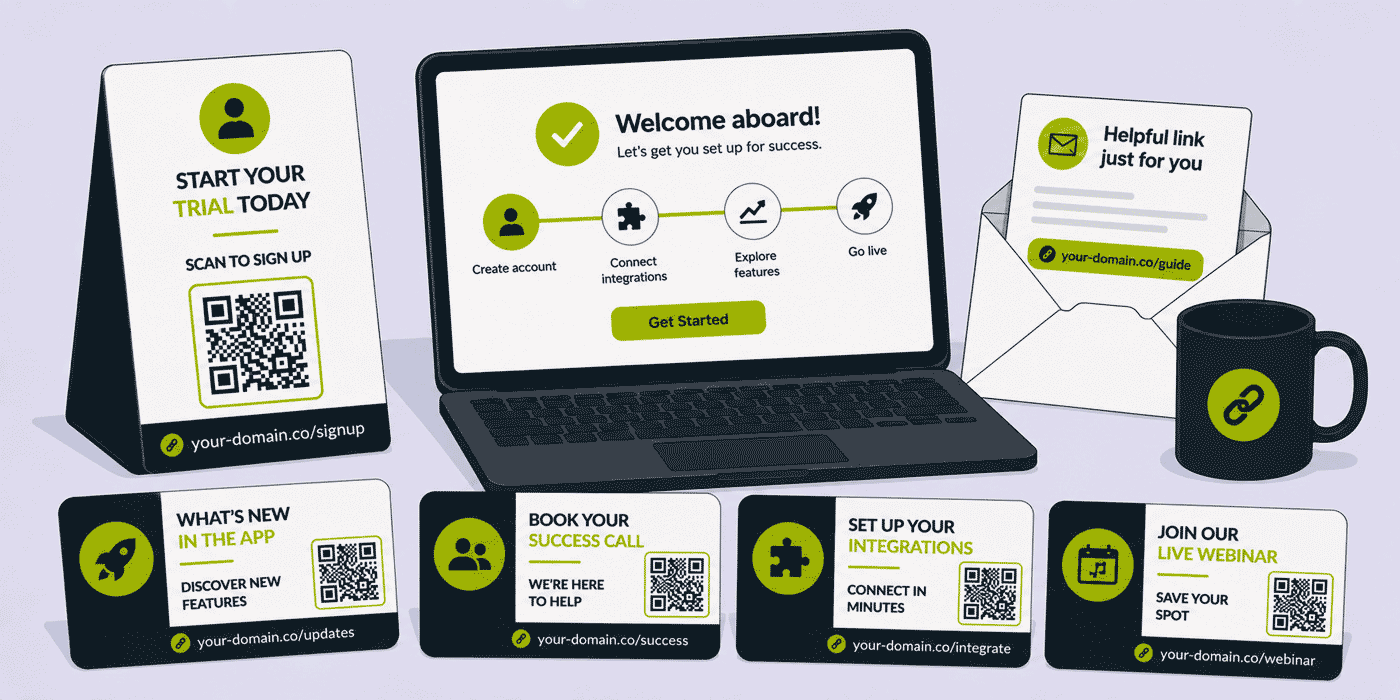
What This Guide Covers
- Trial onboarding email sequence links — per-step activation tracking
- Trial-to-paid conversion communication links
- In-app feature announcement and changelog links
- Customer success check-in and account health links
- Integration setup guide links
- Webinar and onboarding demo registration links
- Knowledge base and help documentation links
- Expansion and upsell communication links
- Win-back and reactivation sequence links
- A worked example: a B2B SaaS company's onboarding link infrastructure
- Common mistakes in SaaS onboarding link management
- A Cuttly plan guide for SaaS companies
- Frequently asked questions
Trial Onboarding Email Sequence Links: Per-Step Activation Tracking
Most SaaS companies have identified a specific set of activation steps — inviting a team member, connecting an integration, creating a first project, completing a key workflow — that strongly correlate with trial users converting to paid customers and remaining retained long-term. The onboarding email sequence exists to guide new trial users through these steps, and the link in each email is the mechanism through which that guidance actually translates into action.
Per-Step Short Links
A structured onboarding sequence with a dedicated short link per step:
- Day 0 — welcome and first action:
your-saas.com/get-started. The single most important link in the entire sequence, taking the new trial user directly into the product to complete their first meaningful action, rather than to a generic dashboard. - Day 1 — invite your team:
your-saas.com/invite-team. For collaborative products, team invitation is frequently the strongest predictor of retention, since a tool used by multiple people within an organisation is dramatically harder to churn from than one used by a single individual. - Day 3 — connect an integration:
your-saas.com/integrations. Integration with existing tools embeds the product into a user's daily workflow. - Day 5 — explore advanced features:
your-saas.com/advanced-features. For users who have completed core setup, surfacing more advanced capability builds the perceived value that justifies upgrading to paid. - Day 10 — case study or use case:
your-saas.com/customer-story. Social proof showing how a comparable company uses the product successfully.
Click analytics per email in this sequence are the single most valuable diagnostic tool a growth team has for understanding onboarding friction. If the Day 0 welcome email generates strong click-through but the Day 1 team invitation email generates very low engagement, the team has identified a specific, addressable friction point: either the team invitation flow itself needs simplification, or the email's value proposition for inviting teammates needs to be made more compelling. Without per-step click data, this kind of precise diagnosis is impossible — the only visible signal would be the eventual aggregate trial-to-paid conversion rate, with no indication of where in the funnel the problem actually lives.
Trial-to-Paid Conversion Communication Links
As a trial approaches its expiration date, the communication sequence shifts from activation guidance to conversion prompting: clear information about upgrade options, plan comparison, and any time-limited incentive to convert before the trial ends. The links in this sequence carry direct revenue consequences, and their accuracy and reliability matter accordingly.
Upgrade and Plan Comparison Links
A short link for the upgrade page — your-saas.com/upgrade — and for plan comparison — your-saas.com/compare-plans — used consistently across the trial-ending email sequence, needs to remain accurate through pricing changes that may occur between when an email template is built and when it's actually sent to a given trial user, since automated drip sequences often run continuously over months or years without being manually re-triggered for each cohort.
A dynamic short link ensures that a trial user who signed up eight weeks ago and is now receiving a "your trial ends tomorrow" email, generated from a template built before the most recent pricing update, still lands on the current, correctly priced upgrade page rather than a stale cached version or — worse — a broken link if the pricing page URL structure itself changed. Click analytics on conversion-stage links, segmented by how many days into the trial the click occurred, show the growth team exactly when in the trial lifecycle users are most receptive to upgrade messaging.
Trial Extension Links
Many SaaS companies offer a trial extension option for users who are engaged but haven't yet completed onboarding by the trial's natural end date — recognising that forcing a conversion decision before a user has experienced full value is likely to generate churn rather than revenue. A short link for self-service trial extension — your-saas.com/extend-trial — gives engaged-but-not-yet-converted users a low-friction path to more time, and click analytics on this link, compared with eventual conversion rates among users who extend versus those who don't, validate whether the extension offer is genuinely improving conversion or simply delaying an inevitable churn decision.
In-App Feature Announcement and Changelog Links
Communicating new features and product updates effectively to an existing user base is a meaningful retention and expansion lever: users who are aware of and using the product's full capability are more engaged and less likely to churn than those using only a narrow subset of available features, unaware that a capability that would solve their specific problem already exists.
A short link per feature announcement — your-saas.com/feature-name — used in the release announcement email, the in-app notification banner, and the public changelog, gives each feature launch a consistent, trackable reference. Click analytics per feature show the product marketing team which announced capabilities generate the most user interest and engagement, directly informing which features to lead with in future release communications and which may be valuable but poorly understood, requiring better explanation or more prominent positioning in the product itself.
Customer Success Check-In and Account Health Links
For SaaS companies with a customer success function, scheduled check-ins at key points in the customer lifecycle — typically around 30, 60, and 90 days post-conversion, and at renewal milestones — are a primary mechanism for ensuring accounts are realising value and identifying at-risk accounts before they churn. The links in these communications need to be reliable and consistent, since customer success operations frequently span years of a customer relationship.
Check-In Scheduling Links
A short link for booking a customer success check-in call — your-saas.com/book-checkin — used in scheduled outreach emails, gives account managers a consistent, professional reference across every customer communication. Because scheduling tools (Calendly, Chili Piper, or a custom-built scheduling system) and customer success platforms change as a company scales its CS operations, a dynamic short link ensures every historical customer communication — including check-in invitations sent to accounts that have now been customers for several years — continues to reach the current booking system through any platform migration.
Usage Report and Health Score Links
For SaaS products that provide customers with a usage report or account health dashboard, a short link — your-saas.com/usage-report — included in periodic account summary emails gives customers (and particularly their internal champions who need to justify continued spend to their own leadership) a consistent, easy path to evidence of the product's value. Click analytics on this link show the customer success team which accounts are actively engaging with their own usage data — itself a meaningful retention signal, since accounts that never check their usage reports are often less engaged overall and may warrant proactive outreach.
Integration Setup Guide Links
Third-party integrations — connecting a SaaS product to Slack, Salesforce, Zapier, or other tools already embedded in a customer's workflow — are frequently among the strongest predictors of long-term retention, since an integrated product becomes part of a customer's daily operational routine rather than a standalone tool that's easy to forget and eventually abandon.
Per-integration short links — your-saas.com/connect-slack, your-saas.com/connect-salesforce, your-saas.com/connect-zapier — used in onboarding emails, in-app setup prompts, and the integrations marketplace page, give the product and growth team click analytics per integration. A pattern showing high click-through on the Slack integration link but very low completion of the actual connection flow indicates a setup friction problem specific to that integration, worth investigating with the engineering team responsible for that connection's implementation, distinct from a more general "integrations aren't compelling" problem that aggregate data alone wouldn't distinguish.
Webinar and Onboarding Demo Registration Links
Many SaaS companies run regular onboarding webinars or live demo sessions, giving new trial users and recently converted customers a structured, guided introduction to the product beyond self-serve documentation. A short link for webinar registration — your-saas.com/onboarding-webinar — used in trial welcome emails and in-app prompts, gives the customer education team a trackable, consistent reference across every recurring session.
Because webinar platforms and recurring session schedules change, a dynamic short link ensures the registration reference in any historical welcome email continues to point to the current, correctly scheduled webinar series rather than a past session's now-irrelevant registration page.
Knowledge Base and Help Documentation Links
Self-serve help documentation is a significant onboarding support channel for most SaaS products, and the links connecting in-app help prompts, onboarding emails, and support ticket responses to specific documentation articles need to remain accurate as the knowledge base is continuously updated and reorganised.
Short links for key documentation categories — your-saas.com/help-getting-started, your-saas.com/help-billing, your-saas.com/help-api — used consistently across email templates, in-app tooltips, and support team canned responses, ensure that as the underlying knowledge base platform or article URL structure changes, every existing reference continues to direct users to current, accurate help content rather than a broken link at exactly the moment a user needs support.
Expansion and Upsell Communication Links
Once a customer is successfully onboarded and retained, expansion revenue — moving customers to a higher plan tier, adding seats, or adopting additional product modules — becomes a significant growth lever. Short links for expansion-focused communications — your-saas.com/upgrade-plan, your-saas.com/add-seats — used in usage-triggered emails (such as a notification that an account is approaching a plan's usage limit) give the growth team a trackable conversion path for this revenue category, distinct from initial trial conversion.
Win-Back and Reactivation Sequence Links
For customers who have churned or trial users who never converted, a win-back or reactivation email sequence — often triggered months after the original relationship ended, prompted by a major new feature launch or a renewed sales touch — uses dedicated short links distinct from the standard onboarding sequence. A short link for reactivation offers — your-saas.com/come-back — gives the growth team a trackable, separate analytics view of this distinct customer lifecycle stage, with its own typically lower but still commercially meaningful conversion rate worth measuring independently.
A Worked Example: A B2B SaaS Company's Onboarding Link Infrastructure
Consider a project management SaaS product running a 14-day free trial, with an established customer success function for its paid accounts, using a branded domain such as your-saas.com, connected through Cuttly's custom domain setup (an A record and a TXT record — see the custom domain setup guide).
Onboarding sequence diagnosis: Per-step click analytics across the five-email onboarding sequence reveal a sharp drop-off: Day 0 welcome email generates 68% click-through, but Day 1 "invite your team" generates only 19% click-through — a significant gap. The growth team investigates and discovers the team invitation flow requires manually typing each teammate's email individually rather than supporting bulk invite or a shareable link, creating friction that the email click data made visible but that wasn't apparent from aggregate conversion data alone. The product team prioritises a bulk invite feature; the subsequent month's Day 1 click-through rises to 34%, and overall trial-to-paid conversion improves by 6 percentage points.
Integration setup analysis: Per-integration link analytics show the Slack integration link receiving the highest click volume of any integration (reflecting its prominence in onboarding messaging) but a comparatively low actual connection completion rate based on subsequent product usage data. Engineering investigation reveals an OAuth permission step causing unexpected friction for users without Slack admin rights. A revised flow allowing a non-admin to request connection approval from an admin reduces this drop-off significantly.
Customer success scheduling migration: The CS team migrates from a generic calendar booking tool to a dedicated customer success platform with integrated account context. The /book-checkin short link destination updates once; every historical check-in email sent to accounts over the preceding two years — some belonging to long-tenured customers receiving their fifth or sixth scheduled check-in — continues to direct them to a functional booking page without any need to reissue communications or risk a confused, frustrated long-term customer encountering a broken link.
Common Mistakes in SaaS Onboarding Link Management
No Per-Step Attribution in the Onboarding Sequence
A SaaS company that tracks only aggregate trial-to-paid conversion, without per-email click data showing engagement at each onboarding step, can see that conversion is underperforming but has no visibility into where in the sequence users are disengaging. Per-step short links are the single most direct diagnostic tool available for identifying and fixing specific onboarding friction points.
Hardcoded Pricing Page URLs in Long-Running Drip Sequences
A SaaS company that embeds its pricing page's raw URL directly in automated trial-ending email templates risks sending broken or outdated links to trial users whose 14-day window happens to span a pricing page restructuring. Given that drip sequences often run unattended for months, a dynamic short link is the only reliable way to guarantee every automated send reaches a current, correctly priced page.
Customer Success Booking Links That Break at Tool Migration
A customer success team that embeds a scheduling tool's native URL directly in check-in templates creates a customer-facing failure at every CS platform migration, exactly the kind of friction that erodes trust with long-tenured accounts a company can least afford to frustrate. A permanent dynamic short link protects this relationship-critical touchpoint indefinitely.
Cuttly Plan Guide for SaaS Companies
- The Free plan ($0) provides 30 short links per month, one branded custom domain, full click analytics and dynamic QR Codes, with no credit card required. Suitable for an early-stage SaaS company establishing core onboarding sequence and upgrade links.
- The Starter plan ($12/month) adds 300 short links per month and 30 custom aliases per month — practical for a growing SaaS company managing a full per-step onboarding sequence, integration setup links, customer success check-in links, and feature announcement links.
- The Single plan ($25/month) adds up to 5 branded domains for companies with multiple product lines or brands, 1,000 API-created links per month for automated per-account link generation, and a full year of analytics history for onboarding sequence and feature adoption comparison.
- The Team plan ($99/month) suits larger SaaS companies with growth, product marketing, and customer success teams sharing link management, with Campaign tag analytics for aggregated onboarding funnel and feature adoption reporting.
Create a free Cuttly account to set up your onboarding sequence links, your trial conversion links, and your customer success check-in link. Registration is required for all plans, including free. No credit card is needed for the free plan.
Frequently Asked Questions
How do SaaS companies use short links in trial onboarding email sequences?
A SaaS company uses a dedicated short link per onboarding email step, tracking which activation actions trial users complete. Per-step click analytics reveal exactly where in the sequence users are dropping off, enabling precise diagnosis of onboarding friction that aggregate conversion data alone cannot provide.
How do SaaS companies use short links for trial-to-paid conversion?
A SaaS company uses dynamic short links for upgrade and plan comparison pages in trial-ending email sequences. Because pricing changes can occur during a long-running automated drip sequence, dynamic links ensure every email always reaches current, correctly priced pages regardless of when a given trial user's emails were generated.
How do SaaS companies use short links for in-app feature announcements?
A SaaS company uses a short link per feature announcement across release emails, in-app banners, and changelogs. Click analytics per feature reveal which capabilities generate the most user interest, directly informing which features to highlight in future communications and which need better explanation or positioning within the product.
How do SaaS companies use short links for customer success check-ins?
A SaaS company's customer success team uses a permanent short link for check-in scheduling. Because CS platforms change as companies scale, dynamic links ensure every historical customer communication continues reaching the current booking system, protecting trust with long-tenured accounts who might otherwise encounter a broken link in a routine check-in invitation.
How do SaaS companies use short links for integration setup guides?
A SaaS company uses per-integration short links in onboarding communications. Click analytics per integration reveal which connections generate the most setup interest and where completion friction exists, informing both onboarding prioritization and which integration documentation or flows need engineering attention to reduce drop-off.
- Get Started
- Create Free Account
- Plans & Pricing
- Platform Tools
- URL Shortener
- Link Analytics
- QR Code Generator
- Related Guides
- URL Shortener for Gaming Apps
- URL Shortener for AI Companies
- URL Shortener for Mobile Apps
- URL Shortener for Open Source Projects
- URL Shortener for IT Companies
- Encyclopedia
- Branded Links
- Dynamic QR Codes
- Setup Guides
- Custom Domain Setup
- Track Link Clicks
- Industry Hub
- Marketing, Sales & SaaS Teams
- All Industries →
URL Shortener
Cuttly simplifies link management by offering a user-friendly URL shortener that includes branded short links. Boost your brand’s growth with short, memorable, and engaging links, while seamlessly managing and tracking your links using Cuttly's versatile platform. Generate branded short links, create customizable QR codes, build link-in-bio pages, and run interactive surveys—all in one place.
Cuttly - Consistently Rated
Among Top URL Shorteners
Cuttly isn’t just another URL shortener. Our platform is trusted and recognized by top industry players like G2 and SaaSworthy. We're proud to be consistently rated as a High Performer in URL Shortening and Link Management, ensuring that our users get reliable, innovative, and high-performing tools.C


