Collecting Customer Feedback with a URL Shortener and Surveys The Complete Guide
Most businesses do not have a feedback problem — they have a feedback program problem. Opinions arrive constantly: a comment to a support agent, a sigh at checkout, a churned subscription that explains itself to no one. What is missing is the system that asks the right customer the right question at the right moment, routes the answer somewhere it will be read, and closes with a decision. Ad-hoc surveys sent "when we get around to it" collect what is easy to collect; a program collects what you need to know.
This guide is about building that program on top of a URL Shortener — specifically, on Cuttly Surveys and the short links that carry them. It covers the lifecycle moments worth asking at, the question design that gets honest answers, the per-touchpoint link structure that makes attribution automatic, and the review rhythm that turns responses into changes. It is the customer-facing, digital-first companion to two earlier guides in this series: the Online Surveys pillar, which covers the platform's full feature set, and the QR Code Surveys guide, which owns the offline side.
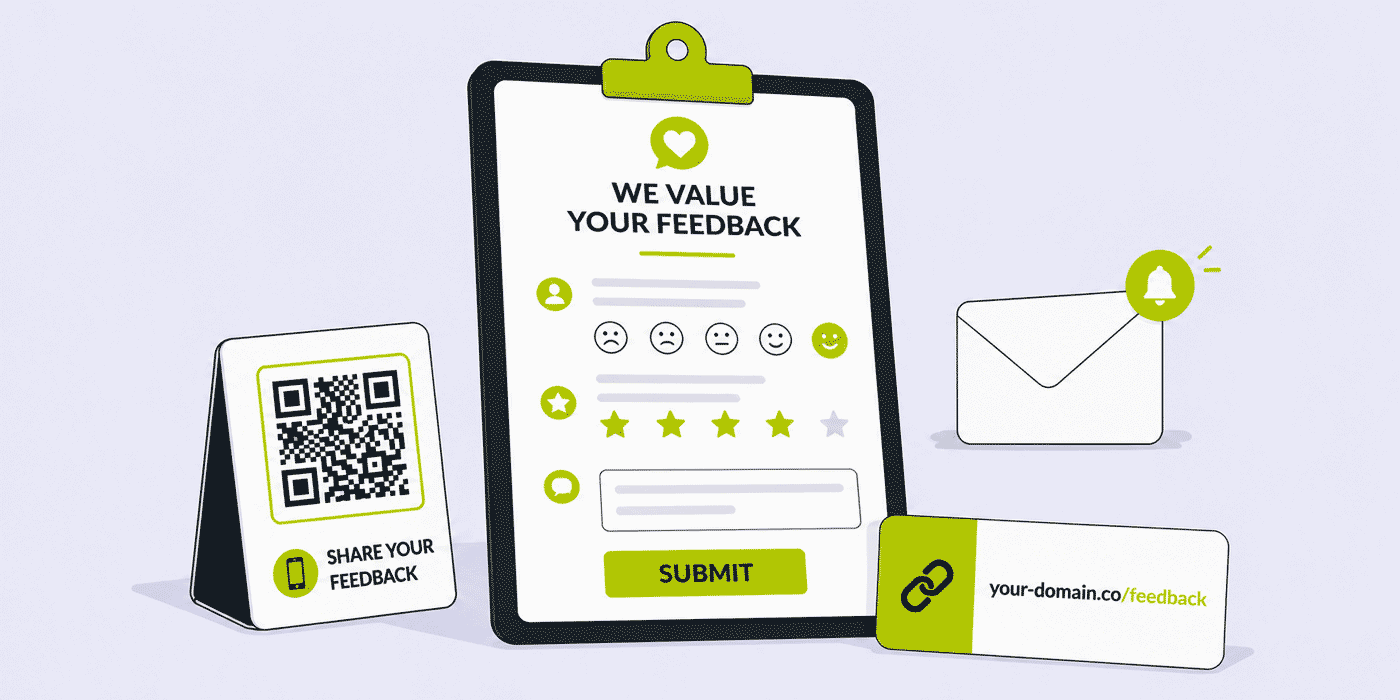
What This Guide Covers
- Why scattered surveys fail and what a feedback program does differently
- The five lifecycle moments where customer feedback is worth asking for
- Transactional vs relationship feedback — and why they need separate surveys and separate budgets
- Question design: the rating you track, the choices you decide with, the open answer you learn from
- The link layer: per-touchpoint back-halves that turn click analytics into attribution
- Channel playbooks for email, SMS, WhatsApp, your website and Link in Bio
- Trust mechanics: branded domains, your privacy policy on the survey, encrypted open answers
- Survey fatigue and the cadence budget that prevents it
- The review ritual: exports, decisions and closing the loop with customers
- A plan-by-plan guide for feedback programs of different sizes
From Scattered Surveys to a Feedback Program
The difference between the two is not tooling or budget — it is that a program answers four questions before any survey exists. Who are we asking: all customers, or a segment defined by what they just did? When: attached to which moment in their relationship with us? What for: which pending decision will these answers inform? Then what: who reads the responses, on what date, and what happens next?
Scattered surveys skip to the questionnaire and improvise the rest, which is why their results so often land in a folder nobody reopens. The mechanics of a program, meanwhile, are lighter than the word suggests. On Cuttly, a program is a small set of surveys — each mapped to a lifecycle moment — plus a naming convention for their short links and a recurring calendar entry for reading the exports. The rest of this guide fills in each piece.
One framing decision matters before anything else: separating transactional feedback from relationship feedback. Transactional surveys attach to a single event — this order, this support ticket, this onboarding — and ask about that event only. Relationship surveys step back and ask about the whole of it: how is this working for you overall, would you recommend us, what should we build next. Mixing the two in one questionnaire produces answers that are hard to act on, because "how was this delivery?" and "how do you feel about us?" have different owners, different timescales and different fixes. Run them as separate surveys with separate links, and every downstream step — attribution, review, decision — gets simpler.
The Five Moments Worth Asking At
1. Post-Purchase, Post-Delivery
The first natural moment is after the customer has what they paid for — not after the order confirmation, when there is nothing to evaluate yet, but after delivery or first use. A short transactional survey here catches product and fulfillment problems while they are specific: which item, which order, what exactly disappointed. E-commerce teams should treat this as the backbone survey of the program; the wider store-side context is in the e-commerce guide.
Timing within the moment matters as much as the moment itself. Ask on the day of delivery for perishables and services consumed immediately; give durable goods a few days of actual use before the question arrives, or the answers describe the unboxing rather than the product. The send is automated either way — the delivery event plus a fixed delay — so choosing the delay well is a one-time decision that improves every response the survey ever collects.
2. After Support Interactions
A closed ticket or ended conversation is a moment the customer initiated, which makes a one-tap follow-up feel like a natural coda rather than an intrusion. Keep it to a star rating on the interaction plus one open question, and put the link in the closing message where the resolution is confirmed. This survey has an operational bonus: it is the earliest warning system you have, because a customer who rates support poorly is telling you about a churn risk while there is still time to respond.
3. After Onboarding
For products with a setup phase — SaaS above all — the end of onboarding is the moment the customer knows whether the promise matched the product. Ask what was confusing while the confusion is fresh; the answers are a prioritized to-do list for the onboarding flow itself. SaaS teams will find the surrounding link patterns in the SaaS onboarding guide and the SaaS companies guide.
4. The Relationship Check
This is the recurring, segment-wide relationship survey — quarterly for most businesses — that tracks the overall temperature: a rating you can compare across quarters, a structured question tied to whatever decision is currently pending (pricing, roadmap, service hours), and an open question. Because it recurs, its star-rating trend is the single number that tells you whether everything else you changed this quarter moved the relationship, and Cuttly's dashboard keeps each closed survey's summary available for exactly that comparison.
5. The Exit
Cancellations, returns and lapsed customers are the feedback moment most programs skip, because it feels like asking a door that already closed. Ask anyway — briefly, humbly, with the open question doing most of the work. Departing customers have no incentive to be polite, which makes them the most honest respondents you will ever have, and the password-free, two-question exit survey linked from a cancellation confirmation costs nothing to run. One caution: read these answers as patterns across many exits, not as verdicts from any single one.
Feedback vs Reviews: Two Different Instruments
A distinction worth drawing early, because conflating these two wastes both: a review is public advocacy, feedback is private truth. Reviews live on platforms you do not control, address future customers rather than you, and skew toward the extremes of delight and fury. Feedback collected through your own survey addresses you directly, covers the quiet middle of the customer base that never reviews anything, and can be asked about specifics no review platform would surface — the confusing step three of onboarding, the delivery window that almost worked.
The program consequence: never treat a survey as a review-generation funnel, and never treat review counts as a feedback program. The practice of routing happy respondents toward a review site and unhappy ones toward a private form — sometimes called review gating — is prohibited by major review platforms and corrodes the honesty of both channels; a customer who senses the fork stops trusting the ask. Keep the instruments separate: the survey asks what you should change and promises the answer is read, and any invitation to review is its own, unconditional message. Both get their own short links, so their performance never blurs together in your analytics.
There is one legitimate bridge, and it runs on the survey's own real estate: the Finish page. Its end text is yours to write on every plan, and a survey that just collected honest answers has earned one closing sentence — shown to every respondent alike, regardless of what they answered — mentioning where reviews live. That is an invitation, not a gate, and it keeps both instruments clean.
Segmenting the Ask: Not Every Customer, Every Time
A program-level survey rarely goes to "everyone" — it goes to the customers whose answers can inform the pending decision. Deciding a change to the onboarding flow? Ask customers who onboarded in the last sixty days, not veterans who would be recalling a flow you already replaced. Weighing a price change for a plan tier? Ask that tier. The segment is defined by the decision, and defining it before sending is what keeps the results interpretable — a mixed audience produces a mixed distribution that decides nothing.
The mechanics live in your sending tools, not in the survey: your email platform, messaging system or site logic chooses who receives which link. What Cuttly contributes is the separation layer. Each segment can receive its own back-half pointing at the same survey — cutt.ly/s/feedback-new for recent customers, cutt.ly/s/feedback-loyal for the long tenured — so the open counts per segment arrive pre-split, and where segments deserve different questions entirely, separate surveys keep their results from contaminating each other. The per-plan survey counts are the budget for this: 3 slots on Starter force ruthless prioritization, 20 on Team let a program segment properly.
One segmentation rule outranks the rest: exclude recent respondents. Whoever answered any survey this quarter has paid their patience for the season, and your sending logic should skip them for relationship asks. The fatigue budget in the next sections is spent per customer, not per campaign — a fact easy to forget when each survey has a different owner, and one of the quiet arguments for running the whole program from one account where the calendar of asks is visible in a single place.
Designing Questions Customers Actually Answer
The Rating You Track
Every survey in the program opens with a rating — Cuttly's star rating, styled to your template — for two reasons. Tactically, one tap builds momentum and captures a data point even from customers who stop there. Strategically, the same rating question asked at the same moment across cycles becomes a trend line, and trend lines are what feedback programs are ultimately for: not "customers gave us 4 stars" but "the post-purchase rating has risen for three consecutive cycles since we changed the packaging". Keep the wording of the rating question identical between cycles; a reworded question starts a new trend line whether you meant to or not.
Consistency extends past wording to the survey's clothing. Cuttly lets the rating's visual style — the star treatment, accent color, layout — travel unchanged between cycles through the template settings, and it should: respondents answer scales partly by feel, and a rating that looks different this quarter is, to the answering thumb, a subtly different question. Freeze the template alongside the wording, and reserve redesigns for moments when you are knowingly resetting the trend.
The Choices You Decide With
Multiple choice questions earn their place only when tied to a live decision. "Which of these three delivery windows would suit you best?" is a program question — its answer distribution picks an option. "How did you hear about us?" with nine options is a reflex question that has survived on habit; if no pending decision consumes its answer, it is spending your customers' patience on curiosity. Audit every choice question against the decision it feeds, and remember the per-plan option limits (3 on Free up to 50 on Team Enterprise) are ceilings, not targets — distributions get cleaner as option lists get shorter.
The Open Answer You Learn From
One open question per survey, placed last, worded as an invitation rather than a form field: "What's one thing we should change?" outperforms "Additional comments" because it asks for a specific act of thought. This is where the surprises live — the complaint you had no question for, the use case you did not know existed — and it is also the most sensitive thing you collect, which is why it matters that Cuttly encrypts open answers with 256-bit encryption before storage, on every plan. Saying so in the question's description, in one plain sentence, is both honest and effective: customers who know their words are protected write more.
The Link Layer: Attribution by Construction
Here is where the URL shortener stops being a delivery detail and becomes the program's measurement backbone. Every survey travels through a Cuttly short link, every link's back-half is yours to set on every plan, and every link records its opens through analytics that are aggregated and anonymized. Put those three facts together and a naming convention does the work of an attribution system:
cutt.ly/s/order-feedback-email — the post-purchase survey, from the delivery email.
cutt.ly/s/order-feedback-site — the same survey, from the order-status page.
cutt.ly/s/support-feedback — the post-ticket survey, from the closing message.
Each touchpoint gets its own door into the same survey, and the per-link open counts separate the channels before you read a single response. The pattern scales with the program: when the quarterly relationship survey goes out through the newsletter, the app banner and the account page simultaneously, three back-halves tell you which channel your customers actually respond through — knowledge that compounds, because the next cycle leads with the channel that worked. On a Starter-plan branded domain the same convention reads even better: your-domain.co/s/feedback carries your name into every ask. The measurement thinking behind this is unpacked further in the link analytics guide.
Channel Playbooks
Email: The Program's Workhorse
Transactional emails — delivery confirmations, ticket closures, onboarding completions — are the natural carriers for transactional surveys, because the survey rides a message the customer expects and opens. Put the link in the first two sentences with the time promise beside it, and let the descriptive back-half reassure on hover. The relationship survey, by contrast, deserves its own dedicated email rather than a paragraph in the newsletter: one message, one ask. Deliverability and link-handling details are in the email marketing guide and tracking links in email campaigns.
SMS and WhatsApp: Short by Necessity
Message channels reward the shortest possible ask: one sentence, one short link, sent at a transactional moment. Character limits make the short link mandatory rather than optional, and a readable back-half like cutt.ly/s/visit-rate earns the tap that a raw URL never would. Businesses messaging customers in India should route survey links through Cuttly's 2s.ms domain with TRAI headers — 2s.ms/HEADER/short-alias — as covered in the TRAI compliance guide; the general channel patterns are in the SMS marketing guide and the WhatsApp guide.
Your Website and Account Pages
The order-status page, the account dashboard, the help center's "was this useful?" corner — your own properties can carry standing feedback links without sending anything. These placements suit the relationship survey and the always-appropriate general ask, and because they are pages you control, updating the link when a survey cycle rotates is a one-line change. Give site placements their own back-halves; the click counts will show you which pages customers actually reach for when they have something to say.
Help Center and Documentation
The pages customers visit when something is unclear are feedback-rich territory by definition — a reader on a troubleshooting article is mid-problem. A standing "was this helpful? tell us in one minute" link at the foot of documentation, carrying its own back-half, quietly maps which articles generate the urge to talk back. This placement suits the general-purpose transactional survey, and its open counts double as a ranking of which docs deserve rewriting first — attribution and prioritization from one link, before a single response is read.
Link in Bio: Feedback for Social-First Audiences
For businesses whose customers live on Instagram or TikTok, a feedback entry on the Link in Bio page gives the program a persistent, findable home — every post, story and reply can point to "link in bio" without burning a fresh link each time. It also catches the audience segment email never reaches. Patterns for structuring the bio page are in the Link in Bio guide.
The Anatomy of the Ask
Between the survey and the customer stands one small piece of writing — the sentence or two around the link — and it decides more responses than the survey design does, because most recipients never get past it. The ask has four working parts, and they fit in two sentences:
- The reason, made specific. "You ordered from us on Tuesday" beats "we value your opinion" — it names why this person, now.
- The cost, made honest. "Four questions, about a minute." If the promise and the survey disagree, the survey loses next time; keep the Start page's estimate identical to the ask's.
- The stake, made real. One clause on what the answers feed: "it decides what we fix next month." Purpose converts more than politeness.
- The link, made readable. The descriptive back-half is part of the copy —
cutt.ly/s/order-feedbackconfirms everything the sentences just claimed.
Assembled: "You ordered from us on Tuesday — would you tell us how it went? Four questions, about a minute, and the answers decide what we improve next: cutt.ly/s/order-feedback." That is the whole ask. Everything added to it — paragraphs of gratitude, exclamation marks, a second CTA — subtracts from it. The same skeleton compresses further for SMS and expands slightly for the quarterly relationship email, but the four parts never change, and neither does the discipline of writing the ask after the survey is final, so the promise describes what actually exists.
Trust: Why Customers Answer Some Surveys and Ignore Others
Customers ration their candor by trust, and trust in a feedback ask is built from visible, checkable signals. Cuttly gives the program three of them. The branded domain (from the Starter plan) makes the ask arrive from you — your-domain.co/s/feedback — rather than from an anonymous form host, and consistency compounds it: the domain that carried last quarter's survey vouches for this quarter's. The custom Start page — your logo, the purpose, the honest time promise — confirms the sender a second time before the first question. And the privacy layer is stated, not implied: your own privacy policy linked on the survey, open answers encrypted with 256-bit encryption at rest, and a platform whose analytics are aggregated and anonymized, operated by a company with servers in the EU. For feedback programs run by organizations with GDPR obligations, that last set is not a nicety — it is what lets the program exist at all.
Cadence: The Fatigue Budget
Every survey you send spends from a finite budget of customer patience, and overspending shows up as a response rate that declines cycle over cycle — the program eating itself. The budget rules that keep it solvent:
- Relationship surveys: once per quarter per customer, at most. The quarterly check is a rhythm customers accept; monthly relationship surveys read as neediness.
- Transactional surveys ride free — within reason. Because they attach to events the customer initiated, they draw on a different account. But a customer with five orders this month does not need five surveys; cap transactional asks per customer per period in your sending logic.
- Never two open surveys to the same segment at once. Competing asks halve each other's responses and confuse your own attribution.
- Use the end date as a discipline. Cuttly's active periods — 7 days on Free up to 90 on Team Enterprise — force each survey to close, and closed surveys are what make the next ask feel fresh rather than perpetual.
The Review Ritual: Responses into Decisions
The program's engine room is a recurring meeting with a fixed agenda, scheduled when the survey is created — the active period's end date makes this trivial to calendar. The agenda: the trend (this cycle's rating against the last three), the distribution (what the choice questions decided), and the open answers read in full, because summaries of open answers lose exactly the specificity that made them valuable. The meeting ends when one change is chosen — one, because a program that produces one shipped change per cycle outruns a program that produces five intentions.
Cuttly's exports map onto the ritual directly, on every plan: CSV feeds whatever analysis precedes the meeting, XLS is the working file on screen during it, and PDF is the fixed record that goes to stakeholders who were not in the room — the founder, the regional manager, the board deck's appendix. Exporting at close, before the discussion, also archives the cycle permanently regardless of what happens in the dashboard afterward.
And then the loop closes outward. The customers who answered gave you something; the next touchpoint should acknowledge it. A line in the newsletter, a sentence on the next survey's Start page — "Last quarter you asked for weekend support; it starts this month" — converts the program from an extraction into an exchange. Nothing in this guide raises response rates more than visible evidence that responses change things.
The First Ninety Days: Launching from Zero
A program does not launch whole — it accretes, one survey per month, each proving the habit before the next arrives. The sequence that works:
Month one: the single transactional survey. Pick the moment closest to your revenue — post-purchase for commerce, post-ticket for service businesses, post-onboarding for SaaS — and run only that. Three questions, one link in the transactional message that already sends, one review of the export at the survey's close. The month's real output is not the data; it is the team learning that the ask is cheap, the reading is short, and one change got shipped because of it. On Cuttly's side, month one fits inside the Free plan's dimensions if the send volume is small, which makes the pilot literally costless.
Month two: add the exit survey and the naming convention. The exit survey costs an hour to build and attaches to a flow that already exists. More importantly, month two is when the link layer gets formalized: a written back-half convention — feedback-[moment]-[channel] or whatever reads naturally on your domain — so every future survey inherits attribution for free instead of retrofitting it.
Month three: the first relationship survey, and the first closed loop. With two transactional surveys producing, the quarterly check now has a job: its choice question carries the quarter's pending decision, and its send excludes everyone who answered in months one and two. When it closes, the program performs its first public loop-closure — the newsletter line, the Start-page sentence — and from that point the flywheel is turning: every visible change funds the next cycle's response rate.
Ninety days, three surveys, one convention, one ritual. Programs that launch this way tend to still exist a year later; programs that launch as a twelve-survey architecture tend to be a diagram nobody runs.
Measuring the Program Itself
The surveys measure the customer experience; something should also measure the surveys. Three numbers, all already available in the account, tell you whether the program is healthy:
- Opens per touchpoint — the per-back-half click counts, read at each cycle's close. A touchpoint whose opens sag cycle over cycle has a placement or copy problem; a channel that consistently outdraws the others should lead the next send.
- Responses against the ceiling — each survey's collected responses relative to its plan limit. Consistently brushing the ceiling means answers are being turned away and the plan is undersized; consistently far below it, with healthy opens, points back at the survey's length or start page.
- Changes shipped per cycle — the only number tracked by hand, and the one the program exists for. If cycles keep closing with rich exports and zero shipped changes, the failure is in the ritual, not the collection, and no survey redesign will fix it.
Notice what is absent: industry benchmark chasing. Your program's baseline is its own first cycle, and the only comparison that matters is against your previous cycle — which is also the comparison Cuttly's per-survey summaries and dated exports make effortless to run.
A Worked Example: A Subscription Box's Four-Survey Program
To show the pieces assembled, here is an illustrative program for a small subscription business — a monthly box, a few thousand subscribers, a two-person team — built entirely from features named in this guide, on the Team plan.
Survey 1: post-delivery, transactional. Three questions in steps layout — star rating on this month's box, one choice question on the standout item (options refreshed monthly), one open question. Linked from the delivery-confirmation email as your-domain.co/s/box-feedback and from the account's order page under a second back-half. Runs continuously in monthly cycles; each cycle's export lands in the planning meeting for the box two months out, because that is the one still open to change.
Survey 2: the quarterly relationship check. Five questions to subscribers of ninety days or more, excluding anyone who answered a survey that quarter. The frozen rating question anchors the trend line the founders watch; one choice question rotates with the pending decision of the quarter — this cycle, three candidate price points for a gift tier. Sent as its own dedicated email, collected over thirty days.
Survey 3: onboarding, after the second box. Not the first box — the second, when the subscriber has felt the service's actual rhythm. Three questions on expectations versus reality; the open answers here rewrote the welcome email twice in the program's first year.
Survey 4: the exit. Two questions linked from the cancellation confirmation — a choice question on the main reason, an open question worded plainly: "What would have kept you?" Password-free, never gating the cancellation itself. Read monthly as a batch, looking only for patterns that repeat.
The whole program occupies four of Team's twenty survey slots, well inside the 2,000-response limits, with per-touchpoint back-halves separating email from account-page traffic throughout. Two people run it in perhaps three hours a month: one recurring review meeting, three exports, one shipped change per cycle, and a line in each month's newsletter naming what last cycle's answers changed. Nothing in it requires more tooling than the account itself — which is the point of the example.
Reading Open Answers at Scale
The open question is the program's richest input and its least convenient one: fifty free-text answers cannot be averaged. The working method is affinity reading — export to XLS, read every answer once without judging, then read again sorting into emergent piles, letting the piles name themselves. Three answers about delivery timing is a coincidence; fifteen is a theme; and the pile that surprises you — the one no structured question anticipated — is usually the cycle's real finding, because it is the thing you did not know to ask about.
Two disciplines keep the reading honest. Quote, don't paraphrase: when the theme goes into the review meeting's notes, carry two or three verbatim answers with it, because the customer's own wording preserves the specificity that summaries sand off. And weigh piles by count, not by vividness — the single furious paragraph is more memorable than eleven mild mentions of the same checkout bug, but the eleven are the priority. At relationship-survey scale this stays a manual, pleasantly human hour; the encrypted-at-rest storage on Cuttly's side means the raw material was protected the whole way to that hour.
Localizing the Program
A feedback program that crosses markets multiplies by language, not merely by translation. Cuttly's survey buttons render in 16 languages on every plan — from German, Spanish and French to Arabic, Hindi, Japanese and Chinese — so each market's survey can be native end to end: your translated questions, matching interface buttons, and a market-specific back-half like cutt.ly/s/feedback-de that keeps the market's opens and responses separate by construction. Build one survey per market rather than one multilingual compromise; the per-market trend lines that result are the entire reason multi-market programs exist, and the survey-count budgets of the Team tiers are sized with exactly this multiplication in mind.
When Customers Say Nothing: Interpreting Silence
Every cycle, most recipients will not respond, and reading that silence correctly is part of the program's literacy. Silence is not neutrality — non-respondents skew toward the disengaged, the busy and the mildly satisfied, which means every survey's results over-represent the customers who feel strongly. This is not a flaw to fix but a lens to apply: a 4.6-star cycle does not mean the customer base averages 4.6, it means among those moved to answer, the temperature was warm. Trend lines survive this bias — the skew is roughly constant between cycles, so movement in the number remains meaningful even when its absolute level is soft.
The link layer adds one diagnostic that pure survey tools lack: the gap between opens and responses. Recipients who never opened the link never saw the survey — that is a reach problem, fixed in the ask's copy, timing or channel. Recipients who opened and did not finish saw it and declined — that is a survey problem, fixed in length, start page or question design. Cuttly gives you both numbers per touchpoint by default, and knowing which silence you are hearing is the difference between rewriting an email and rewriting a questionnaire.
Feedback as Culture, Not Campaign
The last piece is organizational, and it costs nothing. Programs decay when feedback belongs to one person; they compound when the exports travel. The support lead reads the post-ticket answers because they own the fix; the founder reads the exit answers monthly because pricing and positioning live there; whoever plans the roadmap sits in the quarterly review because the choice question was theirs. Cuttly's role in this is structural — on the Team plan, role-based multi-user access puts each owner inside the account rather than downstream of forwarded PDFs, and the per-survey summaries give every owner a permanent, comparable record of their corner of the program.
And the culture shows outward. Customers of businesses with living feedback programs can tell: the surveys are short because someone respects their time, the questions are current because someone has a real decision pending, and the changes get named because someone is proud of the loop. That perception — this company listens, visibly, on a rhythm — is itself a retention asset, earned one honest ask at a time.
Common Mistakes in Feedback Programs
- One mega-survey instead of moment-mapped surveys. Twenty questions annually collects less truth than four questions at five moments.
- Mixing transactional and relationship questions. "How was this order?" and "would you recommend us?" have different owners and timescales. Separate surveys, separate links.
- Reflex questions with no consuming decision. Every question either feeds a decision or spends patience on curiosity.
- One link everywhere. Per-touchpoint back-halves cost nothing and are the entire attribution system.
- Rewording the tracked rating. Changed wording starts a new trend line. Freeze the sentence.
- Ignoring the response ceiling. A program-scale send against a 100-response limit closes the survey mid-campaign. Size the plan to the send.
- Collecting without the ritual. No scheduled review means the folder nobody reopens. Calendar the meeting when you create the survey.
- Silent loops. Customers who never see their feedback matter stop giving it. Close the loop publicly, every cycle.
The Program on One Page
Everything above reduces to a compact operating picture worth pinning next to the account. Five moments — post-purchase, post-support, post-onboarding, the quarterly check, the exit — each owned by one short survey that opens with a frozen rating, decides with one or two live choice questions, and learns from one open question, encrypted at rest. Every survey travels through short links named by a convention that encodes moment and channel, so attribution is a property of the naming rather than a project. Every ask is two sentences built from reason, cost, stake and a readable link. Every cycle ends on a calendared date with an export, a reading, one shipped change and one public sentence naming it. And every quarter, each customer is asked at most once beyond the transactions they themselves initiated.
Held to that shape, the program stays small enough for two people and useful enough for two hundred — and each piece of it runs on capabilities this guide has tied to specific, verifiable parts of the platform, from the per-plan survey and response budgets to the back-halves, Start pages, encryption and exports that carry the work.
Cuttly Plan Guide for Feedback Programs
The Free plan ($0) runs one survey with 5 questions, 10 responses and a 7-day window — a pilot's dimensions. Use it to prototype the post-purchase or post-support survey with real customers before the program scales. Registration is required; no credit card is needed.
The Starter plan ($12/month) is the smallest real program: 3 surveys — enough for a transactional survey, a relationship check and one campaign slot — with 30 responses each, 15-day windows, and the branded custom domain that puts your name on every ask. For a small business starting deliberately, this is the tier.
The Single plan ($25/month) widens the program to 5 surveys, 100 responses each and 30-day windows — the quarterly relationship survey now fits its natural month-long collection period — and adds full QR customization for programs that touch physical spaces.
The Team plan ($99/month) is program-scale: 20 surveys cover every lifecycle moment across segments, 2,000 responses each absorb customer-base-wide sends, 60-day windows cover long cycles, and multi-user access with role-based permissions lets support, marketing and product each own their surveys in one account.
The Team Enterprise plan ($149/month) serves large organizations running feedback across brands, regions or business units — 50 surveys, 5,000 responses each and 90-day windows, at the platform's highest limits.
Programs start smaller than they sound: one survey, one moment, one link. Create a free Cuttly account, build the post-purchase or post-support survey, and let the first cycle teach you the rest. Registration required; free plan available with no credit card needed.
Frequently Asked Questions
When is the best moment to ask customers for feedback?
As close to the experience as the channel allows: after delivery or first use for purchases, in the closing message for support interactions, at completion for onboarding, quarterly for the relationship overall, and at cancellation for exits. Answer quality falls with every day between the experience and the question.
How do I know which touchpoint a response came from?
Give each touchpoint its own short link with a distinct custom back-half pointing at the same survey — available on every Cuttly plan. The per-link open counts, aggregated and anonymized, separate the channels automatically, with no tagging or tooling beyond the naming convention itself.
How many questions should a customer feedback survey have?
Three to five for most moments: a rating whose wording never changes, one or two choice questions tied to live decisions, and one open question placed last. Plan limits allow far more — up to 50 questions on Team Enterprise — but response volume and answer quality both favor the short form.
Is customer feedback collected through Cuttly Surveys secure?
Open-question answers are encrypted with 256-bit encryption before storage on every plan; you can attach your own privacy policy link to the survey; and Cuttly's analytics are aggregated and anonymized, on a platform operated by a company with servers in the EU.
How often can I survey the same customers?
Hold relationship surveys to once per quarter per customer. Transactional micro-surveys attached to events the customer initiated — an order, a ticket — sit outside that budget, though frequent customers should still be capped in your sending logic so five orders do not produce five asks.
Can I share feedback results with people who do not use Cuttly?
Yes — every plan exports responses as PDF (a fixed report for stakeholders without dashboard access), XLS (direct spreadsheet work) and CSV (analysis and imports). Export at each survey's close so every cycle is archived.
Should exit surveys be different from other feedback surveys?
Yes: shorter and humbler. Two questions — a choice question on the main reason and an open question — linked from the cancellation or return confirmation. Read the answers as patterns across many exits rather than verdicts from single ones, and never gate the cancellation itself behind the survey.
- SURVEYS
- URL Shortener →
- Link in Bio Builder →
- QR Code Generator →
- This Series
- Online Surveys — The Pillar Guide
- QR Code Surveys
- Related Guides
- Link Analytics — Complete Guide
- Short Links in Email Marketing
- URL Shortener for SMS Marketing
- Link in Bio — Complete Guide
- Similar Verticals
- E-commerce
- SaaS Companies
- Small Business
- Encyclopedia
- Branded Links
- Link in Bio
- Verticals Hub
- URL Shortener for Every Industry →
- Start Here
- Create Free Account
- Plans & Pricing
URL Shortener
Cuttly simplifies link management by offering a user-friendly URL shortener that includes branded short links. Boost your brand’s growth with short, memorable, and engaging links, while seamlessly managing and tracking your links using Cuttly's versatile platform. Generate branded short links, create customizable QR codes, build link-in-bio pages, and run interactive surveys—all in one place.
Cuttly More Than Just a URL Shortener
Cuttly is a comprehensive, ever-evolving platform for link shortening that combines innovation and user-friendliness to deliver a seamless experience in managing and shortening URLs.


