Post-Event Surveys with a URL Shortener The Complete Guide
An event is the most feedback-dense thing a business ever produces — hundreds of people, dozens of decisions on display, everything from the keynote to the coffee queue generating opinions — and almost all of that signal evaporates within days. Attendees leave, inboxes refill, and by the time a survey arrives the following week, "the venue was hard to reach and session three ran long" has decayed into "it was good, I think." Event feedback is a race against forgetting, and the organizers who win it are simply the ones who ask soonest.
This guide is the event edition of our surveys series: how to build the attendee survey, when each collection channel opens and closes, how session-level feedback works alongside the event-level survey, how per-placement short links turn a URL Shortener into the event's attribution system, and how the results become reports for sponsors, speakers and next year's planning file. It stands on the series' foundations — the Online Surveys pillar for the platform's full feature set, the QR Code Surveys guide for print production — and applies them to the one context where timing is nearly everything.
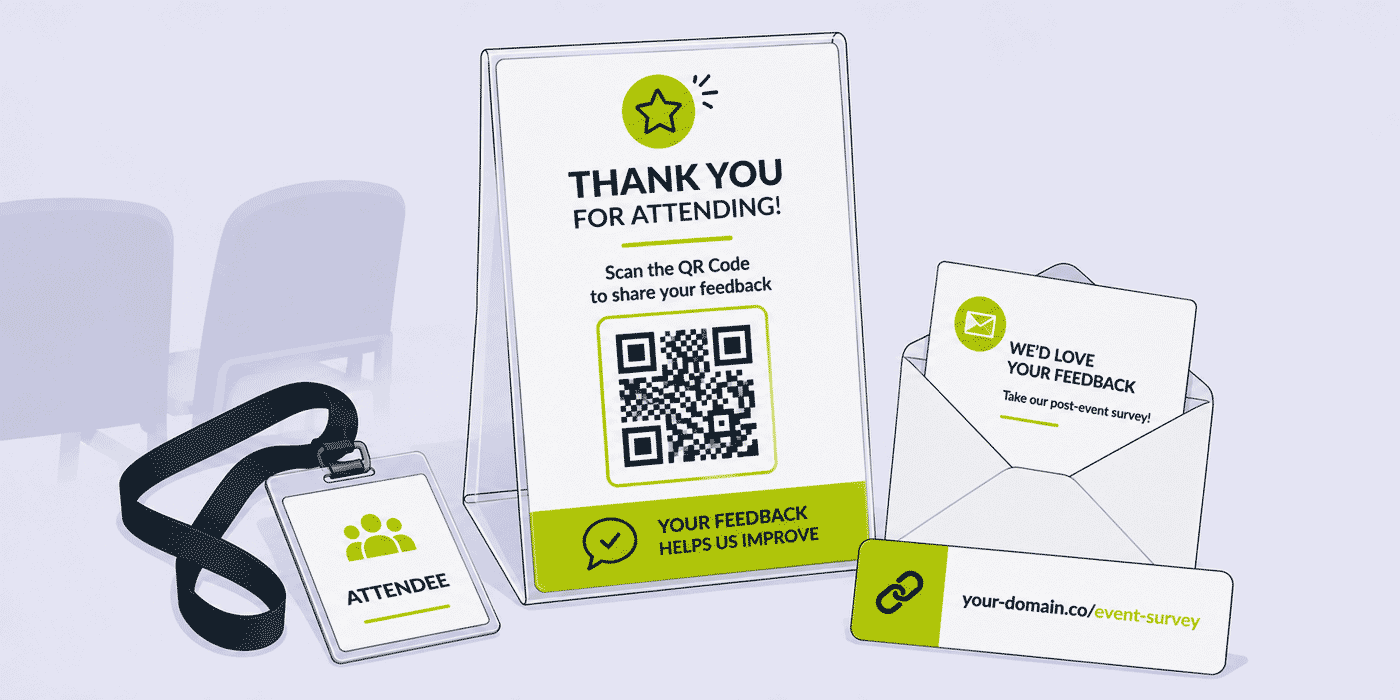
What This Guide Covers
- Why event feedback decays in days and how the collection timeline beats the decay
- The three collection windows: at the event, the morning after, and the closing week
- Building the attendee survey: question budget, steps layout, event-branded Start page
- Session-level and speaker-level feedback alongside the event-level survey
- The placement map: exit banners, final slides, badges, programs and screens
- Link architecture: back-half conventions that turn placements into attribution
- Attendee trust: branded domains, your privacy policy, encrypted open answers
- Matching Cuttly's active periods to the event feedback sprint
- Reporting: PDF, XLS and CSV exports for sponsors, speakers and the planning file
- Playbooks for conferences, trade shows, charity events, sports events and workshops
- A worked example: a two-day conference's complete feedback operation
The Half-Life of Event Memory
Ask an attendee about the event on the way out and you get specifics: the room that was too cold, the speaker who ran twenty minutes over, the sponsor booth that was actually interesting. Ask the same person ten days later and you get a summary — a single overall impression that has absorbed and blurred every detail. Neither answer is dishonest; memory simply consolidates, and consolidation is the enemy of actionable feedback. "Session three ran long" tells next year's schedule what to fix. "It was fine" tells it nothing.
This is why event surveys differ from every other feedback context in this series: the entire collection has to happen inside a sprint. A store can survey customers on a rolling basis forever; an event gets one narrow window, and everything in this guide — the placements, the send times, the active periods, even the plan choice — is organized around hitting it. The window has three phases, and each has its own channel.
There is also an economic asymmetry worth naming. An event concentrates your entire audience in one place, at one time, at peak engagement — an attention density no campaign ever reproduces — and the marginal cost of asking them anything in that moment is a banner and a slide. The same question asked afterward costs an email campaign fighting a full inbox for a fraction of the audience. Events are, click for click, the cheapest feedback a business ever collects, and the operation this guide describes is mostly a matter of not letting the moment leave the building unasked.
The Three Collection Windows
Window One: At the Event Itself
The richest answers are collected before anyone leaves. A QR Code at the exit — banner, standee, or a slide held on the room's screens as sessions end — catches attendees in the minutes when impressions are sharpest and the phone is already in hand. This window favors brevity above everything: people are walking, talking, heading for trains. A star rating and two or three questions is the honest maximum; the survey's steps layout keeps it comfortable on a phone in motion, and the Start page's time promise — "3 questions, under a minute" — is what converts a glance into a scan.
The event window has a second, underused placement: the spoken one. The host's closing remarks are the single highest-attention moment of the day, and one sentence — "before you head out, there's a one-minute survey at the code by the doors, and it directly shapes next year" — outperforms any amount of signage. Print the short link on the slide beside the code for the note-takers and the photograph-the-screen crowd.
Window Two: The Morning After
The follow-up email lands the next morning — not the same evening, when attendees are traveling or done with screens, and not three days later, when the decay has begun. The morning-after message rides the event's afterglow: the experience is still the most recent notable thing that happened, and a thank-you email is expected, opened, and read. The survey link goes in the first two sentences with the time promise beside it, exactly as the ask is built throughout this series, and the email's version of the survey can afford a few more questions than the exit version — the reader is seated now.
Window Three: The Closing Week
One reminder, mid-week, to non-respondents if your email tooling can segment them — or to everyone, framed plainly ("closing Friday — two minutes if you have them"), if it cannot. Then the survey closes, deliberately, about seven days after the event. The deadline is not an arbitrary courtesy: responses arriving past the first week describe a reconstructed memory rather than an experience, and mixing them into the results dilutes exactly the specificity the early answers carried. Cuttly's active periods make the deadline structural — the survey simply ends — and it is a happy alignment that the Free plan's 7-day window matches the event feedback sprint precisely.
The Fourth Window: Before the Doors Open
There is a collection window most organizers never use, and it sits before the event exists in final form: the pre-event survey. Sent to registrants a few weeks out — linked from the confirmation email or the pre-event newsletter under its own back-half — it asks what the program can still absorb: which of the candidate topics matter most, which session times work, what attendees hope to leave with. Three questions, choice-heavy, each feeding a decision the schedule has not yet locked.
The pre-event survey does double duty. Its distributions directly shape the program — a topic vote is the cheapest agenda research available — and its very existence tells registrants the event is being built for them, which is marketing no announcement email can match. It also seeds the post-event comparison: "did the event deliver what you came for?" lands differently when the organizer demonstrably asked what people were coming for. On the capacity side it is one more survey slot and one more back-half, well inside even the Starter plan's budget for a single event, and its active period closes when the schedule locks — a natural deadline the plan windows accommodate at any tier.
Hybrid and Online Events: The Split Audience
When part of the audience attends through a screen, the feedback operation forks — not the survey necessarily, but its doors. Online attendees cannot scan an exit banner; their placements are the ones a stream can carry: the survey link dropped in the chat at the final session's close, the code held on the closing slide (remote viewers can scan it off their monitor with a phone), and the same morning-after email everyone receives. Each remote placement gets its own back-half — conf-chat, conf-stream — beside the venue's conf-exit and the shared conf-email.
Whether the audiences share one survey or get two depends on one question: will the answers feed different decisions? If the online experience has its own owner fixing its own frictions — platform, audio, chat moderation — a dedicated remote survey with those choice options earns its slot, and the venue survey stays clean of streaming questions that mean nothing to the people in the room. If the event treats both audiences as one program, one survey with per-audience back-halves preserves the split in the open counts while keeping the results pooled. Either way, the attribution layer answers the question hybrid organizers argue about most — whether the remote audience engages at all — with numbers instead of impressions.
Building the Attendee Survey
The Question Budget, Event Edition
The event-level survey answers next year's planning questions, and next year's planning needs surprisingly few numbers: an overall rating to trend against previous editions, a choice question on what drew people (topics, speakers, networking, the sponsor floor — whose distribution allocates next year's budget), a choice question on the biggest friction (venue, schedule, catering, registration — whose winner gets fixed first), and one open question, placed last: "what should next year's event do differently?" Four questions, every one attached to a decision. The per-plan question limits leave enormous headroom above this — 20 questions on Single, 50 on Team Enterprise — and the discipline, as everywhere in this series, is declining to spend it.
The Start Page Wears the Event's Face
Attendees scanning an exit code have full context — they are standing in the event — but email recipients a day later need the survey to identify itself instantly. The custom Start page does this on every plan: the event's logo or key visual, the event's name in the title, and the promise in the description. An attendee survey whose Start page matches the badge design and the stage screens reads as the official channel it is; customizable backgrounds, accent colors and fonts carry the identity through the questions themselves. For recurring events this pays twice, because next year's survey, styled the same way, inherits this year's recognition.
The Finish Page Is Next Year's First Touchpoint
The person who just completed your survey is, statistically, among your most engaged attendees — and the Finish page's custom end text is your only guaranteed message to them. Thank them specifically, and then point forward: the date announcement, the mailing list, the early-bird note, whatever next year's funnel starts with. An event survey that ends on a generic goodbye discards the warmest audience it will ever have.
Session-Level Feedback: The Second Layer
Event-level surveys answer "how was the event?" — but speakers, program committees and training teams need "how was this session?", and the two cannot share a questionnaire without wrecking both. The session layer runs as its own lightweight system beside the main survey:
- One short survey per session — a star rating and one open question is enough — with the session's name in the back-half:
cutt.ly/s/keynote-feedback,cutt.ly/s/workshop-b. The per-survey summaries in the dashboard keep every session's results cleanly separate, and the per-plan survey counts are the capacity planning: 5 slots on Single cover a single-track day, 20 on Team cover a multi-track conference, 50 on Team Enterprise a festival. - The final slide is the placement. Every speaker's closing slide carries their session's code and printed short link, and the moderator's handoff sentence — "one minute for the session survey while you gather your things" — runs the spoken layer room by room. Room-door signage catches the corridor stragglers.
- Speakers receive their own results. A per-session PDF export after the event is the cheapest speaker-relations gesture in the industry — concrete, private, and generous — and it is two clicks per session in the dashboard.
The session layer's quiet dividend arrives at program-planning time. A season of session ratings, archived per survey in the dashboard, is the least political speaker-selection instrument a committee can hold: which formats the audience rated highest, which topics drew the fullest open answers, which returning speakers earn the keynote. It converts the annual "who should we invite" debate from recollection into records — and speakers, knowing a results-sharing culture exists, prepare accordingly, which lifts the program before a single invitation goes out.
Where session count exceeds survey slots, the alternate pattern is one shared session survey with a choice question selecting the session, reached through per-session back-halves. It trades per-survey summaries for slot economy; multi-track events on Team-tier plans rarely need the trade, but it keeps smaller plans viable for busy programs.
The Placement Map
An event is a venue full of surfaces, and the feedback operation claims a specific set of them. Each placement gets its own back-half pointing at the relevant survey, which is the whole attribution system — after the event, the per-link open counts tell you which surfaces earned their space:
- The exit banner or standee — the anchor placement, positioned in the outflow, code at chest height with the three-line frame from the QR surveys guide: what, cost, printed link.
- The closing slide — event-level code on the host's final screen; session codes on each speaker's last slide.
- Between-session screens — the survey slide rotating in the holding pattern between talks, when every seat is looking at the screen with nothing else to do.
- Badges and lanyard cards — the code travels on the attendee, surviving into the commute and the hotel evening; badge real estate is tight, so this placement runs code-plus-link with no frame.
- The printed program — back cover, full frame; programs get kept, extending this placement's life across the whole active period.
- The morning-after email — its own back-half, always, because email-versus-venue is the first attribution split worth knowing.
One timing subtlety separates events from every static placement in this series: the surfaces appear before the survey should. Banners are hung during setup, programs are printed weeks out, badge cards ship early — and a survey scanned on day one, before there is anything to evaluate, collects noise. The clean solution is sequencing the survey's active period to open with the event's final stretch rather than its build-up, and briefing the team that the exit banners go up for the close, not the open. Where a surface must exist early — the printed program above all — the framing copy carries the timing: "scan after the closing session" reads naturally on a back cover and filters the premature taps at zero cost.
Print production follows the rules established earlier in the series — sizes matched to scanning distance, SVG from the Single plan upward for the banner-scale pieces, one physical test in venue lighting before the run — and the wider signage craft is covered in short links for print advertising.
The Morning-After Email, Line by Line
Because the email window carries most of the volume for many events, its copy deserves the same care as the survey. The event version of the ask keeps the four working parts — reason, cost, stake, readable link — and tunes each to the context:
- Subject: gratitude plus the event's name, not the word "survey" — "Thank you for two great days at [event]" opens; "Post-event survey" gets archived.
- First line: the specific thank-you, referencing something real from the event — the turnout, the closing session, the weather that cooperated.
- Second line: the ask with cost and stake fused: "Four questions, about a minute, and they decide what next year keeps and fixes:
your-domain.co/s/conf-email." - Then stop. Photos, slide links and sponsor thanks belong in a separate follow-up; an email asking for one thing gets it, an email asking for four gets skims.
Timing holds at the next morning, 8–10 a.m. in the audience's timezone; for multi-timezone hybrid events, schedule per region rather than blasting one clock's morning at the world. The mid-week reminder reuses the same skeleton with the deadline as its reason — and stays one reminder, because the fatigue budget from the customer feedback guide does not pause for events.
What Not to Ask
Event surveys attract question-inflation like no other kind, because every stakeholder wants a line — marketing wants channel attribution, sponsors want brand recall, the caterer's contract renewal is pending. The budget defense is a simple test applied to each candidate: does a decision consume this answer, and is the survey the best place to get it? Channel attribution usually fails the second clause — the per-placement link opens already carry it, without spending a question. Demographic batteries fail the first — registration data holds most of it. Sponsor recall questions can earn a slot at sponsor-funded events, but one, not five. And satisfaction sub-ratings for every dimension of the event — venue, catering, staff, app, signage, each on its own scale — fail both: the friction choice question captures the worst offender, which is the only one next year's budget will fix anyway.
The deepest cut is the hardest: questions whose answers you would not act on regardless of the distribution. If no realistic answer to "would you attend a summer edition?" changes whether the summer edition happens, the question is theater, and attendees can smell theater. Every question cut returns completion rate to the questions that remain.
Attendee Trust, Stated Plainly
Event feedback has a candor problem the other contexts in this series lack: attendees know the organizer personally, sometimes professionally, and the fear that a blunt answer travels back with a name attached mutes exactly the answers worth having. The survey's trust signals counter this, and all of them bear stating on the Start page in one plain sentence. Open answers are encrypted with 256-bit encryption before storage, on every plan. The platform's analytics are aggregated and anonymized. Your own privacy policy attaches to the survey itself. And the survey arrives on the event's branded domain — your-domain.co/s/feedback, from the Starter plan — so attendees can see who is asking without wondering what intermediary sits between.
Password protection joins the toolkit for closed audiences: an internal company offsite, a paid workshop cohort, a members-only gathering. The link can sit on every slide; without the password shared in the room, outsiders finding the link later collect nothing. For invite-only events whose feedback would embarrass frankly if public, this single setting is the difference between honest answers and diplomatic ones.
Sizing the Plan: The Response-Limit Arithmetic
The one planning step that cannot be improvised after the event is capacity. Every Cuttly plan caps responses per survey — 10 on Free, 30 on Starter, 100 on Single, 2,000 on Team, 5,000 on Team Enterprise — and a survey that hits its ceiling closes to new answers while attendees are still tapping the link. For events, the arithmetic is mercifully simple because the audience is a known number: whatever share of your registrants responds, the ceiling must sit above the plausible best case, not the expected one. A 60-person workshop is comfortable on Single's 100; a 400-person conference with an engaged exit-code operation is Team territory; anything in the thousands, or a season of large events sharing an account, points at Team Enterprise.
The session layer multiplies the arithmetic rather than complicating it: each session survey needs a ceiling above its own room's size, not the event's, which is why a twelve-session conference runs comfortably on the same Team plan whose event-level survey absorbs the full audience. And the pre-event survey, addressed to all registrants, sizes like the event-level one. Ten minutes with the registration forecast, done at plan-selection time, prevents the one failure mode in this guide that no amount of good design can recover from.
Recurring Events: Feedback as a Compounding Asset
For an annual conference or a monthly meetup series, the survey stops being a report and becomes a longitudinal instrument — but only if it is treated like one. The disciplines, in order of importance: the overall rating question keeps identical wording and identical visual treatment edition after edition, because it is the trend line the whole asset hangs on; the friction and draw questions keep stable option lists, edited only when the event itself changes shape; and every edition's exports are archived at close — the XLS in the planning folder, dated — so that year five's committee inherits four years of comparable answer sets rather than four differently shaped files.
The compounding shows up in decision quality. One edition's friction distribution says what annoyed people this year; four editions' distributions say whether the venue change worked, whether the schedule reform stuck, whether satisfaction tracks the program or the catering budget. Recurring organizers on Team-tier plans can hold the whole history's surveys in one account, closed but summarized in the dashboard, which turns the pre-planning ritual for each new edition into an hour of reading rather than an archaeology project.
Closing the Loop: The "You Said" Slide
Event feedback has the longest loop in this series — the change ships at the next edition — which makes closing it publicly both harder and more powerful. The mechanism is one slide and one sentence. Next edition's opening remarks include: "Last year you told us the breaks were too short and track B kept filling up — so this year the breaks are twenty minutes and B moved to the main hall." Attendees who answered last year hear that their two minutes changed the event in front of them; attendees who did not hear exactly why this year's exit code deserves their two minutes.
The same sentence belongs in the announcement email for the new edition and on the pre-event survey's Start page, where it does double work — proof the instrument is live, and context for this year's questions. Run this loop for two consecutive editions and the shift becomes visible: the survey stops being the organizer's request and becomes the audience's channel, which is the end state every feedback operation in this series is aiming at.
Reporting: From Responses to the Three Audiences
An event survey serves three readerships, and Cuttly's export formats — PDF, XLS and CSV on every plan — map onto them directly.
The planning file takes the XLS: next year's committee working through the friction distribution, the draw distribution, and the open answers read in full, one shipped change per finding. For recurring events, this year's export sits beside last year's, and the frozen-wording rating question — the discipline carried from the customer feedback guide — makes the year-over-year trend the first number the meeting sees.
Sponsors take a PDF. A fixed, dated report carrying the attendance-experience numbers — and, where the choice questions covered the sponsor floor, the distribution that proves booth traffic was real engagement — travels in an email and lands in the sponsor's own renewal deliberations. Organizers who send this unprompted, within the week, are making next year's sponsorship conversation before it starts.
Speakers take their per-session PDFs, privately. The CSV, meanwhile, feeds whatever deeper analysis the operation wants — multi-year comparisons, per-track breakdowns — without ever being the format anything is presented in.
Event-Type Playbooks
Conferences and Summits
The full two-layer system: event-level survey through exit, slides, badges and email; session layer through final slides and door signage; sponsor PDF within the week. Multi-track programs are where the Team plan's 20 survey slots and 2,000-response limits become the operating dimensions rather than headroom. The broader link operation around a conference — registration, agendas, speaker links — is covered in Cuttly for events and conferences.
Trade Shows and Expo Floors
Two distinct surveys, never one: the organizer's attendee survey (the standard playbook), and the exhibitor survey — sent to booth holders, asking about logistics, traffic and lead quality, because exhibitors are the customers who decide next year's floor revenue. Booth staff, for their part, can run their own visitor feedback codes; the patterns are in the trade show guide.
Charity Events and Fundraisers
The post-event survey doubles as stewardship: asking donors and guests how the gala felt is itself a signal that their experience mattered, and the Finish page pointing to the impact report or the next campaign keeps the relationship warm. Keep one choice question on what moved people to give — its distribution shapes the next appeal. Wider fundraising link patterns live in the charity events guide.
Sports Events, Races and Marathons
Participants and spectators are different audiences with different surveys. Runners get the morning-after email — the finish chute is the wrong moment for anyone — asking about registration, the course, aid stations and the medal-and-bag logistics; spectators get venue codes at exits and viewing zones. Race-day operations around links and codes are covered in the sports events and marathons guide.
Community Meetups and Free Events
Free events have a feedback advantage and a trap. The advantage: attendees chose to spend only time, so their answers skew toward the program itself rather than value-for-money calculus. The trap: no ticket revenue means no registration email chain, so the venue windows — the exit code, the closing sentence — often carry the entire collection, and the organizer's social channels replace the morning-after email. A feedback entry on the community's Link in Bio page gives the survey a persistent home between meetups, and the monthly rhythm makes the recurring-event disciplines above — frozen rating, archived exports — pay off faster than any annual conference.
Workshops, Trainings and Small-Room Events
Small rooms flip the mechanics: no banners, no badge printing — the final slide and the trainer's sentence are the whole placement map, and the Free plan's dimensions (one survey, five questions, ten responses, seven days) fully cover a single workshop cohort. The question budget shifts toward learning outcomes: one rating on the session, one choice question on pace, one open question on what remained unclear — whose answers are the trainer's revision list for the next cohort.
A Worked Example: The Two-Day Conference
Assembling everything, here is an illustrative feedback operation for a 400-person, two-day, three-track conference, run on the Team plan by an events team of three.
Before the event: one event-level survey (four questions, styled to the event identity, buttons in English) and twelve session surveys (rating plus open question each) are built in an afternoon — thirteen of Team's twenty slots. Back-halves follow the convention conf-exit, conf-email, conf-program for the event survey's three doors, and session names for the rest, all on the event's branded domain. SVG codes go to the print vendor for two exit banners and the program's back cover; PNG versions go into the slide templates every speaker receives.
During: the between-session screens rotate the survey slide; moderators close every room with the one-sentence ask; the host's day-two closing remarks send the hall out past the banners. Badge cards carry code and link only.
After: the thank-you email lands at 9 a.m. Wednesday with conf-email; the reminder goes Friday; the survey closes Tuesday, seven days out. The following week: XLS to the planning meeting, which picks one change (the friction question's winner); sponsor PDFs out by Thursday; each speaker's session PDF sent with a thank-you note. The per-link opens settle the attribution question for next year — whether the banners, the program or the email did the work — before anyone reads a single answer.
The compounding step: before the account moves on, the team drafts next year's "you said" sentence from the friction question's winner and files it with the archived XLS — thirty seconds of writing that guarantees the loop closes eleven months later, when nobody will remember the distribution but everyone will have the sentence. The thirteen surveys close out; the dashboard keeps their summaries; and the next edition's feedback operation begins as a copy-and-restyle job rather than a blank page.
Total marginal effort beyond what the event already required: the building afternoon, three emails, and one export session. That ratio — a planning file, a sponsor asset and twelve speaker reports for roughly a day of work — is why the feedback operation belongs in every event's run-of-show rather than its wish list.
Who Does What: The Feedback Operation's Run-of-Show
On event day the feedback operation is small enough to disappear into existing roles, provided it is assigned rather than assumed. The working split for a typical team: the program lead owns the surveys themselves — built, tested on a phone, and frozen before the event week begins — plus the closing-remarks sentence in the host's script. The production owner carries the placements: banners positioned in the actual outflow (not where the floor plan guessed), the survey slide loaded into the between-session rotation, speakers reminded their final-slide template includes the session code. The communications owner has the morning-after email drafted and scheduled before the event opens, because the day after is the worst possible time to write it.
On Team-tier plans this split maps onto the account itself: role-based multi-user access puts each owner inside Cuttly with their own login — the program lead in the surveys, production pulling QR files, communications watching the per-link opens land Wednesday morning. One account, three owners, no forwarded passwords, and a post-event export session that any of them can run.
Reaching the Whole Room
An event audience is the most varied group this series deals with — ages, languages, devices, mobility — and the feedback operation should reach all of it. The mechanics are the accessible-placement habits from the QR surveys guide applied at venue scale: codes at heights a seated person reaches, the printed short link large enough to read from the outflow's natural distance, and the email window as the universal fallback for everyone the venue placements missed. Language is the event-specific layer — the 16 button languages and the per-language survey pattern turn an international audience from a completion-rate problem into two codes side by side at the exit. The operation that covers all of these is not larger than the one that covers none; it is the same operation, aimed properly.
When the Numbers Disagree With the Room
A last interpretive note, because it happens at most events eventually: the survey says one thing and the hallway said another. The energy felt electric but the ratings came back lukewarm — or the reverse. When they split, trust the pattern that has more people in it: hallway impressions come from the attendees who sought the organizer out, a self-selected sliver, while the survey heard from everyone the placements reached, including the quiet majority who never approach a lanyard that says STAFF. The open answers usually explain the gap, and the gap itself is information — an event whose vocal enthusiasts and silent middle diverge has a segmentation insight, not a measurement error.
Common Mistakes in Event Feedback
- Waiting for the "official" survey. Sending nothing until the week after, when the decay has already won. The exit code costs one banner.
- One questionnaire for event and sessions. A fifteen-question hybrid that serves neither the committee nor the speakers. Two layers, separate surveys.
- The immortal survey. Leaving collection open for a month "to get more responses" — and getting reconstructed memories. Close at seven days.
- Undersized response limits. A 400-person event against a 100-response ceiling turns away the engagement it asked for. Size the plan to the audience.
- Unbranded asks. A random-alias link on a generic domain, from an event that spent months on its visual identity. The back-half and branded domain are the identity's last mile.
- Silent speakers. Session data collected and never shared with the people it describes. The per-session PDF is two clicks and a relationship.
- One link everywhere. No placement attribution means next year's print budget is a guess again.
- Skipping the closing sentence. The host's one-line ask is the highest-converting placement in the room and costs nothing.
The Operation on One Page
Compressed to its checklist, the event feedback operation reads: one pre-event survey while the schedule can still move; one four-question attendee survey, styled to the event, frozen before event week; one short survey per session where the program justifies the layer. Placements claimed and back-half-named — exit, slides, screens, badges, program, chat for the remote room — with SVG files at the print vendor and one physical test in venue light. The host's sentence in the closing script; the morning-after email scheduled before the doors open; one reminder; close at seven days. Then the export session: XLS to planning, PDFs to sponsors and speakers inside the week, one change chosen, and the "you said" sentence drafted for the next edition's opening slide.
Every line of it runs on capabilities this guide has pinned to the platform's actual dimensions — the survey and response budgets per plan, the back-halves and branded domains, the Start pages, encryption, button languages and exports — which is what makes the checklist portable: it works the same for the ten-person workshop on Free and the conference season on Team Enterprise, scaled by numbers rather than reinvented by size.
Cuttly Plan Guide for Event Organizers
The Free plan ($0) covers a single small event outright: one survey, 5 questions, 10 responses, and a 7-day window that matches the post-event sprint exactly. A workshop, a meetup, a first pilot of the whole approach — it fits, at zero cost. Registration is required; no credit card is needed.
The Starter plan ($12/month) puts the operation on the event's own branded domain and widens capacity to 3 surveys with 30 responses and 15-day windows — a recurring meetup series, or a small event plus its session layer.
The Single plan ($25/month) is the single-track conference tier: 5 surveys, 100 responses each, 30-day windows, and — decisive for the print pieces — fully customized QR Codes with the event's colors and logo, exported as SVG for the banner vendor.
The Team plan ($99/month) runs the full two-layer operation described in the worked example: 20 surveys, 2,000 responses each, 60-day windows, and multi-user access with role-based permissions so the program lead, the print designer and the sponsor manager work one account without shared logins. This is also the natural tier for event planners and agencies running feedback across multiple client events; the agency-side patterns are in the event planners guide.
The Team Enterprise plan ($149/month) serves festival-scale and multi-event organizations — 50 surveys, 5,000 responses each, 90-day windows — where an event season's whole survey portfolio lives in one account at the platform's highest limits.
The next event on your calendar is the pilot: create a free Cuttly account, build the four-question attendee survey, and put its code on the closing slide. Registration required; free plan available with no credit card needed.
Frequently Asked Questions
When should a post-event survey be sent?
Open collection at the event itself — the exit code and the final slide — and send the email the next morning, while the event is still the most recent thing attendees experienced. One mid-week reminder, then close at about seven days: later responses describe memories, not experiences.
Does the Cuttly free plan cover a post-event survey?
For small events, fully: 1 survey, 5 questions, 10 responses and a 7-day window that matches the post-event sprint exactly. Larger audiences need the higher response ceilings of paid plans — 100 on Single, 2,000 on Team, 5,000 on Team Enterprise.
How do I collect feedback for individual sessions or speakers?
Run a second, lightweight layer: one short survey per session with a session-named back-half like cutt.ly/s/keynote-feedback, placed on each speaker's final slide and the room signage. Per-survey summaries keep results separate, and a per-session PDF export gives every speaker their own report.
How can I share results with sponsors and speakers?
Export from the dashboard on any plan: PDF for the fixed reports that travel by email to sponsors and speakers, XLS for the planning committee's working file, CSV for deeper analysis. Sending sponsor reports unprompted within the week is the strongest renewal argument an organizer can make.
Are attendee answers anonymous and secure?
Open-question answers are encrypted with 256-bit encryption before storage on every plan; link analytics are aggregated and anonymized; your own privacy policy can attach to the survey; and closed-audience events can password-protect the survey entirely. Saying this in one Start-page sentence measurably improves candor.
Can one survey serve an international event audience?
Survey buttons render in any of 16 languages on every plan. For truly mixed audiences, run one survey per language with matching buttons and its own back-half, and print the codes side by side at the exit — the completion-rate difference is immediate.
What should an event survey ask?
Four questions cover most planning needs: an overall rating with wording frozen year to year, a choice question on what drew attendees, a choice question on the biggest friction, and one open question on what next year should do differently. Every question should feed a specific planning decision; anything that does not is spending attendee patience on curiosity.
- SURVEYS
- URL Shortener →
- QR Code Generator →
- Link in Bio Builder →
- This Series
- Online Surveys — The Pillar Guide
- QR Code Surveys
- Customer Feedback Programs
- Event Guides
- Events & Conferences
- Trade Shows
- Charity Events
- Sports Events & Marathons
- Event Planners
- Related Guides
- QR Code Best Practices
- Short Links in Print
- Encyclopedia
- Branded Links
- Dynamic QR Codes
- Verticals Hub
- URL Shortener for Every Industry →
- Start Here
- Create Free Account
- Plans & Pricing
URL Shortener
Cuttly simplifies link management by offering a user-friendly URL shortener that includes branded short links. Boost your brand’s growth with short, memorable, and engaging links, while seamlessly managing and tracking your links using Cuttly's versatile platform. Generate branded short links, create customizable QR codes, build link-in-bio pages, and run interactive surveys—all in one place.
Cuttly More Than Just a URL Shortener
Cuttly is a comprehensive, ever-evolving platform for link shortening that combines innovation and user-friendliness to deliver a seamless experience in managing and shortening URLs.


