Is Cuttly Safe? Security and Privacy of the Cuttly URL Shortener The Complete Guide
"Is Cuttly safe?" is really two questions asked by two different people. One is about to click a cutt.ly link someone sent them and wants to know what is on the other side. The other is a business deciding whether to route its audience, its analytics and its campaigns through this platform. Both deserve documented answers rather than reassurances, so this guide gives the answer twice, once for each reader, with every claim traceable to the platform's published documentation, terms of service and privacy policy.
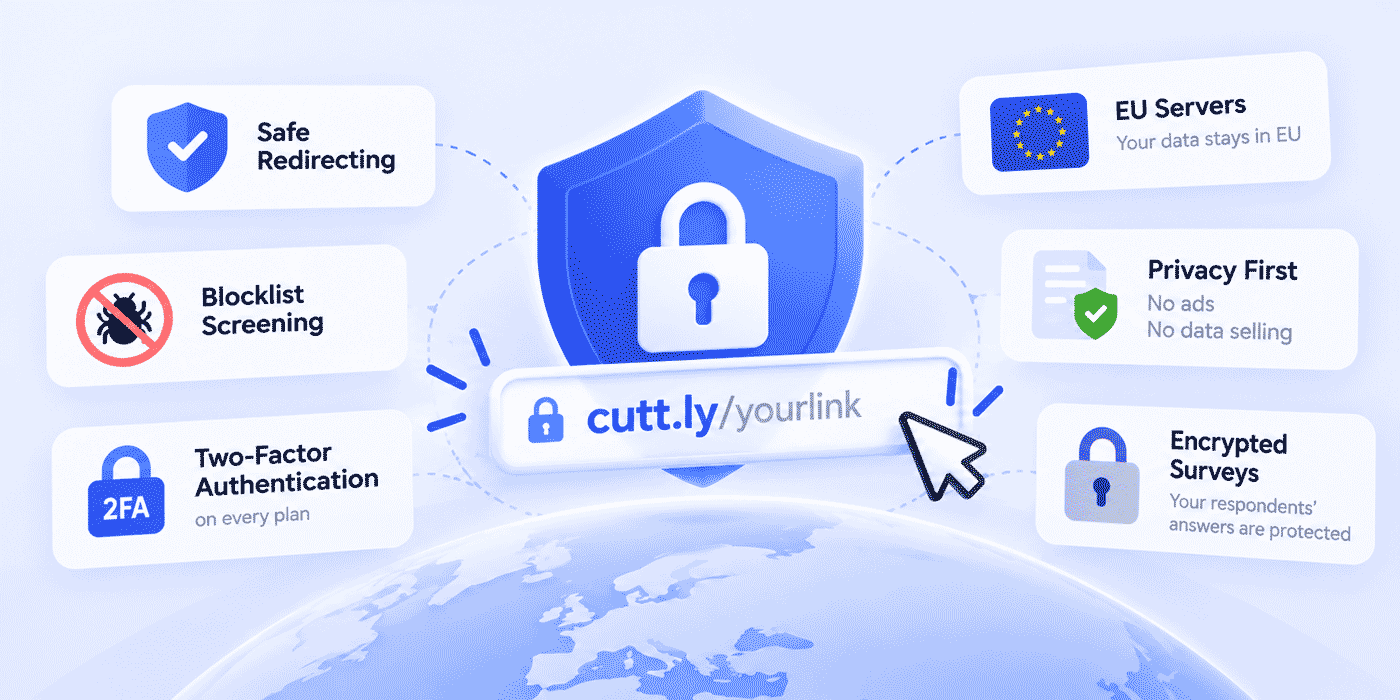
The short version for both: clicks are protected by an internal screening system called Cuttly Safe Redirecting plus recognized public blacklists, links carry no ads or interstitials, accounts get two-factor authentication on every plan including Free, analytics are aggregated and anonymized on EU-based infrastructure, and personal data is not sold. The long version, including the honest parts about what no URL Shortener can promise and where responsibility sits with the user, fills the rest of this article.
What This Guide Covers
- The two questions inside "is it safe": clicking a link vs trusting the platform
- Cuttly Safe Redirecting: screening at shortening time, blocking, and the warning screen
- The blocklist layer: Google Safe Browsing, Spamhaus, SURBL and CSIRT lists in the terms
- What gets blocked, quoted from the terms of service rather than paraphrased kindly
- Reporting suspicious links, and why the report address matters
- No ads, no interstitials: what a clean redirect means for the person clicking
- Account security: 2FA and OTP on every plan, the @cutt.ly email rule, API key hygiene
- Data and privacy: EU servers, GDPR and CCPA posture, no data selling, self-service deletion and export
- Protecting what you collect: encrypted survey answers, your own privacy policy on surveys and pages
- Access controls: password links and surveys, team roles, separate API keys
- The honest part: what the platform cannot promise, and what stays your responsibility
- A safety checklist for evaluating any link platform
The Two Questions Inside the Question
Search data and support inboxes agree: "is Cuttly safe" arrives from two directions. The clicker's question is immediate and personal: a short link hides its destination by design, so what stands between my tap and a bad page? The operator's question is structural: if my business creates thousands of links here, what protects my audience, my account, my data and my reputation? The two questions share an answer only partially, which is why security pages that address just one of them feel evasive to the other reader. This guide takes them in order, clicker first, because the clicker's trust is what the operator is ultimately borrowing.
The two readers are also connected in a way that shapes everything below. An operator's links are only as useful as the clicker's willingness to tap them, and a clicker's willingness depends on the reputation of every link that has ever used the same domain. A platform that tolerates abuse to keep signups high is quietly spending its honest customers' credibility. A platform that enforces strictly is protecting them, even when enforcement occasionally inconveniences someone. Everything in the clicker's section is therefore also an operator benefit, and everything in the operator's section ultimately exists so that the clicker has reasons to trust.
For the Person About to Click: What Protects You
Cuttly Safe Redirecting
Cuttly operates an internal security system called Cuttly Safe Redirecting. It works at two moments. At shortening time, it assesses the risk of the link being created and can refuse to shorten a prohibited destination at all, which means a class of bad links never comes into existence on the platform. And at click time, redirects that the system has blocked do not forward silently: the visitor sees a warning screen instead of the destination, so a blocked link fails safely and visibly rather than quietly delivering someone to a page that was flagged. The platform's own documentation describes the system on the support page "Is Cuttly safe?", and the monitoring is continuous: short links are watched after creation, not only at birth, and links that violate the regulations are blocked.
The Blocklist Layer
Internal screening is backed by the industry's shared immune system. The terms of service state that content lands on the blocked list when it appears on a public blacklist maintained by a recognized cybersecurity organization or public authority, naming Google Safe Browsing, Spamhaus, SURBL and lists maintained by national or European cybersecurity authorities (including CSIRT) as examples. In practice this means a cutt.ly link cannot keep forwarding to a destination the wider security community has flagged, because the blacklist entry itself is grounds for disabling the link, the domain, or any other content involved.
The Anti-Obfuscation Rules
Two less obvious rules in the terms do quiet work against the classic abuse pattern of hiding a destination behind layers. Links containing more than one redirect can be blocked (with a carve-out for affiliate links used solely for commission tracking), and so can links that were already shortened by another shortening service, precisely because such chaining prevents verification of where the link really leads. A platform that refuses chained redirects is structurally harder to use as a laundering layer, which protects every honest link sharing the domain.
No Ads, No Interstitials
For a legitimate link, the click experience is a clean redirect: no advertising page, no countdown, no "continue to site" button between the person and the destination, on any plan including Free. This is a safety property, not just a comfort one, because interstitial ad pages are themselves a common vector for deceptive buttons and misleading downloads. The reasoning is covered in why Cuttly puts no ads on short links.
If You See Something, the Address Is cutt.ly/report
Suspicious links can be reported at cutt.ly/report, and the terms describe what happens next: reported content is verified, and blocking follows when the report proves legitimate. The verification step matters in both directions. It means a real phishing link gets taken down on the strength of a confirmed report, and it means a competitor or a troll cannot weaponize the report form against an honest link, because reports are checked rather than executed blindly.
Five Habits That Make Any Short Link Safer to Click
Platform protections are one layer; the clicker's own habits are another, and they work on every shortener, not just this one. None of them require technical skill:
- Judge the messenger before the message. A link from a colleague's known account in an expected thread carries different risk from the same link in an unsolicited text claiming a parcel problem. Most phishing is defeated by asking "was I expecting this?" before asking anything about the link itself.
- Read the domain, not just the path. Branded short links reveal their owner in the domain: an address on a company's own domain tells you who is asking before you click. Generic short domains say less, which is exactly why businesses that want to be trusted move to branded ones.
- Treat warning screens as answers, not obstacles. If a cutt.ly link shows a warning instead of redirecting, the screening system has already done the risky part of the analysis for you. Do not look for a way around it.
- Never type credentials on a page you reached by surprise. If a link leads to a login form you did not expect, close it and navigate to the service directly from a bookmark or the official app.
- Report rather than ignore. A suspicious link reported at cutt.ly/report is checked and, if confirmed, blocked for everyone who receives it after you. Ignoring it protects only you.
A Note on QR Codes
QR codes are short links wearing a different coat, and the same logic applies to them. A QR code generated through Cuttly routes the scan through the short link behind it, which means the same screening, blacklist enforcement and warning-screen behavior apply to scans as to clicks. For anyone scanning codes in public spaces, the clicker's habits above transfer directly, with one addition worth adopting: when a printed code has a short address printed next to it, a mismatch between the address and the code's destination is a red flag. Well-run businesses print both precisely so that people can check.
Making a Report Count
Because reports are verified before anything is blocked, a useful report is one that makes verification fast. Include the full short address exactly as you received it, where and when you received it (an SMS, an email, a social message, a printed code), and why it looked wrong: an unexpected login page, a mismatch between the message's claim and the page's content, a request for payment or personal details. Avoid repeatedly opening the destination to collect evidence; the screening team can examine it safely, and you gain nothing by visiting it again. A precise report can turn a single person's suspicion into protection for everyone who receives the same link later, which is the most valuable minute anyone spends on link safety.
For the Business: Your Account, Your Data, Your Audience
Account Security on Every Plan
Login protection is not a premium feature. Two-step verification (a one-time password by email) and two-factor authentication with any authenticator app are available on every plan, Free included. For a tool that holds your links, your analytics and your branded domains, the login is the crown jewels, and pricing account security into higher tiers would mean pricing some users' safety; Cuttly does not.
One operational detail from the documentation deserves wide knowledge because it defeats most phishing attempts against users: all genuine Cuttly correspondence comes only from email addresses in the cutt.ly domain, and the platform does not send spam, only account-related messages to registered users. Any email claiming to be Cuttly from another domain is, by that single test, not Cuttly. Teach that rule to everyone with account access and the most common attack on your account loses its disguise.
API Key Hygiene
For teams running integrations, keys are manageable the way security teams expect: an API key can be regenerated at any time, and generating a new key immediately invalidates the previous one, so a leaked or departing-contractor key dies the moment you rotate it. On the Team tiers, each team has its own dedicated API with its own key, which scopes client projects and lets one integration be rotated or revoked without touching the others.
Where Your Data Lives and What Happens to It
The data posture, stated as the documentation states it. Cuttly is operated by a company with servers in the EU and is GDPR compliant; the platform's compliance posture also covers CCPA and Nevada requirements. Link analytics are aggregated and anonymized. Per the privacy policy, personal data is not sold to third parties and not shared for cross-context behavioral advertising within the meaning of the CCPA/CPRA. The business model is subscriptions, visible on the pricing page, which is the structural answer to the quiet question behind every free tier: if you are not paying with money, are you paying with data? Here the free tier is paid for by the paid tiers, not by your audience's profiles.
Control stays self-service. The privacy policy confirms the right to delete, exercisable by deleting the account together with all associated data directly in account settings, and the right to access and data portability, exercisable by downloading a copy of your personal data from the Edit Account section. Neither requires a support ticket, a waiting period, or a conversation with retention-minded sales.
Protecting What You Collect from Others
Businesses do not only create links; through Surveys they collect answers, and the platform's handling of that collected material is part of the safety question. Answers to open survey questions are encrypted with 256-bit encryption before being saved to the database, on every plan. Surveys and Action Pages can carry your own privacy policy and terms links, so respondents see your organization's actual commitments at the point of asking. And one boundary comes from the terms rather than the feature list, worth knowing before you design research: users are prohibited from collecting special-category (GDPR Article 9) data through Surveys, such as health, political or religious information. That is a real limitation on what you may ask, stated here plainly because a safety guide that hides the rules is not one; the practice of running protected research within these rails is covered in the password-protected surveys guide.
Access Controls for Links, Surveys and Teams
Day-to-day control runs on three mechanisms. Password protection gates individual links from the Single plan and surveys on every plan, so a shared address can have a private audience. Team roles on the Team tiers (Owner, Admin, Moderator, User, Viewer) replace the shared-login pattern that is most organizations' largest actual vulnerability, and members work under the owner's subscription with their own credentials. And SSL on branded domains follows the plan structure: included via Let's Encrypt from Single upward, configured on your side on Free and Starter, so links on your own domain serve over HTTPS either way.
Irreversible Actions, Named in Advance
Security includes protecting operators from their own mistakes, so two irreversible actions from the documentation deserve a clear warning. Removing a custom domain deletes every short link created on that domain, and the support documentation states that exporting the links to CSV must happen before deletion, because afterward it is no longer possible. Deleting a team removes all links associated with that team. Both behaviors are logical (a link's domain and team are part of its identity), and both are the kind of thing a security review should know before an administrator with the right role clicks the wrong button. The defensive pattern is simple: restrict destructive permissions to the Owner and Admin roles on Team plans, and make "export first" a written rule for anything that removes a domain or a team.
Features That Add Tracking Are the Operator's Choice
Cuttly's own analytics are aggregated and anonymized. Separately, the support center documents optional features an operator can enable on a link, such as setting a tracking pixel. When an operator adds third-party tracking to their links, the consent and disclosure obligations that come with it belong to the operator, under the operator's own privacy policy, in the same way the terms place responsibility for published content on the user who creates it. This is worth stating in a safety guide because it marks the boundary clearly: the platform's defaults are privacy-preserving, and anything added beyond them is a deliberate business decision with its own compliance homework.
Time-Limited and Removable Links
Not every link should live forever, and two controls let operators shrink their exposure over time. Redirect expiration lets a link stop redirecting after a set date, which suits time-bound offers, temporary documents and internal resources whose relevance ends. Link removal is available on every plan: a removed link is deleted along with its click statistics, and its alias stays unavailable for some time afterward, which prevents someone else from immediately reclaiming the address and catching the traffic that still arrives at it. For sensitive campaigns, the combination of a password, an expiration date and a scheduled removal gives a link a defined, short lifespan.
What Gets Blocked: The Rules, Not a Paraphrase
Marketing pages summarize; safety decisions deserve the actual list. Per section 10 of the terms of service, the provider may disable, remove or block links, domains, subdomains, Surveys, Link-in-Bio pages, Action Pages and any other user content that:
- appears on a recognized public blacklist (Google Safe Browsing, Spamhaus, SURBL, national or European cybersecurity authorities including CSIRT, or other industry-recognized lists);
- has been reported as suspicious, after the report is verified as legitimate;
- contains more than one redirect, excluding affiliate links used solely for commission tracking;
- was already shortened by another shortening service, where the chaining prevents verifying the destination;
- has been reported as potentially malicious or spam;
- contains prohibited content, in particular pornography or content glorifying violence;
- involves illegal gambling or promotes it;
- infringes copyright or related rights, including under EU law and, for users outside the EU, laws such as the DMCA;
- infringes third-party rights, violates applicable local or international law, or violates the regulations.
Beyond content, the terms allow account suspension where there is reasonable probability that a user's content serves unlawful purposes, with a described procedure for restoration or deletion. And a detail that says something about good faith: if a premium account is suspended or deleted, the provider refunds the proportional part of the subscription fee for the unused period. Enforcement that pays back what it does not owe itself is enforcement designed for legitimacy rather than revenue.
Keeping Your Honest Links on the Right Side of the Filter
Strict enforcement protects operators only if their own links never trip it, and the rules above translate into a short list of habits for legitimate businesses. Link directly to the final destination. A short link pointing at another short link, or at a page that immediately redirects again, can fall under the chained-redirect rules; the affiliate exception exists for commission tracking, so keep affiliate chains to that purpose. Do not re-shorten addresses from other shorteners. When migrating, recreate links to the real destinations instead, a habit our migration pillar builds in from the triage step. Keep destinations healthy. A compromised page on your own site can land on a public blacklist, and the short link pointing at it inherits the problem; site security and link hygiene are one job. Use a branded domain for anything your audience should trust at a glance, and keep that domain dedicated to short links rather than shared with other content.
If One of Your Links Is Flagged
Blocks are not always about bad actors: a destination can be compromised without its owner knowing, or a third-party page you linked to can change hands. The sensible sequence starts with the destination, not the shortener. Open the destination in a safe way, check whether the page or the domain behind it appears on public blacklists such as Google Safe Browsing, and look for unexpected redirects added to the page. If the destination is yours, clean it and request a review from the blacklist provider. If it is a third party's, point the link elsewhere or remove it. Then contact Cuttly support with the details. For account-level suspensions, the terms describe a procedure covering suspension and possible restoration or deletion of the account, and refund rules for premium periods that could not be used. The goal throughout is the same as the platform's: the link should be safe before it works again, not merely unblocked.
The Honest Part: What No Shortener Can Promise
A safety guide earns trust by naming its limits, so here are the ones that apply to this platform and every other. Screening systems and blacklists are layers, not guarantees: a brand-new malicious page can exist for a window before any list or system catches it, which is why the report path and continuous monitoring exist at all. The platform secures the redirect; it cannot audit the business behind a legitimate-looking destination, so a shortener's safety never substitutes for judgment about who you are buying from. And for operators, responsibility for your own content is contractual, not rhetorical: per the terms, what you publish through links, surveys, bio pages and Action Pages is yours to keep lawful, and the platform's enforcement machinery above is what happens when it is not.
Two of our standing guides extend this honest layer for operators: protecting your brand from link hijacking covers the threat side, and why short links get blocked covers the filter side, including how to keep honest links from tripping defenses built for dishonest ones.
High-Trust Sectors: What Changes and What Does Not
Public bodies, banks, healthcare providers and similar organizations ask the safety question with more at stake, and the answer for them is mostly the same platform used more deliberately. Three adjustments recur. First, branded domains stop being optional: an audience trained to distrust unexpected links needs to see the institution's own name in every address, which is also the strongest practical defense against lookalike phishing. Second, collection boundaries matter more: the terms already prohibit gathering special-category data (such as health information) through Surveys, which means a clinic or hospital should route anything clinical through its own systems and use Cuttly for logistics, announcements and non-sensitive feedback. Third, access is role-based from day one, with destructive permissions held by as few people as possible. The sector guides go deeper on each context: government, banks and hospitals.
Can a Short Link Be Safer Than a Long One?
It sounds backwards, since a short link hides its destination, but the comparison is less one-sided than it looks. A long URL shows its destination, yet few people read a two-hundred-character address with tracking parameters closely enough to notice a misspelled domain buried in it; attackers rely on exactly that. A branded short link shows its owner in a handful of characters that people do read, and on a screened platform it adds layers a raw URL lacks: risk assessment when the link is created, blacklist enforcement for as long as it lives, a warning screen if it goes bad, and an owner who can retire it. The honest conclusion is not that short links are inherently safer, but that a short link on a well-run platform, on a domain the audience recognizes, can be easier to trust correctly than a long one, while a short link on an unscreened service is the worst of both. Which shortener you use is part of the safety answer, which is the whole reason this guide exists.
Why Clean Links Stay Clean: The Ecosystem Effect
The clicker's safety and the operator's deliverability are the same system seen from two sides. Every blocked phishing link and refused chained redirect protects not just its would-be victims but the reputation of every domain the platform serves, which is why strict enforcement is an operator benefit rather than an operator cost: your links inherit the trust of a namespace that is actively kept clean. The platform documentation's trust page notes the breadth of who relies on this: brands, companies, government organizations, bloggers, marketers, affiliate networks and courier companies, among others, per "Is Cuttly trusted?". The mechanics of reputation, and what operators can do on their own domains, live in the domain reputation guide.
A Worked Example: The Regulated Market Test
One concrete proof point for the operator's question comes from the hardest audience: regulated SMS marketing in India under TRAI rules, where link infrastructure must support registered headers and compliant formats. Cuttly serves this through tracking headers on custom domains and the dedicated 2s.ms domain, in the format 2s.ms/HEADER/short-alias, with per-plan header allowances, as documented in the TRAI compliance guide. A platform engineered to satisfy a telecom regulator's anti-spam regime is a platform whose compliance muscles exist in production, not in a policy PDF, and businesses in unregulated markets inherit that engineering for free.
Who Is Responsible for What
Shared-responsibility models are standard in cloud security, and link platforms benefit from the same clarity. The platform's side: screening links at creation and monitoring them afterward, enforcing blacklists and the terms, keeping redirects clean of ads, securing logins with 2FA and OTP, hosting data on EU infrastructure, aggregating and anonymizing analytics, encrypting survey answers at rest, and providing self-service deletion and export. The operator's side: keeping destinations lawful and uncompromised, choosing who has access and at which role, rotating API keys when people or vendors change, deciding what to collect and disclosing it in their own privacy policy, and respecting the boundaries the terms set, such as the prohibition on collecting special-category data through Surveys. The clicker's side: judging context before clicking, heeding warning screens, and reporting what looks wrong. Each party covering its own side is what makes the whole system safe; none of the three can cover the others' gaps alone.
Answering Your Own Security Review
Businesses adopting a link platform often face an internal vendor review: a questionnaire from IT, a data-protection officer's checklist, a client's procurement form. Most of those questions map to documented facts already covered in this guide, and the mapping is worth having in one place so the review takes an afternoon instead of a month:
| Typical review question | Documented answer | Where it is stated |
|---|---|---|
| Where is data hosted? | Operated by a company with servers in the EU | Platform documentation |
| Which privacy regimes apply? | GDPR compliant; CCPA and Nevada posture | Privacy policy, support center |
| Is personal data sold or used for ad targeting? | No selling; no cross-context behavioral advertising sharing | Privacy policy |
| How are analytics handled? | Aggregated and anonymized | Platform documentation |
| Is MFA available? | Email OTP and authenticator-app 2FA on every plan | Plan specifications |
| Can access be role-based? | Owner, Admin, Moderator, User, Viewer on Team tiers | Team documentation |
| How are API credentials managed? | Regenerable keys; old key invalidated; per-team keys on Team tiers | Team and API documentation |
| How is abuse handled? | Cuttly Safe Redirecting, public blacklists, verified reports, defined blocking grounds | Support center, terms section 10 |
| Can we delete and export our data? | Self-service deletion with all data; self-service data download | Privacy policy |
| Is collected survey data protected? | Open answers encrypted with 256-bit encryption before storage | Plan specifications |
Two cautions keep this table honest. It summarizes the public documentation; reviewers who need contractual commitments beyond it should request them directly rather than infer them from a blog post. And regulatory sign-off (for example, a data-protection assessment) remains your organization's decision, informed by these facts rather than replaced by them.
A Safety Checklist for Any Link Platform
As with pricing, the questions matter more than any one vendor's answers, so here is the checklist we would apply to anyone, with Cuttly's answers in brackets and sources in this article:
- Is there active link screening, and what happens on a blocked click? [Cuttly Safe Redirecting; risk assessment at shortening; warning screen instead of silent forwarding.]
- Are recognized public blacklists part of enforcement? [Yes, named in the terms: Google Safe Browsing, Spamhaus, SURBL, CSIRT lists.]
- Is there a public report path? [cutt.ly/report, with verification before blocking.]
- Do clicks pass through ads or interstitials? [No, on any plan.]
- Is 2FA available to every account? [Yes, OTP and authenticator-app 2FA on all plans including Free.]
- Can you verify the platform's email? [Genuine mail comes only from the cutt.ly domain.]
- Where does data live, and is it sold? [EU company, EU servers, GDPR compliant; no selling of personal data, no cross-context behavioral advertising sharing; analytics aggregated and anonymized.]
- Can you leave with your data? [Self-service account deletion with all data, and self-service data download, per the privacy policy.]
- Are collected answers protected at rest? [Survey open answers encrypted with 256-bit encryption on every plan.]
- Does enforcement have teeth and fairness? [Terms list concrete blocking grounds; reports are verified; suspended premium accounts receive proportional refunds.]
Teaching Your Audience to Trust Your Links
Operators can do more than be safe; they can make their safety recognizable, which is what actually changes click behavior. The techniques are low-cost. Publish your link domain. A line on your website's contact or security page stating which domain your official short links use gives customers a reference they can check against, and makes every lookalike address stand out. Use one domain consistently. Every link on the same branded domain trains the audience's recognition; switching between domains for convenience dilutes it. Print the address beside every QR code, so a scanner can compare what they see with where they land. Keep the path readable: a descriptive alias such as your-domain.co/winter-sale tells the reader what to expect, and a destination that matches the expectation builds trust with every click. And say how you will never contact them, if your organization has such rules, because customers who know what a genuine message looks like are the hardest audience for impersonators to fool.
None of this replaces platform security; it multiplies it. Screening keeps bad links off the domain, and a well-informed audience keeps away from the domains that are not yours. Together they cover both halves of the phishing problem.
Keeping This Guide Current
Security documentation ages faster than most content, and the responsible way to publish it is to say so. Every claim in this article reflects Cuttly's support documentation, terms of service, privacy policy and plan specifications at the publication date shown above. Where those sources change, they change first and this guide follows; if anything here ever disagrees with the current terms or privacy policy, the official documents take precedence. The dateModified field in this page's metadata records the last review.
A Worked Example: Hardening a Small Team's Setup in One Afternoon
Abstract security advice is easy to agree with and easy to postpone, so here is a concrete, illustrative afternoon for a five-person marketing team moving onto the Team plan. Every step uses a feature named in this guide.
Hour one: identities. The owner turns on two-factor authentication with an authenticator app, then invites the four colleagues by email instead of sharing the owner's login. Roles are assigned deliberately: one Admin who can manage domains and members, two Users who create and manage links, one Viewer from the finance side who reads analytics but cannot change anything. Every member enables 2FA on their own account before touching client work. The team agrees the one-line phishing rule: anything claiming to be Cuttly from outside the cutt.ly domain is deleted, not opened.
Hour two: infrastructure. The team's link domain is a dedicated subdomain that hosts nothing else, connected through DNS A and TXT records and verified, with SSL included on this tier. The API key used by the newsletter integration is regenerated, because nobody can say who saw the old one, and the integration is updated with the new key the same hour. A written rule goes into the team's wiki: before anyone removes a domain or a team, export links to CSV, and only the Admin performs either action.
Hour three: content hygiene. A quick audit of active links removes three that point at retired pages and recreates two that had been pointed at another shortener's addresses, now linked directly to their real destinations. The client research survey gets the agency's privacy policy link and a password shared only in the client channel. A seasonal offer link gets an expiration date that matches the offer's end. The afternoon ends with a short note in the team channel listing what changed, which is itself a security control: people follow rules they were told about.
Nothing in that afternoon required a security specialist, a separate tool or a budget line beyond the plan. That is the practical meaning of "security core on every plan": the controls already exist in the account, and the work is switching them on in the right order.
Safety on One Page
For the person about to click: cutt.ly links are screened by Cuttly Safe Redirecting at creation and monitored afterward, enforced against recognized public blacklists, barred from hiding destinations behind chains, shown as a warning screen when blocked, and free of ads and interstitials when legitimate; anything suspicious goes to cutt.ly/report. For the business: two-factor authentication and email OTP on every plan, genuine mail only from the cutt.ly domain, regenerable API keys with per-team scoping, role-based access on Team tiers, EU servers, GDPR compliance, aggregated and anonymized analytics, no selling of personal data, self-service deletion and export, encrypted survey answers, and your own privacy policy on the pages you publish. The limits are named too: no screening system is instantaneous, no shortener vouches for the business behind a legitimate destination, and operators remain responsible for their content and for anything they add on top of the platform's privacy-preserving defaults.
Cuttly Plan Guide, Security Edition
The honest headline of this section is that the security core does not scale with price: Safe Redirecting, blacklist enforcement, the clean no-ads redirect, 2FA and OTP, encrypted survey answers, the EU data posture and the self-service privacy rights are identical from Free to Team Enterprise. What the paid tiers add is security structure for bigger operations.
The Free plan ($0) carries the full core above for a personal account. Registration is required; no credit card is needed.
The Starter plan ($12/month) adds your own branded domain (SSL configured on your side), which is itself a trust asset: audiences learn to recognize your domain, which makes lookalike phishing against your brand easier for them to spot.
The Single plan ($25/month) adds password-protected links, up to 5 branded domains with Let's Encrypt SSL included, and link rotation; this is the tier where access control over individual links begins.
The Team plan ($99/month) replaces shared logins with roles across up to 3 teams, scopes integrations with per-team API keys, and extends analytics retention to 2 years, which also serves audit and review needs.
The Team Enterprise plan ($149/month) scales the same structure to 10 teams, 20 members each and up to 99 domains, for organizations whose security review asks about separation between brands, clients and markets.
The checklist above can be verified from inside a free account in an afternoon: create a free Cuttly account, turn on 2FA, create a link, and read the policies the claims cite. Registration required; free plan available with no credit card needed.
Frequently Asked Questions
Is it safe to click a cutt.ly link?
The platform screens links through Cuttly Safe Redirecting, assessing risk at shortening time and blocking suspicious links, backed by recognized public blacklists named in the terms (Google Safe Browsing, Spamhaus, SURBL, CSIRT lists). Blocked redirects show a warning screen rather than forwarding, and legitimate links redirect cleanly with no ads in between. If a specific link worries you, report it at cutt.ly/report rather than clicking.
Is Cuttly trusted as a platform?
Per the platform's documentation, it is used by brands, companies, government organizations, bloggers, marketers, affiliate networks and courier companies; it is GDPR compliant, runs multiple spam and phishing detection systems, and operates on EU servers. The trust page in the support center carries the current statement.
Does Cuttly sell my data or use it for advertising?
No. The privacy policy states personal data is not sold to third parties and not shared for cross-context behavioral advertising under the CCPA/CPRA. Analytics are aggregated and anonymized, no ads appear on links, and the business model is visible on the pricing page: subscriptions.
How do I protect my Cuttly account?
Turn on two-factor authentication (any authenticator app) or two-step email verification, available on every plan. Remember the one-rule phishing test: genuine Cuttly email comes only from addresses in the cutt.ly domain. For integrations, rotate API keys when people or vendors change; a new key immediately invalidates the old one.
Can I delete my data or take it with me?
Yes, self-service: the privacy policy confirms account deletion together with all associated data from account settings, and a downloadable copy of your personal data from the Edit Account section.
What links does Cuttly block?
The terms list the grounds: blacklisted destinations, verified suspicious reports, chained redirects (with an affiliate-tracking exception), malicious or spam reports, pornography and glorified violence, illegal gambling, copyright infringement, third-party rights violations, and anything breaking applicable law or the regulations. Accounts behind unlawful use can be suspended, with proportional refunds of unused premium periods.
Is a free account less secure than a paid one?
No. Screening, the clean redirect, 2FA, encrypted survey answers and the privacy posture are identical on every plan. Paid tiers add security structure for scale: password links, included SSL on more domains, team roles and per-team API keys.
- SECURITY
- URL Shortener →
- Link in Bio Builder →
- QR Code Generator →
- Official Docs
- Support: Is Cuttly Safe?
- Support: Is Cuttly Trusted?
- Report a Suspicious Link
- Related Guides
- Secure URL Shortener
- Brand Protection & Link Hijacking
- Redirect Abuse Detection
- Why Short Links Get Blocked
- No Ads on Short Links
- Password-Protected Links
- This Series
- Is Cuttly Free? Pricing Explained
- Password-Protected Surveys
- Encyclopedia
- Branded Links
- Verticals Hub
- URL Shortener for Every Industry →
- Start Here
- Create Free Account
- Plans & Pricing
URL Shortener
Cuttly simplifies link management by offering a user-friendly URL shortener that includes branded short links. Boost your brand’s growth with short, memorable, and engaging links, while seamlessly managing and tracking your links using Cuttly's versatile platform. Generate branded short links, create customizable QR codes, build link-in-bio pages, and run interactive surveys—all in one place.
Cuttly More Than Just a URL Shortener
Cuttly is a comprehensive, ever-evolving platform for link shortening that combines innovation and user-friendliness to deliver a seamless experience in managing and shortening URLs.


