URL Shortener for Telegram The Complete Guide
Telegram works differently from most social platforms. A channel is a broadcast: one admin posts, and every subscriber receives it like a message. Groups turn into communities with their own rules and pinned resources. Bots answer questions, deliver content and send people onward with a tap. Links are everywhere in this system, and they travel far, because posts are forwarded from channel to channel and chat to chat. What Telegram tells you about those links, however, is limited: its statistics are built around views and subscribers, not around who actually tapped through to your website.
This guide shows how to run Telegram links with Cuttly, the URL Shortener for branded short links, QR codes, Link in Bio pages and link analytics. It covers where links live in Telegram, what the built-in statistics measure and what they leave out, why the address of a link matters more on Telegram than almost anywhere else, how to structure links per post, how link previews and forwards affect your numbers, how to put invite links behind addresses you control, how bots can create links automatically, and how to read Telegram views and Cuttly clicks side by side.
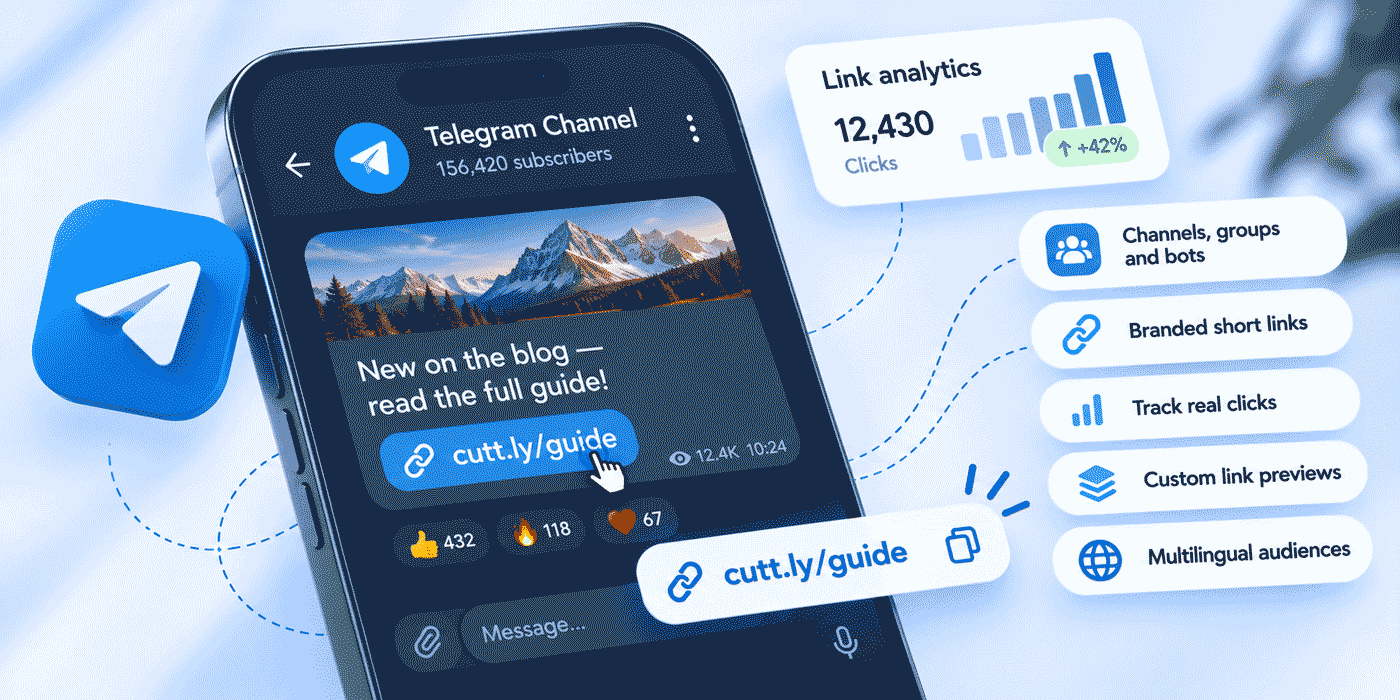
What This Guide Covers
- Where links live in Telegram: channels, groups, bots and invite links
- What Telegram statistics measure, and the gap short links fill
- Why a recognizable address matters more on Telegram
- Setting up a branded domain and one link per post
- UTM conventions for channels, groups and bots
- How link previews and forwards affect your numbers
- Changing destinations after a post is published
- Invite links and QR codes behind addresses you control
- Bots that create short links through the API
- Groups, international channels, surveys and Action Pages
- Reading Telegram views and Cuttly clicks together
- Mobile destinations and a weekly routine for link posts
- Two worked examples, common mistakes and a plan guide
Where Links Live in Telegram
Before deciding how to manage links, it helps to list every place they appear, because each behaves a little differently:
- Channel posts. The main event. A link in a post reaches every subscriber, and the post can be forwarded anywhere.
- The pinned post. The message that sits at the top of a channel or group. It is the natural place for a permanent set of official links.
- The channel or group description. Short, always visible on the profile, and usually the first link a new visitor sees.
- Group messages. Links shared by admins and members, often resources, rules and event pages.
- Bots. Bots send links in messages and in buttons under messages, often personalized for the person talking to them.
- Invite links. The addresses that bring people into your channel or group, which often appear outside Telegram: on websites, in emails, in printed QR codes.
The first five are links leaving Telegram; the sixth is a link leading into it. A short link can handle both directions, and the rest of this guide covers each.
What Telegram Measures, and the Gap Short Links Fill
Telegram offers built-in statistics for channels once they pass a subscriber threshold. They are useful: subscriber growth, joins and departures, how many subscribers have notifications on, views and shares per post, where views come from, and the preferred languages of subscribers. For a channel admin, these numbers answer questions about reach. How many people saw this post? Did it get forwarded? Is the channel growing?
What they are not built to answer is what happened after someone saw the post. A post can be seen by thousands of subscribers and tapped by very few, or seen by a modest number and drive a remarkable share of them to your shop. Views and clicks are different measurements, and for anyone using Telegram to send traffic somewhere, clicks are the one that pays the bills.
A short link gives every link in a post its own click count. Cuttly link analytics show clicks by day, devices, operating systems, browsers, countries and the language set on the device, on every plan. Put Telegram's view count next to Cuttly's click count for the same post, and you have a simple, honest measure of how well a post converts attention into action.
Why the Address Matters More on Telegram
Telegram is open by design: anyone can create a channel, any name can be imitated, and messages are forwarded far beyond their original audience. That openness is why Telegram is also a place where impersonation and scam links circulate, and why experienced users have learned to look closely at an address before they tap it. A link of random characters on an unfamiliar domain, posted in a channel with a familiar name, is exactly the pattern people are warned about.
Branded short links are the most practical answer. When every link from your channel uses your own domain, such as go.your-domain.co/winter-sale, your subscribers learn one rule: real links from this brand look like this. An imitation channel cannot use your domain. Over time that consistency becomes a trust signal on its own, and it protects your audience as well as your conversion rate.
Cuttly adds its own layer on the platform side. Cuttly Safe Redirecting assesses links when they are created and can refuse to shorten prohibited destinations, and at click time a blocked link shows a warning screen instead of forwarding silently. Destinations listed on recognized public blocklists are grounds for disabling a link. Anyone who sees a suspicious Cuttly link can report it at cutt.ly/report. More on how this works is in Is Cuttly Safe?
A Pinned "Official Links" Post
One simple habit strengthens all of this. Pin a post in your channel that lists your official links and states your domain plainly: "All our links start with go.your-domain.co." Readers who are unsure about a link can check against the pinned post, and anyone who later finds an imitation channel has a clear reference for what the real one looks like.
Setting Up: Branded Domain First
Connect your branded domain before you create any Telegram links. The domain of an existing short link cannot be changed later, so links created on the cutt.ly domain in the meantime would stay there.
Use a dedicated short domain or an unused subdomain, such as go.your-domain.co. Connecting it means pointing its DNS A record to Cuttly and adding a DNS TXT record for verification at your registrar, so the hostname must not be the one your website runs on: pointing the A record elsewhere makes a website on that exact hostname unavailable. The Free and Starter plans include 1 branded domain, with SSL configured on your side; from the Single plan, up to 5 domains are available, SSL through Let's Encrypt is included, and you can set a root page redirect for anyone who types the bare domain and a 404 redirect for mistyped aliases. The setup is covered in the custom domain guide.
One Link per Post
The most useful rule for Telegram is simple: every post that links somewhere gets its own short link, even when several posts point to the same page. A Monday post and a Thursday post promoting the same product should carry two different short links. Otherwise their clicks merge into one number, and you cannot tell which post, wording or time of day worked.
Custom Aliases Only Where People Read or Type Them
Not every link needs a custom alias. In a post, readers tap the link, and the alias matters mainly as a trust signal, which your domain already provides. Cuttly generates an alias automatically, like go.your-domain.co/aBcDeF, which costs nothing from your custom alias allowance. Save custom aliases for links people will read, remember, say aloud or type from print: the channel's main offer, the invite link on a poster, the link in the description. Custom aliases are limited to 3 per month on Free and 30 per month on Starter, and unlimited from Single.
Volume: Count Your Posting Rhythm
Telegram channels post often, so link volume grows quickly. A channel that posts one link a day needs about 30 short links a month, which is the Free plan's limit. Three link posts a day means about 90, which fits Starter's 300. Several channels, a busy group and a bot point toward Single, with 5,000 short links a month. Count your real rhythm before choosing, including the links you share in groups and through bots.
Names and Tags
Give every Telegram link a tag, for example telegram, plus the channel name if you run more than one. Tags and comments are available on every plan, and so is search by tag, so one search lists every link from a channel. From Starter, link titles can describe each link in the dashboard, such as "TG main channel: winter sale, post 2". These small habits are what make a month of links readable when you sit down to review them.
UTM Conventions for Telegram
Short link analytics count clicks. UTM parameters tell your website analytics what Telegram visitors did next, which is where questions about sales and sign-ups get answered. The UTM builder is available on every Cuttly plan, so parameters can be added when each link is created.
A convention that works for most channels:
utm_source=telegram&utm_medium=social&utm_campaign=winter-sale&utm_content=main-channel
- utm_source is always
telegram, so Telegram traffic never blends with other platforms. - utm_medium follows whatever you use for social traffic elsewhere. Consistency across platforms matters more than the specific word.
- utm_campaign names the offer or theme, identical across channels and posts.
- utm_content identifies the place:
main-channel,community-group,bot,pinned,description.
Write values in lowercase, keep spellings identical, and keep the convention in one shared document if several admins post. There is a practical reason to rely on UTM parameters with Telegram in particular: clicks from messaging apps often arrive without a referrer, so website analytics may record them as direct visits. In Cuttly, too, Telegram clicks tend to appear under other or direct sources. The link and its parameters carry the attribution. The full method is in the guide to UTM parameters with a URL shortener.
Link Previews: What Readers See Before They Tap
When a message contains a link, Telegram can show a preview with the page's title, description and image. The sender can turn the preview off, and Telegram also lets senders adjust it, for example showing it above or below the message text or choosing smaller or larger media where the page supports it. Bots have the same options when they send messages.
Three practical points follow for short links:
- The preview usually reflects the destination page. A short link leads to your page, so the title, description and image your page provides are what readers typically see. Make sure the destination has a clear title and a good image, and check the preview in a test message before publishing to the channel.
- Building a preview is an automated request. To show a preview, Telegram retrieves the page, which can register as early activity on a link. Cuttly applies bot filtering automatically on every plan to keep automated traffic out of your counts, and from Single a separate chart shows bot clicks. Read link performance over days, not over the first minutes.
- Decide per post whether a preview helps. A large preview makes a single offer stand out. In a post with several links, a preview of the first link can steal attention from the others; turning it off keeps the post tidy.
Forwards: Your Post Travels Without You
Forwarding is central to how Telegram spreads content. A post from your channel can be forwarded into other channels, groups and private chats, and from there forwarded again. Once that happens, the copies are outside your control: you cannot edit or remove a post that someone else forwarded into their group.
Short links change what that means for you. The link inside every forwarded copy is still your link, so every click from every copy is counted, and its destination is still yours to manage. When an offer ends, you do not have to chase forwarded copies: from the Starter plan, you edit the link's destination, and every copy now leads somewhere useful, such as the current offer or the product's restock page. Short links on Cuttly do not expire on their own, so a link in a post forwarded months from now still works.
Forwards also explain some puzzles in the analytics. A post aimed at one audience may collect clicks from countries and languages you never targeted, or keep earning clicks long after it stopped appearing in your subscribers' feeds. That is often a sign the post was forwarded into a community you have not met yet. Telegram's own statistics show shares and view sources; Cuttly's charts show where the resulting clicks came from. Together they tell you which posts travel.
Changing Destinations After a Post Is Published
Every Cuttly short link can have its destination edited from the Starter plan up, while the link itself stays the same. The rules depend on the plan. On Starter and Single, the new destination must be on the same domain as the current one: a product page on your shop can be replaced by another page on your shop. On Team and Team Enterprise, the new destination can be any URL, which matters if a link sometimes needs to move between your website and an outside platform. The steps are in the support article on changing the destination of a short link.
Typical reasons on Telegram: a product sells out, an event moves to a new registration page, a limited offer ends, or a page on your site is reorganized. In each case, editing the destination is better than editing the post, because it also fixes the forwarded copies you cannot reach. Keep a note of each change in the link's comment or title. Click charts do not know the destination changed, and the note lets you compare the days before and after.
Invite Links Behind Addresses You Control
Invite links bring people into your channel or group, and they often live outside Telegram: on your website, in your email signature, in a newsletter, on packaging and posters. That makes them a natural fit for short links, for two reasons.
You can count where subscribers come from. Create a separate short link to your invite link for each place it appears: go.your-domain.co/tg-website, tg-newsletter, tg-packaging. Each one counts its own clicks and scans, so you can see which placement brings people to the channel. Telegram's statistics show where new subscribers come from in broad categories; your short links add detail for the places outside Telegram.
You can replace the invite link without reprinting anything. Invite links sometimes need to change, for example when a private invite link is revoked and a new one is created, or when you move a community to a new group. If the printed QR code and the link on your website point to a short link, you edit the short link to the new invite link and everything already out in the world keeps working. Because Telegram invite links stay on the same Telegram domain, this kind of edit is a same-domain change, so it works on Starter and Single as well as on the Team plans.
QR Codes to Join
Every Cuttly short link has a QR code on every plan, so the invite link on a poster, a shop counter or a product insert can be scanned straight into your channel, and each scan is counted as a click on that link. From Single, QR codes can be customized with your colors, shapes and logo and downloaded in SVG for print, in addition to PNG, JPG and WEBP. One rule matters before printing: changing a short link's alias changes its QR code, and the old code stops working, so settle the alias first. Placement and size are covered in the QR code generator guide, and offline campaigns in general in how to use short links in offline campaigns.
The Channel Description and the Pinned Post
The description is short and permanent, so it suits one link that rarely changes. For many channels the best choice is a single link to a hub page that gathers everything else: shop, website, other channels, support, booking. A Cuttly Link in Bio page does exactly that. On Free and Starter it lives on the cutt.ly domain and holds up to 5 links; from Single you can use the cutt.bio domain or your own branded domain with an editable alias, hold up to 20 links, add a video and run up to 3 pages; on Team and Team Enterprise the pages carry no Cuttly branding.
The pinned post can then carry the links that need more explanation: the official links list, the current main offer, the community rules. Give each pinned link its own short link with utm_content=pinned, so you can see how much traffic the pinned post produces compared with regular posts. The Link in Bio guide covers page design in detail.
Bots and Buttons
Bots are where Telegram becomes software. They answer questions, deliver orders, send personalized offers and attach buttons under their messages that open links. Short links fit into this in two ways.
Short Links in Bot Messages and Buttons
Any link a bot sends, in the message text or behind a button, can be a Cuttly short link. That gives the bot's links the same benefits as channel links: click counts per link, editable destinations and your domain in the address. Use a separate short link for each button whose performance you care about, for example "See today's deal" and "Talk to support", so you can see which buttons people actually use. Since buttons hide the address behind a label, write the label to say exactly what happens next.
Bots That Create Links Through the API
A bot can also create short links on the fly by calling the Cuttly API, for example one link per campaign, per product or per request. API access is available on every plan, with rate limits of 3 calls per 60 seconds on Free, 6 on Starter, 60 on Single, 180 on Team and 360 on Team Enterprise, and monthly link volumes that follow the plan. For most bots, the efficient pattern is to create links for campaigns and products in advance, or when content is published, rather than on every message, which keeps you well within the limits. On the Team plans, the Team API works with a team's own links, and each team has its own API key. Treat API keys like passwords: keep them in the bot's server configuration, never in code you share. Developers will find the details in the API developer guide, and no-code options in the guide to automation with Zapier and Make.
Groups and Communities
Groups are conversations, and links in groups behave like links in conversations: they are shared in context, asked for again and again, and scroll out of view quickly. Three practices help.
- Stable resource links. Give the resources members ask for most a short, memorable custom alias, such as
go.your-domain.co/rulesorgo.your-domain.co/guide. Admins can paste them instantly, and members can retype them. - Separate links for the group. Use different short links in the group than in the channel, with
utm_content=community-group, so you can see how much traffic the community itself generates. - A clear rule about links. Groups attract spam, often in the form of links. A pinned rule that official links always use your domain makes moderation easier and protects members.
International Channels
Telegram audiences are often international, and both sides of your analytics can show it. Telegram's channel statistics include the preferred languages of subscribers. Cuttly's language chart, available on every plan, shows the language set on the devices that clicked your links, and the country chart shows where clicks came from based on the visitor's IP country. The two views complement each other: Telegram tells you who subscribes, Cuttly tells you who acts.
If clicks from a second language become a steady share, the usual next step is a destination page in that language, linked through its own short link, or a separate channel for that audience. Cuttly itself is available in 48 languages, so admins in different countries can manage links in the language they read best. The guide to multilingual links covers aliases, labels and analytics across languages.
Telegram Polls and Cuttly Surveys
Telegram has its own polls, and for a quick vote inside a channel or group they are the right tool: one question, a few answers, instant results. When you need more than one question, open-text answers, a structured form or answers you can export and analyze, a survey outside Telegram does the job better.
Cuttly Surveys provide that, with a short link under the /s/ path, such as go.your-domain.co/s/feedback, and a QR code. You write the questions in any language, the survey buttons can use one of 16 languages, and answers can be exported to PDF, XLS or CSV. Open-text answers are encrypted with 256-bit encryption before they are stored, and surveys may not collect special categories of personal data, such as health information. Every survey has an end date, with a maximum active period of 7 days on Free, 15 on Starter, 30 on Single, 60 on Team and 90 on Team Enterprise, which suits Telegram well: announce a survey in a post, keep it open for a defined period, and share the results with the channel afterward. The guide to online surveys with a URL shortener covers the full feature set.
Action Pages for Launches and Drops
Telegram channels are good at urgency: a product drop at a set time, a sale for one weekend, registrations that close on a date. Action Pages, available from the Single plan, give such moments a focused page: a title, description, background, logo, optional video, a single call-to-action button and an optional countdown, served from a short link under the /c/ path on cutt.ly or your branded domain.
The countdown can hide the button automatically when it reaches zero, while the page itself stays active, which fits the way Telegram posts keep circulating after an offer ends. From Single, CTR shows how many visitors pressed the button, so you can see whether the page itself persuades, not just whether people arrived from the post. Single includes 3 Action Pages, Team 10 and Team Enterprise 20. On Single, the button's destination can be changed only to a URL on the same domain; on the Team plans it can be any URL.
Reading Telegram Views and Cuttly Clicks Together
A Simple Click Rate per Post
For each post with a link, take two numbers: the post's views from Telegram and the link's clicks from Cuttly, measured over the same period, for example the first three days. Clicks divided by views gives you a click rate for the post. On its own the figure means little; across a month of posts it becomes the most useful number your channel produces, because it separates posts that were seen from posts that worked. Compare formats (image or text only, preview on or off), times of day, wording of the call to action and placement of the link in the post.
Timing
Telegram notifies subscribers of new posts unless they have muted the channel, so clicks tend to cluster soon after publishing and then fade. Cuttly's chart of clicks by day shows that pattern on every plan. From Single, Hourly Insights add a heat map of clicks by hour, for the last 7 days on Single and the last 14 days on the Team plans, which helps you choose the best publishing times for your audience rather than relying on general advice.
The Whole Channel at Once
Per-link analytics answer questions about posts. Questions about the channel as a whole need aggregated views. From Single, Aggregated Link Analytics summarize clicks across links, with top links, devices, countries and languages: the last 7 days for up to 10 links on Single, 14 days for up to 25 links on Team and 28 days for up to 50 links on Team Enterprise. On the Team plans, Cuttly Campaigns provide aggregated analytics for tags: tag every link from a channel and see total clicks, hourly activity, devices, sources, languages and locations for all of them together, for up to 50 tagged links on Team and 100 on Team Enterprise, over the last 14 days. Link analytics history runs 30 days on Free and Starter, 1 year on Single and 2 years on the Team plans. All of it is aggregated and anonymized, and statistics are private by default. More on reading the charts is in the link analytics guide.
Testing Your Links Inside Telegram
Depending on the reader's settings, Telegram may open links in its own in-app browser rather than the phone's default browser. Pages usually behave the same, but some destinations do not: a checkout that relies on a saved login, a page that requires an account, a file download. Before a link goes into a channel post, send it to yourself in Telegram, tap it on a phone, and follow the path all the way to the goal: the purchase, the sign-up, the booking. Check the preview at the same time. Five minutes of testing in the app avoids a post that reaches thousands of people and leads them into a dead end.
Mobile Destinations for App Audiences
Most Telegram reading happens on phones, which makes device-aware links useful for anyone promoting an app. From the Single plan, Mobile URLs let one short link send Android and iOS visitors to different destinations than desktop visitors, for example the right app store page on each phone and the product website on a computer. From Team, Deep Links add support for the Play Store and App Store. One link in one post then serves every device correctly, and the device chart shows how your Telegram audience splits between platforms.
A Weekly Routine for Telegram Links
Channels that post every day do best with a fixed routine rather than creating links in a hurry just before posting. A simple one takes about half an hour a week.
- Plan the week's link posts. List the posts that will carry links, including the ones you schedule in advance in Telegram.
- Create all their short links at once, each with its tag, title and UTM parameters, so nothing is improvised at posting time.
- Test each link by sending it to yourself in Telegram and checking the preview and the destination on a phone.
- Update the fixed links, such as the weekly deal or the pinned offer, by editing their destinations.
- Review last week: views from Telegram next to clicks from Cuttly for every link post, and one note about what to repeat or drop.
The routine pays for itself within a month. Links are consistent, mistakes are caught before thousands of people see them, and the weekly review turns a feed of posts into a record of what your audience responds to.
Worked Example: An Outdoor Gear Shop With a Telegram Channel
An online shop for outdoor gear runs a Telegram channel with a few thousand subscribers. It posts two or three times a day: new products, restocks, trail tips and a weekly deal. It also has a small community group for customers and prints a card with a QR code in every parcel. The shop chooses Single: about 80 links a month are well within its limits, it wants SSL included for its short domain, a year of history and Action Pages for drops.
Setup comes first. The shop connects go.your-domain.co, waits for verification and pins a post in the channel: "All our links start with go.your-domain.co." Every link post gets its own short link with an automatic alias, the tag telegram and UTM parameters with utm_source=telegram. The weekly deal uses a fixed custom alias, go.your-domain.co/deal, whose destination the team edits every Monday to the new deal page on the shop. Because the deal pages live on the shop's own domain, this works on Single.
The parcel card carries a QR code for go.your-domain.co/tg-parcel, a short link to the channel's invite link, printed in the shop's colors. A separate link, tg-website, sits in the website footer. After a month, the two links show that parcels bring more new subscribers than the website, so the shop adds a line on the card about what subscribers get: early access to drops.
For a limited winter jacket drop, the shop builds an Action Page with a countdown to the release time that hides the button when the drop closes. The post announcing it is forwarded into several hiking groups, and the link collects clicks from countries the shop does not ship to yet. The team notes this as a market signal. Comparing Telegram views with Cuttly clicks across the month, the team finds that short text posts with the preview turned on outperform long posts with several links, and it adjusts its format accordingly.
Worked Example: A Language School Community With a Bot
A language school runs three Telegram channels, one each for English, Spanish and German learners, plus a group per channel where students practice, and a bot that sends a daily exercise with a button to the full lesson on the school's website. Four staff members manage the content. The school chooses Team: it wants shared management with roles, and it sometimes points links to an outside webinar platform, which requires destination editing to any URL.
The four staff members join one Cuttly team. The bot creates the lesson links through the Team API when each lesson is published, tags them by channel and adds utm_content=bot. Each channel's description links to its own Link in Bio page in that language, without Cuttly branding, with course pages, the schedule and the practice group. The group invite links sit behind short links on the school's website and on printed flyers in the classroom. When a group grows too large and the school opens a second one, it edits the flyer link to the new group's invite link, and the flyers stay in use.
Campaigns analytics for the three channel tags show something Telegram's numbers alone did not. The Spanish channel has fewer subscribers than the English one, but its lesson links get a higher share of clicks per view, and the language chart shows that many of the English channel's clicks come from Spanish-language devices. The school decides to cross-promote the Spanish channel inside the English one and to run a two-week Cuttly survey among Spanish learners about which course format they would pay for, with the results shared back in the channel.
Common Mistakes
- Raw links with visible tracking parameters. Long addresses with UTM codes look suspicious in a message. Put the parameters behind a branded short link.
- Links on random domains. On a platform with impersonation, an unfamiliar domain undermines trust. Use your own domain for every link and say so in a pinned post.
- One link for many posts. Clicks merge and nothing can be compared. Give every post its own link.
- Treating views as results. Views measure reach, clicks measure action. Track both and compare them.
- Editing posts instead of destinations. Forwarded copies keep the old version. Edit the short link's destination so every copy leads somewhere useful.
- Printing a raw invite link. If the invite link changes, the print is wasted. Print a short link or QR code and repoint it when needed.
- Reading the first minutes as clicks. Preview requests and other automated traffic can appear early. Bot filtering helps, and trends over days are what count.
- Chaining short links. Point every short link straight to its real destination. Links that contain more than one redirect, or were already shortened with another shortener, can be blocked.
- Skipping the in-app test. Tap every link inside Telegram on a phone before posting it to the channel.
The Short Version
Connect a branded domain first and tell your subscribers, in a pinned post, that real links always use it. Give every link post its own short link, with automatic aliases for links people tap and custom aliases for links people read or type. Tag every Telegram link and add UTM parameters with utm_source=telegram and the place in utm_content. Check previews before posting and read performance over days. When an offer ends, edit the destination instead of the post, so forwarded copies stay useful. Put invite links behind short links and QR codes, one per placement, and repoint them when the invite changes. Let bots send short links, or create them through the API. Read Telegram views and Cuttly clicks side by side to see which posts were seen and which ones worked.
Choosing a Plan for Telegram
Four questions decide it. How many link posts a month? About one a day fits Free; a few a day fit Starter; several channels, groups and a bot point to Single. Do you need custom aliases for invite links, resources and offers? Starter allows 30 a month; Single and above have no alias limit. Where will destinations move? Within your own site and between Telegram invite links, Starter and Single are enough; between your site and outside platforms, Team. Who manages the links? One admin can work on any plan; several admins with roles point to Team.
Cuttly Plan Guide for Telegram
The Free plan ($0) covers a small channel: 30 short links and 3 custom aliases a month, 1 branded domain with SSL configured on your side, QR codes, the UTM builder, tags, one Link in Bio page, API access and link analytics with 30 days of history. Registration is required; no credit card is needed.
The Starter plan ($12/month) suits an active single channel: 300 short links and 30 custom aliases a month, destination editing within the same domain, link titles and more control over the Link in Bio page.
The Single plan ($25/month) fits businesses running Telegram seriously: 5,000 short links a month with unlimited custom aliases, up to 5 branded domains with SSL included, customizable QR codes with SVG download, 1 year of analytics, Hourly Insights, a bot chart, Aggregated Link Analytics, Action Pages, Link in Bio pages on cutt.bio or your own domain and a higher API rate limit.
The Team plan ($99/month) suits several admins and more complex setups: destination editing to any URL, 2 years of analytics, Campaigns analytics for tags, up to 3 teams with 5 members each and five roles, the Team API and Link in Bio pages without Cuttly branding.
The Team Enterprise plan ($149/month) extends this for large organizations: 50,000 short links a month, up to 10 teams with 20 members each, 99 branded domains, the highest API rate limit and SSO.
You can try it on your next post: create a free Cuttly account, connect your domain, and publish your next Telegram link as a short link with its own UTM parameters. Registration required; free plan available with no credit card needed.
Frequently Asked Questions
Can I track clicks on links in Telegram posts?
Yes. Telegram channel statistics focus on views, shares and subscribers. With a Cuttly short link in the post, every click is counted, with charts by day, device, country and language. Analytics are aggregated and anonymized.
Can I change where a link goes after the post is published?
Yes, from the Starter plan. Edit the short link's destination and the link in the post, including forwarded copies, leads to the new page. On Starter and Single the new destination must be on the same domain; on the Team plans it can be any URL.
Can I put a Telegram invite link behind a short link?
Yes. Point a short link or QR code at your invite link. If the invite link is replaced, edit the short link, from Starter, to the new one on the same Telegram domain, and printed codes keep working.
Can a Telegram bot create Cuttly short links automatically?
Yes, through the Cuttly API, which is available on every plan with rate limits from 3 calls per 60 seconds on Free to 360 on Team Enterprise. Creating links when content is published, rather than on every message, keeps a bot well within its limits.
Why do I see activity right after posting a link?
Some early requests are automated, such as the request Telegram makes to build a link preview. Cuttly filters bots automatically on every plan, and from Single a separate chart shows bot clicks. Judge links over days, not minutes.
Do I need a paid plan?
No. Free includes 30 short links and 3 custom aliases a month, 1 branded domain with your own SSL setup, QR codes and 30 days of analytics. Registration is required, and no credit card is needed. Channels posting several links a day usually need Starter or Single.
- MESSAGING
- URL Shortener →
- Link in Bio Builder →
- QR Code Generator →
- Messaging Guides
- URL Shortener for WhatsApp
- URL Shortener for SMS Marketing
- URL Shortener for Email Signatures
- Setup and Tracking
- Custom Domains for Short Links
- UTM Parameters Guide
- Link Analytics Guide
- Campaigns: Analytics for Tags
- Bots and Automation
- API Developer Guide
- Zapier and Make Automation
- This Series
- URL Shortener in 48 Languages
- Is Cuttly Safe? Security and Privacy
- Is Cuttly Free? Pricing Explained
- Support Docs
- Changing a Link's Destination
- Support: Is Cuttly Safe?
- Encyclopedia
- Branded Links
- Link in Bio
- Verticals Hub
- URL Shortener for Every Industry →
- Start Here
- Create Free Account
- Plans & Pricing
URL Shortener
Cuttly simplifies link management by offering a user-friendly URL shortener that includes branded short links. Boost your brand’s growth with short, memorable, and engaging links, while seamlessly managing and tracking your links using Cuttly's versatile platform. Generate branded short links, create customizable QR codes, build link-in-bio pages, and run interactive surveys—all in one place.
Cuttly More Than Just a URL Shortener
Cuttly is a comprehensive, ever-evolving platform for link shortening that combines innovation and user-friendliness to deliver a seamless experience in managing and shortening URLs.


