URL Shortener for Email Signatures The Complete Guide
The email signature is the most repeated piece of marketing most companies own. It sits under every reply, every introduction, every quote and every invoice email, and it reaches people who are already in conversation with you. Yet in most organizations it is also the least managed. Links in signatures point to pages that moved two redesigns ago, each person's signature says something slightly different, and nobody knows whether anyone clicks at all.
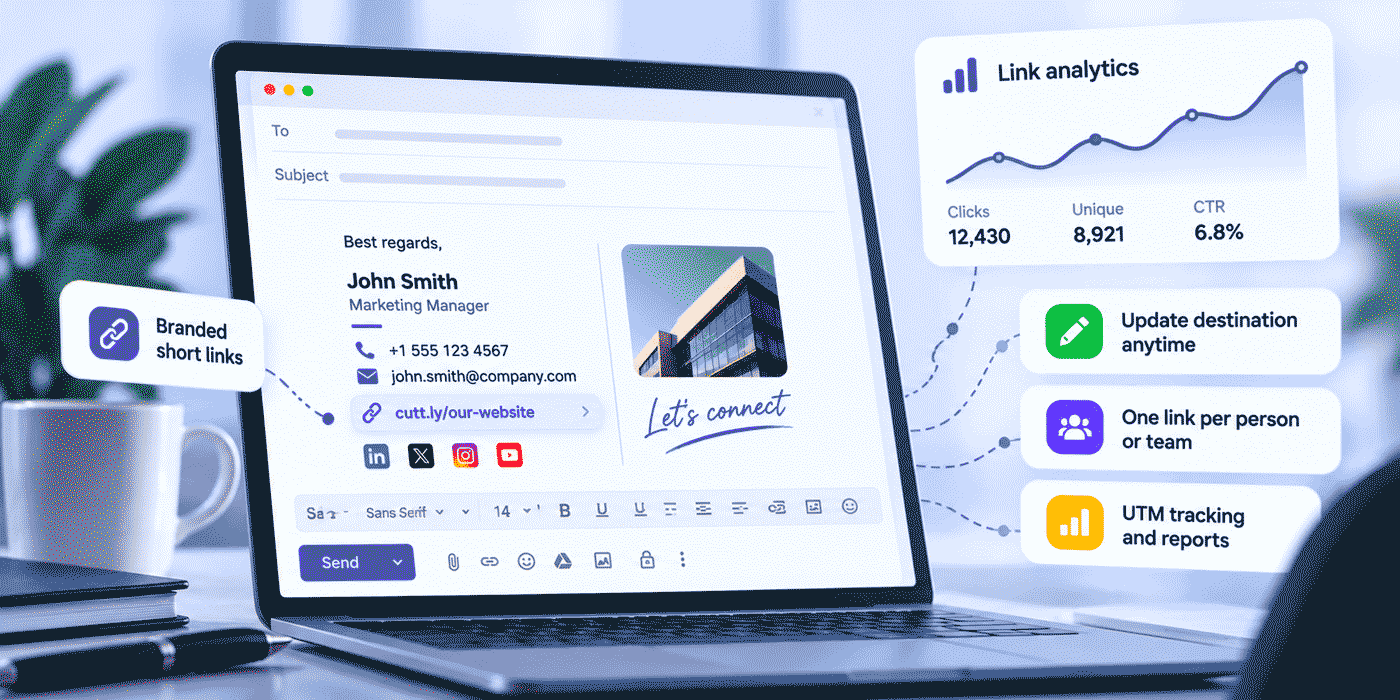
This guide shows how to turn the signature into a channel you can measure and maintain with Cuttly, the URL Shortener for branded short links, QR codes, Link in Bio pages and link analytics. It covers why a branded domain comes first, how to design a signature around one clear action, whether to give each person their own link, how to name and tag links so they stay manageable, how to update destinations without touching a single signature, how to read the analytics, and what to do when people join or leave. Cuttly creates and manages the links; the signatures themselves are set in your email client or by your email administrator.
What This Guide Covers
- Why the signature deserves to be managed like a channel
- What raw links do wrong in signatures
- Why the branded domain comes first, and the order of setup
- Designing a signature around one primary action
- Primary links by role, from sales to recruiting
- One link per company, per team or per person: the trade-offs
- Naming, tagging and UTM conventions that scale
- Updating destinations without touching any signature
- Testing two landing pages behind one signature link
- Link in Bio as a digital business card, and feedback surveys
- Reading signature analytics, including threads, forwards and scanners
- Rolling out across a company, and handling joiners and leavers
- Two worked examples, common mistakes and a plan guide
Why the Signature Deserves to Be Managed Like a Channel
Start with a rough calculation for a small team. Twelve people who each send around forty external emails on a working day produce close to five hundred signature appearances a day, which adds up to roughly ten thousand a month. The numbers in your company will differ, but the shape is the same: the signature is seen far more often than most pages on your website, and it is seen by the people most likely to act, because they are already talking to you.
Three qualities make it unusual. The audience is warm: clients, prospects, partners and candidates who opened your message on purpose. The exposure is repeated: the same person sees your signature in every message of a thread. And it costs nothing per view. What it usually lacks is the discipline any other channel gets: a clear goal, consistent execution, up-to-date destinations and a way to see whether it works. Short links on your own domain supply the last two, and a little planning supplies the first two.
What Raw Links Do Wrong in a Signature
Plain-Text Replies Show the Full Address
In a formatted signature, a link hides behind its text. But email does not always stay formatted. Some recipients read in plain text, some replies are composed in plain text, and a forwarded message can lose its formatting along the way. Then the full address appears in the message body. A long URL with tracking parameters attached becomes a line of characters that looks like noise, or even like something suspicious. A short branded link such as your-domain.co/book-anna reads like part of the signature, in any format.
Long Links Break Layouts
Long addresses wrap awkwardly on phone screens and can be split across lines when an email is quoted or reformatted, which can leave a recipient with half a link. A short link fits on one line almost anywhere and survives quoting intact.
Hard-Coded Destinations Go Stale
When a destination URL is pasted directly into thirty signatures, changing it means thirty edits by thirty people. In practice some of those edits never happen, so a share of your outgoing email keeps pointing at last year's offer or at a page that no longer exists. A short link separates the address in the signature from the destination behind it, so the destination can change in one place.
No Data, or the Wrong Data
Clicks from email often arrive at a website without a referrer, so website analytics may file them as direct visits, indistinguishable from people who typed your address. With raw links, you cannot tell whether the signature produces anything. With a dedicated short link, every click on that link is counted, whatever the website sees.
Why the Branded Domain Comes First
A signature link on your own domain does three jobs. It shows your name in the address, which matches the sender the recipient already knows. It keeps the link's reputation in your hands: mail systems evaluate links in messages, and a domain only your company uses carries your history rather than anyone else's. And it gives every link a consistent, recognizable form, from the newest hire's booking link to the company-wide offer.
The setup order matters more here than almost anywhere. Connect the domain before you create any signature links, because the domain of an existing short link cannot be changed later. Links created on the cutt.ly domain while the branded domain is still being set up would have to be recreated and redistributed.
Choose a dedicated short domain or an unused subdomain, such as go.your-domain.co. Connecting a domain to Cuttly means pointing its DNS A record to Cuttly and adding a DNS TXT record for verification, both at your domain registrar. Pointing the A record elsewhere makes any website currently on that exact hostname unavailable, which is why your main website domain is the wrong choice. The Free and Starter plans include 1 branded domain, with SSL configured on your side; from the Single plan you can connect up to 5 domains, SSL through Let's Encrypt is included, and two extra settings help: a root page redirect, which sends anyone who types the bare short domain to your website, and a 404 redirect, which sends a mistyped alias somewhere useful instead of an error. The full setup is in the custom domain guide, and the reputation side is covered in domain reputation for branded short links.
Designing the Signature Around One Link
One Primary Action
A signature with seven links asks the reader to choose, and most readers choose nothing. Decide what one thing you most want a recipient to do next, and make that the signature's only prominent link. For a consultant it is usually booking a call. For a sales team, the current offer or a case study. For a support team, the help center or a short feedback survey. For a recruiter, the open roles page. A second, quieter link is fine, for example to your company's latest news, and small social links can sit underneath. Beyond that, each added link dilutes the first.
Link Text and the Visible Address
In a formatted signature, attach the short link to text that says what happens next: "Book a 20-minute call" works better than "Calendar" or a bare address. In the plain-text version, the short link itself is what the reader sees, so choose aliases that read well: your-domain.co/book-anna explains itself.
One rule protects both your recipients and your deliverability: if the text of a link looks like an address, it must be the address the link actually points to. Text showing one URL while the link goes to another is a classic phishing pattern, and both careful readers and mail filters look for it. If you display an address in the signature, display the real short link.
Do Not Rely on Images
Many email clients block images until the recipient allows them, so a primary action that exists only as an image button may simply not appear. Social icons as images are acceptable as extras, but the primary action should always be a text link. If you use a banner image for a campaign, put a text link with the same destination next to it.
Think Phone First
A large share of email is read on phones. Keep the signature short, give links enough space to be tapped without hitting the neighbor, and make sure the page behind your primary link works well on a small screen. Your link analytics will tell you how many of your signature clicks come from mobile devices, and that number usually settles any debate about mobile-friendly landing pages.
Primary Links by Role
The right primary link depends on what the sender's emails are usually about. A few patterns cover most companies:
- Sales: a personal booking link, such as
your-domain.co/book-anna, or the current offer or case study through a shared link likeyour-domain.co/sales-offer. Prospects who are already replying are the people most likely to book. - Account management: a page of client resources or a link to schedule a regular review, so existing clients always know where to go between meetings.
- Support: the help center as the permanent link, with a short feedback survey added as a time-boxed campaign, as described later in this guide.
- Recruiting and HR: the open roles page through a stable link like
your-domain.co/jobs. Candidates forward recruiter emails to friends, so this link often travels further than any other. - Leadership: the latest company news, an annual report or a recent interview. Senior people write to partners, investors and journalists, and their signatures are read closely.
- Freelancers and consultants: a booking link, or a Link in Bio page that gathers portfolio, booking and contact in one place.
- Companies with a mobile app: a "Get the app" link. From Single, Mobile URLs let one short link send Android and iOS visitors to different destinations than desktop visitors, and from Team, Deep Links add support for the Play Store and App Store, so one signature line serves every device.
A company can mix these in one template: the same layout for everyone, with the primary line chosen by role. The template stays consistent, and each person's signature still does the job that matters for their emails.
One Link per Company, per Team or per Person?
This is the central design decision, and there is no single right answer. It depends on what you want to learn and how much you are willing to maintain.
| Model | Example | What you learn | Maintenance | Best for |
|---|---|---|---|---|
| One company link | your-domain.co/offer | Total clicks from all signatures | One link | Small companies, one shared goal |
| One link per team | your-domain.co/sales-offer | Clicks by department | A handful of links | Companies comparing teams or messages |
| One link per person | your-domain.co/book-anna | Clicks by signature | One or more links per person | Personal booking pages, sales and advisory roles |
Personal links are often required anyway, because each person's booking page is different. When destinations are personal, links should be too. When everyone points to the same page, a company or team link is usually enough, and you can still tell people apart through UTM parameters if your website analytics need it, as described below.
A Word on Personal Click Counts
Personal links produce personal numbers, and it is worth deciding up front what those numbers are for. A signature's clicks depend mostly on how many emails a person sends and to whom, not on how well they do their job. A support agent who answers two hundred messages a day will collect more clicks than an account manager with ten key clients. Use personal counts to improve the signature and the destination, for example to see whether a booking link is used at all, rather than to rank colleagues. Note also what the numbers are not: Cuttly analytics are aggregated and anonymized, so a personal link shows how many clicks it received, not which recipients clicked.
Naming and Tagging Conventions That Scale
Signature links multiply quietly. A company with twenty people, a personal booking link each and a few shared links has more than twenty-five signature links before the first campaign. A written convention keeps them findable.
- Aliases that describe the action, then the owner:
book-anna,book-marek,sales-offer,support-help. Pick one order and keep it everywhere. - Lowercase letters, digits and hyphens only. No diacritics, no spaces, nothing that is hard to read aloud or retype from a printed page.
- A shared tag for every signature link, for example
signature. Tags and comments are available on every plan, and so is search by tag, so one search lists every signature link in the account. - Descriptive link titles, available from Starter, such as "Signature: Anna, booking". The title shows in the dashboard and makes long lists readable.
- Count before you plan. Custom aliases are limited to 3 per month on Free and 30 per month on Starter, and unlimited from Single. A personal-link rollout for more than a few people usually belongs on Single or above.
If your company writes emails in several languages, the same rules extend naturally, with a language code in the alias. The guide to multilingual links covers that in detail.
UTM Parameters for Signature Links
Short link analytics count clicks. UTM parameters let your website analytics show what signature visitors did after arriving: which pages they read, whether they booked, bought or signed up. The UTM builder is available on every Cuttly plan, so the parameters can be attached when you create each link.
A workable convention for signatures:
utm_source=signature&utm_medium=email&utm_campaign=evergreen&utm_content=anna
- utm_source identifies the signature as the source, so it never mixes with newsletter traffic.
- utm_medium stays
email, consistent with the rest of your email reporting. - utm_campaign names the purpose:
evergreenfor permanent links, a campaign name for the rotating slot. - utm_content carries the person or team, if you need that split on the website side.
Write all values in lowercase, use the same spellings everywhere, and write the convention down where everyone who creates links can find it. More on structuring parameters is in the guide to UTM parameters with a URL shortener, and email-specific tracking is covered in how to track links in email campaigns.
Updating the Destination Without Touching a Signature
This is the feature that turns a signature from a static block into something you can run. The short link in the signature stays fixed; the destination behind it can be edited at any time. The quarterly offer changes, a new case study replaces the old one, the webinar season starts: you edit one destination in Cuttly, and every signature, including those in emails already sitting in recipients' inboxes, now leads to the new page.
The rules depend on the plan, and they decide which plan a signature program needs. On Starter and Single, the new destination must be on the same domain as the current one. On Team and Team Enterprise, it can be any URL. In practice: if your rotating offers all live on your own website, Starter or Single is enough. If a link sometimes needs to move between your website and an outside platform, such as an event registration service, you need Team. Personal booking links usually stay on the same scheduling service, so moving one from one colleague's booking page to another's on that same service is a same-domain change. The steps are described in the support article on changing the destination of a short link.
Two habits make destination changes easy to live with. First, keep a change log on the link itself, using the tag and comment field or the link title, noting the date and the new destination. The click chart does not know you changed anything, so the note is what lets you compare the weeks before and after. Second, remember that short links on Cuttly do not expire on their own. A signature link created today keeps working for as long as you keep it, which is exactly what a link printed in years of sent email needs.
The Rotating Campaign Slot
Many companies give the signature a permanent primary link and a secondary "What's new" line whose destination changes every month or quarter: a new product, an upcoming event, a recent report. With a fixed alias such as your-domain.co/news, the line in the signature never changes, only the page behind it. Over time this produces a useful record: clicks per period for each campaign, measured on the same placement, which is a fairer comparison than most channels allow.
For a campaign that deserves its own page, Action Pages, available from the Single plan, give you a focused call-to-action page with a title, description, button, optional video and countdown, served under the /c/ path on your own domain. An Action Page has its own short address, so use it directly: put the Action Page link into the signature template for the campaign period, if your signatures are managed centrally, or point your rotating link to a page on your website instead.
What you should not do is point one short link at another short link. Cuttly's Terms allow the blocking of links that contain more than one redirect or that were already shortened with another shortener, and a chain of redirects is also slower and less transparent for the reader. Every short link should lead straight to its real destination.
Testing Two Pages Behind One Signature Link
Because signature traffic is steady and comes from a consistent audience, it is a good place to test a landing page. From the Single plan, link rotation splits the traffic of one short link between alternative destinations: an A/B split of 50/50 on Single, an A/B split with a percentage you set on Team, and an A/B/C split with percentages on Team Enterprise. The signature does not change at all; the link behind it simply sends part of its visitors to each version.
A typical signature test compares two versions of the page behind the primary link: a booking page with a short introduction video against one without, or a case study page that leads with results against one that leads with the client's story. Give each destination its own utm_content value, such as page-a and page-b, so your website analytics show what visitors to each version did after arriving. Change one thing at a time, and give the test several weeks: signature traffic is reliable but modest, so small differences need time before they mean anything. When one version clearly wins, make it the only destination and start the next test.
Link in Bio as a Digital Business Card
For freelancers, consultants and anyone whose work spans several places online, one signature link can lead to a page that gathers everything: booking, portfolio, LinkedIn, the latest article, a short video introduction. That is what a Cuttly Link in Bio page is, and it works as well under an email as it does on a social profile.
On Free and Starter, the page lives at an address on the cutt.ly domain and holds up to 5 links. From Single, you can choose the cutt.bio domain or your own branded domain, edit the page alias into something like cutt.bio/anna-nowak, add up to 20 links and a video, and run up to 3 pages. On Team and Team Enterprise, pages carry no Cuttly branding, which suits company-wide pages for whole teams. From Starter you can write a description, edit link titles and change their order, so the most important action sits at the top.
The same page connects your email and your paper. Every bio page has a QR code, so the business card you hand over at a meeting and the signature under your follow-up email lead to the same place. Settle the page alias before printing: changing the alias of a bio page changes its QR code, and previously printed codes stop working. The Link in Bio guide and the guide to QR codes on business cards cover both sides.
Feedback Links: Surveys After the Conversation
Support and account teams can use the signature to ask for feedback: "How did we do? Two-minute survey." Cuttly Surveys provide the form, with its own short link under the /s/ path, such as your-domain.co/s/feedback, and its own QR code.
One property shapes how surveys fit into signatures: every survey has an end date. The maximum active period is 7 days on Free, 15 on Starter, 30 on Single, 60 on Team and 90 on Team Enterprise. A survey link is therefore not a permanent signature element. Treat it as a time-boxed campaign instead: "Q4 client feedback" for a month, placed in signatures you can update when the survey closes, then removed or replaced. That rhythm also suits the data better, because results from one defined period are easier to act on than an endless trickle.
Survey and response limits depend on the plan, from 1 survey on Free to 50 on Team Enterprise, so check them against your email volume. Answers can be exported to PDF, XLS or CSV, open-text answers are encrypted with 256-bit encryption before they are stored, and surveys may not collect special categories of personal data, such as health information. More on running feedback this way is in the guide to customer feedback surveys.
Reading Signature Analytics
What You Can See
Every Cuttly short link has its own analytics on every plan: clicks by day, sources and referrals, devices, operating systems, browsers, device brands, countries and the language set on the device. History is kept for 30 days on Free and Starter, 1 year on Single and 2 years on the Team plans. Analytics are aggregated and anonymized, and statistics are private by default.
Expect most signature clicks to appear under direct or other sources, because email clients often do not pass a referrer. That is not a gap in the data; it is the reason dedicated signature links exist. The link itself is the attribution.
The Thread Effect
Signatures behave differently from campaign emails in two ways. First, the same signature appears many times in one thread, so a single recipient may click the same link more than once over a long conversation. From Single you can choose to count unique clicks instead of all clicks, with a 15-minute window on Single and an adjustable window from 15 minutes to 24 hours on the Team plans, which gives a cleaner picture of how many separate visits the link produced. Second, emails get forwarded. A signature travels with the message to people you never wrote to, which is why signature links sometimes collect clicks from countries or languages you do not recognize. That is often good news: your email reached further than you sent it.
Security Scanners and Other Bots
Many organizations run email security systems that open links automatically to check them before a person does. To a link, such a check can look like a click. Cuttly applies bot filtering automatically on every plan to keep automated traffic out of your counts, and from Single a separate chart shows bot clicks, so you can see that traffic for what it is. Even so, read signature analytics as trends over weeks rather than as exact counts on a single day.
Five Questions Worth Asking Each Month
- Is the primary link used? If a booking link gets almost no clicks, the problem may be the wording, the placement or the page behind it.
- Did the rotating slot beat last month? Same placement, different campaign: a fair comparison.
- How many clicks come from phones? If the share is high, the destination must work on a small screen.
- Which countries and languages appear? Unexpected ones may point to forwarded emails or to an audience that would value a translated page.
- Which links get nothing? A signature link nobody uses is clutter. Remove it or replace it.
Reporting Across All Signature Links
From Single, Aggregated Link Analytics summarize clicks across links: the last 7 days for up to 10 links on Single, 14 days for up to 25 on Team and 28 days for up to 50 on Team Enterprise. Click reports can be generated as PDF files from Single, which is handy for a monthly note to management. On the Team plans, Cuttly Campaigns provide aggregated analytics for tags: tag every signature link signature and see total clicks, devices, sources, languages and locations for the whole signature program in one view, for up to 50 tagged links on Team and 100 on Team Enterprise, over the last 14 days. The broader reading habits are in the link analytics guide.
Rolling It Out Across a Company
A company-wide signature program is a small project with a clear sequence:
- 1. Connect the branded domain and wait for verification. Nothing else starts before this.
- 2. Decide the model (company, team or personal links) and write the naming, tagging and UTM convention on one page.
- 3. Create the links. A few links are quickest by hand. For dozens, the CSV importer, available from Single, creates links in bulk: up to 100 per month on Single, 2,000 on Team and 5,000 on Team Enterprise. Teams with their own tools can create links through the API.
- 4. Tag and title every link so the whole set can be found and reported on.
- 5. Build one signature template with the primary action, an optional secondary line and contact details.
- 6. Test before rollout: send test emails to a few different email clients, read them on a phone, view the plain-text version and click every link.
- 7. Deploy the template, either through your email administrator or with clear instructions for each person.
- 8. Review after thirty days using the five questions above, and adjust.
Who Needs Access to Cuttly
Not everyone with a signature needs a Cuttly login. Usually two or three people manage the links for the whole company: someone in marketing, someone in operations, perhaps a sales manager who wants to see the numbers. On the Team plan you can create up to 3 teams with up to 5 members each, and on Team Enterprise up to 10 teams with up to 20 members each. Members are invited by email, only the team owner needs the Team subscription, and each member gets one of five roles, from Owner and Admin to Moderator, User and Viewer, so access can match each person's job. Team links can be exported to CSV, which makes it easy to audit that every person has the links the convention says they should. More on team workflows is in the guide to URL shorteners for marketing teams.
When People Join and Leave
Joiners are simple: create their links from the convention on their first day, so their first emails already carry the right signature.
Leavers need more thought, because their emails do not leave with them. Messages they sent over the years sit in clients' inboxes, and every one carries their signature links. Do not delete a leaver's links. Deleting a short link removes its entire click history, and the alias is blocked for a time. Repoint the link instead: send the leaver's booking link to a colleague's booking page or to the team's contact page, so a client who clicks an old email still reaches a person. On Starter and Single, the new destination must be on the same domain as the old one; on the Team plans it can be anything. Update the link title to record the change, and the history stays intact.
Privacy and Respect for Recipients
A signature link is a courtesy to the reader: a quick way to the next step. It should stay that way. Cuttly counts clicks on links; it does not track whether your emails were opened, and it does not show which recipient clicked. Analytics are aggregated and anonymized, statistics are private by default, Cuttly does not put ads on short links on any plan and does not sell user data, and Cuttly is operated by a company based in Gdańsk, Poland, with servers in the EU. For a closer look at security and privacy, see Is Cuttly Safe?
Worked Example: An Accounting Firm With Eight Advisers
An accounting firm has eight advisers, each with a personal booking page on the same online scheduling service, and a website with articles on upcoming tax deadlines. Its goals are simple: make booking a meeting one click away in every email, and remind clients of the next deadline without anyone editing their signature each month.
The firm chooses Single. Eight personal links and a few shared ones would fit within Starter's 30 custom aliases a month, but the firm wants a year of analytics history, so it can compare this tax season with the next, and it prefers SSL included for its short domain. It connects go.your-domain.co first and waits for verification. Then it creates nine links: book- plus each adviser's first name, and deadlines, which points to the article about the next tax deadline. All nine carry the tag signature, a descriptive title and UTM parameters, with the adviser's name in utm_content.
The signature template has one primary line, "Book a meeting", linked to the adviser's booking link, and one secondary line, "Next tax deadline", linked to go.your-domain.co/deadlines. Every month, the office manager edits that link's destination to the current deadline article on the firm's website and notes the change in the link's comment. Because the articles are on the firm's own domain, this works on Single.
After two months, the analytics show that the deadline link is clicked most in the two weeks before each deadline, and that more than half of all signature clicks come from phones. The firm shortens its deadline articles and moves the key date to the top. When one adviser leaves, the office manager repoints that adviser's booking link to a colleague's booking page on the same scheduling service. Clients who reply to old emails still land on a calendar, and the link's history stays in place.
Worked Example: A B2B Sales Team of Twenty
A software company has twenty account executives, a marketing team of three and a sales operations manager. Each executive has a personal booking page, and marketing wants the signature to promote whatever matters most each quarter, sometimes a page on the company website, sometimes a registration page on an outside event platform. That last requirement settles the plan: moving a destination between domains needs Team.
Only four people need Cuttly access: the three marketers, who manage the links, and the sales operations manager, who follows the analytics, all in one team. They create the twenty personal links in one CSV import, plus one shared link, your-domain.co/highlight, for the quarterly slot. Every link gets the signature tag, so Campaigns analytics for that tag show the whole program at once; at twenty-one links, it fits comfortably within the 50 tagged links that Team covers.
In the first quarter, the highlight link points to a case study on the website. In the second, marketing edits the destination to the registration page for a trade show on an outside platform, and in the third back to a new product page on the website. The signatures never change. The highlight link's own click chart, with two years of history on Team, shows the trade show quarter with the strongest result, and the language data shows a steady share of German-language devices among signature clicks, which leads marketing to commission a German version of the next case study. When an executive leaves, their link is repointed to the sales team's shared booking page the same day.
Both examples follow the same order: domain first, a written convention, tagged and titled links, a tested template, and destination edits instead of signature edits.
Common Mistakes
- Creating signature links before connecting the domain. The domain of an existing link cannot be changed. Connect and verify the domain first.
- Using your main website domain as the short domain. Pointing its A record to Cuttly takes the website offline. Use a dedicated domain or an unused subdomain.
- Deleting a leaver's links. Old emails keep using them. Repoint instead, and keep the history.
- Showing one address and linking to another. It looks like phishing to readers and filters. Display the real short link or descriptive text.
- An image-only primary action. Images are often blocked. Always provide a text link.
- Too many links. One primary action, one optional secondary line, small social links at most.
- Chaining short links. Point every short link straight to its real destination. Links with more than one redirect can be blocked.
- A survey link in a permanent signature. Surveys have end dates. Run them as time-boxed campaigns.
- Ranking people by clicks. Clicks follow email volume and audience. Use them to improve signatures, not to compare colleagues.
- Skipping the plain-text test. Read the signature as plain text and on a phone before rollout.
The Short Version
Connect a dedicated branded domain before anything else. Design the signature around one primary action, linked from descriptive text, with a short link that reads well in plain text. Choose company, team or personal links depending on what you want to learn, and write the naming, tagging and UTM convention down. Change destinations in Cuttly instead of editing signatures, within the same domain on Starter and Single or anywhere on the Team plans, and log each change on the link. Use a rotating slot for campaigns, a Link in Bio page as a digital business card, and surveys as time-boxed feedback campaigns. Read the analytics monthly as trends, expecting threads, forwards and security scanners. When someone leaves, repoint their links rather than deleting them.
Choosing a Plan for Signature Links
Four questions decide the plan. How many links with custom aliases? A single person or a company-wide link fits Free or Starter; personal links for a growing team point to Single, where aliases are unlimited. Where will destinations move? Within your own website, Starter and Single are enough; between your website and outside platforms, Team. How much history do you need? 30 days on Free and Starter, 1 year on Single, 2 years on the Team plans. Who manages the links? One person can do it on any plan; shared management with roles starts at Team.
Cuttly Plan Guide for Signature Links
The Free plan ($0) suits one person testing the idea: 30 short links and 3 custom aliases a month, 1 branded domain with SSL configured on your side, QR codes, the UTM builder, tags, one Link in Bio page and link analytics with 30 days of history. Registration is required; no credit card is needed.
The Starter plan ($12/month) adds what a small office needs: 300 short links and 30 custom aliases a month, destination editing within the same domain, link titles, and Link in Bio description, link order and template controls.
The Single plan ($25/month) is the natural home for a company signature program: 5,000 short links a month with unlimited custom aliases, up to 5 branded domains with SSL included, root page and 404 redirects, 1 year of analytics, unique click counting, a bot chart, PDF reports, Aggregated Link Analytics, A/B link rotation, Mobile URLs, the CSV importer, Action Pages and Link in Bio pages on cutt.bio or your own domain.
The Team plan ($99/month) fits companies whose signature links move between their website and outside platforms, or whose links are managed by several people: destination editing to any URL, 2 years of analytics, Campaigns analytics for tags, up to 3 teams with 5 members each and five roles, team exports and Link in Bio pages without Cuttly branding.
The Team Enterprise plan ($149/month) extends this for larger organizations: up to 10 teams with 20 members each, 50,000 short links a month, 99 branded domains, Campaigns analytics for up to 100 tagged links, and SSO.
You can set up your first signature link in a few minutes: create a free Cuttly account, connect your short domain, and create the link for your primary action. Registration required; free plan available with no credit card needed.
Frequently Asked Questions
Can I track clicks on the links in my email signature?
Yes. Every click on a Cuttly short link is counted, with charts by day, source, device, country and language. Analytics are aggregated and anonymized: you see how many clicks a link received, not which recipient clicked.
Should every employee have their own signature link?
It depends on what you want to learn. A company link is simplest, team links compare departments, and personal links make sense when destinations are personal, such as booking pages. Personal links mean more links to maintain.
Can I change where a signature link goes without updating every signature?
Yes. Edit the destination in Cuttly and the link in every signature leads to the new page. On Starter and Single the new destination must be on the same domain; on Team and Team Enterprise it can be any URL.
What should I do with signature links when an employee leaves?
Repoint them to a colleague or a team page. Old emails keep carrying the links, and deleting a short link removes its click history and blocks the alias for a time.
Does Cuttly track whether my emails were opened?
No. Cuttly counts clicks on short links. It does not track email opens and does not show which recipient clicked.
Can I use my own domain on the Free plan?
Yes. Free and Starter include 1 branded domain, with SSL configured on your side. From Single, SSL through Let's Encrypt is included and you can connect up to 5 domains. Connect the domain before creating signature links, because an existing link's domain cannot be changed.
Can I put a survey link in my email signature?
Yes, as a time-boxed campaign. Every survey has an end date, with a maximum active period from 7 days on Free to 90 days on Team Enterprise, so place survey links in signatures you can update when the survey ends.
- URL Shortener →
- Link in Bio Builder →
- QR Code Generator →
- Email Guides
- Tracking Links in Email Campaigns
- Short Links and Newsletter Deliverability
- URL Shortener for Email Marketing
- Domain Reputation for Short Links
- Setup
- Custom Domains for Short Links
- UTM Parameters Guide
- QR Codes on Business Cards
- Link in Bio Guide
- By Profession
- Accountants
- Lawyers and Law Firms
- Consultancies
- Recruitment and HR
- This Series
- URL Shortener in 48 Languages
- Is Cuttly Free? Pricing Explained
- Is Cuttly Safe? Security and Privacy
- Support Docs
- Changing a Link's Destination
- Encyclopedia
- Branded Links
- Link in Bio
- Verticals Hub
- URL Shortener for Every Industry →
- Start Here
- Create Free Account
- Plans & Pricing
URL Shortener
Cuttly simplifies link management by offering a user-friendly URL shortener that includes branded short links. Boost your brand’s growth with short, memorable, and engaging links, while seamlessly managing and tracking your links using Cuttly's versatile platform. Generate branded short links, create customizable QR codes, build link-in-bio pages, and run interactive surveys—all in one place.
Cuttly More Than Just a URL Shortener
Cuttly is a comprehensive, ever-evolving platform for link shortening that combines innovation and user-friendliness to deliver a seamless experience in managing and shortening URLs.


