URL Shortener in 48 Languages The Complete Guide
Link management is a global habit. A bakery owner in Kraków, a tour operator in Bangkok, a nonprofit coordinator in Nairobi and a marketing team split between Madrid and São Paulo all need the same things from a link tool: create a short link, put their brand on it, print its QR code and understand who clicked. Working in your own language means you set up a campaign knowing what each setting does instead of guessing, and that matters twice over when the people clicking your links speak several languages too.
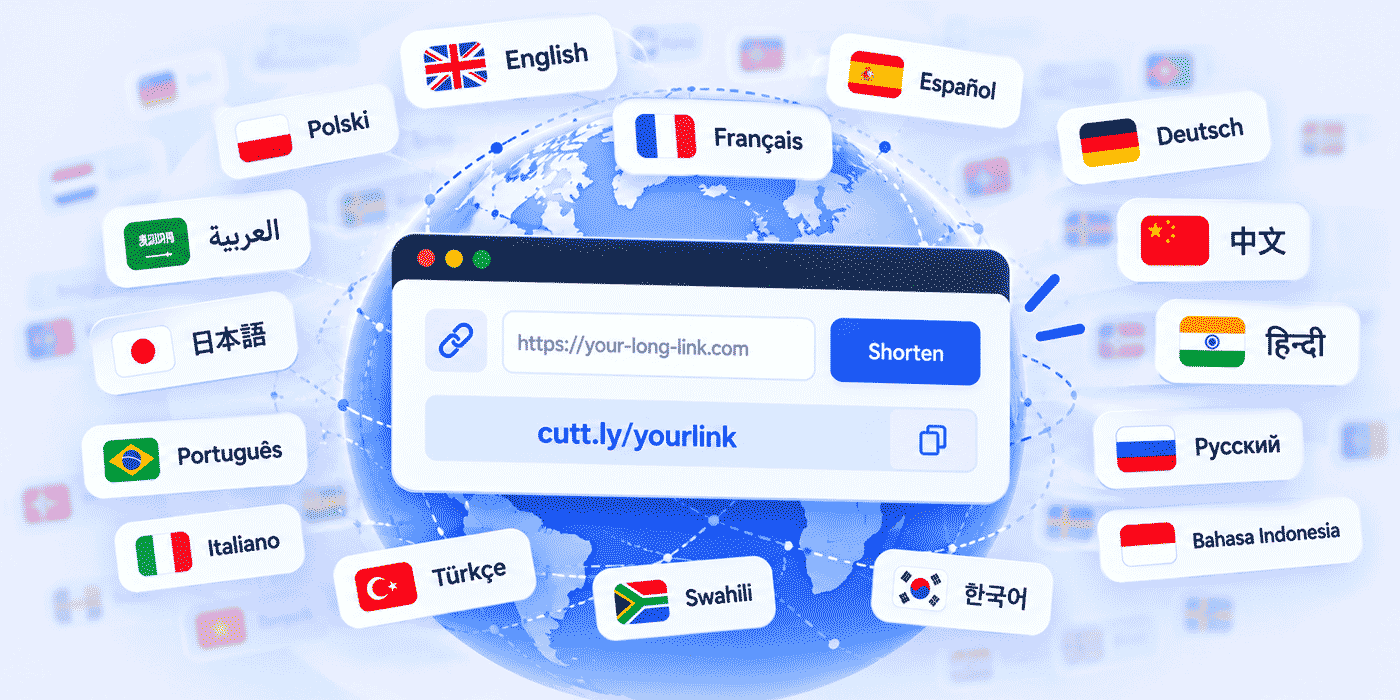
Cuttly is a URL Shortener available in 48 languages, from English and Spanish to Arabic, Japanese, Hindi and Swahili. Every language version gives you the same platform: branded short links on your own domain, QR codes, link analytics, Link in Bio pages, the UTM builder, team collaboration and API access. This guide lists all 48 versions, explains what changes when you switch language and what does not, and then turns to the bigger question for anyone with an international audience: how to plan, name, track and print links when the people clicking them read different languages.
What This Guide Covers
- All 48 language versions of Cuttly, with codes and native names
- What changes when you switch language, and what stays the same
- Why the interface language affects accuracy, not only comfort
- Choosing aliases that work across languages and keyboards
- One link per language: the pattern that keeps data clean
- Language labels, flags and chooser pages
- Reading the language chart: device language versus country
- UTM conventions for multilingual campaigns
- QR codes, Link in Bio, Surveys and Action Pages in several languages
- Branded domains, teams and the API across markets
- India: many languages and one SMS link format
- Two worked examples, common mistakes and a plan guide
The Full List: 48 Language Versions
These are the language versions of Cuttly at the time of writing, each with its code and the native name Cuttly uses for it. It is one platform in every row of this table. Only the words on the screen change.
| Code | Language | Native name |
|---|---|---|
| EN | English | English |
| AF | Afrikaans | Afrikaans |
| AR | Arabic | العربية |
| ARZ | Egyptian Arabic | المصريّة |
| AZ | Azerbaijani | Azərbaycan |
| BG | Bulgarian | Български |
| BN | Bengali | বাংলা |
| CS | Czech | Čeština |
| DA | Danish | Dansk |
| DE | German | Deutsch |
| EL | Greek | Ελληνικά |
| ES | Spanish | Español |
| ET | Estonian | Eesti |
| FI | Finnish | Suomi |
| FR | French | Français |
| HE | Hebrew | עברית |
| HI | Hindi | हिन्दी |
| HR | Croatian | Hrvatski |
| HU | Hungarian | Magyar |
| ID | Indonesian | Bahasa Indonesia |
| IT | Italian | Italiano |
| JA | Japanese | 日本語 |
| KO | Korean | 한국어 |
| LT | Lithuanian | Lietuvių |
| LV | Latvian | Latviešu |
| ML | Malayalam | മലയാളം |
| MS | Malay | Bahasa Melayu |
| NL | Dutch | Nederlands |
| NO | Norwegian | Norsk |
| PL | Polish | Polski |
| PT | Portuguese | Português |
| PT-BR | Portuguese (Brazil) | Português (Brasil) |
| RO | Romanian | Română |
| RU | Russian | Русский |
| SK | Slovak | Slovenčina |
| SR | Serbian | Српски |
| SV | Swedish | Svenska |
| SW | Swahili | Kiswahili |
| TA | Tamil | தமிழ் |
| TH | Thai | ไทย |
| TL | Filipino | Filipino |
| TR | Turkish | Türkçe |
| UK | Ukrainian | Українська |
| UR | Urdu | اردو |
| VI | Vietnamese | Tiếng Việt |
| ZH | Chinese | 中文 |
| ZH-HK | Chinese (Hong Kong) | 中文(香港) |
| ZH-TW | Chinese (Taiwan) | 中文(台灣) |
Languages With More Than One Version
Three languages appear more than once. Portuguese has a general version and a Brazilian one, listed as PT-BR. Chinese has three: 中文, a Hong Kong version and a Taiwan version. Arabic appears as العربية and as المصريّة, the Egyptian variety, with its own code, ARZ. Variants exist because people who share a language still differ in vocabulary, spelling and the everyday words they expect to see, and an interface reads more naturally when it matches the variety its user grew up with.
More Than a Dozen Writing Systems
The list also spans a wide range of scripts. Twenty-nine of the 48 versions use the Latin alphabet. Bulgarian, Russian, Serbian and Ukrainian use Cyrillic. Greek, Hebrew and Thai each have their own scripts. Arabic, Egyptian Arabic and Urdu use the Arabic script. Hindi uses Devanagari, while Bengali, Tamil and Malayalam each have their own scripts. Chinese uses Chinese characters, Japanese combines characters with its own syllabaries, and Korean uses Hangul. Four of the languages, Arabic, Egyptian Arabic, Hebrew and Urdu, are written from right to left.
This becomes practical later in the guide. The interface can speak your language and your audience's language, but a short link alias still has to be read, typed and spoken by people using very different keyboards. Planning for that is most of what multilingual link management is about.
A Note on This List
Language versions can be added over time. The table above reflects Cuttly in October 2026. The language list on cutt.ly itself is always the current reference.
What Changes When You Switch Language, and What Stays the Same
Switching the language of Cuttly changes the words you work with: menus, buttons, labels and the names of settings across the dashboard. You choose the language from the language list at the bottom of cutt.ly, and you can switch again whenever you like, for example to show a colleague a screen in their language or to check how a setting is described in English.
Everything that belongs to your account stays exactly as it was:
- Your links. Short links, aliases and destination URLs do not change with the interface language.
- Your branded domains. Connected domains and their DNS setup stay in place.
- Your QR codes. Codes you have already generated and printed keep working.
- Your analytics. Click history and its retention period are unaffected.
- Your plan. Limits, features and billing are the same in every language version.
- Your integrations. API calls and automations behave identically, because the API does not depend on the language you read the dashboard in.
Just as important, nothing is held back for one language. Every version gives full access to the platform: branded short links on your own domain, QR codes, link analytics, link management, team collaboration, the UTM builder, Link in Bio pages and API access. A user working in Vietnamese or Swahili has the same account as a user working in English.
The One Exception: Binding Legal Text
There is one place where English keeps a special role, and it is better to know it up front. The Cuttly Terms state that agreements concluded through Cuttly are concluded in English, and that if different language versions of the Terms or the Pricelist differ, the English version prevails. The contact point designated under the EU Digital Services Act communicates in Polish and English. In practice, you can run your whole account in your own language, and if a contractual detail matters to you, the English Terms are the text to read.
Why the Interface Language Matters More Than It Seems
It is tempting to treat interface language as a matter of comfort: nice to have, but anyone can click through an English dashboard. That holds for creating a basic link. It stops holding the moment a setting has consequences, and a link management platform is full of them.
Consider what a typical campaign setup involves. A link can expire on a date or after a number of clicks. A link can require a password. Analytics can count all clicks or unique clicks. Destinations can be edited after printing, within rules that depend on the plan. On team plans, every member has a role (Owner, Admin, Moderator, User or Viewer), and each role grants different permissions. Misreading any of these is not a cosmetic problem. A link that expires a week early, a colleague given more access than intended, or a report built on the wrong click count leads to real decisions made on wrong assumptions.
Reading those settings in your strongest language removes a whole class of avoidable errors. It also changes who can do the work. In many organizations the person who knows the audience best is not the person most comfortable in English: the store manager, the regional coordinator, the volunteer who runs the community channels. When the tool speaks their language, the work can sit with the person who understands the context, instead of being routed through whoever happens to read English best.
The same applies to analytics. Terms like referrals, sources, unique clicks and click-through rate are easy to skim past in a second language. Read in your own, they become questions you can act on: which channel sent these people, how many of them were repeat visitors, and whether the page did its job once they arrived.
The Audience Side: Short Links Are Language-Neutral
Now turn from the person creating links to the people clicking them. A short link such as cutt.ly/aBcDeF works the same for a reader in Seoul and a reader in São Paulo. The redirect has no language. What carries language is everything around it:
- The alias, the part after the slash, which people read, type and sometimes say aloud.
- The domain, which signals who is behind the link.
- The destination page, which is your content in whatever languages you publish.
- The text around the link: the post, the SMS, the email or the poster that asks people to click.
- The label next to a QR code, which tells a passerby what they will get by scanning.
Multilingual link management is the craft of getting these five things right for each audience, while keeping your data organized enough to learn from it. The rest of this guide goes through them one at a time.
Choosing Aliases That Work Across Languages
Typable on Any Keyboard
Aliases that people will type from print or hear spoken should stick to plain Latin letters, digits and hyphens. Every smartphone keyboard can produce them, whatever language it is set to, and they survive being copied by hand. Letters with diacritics, such as ą, ü, é or ñ, look natural to native readers but are slower to type on a keyboard set to another language, and they are often dropped when people retype a link. If the word you want contains one, use its plain form in the alias and keep the accented spelling in the text around the link.
Readable Aloud
Some letters sound different in different languages. A "j" means one sound in English, another in Spanish and another in German. "W", "v" and "y" shift in similar ways. If an alias will be spoken on a podcast, at an event or over the phone, choose words whose spelling a listener in your audience will guess correctly, or spell the alias out once. Avoid characters that are easy to confuse in print, such as zero and the letter O, or the digit one and a lowercase L, especially on small packaging.
Checked for Meaning
A word that is neutral in one language can be awkward, funny or rude in another. Before an alias goes on anything printed or widely shared, have someone who speaks each target language read it. The check takes a minute, and fixing an unfortunate alias after the print run is far more expensive.
Coded Consistently
When you create the same link in several languages, give every version the same base and a language code in a consistent position: your-domain.co/offer-en, your-domain.co/offer-es, your-domain.co/offer-pt-br. Using the same codes as the language list above (EN, ES, PT-BR, ZH-TW and so on, in lowercase) gives your team a shared vocabulary and makes links easy to find by searching for the code. Pick suffix or prefix once and keep it everywhere; mixing offer-es and es-offer in the same account is how link lists become hard to audit.
Alias Limits and Namespaces
Custom aliases are limited by plan: 3 per month on Free, 30 per month on Starter and unlimited from Single. Multilingual work uses aliases quickly, because every destination needs one per language, so it is worth counting before you plan a large launch. There is also a namespace difference. Aliases on the cutt.ly domain share one pool across all users, so a common word may already be taken. Each branded domain has its own separate pool, which means that on your own domain a consistent set such as offer-en, offer-es and offer-fr is fully under your control.
Settle aliases before anything is printed. Per the support article on QR codes and short link changes, changing a short link's alias also changes its QR code, and the old code stops working.
One Link per Language: The Pattern That Keeps Data Clean
One fact shapes every decision in this section: a Cuttly short link sends every visitor to the destination you set. It does not switch destination based on the visitor's language, and Cuttly does not route visitors by country. The routing that does exist is by device: Mobile URLs, available from the Single plan, send Android, iOS and other mobile visitors to alternative destinations, and Deep Links on the Team plans add support for the Play Store and App Store. Language is not a routing condition.
For multilingual audiences, that leads to a simple and reliable pattern: create one short link per language version of each destination. If your offer page exists in English, Spanish and French, it gets three short links, each with its own alias, QR code and analytics. The pattern has four practical advantages:
- Clean numbers per language. Each link's click count tells you how that language version performed, with no guesswork.
- The right page on the first tap. A Spanish post links to the Spanish page, so readers do not land in the wrong language and have to search for a switcher.
- Independent lifecycles. You can update or retire one language version without touching the others.
- Matching tracking. Each link can carry UTM parameters with its own language code, so your website analytics split the same way your link analytics do.
When a Chooser Page Is the Better Choice
The alternative is a single link to a page where visitors pick their language. It costs every visitor one extra tap, but it has a real advantage on surfaces with room for only one code or one address: small packaging, a narrow sticker, a sign seen from a distance. A Link in Bio page with one clearly labeled button per language works well as a chooser, and so does a language selection page on your own website. Use per-language links where you know the reader's language, such as a post in a language-specific channel, and a chooser where you do not.
Labels: Use Native Names, Not Flags
Whichever pattern you use, people need to see which link or button is theirs. Flags are a tempting shortcut and a poor one. A flag represents a country, while languages cross borders: Spanish is the main language of many countries, English of many more, and plenty of countries use more than one language. A Mexican reader may not look for a Spanish flag, and a French-speaking reader in Canada may not look for a French one. Label languages with their own names, written in their own scripts: Español, Français, Deutsch, 日本語, العربية. That is exactly how Cuttly's own language list presents its 48 versions, and it works because every reader can find their language without first translating the label.
Reading the Language Chart
What It Measures
Cuttly's link analytics include a chart of clicks by language on every plan. It groups clicks by the language set on the device where each click occurred. Separately, a chart of clicks by country shows where clicks came from, based on the country of the visitor's IP address. Both charts are aggregated and anonymized: they show how many clicks fall into each language or country, not who clicked. Bot filtering is applied automatically on all plans, a separate chart of bot clicks is available from Single, and statistics are private by default.
Country and Language Answer Different Questions
It is easy to read the country chart as a language chart. They are not the same thing, and the gap between them is often where the useful insight sits. Clicks from Canada may come from English- and French-language devices. Clicks from Switzerland may split across German, French and Italian. Clicks from Belgium may divide between Dutch and French. Clicks from India may include English, Hindi and several other languages. In the United States, a meaningful share of clicks may come from Spanish-language devices. And everywhere, travelers and people living abroad click from devices set to their home language.
So the country chart tells you where your audience is, and the language chart tells you which language their phones are set to. A campaign aimed at one country can reach several language groups, and a single language group can be spread across many countries. Looking at both side by side shows you which of these situations you are in.
A Signal, Not a Verdict
Device language is a useful signal with known limits. Many people keep their phones in English even though they prefer content in another language. Shared or work devices may be set by someone else. Some people switch languages for practice. That is why the chart is most valuable for comparisons and trends rather than single readings: how the language mix of one link compares with another, or how it shifts over weeks and seasons. A steady pattern across several links means more than a spike on one.
Using It Before You Translate
Translation costs time and money, so it should follow evidence. A practical sequence works well. First, look at the language chart for your most-clicked links over a full month. Second, note any language other than the one you publish in that holds a steady share across several links, not just one. Third, translate the destination for that language, create a matching short link, and compare its performance with the original over the next month. If the new version earns clicks and does its job on the destination page, you have found an audience you were underserving. If not, you have learned that cheaply.
Seeing Languages Across Many Links
Single links tell part of the story; a multilingual campaign usually spans dozens. From the Single plan, Aggregated Link Analytics summarize clicks across links, including top languages and top countries: the last 7 days for up to 10 links on Single, the last 14 days for up to 25 links on Team and the last 28 days for up to 50 links on Team Enterprise. On the Team plans, Cuttly Campaigns add aggregated analytics for tags, which is a natural fit for multilingual work: tag every link in a launch with the same tag and see total clicks, languages and locations for the whole campaign at once, for up to 50 tagged links on Team and 100 on Team Enterprise, over the last 14 days. Link analytics history itself runs 30 days on Free and Starter, 1 year on Single and 2 years on the Team plans, which matters if your audiences are seasonal and you want to compare one high season with the next. The broader reading habits are covered in the link analytics guide.
UTM Conventions for Multilingual Campaigns
Short link analytics tell you how many people clicked. UTM parameters tell your website analytics what those visitors did next. The UTM builder is available on every Cuttly plan, and in multilingual campaigns one convention matters more than any other: keep the campaign name the same in every language and put the language in its own parameter.
A Polish version of an email link might look like this:
utm_source=newsletter&utm_medium=email&utm_campaign=autumn-launch&utm_content=pl
The Spanish version changes only the last value, to es. Your reports can then show the whole campaign as one line and split it by language in a single step. The common mistake is translating the campaign name itself, so that autumn-launch, lancement-automne and lanzamiento-otono appear as three unrelated campaigns that someone has to merge by hand later.
- Write all UTM values in lowercase, because many analytics tools treat "PL" and "pl" as different values.
- Use the same language codes as your aliases, so a link and its traffic can be matched at a glance.
- Keep values in plain Latin characters, for the same reasons as aliases: they survive copying, exporting and every reporting tool.
- Write the convention down and share it with everyone who creates links, especially across offices.
The full method is covered in the guide to UTM parameters with a URL shortener.
QR Codes on Multilingual Print
Print is where multilingual planning pays off most, because mistakes cannot be edited away. Every Cuttly short link comes with a QR code on every plan, so each language version of a link has its own code automatically. That leaves a layout decision for each printed piece.
- One code per language. Best where there is room, such as hotel cards, menus, posters and brochures. Place each code next to a label in the language's own name and script, and keep the codes far enough apart that a phone camera picks up only one.
- One code to a chooser page. Best on small packaging or stickers. One scan opens a page with a button per language.
- One code per print run. If you print separate editions per market, each edition carries only its own language's code. This is often the cleanest option for packaging sold in different countries.
Two documented behaviors decide how safe a printed code is over time. First, as noted above, changing a link's alias changes its QR code, so aliases must be final before printing. Second, you can change where a link points without changing its alias, and the printed code keeps working. Per the support article on QR codes and target links, this is how you keep printed material current when a page moves. On Starter and Single, the new destination must be on the same domain as the old one; on Team and Team Enterprise it can be any URL. For a multilingual website that reorganizes its language sections, this is what keeps years of printed codes alive.
From the Single plan, QR codes can be customized with your colors, shapes and logo, and downloaded in SVG as well as PNG, JPG and WEBP, which matters for professional print. Free and Starter generate codes in one standard style in PNG, JPG and WEBP. More on design and placement is in the QR code generator guide.
Link in Bio in More Than One Language
A bio page is often the first thing a new follower opens, which makes it the natural home for language choice. There are two workable setups.
One page, labeled links. A single bio page carries your main links, with language-specific items clearly labeled in each language's own name: "Shop: English", "Tienda: Español". This suits accounts with one main audience and a smaller second one, and it works on every plan: a page holds up to 5 links on Free and Starter, 20 on Single, 50 on Team and 99 on Team Enterprise.
One page per language. From Single you can run up to 3 bio pages, on Team up to 10 and on Team Enterprise up to 20. Each language gets a complete page in that language, from title and description to every link title, and each social profile points to the page that matches its audience. A brand with separate Spanish and English profiles, for example, gives each profile its own page. Each page has its own address, its own QR code and its own analytics, so you can see how each audience behaves instead of reading a blended average.
Whatever you write on a bio page is yours, so it can be in any language. The page title is editable on every plan; the description, link titles and link order become editable from Starter. Pages on Free and Starter live on the cutt.ly domain, while Single and above add the cutt.bio domain and your own branded domain, with an editable page alias. The full set of options is in the Link in Bio guide.
Surveys in Your Respondents' Language
Feedback is only as good as respondents' understanding of the questions, so surveys are where language matters most for data quality. In Cuttly Surveys, you write the questions, answer options, start page and thank-you text yourself, which means they can be in any language you choose.
The survey interface elements, such as its buttons, use a language you set in the survey settings. On every plan, 16 languages are available for this: English, Polish, Arabic, German, Spanish, French, Hindi, Italian, Japanese, Korean, Dutch, Portuguese, Russian, Turkish, Ukrainian and Chinese. This list is shorter than the 48 interface languages of the dashboard, so check it before you plan. If your respondents' language is on it, set the buttons to match the questions. If it is not, choose the language from the 16 that your respondents are most likely to read comfortably.
For multilingual audiences, the clean approach mirrors the link pattern: one survey per language, each with its own link, such as cutt.ly/s/feedback-es, and its own QR code. Results stay separate and comparable instead of mixed in one export where answers in four languages sit side by side. Survey limits are 1 on Free, 3 on Starter, 5 on Single, 20 on Team and 50 on Team Enterprise, so per-language surveys need a plan with enough room. Answers can be exported to PDF, XLS or CSV, open-text answers are encrypted with 256-bit encryption before they are stored, and surveys may not collect special categories of personal data, such as health information. The full feature set is covered in the guide to online surveys with a URL shortener.
Action Pages for Each Market
Action Pages, available from the Single plan, are standalone call-to-action pages served from a short link under the /c/ path, on cutt.ly or on your branded domain. Their text is yours: title, description and the wording of the call-to-action button can all be written in the language of the market the page serves. That makes one Action Page per language the natural setup for a launch, an offer or an event with an international audience.
A few details matter for multilingual use. Each page can link to your own privacy policy and terms, so each language version can point to the legal pages in the same language. A countdown can run on the page and, if you choose, hide the call-to-action button once it reaches zero, while the page itself stays active. Single includes 3 Action Pages, Team 10 and Team Enterprise 20. On Single, the button's destination can be changed only to a URL on the same domain; on the Team plans it can be any URL. From Single, CTR shows how many visitors clicked the button, which lets you compare how persuasive each language version is, not just how many people arrived.
Branded Domains Across Markets
A branded domain puts your name in every link, which builds trust in any language. Cuttly allows 1 branded domain on Free and Starter, 5 on Single, 10 on Team and 99 on Team Enterprise. For international work there are two common models.
One domain, language-coded aliases. All links live on one brand domain, with the language in the alias: your-domain.co/offer-de. This is the simplest model, it keeps the brand consistent everywhere, and it suits most companies.
One domain per market. If you already own separate domains for different countries or languages, each can be connected to Cuttly. Because every branded domain has its own alias namespace, the same alias, such as /offer, can exist on each market domain and point to that market's page. This suits organizations whose markets already operate under separate local domains.
From Single, two settings make a market domain feel complete: a root page redirect, which sends visitors who type just the bare domain to a page you choose, and a 404 redirect, which sends visitors with a mistyped alias somewhere useful instead of an error. Point both at the homepage in that market's language. Connecting any domain uses a DNS A record and a DNS TXT record at your registrar. On Free and Starter you configure SSL yourself, for example through your own provider, while Single and above include SSL through Let's Encrypt. The setup is covered step by step in the custom domain guide.
Teams Working in Several Countries
International organizations rarely have one person creating every link. The Team plan allows up to 3 teams with up to 5 members each, and Team Enterprise up to 10 teams with up to 20 members each. Members are invited by email, only the team owner needs the Team subscription, and each member has one of five roles: Owner, Admin, Moderator, User or Viewer. Each team has its own dashboard, its own link lists and its own tags, and a team communicator for short internal messages.
Because every language version gives access to the full platform, a colleague in Warsaw and a colleague in São Paulo can each choose the language version they work in best and still manage the same team links. A common structure is one team per market or region, each run by the people who know that audience, with an Owner or Admin who sees the whole picture. Exporting links to CSV from the team dashboard makes it easy to audit, for example, that every link in a launch exists in every language it should.
Larger organizations on Team Enterprise can also use SSO, so access follows their existing identity setup. Team workflows in general are covered in the guide to URL shorteners for marketing teams.
API, Bulk Import and Automation
Automation is where language disappears entirely, which makes it a useful ally for multilingual work. The API behaves the same whatever language your dashboard uses, and API access is available on every plan, with rate limits of 3 calls per 60 seconds on Free, 6 on Starter, 60 on Single, 180 on Team and 360 on Team Enterprise. On the Team plans, the Team API creates and manages links inside a team, with its own monthly link volume per team.
A common multilingual pattern is to create links automatically when a translated page is published: your website or content system calls the API, receives the short link for that language version and stores it next to the page. For one-off batches, the CSV importer, available from Single, creates links in bulk: up to 100 per month on Single, 2,000 on Team and 5,000 on Team Enterprise. A spreadsheet with one row per language version of each destination turns a three-language launch into a single import instead of an afternoon of manual work. Developers will find the details in the API developer guide.
India: Many Languages, One SMS Link Format
India shows the multilingual challenge at full scale. Five of Cuttly's interface languages, Hindi, Bengali, Tamil, Malayalam and Urdu, are spoken there, alongside English, and campaigns often reach audiences in several of them at once. Many of those campaigns run over SMS, where links must also meet the rules of TRAI, the Telecom Regulatory Authority of India.
Cuttly supports this through tracking headers. From the Single plan, you can add a tracking HEADER to a custom domain, so links take the form your-domain.co/HEADER/short-alias, with 1 header per custom domain on Single, 5 on Team and 15 on Team Enterprise. Also from Single, Cuttly provides the public 2s.ms domain, built for TRAI compliance, with links in the form 2s.ms/HEADER/short-alias. The full prefix https://2s.ms/HEADER/ takes 21 characters, leaving 9 for the alias within a 30-character link, and the HEADER is the 6-character identifier assigned on TRAI's DLT platform. The 2s.ms domain needs no DNS setup: you add it in your account and wait for approval. Registering the HEADER and the static part of the link on the DLT platform remains the sender's responsibility, as described in the 2s.ms support article.
For multilingual SMS, the useful point is that the link structure does not depend on the language of the message. A message in Hindi, one in Tamil and one in English all use the same HEADER-based format, and the alias can follow the same language-code convention as everywhere else, within the 9 characters available. The broader picture is in the URL shortener guide for India and TRAI.
Privacy Is the Same in Every Language
Trust should not depend on which language you read the interface in, and at Cuttly it does not. Cuttly is operated by a company based in Gdańsk, Poland, with servers in the EU, and is built for GDPR compliance. Link analytics are aggregated and anonymized, statistics are private by default (public statistics are an option you switch on from Single), and bot filtering runs automatically. Cuttly does not put ads on short links on any plan, including Free, and does not sell user data. Two-factor authentication is available on every plan. These rules apply identically in all 48 language versions. More detail is in Is Cuttly Safe?
Worked Example: A Guesthouse in Lisbon
A family-run guesthouse in Lisbon hosts guests who mostly speak Portuguese, English, Spanish and French. The owners manage everything themselves, one in Portuguese and one in English, each using Cuttly in their own language. They choose Single because they need their own domain, customizable QR codes and enough surveys for four languages.
Their guest guide exists in four languages on their website, so they create four short links on their branded domain: your-domain.co/guide-pt, guide-en, guide-es and guide-fr. Before printing, a guest who speaks each language reads the aliases aloud; nobody stumbles. The welcome card in each room carries four QR codes in the guesthouse's brand colors, each labeled Português, English, Español or Français and spaced well apart.
For checkout feedback, they create four surveys, one per language, with the questions written in that language and the survey buttons set to match. Portuguese, English, Spanish and French are all among the 16 survey button languages. Each survey has its own QR code on a small card at reception.
After two months, the analytics show something they had not planned for. The English guide link gets a large share of its clicks from devices set to German, week after week. The country chart confirms these are visitors from German-speaking countries reading the English version. The owners commission a German translation of the guide, add guide-de to the next print run of welcome cards, and use their fifth and last survey slot on Single for German feedback. German is on the survey button list, too. When their website is redesigned and the guide pages move to new addresses on the same domain, they edit each link's destination. Every card already in the rooms keeps working.
Worked Example: A Software Team in Warsaw and São Paulo
A small software company runs marketing from Warsaw and sales from São Paulo, while its founder publishes content in English. Its audiences read English, Polish and Brazilian Portuguese. The company chooses Team: it needs shared management across two offices, Campaigns analytics for tags and Action Pages whose button can point to any URL.
The setup takes an afternoon. Two teams, one per office, each with fewer than five members. The Warsaw team works in the Polish interface, the São Paulo team in Portuguese (Brazil), and the founder in English, all inside the same Team plan. The founder is the Owner; each office lead is an Admin. A one-page convention document fixes aliases (launch-en, launch-pl, launch-pt-br), UTM values (the same utm_campaign everywhere, the language in utm_content) and one tag for the whole launch.
For the product launch, each language gets its own Action Page, built by the people who write in that language, with its own title, description, button text and a link to the privacy policy in that language. Every short link in the launch, across all three languages and all channels, carries the launch tag. Their website uses the API to create a short link automatically whenever a translated article is published.
Two weeks in, Campaigns analytics for the tag show the whole launch in one view, with clicks by language and location. Two findings change the plan. The English launch post draws a substantial share of clicks from Polish-language devices: Polish followers are reading the founder's English posts, so the Warsaw team adds the Polish Action Page link to the founder's next post. And the Brazilian Portuguese links pick up steady clicks from Spanish-language devices in other South American countries, which puts a Spanish version on the list for the next quarter, to be tested with one link and one Action Page before any larger investment.
The two examples look different, but they follow the same steps: one link per language, aliases checked by native speakers, labels in native names, a fixed UTM convention, and analytics read before anything new is translated.
Common Mistakes
- Labeling languages with flags. Flags stand for countries, not languages. Use each language's own name in its own script.
- One link for every language. Without separate links per language, you cannot tell which version performed. Create one link per language version, or link to a chooser page on purpose.
- Expecting a link to pick the language. A short link has one destination. Language selection belongs on the destination or on a chooser page.
- Translating campaign names in UTM. Keep one campaign name across languages and put the language in its own parameter.
- Aliases with diacritics or ambiguous sounds. Use plain Latin letters, digits and hyphens, and have native speakers read aliases aloud.
- Printing before the alias is final. Changing an alias changes its QR code. Settle every language's alias first.
- Reading the country chart as a language chart. Country and device language answer different questions. Look at both.
- Mixing languages in one survey. One survey per language keeps answers clean and comparable.
- Translating on instinct. Let a steady pattern in the language chart decide which translation comes next, then test it with a single link.
The Short Version
Work in whichever of the 48 language versions you read best; your links, data and plan stay the same in all of them. For your audience, create one short link per language version of each destination, with aliases in plain Latin characters, a consistent language code and a check by a native speaker. Label choices with native language names, not flags. Keep UTM campaign names identical across languages and carry the language in its own parameter. Print a QR code per language where there is room and a chooser page where there is not, and finalize aliases before printing. Use one Link in Bio page, survey or Action Page per language where your plan allows it. Read the language chart next to the country chart, and let steady patterns, not hunches, decide what to translate next.
Choosing a Plan for Multilingual Work
Multilingual setups multiply everything by the number of languages, so plan choice usually comes down to counting. How many links and custom aliases? Multiply your destinations by your languages; 30 custom aliases a month on Starter can go quickly, while Single and above have no alias limit. Your own domain, or one per market? One branded domain fits every plan; several market domains with included SSL point to Single or Team. Separate pages per language? More than one Link in Bio page, and any Action Pages, start at Single. Several people in several countries? Shared team management starts at Team. One view of a whole multilingual campaign? Aggregated Link Analytics start at Single, and Campaigns analytics for tags at Team.
Cuttly Plan Guide
The Free plan ($0) works in every language version and includes 30 short links and 3 custom aliases a month, 1 branded domain with your own SSL setup, QR codes, the UTM builder, link analytics with the language and country charts and 30 days of history, one Link in Bio page with up to 5 links, one survey, and API access. Registration is required; no credit card is needed.
The Starter plan ($12/month) raises the limits to 300 short links and 30 custom aliases a month, adds destination editing within the same domain and editable link titles, opens the Link in Bio template editor, description and link order, and allows 3 surveys.
The Single plan ($25/month) is where multilingual work becomes comfortable: 5,000 short links a month with unlimited custom aliases, 5 branded domains with SSL included, root page and 404 redirects, customizable QR codes with SVG download, 1 year of analytics, Aggregated Link Analytics with top languages and countries, 3 Link in Bio pages on cutt.bio or your own domain, 3 Action Pages, 5 surveys, Mobile URLs, the CSV importer and TRAI tracking headers.
The Team plan ($99/month) suits companies working across offices and markets: 20,000 short links a month, 10 branded domains, 2 years of analytics, Campaigns analytics for tags, up to 3 teams with 5 members each and five roles, destination editing to any URL, 10 Link in Bio pages without Cuttly branding, 10 Action Pages, 20 surveys and the Team API.
The Team Enterprise plan ($149/month) extends this for larger organizations: 50,000 short links a month, 99 branded domains, up to 10 teams with 20 members each, 20 Link in Bio pages, 20 Action Pages, 50 surveys and SSO.
You can try every language version before you commit to anything: create a free Cuttly account, pick your language, and create your first links for each language your audience speaks. Registration required; free plan available with no credit card needed.
Frequently Asked Questions
In how many languages is Cuttly available?
48, including English, Spanish, French, German, Portuguese and Brazilian Portuguese, Arabic and Egyptian Arabic, Hindi, Bengali, Tamil, Malayalam, Urdu, Japanese, Korean, Chinese in three versions, Thai, Vietnamese, Indonesian, Turkish, Ukrainian, Polish and Swahili. The full list with codes is at the top of this guide.
Are all features available in every language?
Yes. Every version gives access to branded short links on your own domain, QR codes, link analytics, link management, team collaboration, the UTM builder, Link in Bio pages and API access. The language changes the words in the interface, not what your account can do.
Can one short link send visitors to a page in their language?
No. A short link sends every visitor to the destination you set, and Cuttly does not route by language or country. Mobile URLs, from Single, route by device type. Create one short link per language version, or link to a page where visitors choose their language.
What does the language chart show?
Clicks grouped by the language set on the device where each click occurred, on every plan, next to a separate chart of clicks by country. Analytics are aggregated and anonymized, bot filtering is automatic, and statistics are private by default.
Can I create surveys in other languages?
Yes. You write the questions in any language. The survey button language can be set to one of 16 options: English, Polish, Arabic, German, Spanish, French, Hindi, Italian, Japanese, Korean, Dutch, Portuguese, Russian, Turkish, Ukrainian and Chinese.
Which language version of the Terms applies?
Agreements through Cuttly are concluded in English, and if language versions of the Terms or the Pricelist differ, the English version prevails. You can still use the interface in any of the 48 languages.
Is the free plan available in every language?
Yes. The Free plan works in every language version. Registration is required, and no credit card is needed.
- PLATFORM
- URL Shortener →
- Link in Bio Builder →
- QR Code Generator →
- This Series
- Is Cuttly Free? Pricing Explained
- Is Cuttly Safe? Security and Privacy
- Why Choose Cuttly
- How Cuttly Works
- Multilingual Campaigns
- UTM Parameters Guide
- Link Analytics Guide
- Campaigns: Analytics for Tags
- Custom Domains for Short Links
- Online Surveys
- Action Pages
- International Audiences
- India and TRAI SMS Compliance
- Travel Agencies and Tour Operators
- Hotels and Hospitality
- Language Schools
- Support Docs
- QR Codes and Alias Changes
- 2s.ms for TRAI Compliance
- Encyclopedia
- Branded Links
- Link in Bio
- Verticals Hub
- URL Shortener for Every Industry →
- Start Here
- Create Free Account
- Plans & Pricing
URL Shortener
Cuttly simplifies link management by offering a user-friendly URL shortener that includes branded short links. Boost your brand’s growth with short, memorable, and engaging links, while seamlessly managing and tracking your links using Cuttly's versatile platform. Generate branded short links, create customizable QR codes, build link-in-bio pages, and run interactive surveys—all in one place.
Cuttly More Than Just a URL Shortener
Cuttly is a comprehensive, ever-evolving platform for link shortening that combines innovation and user-friendliness to deliver a seamless experience in managing and shortening URLs.


