Migrating from Bitly to the Cuttly URL Shortener The Complete Guide
Moving between link platforms is a solved problem, but only for teams that know which parts are movable. Your links' destinations, your aliases on a domain you own, your naming conventions and your organization all come with you. Your click history and any links living on the old provider's shared domain do not, and no guide that claims otherwise is being honest with you. This article is the complete, truthful version of the move from Bitly to Cuttly: what to do, in what order, with every limit named.
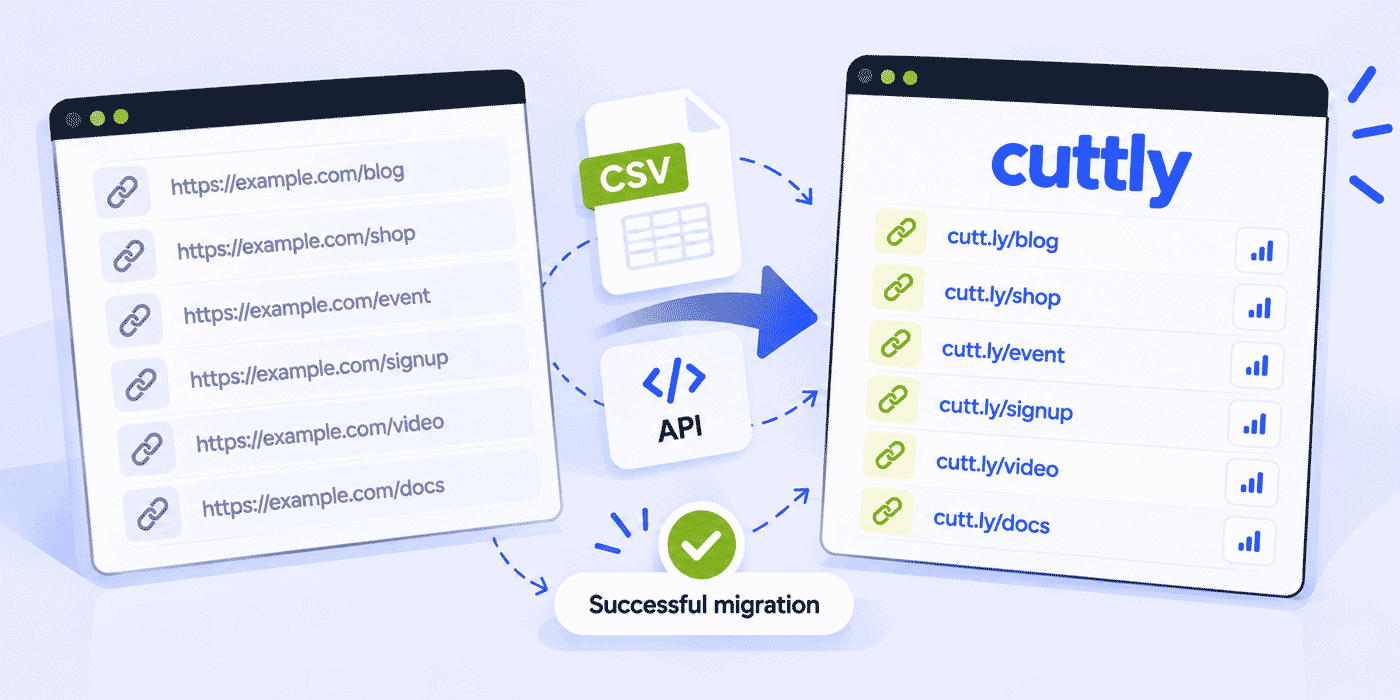
It is written as a provider-specific application of our bulk link migration pillar, which defines the phases any migration runs through. Here those phases get Bitly-specific decisions: the two kinds of links a Bitly account holds and the opposite paths they take, the export-and-triage pass, intake through the CSV Link Importer or the Cuttly URL Shortener API, feature mapping so nothing you rely on gets lost in transit, and the dated sunset that ends the overlap period on schedule. One note on scope: steps inside Bitly's own dashboard are described generically, because their interface is theirs to change; their documentation is the authority on where buttons live today.
What This Guide Covers
- The two kinds of links in a Bitly account, and why they migrate in opposite ways
- Phase zero: exporting links and analytics before touching anything
- Triage: shrinking the export to the links that still earn their keep
- The custom-domain path: keeping your existing URLs alive through a DNS repoint
- The shared-domain path: recreating links at new addresses and updating references
- Intake at Cuttly: CSV Link Importer, API, or by hand, with the volume math
- Feature mapping: where each habit from the old setup lives at Cuttly
- What does not transfer, stated before it can surprise you
- Plan sizing for typical ex-Bitly inventories
- A worked example, the cutover runbook, and the sunset schedule
- Common mistakes specific to this migration
Why This Guide Exists
People leave link platforms for their own reasons: a pricing structure that stopped fitting, a feature the roadmap never delivered, a consolidation push to run links, QR codes, bio pages and surveys in one account, or a governance requirement such as EU-based infrastructure. This guide takes no position on your reasons and makes no claims about what any other service does or charges today; those facts change, and their website is the place to check them. What this guide owns is the mechanics: given a Bitly account full of links and a decision to move, here is the sequence that lands everything movable at Cuttly without a broken link or a lost report.
If you are still in the deciding phase rather than the moving phase, the comparison articles are the better starting point: Cuttly vs Bitly covers the feature-by-feature view, and the Bitly alternatives guide widens the field. From here on, this article assumes the decision is made.
Risk, Reversibility and the Honest Worst Case
A fair migration guide also prices the downside, so here it is. The custom-domain path's worst case is the dark window stretching: DNS prepared badly, an import file that fails validation, verification waiting on a record typo. Every element of that worst case is prevented by the same two habits, preparing the file before touching DNS and pilot-testing twenty rows, and even realized, the failure is bounded: the domain can be repointed back to its previous records while you regroup, since nothing about the repoint is one-way until you close the old account. The shared-domain path's worst case is quieter: a reference you missed keeps sending people to an address that dies with the old account. The bridge period exists to surface exactly those, which is why the sunset has a date but not a rushed one.
What is never at risk: your destinations (they are your own pages), your archived analytics (exported in phase zero), and anything already recreated at Cuttly. The migration's irreversible moment is not the DNS change; it is closing the old account, which is why that step comes last, scheduled, after the curve reaches zero. Respect that order and the whole project is reversible at every step until the step where there is nothing left to reverse.
The Fork: Two Kinds of Links, Two Opposite Paths
Open your Bitly link list and every row belongs to one of two populations, and nothing in this migration matters more than telling them apart.
Links on Bitly's shared domain. These addresses live on a domain that belongs to the provider, not to you. They cannot be transferred to Cuttly or anywhere else, because the domain is not yours to point. When your account there ends, so does their resolution. The migration path for this population is recreation: each surviving link gets a new address at Cuttly, on cutt.ly or on your own branded domain, and every place that references the old address gets updated. The work is real, which is exactly why the triage phase exists to shrink it.
Links on your own custom domain connected to Bitly. These are a different matter entirely, and the good news of this entire guide. The domain is yours; the provider only resolves it. Point the domain's DNS at Cuttly instead, verify it, recreate the links with their original aliases, and the exact URLs printed on your packaging and embedded in years of posts resolve again, now through your Cuttly account. Nobody holding an old link notices anything. This is as close to a true transfer as link migration gets, and if your important links live on a custom domain, your migration is mostly a quiet infrastructure change plus an import file.
Mixed accounts run both paths in parallel, and the migration sheet described below carries a domain column for exactly that reason. One planning consequence is worth pulling forward: if you have been meaning to move your links onto your own domain anyway, the migration is the single cheapest moment to do it, because the reference-updating work is already on the schedule.
Before Phase Zero: Five Answers to Collect
Migrations stall on missing permissions more often than on missing skills, so collect five answers before the project officially starts. Who holds the login to the old account, and is that person available during the migration window? Who has access to the domain registrar, since the DNS repoint happens there and registrar credentials are famously lost to time? Does the old account's subscription renew soon, which may set a natural deadline worth beating or a paid period worth using as the bridge? Where do your links actually appear, meaning who on the team can list the bios, templates, documents and printed materials that the reference checklist will need? And finally, who decides: one named owner for the migration, with the authority to schedule the DNS window and close the old account on the agreed date.
Teams that can answer all five in one short meeting are ready. Teams that cannot have found their real first task, and it costs nothing to do it this week while the rest of the plan is being read.
Phase Zero: Export Everything, Then Archive It
Before any DNS change, before the Cuttly account exists if need be, two exports leave your Bitly account and land somewhere permanent. First, the link export: Bitly's dashboard provides a way to export your links; consult their current documentation for the exact steps, and take the fullest export available. Second, the analytics: whatever reports matter to you, saved now, because click history does not transfer between link platforms in either direction, and the day the old account closes, those numbers exist nowhere else. The archive is not bureaucracy. It is the only copy of your links' past performance, and it is also the raw material the next phase sorts by.
Triage: The Export Is Not the Inventory
A mature Bitly account's export overstates the real migration badly. Years of accumulated rows include campaign links whose campaigns ended, test links, duplicates and links to pages that no longer exist. The pillar guide's three-bucket triage applies unchanged: alive and referenced (printed, embedded, pinned somewhere you cannot easily edit), alive and editable (bio pages, site, active templates), and dead (no recent clicks, destination gone). The archived analytics are the sorting tool, and the usual outcome holds here too: exports of a thousand rows routinely triage down to a few hundred links that matter, which changes the plan math and the timeline at once.
The triage output becomes the migration sheet: one row per surviving link with its old address, destination URL, desired alias, target domain at Cuttly, bucket, and where it is referenced. Build it carefully, because it later becomes the importer's CSV, the reference-updating checklist and the project's closing record, as detailed in the pillar guide.
One triage subtlety for multi-seat accounts: links created by colleagues over the years may live under logins nobody checks anymore. Part of the export review is simply asking around, because the marketing intern's 2023 campaign links are still somebody's printed flyer, and the sheet should inherit them from wherever they are hiding before the old account stops answering.
The Custom-Domain Path, Step by Step
For the population of links on your own domain, the sequence is strict because one Cuttly rule makes it strict: a link's domain cannot be changed after the link is created. Domains come first, always.
- 1. Prepare the import file before touching DNS. The sheet's rows for this domain, with original aliases and destinations, formatted per the CSV craft in the pillar guide, pilot-tested with twenty rows.
- 2. Disconnect the domain from the old service and repoint DNS. At your domain registrar, set the DNS A record to Cuttly (this is what makes the domain serve short links) and the DNS TXT record (this verifies ownership). Note the standing warning: any website running on that exact hostname becomes unavailable once the A record changes, which is why link domains should be dedicated domains or empty subdomains.
- 3. Verify and approve the domain in Cuttly. The custom domain guide and the support walkthrough cover the clicks. On Single and above, Let's Encrypt SSL is included in the setup; on Free and Starter, SSL is configured on your side.
- 4. Import immediately. The window between DNS change and recreation is the only time old URLs on this domain resolve nowhere, so it is scheduled for your quietest hour and kept short: run the import the moment verification completes, referenced-bucket links first.
- 5. Verify from outside. A sample of recreated URLs opened on a phone on mobile data, not on your office network, closes the window officially.
Because each custom domain at Cuttly has its own alias namespace, your old back-halves are available to you and only you. The recreated go.yourbrand.com/catalog is the same address it always was; what changed is the infrastructure answering it, and from this moment, the analytics accruing to it.
The Printed Estate: Why This Path Exists
The custom-domain path earns its care through everything you cannot edit. QR codes on product packaging, addresses in a printed catalog, links read aloud in podcast archives, URLs in PDFs your clients downloaded years ago: this is the printed estate, and for most established brands it is the real reason the domain repoint matters. Every item in that estate keeps working through the migration without a single reprint, because the address never changed, only the infrastructure answering it. During triage, inventory the printed estate explicitly by walking the physical products and materials rather than trusting memory; a code on a care label that nobody remembers printing is still a live door, and it should be on the sheet's referenced list with its alias marked for exact recreation.
After the move, those same printed codes gain something they may not have had before: from the Single plan upward, new print runs can carry Cuttly's customizable QR codes with your logo and colors, exported as SVG for the print vendor, as covered in the QR best practices guide. The old estate survives as printed; the new estate gets the upgrade.
The Shared-Domain Path: Recreate, Rename, Repoint
Links on the provider's shared domain follow the pillar's recreate-and-repoint logic, with one Bitly-specific note on timing. These links keep working only while your old account keeps them alive, which makes the old account itself your migration bridge: keep it open, if its terms allow, for a defined period while references update and traffic drains, and let its click counts tell you how much updating work remains. A curve that flattens above zero names the references your audit missed.
Recreation is also a renaming amnesty. Every link in this population is getting a new address regardless, so this is the moment to fix years of inconsistent naming: descriptive aliases, a written convention, your branded domain instead of a shared one. On cutt.ly the alias namespace is global and some names will be taken; on your own domain the namespace is private, which is one more reason the branding upgrade and the migration belong in the same project. Reference updating then works the sheet's checklist in priority order: bio pages and site footers first, active templates second, older content third, and the physical layer (printed codes and materials) decided item by item as reprint or age-out.
The Freeze Rule: Two Accounts, One Direction
From the day the migration starts, the old account takes no new links. Every link created after the start date is created at Cuttly, even while the bulk of the inventory is still queued for import, because a migration with traffic flowing both ways never converges: the export goes stale, the sheet stops being the truth, and the sunset date slips. The freeze rule is announced in the same message that announces the migration internally, it costs nothing, and it is the single best predictor that the project ends on schedule. The old account's remaining job is passive: resolve its existing links through the bridge period and report the falling clicks that measure your reference-updating progress.
A related etiquette point for teams: pause any automations that create links at the old service (integrations, scheduled posts with auto-shortening, spreadsheet scripts) on day one, and rebuild them against the Cuttly API or your no-code tools as part of week one rather than as an afterthought. An automation quietly minting links at the old provider mid-migration is the most common source of stragglers discovered after the sunset.
Intake at Cuttly: Three Routes and the Volume Math
The pillar guide's three intake routes apply directly, so here is the short version with the numbers. The CSV Link Importer takes the migration sheet as a .CSV and creates links in bulk: 100 per month on Single, 2,000 on Team, 5,000 on Team Enterprise, with limits resetting on the first of the month, so inventories above a ceiling can run in monthly waves with the referenced bucket first. The API suits scripted moves and long tails: 60 calls per 60 seconds on Single, 180 on Team and 360 on Team Enterprise, which comfortably recreates thousands of links inside a weekend, within monthly volume ceilings of 1,000 branded-domain links on Single and 20,000 or 50,000 on the Team tiers. By hand remains the honest best route under about fifty links. Full tables, CSV craft and the pilot-wave habit live in the pillar; the one rule that cannot wait for a second reading is the ordering rule: domains verified before any link imports, because domains on existing links are permanent.
Validating the Wave Before It Lands
Whichever route carries the import, a short validation pass before each wave prevents the errors that are tedious to unwind afterward. Check that every destination URL in the wave still resolves, because recreating a link to a dead page launders a dead link into the new estate with a fresh coat of paint. Check aliases for collisions within your own sheet, since two rows claiming the same back-half will not both win. Confirm the wave's target domain is the verified one, not a near-miss spelling. And on the API route, handle the rate limit as a pacing constraint rather than an error to retry blindly: a script that sleeps to its tier's call budget finishes a large wave calmly, while one that hammers past the limit spends its time in retries. Twenty minutes of validation per wave is the whole cost, and the pilot-wave habit from the pillar guide covers most of it automatically.
Feature Mapping: Where Your Habits Land
A migration also moves workflows, so here is where the common ones live at Cuttly. The left column names the habit generically; whatever it was called in your old setup, the question is only whether you used something like it.
| If you used... | At Cuttly this is... | Available from |
|---|---|---|
| Branded links on your own domain | Branded domains with per-domain alias namespaces | Every plan (1 domain); up to 5 / 10 / 99 on Single / Team / Team Ent. |
| Custom back-halves | Custom aliases | 3/month Free, 30 Starter, unlimited Single+ |
| QR codes on links | QR code per link; customizable with logo, colors and SVG | QR on every plan; customization Single+ |
| Campaign tracking | UTM builder plus tags, and Campaigns with aggregated tag analytics | UTM and tags on every plan |
| Click analytics | Aggregated, anonymized analytics per link | 30 days Free/Starter; 1 year Single; 2 years Team tiers |
| Editing a link's destination | Editable source URL | Starter+ (same domain); any URL Team+ |
| A bio link page | Link in Bio on cutt.bio, cutt.ly or your domain | Every plan; scale and no-branding on higher tiers |
| API integrations | Regular API and Team API with separate keys | API on every plan; Team API on Team tiers |
| Team seats and permissions | Teams with roles from Owner to Viewer; members need no subscription | Team and Team Enterprise |
Beyond the table, audit the migrating links for per-link behaviors and recreate them deliberately, because behaviors never travel in an export file. The common set at Cuttly: redirect expiration for links that should stop on a date, password protection from the Single plan, link rotation for split traffic (an even A/B split on Single, percentage control on Team, A/B/C on Team Enterprise), alternative redirects for mobile, and unique-click counting as a per-link analytics setting. The migration sheet earns a behaviors column for exactly this, and configuring behaviors during recreation is an afternoon where retrofitting them across hundreds of live links later is a project.
Two arrivals tend to be new territory rather than replacements: Surveys, with encrypted open answers and QR distribution, and Action Pages, the one-button campaign pages under the /c/ path. Neither needs attention during the migration itself; both are why the consolidation motive brings teams here in the first place.
What Changes Day to Day After the Move
Feature tables describe capabilities; habits live in smaller places, so here is the everyday texture after the switch. New links come from the Cuttly dashboard or the browser-side workflows you rebuild once; the dashboard paginates at 15, 25 or 50 links per page depending on tier, and search runs by tag on every plan and by short or long URL from Single upward, which is the search you will actually use when a colleague asks whether the pricing page link came over. Tags carry your taxonomy, titles (from Starter) carry human-readable names, and the UTM builder sits next to link creation rather than in a separate tool. QR codes exist for every link on every plan, and the bulk short links feature, up to 10 links combined into one bulk cutt.ly link with 15 to 25 on higher tiers, covers the recurring-bundle habit. None of this needs learning before the migration; it is listed here so the first week after feels mapped rather than foreign.
What Does Not Transfer
- Click history. Not in either direction, between any link platforms. The archive from phase zero is the only copy; at Cuttly, history then builds from each link's creation.
- Links on the shared domain. The provider's domain stays with the provider. Recreate and repoint.
- Settings and integrations. Webhooks, connected tools and saved configurations are rebuilt natively, not imported. For most teams this is an afternoon with the Zapier and Make guide or the API docs.
- Alias availability on cutt.ly. The shared namespace is global; your own domain's namespace is private and keeps your names.
- The old account's obligations. Whatever your agreement there says about data retention and cancellation is between you and them; read it before scheduling the sunset, and export first regardless.
Landing Well: The Estate You Build on Arrival
Because every surviving link passes through your hands once, the migration is the cheapest organizing moment the inventory will ever have. Three habits applied during import repay themselves for years. Tag by campaign, channel or client as each wave lands, plus the wave tag itself, so the dashboard's tag search answers questions the old account needed a spreadsheet for. Title the links that humans will look for by name. And rebuild UTM conventions once, cleanly, in the UTM builder, rather than importing years of inconsistent parameters embedded in destination URLs; the migration sheet's destination column is the natural place to strip the old inconsistencies before they become the new baseline.
Arrival is also when the consolidation motive pays out, if it was yours. The same account now holds the links, every link's QR code, the Link in Bio page your social profiles point at, and the surveys and Action Pages your campaigns will use, so tools that previously each held a copy of your identity collapse into one login with one analytics posture: aggregated, anonymized, on infrastructure run by an EU company with EU servers. Teams whose migration motive was governance should note that last sentence is the short version of their compliance memo.
Plan Sizing for Ex-Bitly Inventories
Size against the triaged count, not the export's row count, against three meters at once: the monthly link budget (30 Free, 300 Starter, 5,000 Single, 20,000 Team, 50,000 Team Enterprise), the importer ceiling (100 / 2,000 / 5,000 from Single up) and, for scripted moves, the API volumes. The patterns repeat often enough to shortcut: a solo user's few dozen surviving links fit Starter by hand or Single with the importer; a small business's few hundred links fit Single in one to three monthly waves; an organization's thousand-plus links, or any inventory spread across teams and clients, is Team territory, where the 2,000-per-month importer, role-based access and per-team dashboards match the shape of the work. Agencies moving several client accounts at once should read the Team-scale section of the pillar guide, including per-client sunsets and per-team CSV snapshots.
A Note on Tone: No Burned Bridges
One deliberate absence from this guide deserves a sentence of explanation. You will find no claims here about what Bitly costs, lacks or does badly, because a migration guide does not need them and you should distrust any that leans on them. Their product changes on their schedule, their pricing is published on their site, and your reasons for moving are already made. The engineering of a clean move is the same whatever the motive, and a guide that gets the engineering right has no need to editorialize about where you are moving from.
Scheduling the Move
Three calendars overlap here, and the migration date should respect all of them. The month boundary matters because Cuttly's importer and link volumes reset on the first, so starting a wave-based move just after the first gives the full allowance a clean runway. The business calendar matters because the DNS window and the reference churn do not belong inside a launch or a peak season; the quiet quarter is the migration's friend. And the old account's billing calendar matters in a practical way: an already-paid period makes a natural, pre-funded bridge, while an upcoming renewal is a deadline worth beating by a comfortable margin rather than a day. When the three disagree, the business calendar wins, because a migration can wait a month and a peak season cannot be rerun.
A Worked Example: One Brand, Both Paths
An online homeware brand has used Bitly for four years: roughly 900 links in the export, of which 260 survive triage. The split: 180 live on the brand's own domain, connected to Bitly years ago, including the QR codes printed on every product's care card; 80 live on the shared domain, mostly in social posts and old newsletters.
The brand takes the Team plan for the migration quarter. Week one: exports archived, sheet built, domain rows pilot-tested. Saturday night: DNS A and TXT repointed, domain verified, the 180-row CSV imported inside forty minutes, care-card URLs spot-checked from a phone before midnight. Nobody holding a printed code ever notices. Week two: the 80 shared-domain links are recreated on the brand's domain with cleaned-up aliases, and the reference checklist runs for ten days through bios, site, templates and the three posts that still drive traffic. The old account stays open as the bridge; its click counts fall week over week, and the one stubborn source turns out to be a partner's blog post, fixed with an email. Day 45: old account closed on schedule, analytics archive filed, migration tagged migration-2026 in the dashboard for a permanent record of what moved.
At the other end of the scale, the same fork resolves in an afternoon. A freelance designer with 70 links in the export and no custom domain triages down to 15 that matter, all on the shared domain. There is no DNS work at all: the 15 are recreated by hand on a fresh Starter-plan branded domain with clean aliases, the bio page and portfolio footer are updated the same day, and the old account rides out its paid period as the bridge while two old client PDFs age out on their own. Total project time: one afternoon plus a calendar reminder to close the old account. The fork, the sheet and the sunset are the same machinery at both scales; only the ceremony shrinks.
The Cutover Runbook, Bitly Edition
- 1. Export links and analytics from Bitly; archive both permanently.
- 2. Triage into referenced, editable and dead; build the migration sheet with the domain column deciding each link's path.
- 3. Size the Cuttly plan against the surviving count and the importer and API meters.
- 4. Domains first: disconnect from the old service, repoint DNS A and TXT, verify at Cuttly, before any link exists.
- 5. Import by bucket: custom-domain links in one scheduled window with original aliases; shared-domain links recreated with improved names.
- 6. Verify by sample from an outside network; organize with tags and titles in the same pass.
- 7. Update references highest-traffic first; decide print items individually.
- 8. Run the sunset: old account as the bridge, falling clicks as the progress bar, a real end date kept, archive as the closing record.
Reading the First Month on Both Dashboards
For four to eight weeks you will have two dashboards, and together they run a check neither could run alone. At Cuttly, every recreated link starts its count at zero, so the first month's clicks map which references are truly alive: a custom-domain link that resumes steady traffic has proven its printed estate, and a recreated shared-domain link that stays at zero for thirty days was mis-triaged and can be retired at the next housekeeping pass. At the old account, the mirror image: total clicks should fall week over week as references update, and whatever refuses to fall is pointing at a reference the checklist missed. Read the two together and you get a conservation check on the whole project: traffic leaving one side should reappear on the other, allowing for the normal decay of old content, and a gap between the two curves is the size of your remaining work.
The first month also sets the new estate's baseline in the analytics you will actually keep: a year of history on Single, two years on the Team tiers, aggregated and anonymized as all Cuttly analytics are. Tag every migrated link with a wave tag such as migration-2026 during import, and the baseline report writes itself from the tag filter, a habit the link analytics guide builds on.
If You Manage Client Accounts
Agencies run this migration as a program rather than a project, and three adjustments carry most of the weight. Each client gets its own migration sheet, its own sunset date and its own closing snapshot, because clients' estates drain at different speeds and a shared deadline serves none of them. Client domains repoint on client-approved windows, with the planned dark hour communicated in advance as scheduled maintenance. And the account structure does the compliance work: on the Team tiers, each client lives in its own team with role-scoped access, the Team API gives each client project a separately keyed integration, and the per-team CSV export produces the dated, client-facing record that the engagement's paperwork usually requires. The Team-scale section of the pillar guide covers the full pattern.
Who Needs to Hear About It
Most of this migration is nobody's news. The custom-domain path is invisible to everyone holding a link, and recreated shared-domain links simply appear in your updated channels without an announcement. Three audiences are the exception. Your own team hears on day one, in the same message that declares the freeze rule and shares the sheet. Partners and affiliates who embed your links in content you cannot edit get the new addresses with a swap-by date tied to the sunset, because their surfaces are the checklist items you cannot complete alone. And for client domains, the client approves the DNS window in advance, framed as the scheduled maintenance it is. A planned hour communicated beforehand reads as competence; the same hour discovered by accident reads as an outage, and the difference is one short email.
Common Mistakes in This Migration
- Treating shared-domain links as transferable. They are not, anywhere, and planning around the hope wastes the schedule. The fork comes first.
- Skipping the analytics export. Unrecoverable after closure, and the triage needs it anyway.
- Importing before the domain is verified. Cuttly links keep their domain for life; links created "temporarily" on cutt.ly stay there. Domain first is a hard rule, not advice.
- Repointing DNS before the import file is ready. The dark window is as long as your unpreparedness. File first, DNS second, import immediately.
- Migrating the whole export. Dead links recreated are clutter paid for twice. Triage is the step that makes every other step smaller.
- Closing the old account on enthusiasm. The bridge is doing measurement work. Close it on the date, after the curve flattens at zero.
- Forgetting the QR layer. Printed codes are invisible links; the care card, the poster and the packaging belong on the reference checklist by name.
The Move on One Page
Compressed to its spine: collect the five access answers, freeze new link creation at the old account, and export links plus analytics into a permanent archive. Triage the export to the links that still earn their keep, and let the domain column split them into the two paths: custom-domain links survive at their existing addresses through a DNS repoint, verification and same-alias recreation in one scheduled evening, while shared-domain links are recreated at better addresses and their references updated through the checklist, highest traffic first. Domains verify before any import, always. Intake runs through the importer, the API or by hand, sized by the triaged count against the plan's meters, with behaviors recreated deliberately and every wave tagged. Then the two dashboards run the conservation check for a month or two, the old account's curve falls to zero, and the sunset date is kept. Nothing here is difficult; all of it is sequencing, and every number the sequence depends on is in this guide or the pillar it extends.
Cuttly Plan Guide for This Migration
The Free plan ($0) fits a personal account's handful of surviving links, recreated by hand within 30 links a month, and doubles as a no-cost rehearsal of the custom-domain path. Registration is required; no credit card is needed.
The Starter plan ($12/month) carries a small inventory by hand onto your own branded domain: 300 links a month, 30 custom aliases, titles and same-domain destination editing.
The Single plan ($25/month) is the practical floor for a real migration: the CSV importer at 100 links per month, unlimited aliases for faithful recreation, up to 5 domains with Let's Encrypt SSL, a year of analytics on the new estate, and the 60-calls-per-minute API for scripted tails.
The Team plan ($99/month) is the migration workhorse: a 2,000-per-month importer, 20,000-link budgets, up to 10 domains, 2 years of analytics, any-URL destination editing, and teams with roles so the person running the import is not the same credential as everyone else.
The Team Enterprise plan ($149/month) moves multi-brand and multi-client estates: a 5,000-per-month importer, 50,000-link budgets, up to 99 domains and up to 10 teams for keeping each client's migration in its own room.
The first step costs nothing and commits nothing: export your links, run the triage, and count what actually needs to move. Then create a Cuttly account sized to that number and work the runbook. Registration required; free plan available with no credit card needed.
Frequently Asked Questions
Will my Bitly links keep working after I move?
Links on your own custom domain can keep working at the same addresses: repoint the domain's DNS to Cuttly, verify it, and recreate the links with their original aliases. Links on the provider's shared domain cannot transfer; they live as long as your old account does, so you recreate them at new addresses and update the references while the old account serves as the bridge.
Can I import my Bitly export into Cuttly?
Yes, after reshaping it: the export becomes a migration sheet (destination and desired alias per surviving row), and the sheet becomes the CSV the Link Importer consumes. Importer limits are 100 links per month on Single, 2,000 on Team and 5,000 on Team Enterprise, resetting on the first of the month; the API covers scripted and larger moves.
Does my click history transfer?
No, and no link platform transfers it in either direction. Export your reports before closing the old account; that archive is the only copy. At Cuttly, analytics accrue from each link's creation, retained for 30 days on Free and Starter, 1 year on Single and 2 years on the Team tiers.
Can I keep my custom back-halves?
On your own domain, exactly: each branded domain at Cuttly has a private alias namespace, so your names are waiting for you. On the shared cutt.ly domain the namespace is global and some names may be taken. Aliases are unlimited from Single upward.
What must be set up before the first import?
Branded domains, verified and approved. A Cuttly link's domain is permanent once created, so importing before the domain exists strands links on the wrong address. DNS A and TXT records connect the domain; use a dedicated domain or empty subdomain, since a website on that exact hostname becomes unavailable after the A record changes.
How long does the whole move take?
Import: minutes for a CSV wave, a weekend at most for scripted thousands within the API rate limits. Calendar: one to two focused weeks of reference updating for shared-domain links, plus a thirty-to-sixty-day sunset bridge while the old account's traffic drains to zero. Custom-domain populations move in a single scheduled evening.
Do I need to tell my audience about the switch?
Almost never. The custom-domain path is invisible by design, and recreated links simply appear in your updated channels. The exceptions are partners and affiliates who embed your links in content you cannot edit: they get the new addresses with a swap-by date tied to the sunset.
- MIGRATION
- URL Shortener →
- Link in Bio Builder →
- QR Code Generator →
- This Series
- Bulk Link Migration - The Pillar
- Compare First
- Cuttly vs Bitly
- Best Bitly Alternative
- Bitly vs Cuttly - 2026
- Related Guides
- Custom Domains for Short Links
- Bulk URL Shortening
- Developers & API
- Zapier & Make Automation
- Cuttly Pricing Explained
- Encyclopedia
- Branded Links
- Verticals Hub
- URL Shortener for Every Industry →
- Start Here
- Create Free Account
- Plans & Pricing
URL Shortener
Cuttly simplifies link management by offering a user-friendly URL shortener that includes branded short links. Boost your brand’s growth with short, memorable, and engaging links, while seamlessly managing and tracking your links using Cuttly's versatile platform. Generate branded short links, create customizable QR codes, build link-in-bio pages, and run interactive surveys—all in one place.
Cuttly More Than Just a URL Shortener
Cuttly is a comprehensive, ever-evolving platform for link shortening that combines innovation and user-friendliness to deliver a seamless experience in managing and shortening URLs.


