URL Shortener for Threads The Complete Guide
Threads has become a place where brands, writers and creators talk in public: short posts, quick replies, reposts and quotes that carry an idea from one audience to the next. For many accounts it is also a traffic channel, sending readers to newsletters, shops, articles and launches. The question every one of those accounts eventually asks is simple. Of all the people who saw a post, how many actually tapped the link? Threads' own insights are generous about views, likes, replies and audience, but at the time of writing, clicks on links are not part of them.
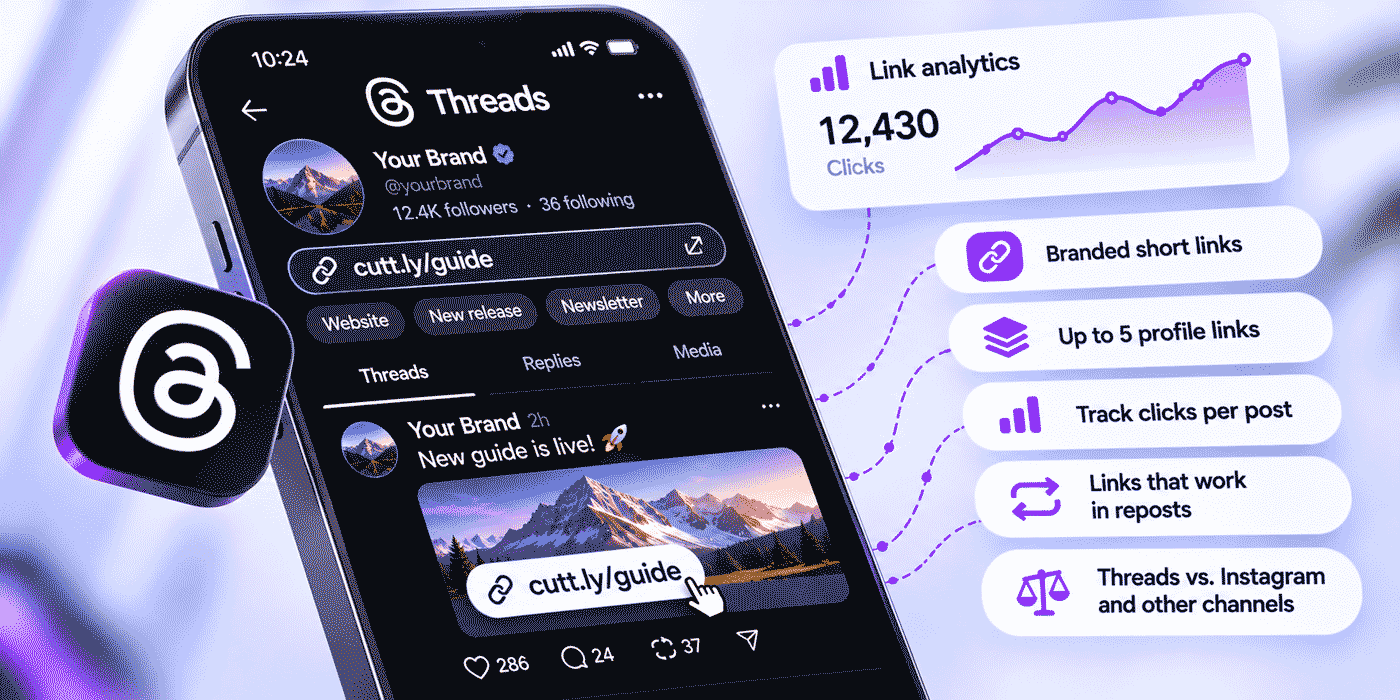
This guide shows how to run Threads links with Cuttly, the URL Shortener for branded short links, QR codes, Link in Bio pages and link analytics. It covers what Threads measures and what it leaves out, how to structure one link per post, how to use the five profile link slots, how link previews, reposts and fediverse sharing affect your links, how to compare Threads with Instagram and other channels, and how to read Threads views and Cuttly clicks side by side.
What This Guide Covers
- What Threads insights measure, and the click gap
- Where links appear on Threads
- Your domain as a signal of who is posting
- One short link per post, and where to place it
- The five profile link slots and when a hub page helps
- Link previews, reposts, quotes and fediverse sharing
- UTM conventions that separate Threads from Instagram
- Long-lived posts and editable destinations
- Timing: when Threads reaches people and when they click
- Writing posts that earn the click, and replies as a link channel
- Scheduling tools, launches, feedback and a monthly review
- Two worked examples, common mistakes and a plan guide
What Threads Measures, and the Click Gap
Threads insights give an account a good sense of reach and conversation. They show views, likes, replies, reposts and quotes for posts, follower growth and audience demographics, and Threads has added summaries that compare a post with your recent ones and suggest the days and times when your posts reach the most people.
Links have had a more uneven history. In 2025, Threads raised the number of profile links to five and introduced statistics on how people used links in profiles and posts. By September 2026, however, it was reported that link click statistics were no longer part of the in-app insights, with Meta saying it was exploring the feature. Platforms change their dashboards often, so treat the exact state of Threads insights as something to check in your own account. What matters for planning is that you cannot rely on the platform alone to tell you how many people a post sent to your website.
A short link closes that gap in a way that does not depend on any platform's dashboard. Every Cuttly short link has its own analytics on every plan: clicks by day, devices, operating systems, browsers, countries and the language set on the device. Analytics are aggregated and anonymized, which means they show how many clicks a link received, not who clicked, and statistics are private by default. Put the views from Threads next to the clicks from Cuttly, and you know both how far a post traveled and how much it moved people.
Where Links Appear on Threads
- Posts. A link in a post, usually with a preview card. This is where most outgoing traffic starts.
- Replies. Links you add in replies to your own posts or to questions from readers, often the most targeted links of all, because they answer a specific request.
- The profile. Up to five links, visible to anyone who opens your profile, which many new followers do right after a post catches their attention.
- Reposts and quotes. Other people's reposts and quotes carry your post, and its link, to their followers.
- Outside Threads. Links to your Threads profile on your website, in newsletters and on printed materials, bringing people in rather than sending them out.
Each of these behaves differently, and the rest of this guide takes them one by one.
Your Domain as a Signal of Who Is Posting
On a fast-moving feed, readers decide in a second whether a link looks safe and relevant. An address of random characters on an unknown domain gives them nothing to go on. A branded short link such as go.your-brand.co/winter-drop tells them who is behind it before they tap. Used consistently, the domain becomes part of your account's identity: followers learn that links from you always look the same, and an imitation account cannot copy that.
A branded domain also keeps your links tidy in a format where every character is visible. Threads posts are short, and a long address with tracking parameters attached looks like noise in the middle of a sentence. The short link carries the same tracking, invisibly. On the platform side, Cuttly Safe Redirecting assesses links when they are created and can refuse to shorten prohibited destinations, blocked links show a warning screen instead of forwarding silently, and anyone can report a suspicious Cuttly link at cutt.ly/report. More on this is in Is Cuttly Safe?
Set Up the Domain First
Connect your branded domain before creating any links for Threads, because the domain of an existing short link cannot be changed later. Use a dedicated short domain or an unused subdomain, such as go.your-brand.co: connecting it means pointing its DNS A record to Cuttly and adding a DNS TXT record for verification at your registrar, so the hostname cannot be the one your website runs on. Free and Starter include 1 branded domain with SSL configured on your side. From Single, up to 5 domains are included, SSL through Let's Encrypt comes with them, and root page and 404 redirects send visitors who type the bare domain, or a wrong alias, somewhere useful. Details are in the custom domain guide.
One Short Link per Post
Give every post that links somewhere its own short link. If you promote the same article on Monday and again on Thursday, use two links. Each one then counts its own clicks, and you can compare wording, format and timing directly. Reusing one link across many posts merges everything into a single number that tells you only that something worked, somewhere.
Automatic Aliases for Taps, Custom Aliases for Memory
Readers tap links in posts; they rarely read or retype the part after the slash. An automatically generated alias such as go.your-brand.co/aBcDeF works perfectly there, and it does not use up your custom alias allowance. Save custom aliases for links people will see, remember or type: your profile links, a link you mention in a video, a link printed on packaging, a link you say aloud on a podcast. Custom aliases are limited to 3 per month on Free and 30 per month on Starter, and unlimited from Single.
Count Your Rhythm
An account that posts one link a day needs about 30 short links a month, which is the Free plan's limit. Two or three link posts a day, plus links in replies, add up to 60 to 120 a month, which fits Starter's 300. Brands posting across Threads, Instagram and other channels, each with separate links, usually need Single, with 5,000 short links a month.
Tag and Title Every Link
Give each Threads link the tag threads. Tags and comments are available on every plan, and so is search by tag, so a month's Threads links appear in one search. From Starter, link titles such as "Threads: winter drop teaser, post 3" make the dashboard readable at a glance. When you review a month of posts, that small effort is what turns a list of links into a record of what worked.
In the Post or in a Reply?
Accounts on Threads place links in different ways. Some put the link in the post itself, with its preview card. Others write the post without a link and add it in a reply directly underneath, so the post reads as conversation and the link sits one tap away for anyone interested. There are opinions about which approach reaches more people, and they change as the platform changes.
Rather than following opinions, measure it. Use one short link for the post placement and another for the reply placement, alternate between them over a few weeks for similar posts, and compare clicks per view. Your own audience's behavior is the only answer that matters, and short links are what make the comparison possible. Whatever you find, keep the link in a reply clearly connected to the post, for example "Link to the full guide below", so readers know where to look.
Writing Posts That Earn the Click
A short link makes clicks measurable; it does not make them happen. On Threads, where posts are short and the feed moves fast, the words around the link do most of the work. A few principles hold up across very different accounts.
- Give one concrete reason to click. "New article" is an announcement. "Three pricing mistakes we made in our first year, and what they cost us" is a reason. Readers click when they know what they will get.
- Deliver part of the value in the post. A post that shares one useful idea and offers the rest behind the link earns trust and clicks. A post that withholds everything reads like bait.
- Put the link where curiosity peaks. Usually that is right after the most interesting sentence, not at the end of a long post.
- Promise what the page delivers. If the post says "free guide" and the page asks for an email address first, say so. Disappointed visitors do not click your next link.
- Make the preview part of the message. The preview card's title and image are read as part of the post. Choose destination pages whose titles work as headlines.
Each of these is a hypothesis about your audience, and per-post short links are what let you test it. Change one thing at a time, compare click rates over a few weeks, and keep what works.
Replies as a Link Channel
Threads is conversational, and many of the most valuable links are shared in replies: answering "where can I find the size chart?", "is there a guide for this?" or "when is the next drop?". These links reach people at the exact moment they asked for something, so they tend to convert well. They also repeat, because the same questions come up again and again.
Give the answers people ask for most a stable short link with a readable custom alias, such as go.your-brand.co/sizes, go.your-brand.co/faq or go.your-brand.co/next-drop, and add utm_content=reply to its parameters. Whoever answers replies can paste the same links every time, readers see a consistent, recognizable address, and you can see how much traffic the conversations themselves produce. When the page behind an answer changes, such as next month's drop date, edit the destination once, and every earlier reply that contained the link stays correct.
The Five Profile Link Slots
Threads lets you add up to five links to your profile. For many accounts that is enough to list the essentials: website, newsletter, shop, current offer and another social profile. Two practices make those slots far more useful.
A separate short link in every slot. Each slot gets its own short link with a readable custom alias, such as go.your-brand.co/th-newsletter or go.your-brand.co/th-shop, so you can see which profile links people actually use. A slot nobody uses is a slot you can give to something better.
A slot that changes without being edited. Make one slot your "current" link, for example go.your-brand.co/th-now, and change its destination whenever the main campaign changes. The profile stays the same; the link behind it always leads to what matters this week. Destination editing is available from Starter; on Starter and Single the new destination must be on the same domain as the current one, and on Team and Team Enterprise it can be any URL.
When a Hub Page Helps
Five slots are not always enough, and some accounts prefer one hub that is identical on every platform they use. A Cuttly Link in Bio page does that job: one address in one Threads slot, and behind it as many destinations as your plan allows. Free and Starter pages sit on the cutt.ly domain with room for up to 5 links. From Single, you can use the cutt.bio domain or your own branded domain with an editable alias, add up to 20 links and a video, and run up to 3 pages; on Team and Team Enterprise the pages carry no Cuttly branding. Every Link in Bio page has its own analytics, and from Single, CTR shows how many page visitors went on to click a link. The Link in Bio guide covers page design.
A practical combination for many accounts: four direct profile links for the most important destinations, each a short link, and a fifth slot for the Link in Bio page with everything else. You get direct access for most visitors and a complete list for those who want more.
Link Previews
A link in a Threads post usually appears with a preview card showing the page's title and image. With a short link, the preview normally reflects the destination page, so the title and image your page provides are what readers see. Before posting something important, check how the preview looks, and make sure the destination has a clear title and an image designed to work at small sizes.
Building a preview is an automated request: the page has to be fetched before the card can be shown. Such requests can register as early activity on a new link. Cuttly applies bot filtering automatically on every plan to keep automated traffic out of your counts, and from Single a separate chart shows bot clicks. The practical rule is to judge a post's link over days, not in the first minutes after publishing.
Reposts, Quotes and Fediverse Sharing
On Threads, posts travel through other people. A repost shows your post to someone else's followers; a quote adds their own comment on top. In both cases your link goes with it, and every click from those new audiences is counted on your short link. A link that keeps collecting clicks days after the post left your own followers' feeds usually means it was reposted or quoted somewhere with an audience you did not reach directly.
Threads is also connected to the fediverse, the network of independent social servers that includes Mastodon. Accounts that opt in to fediverse sharing, where Meta offers it, can have their posts seen by people on other servers. Reports on the rollout have noted that availability differs by region, so check whether the option appears in your account. If you use it, your links can be opened from apps and servers well beyond Threads, which makes a branded domain and a stable short link even more useful: readers elsewhere see your name in the address, and you can still manage where the link leads.
The analytics will often show this spread before anything else does. Clicks from unexpected countries, languages or devices are frequently the first sign that a post found a second audience. Cuttly shows countries based on the visitor's IP country and the language set on the device, on every plan.
UTM Conventions That Separate Threads From Instagram
Threads is closely connected to Instagram, and many accounts post similar content to both. That makes it easy to lose track of which platform sent which visitors. Separate short links per platform solve half the problem in Cuttly. UTM parameters solve the other half in your website analytics, by showing what each audience did after arriving.
A convention for Threads:
utm_source=threads&utm_medium=social&utm_campaign=winter-drop&utm_content=post
- utm_source is
threads, neverinstagramormeta, so the two platforms stay apart in every report. - utm_medium matches the value you use for other social platforms.
- utm_campaign is identical across platforms, so the campaign can be viewed as a whole.
- utm_content names the placement:
post,reply,profile,profile-hub.
The UTM builder is available on every Cuttly plan. Write all values in lowercase and keep spellings identical. Clicks from social apps often arrive without a referrer, so website analytics may record them as direct visits; in Cuttly, Threads clicks may also appear under other or direct sources. The link and its parameters carry the attribution, which is the reason to set them up carefully. The full method is in the guide to UTM parameters with a URL shortener, and Instagram specifics are in the guide to URL shorteners for Instagram.
Long-Lived Posts and Editable Destinations
Threads feels fast, but posts last. A thread that explains your product, a popular answer to a common question or a post that was quoted widely can keep sending visitors for months. Meanwhile, the page it links to changes: an offer ends, an article moves, a product sells out.
With a short link, you fix the destination instead of the post, from the Starter plan. The post, every repost and every quote then lead to the new page. On Starter and Single the new destination must be on the same domain as the current one; on Team and Team Enterprise it can be any URL, which matters if a link sometimes needs to move between your website and another platform. The steps are in the support article on changing the destination of a short link. Note each change in the link's comment or title, because the click chart does not record that the destination changed. Short links on Cuttly do not expire on their own, so a post from this year still works next year.
Timing: When Threads Reaches People and When They Click
Threads insights suggest the days and times when your posts reach the most people. Reach and clicks do not always peak together, though. A post seen widely late in the evening may be scrolled past by people who are not ready to read an article or buy something, while a post seen by fewer people at lunchtime may produce more clicks.
Cuttly's chart of clicks by day shows how long a post keeps working, on every plan. From Single, Hourly Insights add a heat map of clicks by hour for the last 7 days on Single and the last 14 days on the Team plans. Compare it with the reach times Threads suggests. When the two agree, you have a clear posting window. When they disagree, you have a choice between posting for reach and posting for action, and you can test both. Timing decisions based on click data are discussed further in campaign timing with link analytics.
Reading Threads Views and Cuttly Clicks Together
For each post with a link, collect two numbers over the same period, for example the first three days: views from Threads and clicks from Cuttly. Clicks divided by views is the post's click rate. One post's rate means little on its own. A month of them shows which topics, formats and calls to action turn attention into visits, and which posts are popular but send nobody anywhere.
Some patterns are worth watching:
- High views, low clicks. The post interested people but did not make the link compelling. Try a clearer reason to click, or move the link closer to the point of interest.
- Modest views, high clicks. A small but motivated audience. Topics like this are worth repeating even if they never go far.
- Clicks that continue for days. The post was likely reposted or quoted. Look at which accounts shared it; they may be partners worth knowing.
- A profile slot that never gets clicked. Replace it with something your audience wants.
For the whole account, Aggregated Link Analytics from Single summarize clicks across links, with top links, devices, countries and languages: the last 7 days for up to 10 links on Single, 14 days for up to 25 on Team and 28 days for up to 50 on Team Enterprise. On the Team plans, Cuttly Campaigns add aggregated analytics for tags, which is the simplest way to compare platforms: tag Threads links threads and Instagram links instagram, and see totals, devices, sources, languages and locations for each tag, for up to 50 tagged links on Team and 100 on Team Enterprise, over the last 14 days. Link analytics history is kept for 30 days on Free and Starter, 1 year on Single and 2 years on the Team plans. The link analytics guide covers the charts in detail.
Scheduling Tools and Automation
Many brands schedule Threads posts in advance, with Threads itself or with tools that publish through the Threads API. The rule for links is the same either way: create the short link first, with its tag, title and UTM parameters, and paste the short link into the scheduled post. If you produce posts at volume, links can be created automatically through the Cuttly API, available on every plan with rate limits from 3 calls per 60 seconds on Free to 360 on Team Enterprise. For example, your content system can create a short link whenever an article is published and hand it to the scheduling tool. The API developer guide covers the technical side, and the guide to automation with Zapier and Make shows no-code options.
Launches, Drops and Feedback
Action Pages for a Moment
Threads is good at building anticipation: a teaser, a countdown, a reveal. Action Pages, available from the Single plan, give a launch its own focused page, served from a short link under the /c/ path on cutt.ly or your branded domain, with a title, description, background, logo, optional video, one call-to-action button and an optional countdown. The countdown can hide the button automatically at zero while the page stays active, which suits posts that keep circulating after a drop ends. From Single, CTR shows how many visitors pressed the button. You can run 3 Action Pages on Single, 10 on Team and 20 on Team Enterprise. On Single, the button's destination can be changed only within the same domain; on the Team plans it can be any URL.
Surveys When a Poll Is Not Enough
Threads has native polls for quick questions. When you want deeper feedback, such as what readers want from your newsletter or which product they would buy next, a survey with several questions and open answers works better. Cuttly Surveys run under a short link with the /s/ path, such as go.your-brand.co/s/readers, with a QR code. You write the questions in any language, set the buttons to one of 16 languages and export results to PDF, XLS or CSV. Open-text answers are encrypted with 256-bit encryption before storage, and surveys must not collect special categories of personal data, such as health information. Each survey has an end date, with a maximum active period of 7 days on Free, 15 on Starter, 30 on Single, 60 on Team and 90 on Team Enterprise, so announce a defined window and share the results in a follow-up post. More is in the guide to online surveys with a URL shortener.
Bringing People to Threads
Links also run in the other direction. Your website footer, your newsletter, your email signature and your printed materials can all invite people to follow you on Threads. Use a separate short link to your Threads profile for each placement, such as go.your-brand.co/threads-site and threads-newsletter, and you can see which placement brings the most visitors to your profile. Every Cuttly short link has a QR code on every plan, so the same link can go on packaging, a shop window or an event booth. From Single, QR codes can be customized with your colors, shapes and logo and downloaded in SVG for print, in addition to PNG, JPG and WEBP. Settle the alias before printing: changing a short link's alias changes its QR code, and the printed code stops working.
The email signature is an easy place to start. Every email your team sends is read by someone who already knows you, and a quiet line such as "Follow our updates on Threads" with its own short link turns that steady flow of readers into followers you can count. The approach for signature links, from naming to analytics, is covered in the guide to URL shorteners for email signatures. Compare the profile visits each placement produces with the follower growth Threads reports for the same weeks, and you will see which invitations work.
International Audiences
Threads audiences are often spread across countries and languages, especially when posts are reposted or shared to the fediverse. Threads insights include audience demographics; Cuttly adds the countries and device languages of the people who click, on every plan. If a steady share of clicks comes from one language group, a destination page in that language with its own short link is often the next step. Teams in different countries can manage links in their own language, since Cuttly is available in 48 languages. Aliases, labels and analytics across languages are covered in the guide to multilingual links.
Test Before You Post
Links from Threads are opened mostly on phones, and they may open inside the app rather than in the phone's default browser. Before an important post, publish the link somewhere private or send it to yourself, tap it on a phone, and follow the path to the goal: the purchase, the sign-up, the download. Check the preview at the same time. If a destination needs a login or works badly on small screens, fix it before thousands of people arrive. For app downloads, Mobile URLs, available from Single, let one short link send Android and iOS visitors to different destinations than desktop visitors, and Deep Links from Team add Play Store and App Store support.
A Monthly Threads Review
Once a month, set aside half an hour for a review. It is where the small habits of tagging, titling and separate links pay off.
- List the month's link posts with a search by the
threadstag, and note views from Threads next to clicks from Cuttly for each. - Pick the three posts with the best click rate and the three with the worst, and write down what distinguishes them: topic, format, placement of the link, time of day.
- Check the five profile slots. Replace any slot that earned almost no clicks.
- Check every "current" and reply link and confirm its destination is still the right page.
- Compare platforms if you post elsewhere too: the same campaign on Threads and Instagram, side by side.
- Write one decision for the next month, such as "links in posts, not replies" or "one idea per post", and test it.
Worked Example: A Clothing Brand on Threads and Instagram
A small clothing brand posts on Threads and Instagram, sometimes the same announcement on both, sometimes conversations that only make sense on Threads. It wants to know whether Threads sends real shoppers or only conversation. It chooses Single: about 150 links a month across both platforms, unlimited custom aliases, SSL included for its short domain, Hourly Insights and Action Pages for drops.
After connecting go.your-brand.co, the brand sets up its Threads profile with five short links: th-shop, th-new, th-sizes, th-now for the current campaign, and a Link in Bio page on the brand's own domain with the rest. Every post that links somewhere gets its own short link, tagged threads, with utm_source=threads. Instagram links get their own links and tags. Nothing is shared between platforms.
For a winter collection drop, the brand runs a week of teasers on Threads and builds an Action Page with a countdown that hides the button when the preorder window closes. Half the teaser posts carry the link in the post, half in a reply underneath. After the drop, the comparison shows that on this account, links in replies get fewer clicks per view, so the brand keeps links in posts. The th-sizes profile slot turns out to be the second most clicked profile link, so the brand adds a sizing link to every product post as well.
Comparing tags, Threads sends fewer clicks than Instagram but a higher share of visitors who reach the checkout, according to the website analytics with the separate UTM sources. The brand keeps both channels and gives Threads more of the conversational, behind-the-scenes posts that perform best there. When the drop page moves to a permanent collection page on the shop, th-now and the drop links are repointed, a same-domain change that works on Single.
Worked Example: A Newsletter Writer
An independent writer uses Threads to grow a newsletter. Posts share ideas from recent issues, and the goal is sign-ups. The writer works alone, posts one or two links a day and chooses Starter: 300 short links and 30 custom aliases a month, destination editing within the same domain and link titles, with 1 branded domain configured with SSL through the writer's own provider.
The profile carries three short links: subscribe, archive and latest. The latest link points to the newest issue on the newsletter platform, and each week the writer edits its destination to the new issue. Because every issue lives on the same newsletter platform domain, this is a same-domain edit that Starter allows. Each post that mentions an issue gets its own short link to that issue, with utm_content=post.
After a month, the click rates show a clear pattern: posts that share one concrete idea and end with "the full argument is in this week's issue" earn several times the clicks per view of posts that simply announce a new issue. The writer rewrites the posting format around that finding. Because Starter keeps 30 days of analytics history, the writer copies the month's numbers into a simple spreadsheet at the end of each month, and plans to move to Single for a year of history once the newsletter has paid subscribers.
Common Mistakes
- Relying on platform insights for clicks. Dashboards change. Short links give you a click count that stays under your control.
- One link for Threads and Instagram. The platforms merge into one number. Use separate links and a separate
utm_source. - Reusing one link across many posts. Nothing can be compared. Give each post its own link.
- Raw links with visible tracking codes. They look like noise in a short post. Put the parameters behind a branded short link.
- Profile slots without their own short links. You cannot tell which slot works. Give each slot a short link with a readable alias.
- Judging links in the first minutes. Preview requests and other automated traffic appear early. Read results over days.
- Editing posts instead of destinations. Reposts and quotes keep the original. Change the short link's destination, and every copy follows.
- Chaining short links. Point every short link straight to its destination. Links with more than one redirect, or already shortened elsewhere, can be blocked.
- Skipping the phone test. Tap every important link on a phone before posting.
- A "current" slot that never changes. A profile link labeled as the latest offer but pointing at last season's page costs trust. Review it every time a campaign changes.
- Answering the same question with different links. Replies scattered across raw addresses cannot be counted or updated. Give common answers one stable short link each.
The Short Version
Connect a branded domain before creating any Threads links, and use it for every link you post. Give each post its own short link, with automatic aliases for links people tap and custom aliases for links people read or type. Put a separate short link in each of the five profile slots, keep one slot as a "current" link you repoint, and use a Link in Bio page when five slots are not enough. Tag Threads links, add UTM parameters with utm_source=threads, and never share links between Threads and Instagram. Check previews, read results over days, and fix destinations instead of posts. Compare Threads views with Cuttly clicks to learn which posts are seen and which ones move people.
Choosing a Plan for Threads
Four questions settle it. How many link posts a month? About one a day fits Free; a few a day fit Starter; several platforms with separate links point to Single. Do you need to repoint links? A "current" profile slot and long-lived posts need destination editing, which starts at Starter. Will destinations move between domains? That requires Team. How much history and how many people? 30 days on Free and Starter, 1 year on Single, 2 years and shared management with roles on the Team plans.
Cuttly Plan Guide for Threads
The Free plan ($0) covers occasional link posts: 30 short links and 3 custom aliases a month, 1 branded domain with SSL configured on your side, QR codes, the UTM builder, tags, API access, one Link in Bio page and 30 days of analytics. Registration is required; no credit card is needed.
The Starter plan ($12/month) suits a single creator or writer: 300 short links and 30 custom aliases a month, destination editing within the same domain, link titles and more control over the Link in Bio page.
The Single plan ($25/month) fits brands active on several platforms: 5,000 short links a month with unlimited custom aliases, up to 5 branded domains with SSL included, 1 year of analytics, Hourly Insights, a bot chart, Aggregated Link Analytics, Mobile URLs, Action Pages, customizable QR codes and Link in Bio pages on cutt.bio or your own domain with CTR.
The Team plan ($99/month) suits social teams: destination editing to any URL, 2 years of analytics, Campaigns analytics for tags to compare platforms, up to 3 teams with 5 members each and five roles, the Team API and Link in Bio pages without Cuttly branding.
The Team Enterprise plan ($149/month) serves organizations with many brands or accounts: up to 10 teams with 20 members each, 50,000 short links a month, 99 branded domains, Campaigns analytics for up to 100 tagged links and SSO.
Try it on your next post: create a free Cuttly account, connect your domain, and publish your next Threads link as a short link with its own tag and UTM parameters. Registration required; free plan available with no credit card needed.
Frequently Asked Questions
Can I see how many people clicked a link in my Threads post?
Threads insights focus on views, engagement and audience, and link click statistics were not part of them at the time of writing. With a Cuttly short link in the post, every click is counted, with charts by day, device, country and language. Analytics are aggregated and anonymized.
How many links can I add to my Threads profile?
Up to five. Put a separate short link in each slot to see which ones are used, and use a Link in Bio page in one slot if you need more destinations.
Should I use the same link on Threads and Instagram?
No. Use separate short links per platform, even for the same page, and a different utm_source for each. Cuttly then counts each platform's clicks separately, and your website analytics show what each audience did.
Can I change where a link in an old post goes?
Yes, from Starter. The post, its reposts and quotes all lead to the new destination. On Starter and Single it must be on the same domain; on the Team plans it can be any URL.
Why does a new link show activity right after posting?
Some early requests are automated, such as the request made to build a preview. Bot filtering runs automatically on every plan, and a separate bot chart is available from Single. Judge links over days.
Do I need a paid plan?
Not to start. Free includes 30 short links and 3 custom aliases a month, 1 branded domain, QR codes and 30 days of analytics. Registration is required, and no credit card is needed. Daily link posting usually needs Starter or Single.
- SOCIAL
- URL Shortener →
- Link in Bio Builder →
- QR Code Generator →
- Social Guides
- URL Shortener for Instagram
- Short Links for Social Media
- URL Shortener for Influencers
- Cuttly for Creators
- Channel Guides
- URL Shortener for Telegram
- URL Shortener for Discord
- URL Shortener for Email Signatures
- Tracking
- UTM Parameters Guide
- Link Analytics Guide
- Campaign Timing With Link Analytics
- Campaigns: Analytics for Tags
- Profiles
- Link in Bio Guide
- URL Shortener for Newsletters
- This Series
- URL Shortener in 48 Languages
- Is Cuttly Safe? Security and Privacy
- Support Docs
- Changing a Link's Destination
- Encyclopedia
- Branded Links
- Link in Bio
- Verticals Hub
- URL Shortener for Every Industry →
- Start Here
- Create Free Account
- Plans & Pricing
URL Shortener
Cuttly simplifies link management by offering a user-friendly URL shortener that includes branded short links. Boost your brand’s growth with short, memorable, and engaging links, while seamlessly managing and tracking your links using Cuttly's versatile platform. Generate branded short links, create customizable QR codes, build link-in-bio pages, and run interactive surveys—all in one place.
Cuttly More Than Just a URL Shortener
Cuttly is a comprehensive, ever-evolving platform for link shortening that combines innovation and user-friendliness to deliver a seamless experience in managing and shortening URLs.


