The Complete Guide to Short Link Best Practices for Agencies: Naming, Governance, Reporting and Scale
The difference between an agency that uses short links competently and one that uses them excellently is not in the tools — it is in the systems. Both agencies might use the same URL shortener. The excellent agency has a documented naming convention that every account manager follows without thinking. Every link carries a campaign tag that makes reporting a 10-minute data pull rather than a 90-minute spreadsheet exercise. Every client's links are on their own branded domain. Every QR Code matches the client's brand guidelines because it was generated from a preset that was configured during client onboarding. The competent agency has none of this — its links are a mix of naming styles, its UTM values are inconsistent, its QR Codes vary by whoever created them, and its campaign reporting requires manual aggregation every time. This guide is the complete agency-specific short link best practices reference. It covers every system — naming conventions, domain architecture, UTM governance, campaign tagging, QR Code standards, access control, client reporting, link lifecycle — with the specificity that lets you turn the guidance into documented, enforceable agency processes.
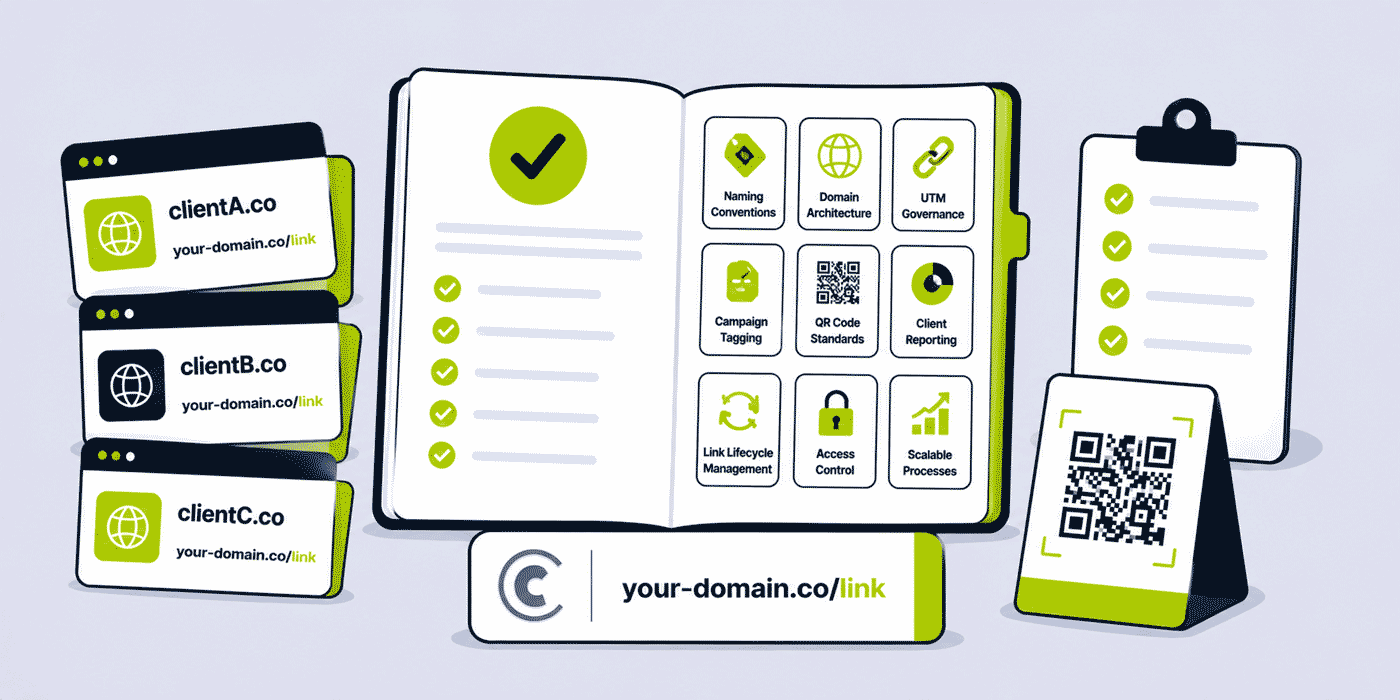
What This Guide Covers
- The agency link management maturity model — where you are and where to get to
- Best practice 1: Per-client branded domain architecture
- Best practice 2: Alias naming conventions — the three-part system
- Best practice 3: UTM governance — one convention, enforced
- Best practice 4: Campaign tagging taxonomy for reportable analytics
- Best practice 5: QR Code brand presets per client
- Best practice 6: Access control — minimum viable privilege per role
- Best practice 7: Link creation checklists — the quality gate
- Best practice 8: Campaign reporting workflows with Campaigns and shareable pages
- Best practice 9: Link lifecycle management — active, archived, retired
- Best practice 10: Client offboarding — data preservation and link continuity
- Best practice 11: API and automation — when to build, what to automate
- Best practice 12: Security standards for agency link management
- Building the agency link operations playbook
The Agency Link Management Maturity Model
Before detailing specific best practices, it helps to understand where agencies typically sit in their link management maturity — and what the progression looks like. The maturity model has three levels.
Level 1: Ad Hoc. Links are created when needed, with no consistent naming, one shared domain for all clients, no campaign tagging, inconsistent UTM values, no documented process. Campaign reporting requires manual link-by-link aggregation. Client data is not isolated. QR Codes look different every time they are created. New account managers learn link creation by watching someone else do it, not from a documented process.
Most agencies with 5 or fewer clients are at Level 1. It is functional — work gets done — but it does not scale. When the client roster grows to 15, the chaos compounds quickly: misattributed UTMs in client analytics, unsearchable link dashboards, inconsistent client reporting, and no institutional knowledge about which links exist for which campaigns.
Level 2: Structured. Per-client team workspaces, each with a branded domain. A documented naming convention that most account managers follow most of the time. UTM values that are mostly consistent. Campaign tags applied to most links. QR Codes created with reference to client brand guidelines. Client reporting using Campaigns when it exists, manual aggregation when it does not. Level 2 agencies are doing the right things but not enforcing them systematically.
Level 3: Systematic. Link creation is process-driven: every new link is created from a checklist that ensures naming convention, UTM parameters, campaign tag, and QR Code preset are applied before the link goes live. Campaign reporting takes minutes, not hours, because the tagging infrastructure makes aggregation automatic. Link lifecycle is actively managed — active, archived, and retired links are tracked. Client offboarding has a documented process. New account managers are onboarded to the link management system in their first week. The link infrastructure is a quality-controlled service delivery component, not an afterthought.
The best practices below are the individual steps from Level 1 to Level 3. You do not need to implement all of them simultaneously — start with the ones that address your biggest current pain points (usually naming conventions and campaign tagging, which unlock reporting), then build the rest over time.
Best Practice 1: Per-Client Branded Domain Architecture
Every client's short links should use that client's own branded domain, not the agency's domain and not a generic shortener domain. This is simultaneously the most important best practice and the one most agencies skip because it feels like overhead at the start of a new client relationship.
The three reasons it is non-negotiable: client brand integrity (every link in every email, social post, and printed material for the client carries the agency's domain if you use yours — that is the agency inserting itself into the client's brand communications), data isolation (a per-client team workspace with the client's domain means analytics are completely isolated by domain and workspace), and link lifecycle ownership (when the client leaves, the links on the agency's domain remain an agency asset; links on the client's domain can be transferred to the client's control).
The operational overhead is real but small: one DNS configuration per new client, typically 15 to 30 minutes of active setup. Given that the relationship may generate dozens or hundreds of client links over months or years, the per-link overhead of this initial setup is negligible. Create a standardised domain setup brief that any account manager can use to guide the client's IT team or web manager through the DNS configuration. Make it part of the new client onboarding checklist so it is done before the first campaign, not during it.
The complete setup process is documented in the branded short link setup guide. The summary: subdomain of client's existing domain (go.clientdomain.com) is the simplest option. A dedicated short domain (clientbrand.link) is appropriate for clients whose primary domain is long. Configure A record and TXT record at the client's DNS provider. Add to Cuttly workspace. Let's Encrypt SSL on the Single plan and above; external SSL on Free/Starter.
Best Practice 2: Alias Naming Conventions — The Three-Part System
The alias is the back-half of a short link — the part after the domain slash. An alias that is not named intentionally is an analytics and operational liability. go.clientdomain.com/aBcDeF is a link you cannot identify in a dashboard without clicking it. go.clientdomain.com/summer26-email is identifiable at a glance.
The three-part naming convention for agency links:
Format: [campaign-slug]-[channel]
Within the client's own workspace (so the client identifier is implicit from the workspace).
Examples:
summer26-email→ summer 2026 campaign, email newslettersummer26-ig→ summer 2026 campaign, Instagram biosummer26-sms→ summer 2026 campaign, SMS broadcastsummer26-flyer→ summer 2026 campaign, printed flyer QR Codealways-on-email→ always-on link in email signaturegoogle-profile→ Google Business Profile link
For agencies managing multiple clients within a single workspace (not the recommended architecture, but sometimes the practical starting point): add the client identifier as a prefix: acme-summer26-email.
Channel standardisation list — the agency should maintain a standard list of channel suffixes that all account managers use. Recommended standard channel list:
| Channel | Standard suffix |
|---|---|
| Email newsletter | -email |
| Email signature | -sig |
| Instagram bio | -ig |
| Instagram Stories | -ig-story |
| TikTok bio | -tiktok |
| LinkedIn post | -li |
-fb | |
| Twitter/X | -tw |
| SMS | -sms |
-wa | |
| Printed flyer QR Code | -flyer |
| Business card QR Code | -card |
| Google Business Profile | -gbp |
| Paid search ad | -search |
| Paid social ad | -paid-[platform] |
Document this list. Share it in the agency's onboarding materials. Include it in the link creation checklist. Do not allow account managers to invent their own channel abbreviations — the value of a naming convention is in its universality.
Rules for the naming convention: all lowercase (mixed case creates filtering inconsistencies), hyphens as word separators (not underscores or spaces), no special characters, maximum 40 characters for print-friendly aliases (print-facing links may be visible to recipients), and no dates in campaign slugs for always-on links (a booking page link dated book-june2026 looks outdated by July; use book instead).
Best Practice 3: UTM Governance — One Convention, Enforced
UTM parameters are the bridge between Cuttly's click analytics and the client's GA4 on-site behavior data. An agency that manages GA4 for its clients has a direct responsibility for UTM data quality — inconsistent UTM values produce fragmented, incomparable attribution data that undermines the client's analytics reporting.
The governance requirement: a single UTM convention document, applied consistently across all account managers, all clients, and all campaigns. The convention must specify:
utm_source: the platform or channel that sent the traffic. Standardised values: newsletter (email to subscribers), instagram, facebook, tiktok, linkedin, twitter, sms, whatsapp, google-ads, meta-ads, print, qr-code. Never use spaces, never use uppercase, never abbreviate differently in different campaigns.
utm_medium: the medium type. Standard values: email, social, paid-social, paid-search, sms, print, qr. These are fewer and more stable than utm_source values.
utm_campaign: the campaign identifier. Convention: [client-slug]-[campaign-name]-[year]. Example: acme-summer-launch-2026. All lowercase, hyphens. The client slug ensures that if multiple clients' GA4 properties are connected to the same analytics platform, campaign names are distinguishable by client.
utm_content (optional): distinguishes between multiple links in the same campaign and channel. Example: header-cta vs footer-link in the same email. Use this when a campaign deploys multiple links in a single channel and you need to attribute conversions to specific link placements.
Enforcement mechanisms: a UTM parameter template in Cuttly's UTM builder (pre-populated with the standard format, editable per campaign), a brief-level UTM review step in the campaign launch checklist, and quarterly GA4 acquisition report audits to identify and flag UTM inconsistencies before they compound into multi-month data quality problems.
Best Practice 4: Campaign Tagging Taxonomy
Tags in Cuttly are the foundation of automated campaign reporting via Cuttly Campaigns. A link without tags is a link that requires manual effort to aggregate into a campaign report. A link with consistent tags is a link that contributes automatically to every Campaigns view that filters on those tags.
The recommended multi-tag taxonomy for agency links:
- Client tag:
client-acme— applied to every link for this client. Enables filtering all Acme links across all campaigns. - Campaign tag:
campaign-summer26— applied to every link in this campaign. Enables Campaigns aggregation for the entire campaign across all channels. - Channel tag:
channel-email— applied to every email link. Enables cross-campaign comparison of email performance for this client. - Campaign type tag (optional):
type-seasonal,type-always-on,type-product-launch— enables cross-client analysis of campaign type performance.
Every link gets at minimum the client tag and campaign tag. Channel tag is strongly recommended. Campaign type is optional but useful for agency-level performance review.
The Campaigns view aggregated report: in Cuttly Campaigns (Team plan+), filter by campaign-summer26 for Client Acme's workspace and see total campaign click volume across all channels, the device breakdown, geographic distribution, and time patterns. This is the campaign performance report. It required zero manual aggregation — it is the natural output of consistently applied campaign tagging. For a well-tagged portfolio, generating a complete campaign performance report takes 5 minutes, not 90.
Best Practice 5: QR Code Brand Presets Per Client
Every QR Code generated for a client should match that client's visual identity. QR Codes on a client's business cards, packaging, exhibition materials, and leaflets should be visually consistent — the same dot style, the same colour, the same logo treatment. Without a configured preset, the visual consistency of QR Codes depends entirely on the individual account manager's diligence in replicating the client's brand settings each time.
Cuttly's Global QR Code Presets (Single plan+) save a QR Code visual configuration within a workspace. When configured in a client's workspace, every subsequent QR Code generated in that workspace inherits the preset as the default. Account managers creating QR Codes for the client start from a pre-configured, brand-correct template rather than a blank slate.
Configure the preset during client onboarding — before the first QR Code is generated. Required inputs: the client's primary brand colour (as a hex value, from their brand guidelines), the preferred dot style (aligned with the client's visual character), and the client logo file (if QR Codes with logo overlay are the standard for that client). Test the preset by generating a sample QR Code, verifying it scans correctly, and confirming it matches the client's brand guidelines before proceeding.
All QR Codes for client print materials should be downloaded in SVG format. SVG is the correct format for professional print production because it scales to any size without quality degradation. The QR Code best practices guide contains the full print specification guidelines to communicate to client print teams.
Best Practice 6: Access Control — Minimum Viable Privilege
The principle of minimum viable privilege: each person has access to exactly what they need to perform their function, and no more. Applied to agency link management, this means:
- Agency account administrator: Owner role in each client workspace. Responsible for domain management, API key generation, and team member management. Maximum 2 to 3 people per workspace.
- Account manager/campaign lead: Admin role. Can create and edit links, access analytics, and manage team settings for their assigned clients. Does not need Owner access.
- Junior executive/campaign coordinator: User role. Can create and manage links. Cannot access API keys, domain settings, or team management. Appropriate for high-volume link creators who do not need administrative control.
- Reporting analyst: Viewer role. Can see all links and analytics without creating or modifying links. Appropriate for analytics specialists who need data access but not operational control.
- Client staff (optional): Viewer role for analytics visibility. User role only if the client needs to create their own links within the agency's managed infrastructure.
Access is a living status that must be maintained. Document role assignments for every client workspace and review quarterly: are all assigned team members still active on the account? Has anyone left the agency who still has workspace access? Are any client staff members with workspace access still active at the client? Stale access is a security risk and should be removed as part of standard account hygiene.
Offboarding procedure: when an account manager leaves, their access to every client workspace they were a member of must be removed on the day of departure or the next working day. Their links remain in the workspace; only their login access is removed. Document this in the HR offboarding checklist — not the IT offboarding checklist — because it is an account management responsibility, not purely technical.
Best Practice 7: Link Creation Checklists — The Quality Gate
A link creation checklist is the most practical operationalisation of best practices. It converts everything in this guide into a step-by-step process that account managers follow at the moment of link creation — the only moment when the quality gate matters.
Campaign Link Creation Checklist
- ☐ Correct workspace selected — client's workspace, not agency workspace or another client's
- ☐ Correct branded domain selected — client's domain from the dropdown
- ☐ Destination URL verified — link to the correct landing page; tested in a browser
- ☐ Alias follows naming convention — campaign-slug-channel format, all lowercase, hyphens
- ☐ UTM parameters added — source, medium, campaign fields completed per convention; utm_content if multiple links in same campaign/channel
- ☐ Client tag applied — client-[name] tag
- ☐ Campaign tag applied — campaign-[slug] tag
- ☐ Channel tag applied — channel-[type] tag
- ☐ Short link tested — clicked; correct destination loaded; HTTPS confirmed
- ☐ Short link recorded in campaign brief or project management tool
QR Code Creation Additional Steps
- ☐ QR Code preset applied — client brand preset selected as starting point
- ☐ Error correction set to H — mandatory for all print QR Codes
- ☐ Scanned in editor preview — verified on phone before download
- ☐ Downloaded as SVG for print production use
- ☐ Minimum size confirmed for intended print context
Build this checklist into your campaign management workflow — in Asana, Monday, Notion, or whatever project management tool your team uses. Make link creation a task with the checklist as the task description, not a casual sidebar activity. Quality gates only work when they are part of the documented workflow.
Best Practice 8: Campaign Reporting Workflows
Campaign reporting is where the investment in tagging, naming, and UTM governance pays its most visible dividend. A well-structured link portfolio produces campaign reports that are extractable in 10 minutes. An unstructured portfolio requires 90-minute manual aggregation exercises that produce reports full of caveats about data completeness.
Standard monthly campaign report workflow for an agency:
- Open Cuttly Campaigns view, filter by the campaign tag for the reporting period
- Screenshot or note aggregate metrics: total clicks, device breakdown, top countries, peak engagement time window
- Open the tag-filtered link list for the same campaign; note per-channel click counts (email link vs Instagram link vs SMS link vs flyer QR Code)
- Generate shareable public analytics page URLs for 2 to 3 highest-traffic links; include in report as live data links for client reference
- Export link data to CSV for full per-link breakdown inclusion in formal report
- Open GA4 for the client's property; filter by the campaign UTM values; extract sessions, conversion rate, and revenue attributed to this campaign
- Combine Cuttly data (click volume, device, geography, channel attribution) with GA4 data (sessions, conversions, revenue) into the report template
The total time for steps 1 to 7 with a well-tagged campaign: 10 to 15 minutes of data extraction, plus report formatting time. Without the tagging and UTM infrastructure: 60 to 120 minutes of manual aggregation across the Cuttly dashboard and multiple GA4 reports, with lower accuracy.
Best Practice 9: Link Lifecycle Management
Every link has a lifecycle. Campaign links go live, generate traffic, the campaign ends, and the link enters a post-campaign period where it may still receive occasional traffic from shared or cached content. Eventually, the link is either archived (maintained but no longer actively promoted) or retired (destination updated to a generic page or deleted).
Active lifecycle management prevents link portfolio decay: a dashboard full of old links with no clear status, destinations that may have changed, and analytics data mixed with current campaign data.
Recommended lifecycle states and practices:
- Active: link is in active campaign promotion. Destination is current. Analytics are actively reviewed. Tag includes campaign tag. No intervention needed.
- Post-campaign: campaign has ended but link may still receive organic traffic from shared posts, indexed content, or previously distributed materials. Destination is current. Analytics reviewed monthly. Consider updating the destination to a "campaign ended, see current offers" page if the original destination is no longer relevant.
- Archived: link no longer receives meaningful traffic. Destination updated to a relevant active page. Hidden from the main dashboard view (Cuttly allows hiding individual links) but not deleted — analytics preserved for historical reference. Tagged with
archived. - Retired: link is deleted from Cuttly. Only appropriate when: the link is confirmed to no longer be reachable from any live material (no indexed content, no print materials in circulation, no links in live social posts), and the analytics history has been exported to CSV for archival reference.
The retirement decision must never be made without confirming that no print materials containing the link are still in circulation. A business card with a QR Code that is deleted from Cuttly generates a 404 error for every future scanner — a poor experience that reflects badly on the client. If in doubt, archive rather than retire.
Best Practice 10: Client Offboarding — Data and Continuity
Client offboarding is the highest-stakes link lifecycle event — it affects every link ever created for that client simultaneously. The offboarding decision framework is covered in depth in the agency architecture guide. The best practices summary:
- Export analytics data before any deletion: every client's link analytics represents performance data that belongs to the client. Export to CSV before offboarding. Deliver to the client as part of the offboarding deliverables.
- Audit print materials before deletion: confirm no active print materials — business cards, packaging, signage, published articles — contain short links from the client's workspace before deleting any links or the workspace itself.
- Offer workspace transfer as default: the cleanest offboarding is transferring the client's workspace to a Cuttly account the client controls. Their links, analytics, and domain remain intact under their ownership.
- Never delete a workspace with links pointing to print materials: the business card currently in circulation that scans to a 404 error because the agency deleted the client's workspace after offboarding is a failure that reflects on both the agency and the client's brand.
Best Practice 11: API and Automation — When to Build
Automation of link creation via the Cuttly API or no-code tools (Zapier, Make) is high-value for agencies with repetitive, high-volume link creation patterns. The best practices guidance: automate when the pattern is stable and the volume justifies the setup cost.
Good candidates for automation: campaign brief → per-channel link set generation (create 6 links per campaign from the brief's fields), content calendar → per-post link generation (each scheduled post gets its tracked link), product catalogue → per-product link generation at onboarding.
Poor candidates for automation: one-off or infrequent link creation (manual is faster than building an automation), complex link configurations that vary significantly per use case, contexts where link configuration requires human judgment about alias design or UTM values.
When building automations: use the Team API key (not a personal API key) so the automation does not depend on any individual's account. Store the API key as a secured variable in the automation platform. Build error handling that logs failures and notifies the responsible account manager rather than silently failing. Test with a single client workspace before deploying across all clients. The full API automation guide is in the Zapier and Make automation guide.
Best Practice 12: Security Standards
Agency link management security standards align with those documented in the URL shortener security guide. The agency-specific summary:
- 2FA on all accounts that have access to client workspaces — no exceptions. A compromised agency account can expose every client's link infrastructure simultaneously.
- Unique strong passwords — no shared credentials across team members, no password reuse from other services.
- Team API keys over personal keys for all client automations — personal keys create organisational dependencies on individuals.
- Auto-renewal on all client branded domains — the agency's responsibility if managing DNS; the client's responsibility if they manage DNS, but verify annually.
- Regular link destination audits for high-value evergreen links — confirm they still route to the correct destination quarterly.
- Prompt access revocation when team members leave — same-day or next-working-day for all client workspace access.
Building the Agency Link Operations Playbook
The sum of the best practices above is a link operations playbook — a living document that governs how the agency creates, manages, reports, and retires links across its client portfolio. A playbook is not a list of guidelines that account managers are expected to internalise. It is a set of documented processes with templates, checklists, and decision frameworks that make the correct behaviour the easiest behaviour.
The minimum viable playbook contains: the naming convention reference (the table of campaign slug and channel suffix standards), the UTM convention document (the exact format for each parameter), the campaign tag taxonomy (the standard tag values and when to apply each), the new client onboarding checklist (domain setup through QR Code preset), the link creation checklist (the quality gate), the campaign reporting workflow (the 7-step process), and the offboarding decision framework.
Build this in whatever tool your agency uses for operational documentation — Notion, Confluence, Google Docs, or an internal wiki. Version-control it. Review it when you encounter a link management failure (a client who asks why their GA4 shows inconsistent UTM data, a report that took 90 minutes to compile because links were untagged) and update the relevant practice to prevent recurrence. The playbook improves from operational experience.
An agency with a link operations playbook in place onboards new account managers faster (they learn from documentation, not tribal knowledge), produces more consistent client deliverables (every link meets the same quality standard regardless of who created it), and demonstrates a level of operational maturity that is visible to clients in the quality of their campaign reporting. The playbook is a competitive differentiator. It just happens to look, from the outside, like better links.
Establishing an Analytics Review Cadence
Link analytics data is only valuable when it is reviewed and acted upon. An agency that creates well-tagged, well-named links and then never reviews the analytics has built infrastructure without a process to use it. The best practices for link analytics governance include a regular review cadence that converts the data into decisions.
Weekly: during active campaign periods, a brief weekly check of campaign link performance (5 minutes per active campaign). The question: is any channel significantly underperforming expectations mid-campaign? If a WhatsApp broadcast link generated 20 clicks in day 1 and the email newsletter link generated 8 in week 1, the email is the underperformer — worth identifying whether the issue is send time, subject line, or list engagement before the campaign period closes.
Monthly: a full campaign performance review per active client. Use the 7-step reporting workflow documented above. Compare this month to the prior month for the same campaign type (if recurring). Note which channels are growing or declining in productivity. Flag any link anomalies — significant unexpected drops or spikes in click volume that may indicate tracking issues or campaign changes not reflected in the brief.
Quarterly: a cross-client and cross-campaign analytics review. Which channels have been consistently productive across the agency's portfolio? Which clients' link infrastructure needs maintenance (outdated destinations, links pointing to pages that have changed, QR Code presets that do not match updated brand guidelines)? What link management practices have generated the most client discussion or confusion, indicating process documentation needs updating?
Annually: a full link inventory audit per client. Review every active link: does the destination still exist and serve the correct content? Is the alias naming still consistent with the current naming convention (naming conventions sometimes evolve; old links may use deprecated formats)? Are all active QR Code links still printing correctly on materials in circulation? This annual audit, documented in the client's account file, provides assurance that the link infrastructure remains functional and current.
Inheriting an Unstructured Link Portfolio: The New Client Audit
Many agencies onboard clients who already have existing short links — created by the previous agency, by the client's internal team, or by various individuals over time with no consistent system. These inherited link portfolios are often unstructured: inconsistent naming, missing tags, UTM values that do not match the agency's convention, QR Codes scattered across different tools, and no documentation of which links are still active.
The new client link audit process: export the existing link inventory (from whichever tool the client was using), inventory which links are still pointing to live, correct destinations, identify which links appear in active printed materials or published content (asking the client directly and reviewing their recent published content), and decide for each link category whether to migrate (recreate in Cuttly with correct naming and tags), redirect (point the old link to a new Cuttly-managed destination), or retire (delete if confirmed inactive and not present in any live materials).
The migration decision for links in active printed materials: if a client's existing QR Codes are from a static generator (no tracking), migrate the link to Cuttly (create a new short link for the same destination) and generate a new QR Code for future print runs. The old static QR Code continues to work (it encodes the original URL directly), but future reprints use the new trackable Cuttly QR Code. For links in active digital materials (social profiles, published articles), update them to the new Cuttly-managed links if feasible — or redirect the old links to the new ones if the platform allows.
Document the audit findings and the migration decisions in the client file. A client whose link infrastructure has been audited and migrated at onboarding starts the agency relationship with clean, structured link data from day one — rather than inheriting the data quality debt of the previous state.
The Return on Investment of Link Operations Discipline
Implementing the best practices in this guide requires an upfront investment of time: documenting the naming convention, writing the UTM convention, configuring the client workspaces and domain setups, building the checklists, training account managers. For a typical agency, this investment is 8 to 16 hours of work to establish the complete system — spread across the account management team.
The return on that investment, at a conservative estimate: if an agency saves 60 minutes per client per month in campaign reporting time through automated Campaigns aggregation versus manual data compilation (a realistic estimate for a well-tagged vs untagged portfolio), and serves 20 active clients, the time saving is 20 hours per month — every month, indefinitely. The setup cost is recovered in the first month of operation.
Beyond the operational time saving: the link operations system reduces errors (fewer broken links, fewer UTM inconsistencies, fewer reporting anomalies that require investigation), improves client relationship quality (clients receive consistent, professional reports with reliable data rather than caveated estimates), and reduces the operational dependency on individuals (the playbook means any trained account manager can handle any client's link management, not just the person who set it up). These returns compound over time in ways that are difficult to quantify but genuinely significant.
Frequently Asked Questions
What is the best naming convention for agency short links?
Three-part structure: [campaign-slug]-[channel]. Example: summer26-email, summer26-ig, summer26-sms. Within a per-client workspace (so the client identifier is implicit). All lowercase, hyphens between words, standardised channel suffixes from a documented list. This makes links identifiable, filterable, and analytically comparable without opening each link.
Should agencies use one Cuttly account or separate accounts per client?
One account with separate team workspaces per client. Single account provides consolidated billing and administration. Per-client workspaces provide data isolation (no cross-client visibility), per-client branded domain, and role-based access control. Multiple team workspaces are supported within a single Cuttly account.
How do agencies maintain UTM consistency across multiple account managers?
Written UTM convention document (all lowercase, hyphens, standardised source/medium/campaign formats), pre-built Cuttly UTM template for account managers, brief-level UTM review in campaign launch checklist, and quarterly GA4 acquisition audits to catch and remediate inconsistencies before they compound.
- Tools
- URL Shortener →
- Link Analytics →
- Branded Domains →
- Agency Guides
- Agency Architecture Guide →
- URL Shortener for Agencies 2026 →
- URL Shortener for Marketing Teams →
- Related Guides
- Create a Branded Short Link →
- UTM Strategy Guide →
- QR Code Best Practices →
- URL Shortener Security →
- Zapier & Make Automation →
- Link Tracking 101 →
- 47 URL Shortener Best Practices →
- Start Here
- Create Free Account
- Plans & Pricing
URL Shortener
Cuttly simplifies link management by offering a user-friendly URL shortener that includes branded short links. Boost your brand’s growth with short, memorable, and engaging links, while seamlessly managing and tracking your links using Cuttly's versatile platform. Generate branded short links, create customizable QR codes, build link-in-bio pages, and run interactive surveys—all in one place.
Cuttly - Consistently Rated
Among Top URL Shorteners
Cuttly isn’t just another URL shortener. Our platform is trusted and recognized by top industry players like G2 and SaaSworthy. We're proud to be consistently rated as a High Performer in URL Shortening and Link Management, ensuring that our users get reliable, innovative, and high-performing tools.


