URL Shortener for Bluesky The Complete Guide
Bluesky rewards a certain kind of posting: short, specific, conversational, with a link when there is something worth reading. Journalists, researchers, developers, writers and a growing number of brands use it to share work and start discussions, and many of them use links to send readers to articles, papers, documentation, newsletters and shops. Three features of Bluesky shape how those links should be handled. Your handle can be your own domain. Posts are limited to 300 characters, and links count against that limit at their full length. And at the time of writing, the platform offers no analytics dashboard that shows how many people clicked.
This guide shows how to work with Bluesky links using Cuttly, the URL Shortener for branded short links, QR codes, Link in Bio pages and link analytics. It covers how a domain handle and branded short links reinforce each other, how to save characters in every post, how to measure clicks when the platform does not, how link cards, reposts, custom feeds and starter packs affect your links, and how teams can run Bluesky alongside other networks with clean, comparable data.
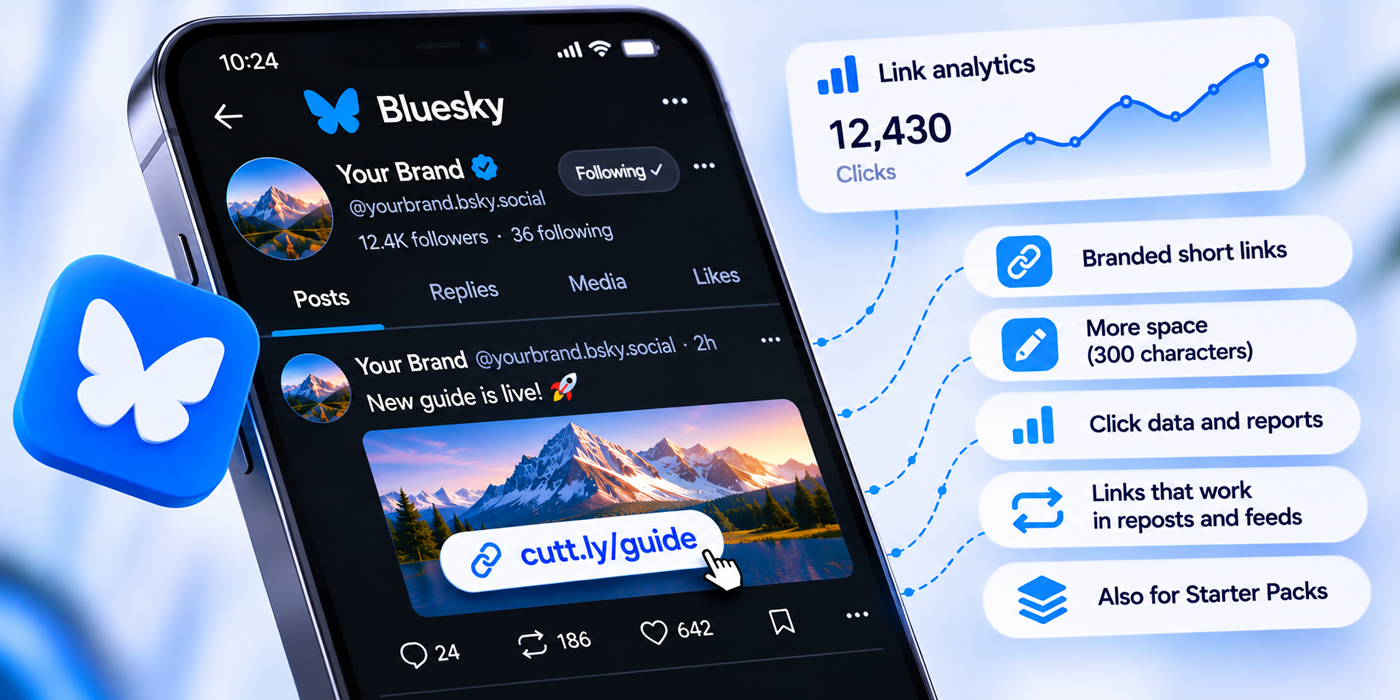
What This Guide Covers
- One brand for your handle and your links
- Setting up the domain handle and the short link domain side by side
- The character economy of a 300-character post, and how to write link posts
- Measuring clicks when the platform has no analytics dashboard
- One short link per post, with tags and UTM parameters
- Link cards and early automated activity
- Reposts, quotes, custom feeds and starter packs
- The profile, pinned posts and a hub page
- Staff handles, team links and running several networks
- Editable destinations for posts that keep circulating
- A monthly review in place of a platform dashboard
- Two worked examples, common mistakes and a plan guide
One Brand for Your Handle and Your Links
On most social networks, your name is a username the platform hands out. On Bluesky, you can make your handle a domain you own, such as @your-brand.co. Because only the owner of the domain can set it up, a domain handle tells readers that the account really belongs to the organization behind the website. For brands, newsrooms, universities and companies, it is one of the simplest trust signals on any social platform.
Branded short links complete the picture. If your handle is @your-brand.co and every link you post starts with go.your-brand.co, readers see the same name in the account and in every address it shares. An imitation account can copy a profile picture and a display name, but it cannot post from your domain handle, and it cannot create links on your short domain. The combination gives followers a two-part check that takes a second: does the handle match, and does the link match?
Generic links break that pattern. A link of random characters on an unfamiliar domain, posted by a verified domain handle, is a small inconsistency that careful readers notice. Cuttly adds its own protection on the platform side: Cuttly Safe Redirecting assesses links when they are created and can refuse to shorten prohibited destinations, blocked links show a warning screen instead of forwarding silently, and anyone can report a suspicious Cuttly link at cutt.ly/report. More detail is in Is Cuttly Safe?
Setting Up the Handle and the Short Domain Side by Side
The two setups use different DNS records, so they can share one brand without getting in each other's way. A typical arrangement keeps the handle on your main domain and the short links on a dedicated subdomain.
| Purpose | Example | How it is connected |
|---|---|---|
| Bluesky handle | @your-brand.co | A DNS TXT record named _atproto on your domain, containing the account's identifier, added at your DNS provider and verified in the Bluesky app |
| Short links | go.your-brand.co/aBcDeF | A DNS A record pointing the subdomain to Cuttly, plus a DNS TXT record for verification, added at your DNS provider and verified in Cuttly |
| Website | your-brand.co | Unchanged; your main domain keeps pointing to your website |
Three details matter. First, never point your main website domain to Cuttly: changing the A record of a hostname makes any website on that exact hostname unavailable, which is why the short links belong on a subdomain or a separate short domain. Second, connect the short domain before you create any links for Bluesky, because the domain of an existing short link cannot be changed later. Third, Bluesky also supports subdomain handles, so organizations can give staff handles such as @anna.your-brand.co, a pattern we return to in the section on teams.
On Cuttly, the Free and Starter plans include 1 branded domain with SSL configured on your side. From Single, up to 5 branded domains are available with SSL through Let's Encrypt included, along with a root page redirect for visitors who type the bare short domain and a 404 redirect for mistyped aliases. Step-by-step instructions are in the custom domain guide, and the broader case for branded links is in branded short links, trust and click-through.
The Character Economy of a 300-Character Post
Bluesky posts are limited to 300 characters, and that limit is tight enough to shape writing. Links are part of the count. The official app may display a long address in a shortened form, but the full URL still counts against the limit. A product page with tracking parameters attached can easily use a third or half of the post before you have written a word.
A short link changes the arithmetic. A link like go.your-brand.co/aBcDeF takes a little over twenty characters, and it carries the same destination and the same UTM parameters as the long address, just hidden behind the redirect. On a 300-character post, the difference often decides whether you can include the sentence that makes people want to click.
There is a readability benefit too. Bluesky readers see links in the text, and a short, clean address reads as part of the sentence rather than as a technical appendix. With a branded domain, it also tells them where they are going before they tap.
Writing Link Posts in 300 Characters
A short link frees up space; what you do with that space decides whether anyone clicks. Link posts that work on Bluesky tend to share a simple structure:
- One specific hook. A finding, a number, a question or a claim the reader did not expect. Specific beats general every time.
- One sentence of context. Why it matters, or what the reader will get from the link.
- The link. Short, branded and placed where the reader's interest peaks, usually right after the hook and context.
- Room to breathe. If characters remain, a question that invites replies often does more than another sentence of explanation.
For example, a company post might read: "We rewrote our onboarding guide after reading 400 support tickets. Three changes cut setup questions the most, and the full write-up is here: go.your-brand.co/aBcDeF" The hook is concrete, the reason to click is clear, and the link takes a fraction of the post. With a long tracking URL in the same place, the second sentence would not fit.
Images help a post stand out, and Bluesky lets you add alt text to them. Write it; it makes posts accessible and is part of good practice on the platform. If the post has both an image and a link card, check how they look together, because the image can push the card out of view or vice versa depending on how the post is composed.
Measuring Clicks When the Platform Does Not
At the time of writing, Bluesky shows likes, replies, reposts and quotes on each post, and follower and following counts on profiles, but it offers no built-in analytics dashboard: no impressions, no reach over time and no link clicks. Third-party tools fill some gaps for engagement. For clicks, the most direct answer is to make the link itself measurable.
Every Cuttly short link has its own analytics on every plan: clicks by day, devices, operating systems, browsers, countries based on the visitor's IP country, and the language set on the device. Analytics are aggregated and anonymized, so they show how many clicks a link received rather than who clicked, and statistics are private by default. On a platform without a click count, that turns posting from guesswork into something you can learn from.
Because Bluesky does not show views, the useful comparison is different from platforms that do. Compare clicks with engagement instead: a post with forty likes and three hundred clicks did something very different from a post with three hundred likes and forty clicks. Over a month, the pattern tells you which posts people enjoy and which ones send them somewhere.
One Short Link per Post
Give every post that links somewhere its own short link, even when several posts point to the same page. If you share an article on Tuesday morning and again on Thursday evening, two links let you compare the two moments, the two wordings and the two audiences that saw them. One shared link would give you a single total and no way to learn from it.
Aliases: Automatic for Taps, Custom for Reading
Readers tap links in posts; they rarely type them. Automatically generated aliases such as aBcDeF work well there and do not use your custom alias allowance. They are also the shortest option, which matters under a 300-character limit. Custom aliases are worth it where people read or type the address: the link in your profile, a link mentioned in a talk or a podcast, a link printed on a slide or a poster. Custom aliases are limited to 3 per month on Free and 30 per month on Starter, and unlimited from Single.
Volume
One link post a day comes to about 30 short links a month, the Free plan's limit. Two or three a day, plus links in replies and threads, fit Starter's 300. Brands posting on Bluesky and other networks, each with separate links, usually need Single, with 5,000 short links a month.
Tags, Titles and UTM Parameters
Tag every Bluesky link bluesky; tags, comments and search by tag are available on every plan. From Starter, a link title such as "Bluesky: report launch, post 1" makes the dashboard easy to read. Then add UTM parameters with the UTM builder, available on every plan, so your website analytics can show what Bluesky visitors did after arriving:
utm_source=bluesky&utm_medium=social&utm_campaign=annual-report&utm_content=post
Keep utm_source=bluesky for every Bluesky link, match utm_medium to what you use for other social networks, keep utm_campaign identical across platforms and use utm_content for the placement: post, reply, thread, profile, pinned. Write everything in lowercase. Clicks from social apps often arrive without a referrer, so website analytics may record them as direct visits; the parameters make sure they are attributed correctly. The full method is in the guide to UTM parameters with a URL shortener.
Link Cards
When you add a link in the Bluesky app, it can attach a link card: a preview with the page's title, description and image. With a short link, the card usually reflects the destination page, so the metadata your page provides is what readers see. Check the card before posting something important. Long titles get cut, and images that work at large sizes may become unreadable as small thumbnails.
Building a card means fetching the destination page automatically, and requests like that can register as early activity on a new link. Cuttly applies bot filtering automatically on every plan to keep automated traffic out of your counts, and from the Single plan a separate chart shows bot clicks, so you can see that traffic for what it is. Treat the first minutes after posting as noise and judge each link over the following days.
A card also changes how much of the post's text you need. With a strong card carrying the headline and image, the post can spend its characters on why the reader should care, rather than on describing what the link is.
Reposts, Quotes, Custom Feeds and Starter Packs
Bluesky spreads posts in ways that go beyond your follower list. Reposts put your post in front of other people's followers. Quote posts add commentary and send your post into new conversations. Custom feeds, built around topics, communities or rules chosen by their creators, can surface your post to people who have never heard of you. Starter packs, curated lists of accounts that new users can follow in one step, can bring whole groups of new followers at once.
All of these carry your link with them, and every click from every path is counted on your short link. That has two practical consequences. A link that keeps collecting clicks for days after you posted it usually means the post found its way into feeds or quotes beyond your followers. And the countries and device languages of those late clicks, visible in Cuttly on every plan, can show you audiences you did not know you had. When a starter pack that includes your account starts circulating, the effect often shows up in your profile link clicks before you notice the follower count changing.
Promoting Your Own Feeds and Starter Packs
Organizations can also build these tools themselves: a custom feed for their field, or a starter pack of their staff and partners that newcomers can follow in one step. Promoting them outside Bluesky, on your website, in a newsletter or on conference slides, is a natural job for short links, with one link per placement so you can see which invitations work. One detail matters here. If Bluesky gives you a short sharing link for a starter pack or feed, use the full address of the feed or starter pack page as your short link's destination instead. Pointing a Cuttly link at another shortener's link creates a chain of redirects, and Cuttly's Terms allow blocking links that contain more than one redirect or that were already shortened with another shortener.
Long-Lived Posts and Editable Destinations
Posts on Bluesky can circulate for a long time through feeds, quotes and search. Destinations, however, change: an article moves, a report is updated, a product is replaced. With a short link, you fix the destination instead of chasing the post, and that works whatever the platform allows you to do with the post itself. Destination editing is available from the Starter plan. On Starter and Single, the new destination must be on the same domain as the current one; on Team and Team Enterprise, it can be any URL. The steps are in the support article on changing the destination of a short link.
Keep a short record of every change in the link's comment or title, with the date and the new destination, because the click chart does not show that anything changed. Short links on Cuttly do not expire on their own, so a post from today keeps leading somewhere useful for as long as you maintain the link.
Corrections and Updated Versions
Many Bluesky users are journalists, researchers and analysts, and their work gets updated: a corrected article, a revised dataset, a second version of a report. When the corrected version lives at a new address, a short link lets every post that shared the original lead readers to the current version. Two habits keep this transparent. Give documents that may be revised a stable alias, such as go.your-brand.co/report-2026, rather than one that names a version. And when you repoint the link to a corrected version, say so in a reply to your original post, so readers who saw the first version know something changed. The link keeps people on the right page; the reply keeps your audience's trust.
The Profile, the Pinned Post and a Hub Page
Your profile is where interested readers go after a post catches their attention. The description can include a link, and a pinned post sits at the top of your profile for anyone who visits. Both deserve links that last.
For the profile description, a single link to a hub page often works best, because space is limited and one address can lead to everything else. A Cuttly Link in Bio page does that job. On Free and Starter, the page uses the cutt.ly domain and holds up to 5 links. From Single, you can place it on the cutt.bio domain or on your own branded domain with an editable alias, include up to 20 links and a video, and create up to 3 pages; on Team and Team Enterprise, pages carry no Cuttly branding. Every Link in Bio page has its own analytics, and from Single, CTR shows how many visitors went on to click a link on the page.
For the pinned post, use a short link with a readable custom alias, such as go.your-brand.co/start, and utm_content=pinned. When your main offer, report or launch changes, edit the destination rather than re-pinning, and the pinned post always points to what matters now. The Link in Bio guide covers page design in detail.
Threads and Conversations
Because posts are short, longer arguments on Bluesky become threads of several posts. Where you put the link in a thread is a choice worth testing: at the start, so readers can jump straight to the source; at the end, after the thread has made its case; or in a reply when someone asks for it. Use a separate short link for each placement, with utm_content values such as thread-start and thread-end, and compare over several threads.
Replies to questions are a link channel of their own. The same requests come up again and again: where is the paper, the dataset, the documentation, the pricing page? Give each frequent answer a stable short link with a readable alias, such as go.your-brand.co/docs or go.your-brand.co/data. Answers stay consistent, they are easy to type from memory, and if the page moves, one destination edit keeps every past reply correct.
Staff Handles and Team Links
Organizations on Bluesky often have more than one voice: a main account and staff who post as themselves. Subdomain handles let those staff accounts carry the organization's domain, such as @anna.your-brand.co and @marek.your-brand.co, which shows readers who they work for. Short links can follow the same logic. Give staff their own short links when they share company content, with the person in utm_content, and you can see which voices bring readers to your website.
Read those numbers with care. A staff member's clicks depend on their audience and how often they post, not on how good their work is. Use the data to learn which topics and formats work, not to rank colleagues.
Managing links for several people works best on a Team plan. Team allows up to 3 teams with up to 5 members each, and Team Enterprise up to 10 teams with up to 20 members each. Members are invited by email, only the team owner needs the Team subscription, and each member has one of five roles: Owner, Admin, Moderator, User or Viewer. Team links can be exported to CSV for audits. Not everyone who posts needs a Cuttly login: often one or two people create links for the whole staff. Team workflows are covered in the guide to URL shorteners for marketing teams.
Running Bluesky Alongside Other Networks
Few organizations use only one network. Bluesky often runs next to Threads, LinkedIn and others, sometimes with the same announcement on each. To compare them fairly, keep three rules: a separate short link per network for every post, a separate utm_source per network, and the same utm_campaign everywhere for a given campaign.
Cuttly then shows each network's clicks separately, and your website analytics show what each audience did after arriving. From Single, Aggregated Link Analytics summarize clicks across links, with top links, devices, countries and languages: the last 7 days for up to 10 links on Single, 14 days for up to 25 on Team and 28 days for up to 50 on Team Enterprise. On the Team plans, Cuttly Campaigns add aggregated analytics for tags: tag Bluesky links bluesky and other networks' links with their own tags, and compare totals, hourly activity, devices, sources, languages and locations, for up to 50 tagged links on Team and 100 on Team Enterprise, over the last 14 days. The guide to URL shorteners for Threads covers the Threads side of the same setup.
Timing Without Platform Insights
Without native reach statistics, Bluesky accounts often post at times based on general advice. Click data offers a better guide. Cuttly's chart of clicks by day, available on every plan, shows how long each post keeps working. From Single, Hourly Insights add a heat map of clicks by hour, for the last 7 days on Single and 14 days on the Team plans. After a few weeks of separate links per post, the heat map shows when your audience actually acts on what you share, across time zones, and you can schedule important posts accordingly. Link analytics history is kept for 30 days on Free and Starter, 1 year on Single and 2 years on the Team plans.
Automation and Scheduling
Bluesky is built on an open protocol, and many tools can publish to it, from scheduling apps to custom scripts. Whatever publishes the post, create the short link first, with its tag, title and UTM parameters, and use the short link in the post. If you publish at volume, links can be created automatically through the Cuttly API, available on every plan with rate limits from 3 calls per 60 seconds on Free to 360 on Team Enterprise; on the Team plans, each team has its own API key for the Team API. A common pattern is for your content system to create a short link whenever an article, paper or release note is published, ready for the post. The API developer guide covers the technical side, and the guide to automation with Zapier and Make covers no-code workflows.
Launches, Reports and Feedback
Action Pages for Launches
For a product launch, a report release or an event, Action Pages, available from the Single plan, provide a focused page served from a short link under the /c/ path, on cutt.ly or your branded domain. A page has a title, description, background, logo, optional video, one call-to-action button and an optional countdown that can hide the button at zero while the page stays active. From Single, CTR shows how many visitors pressed the button. You can create 3 Action Pages on Single, 10 on Team and 20 on Team Enterprise. On Single, the button's destination can only change within the same domain; on the Team plans, it can be any URL.
Surveys for Deeper Feedback
Bluesky conversations are good at surfacing opinions; a survey is better at collecting them in a form you can analyze. Cuttly Surveys run under a short link with the /s/ path, such as go.your-brand.co/s/readers, and come with a QR code. You write the questions in any language, choose one of 16 languages for the buttons and export results to PDF, XLS or CSV. Open-text answers are encrypted with 256-bit encryption before storage, and surveys must not collect special categories of personal data, such as health information. Each survey has an end date, with a maximum active period of 7 days on Free, 15 on Starter, 30 on Single, 60 on Team and 90 on Team Enterprise. Announce the survey with its window, then share what you learned in a follow-up post. The full feature set is covered in the guide to online surveys with a URL shortener.
Bringing People to Bluesky
Links also run toward Bluesky: from your website, your newsletter, your email signature, slides at a conference or a printed report. Give each placement its own short link to your Bluesky profile, such as go.your-brand.co/bsky-site and bsky-slides, and you will see which ones bring people to your profile. Every Cuttly short link has a QR code on every plan, so the slide link can be scanned from the audience. From Single, QR codes can be customized with your colors, shapes and logo and downloaded in SVG for print, as well as PNG, JPG and WEBP. Decide the alias before printing or presenting, since changing a short link's alias changes its QR code and the old code stops working. For signatures specifically, see the guide to URL shorteners for email signatures.
International Audiences
Bluesky's communities cross borders, and custom feeds can carry a post into a community in another country overnight. Cuttly's country and language charts, available on every plan, show where clicks come from and which languages the clicking devices use. If one language group becomes a steady share, a destination page in that language with its own short link is a sensible next step. Teams spread across countries can manage links in their own language, since Cuttly is available in 48 languages; the details are in the guide to multilingual links.
Test Before You Post
Before an important post, send the link to yourself or post it from a test account, open it on a phone and on a computer, and follow it to the goal: the article, the sign-up, the download, the purchase. Check the link card at the same time. If you link to an app, Mobile URLs, available from Single, let one short link send Android and iOS visitors to different destinations than desktop visitors, and Deep Links from Team add Play Store and App Store support. If a destination asks visitors to sign in, register or install something before they see the content, mention that in the post, so nobody who taps the link feels misled when they arrive.
A Monthly Bluesky Review
Without a native dashboard, a monthly review is where your Bluesky data comes together. Half an hour is enough:
- List the month's link posts with a search by the
blueskytag, and write down each link's clicks next to the post's likes, reposts and quotes. - Sort by clicks and look at the top and bottom three posts. What do the best ones share: topic, hook, format, time of day?
- Look for late clickers. Links that kept earning clicks for days were probably picked up by feeds or quotes. Note where they came from by country and language.
- Check stable links: the profile, the pinned post and the most common reply links. Are their destinations still current?
- Compare networks if you post elsewhere, using separate tags.
- Decide one change for the coming month, and test it with separate links.
Over a few months, these notes become what a platform dashboard would otherwise give you: a picture of what your audience values, built on clicks rather than guesses.
Worked Example: A Science Writer
An independent science writer uses Bluesky to share articles, papers and a newsletter. She sets her handle to her own domain and connects the subdomain go.your-domain.co to Cuttly on the Starter plan, with SSL configured through her DNS provider. Starter gives her 300 short links and 30 custom aliases a month, destination editing within the same domain and link titles, which is enough for one or two link posts a day.
Every post that links to an article gets its own short link with an automatic alias, the tag bluesky and utm_source=bluesky. Her profile description links to go.your-domain.co/start, which points to her newsletter sign-up page. For the papers she discusses most, she keeps stable aliases, such as go.your-domain.co/sleep-study, so she can answer "where's the paper?" in replies instantly.
After a month, two patterns stand out. Posts that quote one surprising number from a study and link to her analysis get far more clicks than posts that link to the study directly with a summary. And clicks on her links continue for days whenever a science feed picks up a post, with many late clicks from devices set to Spanish and Portuguese. She starts writing a monthly digest for that audience. Because Starter keeps 30 days of analytics history, she copies her monthly numbers into a spreadsheet, and she plans to move to Single for a year of history.
Worked Example: A Developer Tools Company
A company that makes developer tools runs its main Bluesky account as @your-brand.co, and five engineers post as @name.your-brand.co. The company posts release notes, documentation updates and technical articles, and the engineers share their own work and answer questions. Links sometimes need to move from the company's own documentation site to an external package registry or event platform, so the company chooses Team, where destinations can change to any URL.
Two people manage links in one Cuttly team: the developer relations lead and a technical writer. The company's documentation system creates a short link through the Team API every time a release note is published, tagged bluesky and release. Stable aliases cover the most requested answers: docs, install, changelog, status. Engineers get their own short links for company articles they share, with their name in utm_content.
For the annual conference, the company builds an Action Page with a countdown to the keynote, and the slides end with a QR code linking to the company's Bluesky profile. Campaigns analytics compare the bluesky tag with the company's other networks over two-week windows, and the website analytics show that Bluesky visitors read more documentation pages per visit than visitors from other networks. The company shifts its technical announcements to Bluesky first. When the documentation moves to a new domain, the team repoints docs and the other stable aliases in one afternoon, and years of replies keep working.
Common Mistakes
- A domain handle with generic links. The handle builds trust; random links on unfamiliar domains undercut it. Use your own short domain.
- Pointing the main domain to the shortener. The website would go offline. Keep short links on a subdomain or a separate domain.
- Long links in a 300-character post. Links count at full length. Use short links to keep room for the message.
- One link for many posts or several networks. Nothing can be compared. Give every post and every network its own link.
- Judging links in the first minutes. Link card requests and other automated traffic appear early. Read results over days.
- Re-pinning instead of repointing. Keep the pinned post's link stable and edit its destination when your priority changes.
- Ranking staff by clicks. Clicks follow audience size and posting frequency. Use them to learn, not to compare people.
- Chaining short links. Point every short link straight to its destination. Links with more than one redirect, or already shortened elsewhere, can be blocked.
- Skipping the test. Open important links on a phone and a computer before posting, and check the card.
- Using a platform sharing link as the destination. When promoting a starter pack or feed, point your short link at the full page address, not at another short link.
- Version numbers in aliases. An alias like
report-v1looks wrong once it points to version two. Use stable names for documents that will change.
The Short Version
Put your handle on your main domain and your short links on a dedicated subdomain of the same brand, and connect the short domain before creating any links. Use short links to save characters in 300-character posts and to measure clicks the platform does not report. Give every post and every network its own link, tag Bluesky links, and add UTM parameters with utm_source=bluesky. Check link cards, read results over days and watch late clicks for signs of feeds, quotes and starter packs. Keep stable links in your profile, your pinned post and your most common replies, and edit destinations instead of re-posting. For teams, give staff subdomain handles and their own links, and compare networks with tags.
Choosing a Plan for Bluesky
Four questions decide it. How many link posts a month? About one a day fits Free, a few a day fit Starter, and several networks with separate links point to Single. Do you need to repoint links? Pinned posts, profile links and stable reply links need destination editing, available from Starter. Will destinations move between domains? That requires Team. How many people and how much history? 30 days on Free and Starter, 1 year on Single, 2 years and shared management with roles on the Team plans.
Cuttly Plan Guide for Bluesky
The Free plan ($0) covers occasional link posts: 30 short links and 3 custom aliases a month, 1 branded domain with SSL configured on your side, QR codes, the UTM builder, tags, API access, one Link in Bio page and 30 days of analytics. Registration is required; no credit card is needed.
The Starter plan ($12/month) fits individual writers and researchers: 300 short links and 30 custom aliases a month, destination editing within the same domain, link titles and more control over the Link in Bio page.
The Single plan ($25/month) suits brands and active professionals: 5,000 short links a month with unlimited custom aliases, up to 5 branded domains with SSL included, 1 year of analytics, Hourly Insights, a bot chart, Aggregated Link Analytics, Mobile URLs, Action Pages, customizable QR codes and Link in Bio pages on cutt.bio or your own domain with CTR.
The Team plan ($99/month) serves organizations with several voices: destination editing to any URL, 2 years of analytics, Campaigns analytics for tags, up to 3 teams with 5 members each and five roles, the Team API, Deep Links and Link in Bio pages without Cuttly branding.
The Team Enterprise plan ($149/month) is designed for newsrooms, universities and companies with many accounts: up to 10 teams with 20 members each, 50,000 short links a month, 99 branded domains, Campaigns analytics for up to 100 tagged links and SSO.
Make your next Bluesky post the first one you can measure: create a free Cuttly account, connect a short subdomain of your brand, and post your next link as a branded short link with its own tag. Registration required; free plan available with no credit card needed.
Frequently Asked Questions
Can I track clicks on links I post on Bluesky?
Yes. At the time of writing, Bluesky shows likes, replies, reposts and quotes but has no analytics dashboard with link clicks. With a Cuttly short link, every click is counted, with charts by day, device, country and language. Analytics are aggregated and anonymized.
Do links count toward the Bluesky character limit?
Yes. Posts are limited to 300 characters, and a link counts at its full length even when the app displays it shortened. A short branded link leaves far more room for your message than a long address with tracking parameters.
Can I use the same domain for my handle and my short links?
Use the same brand. Keep the handle on your main domain, verified with a DNS TXT record named _atproto, and the short links on a subdomain such as go.your-brand.co, connected to Cuttly with a DNS A record and a DNS TXT record.
Can I change where a link in an old post goes?
Yes, from Starter. Edit the short link's destination, and the post, its reposts and quotes lead to the new page. On Starter and Single the destination must stay on the same domain; on the Team plans it can be any URL.
Why does a new link show activity right after posting?
Some early requests are automated, such as the request made to build a link card. Bot filtering runs automatically on every plan, and a separate bot chart is available from Single. Judge links over days.
Do I need a paid plan?
Not to start. Free includes 30 short links and 3 custom aliases a month, 1 branded domain, QR codes and 30 days of analytics. Registration is required, and no credit card is needed. Daily link posting usually needs Starter or Single.
- SOCIAL
- URL Shortener →
- Link in Bio Builder →
- QR Code Generator →
- Channel Guides
- URL Shortener for Threads
- URL Shortener for Telegram
- URL Shortener for Discord
- URL Shortener for Email Signatures
- Branded Links
- Custom Domains for Short Links
- Branded Short Links, Trust and CTR
- Tracking
- UTM Parameters Guide
- Link Analytics Guide
- Campaigns: Analytics for Tags
- Short Links for Social Media
- This Series
- URL Shortener in 48 Languages
- Is Cuttly Safe? Security and Privacy
- Support Docs
- Changing a Link's Destination
- Encyclopedia
- Branded Links
- Link in Bio
- Verticals Hub
- URL Shortener for Every Industry →
- Start Here
- Create Free Account
- Plans & Pricing
URL Shortener
Cuttly simplifies link management by offering a user-friendly URL shortener that includes branded short links. Boost your brand’s growth with short, memorable, and engaging links, while seamlessly managing and tracking your links using Cuttly's versatile platform. Generate branded short links, create customizable QR codes, build link-in-bio pages, and run interactive surveys—all in one place.
Cuttly More Than Just a URL Shortener
Cuttly is a comprehensive, ever-evolving platform for link shortening that combines innovation and user-friendliness to deliver a seamless experience in managing and shortening URLs.


