URL Shortener for Comic Book Creators The Complete Guide
Comics are one of the few media where a printed link can stay in readers' hands for decades. A single issue goes into a long box, a back issue bin or a collected edition, and the URL in its back matter keeps getting read long after the website behind it has changed. At the same time, a working comic creator sends readers to more places than ever: a webcomic platform, a store, a crowdfunding page, a newsletter, a membership page, a convention schedule and a portfolio for editors. Every one of those destinations moves at some point.
This guide shows how comic book creators, webcomic artists and indie publishers can use a URL Shortener with their own branded domain to keep printed links working, put QR Codes on issues and convention tables that can be updated later, run crowdfunding launches with links that survive every stage of a campaign, give readers one Link in Bio for every platform, and see which issue, channel and convention actually brings readers to the next book. It covers setup, print production, webcomics, crowdfunding, conventions, retailers, collaborators, analytics and the Cuttly plan that fits creators at different stages.
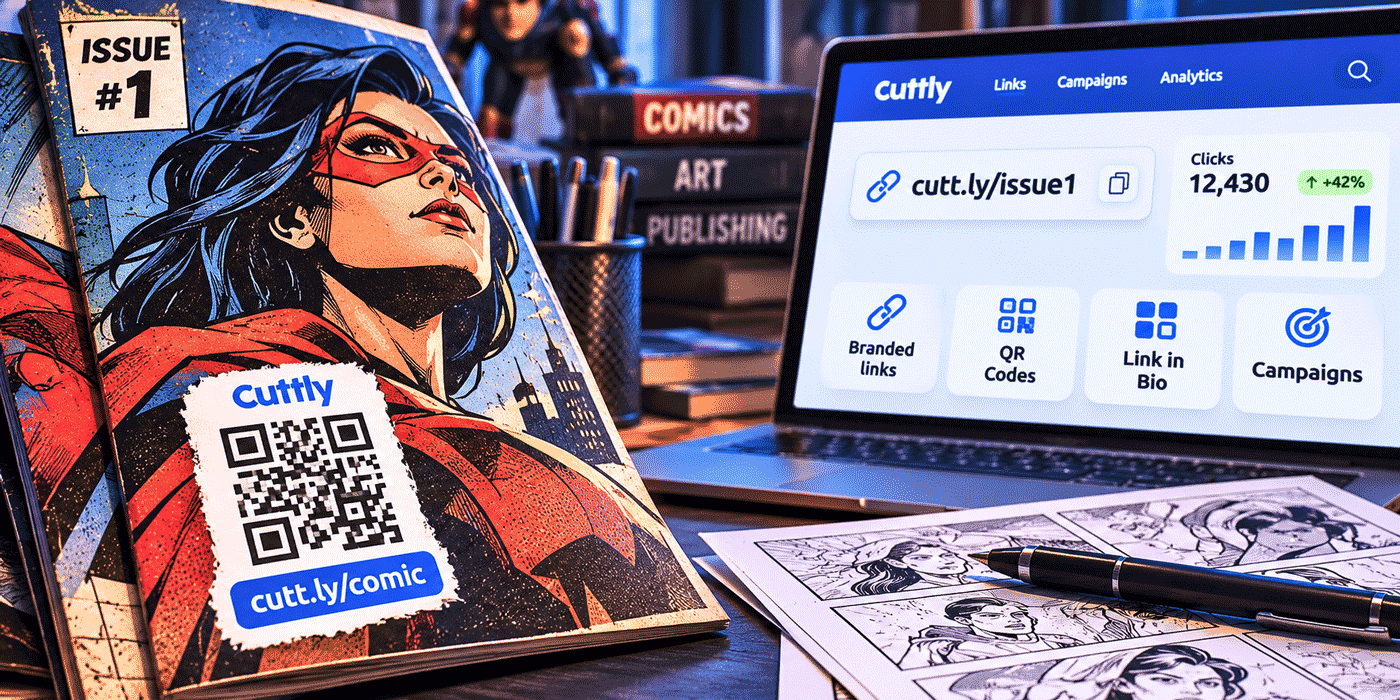
What This Guide Covers
- Why comic links need management, and where links live across print, web and conventions
- Setting up a branded domain, alias conventions and tags for series, issues and channels
- QR Codes in single issues, back matter, trades and graphic novels, including print sizing
- Webcomic platforms, membership pages and the journey from free reader to paying supporter
- Crowdfunding: pre-launch pages, launch day, referral tags, late pledges and fulfillment
- Convention tables and Artist Alley, retailers, press previews and collaborators
- Measuring each issue and channel, reader surveys, a launch timeline and the right Cuttly plan
Why Comic Links Need Management
A comic creator's links have three properties that make them harder to manage than most. First, many of them are printed. Back matter, letters pages, inside covers, the last page of a trade, bookmarks, prints, postcards and convention banners all carry URLs that cannot be corrected once they leave the printer. A typo, a store that moves to a new platform or a campaign page that closes turns a printed link into a dead end for every copy in circulation.
Second, comic readers are spread across many platforms. One reader follows the webcomic on a mobile app, another buys single issues at a local shop, a third backs every crowdfunding campaign, and a fourth only ever meets the creator at a convention table. A single "link in bio" or a single website address rarely serves all of them, so creators end up maintaining a patchwork of URLs that point to different places on different platforms.
Third, comic projects run in cycles. A series moves from pitch to pre-launch, launch, fulfillment, retail release, collected edition and back catalog. The right destination for "where can I get this book?" changes at each stage. A link printed in issue one may need to point to the crowdfunding page in March, the pledge manager in June, the web store in September and the collected edition a year later.
A managed short link solves all three problems with one idea: the URL you print or share stays the same, while the destination behind it can be changed when the project moves on. Add a branded domain and readers see your name in every link instead of a random string, which matters for trust on printed matter and in crowded social feeds. Add click analytics and every link also tells you which issue, platform or convention it was shared on and how many people used it.
What breaks without managed links
- Platform URL changes. Store platforms, webcomic hosts and crowdfunding pages change their URL formats or move. Kickstarter, for example, notes that resetting a project's vanity URL breaks any links already shared.
- Long-tail print. Back issues and trades are read for years. Links that pointed to a campaign that ended long ago send new readers nowhere.
- Unreadable addresses. Long store URLs with product IDs cannot be typed from a printed page, and many readers will not try.
- No feedback. Without per-channel links, a creator cannot tell whether the newsletter, a podcast interview or a convention brought the pledges for a new project.
- Scattered ownership. When a writer, an artist and a small press each create their own links, nobody can update them all when something changes.
Where Links Live in a Comic Creator's Work
Before setting anything up, list every place where your work sends readers online. Most creators are surprised by how long the list gets. This table covers the common ones and what each link usually needs to do.
| Where the link appears | Typical destination | What matters most |
|---|---|---|
| Back matter and letters page of a single issue | Next issue, newsletter, crowdfunding, behind-the-scenes | Readable alias plus QR Code; destination that can change later |
| Inside front or back cover | Series page, store, reader survey | Placement away from the binding and the barcode area |
| Last page of a trade or graphic novel | Next volume, author page, back catalog | Evergreen destination; years of use |
| Convention banner, table tent, price list | Store, portfolio, commissions, show discount | Large QR Code, scannable from a distance, works on weak venue signal |
| Prints, bookmarks, postcards, stickers, business cards | Link in Bio page, store, webcomic | Short, typeable alias; one page that lists everything |
| Social profiles | Link in Bio page | One link that stays the same while the page behind it changes |
| Webcomic episode notes and descriptions | Store, membership page, crowdfunding, merch | Per-platform links to compare where supporters come from |
| Newsletter and crowdfunding updates | Campaign, store, surveys, previews | Per-issue links and clean, bot-filtered click counts |
| Retailer sell sheets and press kits | Order information, preview pages, press assets | Professional, branded links; private previews for reviewers |
| Podcast and stream appearances | Campaign or store | A short alias that works when spoken aloud |
Every row on that list is a place where a link can break, and every row is also a place where a separate link can tell you something useful about your readers. The rest of this guide goes through them one by one.
Setting Up: Domain, Aliases and Tags
Choose a branded domain
A branded link uses your own domain instead of a generic shortener domain. For a comic creator, that can be a short version of your name, your studio, your imprint or a flagship series. A link such as yourbrnd.link/issue-3 tells a reader exactly whose link it is before they scan or tap it, which matters on printed matter where people cannot hover over a link to check it first.
Short domains work best. Every character you save makes a printed link easier to type and lets you print a QR Code with a simpler pattern. If your main website lives on your full name, a separate short domain for links keeps your site where it is, because connecting a domain to a link shortener changes where that domain points.
In Cuttly, connecting a domain means adding a DNS A record that points to the IP address shown in your dashboard and a DNS TXT record for verification, both at your domain registrar. Verification usually takes a few hours, and DNS changes can take up to 24 hours to propagate. One branded domain is included on every plan, including Free. On the Free and Starter plans, HTTPS for your domain is set up on your side, for example through Cloudflare; from the Single plan, Cuttly installs and renews a Let's Encrypt certificate for you. The full walkthrough is in How to Create a Branded Short Link.
Agree on alias conventions
The alias is the part after the slash. A consistent pattern makes links easier to remember, easier to read aloud and easier to find later in your dashboard. A simple system for comics:
| Purpose | Pattern | Example |
|---|---|---|
| Series home | series name | yourbrnd.link/nightshift |
| Single issue | series + issue number | yourbrnd.link/nightshift-3 |
| Collected edition | series + volume | yourbrnd.link/nightshift-vol1 |
| Crowdfunding campaign | series + "back" or "pledge" | yourbrnd.link/nightshift-back |
| Convention | short show code + month | yourbrnd.link/con-oct |
| Newsletter signup | one word | yourbrnd.link/news |
| Commissions | one word | yourbrnd.link/commissions |
Use lowercase and hyphens, keep aliases short, and avoid characters that look alike in print, such as the digit zero and the letter O or the digit one and a lowercase L. Spell out words rather than inventing abbreviations nobody will remember. On the Free plan you can set 3 custom aliases a month and on Starter 30; from the Single plan aliases are unlimited, which matters once you print a readable link in every issue.
One rule that protects every printed QR Code
A QR Code generated in Cuttly encodes the short link, including its alias. If you later change the alias, the old QR Code stops working. If you change the destination instead, every printed code keeps working and sends readers to the new page. So once a link is printed, treat its alias as permanent and update only where it points. Cuttly's support article on QR Codes and changing the target link explains the difference.
Destination editing starts on the Starter plan, where the new destination must be on the same domain as the old one; the Single plan works the same way, and Team plans allow changing to any URL. That rule shapes a useful habit for printed comics, covered in the section on trades below: point long-lived printed links to a page on your own website, so later changes stay on the same domain.
Use tags for series, issues and channels
Tags and comments are available on every plan. A tag such as nightshift-3 on every link printed in issue three, or con-oct on every link used at one convention, lets you filter your link list instantly. On Team plans, Cuttly Campaigns adds aggregated analytics for tagged links, so you can see all the links of one issue or one show as a single report. Decide on the tag pattern before you create the first link of a project; renaming later is tedious.
Printed Issues and Back Matter
The back matter of a single issue is the most valuable link placement a comic creator owns. Readers who reach the last page have just finished the story, they are curious about what comes next, and they are holding the book in their hands. A clear call to action there, with a readable short link and a QR Code next to it, turns that moment into a newsletter signup, a preorder or a pledge.
What to link from the back of an issue
- The next issue. Point readers to wherever they can secure it: a preorder page, your web store or a page that explains how to ask a local shop to order it.
- Your newsletter. The single most durable reader relationship a creator can build, because it does not depend on any platform's algorithm.
- Behind-the-scenes material. Script pages, thumbnails, process videos or a sketchbook gallery give readers a reason to scan even when nothing is for sale.
- Your next crowdfunding project. A link printed months ahead can point to a "coming soon" page first and to the live campaign later.
- A reader survey. Two or three questions about what readers liked, where they bought the issue and what they want next.
Pick one primary action per issue and make it visually dominant. A back page with six QR Codes gets fewer scans than a page with one clear invitation and a readable link underneath. If you need several destinations, one QR Code to a Link in Bio page that lists them all is usually better than several codes competing for the same space.
Final Order Cutoff and why timing matters
For comics sold through comic shops, the Final Order Cutoff (FOC) is the last point at which retailers can adjust their orders before the publisher prints an issue, and it falls several weeks before the on-sale date. Shops order largely on demand they can see, so readers who ask their shop for the next issue before FOC help a small title more than readers who look for it on the shelf on release day.
That makes the back-matter link for the next issue a time-sensitive tool. In the weeks before FOC, point it at a page that explains how to preorder from a local shop and lists the order details a retailer needs. After FOC, switch the same link to a page that tells readers where to find the issue on release day or buy it online. Because the printed link and QR Code never change, every copy of the previous issue keeps doing its job through each stage. Keep both destinations on your own website and the switch works on the Starter plan, which allows same-domain destination changes.
QR Code size and placement in print
A QR Code that looks fine on a screen can fail on a printed page. For a code read at arm's length, which is how people hold a comic, aim for at least 2 x 2 cm (about 0.8 x 0.8 inches) including a clear quiet zone around it; go larger if the code sits on a busy, textured or colored background. Convention banners and posters that are scanned from a few steps away need much larger codes. The free QR Code print size calculator gives the minimum size for a given scanning distance, and the encyclopedia entry on print QR sizing explains the reasoning.
- Keep codes away from the gutter. A code that curves into the binding of a saddle-stitched issue or a perfect-bound trade becomes hard to scan.
- Keep codes away from the barcode area. Retail barcodes on comics need to scan cleanly at the register; give them space and never overlap them.
- Use dark modules on a light background. Inverted or low-contrast codes that match the page art often fail on older phones.
- Print the readable link next to the code. Readers who will not scan can still type
yourbrnd.link/nightshift-4, and it shows them whose link it is. - Test on the proof, not on the screen. Scan the printed proof with two or three different phones before approving the print run.
Every Cuttly short link has a QR Code on every plan, downloadable as PNG, JPG or WEBP. From the Single plan you can customize the code's colors, dot and corner styles, add your logo and download it as an SVG vector file, which is what printers and letterers prefer because it scales without blurring. If you add a logo, use a higher error-correction level and test again. The guide How to Create a QR Code With a Logo covers the design limits.
Working with letterers, designers and printers
On many comics, the back matter is assembled by a letterer or a designer rather than the creator. Give them final links and QR Code files at the start of production, not on the day files go to the printer. A short handoff note avoids the most common errors:
- The exact readable link to print, in the case you want (all lowercase is safest).
- The QR Code as an SVG or a high-resolution PNG, and a minimum printed size.
- A reminder that the code must not be redrawn, recolored or placed on a textured background without a new scan test.
- Who to contact if anything about the link needs to change before print.
Create the links before the issue is lettered, even if the destination pages are not ready. A short link can point to a holding page today and to the finished page later, so production never waits for the website.
Trades, Graphic Novels and Long-Lived Print
Collected editions and original graphic novels have the longest shelf life of anything a creator prints. They are reprinted, sold at conventions for years, stocked in libraries and passed between readers. A link on the last page of a trade may be scanned five years after the book was printed, long after the campaign or store page it once pointed to has changed.
Two habits keep these links useful for the life of the book:
- Point long-lived links to a page you control. Instead of linking a printed trade straight to a third-party store or campaign page, link it to a series page on your own website, and link outward from there. When you move stores or start a new campaign, you update your own page. If you ever need the printed link itself to change, the new destination is still on your own domain, which Starter and Single plans allow.
- Keep the alias generic enough to age well.
yourbrnd.link/nightshift-vol1still makes sense in five years; an alias that mentions a specific sale or a past convention does not.
If you do need to send a printed link to a destination on another domain, such as a new store platform or a publisher's site, destination changes to any URL are available on Team plans. On the lower plans, the practical alternative is the one above: update the page on your own website that the link already points to.
Short links in Cuttly do not expire on their own; they keep working until you delete them. Deleting a link removes its click history and makes its alias unavailable for some time, so for printed links the right move is almost always to change the destination rather than delete the link.
Webcomics: Episodes, Platforms and Reader Journeys
Webcomics turn the creator-reader relationship into a weekly or monthly habit. Readers find a series on a webcomic platform, on social media or on the creator's own site, follow it for months, and eventually some of them buy a print collection, join a membership page, back a campaign or buy merchandise. Links are what move a reader from one step to the next, and the creator's notes under each episode are often the only place where those links can appear.
One link per platform
If the same series runs on several platforms, give each platform its own short link to the same destination. A store link shared in episode notes on one platform, another on a second platform and a third on your own site all point to the same product page, but your analytics now show which reading platform actually produces buyers. That answer often differs from where you have the most readers, and it is the answer that decides where to spend your time.
Add UTM parameters to the destination with Cuttly's built-in UTM builder, available on every plan, so your store or website analytics record the platform too. The short link stays clean for readers while the destination carries the campaign data. The free UTM Builder is useful for planning a naming scheme across all your series.
From free reader to supporter
Most webcomic income comes from a small share of readers who decide to support the work directly. Map the journey and give each step a link:
| Step | Where the link appears | Link example |
|---|---|---|
| Discovery | Social posts, short videos, creator profiles | yourbrnd.link/read |
| Regular reading | Episode notes, end-of-chapter pages | yourbrnd.link/news |
| Early access or extras | Episode notes, newsletter | yourbrnd.link/support |
| Print collection | Episode notes at chapter breaks, newsletter, convention table | yourbrnd.link/nightshift-vol1 |
| Crowdfunding | Everywhere, for a few weeks | yourbrnd.link/nightshift-back |
Rules about external links differ between webcomic platforms and change over time, so check each platform's current creator guidelines before adding links to episode notes or comments. Where links are allowed, a branded short link is easier for readers to trust than a long store URL.
Readers on phones
Many webcomic readers follow a series on their phones, often inside a platform's app. From the Single plan, Cuttly's Mobile URLs let one short link send Android, iOS and other visitors to different destinations, for example an app listing for each mobile system and the web version for everyone else. On Team plans, Google Play and App Store redirects can send visitors who do not have an app installed to the store. For most creators, one mobile-friendly destination page is enough; device routing becomes useful when you publish your own app or a platform offers separate app links.
Crowdfunding Campaigns: Pre-Launch, Launch and After
Crowdfunding has become a standard way to fund indie comics, collected editions and art books. A campaign is also the most link-intensive period in a creator's year: for a few weeks, the same destination is shared in every newsletter, every social post, every interview, every convention conversation and every printed flyer. Getting the links right before launch saves a lot of stress during it.
Before launch: the pre-launch page
On Kickstarter, creators can activate a pre-launch page where readers follow the project and get notified when it goes live. According to Kickstarter's help center, once the project launches, the same URL leads to the live project page, and the URL can be generated and shared once the project has been submitted for review. That makes the pre-launch phase the right moment to create your campaign link.
Create one branded link, for example yourbrnd.link/nightshift-back, and point it at the pre-launch page. Print it on the back of the current issue, put it on your convention table and use it in every announcement. When the campaign launches, readers who use the same link land on the live page automatically. Kickstarter also notes that changing a project's URL later breaks links already shared; if that ever happens, a branded short link is the one place you need to update, and because the new URL is on the same domain, destination editing on the Starter plan covers it.
A countdown page for launch day
Some creators prefer to send readers to a page of their own before launch, with the cover, a short pitch and a clear "Follow the campaign" button. Cuttly Action Pages, available from the Single plan, are built for this: a single call-to-action page on your short link with your logo, a title, a description, a video, a CTA button and an optional countdown timer that can hide the button when it reaches zero. Action Pages live on cutt.ly/c/your-alias or on your own domain, such as yourbrnd.link/c/nightshift, and show visits, clicks on the button and the click-through rate between them. The guide on Action Pages shows more examples.
During the campaign: one link per channel
The question every campaign creator asks is which channel brought the pledges. The answer comes from combining two sources of data:
- Kickstarter custom referral tags. Kickstarter lets creators generate a unique project URL for each marketing activity, before or after launch, and shows on the project dashboard how many pledges and how much money each tag produced.
- A Cuttly short link for each tagged URL. Point
yourbrnd.link/back-newsat the newsletter-tagged URL,yourbrnd.link/back-conat the convention-tagged URL, and so on. Cuttly then shows how many people clicked each link, from which countries and devices, and when.
Put the two side by side and you see clicks and pledges per channel. A channel with many clicks and few pledges needs a better pitch; a channel with few clicks and many pledges deserves more attention. Kickstarter does not share backer-level referral data, and Cuttly's analytics are aggregated and anonymized too, so this comparison works at the channel level, which is the level decisions are made at anyway.
| Channel | Short link | Points to |
|---|---|---|
| Newsletter | yourbrnd.link/back-news | Project URL with the "newsletter" referral tag |
| Bluesky, Instagram, other social | yourbrnd.link/back-social | Project URL with the "social" tag |
| Printed flyer and issue back matter | yourbrnd.link/nightshift-back | Project URL with the "print" tag |
| Convention table | yourbrnd.link/back-con | Project URL with the "convention" tag |
| Podcast or stream interview | yourbrnd.link/back-pod | Project URL with the "podcast" tag |
Keep the list short. Five to eight channels are enough to learn something; fifty make the data too thin to read. On the Free plan's 3 custom aliases a month, prioritize the printed and spoken links, which need readable aliases most, and use generated aliases for links that are only ever tapped.
After the campaign: late pledges, pledge managers and the store
A campaign's links keep being used long after it ends, especially the ones in print. In May 2024, Kickstarter made Late Pledges available to all creators, letting funded projects keep accepting pledges after the campaign closes. If you use them, the same short link can keep sending readers to the project page while late pledges are open.
After that, the destination usually moves off the crowdfunding platform: to a pledge manager for backers, a web store for everyone else, or the retail edition. Moving to a different domain requires a Team plan for destination editing to any URL. On Starter or Single, the simplest approach is to point campaign links at a campaign page on your own website from the start, and update that page as the project moves from pre-launch to campaign, late pledges and store.
Backer updates and fulfillment
Backer updates are full of links: surveys, address confirmations, digital rewards, shipping information and the next project. Create a link per update or per important call to action, tag them with the campaign name, and you will know whether backers actually opened the survey link or the digital download. Readers who scan a QR Code on a printed reward card, such as a bookplate or a thank-you postcard, can be counted the same way.
Conventions and Artist Alley
A convention table is a small, intense storefront. People walk past quickly, often in crowds, and many of them will not buy on the spot. A good table turns those passers-by into readers who follow, subscribe or buy later, and QR Codes are the bridge.
What to put on the table
- A large QR Code on the banner or a table tent to your Link in Bio page, so people can save everything in one scan.
- A QR Code on the price list to your web store, for people who would rather buy later or need a book shipped.
- A QR Code for commissions to your commission information or waitlist.
- A QR Code for the current or next campaign with the convention referral tag behind it.
- Readable links next to every code, so people can photograph the table and type the link later.
Use a separate short link for each convention, even when the destination is the same. A tag like con-oct on all of that show's links lets you compare one convention with another on scans and on what happened afterward, which is useful when deciding which shows are worth the table fee and the travel next year.
Show discounts that end on time
If you offer a convention-only discount on your web store, give it its own short link and set an expiration. From the Single plan, a Cuttly link can expire on a date or after a number of clicks, and then redirect to a fallback URL of your choice, such as your regular store page. Flyers handed out at the show keep working after the discount ends, and nobody lands on an error page.
Venue signal and light pages
Convention halls are known for weak mobile coverage and overloaded Wi-Fi. A QR Code that opens a heavy page full of large images may simply time out. Point convention codes at light pages that load quickly on a weak connection, and keep the most important action, such as following or subscribing, at the top. If a reader cannot load the page at the table, a readable link they can type later is the backup.
When do people scan?
From the Single plan, Cuttly's Hourly Insights show a heat map of clicks by hour and day. For a convention, that shows which hours and days of the show produced the most scans, which helps with staffing the table, timing a signing or deciding when to post "come find me at table 42." Unique clicks, also from the Single plan, count repeat scans from the same visitor within a short time window once, which gives a more realistic picture of how many people engaged.
Free Comic Book Day and in-store events
Free Comic Book Day is traditionally held on the first Saturday in May, and many shops run signings and creator events around it and throughout the year. For an in-store appearance, give the shop its own short link and QR Code for posters and counter cards, pointing to your series page or the next issue's preorder information. The link's analytics show the shop what the event produced, which makes it easier to be invited back.
One Link in Bio for Every Platform
Most comic creators have more destinations than a social profile has room for. A Link in Bio page puts them all behind one link: the current webcomic, the store, the campaign, the newsletter, commissions and a portfolio for editors. The same link goes on prints, stickers, business cards and the convention banner, so everything a reader might want is one scan away.
In Cuttly, the Link in Bio builder is available on every plan. The Free plan includes one page with up to 5 links on the cutt.ly domain, for example cutt.ly/bio/your-name. Starter adds an editable template, a description, editable link titles and the ability to change the order of links. From the Single plan you get up to 3 pages with up to 20 links each, a choice of the cutt.bio domain or your own branded domain, video, more background options and click-through rates; Team plans remove Cuttly branding from the page. A live example of a Cuttly Link in Bio page is cutt.bio/URL-Shortener.
What a comic creator's page should include
- The one thing that matters right now at the top: the live campaign, the new issue or the latest chapter.
- Where to read: your webcomic or the series page.
- Where to buy: your store and, if relevant, how to order from a local shop.
- The newsletter, because it outlasts every platform.
- Commissions or a portfolio, depending on whether you are selling to readers or pitching to editors.
Reorder the page as the project cycle moves. During a campaign, the campaign goes first; during a quiet month, the newsletter or the store does. Because the page link itself never changes, every printed card and every profile keeps pointing to the current version. If you run more than one series or a separate portfolio, a second or third page from the Single plan keeps each audience's page focused. The guide Link in Bio Tools compares approaches in more detail.
Even platforms that allow several profile links tend to show only one prominently, and some limit links in posts or captions. A single, recognizable Link in Bio address works the same way everywhere, which is why many creators use it as their default link even where multiple links are allowed.
Newsletters, Memberships and Direct Reader Relationships
Platforms change their algorithms and terms; a newsletter list and a membership community stay with the creator. That makes the links inside them especially valuable, because they reach the readers most likely to buy, back and recommend the next book.
Links in newsletters
Use a separate short link for each important call to action in each issue of the newsletter, and tag them by issue. Over a few months you learn what your list responds to: new pages, process posts, store announcements or campaign updates. Email security scanners open links automatically, which can inflate click counts; Cuttly filters known bots automatically on every plan, and from the Single plan a bot chart shows how many automated clicks were filtered. The guide URL Shortener for Newsletters covers newsletter-specific tactics.
Membership and early-access pages
Many webcomic and indie creators offer early access, process material or digital extras through a membership platform. Promote it with one stable link, such as yourbrnd.link/support, everywhere you mention it: episode notes, back matter, newsletters and convention tables. If you ever move to a different membership platform, only the destination changes. Remember the plan rule here: a move to a platform on a different domain needs a Team plan for direct editing, or a page on your own website as the stable destination.
Retailers, Press and Previews
Creators who sell through comic shops, bookstores or a publisher deal with a professional audience as well as readers: retailers, reviewers, podcasters and editors. Branded links make every document you send them look consistent and trustworthy.
Retailer materials
Sell sheets, solicitation copy and retailer emails should point to one clear page with order codes, release dates, cover images and contact details. A link such as yourbrnd.link/retailers can be updated for each new issue while the address on your email signature and sell sheets stays the same. For shops that run events or display posters, a dedicated short link per shop or per event makes it easy to share results with the store afterward.
Press previews and embargoed pages
Reviewers and podcasters often get preview pages before release. From the Single plan, a Cuttly link can require a password before it redirects, which adds a simple barrier in front of a preview file or page that should not circulate widely before the on-sale date. Send the link and the password separately, set an expiration date if the preview should stop working after release, and give each outlet its own link if you want to see which previews were opened. A password-protected short link is a convenience, not a security system; for truly confidential files, use the access controls of the platform that hosts them.
Spoken links
Podcast and stream appearances are common for comic creators around a launch. A link has to survive being heard once: yourbrnd.link/back-pod is easy to say and remember, a store URL with a product ID is not. Spell out the domain once, keep the alias to a word or two, and repeat it at the end of the interview.
Collaborators and Small Press Teams
Comics are often collaborative. A writer, an artist, a colorist and a letterer may all promote the same book, and a small press may publish several creators at once. If each person creates their own links in a personal account, nobody can update them all when a store moves or a campaign launches, and the publisher has no overview of what is working.
Cuttly Team plans solve this with team workspaces. The Team plan includes up to 3 teams with up to 5 members each, and Team Enterprise up to 10 teams with up to 20 members each. Each team has its own dashboard, links, branded domains assigned by the owner, and its own API key. Only the team owner needs a paid Team subscription; members join with their own accounts. Five roles control what each person can do: Owner, Admin, Moderator, User and Viewer. A creator can give a letterer or a marketing helper the User role to create and manage links, and a co-creator the Viewer role to see statistics. More on this in Teams and Roles.
For a small press, a practical structure is one team per imprint or per major series, a shared branded domain for the publisher, and a tag pattern that every creator follows. Links then stay with the publisher when creators move on, and the publisher can compare series and campaigns on the same terms. The team owner can also review a Registry of recent actions in each team, which helps when several people are editing links during a busy launch.
Larger publishers with in-house marketing will find more detail in URL Shortener for Literary Publishers, and prose authors who also write comics can combine this guide with URL Shortener for Book Authors.
Measuring What Each Issue and Channel Does
Comic creators rarely have a marketing department, so the data has to be simple enough to read in ten minutes and specific enough to change a decision. Short link analytics fit that need, because every link already represents one placement: one issue, one platform, one convention or one interview.
What Cuttly shows for each link
Cuttly's link analytics show aggregated, anonymized data for every link on every plan: total clicks over time, sources and referring domains, device types and brands, operating systems, browsers, languages and countries. Known bots are filtered automatically. Analytics history is 30 days on Free and Starter, 1 year on Single and 2 years on Team plans, which matters for print because a trade's back-page link keeps collecting scans for a long time. From the Single plan you can also count unique clicks, see Hourly Insights, use the bot chart and download PDF reports.
| Question | Where the answer comes from |
|---|---|
| Did readers use the back-matter link in issue three? | Clicks on yourbrnd.link/nightshift-3 over time |
| Which reading platform produces store visits? | Clicks on each platform's store link |
| Which convention was worth the trip? | Clicks on links tagged with each show, plus sales and signups afterward |
| Which channel produced pledges? | Cuttly clicks per channel next to Kickstarter's referral tag pledges |
| Where are readers located? | Country data, useful for shipping zones and translated editions |
| When do readers engage? | Hourly Insights (Single plan and above) |
| How did all of an issue's links perform together? | Cuttly Campaigns by tag (Team plans) |
Reading the numbers sensibly
- Compare like with like. A back-matter QR Code in a print run of a few hundred copies cannot be compared with a link shared to a large social following. Compare issues with issues and conventions with conventions.
- Look at the shape over time. Print links often show a peak at release and a long tail; social links peak within hours. Both patterns are normal.
- Use country data for practical decisions. If a meaningful share of clicks comes from one country, it may be worth a dedicated shipping option, a convention there or a translated edition.
- Treat clicks as interest, not sales. Clicks show who arrived; your store, platform or crowdfunding dashboard shows who bought or pledged. The useful insight is the ratio between them per channel.
Cuttly does not identify individual readers, and its reports are aggregated and anonymized. That is usually what an independent creator wants anyway: an honest picture of which placements work, without building profiles of readers. The complete guide to link analytics explains every metric in more depth.
Retargeting pixels and consent
From the Single plan, Cuttly can attach retargeting pixels from ad platforms to a short link, which lets creators who run paid ads for a campaign reach people who clicked earlier. Two things to know before using them: adding a pixel changes the redirect from a direct 301 to an HTML meta refresh so the pixel can load, and pixels set third-party cookies, which require appropriate consent for visitors in the EU and other regions with similar rules. Cuttly provides a privacy policy URL setting and a cookie consent option for pixel-enabled links, but making sure the setup is compliant is the link owner's responsibility. Many creators never need pixels; per-channel links and referral tags answer most questions.
Reader Surveys and Feedback
Letters pages used to be the main way comic readers talked back. A short survey on a QR Code in the back matter, in a newsletter or at a convention table does the same job and gives you answers you can count. Cuttly Surveys support multiple choice and radio button questions, text fields, star and number ratings, range sliders and dropdown lists, can be split into steps, and give each survey its own short link and QR Code. Answers can be exported as PDF, XLS or CSV.
Useful questions for comic readers include:
- Where did you get this issue? (local shop, convention, web store, crowdfunding, digital)
- How did you first find the series?
- Which character or storyline do you want more of? (multiple choice)
- How likely are you to buy the collected edition? (number rating)
- Would you back a crowdfunding campaign for the next volume?
Keep surveys short: three to five questions get far more answers than fifteen. Each Cuttly survey has an end date, so plan survey links for a defined period rather than printing them in a trade that will be read for years. Survey limits grow with the plan: the Free plan includes one survey with up to 10 responses and 5 questions, Starter 3 surveys and 30 responses, Single 5 surveys and 100 responses, and Team plans thousands of responses. A creator with a large readership who wants a back-matter survey to collect hundreds of answers will need at least Single.
A Link Timeline for a New Issue or Campaign
Links are easiest to manage when they are created at fixed points in the production schedule. This timeline works for a single issue sold through shops and a crowdfunded collected edition alike; skip the rows that do not apply.
| When | Links to create or update | Notes |
|---|---|---|
| Announcement | Series or project link, newsletter link | Point to a holding page if the real page is not ready |
| Before lettering and design | Back-matter links and QR Codes for the issue | Final aliases, files handed to the letterer or designer |
| Pre-launch (crowdfunding) | Campaign link, per-channel links with referral tags | Same URL becomes the live project at launch |
| Before FOC (shop releases) | Preorder information link | Tell readers how to ask their shop before the cutoff |
| Launch or release day | Update Link in Bio order, announce the main link everywhere | Check every printed and posted link opens the right page |
| Convention season | Per-show links, show discounts with expiration | Light destination pages for weak venue signal |
| After the campaign or release | Repoint campaign links to late pledges, store or next project | Keep printed aliases unchanged |
| Collected edition | Evergreen series and volume links | Point to pages on your own website |
An Example: An Indie Creator's First Year With Managed Links
The following is an illustrative scenario, not a case study, but it reflects how many independent creators work. Consider a writer-artist who publishes a monthly webcomic, prints single issues for conventions and local shops, and plans to crowdfund a first collected edition.
Months one and two. The creator registers a short domain based on the series name, connects it to a free Cuttly account and creates a Link in Bio page on the cutt.ly domain with the webcomic, the store, the newsletter and commissions. The Link in Bio address goes on every social profile, on business cards and on the back of each print. The first printed issue gets one back-matter QR Code to the newsletter signup and a readable link next to it.
Months three to five. After the first convention, the creator realizes that the newsletter link printed in the issue cannot be told apart from the same link shared online. From then on, print, social and convention links are separate, each tagged by channel. The second issue's back-matter link points to a series page on the creator's own website, so it can stay valid whatever happens next. Moving to the Starter plan allows that page to be swapped for another page on the same site later without reprinting anything.
Months six to eight. The crowdfunding pre-launch page goes live. The creator moves to the Single plan for unlimited readable aliases, a countdown Action Page, SVG QR Codes for the printer and Hourly Insights for convention weekends. Five channel links point to Kickstarter referral-tagged URLs. At the end of the campaign, the dashboard shows that the newsletter produced few clicks but a high share of pledges, while social links produced many clicks and comparatively few pledges. The next campaign plan puts more effort into growing the newsletter.
Months nine to twelve. The campaign page on the creator's site switches to late pledges and then to the web store. A reader survey printed in the last single issue shows that a noticeable share of readers found the series at conventions, which justifies two more shows the following year. Country data on the store links shows readers in several countries outside the creator's home market, which leads to a cheaper international shipping option for the collected edition.
None of these decisions needed complicated tools. They came from creating one link per placement, keeping printed aliases stable and checking the numbers after each issue, campaign and convention.
Trust and Safety for Reader-Facing Links
Readers have learned to be careful with QR Codes and short links, and comic audiences are no exception. A few practices make your links easy to trust:
- Use your own domain. A link that shows your name or your series is far more reassuring than a random string on a shared domain.
- Print the readable link next to every QR Code. Readers can see where the code leads before they scan.
- Send readers straight to the destination. Cuttly does not add ads or interstitial pages to links on any plan, so a scan goes directly to your page.
- Protect convention signage. At busy events, check now and then that nobody has placed a sticker with a different code over yours.
- Keep destinations on HTTPS. Use the SSL options for your branded domain and make sure every destination page loads securely.
Cuttly requires registration on every plan, including Free, so every link belongs to an account. Its Cuttly Safe Redirecting system checks links for risk and blocks phishing and spam, and suspicious links can be reported at cutt.ly/report. Readers who want to check where any Cuttly link goes before opening it can use Cuttly's link verification and preview tools. Cuttly is operated by a company with servers in the EU and is GDPR compliant.
Common Mistakes
- Printing raw store or campaign URLs. They break when the platform changes and cannot be typed from paper. Print a short branded link instead.
- Changing the alias after printing. The QR Code stops working. Change the destination, never the alias.
- Linking long-lived print to third-party pages. Trades and graphic novels outlive store platforms. Point them to a page on your own website.
- One link for every channel. You lose the ability to tell print, social, conventions and newsletters apart. Create one link per placement.
- Too many QR Codes on one page. One clear call to action gets more scans than several competing ones.
- QR Codes in the gutter, on textured art or near the barcode. Give codes space, contrast and a quiet zone, and test the printed proof.
- Heavy pages behind convention codes. Venue signal is weak; keep destinations light.
- Creating links after the files go to print. Create them before lettering and design, even if they point to a holding page at first.
- Deleting old campaign links. Deleting removes the history and breaks every copy in circulation. Repoint them to the store or the next project.
- Links in personal accounts on a team book. Use a shared team workspace so the links stay with the project or the publisher.
A Checklist Before Each Print Run
- Every printed link uses your branded domain and a final, readable alias.
- Every link has the right tags for the series, issue and channel.
- Every destination page exists, loads quickly on a phone and uses HTTPS.
- QR Code files are the right size, have a quiet zone and sit away from the gutter and the barcode.
- The readable link is printed next to each code.
- The printed proof has been scanned with at least two phones.
- You know which page each link should point to after FOC, after the campaign and after the next release.
Cuttly Plan Guide for Comic Book Creators
The Free plan ($0) is enough to start: 30 short links and 3 custom aliases a month, unlimited clicks and scans, 1 branded domain (with SSL configured on your side, for example through Cloudflare), a QR Code for every link, the UTM builder, tags and comments, one Link in Bio page with up to 5 links, one survey, the Regular API and 30 days of analytics with automatic bot filtering. Registration is required, and no credit card is needed. Details are in Is Cuttly Free?
The Starter plan ($12/month) adds what printed comics need first: destination editing within the same domain, so back-matter links can follow your pages as a project moves on, plus 300 links and 30 custom aliases a month, an editable Link in Bio template with a description and link ordering, and editable link titles in your dashboard.
The Single plan ($25/month) suits most working creators and anyone running a crowdfunding campaign: 5,000 links a month with unlimited readable aliases, up to 5 branded domains with SSL included, custom QR Codes with your logo and SVG download for printers, expiration for convention discounts, password links for press previews, Action Pages with countdowns, Mobile URLs, A/B link rotation, unique clicks, Hourly Insights, the bot chart, PDF reports, up to 3 Link in Bio pages on cutt.bio or your own domain, and a year of analytics history.
The Team plan ($99/month) fits creative teams and small presses: up to 3 teams with 5 members each and five roles, destination editing to any URL (useful when a campaign moves to a pledge manager or a store on another domain), Campaigns analytics for up to 50 tagged links, Google Play and App Store redirects, 2 years of history, the Team API and Link in Bio pages without Cuttly branding.
Larger publishers with several imprints can look at the Team Enterprise plan ($149/month): up to 10 teams with 20 members each, up to 99 branded domains, 50,000 links a month, Campaigns for up to 100 tagged links and single sign-on.
Start with your next issue or campaign: create a free Cuttly account, connect a short domain for your series or studio, and create the back-matter, Link in Bio and campaign links before the files go to print. Registration required; free plan available with no credit card needed. Compare all features on the pricing page.
Frequently Asked Questions
Can I change where a QR Code in a printed comic points after the issue is printed?
Yes, as long as you do not change the link's alias. A Cuttly QR Code encodes the short link, so when you edit the destination, every printed copy sends readers to the new page. Destination editing starts on the Starter plan for destinations on the same domain, the Single plan works the same way, and Team plans allow changing to any URL. Pointing printed links to a page on your own website keeps later changes on the same domain.
How big should a QR Code be in a comic's back matter?
For a code read at arm's length, aim for at least 2 x 2 cm (about 0.8 x 0.8 inches) plus a clear quiet zone, and larger on busy or colored backgrounds. Keep it away from the gutter and the barcode, print the readable link next to it and scan the printed proof with more than one phone. Convention banners scanned from a distance need much larger codes.
Can one short link cover my Kickstarter pre-launch page and the live campaign?
Yes. Kickstarter uses the same URL for the pre-launch page and the live project, so a short link pointing to it keeps working when the campaign launches. If the project URL ever changes, update the short link's destination; because it stays on the same domain, the Starter plan is enough. For per-channel results, point separate short links to Kickstarter custom referral tag URLs.
Can I see which convention or platform brought readers?
Yes, if you give each convention, platform and placement its own short link. Cuttly shows aggregated, anonymized clicks per link with sources, referrers, devices, languages and countries, with bots filtered automatically. Tags group links by show or issue, and on Team plans Cuttly Campaigns shows all tagged links of a show or issue in one report.
Is Cuttly free for comic creators?
Yes. The Free plan includes 30 short links and 3 custom aliases a month, 1 branded domain, a QR Code for every link, one Link in Bio page with up to 5 links, one survey and 30 days of analytics. Registration is required and no credit card is needed. Paid plans add destination editing, unlimited aliases, custom QR Codes with SVG download and longer analytics history.
Can I create one Link in Bio page for all my comic platforms?
Yes. Every plan includes a Link in Bio page: one page with up to 5 links on the cutt.ly domain on Free, an editable template and link order on Starter, and up to 3 pages with up to 20 links each on cutt.bio or your own domain from the Single plan. The page link stays the same while you change the links on it.
Can I share preview pages with reviewers privately?
From the Single plan, a Cuttly link can require a password before it redirects, and you can set an expiration date so it stops working after release. Send the password separately and give each outlet its own link if you want to see which previews were opened. For confidential files, also use the access controls of the platform hosting them.
Do Cuttly short links show ads to my readers?
No. Cuttly does not add ads or interstitial pages to links on any plan, so a scan or click goes straight to your destination.
- AUTHORS AND PUBLISHING
- URL Shortener →
- QR Code Generator →
- Link in Bio Builder →
- Related Guides
- URL Shortener for Book Authors
- URL Shortener for Literary Publishers
- URL Shortener for Substack Writers
- URL Shortener for Etsy Sellers
- Action Pages Guide
- Support Docs
- QR Codes and Changing the Target
- Link Expiration
- Link in Bio Domain Options
- Encyclopedia
- Dynamic QR Codes
- Print QR Sizing
- Link in Bio
- Verticals Hub
- URL Shortener for Every Industry →
- Start Here
- Create Free Account
- Plans & Pricing
URL Shortener
Cuttly simplifies link management by offering a user-friendly URL shortener that includes branded short links. Boost your brand’s growth with short, memorable, and engaging links, while seamlessly managing and tracking your links using Cuttly's versatile platform. Generate branded short links, create customizable QR codes, build link-in-bio pages, and run interactive surveys—all in one place.
Cuttly More Than Just a URL Shortener
Cuttly is a comprehensive, ever-evolving platform for link shortening that combines innovation and user-friendliness to deliver a seamless experience in managing and shortening URLs.


