URL Shortener for Tutors and Private Educators: The Complete Guide
Private tutoring is one of the most personal professional service relationships that exists. A parent choosing a tutor for their child is making a decision that involves both the child's academic outcomes and their emotional wellbeing — they are trusting someone with concentrated, one-to-one influence over their child's learning. Every touchpoint in the process of researching, contacting, and committing to a tutor contributes to whether that trust is established. The quality of the tutor's directory profile, the professionalism of their email response, the clarity of the resources they share, and the quality of every link in every communication all form part of this impression. A URL shortener with a branded domain is not a marketing sophistication — for a private tutor, it is a professional standard consistent with the care and quality they bring to their teaching. This guide covers how independent tutors and private educators use branded short links, QR Codes, and link analytics to grow their practice, share resources professionally, track which channels send them students, and operate with the kind of digital consistency that matches the quality of their teaching.
What This Guide Covers
- Why trust signals matter more for tutors than most professionals realise
- Booking and enquiry links: making first contact frictionless
- Directories and profiles: Tutorful, Superprof, Tutors.com, and local equivalents
- School and community marketing: leaflets, notice boards, parents evenings
- WhatsApp and parent communication: professional links in everyday messaging
- Resource sharing with students: revision guides, homework tasks, practice papers
- Online tutoring: clean links for video rooms and digital learning environments
- Tracking which channels send you students
- Google Reviews and reputation building
- Social media: LinkedIn for adult learners, Instagram for creative subjects
- Group tuition and workshops: event promotion and registration
- Link in Bio for social media profiles
- Which Cuttly plan is right for a private tutor
Why Trust Signals Matter More for Tutors Than Most Professionals Realise
The tutoring market is highly fragmented — a parent searching for a maths tutor in their area encounters hundreds of options across directories, local Facebook groups, school recommendations, and direct Google searches. Most tutors have similar-sounding profiles with similar qualifications and similar hourly rates. The factors that differentiate one tutor from another, in the absence of a personal recommendation, are professional signals — the quality of the profile photograph, the clarity and warmth of the profile text, the organisation of the resources mentioned, and, increasingly, the quality of the digital infrastructure that every link points to.
A tutor who sends a booking confirmation with a clean branded short link — go.tutorname.com/confirm — and a professional link to the pre-session questionnaire — go.tutorname.com/intake — is presenting the same professionalism in their administration as in their teaching. A tutor who sends raw Google Form URLs and Calendly links on a generic platform domain is competent but inconsistent. Parents who are paying premium rates for one-to-one tuition notice this kind of consistency, even if they could not articulate exactly why one tutor felt more trustworthy than another.
This is the primary argument for branded short links in tutoring: consistent professional presentation across every digital touchpoint, from the first enquiry email to the weekly resource links shared with students, reflects the same care and attention to quality that defines excellent teaching.
Booking and Enquiry Links: Making First Contact Frictionless
For most private tutors, the primary conversion goal is a first session booked or an initial enquiry form submitted. The link to this booking or enquiry mechanism is the most important link the tutor manages — it should appear on every physical and digital touchpoint and should be as frictionless as possible to access and use.
A branded short link — go.tutorname.com/book or links.johntutoring.com/enquire — replaces whatever raw URL the booking platform generates (Calendly URLs, Acuity booking pages, Google Form URLs, Tutor Hunt profile URLs) with a clean, recognisable link on the tutor's own domain. This link appears on: the business card given to parents at school events and parents evenings, the email signature in every communication, the WhatsApp profile description, the footer of every resource document shared with existing students, and the tutor's directory profiles.
Create a separate short link per marketing channel — all pointing to the same booking page but each generating independent link analytics. One for the Tutorful profile, one for the Superprof profile, one for the local Facebook community group, one for the school notice board leaflet QR Code, one for the email signature. Monthly analytics review shows which channel generates the most booking attempts. Over an academic year, this data shows which acquisition channels are worth investing time and listing fees in.
Directories and Profiles: Tracking Which Listings Generate Enquiries
Tutoring directories — Tutorful, Superprof, Tutors.com, First Tutors, Tutor Hunt, MyTutor, and their market-specific equivalents — are the primary organic discovery channel for most new tutors starting without a referral network. Directory profiles allow a website URL. This URL should be a branded short link, not the tutor's raw website URL, for two reasons: it is cleaner in the profile display, and it is independently tracked per directory.
A unique short link per directory: go.tutorname.com/tutorful, go.tutorname.com/superprof, go.tutorname.com/firsttutors. All pointing to the same booking or profile page. Each generating its own analytics. After three months, the per-directory click data reveals which directory is generating the most traffic. A directory subscription that costs £30/month and generates 2 profile clicks per month is generating less value than one that generates 20 — data that informs whether to maintain, upgrade, or cancel each listing.
Many tutors maintain profiles on three or four directories simultaneously without any visibility into which drives actual enquiries versus which just creates brand awareness. Link tracking per directory converts this invisible spending into measurable performance data.
School and Community Marketing: Leaflets, Notice Boards, and Parents Evenings
Physical marketing — leaflets at schools, library notice boards, community centre displays, GP surgery waiting areas, and in-person parents evenings — remains one of the most effective acquisition channels for private tutors serving local students, particularly at primary and secondary school level where parents are the decision-makers.
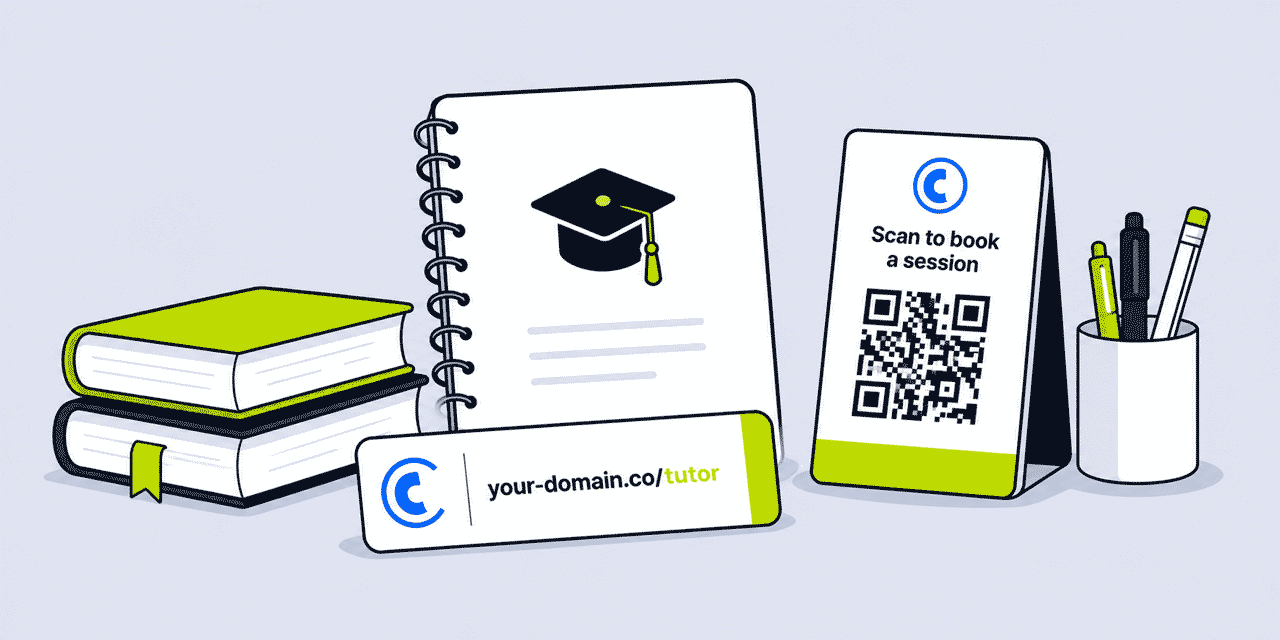
A QR Code on a leaflet distributed at a school or community location provides an immediate digital path from the physical material to the booking page — a parent who sees the leaflet while waiting at a school gate can scan and bookmark the booking page without typing a URL. The QR Code must be dynamic — generated by Cuttly from a short link — so that if the booking page URL changes (a new platform, a website restructure), the leaflets already distributed continue to work without reprinting.
Create a unique short link per physical location: go.tutorname.com/school-st-pauls, go.tutorname.com/library-highstreet, go.tutorname.com/parents-evening-jan. Analytics show which placements are generating scans. A leaflet placed at a local primary school that consistently generates 5 scans per week is more productive than one placed at a community centre that generates 1. This data informs where to restock and where to invest in new placements.
Business cards distributed at parents evenings and school events should carry both a QR Code and the printed short URL — go.tutorname.com/book. Parents who prefer to type, or who pick up the card later, have both options. The short URL is short enough to type from memory or a card glanced at briefly.
WhatsApp and Parent Communication: Professional Links in Everyday Messaging
WhatsApp is the primary communication channel between tutors and parents for session reminders, rescheduling requests, homework links, and progress updates. Every link shared in these messages is an implicit statement of the tutor's digital professionalism. A branded short link in a WhatsApp message from a tutor feels more intentional and trustworthy than a raw Google Docs link or a generic platform URL — and in a channel where recipients are increasingly aware of link safety, a link on a recognisable, branded domain removes any hesitation about clicking.
Practical uses in WhatsApp communications: a short link to the week's homework task — go.tutorname.com/homework-week23; a link to a revision guide relevant to an upcoming exam — go.tutorname.com/gcse-algebra; a link to reschedule a session via the booking platform — go.tutorname.com/reschedule; a link to a pre-session preparation note before a first meeting with a new student.
The dynamic nature of Cuttly short links is particularly useful for resource links shared repeatedly. A link to the tutor's resource hub — go.tutorname.com/resources — can be updated to point to the latest resource page as materials are updated, without sending new links each time. Students and parents bookmark or save the link; it always routes to the current content.
Resource Sharing with Students: Revision Guides, Homework, Practice Papers
Private tutors share significant volumes of digital resources with students — revision guides, practice past papers, homework tasks, reading lists, model answers, study technique guides, and links to online practice tools. The quality of how these resources are shared reflects on the professionalism of the tutoring service.
A tutor who shares resources via branded short links — go.tutorname.com/maths-gcse-pack, go.tutorname.com/essay-structure-guide — is presenting materials with the same care as a well-organised printed resource pack. The student receives a clean, recognisable link. If the resource is updated, the short link destination is changed in Cuttly and the student's bookmarked link routes to the new version automatically.
Analytics on resource links reveal which materials students actually access versus which they receive but never open. A revision guide link that generates consistent clicks from a student in the run-up to an exam is being actively used; a practice paper link that generates zero clicks despite being sent three times may indicate the student is struggling with motivation or understanding the task — a signal worth addressing in the next session.
For printed revision materials — a worksheet, a flashcard set, a practice test — a QR Code printed on the material linking to a digital answer key, an extended explanation video, or a related online exercise creates a blended learning resource that extends the value of the physical material. The QR Code on the printed worksheet is dynamic and can be updated to point to new supporting content as the student progresses.
Online Tutoring: Clean Links for Video Rooms and Digital Environments
Online tutoring — whether fully remote or hybrid — generates its own link management needs. Video session room URLs (Zoom personal room, Google Meet, Whereby, Microsoft Teams, or specialist tutoring platforms), digital whiteboard links, shared document links, and booking confirmation links are all shared regularly with students and parents.
A branded short link to the session room — go.tutorname.com/session — is easier for students and parents to remember and access than a raw Zoom or Meet URL. A student who needs to join quickly can navigate directly from the bookmarked short link rather than searching through their email for the session link. Since most tutors use a stable personal room URL rather than generating a new link per session, the short link is created once and reused indefinitely.
If the tutor changes video platform (Zoom to Google Meet, or to a dedicated tutoring platform), the short link destination is updated in Cuttly and every previously shared or bookmarked link automatically routes to the new platform.
Tracking Which Channels Send You Students
Most private tutors cannot tell you where their students come from. Word of mouth? Tutorful? The leaflet at the library? A Google search? School recommendation? Without separate tracked links per channel, all of these paths lead to the same booking page and look identical in analytics. With a proper link tracking setup — one short link per channel — each source's contribution is measurable.
Practically: create a short link set at the start of each academic year. One for each directory listing, one for each physical leaflet location (school A, library B, community centre C), one for the WhatsApp status, one for the Instagram bio, one for the email signature. All pointing to the same booking page. Review in January (mid-year) and August (end of year) to understand which channels generated the most booking enquiry traffic.
This data informs the following year's marketing investment. A library notice board that generates 15 clicks per month is worth £5 in printing and 10 minutes of restocking. A directory subscription costing £30/month that generates 2 profile clicks per month may not be worth renewing. The investment of creating and tracking per-channel links produces ROI through smarter marketing spending.
Google Reviews and Professional Reputation
Google Reviews for private tutors — displayed on a Google Business Profile — are increasingly important for local search visibility and for establishing credibility with parents researching tutors online. A tutor with 40 reviews and a 4.9 rating is dramatically more visible and more credible than one with 5 reviews, regardless of the actual quality of teaching.
A branded short link to the Google Review submission page — go.tutorname.com/review — sent to parents at the end of a term or academic year, when the relationship is established and the student has made measurable progress, generates reviews at the moment of highest satisfaction. This link should be in the end-of-term summary email to parents, in the WhatsApp message that accompanies the final session of the year, and on the invoice or payment confirmation if any is sent.
Analytics on the review link show how many parents clicked through to the review page. If click-through is high but actual review count is low, the friction in the review submission process may be the bottleneck — the page may be requiring Google account login that some parents do not have, or the form may be longer than expected.
Social Media: LinkedIn for Adult Learners, Instagram for Creative Subjects
Social media is a relevant marketing channel for tutors working with adult learners (professional development tutors, academic language tutors, IELTS/TOEFL preparation tutors, professional exam tutors), for tutors with distinctive teaching philosophies or methods, and for tutors whose subjects have natural visual content (art tutors, music tutors, creative writing tutors).
A Link in Bio page behind the Instagram or LinkedIn profile bio link aggregates the tutor's most important destinations: booking or enquiry page (first button), subject-specific resource pages, current availability, Trustpilot or Google reviews link, and any free resources (a sample revision guide, a free study skills workshop) offered as lead magnets. Analytics on the Link in Bio page show which buttons social media followers click most — indicating what the social audience values most.
LinkedIn is relevant for tutors who support adult learners, executive coaching, IELTS preparation, or corporate training — the professional audience is on LinkedIn, and articles or posts about learning methodology, exam strategy, or subject insights attract decision-makers who commission tutoring for themselves or their teams.
Group Tuition and Workshop Promotion
Some tutors run small group sessions, intensive revision workshops, holiday revision camps, and online group webinars alongside or instead of one-to-one tutoring. These events require promotion and registration management — use cases where Cuttly's Action Pages (Single plan+) and per-event tracked links are directly applicable.
A Cuttly Action Page for a summer revision workshop: subject and level, dates and times, what the workshop covers, price, maximum group size, countdown timer to the booking deadline, and a "Reserve Your Place" CTA. Accessible via a branded short link — go.tutorname.com/summer-maths-workshop — shareable in WhatsApp parent groups, email to existing students' parents, and via the Instagram bio Link in Bio page. Analytics track both page visits and booking button click-through — revealing the event's conversion rate from awareness to registration.
Cuttly's link analytics per event link show which channels drove the most workshop registrations. A parent WhatsApp group message that generates 12 registration clicks from 40 group members is a 30% response rate — excellent for a paid event. An Instagram post that generates 3 clicks from 500 followers is a 0.6% conversion — normal for organic social, but useful data for calibrating expectations from different channels.
Which Cuttly Plan Is Right for a Private Tutor
The Free plan ($0) provides 30 links/month, 1 branded domain, basic QR Code generation, UTM builder, and 30 days of analytics. No credit card required. This is the right starting plan for most private tutors. 30 links/month is sufficient for the core use case: a booking link, three or four directory profile links, a business card QR Code, a session room link, and a resource hub link. Free plan users can test the branded domain setup and evaluate whether the analytics data is useful before upgrading.
The Single plan ($25/month) is appropriate for tutors who are actively marketing across multiple channels, regularly sharing resources with students via tracked links, running events and workshops that benefit from Action Pages, and who want a full academic year of analytics history to track enquiry source patterns from September to July. 5,000 links/month is far more than any solo tutor will need. The key value-adds over the free plan for tutors: 1 year of analytics history (enabling year-over-year comparison of which channels generate the most students), full QR customization with SVG export for professional printed materials, Action Pages for workshop and intensive programme promotion, and link expiration for time-limited intake periods.
Start with Cuttly's free plan — no credit card required, 1 branded domain included. Create your booking short link, generate your business card QR Code, and set up directory profile tracked links in under 20 minutes. Registration required; free plan available immediately.
Frequently Asked Questions
Why do tutors need a URL shortener?
To present professionally in every student and parent communication with branded links on their own domain (essential in a trust-sensitive service where every professional signal matters), to track which directories and marketing channels generate the most new student enquiries, and to make booking, resource, and session links shareable in leaflets, WhatsApp, and email without being unwieldy.
What should a tutor use a short link for?
Booking and enquiry page (on all materials), directory profiles (unique tracked link per directory), school and community leaflet QR Codes (unique per location), WhatsApp parent communications, revision and homework resource links for students, online session room URL, Google Review link, and a Link in Bio page for any social media profiles.
Which Cuttly plan is right for a private tutor?
Most tutors start free ($0): 30 links/month, 1 branded domain, basic QR Code, 30 days analytics. Enough for core links — booking, directories, business card QR, session room. Upgrade to Single ($25/month) for 1 year of analytics history (full academic year), full QR customization, Action Pages for workshop promotion, and link expiration for intake windows.
How can a tutor use QR Codes?
On business cards distributed at parents evenings (booking page), on leaflets at schools and libraries (unique per location, tracked), on printed revision materials (linking to digital answer keys or supporting content), in virtual learning environments as printable links, and on physical worksheets or flashcards linking to extended online resources. All dynamic — updatable without reprinting.
- Tools
- URL Shortener →
- Link in Bio Builder →
- QR Code Generator →
- Link Analytics →
- Related Industry Guides
- URL Shortener for Language Schools →
- URL Shortener for Schools & Universities →
- URL Shortener for Online Courses →
- URL Shortener for Driving Schools →
- URL Shortener for Small Business →
- Related Guides
- What Is a Branded Short Link? →
- QR Code on Business Cards →
- Link in Bio Without Linktree →
- Link Tracking 101 →
- Verticals Hub
- URL Shortener for Every Industry →
- Start Here
- Create Free Account
- Plans & Pricing
URL Shortener
Cuttly simplifies link management by offering a user-friendly URL shortener that includes branded short links. Boost your brand’s growth with short, memorable, and engaging links, while seamlessly managing and tracking your links using Cuttly's versatile platform. Generate branded short links, create customizable QR codes, build link-in-bio pages, and run interactive surveys—all in one place.
Cuttly - Consistently Rated
Among Top URL Shorteners
Cuttly isn’t just another URL shortener. Our platform is trusted and recognized by top industry players like G2 and SaaSworthy. We're proud to be consistently rated as a High Performer in URL Shortening and Link Management, ensuring that our users get reliable, innovative, and high-performing tools.


