Product Launch Countdown Pages with a URL Shortener The Complete Guide
Every launch has a moment when someone asks the question that decides its reach: "what link do we share?" Most launches answer it badly — a different address for every channel, a store URL that doesn't exist yet, a "coming soon" page that will be replaced (and its shares orphaned) the night before. The launches that compound answer it once: a single short address, alive from the first teaser to the final sale, accumulating every share, scan and mention into one place that is always the current truth of the launch.
This guide is the launch lifecycle, end to end, on a Cuttly Action Page — the standalone call-to-action page that lives directly under a URL Shortener address like your-domain.co/c/launch. It covers the one-address principle, the teaser phase and its waitlist economics, the launch-morning switch, the daily CTR readings of launch week, the honest close, and type-specific playbooks for product drops, app releases, book launches and openings. It assumes the format basics from the Action Pages pillar guide and goes deep on this one job.
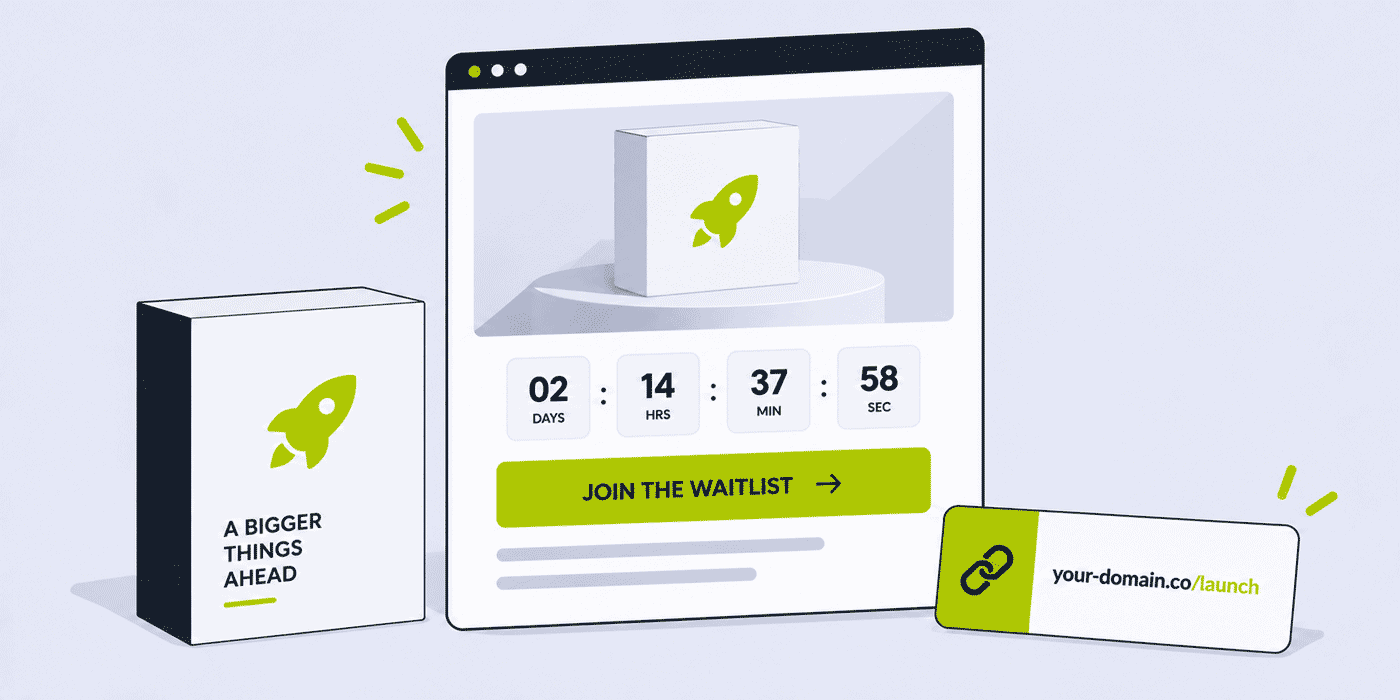
What This Guide Covers
- The one-address principle: why launches leak reach through scattered links, and how a single page stops it
- The launch timeline: teaser, drumbeat, launch morning, launch week, the close
- Building the teaser page: title, trailer, countdown — and a button that already works
- Waitlist economics: converting teaser traffic into launch-day certainty
- The launch-morning switch: one edit, plan rules, and the runbook around it
- The channel drumbeat: regular short links with channel back-halves as the attribution layer
- Reading launch week: CTR by day, referrals, and the two edits worth making mid-flight
- The honest close: hide-at-zero on the offer's end, the export, the deleted page
- Launch-type playbooks: e-commerce drops, mobile apps, books, openings, collections
- Launch calendars and the fixed page inventory: sequential on Single, overlapping on Team
- A worked example and the plan guide for launch operators
The One-Address Principle
A launch is a campaign whose destination changes. Before the date there is nothing to buy; on the date there is; some weeks later the launch offer ends and the ordinary product page takes over. Teams handle this shifting ground by sharing different links at different stages — and every stage transition orphans the previous stage's accumulated reach. The teaser post that did numbers two weeks ago points at a "coming soon" that no longer exists. The influencer's story from Tuesday links a page that was replaced Thursday. Reach was earned and then disconnected from the destination it was earned for.
The Action Page inverts this: the address is the constant and the page behind it is what changes. your-domain.co/c/launch goes out on day one and never changes — not on launch morning, not when the offer ends. What changes, through dashboard edits that leave the address untouched, is the page's content: the button's text, the button's destination, the description's emphasis, the countdown's target. Every share from every phase keeps pointing at the current truth of the launch, which means reach accumulates instead of expiring — the teaser week's shares are launch-day sales links, automatically, because they were always the same link.
This is also why the page belongs on a branded domain. A launch address gets repeated more than any other link a business shares — spoken in videos, printed on cards, pinned in bios — and your-domain.co/c/launch spends every one of those repetitions building your name, where a generic address spends them building nobody's. The branded domains guide makes the wider case; a launch is where it pays fastest.
Why Not Just the Homepage?
The obvious alternative deserves its answer: put a banner on the site you already have and share that. The homepage fails the launch on three structural counts. It cannot be only about the launch — navigation, other products and last season's messaging all bid for the same visit, and shared attention is the exact thing a launch cannot afford. It cannot change tempo — homepages answer to more stakeholders than a campaign can wait for, where the Action Page edits in a minute by whoever owns the switch. And it cannot be measured as a launch — its analytics blend the launch's traffic into everything else the site does, where the page's visits, CTA clicks and CTR are the launch's numbers alone. The launch page is not a substitute for the site; it is the campaign's dedicated front door, standing beside it, buttoned to it. The fuller decision framework — when a focused page beats a full site and when it doesn't — is the subject of the next guide in this series.
One trust detail completes the setup: the page carries your own privacy and terms links — an option on every Action Page — which matters precisely because a launch page collects waitlist signups. The visitor deciding whether to hand over an email sees your policy linked on the page asking, on your branded domain, which is the same one-glance legitimacy the whole branded-address argument runs on.
The Launch Timeline
Every launch in this guide runs the same five phases, whatever is being launched. The phases differ in length by launch type — a fashion drop compresses them into days, a book stretches them across months — but the sequence and each phase's single job do not change:
- Teaser — the page exists, the clock runs, the button banks intent (waitlist, notify-me). Job: convert curiosity into a reachable audience.
- Drumbeat — channels repeat the one address on a cadence. Job: accumulate reach onto the address.
- Launch morning — the switch: button text and destination change to the live action. Job: convert the accumulated audience.
- Launch week — daily readings, live edits, the offer window. Job: fix what the traffic reveals while it still matters.
- Close — the offer ends on the clock, the analytics are archived, the page is deleted, the slot returns. Job: end cleanly and free the inventory.
The rest of this guide walks the phases in order, then reruns them through the type playbooks.
Phase One: Building the Teaser
The Page's Anatomy, Launch Edition
The Action Page's elements — title, description, logo, background, video, countdown, one button — map onto a teaser with almost no waste. The title names the thing and the date, concretely: "The Field Jacket. October 1." beats "Something's coming" for everyone except brands whose mystery is the product. The description answers the two questions a teaser visitor actually has — what is it, and why should I care by October 1 — in three sentences or fewer. The background carries the product's single best visual, uploaded as your own graphic; the logo confirms whose launch this is; the video slot takes the trailer if one exists and stays empty if it doesn't — a page with no video outperforms a page with a filler one.
The countdown targets the launch moment, and its honesty rules are absolute: a real date, kept. Slipping a countdown teaches your audience that your clocks are decorative, and that lesson outlives the launch. If the date is not certain enough to promise, launch the teaser without the clock and add it when certainty arrives — the page edits live.
The alias deserves its ten seconds of thought before anything ships, because it is the one element that cannot gracefully change later. The tests, in order: it survives being spoken aloud ("slash c slash jacket" passes; a pun spelled two ways does not); it names the thing rather than the campaign jargon (/c/jacket outlives /c/q4-hero-push); and it leaves room for the sequel, since /c/jacket implies /c/jacket-2 the way /c/launch implies a naming crisis next quarter. Editable in the dashboard, yes — but every printed card and recorded mention carries the version that shipped, so treat the alias as permanent even though it technically isn't.
A Button That Already Works
The teaser's defining choice is what the single CTA button does before there is anything to buy — and the answer is never "nothing." A disabled or absent button wastes every visit the teaser earns; the working answer is the action that exists now: "Join the waitlist" or "Get notified", pointing at your signup. This converts the teaser phase from an awareness exercise into an asset build: every signup is launch-morning reach you own — an inbox, not an algorithm — and the waitlist's size is the one pre-launch number that predicts anything.
The plan rules shape the destination here, and it is worth planning around them from day one. On the Single plan, later edits to the CTA destination must stay on the same domain — so if launch morning will point the button at your own store, put the waitlist on that same domain too, and the whole lifecycle stays within the rule. On Team and Team Enterprise, the destination can change to any URL, which frees the sequence entirely: waitlist on your site today, app store or ticketing platform or marketplace on launch morning. The destination is automatically shortened by Cuttly either way, which is what makes the button's taps measurable throughout.
How Long Should the Teaser Run?
Teaser length is a trade between accumulation and attention: every extra week banks more waitlist, and every extra week asks the audience to stay interested in something they cannot have. The working heuristics by launch type: drops and collections tease in days — one to two weeks — because scarcity-driven launches feed on compression and an audience that checks back; apps and products with a story sustain three to six weeks, provided the drumbeat has genuine beats to hit (feature reveals, previews) rather than repetition of the first announcement; books, albums and openings carry months, because their teaser content is the work itself arriving in pieces. The test that ends debates: if the next scheduled drumbeat post would say nothing new, the teaser is at its natural length — launch sooner or find a real beat, but never drum on empty.
Feeding the Waitlist You're Banking
The waitlist is not a bucket to fill and open on launch day — it is an audience mid-conversation, and silence between signup and launch is where its value leaks. The minimal nurture that keeps it warm costs two emails: the confirmation with substance (immediately on signup: what they've joined, when the date is, one thing about the product they didn't know from the page) and the day-before note (the launch time in their terms, what to expect, the same one address). Longer teasers earn a middle email at each real milestone. Every message repeats your-domain.co/c/launch — the page is the launch's home even for people already on the list, because it is where the countdown lives and where they will send the friend they mention it to. That last motion, the forward, is the waitlist's quiet second function: each member is a distribution node, and the one-address principle is what makes their word-of-mouth land on a live, current page whenever it happens.
Phase Two: The Drumbeat
With the page live, the campaign becomes repetition with variation: every channel, on its own cadence, carrying the same address wrapped in different creative. The discipline that separates a drumbeat from noise is that the address never varies — one launch, one address, everywhere — while the attribution comes from a layer the audience never sees.
That layer is regular short links with channel back-halves, each pointing at the Action Page: your-domain.co/social-drop for the posts, your-domain.co/mail-drop for the newsletter, your-domain.co/print-drop for the poster's QR. Their aggregated, anonymized click counts split the drumbeat by channel before launch day arrives, and the page's own referral data cross-checks the picture. The pattern is the same channel-attribution construction used throughout our surveys series, pointed at a page instead of a survey; the mechanics live in the link analytics guide.
Three placements earn specific mention. The Link in Bio top slot is the launch's standing home for social-first audiences — every post and story says "link in bio," and the bio's first entry is the launch page for as long as the launch runs. The QR code — the page generates its own, customizable with logo and colors from the Single plan — puts the address on posters, packaging teasers and store windows; production rules are in the QR best practices guide. And email's cadence carries the countdown's milestones — two weeks, one week, tomorrow — with the address in the first two sentences each time, per the email marketing guide.
Physical placements run on the page's own QR — customizable with logo and colors from the Single plan, exported as SVG for the print vendor — and the launch-specific craft is putting the code where the launch's audience already stands: the current product's packaging teasing the next one, the store window during opening hours it can't yet serve, the event booth two months out, the back of the business card handed at exactly the meetings the launch is for. Each physical surface gets the frame the QR guides in this series always prescribe — what it is, when it lands, the printed address beside the code — and its own channel link when the surface is worth measuring separately.
Messaging channels join the drumbeat where the audience lives in them: the address is short enough for SMS by construction, WhatsApp broadcasts carry it with a line of context, and businesses messaging customers in India route it through the TRAI-compliant 2s.ms format covered in the WhatsApp guide and its SMS counterparts. One address, every channel — the principle does not bend for the medium.
Press, Partners and the One Address
Third parties are where scattered-link launches hurt most, because you cannot edit other people's publications. The article that runs during teaser week, the partner's newsletter feature, the podcast episode recorded a month early — each will carry whatever link you gave them, forever. Giving everyone the one address solves the timing problem structurally: coverage can land whenever it lands, before or after the switch, and its link is always current because the page behind it is. The press kit, the partner brief and the interview talking points all carry your-domain.co/c/launch, and the launch stops caring when anyone publishes.
Partners who drive real volume earn their own attribution: a regular short link per major partner — your-domain.co/partner-jacket — pointing at the page, splitting their contribution out of the aggregate exactly as the channel links do. The counts settle the perennial post-launch question of which partnership earned its terms, with numbers instead of impressions, and they do it through the same aggregated, anonymized analytics as everything else in the account.
Phase Three: Launch Morning
The switch is one edit in the dashboard: the button's text changes from the waitlist ask to the live action — "Shop the drop", "Download now", "Book a table" — and its destination changes to where the action lives, within the plan's rules. The address stays; the shares stay live; the accumulated audience meets the real thing. Mechanically it is a minute's work, which is exactly why it deserves a runbook, because launches fail on the mechanics nobody rehearsed:
- The destination exists before the switch. The store page, listing or booking link is live and tested — on a phone, logged out — before the button points at it. The single most common launch-morning failure is a button switched to a destination that 404s for ten minutes.
- The switch has an owner and a time. One named person, one agreed clock time, written in the run-of-show. "Someone will flip it in the morning" is how launches go live at 11:40.
- The waitlist email goes out after the switch, not with it. Send to the list you banked once the button is verified live — the waitlist is the audience most likely to click within minutes, and they should meet a working page.
- The description gets its launch pass. The same edit session updates the copy from anticipation tense to availability tense — "ships now", "on shelves today" — because a live button over teaser copy reads as a page nobody finished.
- The countdown gets its next job. Zeroed clocks read as neglect. Either remove the countdown at the switch, or retarget it at the launch offer's real end date — with the hide-at-zero option on, which is the close phase pre-armed.
Phase Four: Reading Launch Week
Launch week's instrument panel is small and sufficient: visits, CTA clicks, the CTR between them, clicks by day, referrals, and the channel links' counts. Retention covers the window on any qualifying plan — 180 days of analytics on Single, a year on Team and Team Enterprise — so the week's story stays readable long after, but the value is in reading it daily while edits still change outcomes.
The readings resolve into three situations. Visits low, CTR fine: the page persuades whoever arrives; the problem is upstream, in the drumbeat — check the channel links for the quiet channel and feed it. Visits fine, CTR soft: the page itself is leaking — usually the description answering the wrong question, occasionally a button whose promise mismatches the title. The page edits live; fix the copy, watch tomorrow's number. Both strong, then fading: the natural decay of a launch — the question becomes when to close, and the answer is on the clock you set at the switch. The pillar guide's fuller treatment of CTR as the page's one honest number applies throughout.
The referral data adds the unplanned channel to the picture. Channel links measure the drumbeat you ran; referrals surface the traffic you didn't — the forum thread, the aggregator, the newsletter that picked the launch up unasked. A referral source outperforming your own channels is launch week's best surprise and next launch's cheapest lesson: whatever that community is, it is your audience's habitat, and the next teaser's drumbeat should live there on purpose.
Two edits are worth pre-authorizing so launch week can make them without a meeting: reordering the description when the traffic reveals the skeptic's real question, and changing the button's text (never its promise) when the phrasing underperforms the offer. Everything else — price, date, the offer itself — changed mid-launch reads as chaos, and the page's job is to look like the one calm, certain place in a noisy week.
Phase Five: The Honest Close
Launch offers end, and how they end is remembered. The countdown's hide-at-zero option is the format's purpose-built ending: the clock runs to the offer's stated close, the button retires itself at zero, and the page stays active — so the person arriving Monday to an "ended Sunday" offer meets your brand, the closed clock and the plain truth, rather than a dead link or, worse, a button that still sells what the deadline said it wouldn't. Deadlines kept in public are the cheapest credibility a brand can bank, and this setting keeps them mechanically.
Then the operational close: the final analytics reading becomes the launch's record — total visits, CTA clicks, the CTR curve, the channel split — archived wherever the next launch's planning will look for it. And the page is deleted. This matters more than sentiment suggests: Action Page limits are a fixed inventory, 3 on Single, 10 on Team, 20 on Team Enterprise, pages existing until deleted — so a finished launch left standing is a slot the next launch cannot use. The clean rhythm is the one from the pillar guide: export, delete, slot back, next.
Reading the Teaser Before Launch Decides Anything
The teaser phase produces its own dashboard, and reading it changes decisions that launch morning will lock. The visit curve's response to each drumbeat beat ranks the beats — the trailer post that spiked visits earns launch day's budget; the announcement that didn't gets rewritten, not repeated. The waitlist's growth rate against days remaining projects the launch-morning audience early enough to adjust: a list tracking under target with two weeks left is a solvable problem (add a beat, feed the winning channel), where the same discovery on day minus one is a fact. And the channel links' split, already accumulating, drafts launch week's channel plan before launch week exists. The teaser, in other words, is not the wait before the campaign — it is the campaign's rehearsal with the audience in the room, and the page is taking notes the whole time.
When the Date Moves: Managing a Slip in Public
Launches slip — manufacturing, review queues, weather — and the page that carried the promise has to carry the correction. The live-editing property makes the mechanics painless; the craft is in the order of operations. First the waitlist hears, by email, before the page changes: they signed up for the date, and learning of the slip from a silently edited countdown converts your most invested audience into your most annoyed one. Then the page updates in one session — countdown retargeted to the new date, description carrying one plain sentence of why ("moving to October 15 to get the zippers right" builds more trust than the delay costs), title's date corrected. The address, as ever, never changes, which is the quiet advantage: every share and article pointing at the page now points at the corrected truth, and the slip that would have orphaned a static "coming soon" page instead updated itself everywhere at once.
Two rules bound the tactic. A date should slip at most once in public — a second slip means the next teaser launches without a clock until certainty exists, per the honesty rules of phase one. And the new date gets the same countdown treatment as the old, because retreating from the clock after a slip reads as retreating from the commitment. Slips handled this way are forgotten by launch week; slips handled by silence are the story instead of the product.
Multi-Product Launch Days
When one date launches several things — a collection with hero pieces, an app on two platforms, a book in three formats — the one-button format forces the useful question: one page or several? The test is whether the audience decides between the things or arrives already knowing theirs. A collection whose buyers browse gets one page, buttoned to the collection's landing shelf, because the choosing happens best in the store. Platform-split audiences — the app's iOS and Android crowds — get a page each, because your-domain.co/c/app-ios in the iPhone creator's video and /c/app-android in the Android reviewer's converts a decision point into a straight line, and the two pages' CTRs read the platforms separately. The inventory math follows: multi-page launch days are Team-tier territory by arithmetic as much as by the any-URL rule, and each page still gets its own close.
Launch-Type Playbooks
The E-commerce Drop
The compressed version of everything above: teaser measured in days, waitlist doubling as the sell-out warning system ("2,000 on the list, 500 units"), the switch pointed at the product page, and the offer window enforced by hide-at-zero. The QR earns its keep on packaging of the previous product — the insert in September's box teases October's drop, per the packaging QR guide — and the channel-link split typically decides next drop's paid budget. Wider store patterns: the e-commerce guide and Etsy sellers guide.
The Mobile App Release
The launch type the Team plan's any-URL rule exists for: the teaser's button banks emails on your site, and launch morning points the destination at the store listing. One address survives the whole arc — press kit, preview videos, the founder's bio line — instead of the pre-launch site link and store link splitting the accumulated reach. App-side link craft, including the store-routing question, lives in the mobile apps guide and the deep linking playbook; startup launch context in the startups guide.
The Book, Album or Creator Release
The longest teaser in this guide — months of cover reveals, excerpts and singles, all drumming one address — and the launch type where the spoken-address test matters most, because the address gets said aloud in podcasts and videos constantly: your-domain.co/c/book passes; a random alias does not. The video slot carries the trailer or the single; the switch points at the retailer or platform (any-URL territory when the destination is a store you don't own); and the page's close often converts into the next release's teaser in the same slot. Craft-side patterns: the book authors guide, the creators guide and the podcasters guide.
The Opening: Restaurants, Studios, Locations
A physical opening runs the timeline on physical surfaces: the window poster's QR is the teaser's main door ("Opening November — what's coming" with a notify-me button), the countdown targets opening day, and the switch points at the booking system — same-domain on Single if reservations live on your site, any-URL on Team for third-party booking platforms. The page outlives launch differently here: many openings retarget the closed launch page's slot into the standing "book a table" page, which is a legitimate second life for a slot in a business with one location and few simultaneous campaigns. Local patterns in the restaurants guide and the small business guide.
The SaaS Feature Launch
Software launches differ in one respect that suits the format unusually well: the audience splits into users and prospects, and the one page serves both with the same button wearing different meanings — "Try it now" is an in-product deep link for users and a signup for prospects, unified when both live on your domain (comfortably inside even Single's same-domain rule). The teaser phase doubles as the changelog drumbeat, the video slot takes the feature demo, and the page's address goes wherever feature announcements travel: the release notes, the in-app banner, the community post. Startup-side launch context lives in the startups guide.
The Preorder and Crowdfunding Push
Campaigns with an external platform — preorders through a marketplace, crowdfunding through a campaign site — are the second launch type built on Team's any-URL rule: the teaser banks your list on your domain, and the switch points the button at the platform the moment the campaign opens. The page then does something a platform page cannot: it remains yours after the campaign — while the platform's page freezes into its final state, your address retargets to the late-preorder shelf, the shipping updates, the next campaign. Backers who saved one link keep finding the current truth, which is the one-address principle stretched across the longest arc in this guide.
The Collection or Campaign Drop
Fashion and beauty run launches as a calendar, not an event — which moves the interesting decisions to the inventory layer, covered next. Per drop, the playbook is the e-commerce pattern with the visual weight inverted: the background image is most of the page, the copy is minimal, and the influencer channel dominates the drumbeat, with each partner's regular short link splitting the attribution per the influencers guide. Sector patterns: the fashion and beauty guide.
The Launch Calendar and the Fixed Inventory
Because pages persist until deleted, the plan's page count is a calendar constraint, and reading it as one clarifies the tiers. Single's 3 pages run launches sequentially with breathing room: the live launch, the next one's teaser building behind it, and a slot spare — the natural shape for a business launching quarterly. Team's 10 run launches as a portfolio: several products' pages in different phases at once, plus standing pages, which is the operating reality of a brand with a drop calendar or an agency running client launches. Team Enterprise's 20 is the multi-brand, multi-market version of the same. The discipline that keeps any tier sufficient is the close phase, done every time: a calendar of launches with a delete step recycles a small inventory indefinitely, while a team that never deletes discovers that "3 pages" means "our first 3 launches, forever."
Your First Launch on the Format
If the next launch is also the first on an Action Page, resist importing the whole guide at once. The minimum viable version proves the principle in one campaign: the page with title, image, clock and waitlist button; one channel link beside the raw address; the switch rehearsed once the day before; hide-at-zero on the offer's end. Skip the partner links, the multi-market math and the archive comparisons — they are second-launch material by definition, since they need a first launch's numbers to compare against. What the first run must establish is the habit stack the rest builds on: the one address shared everywhere, the date kept, the close performed. A team that finishes launch one with an archived export and an empty slot has the operation; everything else in this guide is that operation growing into its plan's dimensions.
A Worked Example: Forty Days of One Address
A small outdoor-gear brand on the Team plan, launching an October jacket. Day −21: the page goes live at your-domain.co/c/jacket — hero shot background, logo, "The Field Jacket. October 1.", three sentences, the sixty-second film in the video slot, countdown to launch morning, button reading "Join the waitlist" pointing at the site's signup. Three channel links spin up: social-jacket, mail-jacket, print-jacket, the last one inside the QR on cards tucked into September's outgoing orders.
Days −21 to −1: the drumbeat — weekly social posts, two newsletter mentions, the bio's top slot swapped to the page. The waitlist grows; the channel counts show print quietly outperforming its cost, a finding filed for next time. Day 0, 9:00: the owner of the switch verifies the product page on a phone, makes the edit — "Shop the jacket", destination to the store URL under Team's any-URL rule, description flipped to availability tense, countdown retargeted to October 8 with hide-at-zero armed — and at 9:15 the waitlist email goes out. Days 1–7: daily readings; day 2's soft CTR traces to sizing questions buried last in the description; the reorder ships in a minute and day 3 confirms it. Day 8, midnight: the clock zeroes, the button retires itself. Day 10: final analytics archived — the channel split, the CTR curve, the waitlist-to-sale note — the page deleted, the slot back in the inventory, and the November drop's teaser built in the same afternoon — its teaser length, channel budget and waitlist target all set by October's numbers rather than October's feelings.
What the Archive Teaches the Next Launch
The close phase's export is the first page of the next launch's plan, and reading launches against each other is where the operation compounds. The comparisons that pay: teaser visit curves against teaser length (did week three add reach or repeat it — the empirical answer to the how-long question); channel splits across launches (the channel that wins twice is a budget decision, not a hunch); waitlist size against launch-week CTA clicks (your own conversion arithmetic, worth more than any industry figure, sizing the next teaser's target); and the CTR curve's decay shape (how many days of offer window your audience actually uses, which sets the next countdown on evidence instead of hope). One launch produces anecdotes; three produce the house numbers — and the analytics retention on the qualifying plans, 180 days on Single and a year on Team tiers, is sized to hold a launch calendar's worth of history for exactly this reading.
Common Launch-Page Mistakes
- A different link every phase. The orphaned-reach pattern this whole guide replaces. One address, day one to close.
- A teaser with no working button. Every visit that can't act is reach spent and not banked. Waitlist from day one.
- Destination rules discovered on launch morning. Single's same-domain rule is a fine constraint planned for and a crisis discovered at 8:55. Map the lifecycle's destinations at plan-choice time.
- A slipped countdown. Decorative clocks poison every future clock. No certain date, no clock yet.
- The switch without a runbook. Untested destination, unnamed owner, waitlist email racing the edit. Five lines of run-of-show prevent all of it.
- Launch copy in teaser tense. A live button over "coming soon" prose. The switch is an edit session, not a button toggle.
- The offer that outlives its deadline. An "ends Sunday" still clickable Wednesday. Arm hide-at-zero at the switch.
- The immortal launch page. Finished launches squatting in a fixed inventory. Export, delete, slot back.
The Launch on One Page
Compressed to the run-of-show: one address on your domain, live from the first teaser — title with the real date, the honest clock, a button banking the waitlist from minute one. A drumbeat of channels and partners all repeating that address, attributed through regular short links the audience never notices. One owned, rehearsed edit on launch morning: button text, destination within the plan's rule, copy to availability tense, countdown retargeted to the offer's end with hide-at-zero armed. Daily CTR readings through launch week, two pre-authorized edits, referrals scanned for the channel you didn't plan. And the close, every time: deadline kept by the clock itself, analytics archived into the next launch's plan, page deleted, slot returned. Reach accumulates because the address never changes; credibility accumulates because the dates always hold; and the operation compounds because every launch ends as the data the next one starts from.
Cuttly Plan Guide for Launch Operators
The Free plan ($0) and Starter plan ($12/month) do not include Action Pages, but they carry a launch's supporting cast — short links, QR codes, and on Starter the branded domain the launch page will later live under. A business preparing its first proper launch can build the link layer here first. Registration is required; no credit card is needed.
The Single plan ($25/month) is the sequential launcher's tier: 3 pages, the full editing surface, customizable QR with SVG for the print work, 180 days of analytics with CTR — and the same-domain rule on destination edits, which fits launches whose waitlist and store share your own site. Quarterly launch calendars live comfortably here.
The Team plan ($99/month) unlocks the any-URL destination edit — the rule that decides app releases, third-party ticketing and marketplace launches — alongside 10 pages for overlapping campaigns, a year of analytics for season-over-season comparison, and role-based multi-user access so the switch's owner, the print designer and the analyst share one account. Launch portfolios and agencies operate here.
The Team Enterprise plan ($149/month) extends the same operation to 20 pages for multi-brand and multi-market launch calendars at the platform's highest limits.
The next launch on your roadmap can start banking reach this week: create a Cuttly account, put the teaser at one address, and let every mention from here to launch morning accumulate. Registration required; free plan available with no credit card needed.
Frequently Asked Questions
What is a launch countdown page?
One page under one short address — your-domain.co/c/launch on a Cuttly Action Page — carrying the launch from teaser to close: title, description, logo, background, optional trailer, a countdown to the moment, and one CTA button whose text and destination evolve with the launch while the address never changes.
What should the button do before the product is available?
Bank intent: "Join the waitlist" or "Get notified", pointing at your signup. The waitlist is the launch-morning audience you own, and its size is the pre-launch number that predicts launch day best. On launch morning, one dashboard edit switches the button's text and destination to the live action.
Can the page hide its button when the offer ends?
Yes — the countdown's hide-at-zero option retires the button the moment the clock runs out, enforcing the deadline mechanically. The page stays active, so late arrivals meet your brand and a closed clock rather than a dead link or a deadline quietly ignored.
Which plan do I need for a launch page?
Action Pages start on Single ($25/month): 3 pages, full editing, customizable QR, 180-day analytics, with CTA destination edits staying on the same domain. Team ($99/month) allows any URL — the rule for app stores, ticketing and marketplaces — with 10 pages and a year of analytics. Free and Starter do not include Action Pages.
How do I know which channels drove the launch?
Point regular short links with channel back-halves at the page — your-domain.co/social-drop, your-domain.co/mail-drop, your-domain.co/print-drop — and read their aggregated, anonymized counts beside the page's referral data and CTR. The split is your next launch's budget argument.
What happens to the page after the launch?
Close it deliberately: archive the final analytics, delete the page, and the slot returns to the fixed inventory — 3 on Single, 10 on Team, 20 on Team Enterprise. A launch calendar with a delete step recycles a small inventory indefinitely.
Can one launch page serve several markets?
Run one page per market where language or destination differs — each with its own alias and its own channel links — the same per-market splitting used across our surveys series. The inventory math (page count × markets) is part of the plan choice for international launches.
- ACTION PAGES
- URL Shortener →
- QR Code Generator →
- Link in Bio Builder →
- This Series
- Action Pages — The Pillar Guide
- Online Surveys — The Pillar Guide
- Customer Feedback Programs
- Related Guides
- Action Pages on Cuttly
- Link Analytics — Complete Guide
- QR Code Best Practices
- Short Links in Email Marketing
- Branded Short Domains
- Launch Verticals
- E-commerce
- Mobile Apps
- Book Authors
- Fashion & Beauty
- Startups
- Encyclopedia
- Branded Links
- Link in Bio
- Verticals Hub
- URL Shortener for Every Industry →
- Start Here
- Create Free Account
- Plans & Pricing
URL Shortener
Cuttly simplifies link management by offering a user-friendly URL shortener that includes branded short links. Boost your brand’s growth with short, memorable, and engaging links, while seamlessly managing and tracking your links using Cuttly's versatile platform. Generate branded short links, create customizable QR codes, build link-in-bio pages, and run interactive surveys—all in one place.
Cuttly More Than Just a URL Shortener
Cuttly is a comprehensive, ever-evolving platform for link shortening that combines innovation and user-friendliness to deliver a seamless experience in managing and shortening URLs.


