How to view analytics and CTR for an Action Page?
For every Action Page, Cuttly tracks click statistics and CTR (click-through rate). You can use this data to understand how visitors are engaging with your page and whether they are clicking the CTA button.
CTR in the Action Pages list:
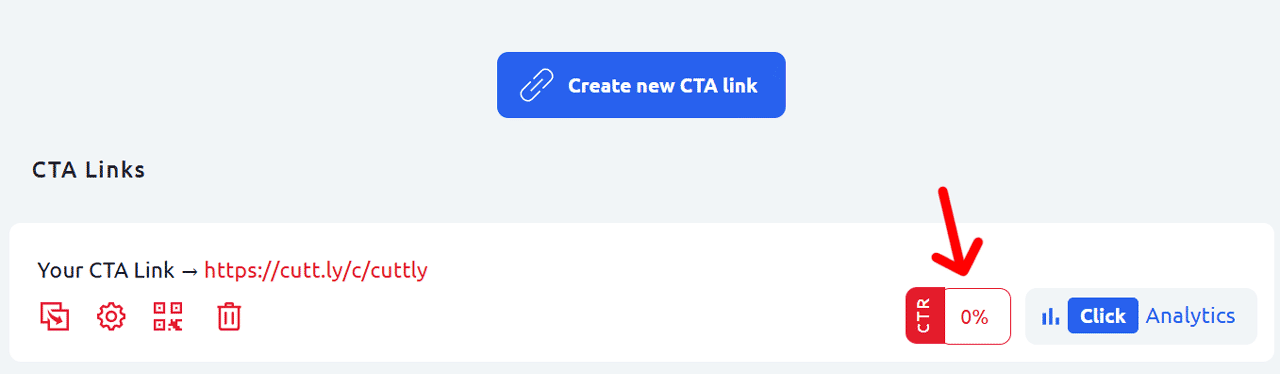
In the Action Pages section of your dashboard, each page displays its current CTR directly in the list view. This gives you an immediate overview of performance across all your Action Pages without having to open each one individually.
Viewing detailed click analytics:
1. In the Action Pages list, find the page you want to analyze.
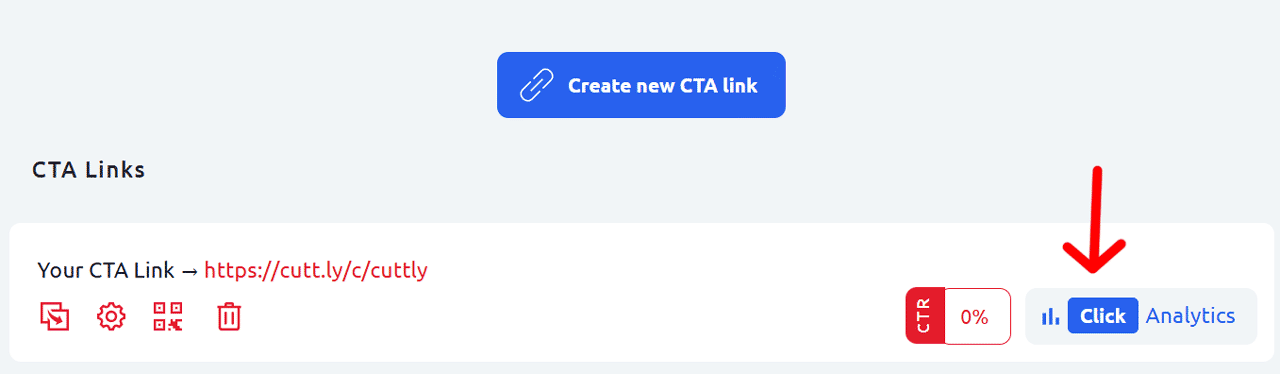
2. Click the "Analytics" button next to the page entry.
3. The analytics view will open, showing detailed click statistics for that Action Page.
Analytics data in Cuttly is aggregated and anonymized. Individual visitor data is not tracked or stored.
Find out more about the options available in your subscription plan here: Cuttly pricing and features
FAQ
What does CTR mean for an Action Page?
CTR (click-through rate) measures the ratio of visitors who clicked the CTA button compared to the total number of visits to the page. A higher CTR means your Action Page is effectively driving the intended action.
Is individual visitor data tracked?
No. Analytics data in Cuttly is aggregated and anonymized. Individual visitor data is not tracked or stored.
Where can I see the CTR for all my Action Pages at once?
The CTR is displayed directly in the Action Pages list view for each page — visible without opening the detailed analytics view.
-
What is an Action Page?
How to create an Action Page?
How to edit an Action Page?
How to delete an Action Page?
How to generate a QR code for an Action Page?
In which domains can I publish an Action Page?
How to change the alias / slug of an Action Page?
How to edit the background of an Action Page?
How to edit styles and template of an Action Page?
How to add or edit the logo on an Action Page?
How to edit the title of an Action Page?
How to edit the description of an Action Page?
How to add a video to an Action Page?
How to add a countdown timer to an Action Page?
How to edit the CTA button label?
How to edit the target URL (destination link)?
How to add a privacy policy and terms URL?
How to view analytics and CTR for an Action Page?