Why Cuttly? The Complete Case for One Link Management Platform
Most people come to Cuttly looking for a URL Shortener.
They stay because they find something they did not know they needed.
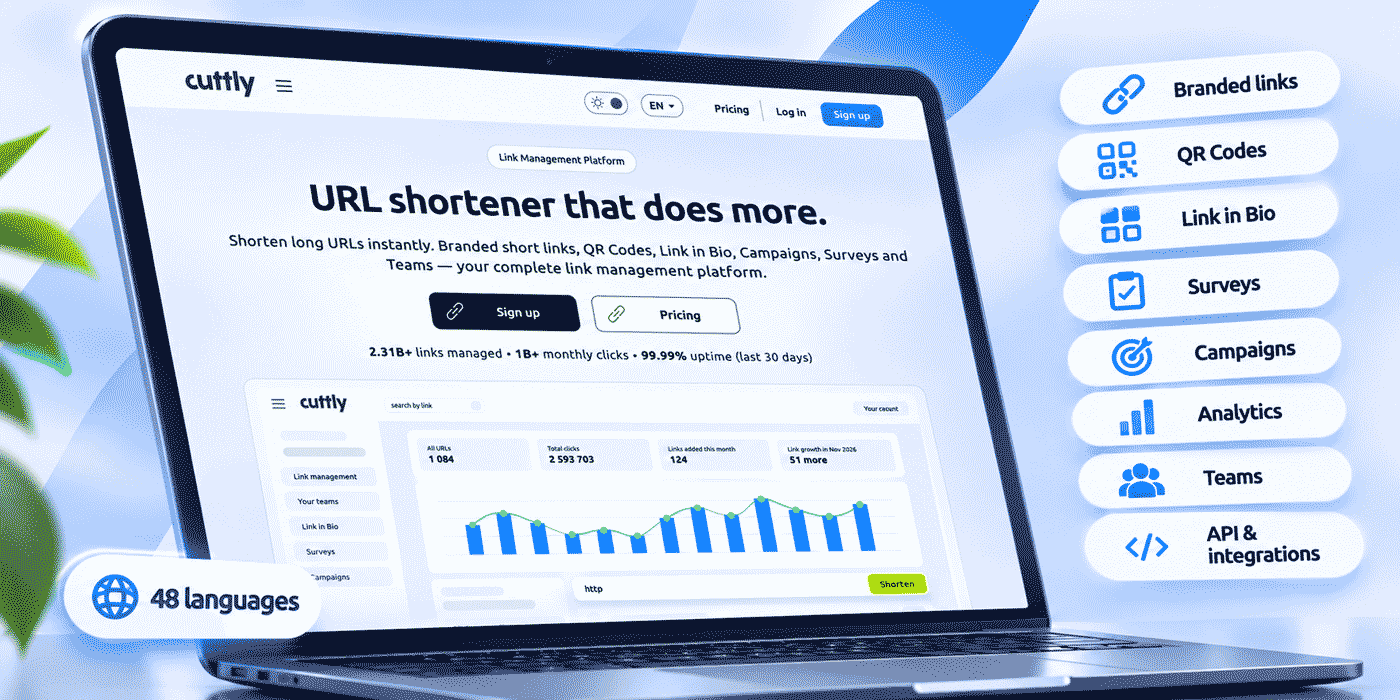
The answer to "why Cuttly?" is not a single feature. It is a cumulative argument: one platform that shortens and brands your links, measures every click, generates a QR Code for every link, builds Link in Bio pages, runs surveys, hosts call-to-action pages, reports on whole campaigns and connects to the rest of your stack, in 48 interface languages, without spreading your work across five dashboards.
This guide makes the complete case. It covers what Cuttly does, why each capability matters, who it is built for, what each plan includes, and why the combination of features in one place changes how you think about link management.
What This Guide Covers
- Why branded short links and link-level analytics come first
- Why QR Codes, surveys, Action Pages and Link in Bio belong next to your links
- Campaign reporting, redirect controls, API access and integrations
- 48 interface languages and built-in TRAI SMS tools
- Trust, privacy and security
- Switching from another URL shortener
- The complete feature set by plan, and a short FAQ
The Problem Every Marketer Eventually Hits
At some point, every growing team's link workflow fragments. There is the URL shortener for creating links, a separate analytics tool for click data, a QR Code generator for print, a Link in Bio tool for social profiles, a survey platform for feedback, a landing page builder for campaigns and an automation tool connecting everything else. Several dashboards, several logins and several invoices, all to answer one question: what happened when someone clicked your link?
This fragmentation is not an accident. It is what happens when infrastructure is assembled tool by tool, each one adopted when a specific need appears. It still has real costs: time spent switching between platforms, data that is defined differently in every tool, links that cannot be compared across contexts and no single view of a campaign that spans every channel.
Cuttly is built as an answer to that fragmentation. Not by claiming to be the best at every single task in isolation, but by being the place where URL shortening, analytics, QR Codes, Link in Bio, surveys, Action Pages, campaign tracking and automation live together, so that every link you create is immediately part of one coherent system.
Why Branded Short Links Matter More Than People Think
Generic short links work. A link like cutt.ly/aBcDeF redirects correctly, and from a purely technical point of view the destination is reached either way. So why bother with a branded domain?
Because a link is not only a redirect. It is a trust signal. Every time people see a link before clicking it, in an email, an SMS, on a flyer or in a social post, they make an instant judgment about whether to tap it. A link like yourbrnd.link/summer-offer tells them three things at once: who sent it, roughly where it leads and that it belongs to a brand they recognize. A random string on a generic domain tells them none of that.
The effect matters most where the link carries the whole message. In SMS, the link is often the only thing a recipient can judge. In email, mail systems evaluate the links inside a message, and a domain only your organization uses carries your own history rather than anyone else's.
Cuttly includes 1 branded domain on its Free plan, with SSL configured on your side, for example through your own DNS or CDN provider. You connect the domain with a DNS A record and a DNS TXT record at your registrar, and every link you create on it carries your brand. From the Single plan, SSL through Let's Encrypt is included, and you can connect up to 5 domains on Single, 10 on Team and 99 on Team Enterprise, so agencies with several client brands and companies with several product lines can manage all of them in one place.
Why Analytics at the Link Level Changes Everything
Platform analytics, the numbers inside social insights, website analytics or your email tool's reports, describe each platform separately. They do not tell you what happened at the link level across platforms. If the same campaign runs in a bio link, a newsletter, an SMS and a printed flyer, platform reports give you four disconnected data sets with no common denominator.
Link-level analytics invert this. When every destination sits behind a Cuttly short link, each click is counted on that link, wherever it was shared. Give each channel its own link and you can compare them in one dashboard, with clicks by day, social media sources, referrals, device type, operating system and version, browser and version, device brand, the language set on the device and country, all on every plan.
This is not conversion tracking or attribution modeling. It is something simpler and more fundamental: knowing that your link was clicked, on what kind of device, from which country and through which referring platform. Before you can optimize, you need to measure. Cuttly provides link analytics from the Free plan, with 30 days of history on Free and Starter, 1 year on Single and 2 years on the Team plans. Analytics are aggregated and anonymized, and statistics are private by default.
Hourly Insights
Hourly Insights add a heat map of click activity by hour, comparing the current week with the previous one: the last 7 days on Single and the last 14 days on Team and Team Enterprise. This is less a reporting metric than a scheduling tool. If your audience reliably clicks on Tuesday and Thursday afternoons and rarely on Saturday mornings, your publishing calendar should reflect that.
Social platforms often suggest posting times based on when followers are online. Hourly Insights show when people actually click your specific links, which is not always the same moment, and sometimes not even close.
Bot Filtering
Security scanners, email preview systems, chat apps that build link previews and monitoring tools all generate requests that can look like clicks. When a link shows 2,000 clicks, you want to know how many of them were people.
Cuttly applies bot filtering automatically on every plan, including Free, to keep automated traffic out of your counts. From the Single plan, a separate chart shows bot clicks, so you can see that traffic for what it is. Measuring accurately is worth more than measuring large numbers: A/B conclusions, timing decisions and campaign reports all depend on it.
Social Media Sources
Cuttly groups clicks by social media source, including Facebook, X (Twitter), Instagram and LinkedIn, alongside other and direct traffic, on every plan. If you share links on LinkedIn and Instagram on the same day, the source chart shows how each platform contributed without any extra setup. For precise attribution in your website analytics, you can still add UTM parameters with the UTM builder, which is also available on every plan.
Why QR Codes and Short Links Belong in the Same Place
QR Codes became an everyday channel in the early 2020s, helped by contactless menus and phone cameras that read codes without a separate app. They now connect packaging, posters, menus, receipts and business cards to digital destinations as a matter of routine.
How a QR Code is built decides how long it stays useful. A static code encodes the final destination directly, so if the campaign ends or the page moves, every printed copy points to the wrong place and reprinting is the only fix. A code that encodes a short link works differently: the destination behind the short link can change while the printed pattern stays the same.
Every Cuttly short link has a QR Code on every plan, and the code encodes the short link. From the Starter plan, you can edit the destination behind it: on Starter and Single within the same domain, and on Team and Team Enterprise to any URL. Printed materials keep working, and the change applies to everyone who scans from that moment on. Keep one rule in mind: changing the alias of a short link changes its QR Code, so settle aliases before printing.
Because the QR Code is the short link, every scan is counted on the same link as every click, with the same breakdown by device, country and time. On Free and Starter, codes come in one standard style in PNG, JPG and WEBP. From Single, you can customize colors, shapes and corners, add a logo and download SVG for professional print.
Why Surveys Are Part of a Link Management Platform
A survey tool inside a URL shortener surprises people at first. The connection becomes clear when you think about what a click is: a moment of attention. Someone chose to engage, and that is the best moment to ask a question.
Cuttly Surveys are shared through a short link under the /s/ path, with their own QR Code, on cutt.ly or your branded domain. You build the survey from question types such as multiple choice, single choice, text fields, sliders, star ratings, number ratings and dropdowns, organize it in steps and set the button language to one of 16 languages. Responses appear in the same account where your link analytics live, and they can be exported to PDF, XLS or CSV. Open-text answers are encrypted with 256-bit encryption before they are stored, and surveys must not be used to collect special categories of personal data, such as health information.
The use cases are broader than they first appear:
- Post-event feedback. A QR Code on the last slide of a talk or workshop. Attendees scan and answer three questions while they are still in the room.
- Content research. A survey link in your newsletter asking which topics to cover next, tracked alongside every other link in the issue.
- Campaign feedback. A survey link next to the main call to action in an email, so you can compare how many people gave feedback with how many clicked through.
- Simple qualification. Conditional logic can show respondents different paths based on their answers, which helps when different groups need different follow-up questions.
- Retail and hospitality. A QR Code on a table card, package or receipt. Customers scan and answer two questions, with no app to install.
Every survey has an end date, with a maximum active period of 7 days on Free, 15 on Starter, 30 on Single, 60 on Team and 90 on Team Enterprise, and plans differ in the number of surveys, questions and responses. That structure encourages focused feedback rounds with a clear start and finish.
Why Action Pages Complete the Picture
Many campaigns do not need a full landing page. They need one focused page: an announcement, a waitlist, an event registration, an offer with a deadline. Building that page in a separate tool means another subscription and another set of analytics.
Action Pages, available from the Single plan, are standalone call-to-action pages served from a short link under the /c/ path, on cutt.ly or on your own branded domain. Each page has a title, description, background color, gradient or your own image, a logo, an optional video, one call-to-action button and an optional countdown that can hide the button when it reaches zero while the page stays active. You can link your own privacy policy and terms, generate a customizable QR Code for the page, and from Single see CTR: how many visitors pressed the button. Single includes 3 Action Pages, Team 10 and Team Enterprise 20. On Single, the button's destination can be changed within the same domain; on the Team plans it can be any URL.
Why Campaign Tag Analytics Changes the Team Workflow
A campaign rarely lives on one channel or produces one link. A product launch can easily generate 30 short links: one per social post across several platforms, plus email calls to action, SMS links and a QR Code for the press kit. Reporting on the campaign means seeing all of those links together.
Without aggregated reporting, that means opening 30 link reports and combining them in a spreadsheet, every time someone asks for an update. With Cuttly Campaigns on the Team plans, every link with the same tag is aggregated into one view: total clicks, hourly activity, devices, sources, operating systems, browsers, languages, device brands and locations, for up to 50 tagged links on Team and 100 on Team Enterprise, over the last 14 days.
That is the difference between knowing "the campaign generated 14,000 clicks" and seeing, for example, that most clicks came from one platform, mostly on mobile, mostly on Tuesday afternoon, with two neighboring countries as the largest audiences outside your home market. The first number answers a client's basic question. The second set informs the next campaign's channels, timing and markets.
For agencies, tags also keep client work separate inside a shared team. Team members create links on each client's branded domain, tag them with the right campaign, and the reporting is scoped to that campaign without manual filtering. On a smaller scale, Aggregated Link Analytics from the Single plan summarize your top links, devices, countries and languages: the last 7 days for up to 10 links on Single, 14 days for up to 25 on Team and 28 days for up to 50 on Team Enterprise.
Why Link in Bio Is a Natural Part of This Platform
Social profiles have limited room for links: one link on some platforms, a handful on others. For creators, brands and businesses with many destinations, the profile link is one of the most valuable URLs they own.
A Link in Bio page turns that link into a hub: one address, behind it a page with every destination that matters. Cuttly Link in Bio is available from the Free plan. On Free and Starter, pages live on the cutt.ly domain with up to 5 links. From Single, you can use the cutt.bio domain or your own branded domain with an editable alias, add up to 20 links and a video and run up to 3 pages; Team allows 10 pages with up to 50 links each and Team Enterprise 20 pages with up to 99. On the Team plans, pages carry no Cuttly branding. Every page has its own click analytics, and from Single, CTR shows how many visitors went on to click a link.
Link in Bio belongs here for the same reason QR Codes do. Your bio link, your email links, your printed codes and your shared short links are all links, and they should be managed and measured in one place. When a campaign changes, you update the page, and the bio address stays the same everywhere it has ever been published. If you are moving from another bio link tool, see switching your Link in Bio to Cuttly.
Why Smart Redirect Controls Are Marketing Infrastructure
A basic short link does one thing: redirect to a single destination. Cuttly's redirect controls, available from the Single plan, add logic at the link level, before the visitor reaches your page.
A/B Link Rotation
Split traffic from one short link between alternative destinations to see which performs better. On Single the split is 50/50 between two destinations, on Team you set the percentage, and on Team Enterprise you can split between three destinations. Give each destination its own UTM values so your website analytics show what each group of visitors did. When one version clearly wins, point the link at it. One link, no extra testing tool.
Mobile URLs and Deep Links
From Single, Mobile URLs let one short link send Android, iOS and other mobile visitors to different destinations than desktop visitors, including custom app schemes. A video campaign can send phones to a vertical version and computers to the full-length one; a landing page built for mobile can live at a different address than the desktop version. From the Team plan, Deep Links add support for the Play Store and App Store, so one link in a newsletter or SMS can take each visitor to the right app listing.
Retargeting Pixels
From the Single plan, you can attach retargeting pixels to a short link, including Facebook, Google, Google Ads, Google Tag Manager, LinkedIn, Pinterest, Quora, Twitter and Segment. This lets the ad platforms you use build audiences from people who clicked your links, even when the destination page is not your own. Two details matter before you use it. Adding a pixel changes the redirect from a standard 301 redirect to an HTML meta refresh. And in the EU, pixels require a proper cookie consent setup, so check your consent configuration and legal basis before enabling them.
Link Expiration and Password Protection
Time-limited campaigns need links that stop working when the campaign ends, and confidential content needs links that only the right people can open. From the Single plan, links can expire on a date or after a number of clicks, counted as all clicks or unique clicks, and links can require a password before redirecting. Your link infrastructure then enforces campaign rules without anyone having to remember to switch links off.
Why API Access on Every Plan Matters
Automation should not start with a sales conversation. Cuttly provides API access on every plan, including Free, so a developer can build and test an integration at no cost and upgrade only when the project needs higher limits or more features.
The Regular API handles link shortening with custom aliases and link analytics on every plan, with rate limits of 3 calls per 60 seconds on Free, 6 on Starter, 60 on Single, 180 on Team and 360 on Team Enterprise. From Starter, it can create links on your branded domains; from Single, it can edit links, including tags, destinations and unique click counting, and set public statistics. The Team API, from the Team plan, works with a team's links, and each team has its own API key. Details are in the API developer guide.
In practice, that makes everyday automation possible at small scale. A content team can create a short link automatically every time an article is published. A developer can add branded short links to a product's notifications. A solo creator can run a script every Monday that pulls last week's link analytics into a summary. None of these needs an enterprise contract to get started.
The API also makes Cuttly available inside the automation platforms where much of modern work happens. Zapier, Make, Zoho Flow, OttoKit, Pabbly Connect, ViaSocket, Pipedream and others connect Cuttly to the rest of a stack through visual workflows, with no custom code.
Why the Integration Ecosystem Matters
A link platform that sits apart from your workflow is a tool you have to remember to open. A link platform built into your workflow works in the background.
Cuttly connects to automation platforms, AI tools, messaging services and developer libraries. A few examples of what that makes possible:
- A new blog post is published, Zapier creates a Cuttly short link, and the link is posted to a team channel and added to a spreadsheet of campaign links.
- A new row appears in a database, Make creates a Cuttly link for the destination in that row and writes the short link back to the same row.
- An AI agent in Relevance AI or Lindy.ai drafts a social post for a new landing page and calls Cuttly to create a branded short link for it.
- An SMS campaign is prepared in Whippy.ai or Mobile Message, and the links in the messages are shortened through Cuttly.
- A C# application sends customer messages with branded short links, using the NuGet package to call the Cuttly API from application code.
The full integration list:
- Zapier → Cutt.ly
- Zapier → Cutt.ly Team
- Make (Integromat) → Cutt.ly
- Make → Cutt.ly Team
- Zoho Flow → Cutt.ly
- Zoho Flow → Cutt.ly Team
- OttoKit (formerly SureTriggers) → Cutt.ly
- OttoKit → Cutt.ly Team
- Laravel API Wrapper → Cutt.ly
- Lindy.ai → Cutt.ly
- Mobile Message → Cutt.ly
- Mobile Message → Cutt.ly Team
- Whippy.ai → Cutt.ly
- Whippy.ai → Cutt.ly Team
- Relevance AI → Cutt.ly
- ViaSocket → Cutt.ly
- Pabbly Connect → Cutt.ly
- Pipedream → Cutt.ly
- NuGet (C# SDK) → Cutt.ly
No-code workflows are covered step by step in the guide to automation with Zapier and Make.
Why 48 Interface Languages Are Not a Nice-to-Have
If you run a marketing team in Warsaw, your tools should not feel as if they were built only for someone in San Francisco. If your colleagues work in Germany, Brazil, South Korea and Egypt, the tool that manages your links should not create a language barrier for any of them.
Cuttly is available in 48 languages, and every language version gives full access to the platform: branded short links on your own domain, QR Codes, link analytics, link management, team collaboration, the UTM builder, Link in Bio pages and API access. Team members can each work in the version they read best and still manage the same links. A new colleague in Jakarta or Istanbul can start working immediately, and a regional agency can use one platform for every member of its team. How to plan links for audiences that speak several languages is covered in the guide to the URL Shortener in 48 languages.
The full list of Cuttly language versions:
- Cuttly – English (EN)
- Cuttly – Afrikaans (AF)
- Cuttly – عربى (AR)
- Cuttly – المصري (ARZ)
- Cuttly – Azərbaycanca (AZ)
- Cuttly – Български (BG)
- Cuttly – বাংলা (BN)
- Cuttly – Čeština (CS)
- Cuttly – Dansk (DA)
- Cuttly – Deutsch (DE)
- Cuttly – Ελληνικά (EL)
- Cuttly – Español (ES)
- Cuttly – Eesti (ET)
- Cuttly – Suomi (FI)
- Cuttly – Français (FR)
- Cuttly – עברית (HE)
- Cuttly – हिन्दी (HI)
- Cuttly – Hrvatski (HR)
- Cuttly – Magyar (HU)
- Cuttly – Bahasa Indonesia (ID)
- Cuttly – Italiano (IT)
- Cuttly – 日本語 (JA)
- Cuttly – 한국어 (KO)
- Cuttly – Lietuvių (LT)
- Cuttly – Latviešu (LV)
- Cuttly – മലയാളം (ML)
- Cuttly – Bahasa Melayu (MS)
- Cuttly – Nederlands (NL)
- Cuttly – Norsk (Bokmål) (NO)
- Cuttly – Polski (PL)
- Cuttly – Português (PT)
- Cuttly – Português (Brasil) (PT-BR)
- Cuttly – Română (RO)
- Cuttly – Русский (RU)
- Cuttly – Slovenčina (SK)
- Cuttly – Српски (SR)
- Cuttly – Svenska (SV)
- Cuttly – Kiswahili (SW)
- Cuttly – தமிழ் (TA)
- Cuttly – ไทย (TH)
- Cuttly – Filipino (TL)
- Cuttly – Türkçe (TR)
- Cuttly – Українська (UK)
- Cuttly – اردو (UR)
- Cuttly – Tiếng Việt (VI)
- Cuttly – 中文 (ZH)
- Cuttly – 中文(香港)(ZH-HK)
- Cuttly – 中文(台灣)(ZH-TW)
Why TRAI SMS Tools Are Built In
India is one of the largest internet markets in the world, and commercial SMS there runs under the DLT framework of TRAI, the Telecom Regulatory Authority of India. Senders register their headers and the URLs they use in messages on the DLT platform, and links in SMS have to fit within tight length limits.
Cuttly supports this from the Single plan in two ways. You can add tracking headers to your own custom domains, so links take the form yourbrnd.link/HEADER/short-alias, with 1 header per custom domain on Single, 5 on Team and 15 on Team Enterprise. And Cuttly provides the public 2s.ms domain, built for TRAI compliance, with links in the form 2s.ms/HEADER/short-alias. The prefix https://2s.ms/HEADER/ uses 21 characters, leaving 9 for the alias within a 30-character link, and the HEADER is the 6-character identifier assigned on the DLT platform. The 2s.ms domain needs no DNS setup; you add it in your account and wait for approval.
Registering the header and the static part of the link on the DLT platform, and the content and delivery of messages, remain the sender's responsibility. What Cuttly provides is the link infrastructure that makes a compliant, trackable link format possible. The implementation guides:
Why Trust and Privacy Are Part of the Case
A link platform sits between your audience and your content, so it has to be trustworthy on both sides. Cuttly Safe Redirecting assesses links when they are created and can refuse to shorten prohibited destinations, and a blocked link shows a warning screen instead of forwarding silently. Destinations on recognized public blocklists are grounds for disabling a link, and anyone can report a suspicious Cuttly link at cutt.ly/report. Two-step verification and two-factor authentication are available on every plan, and Team Enterprise adds SSO.
On the privacy side, Cuttly is operated by a company based in Gdańsk, Poland, with servers in the EU, and is built for GDPR compliance. Link analytics are aggregated and anonymized, statistics are private by default, Cuttly does not put ads on short links on any plan and does not sell user data. The full picture is in Is Cuttly Safe?
Why One Platform Can Replace Several Tools
The case for Cuttly is ultimately a consolidation case. The question is not whether Cuttly beats every specialized tool at its own specialty. It is whether having these capabilities in one place is worth more than the sum of the separate tools. For most teams it is, for four reasons.
First, data in one place. When social, email, SMS, print QR and Link in Bio links all live in one account, comparisons are immediate. Which campaign did best? Which channel drove the most clicks? Which link brought the most survey responses? No exports, no merged spreadsheets.
Second, less workflow overhead. Every extra tool is another login, another subscription and another thing to teach new colleagues. A team that creates links, QR Codes, bio pages, surveys and Action Pages in one account, and reports on campaigns in the same interface, removes several of those tasks from its week.
Third, one subscription to evaluate. Instead of paying for a shortener, a QR generator, a bio page tool, a survey tool and a landing page tool separately, you can compare the total you pay today with a single Cuttly plan, from Starter at $12 a month to Team at $99. The result depends on your current tools, but the comparison is easy to make.
Fourth, insights that only appear together. When link data, survey data and campaign data share a platform, patterns surface that separate tools hide: which campaign produced the most survey responses, which bio link destination is clicked most on Tuesday afternoons, which Action Page converts best on mobile.
Switching From Another URL Shortener
If you already use another URL shortener, the question is not whether Cuttly can shorten links; every shortener can. The question is what your current setup is missing, and whether you can move without breaking the links you already have.
Moving matters as much as choosing. Links already printed or published keep pointing to your previous provider, so a move is usually gradual: new links in Cuttly, important evergreen links recreated, and if you own the domain, a planned cutover. The bulk link migration guide covers the full process, and moving from Bitly to Cuttly walks through one common case.
Comparison guides for tools people often switch from:
- Bitly Alternative
- Rebrandly Alternative
- TinyURL Alternative
- Short.io Alternative
- BL.INK Alternative
- T2M Alternative
- Ow.ly Alternative
- Tiny.cc Alternative
- ShortURL.at Alternative
- Canva URL Shortener Alternative
- Kontentino Alternative
Why Starting Free and Scaling Gradually Works
The usual software question is "what do we need?" A better question for link management is "what do we know we need now, and what will we discover once we start measuring?"
Most teams do not know their link needs until they have link-level data. You do not know which channels drive engagement until you measure it per link. You do not know whether your audience is mostly on phones until you see device data. You do not know whether Tuesday afternoon is your best time until you have a few weeks of clicks to look at.
That is why starting on the Free plan and upgrading only when a real need appears works for most teams. The Free plan includes 30 short links a month, 1 branded domain, link analytics, a QR Code for every link and a Link in Bio page, with registration required and no credit card needed. What each plan adds is explained in Is Cuttly Free?
When you need to edit destinations, Starter ($12/month) adds it. When you need more links, unlimited custom aliases, included SSL, Hourly Insights, Action Pages and redirect controls, Single ($25/month) adds them. When campaigns need aggregated reporting and several people need to manage links together, Team ($99/month) provides it. The data you collected on the way gives you evidence for each upgrade instead of guesswork.
The Complete Cuttly Feature Set
The main capabilities by plan, for reference:
| Capability | Free | Starter $12/mo |
Single $25/mo |
Team $99/mo |
|---|---|---|---|---|
| Short links per month | 30 | 300 | 5,000 | 20,000 |
| Custom aliases per month | 3 | 30 | Unlimited | Unlimited |
| Branded custom domains | 1 | 1 | 5 | 10 |
| SSL for branded domains | Your own setup | Your own setup | Included (Let's Encrypt) | Included (Let's Encrypt) |
| QR Code for every link | ✓ | ✓ | ✓ | ✓ |
| Customizable QR Codes and SVG | – | – | ✓ | ✓ |
| Link analytics history | 30 days | 30 days | 1 year | 2 years |
| Automatic bot filtering | ✓ | ✓ | ✓ | ✓ |
| Bot clicks chart | – | – | ✓ | ✓ |
| Hourly Insights | – | – | Last 7 days | Last 14 days |
| PDF click reports | – | – | ✓ | ✓ |
| Public statistics (optional) | – | – | ✓ | ✓ |
| Destination editing | – | Same domain | Same domain | Any URL |
| Link expiration and password links | – | – | ✓ | ✓ |
| A/B link rotation | – | – | 50/50 | Custom % |
| Mobile URLs / Deep Links | – | – | Mobile URLs | Mobile URLs + Deep Links |
| Retargeting pixels | – | – | ✓ | ✓ |
| Link in Bio pages | 1 (5 links) | 1 (5 links) | 3 (20 links) | 10 (50 links) |
| Surveys | 1 | 3 | 5 | 20 |
| Action Pages | – | – | 3 | 10 |
| Aggregated Link Analytics | – | – | ✓ | ✓ |
| Campaign tag analytics | – | – | – | ✓ |
| Teams | – | – | – | Up to 3 teams, 5 members each |
| Regular API | 3 calls/60s | 6 calls/60s | 60 calls/60s | 180 calls/60s |
| Team API | – | – | – | ✓ |
| TRAI headers and 2s.ms | – | – | ✓ | ✓ |
| Interface in 48 languages | ✓ | ✓ | ✓ | ✓ |
| 2FA | ✓ | ✓ | ✓ | ✓ |
| Ads on links | Never | Never | Never | Never |
For larger organizations, Team Enterprise ($149/month) extends this to 50,000 short links a month, 99 branded domains, up to 10 teams with 20 members each, A/B/C rotation, 20 Link in Bio pages, 20 Action Pages, 50 surveys, 360 API calls per 60 seconds and SSO. Full feature details and pricing are at cutt.ly/pro-pricing. API documentation is at cutt.ly/cuttly-api, and the full integrations list at cutt.ly/resources/integrations.
The Short Answer to "Why Cuttly?"
Because a link is never just a link.
A link is a trust signal in an SMS. It is an attribution point in an email. It is the bridge from a printed flyer to a website. It is a QR Code on a package, the one address in a social profile that has to work for everyone, the button in a press release that tells you whether journalists clicked through, and the survey that captures what your audience thinks.
Managing all of that from one platform, with your own domain, with link analytics, with QR Codes whose destinations you can update, with surveys and Action Pages, with campaign reporting and API access, in your own language and without ads on your links, is the case for Cuttly.
Not because no other tool does any of these things, but because Cuttly does them together, starting with a Free plan that needs no credit card and scaling to plans that fit teams and organizations.
Ready to see it in practice?
Create a Free Account
Registration required; free plan available with no credit card needed.
FAQ: Why Cuttly?
What makes Cuttly different from other URL shorteners?
Cuttly combines URL shortening, branded domains, link analytics, QR Codes, Link in Bio pages, Surveys, Action Pages, campaign tag analytics, redirect controls such as A/B rotation and Mobile URLs, TRAI SMS tools, API access on every plan and an interface in 48 languages in one platform, so links, scans, bio pages and survey links are managed and measured in the same place.
Is Cuttly free?
Yes. The Free plan costs $0 and includes 30 short links and 3 custom aliases a month, 1 branded domain with SSL configured on your side, a QR Code for every link, link analytics with 30 days of history, 1 Link in Bio page with up to 5 links, 1 survey and API access at 3 calls per 60 seconds. Registration is required and no credit card is needed. Paid plans start at $12 a month.
What analytics does Cuttly provide?
On every plan: clicks by day, social media sources, referrals, device type, operating system and version, browser and version, device brand, device language and country. Analytics are aggregated and anonymized, bot filtering is automatic and statistics are private by default. From Single you can count unique clicks and get Hourly Insights, a bot click chart and PDF reports. Team plans add campaign tag analytics.
Does Cuttly have an API?
Yes, on every plan, including Free at 3 calls per 60 seconds, for link shortening with custom aliases and analytics. From Starter it can create links on your branded domains, and from Single it can edit links. The Team API is available from the Team plan. Documentation is at cutt.ly/cuttly-api.
What integrations does Cuttly support?
Zapier, Make, Zoho Flow, OttoKit, Pabbly Connect, ViaSocket, Pipedream, Whippy.ai, Mobile Message, Relevance AI, Lindy.ai, a Laravel API wrapper and a C# NuGet package. Several platforms offer both a Regular and a Team version. Full list at cutt.ly/resources/integrations.
Can I use Cuttly for TRAI SMS compliance in India?
Yes, from the Single plan, with tracking headers on custom domains and the public 2s.ms domain in the format 2s.ms/HEADER/short-alias. Registering the header and the static part of the link on the DLT platform remains the sender's responsibility. See the Custom Domains & Headers Guide and the 2s.ms Domain & Headers Guide.
Does Cuttly show ads on clicked links?
No. Cuttly does not show ads on short links on any plan, including the Free plan.
- URL Shortener →
- Start Free on Cuttly
- Cuttly Pricing
- API Documentation
- All Integrations
- The Case for Cuttly
- Is Cuttly Free?
- Is Cuttly Safe?
- URL Shortener in 48 Languages
- Bulk Link Migration
- Platform Tools
- Cuttly Platform Tools
- Link Analytics
- QR Codes
- Link in Bio
- Cuttly Surveys
- Campaigns
- TRAI URL Shortener
- Channel Guides
- Email Signatures
- Telegram
- Discord
- Threads
- Bluesky
- Comparisons
- Top 12 URL Shorteners 2026
- What Is a URL Shortener?
- Bitly Alternative
- Rebrandly Alternative
- TinyURL Alternative
- Short.io Alternative
URL Shortener
Cuttly simplifies link management by offering a user-friendly URL shortener that includes branded short links. Boost your brand’s growth with short, memorable, and engaging links, while seamlessly managing and tracking your links using Cuttly's versatile platform. Generate branded short links, create customizable QR codes, build link-in-bio pages, and run interactive surveys—all in one place.
Cuttly More Than Just a URL Shortener
Cuttly is a comprehensive, ever-evolving platform for link shortening that combines innovation and user-friendliness to deliver a seamless experience in managing and shortening URLs.


