Aggregated Link Analytics
Aggregated Link Analytics gives you a single account-wide view of all click activity across every short link in your account — without having to open each link individually. It is accessed from the dashboard sidebar under Link Management → Aggregated Link Analytics.
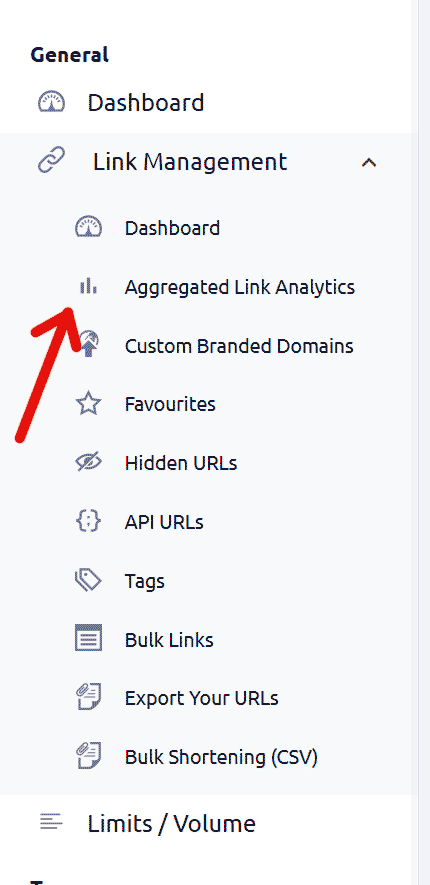
What Aggregated Link Analytics shows:
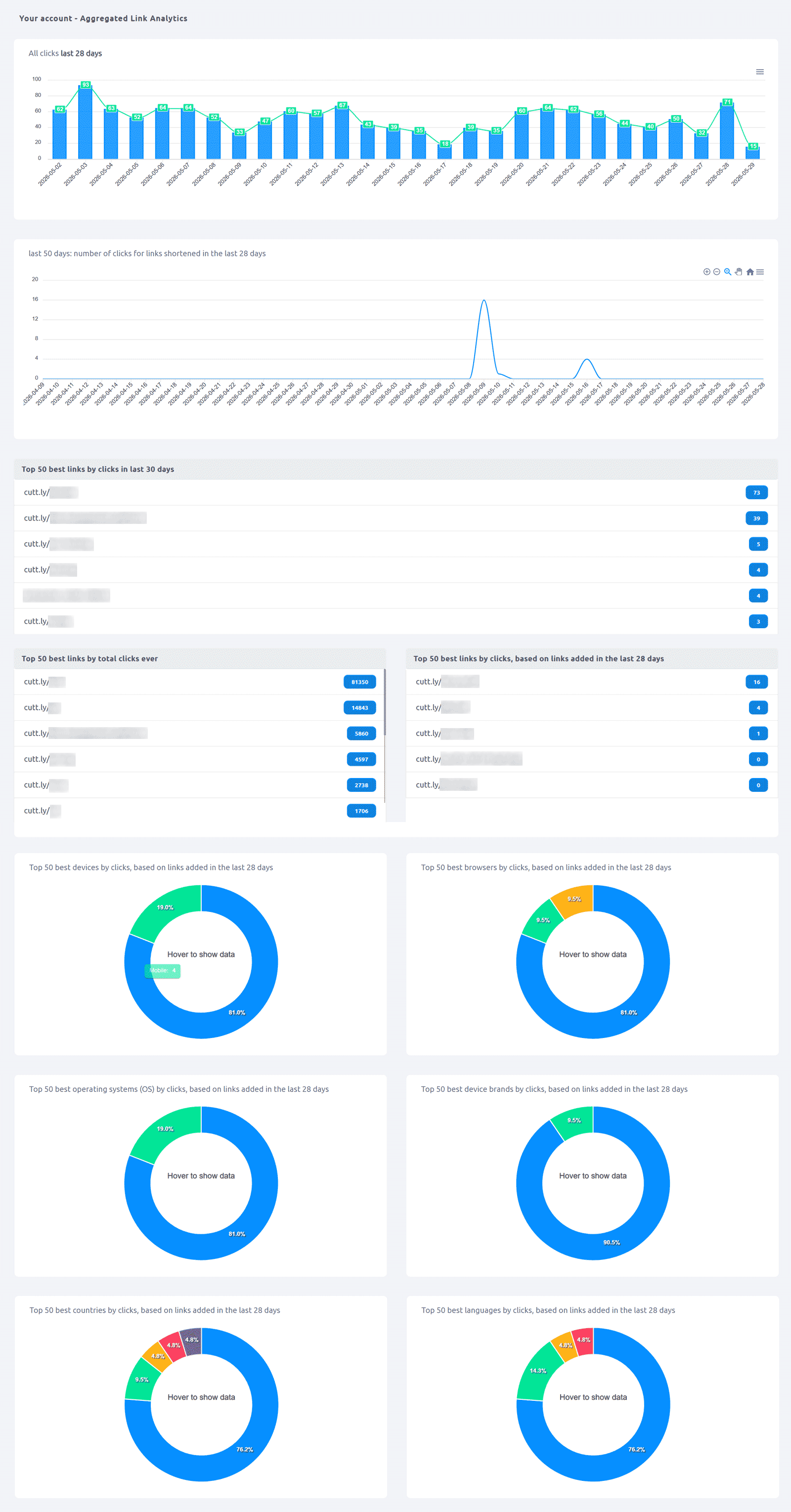
The scope of data displayed — time range, number of links and results — depends on your plan (see plan availability below). The following sections are available:
All clicks (recent period): A bar + line combo chart showing total daily clicks across all your links for the recent period covered by your plan.
Clicks for links shortened in the recent period: A separate chart showing how recently-created links are performing over a longer trailing window — useful for evaluating fresh content or recent campaigns.
Top links by clicks in the last 30 days: A ranked list of your most-clicked links by recent activity, with click counts. The number of links shown depends on your plan.
Top links by total clicks ever: A ranked list of your all-time most-clicked short links, up to the limit of your plan.
Top links, based on links added in the recent period: The best-performing links among those created recently, up to the limit of your plan.
Aggregated breakdown charts (based on links added in the recent period):
- Top devices by clicks
- Top browsers by clicks
- Top operating systems (OS) by clicks
- Top device brands by clicks
- Top countries by clicks
- Top languages by clicks
Plan availability — what each plan shows:
Single ($25/month): last 7 days of click data, up to 10 links/results per section
Team ($99/month): last 14 days of click data, up to 25 links/results per section
Team Enterprise ($149/month): last 28 days of click data, up to 50 links/results per section
Not available on Free or Starter plans. All sections described above are available on every eligible plan — the plan determines the time range covered and the number of results shown in each section.
Find out more: Cuttly pricing and features
FAQ
Where do I find Aggregated Link Analytics?
In the dashboard sidebar: Link Management → Aggregated Link Analytics.
Which plan includes it?
Available from the Single plan. The scope of data shown depends on the plan — Single: last 7 days, up to 10 results per section; Team: last 14 days, up to 25 results; Team Enterprise: last 28 days, up to 50 results. Not available on Free or Starter.
What's the difference between Aggregated Link Analytics and per-link analytics?
Per-link analytics shows detailed data for one specific short link. Aggregated Link Analytics shows a consolidated overview across all your links — top performers, account-wide click trends, and aggregated device/country/language breakdowns.
-
What is Link Analytics?
How to view link analytics?
Time range filter (7 / 30 / 90 days / All)
Total Clicks Chart
Hourly Insights Heat Map
Source of Clicks (Facebook, Twitter, Instagram, LinkedIn, Direct)
Referrals / Other Sources
Devices Clicks (Desktop / Mobile / Other)
System (OS) Clicks
Browsers Clicks
Brand Clicks
Languages Clicks
Geo Location Clicks
Bots
Public and Private Analytics
Analytics Settings (per-link and global)
Download Analytics Report (.PDF)
Aggregated Link Analytics
Campaign Tag Analytics