Languages Clicks
The Languages clicks chart shows the browser and system language preferences of people who clicked your short link. Cuttly reads the language information from the HTTP request — the same way every web server can determine the preferred language of a visitor's browser.
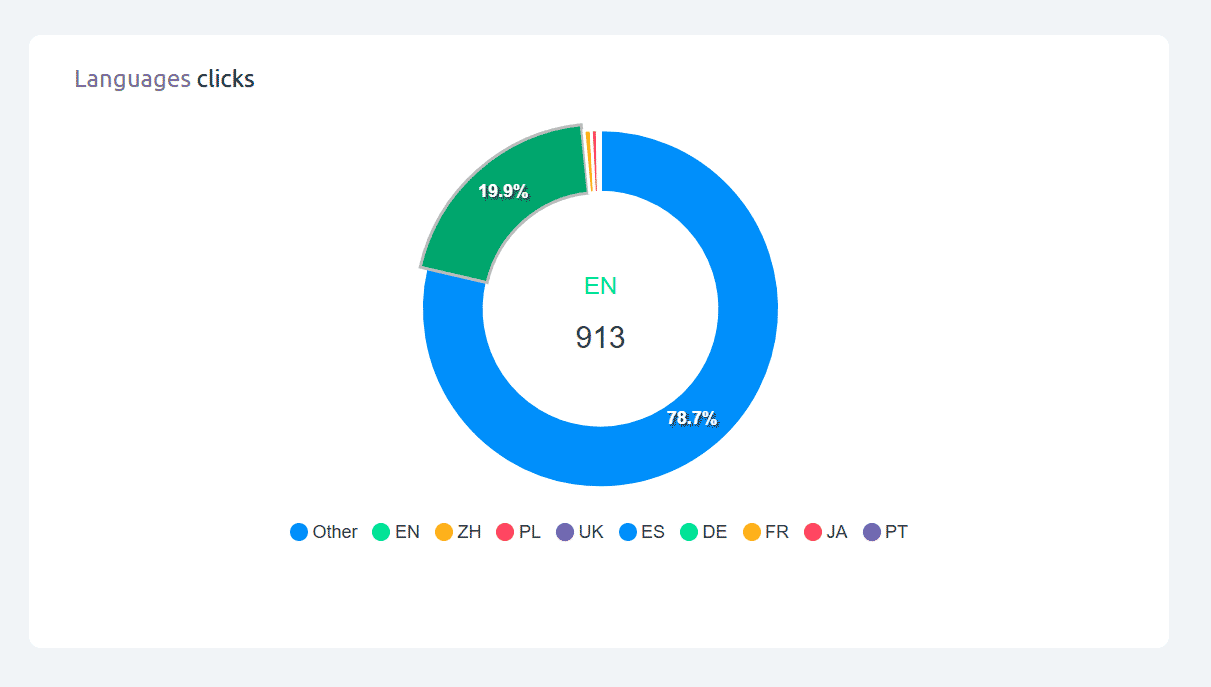
The chart covers hundreds of language and locale codes from all over the world. The most common languages detected for your link are shown as individual segments; languages below the display threshold are grouped into Other. This "Other" category does not mean undetected — it simply groups the long tail of less frequent languages for clarity.
Language codes are displayed using standard two-letter codes (e.g. EN for English, ES for Spanish, DE for German, FR for French, PT for Portuguese, ZH for Chinese, JA for Japanese, AR for Arabic, HI for Hindi, PL for Polish) — but any language code that appears in browser or system settings can be detected and reported.
Important: language ≠ location. The language shown is the browser or system language setting of the visitor's device — not their geographic location. A visitor in France using a browser set to English will appear as EN, not FR. For geographic data, see the Geo Location clicks chart.
Use cases:
- Understand the language composition of your audience to make localization decisions
- Decide whether to create or prioritize translated versions of your destination page
- Validate language targeting in paid campaigns
- Identify unexpected language groups among your audience
Find out more about the options available in your subscription plan here: Cuttly pricing and features
FAQ
How many languages does Cuttly detect?
Cuttly reads the language preference from the HTTP Accept-Language header — this covers hundreds of language and locale codes worldwide. Any language code a browser sends can be detected and reported.
Is language the same as country?
No. The language shown is the browser or system language setting — not the visitor's geographic location. A visitor in France using a browser set to English will appear as EN, not FR. For geographic data use the Geo Location chart.
What is the "Other" language segment?
"Other" groups all detected languages that fall below the display threshold — it is not undetected traffic. Less common language codes are grouped together for chart clarity.
-
What is Link Analytics?
How to view link analytics?
Time range filter (7 / 30 / 90 days / All)
Total Clicks Chart
Hourly Insights Heat Map
Source of Clicks (Facebook, Twitter, Instagram, LinkedIn, Direct)
Referrals / Other Sources
Devices Clicks (Desktop / Mobile / Other)
System (OS) Clicks
Browsers Clicks
Brand Clicks
Languages Clicks
Geo Location Clicks
Bots
Public and Private Analytics
Analytics Settings (per-link and global)
Download Analytics Report (.PDF)
Aggregated Link Analytics
Campaign Tag Analytics