Brand Clicks
The Brand clicks chart shows clicks grouped by the manufacturer (brand) of the device used. It goes one level deeper than the Devices chart — instead of just knowing what type of device was used, you see which specific brands and models visited your link.
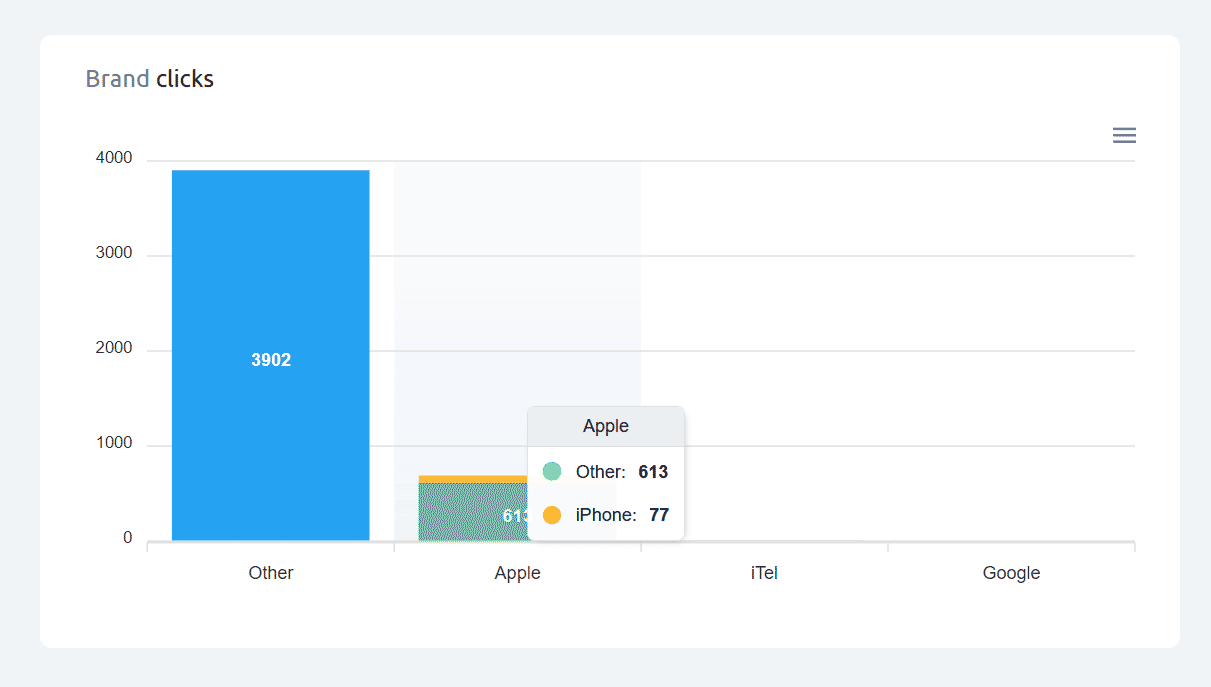
Cuttly detects thousands of device brands and their specific models from user agent data — covering smartphones, tablets, laptops, smart TVs, gaming consoles, wearables, and many other connected device categories. Major smartphone and tablet manufacturers are typically the most visible brands; desktop computers usually fall into Other since they generally do not report a specific device brand in their user agent.
Model breakdown on hover: Hover over any brand bar to see the specific device models that contributed to that brand's click count — individual model names with their click counts. The number of models shown depends on how many distinct models were detected.
Other: Groups all brands not specifically identified by Cuttly's detection. This is typically the largest category for links shared in general contexts, because desktop computers — which represent a significant share of link clicks — do not expose a device brand in their user agent.
This data is useful for understanding your audience's hardware profile — relevant for performance optimization, mobile app deep link strategies, and device-specific targeting decisions.
Find out more about the options available in your subscription plan here: Cuttly pricing and features
FAQ
How many device brands does Cuttly detect?
Cuttly detects thousands of device brands and models from user agent data — smartphones, tablets, smart TVs, consoles, wearables, and more. Any brand not specifically identified is grouped as "Other".
How do I see model-level details?
Hover over any brand bar in the chart. A tooltip shows the specific device models for that brand with individual click counts.
Why is "Other" often the largest bar?
"Other" covers all unidentified brands, which typically includes most desktop and laptop computers — these devices don't expose a brand name in their user agent. A large "Other" bar usually signals a substantial desktop audience.
-
What is Link Analytics?
How to view link analytics?
Time range filter (7 / 30 / 90 days / All)
Total Clicks Chart
Hourly Insights Heat Map
Source of Clicks (Facebook, Twitter, Instagram, LinkedIn, Direct)
Referrals / Other Sources
Devices Clicks (Desktop / Mobile / Other)
System (OS) Clicks
Browsers Clicks
Brand Clicks
Languages Clicks
Geo Location Clicks
Bots
Public and Private Analytics
Analytics Settings (per-link and global)
Download Analytics Report (.PDF)
Aggregated Link Analytics
Campaign Tag Analytics